Creating an Online Directory with WordPress: 6 Essential Plugins to Use

Building an online directory with WordPress isn’t just about throwing a plugin onto your site and calling it a day. The real challenge – and opportunity – lies in orchestrating the right combination of tools to create something that actually works for your users and generates revenue. Most people overthink the tech stack or, conversely, underestimate what’s needed to build a directory that doesn’t feel clunky or outdated.

Here’s something I’ve noticed after working with dozens of directory projects: the difference between a thriving directory and one that never gains traction usually comes down to six core plugin choices. Not ten, not twenty – just six essential tools working in harmony. These plugins handle everything from listing submissions to payments, from maps to reviews, and from SEO to user experience. Get these right, and you’ve built yourself a scalable foundation that can grow from 50 listings to 5,000 without breaking a sweat.
The WordPress directory landscape has matured significantly. We’re seeing a shift away from rigid, all-in-one solutions toward flexible frameworks that let you build exactly what your niche needs. Whether you’re creating a local business directory, a professional services marketplace, or an event listings platform, the plugin ecosystem now supports sophisticated features that were previously only available to custom-coded platforms.
TL;DR – Quick Takeaways
- Six essential plugin categories form the backbone of any successful WordPress directory: core engine, payments, maps/search, reviews, SEO, and front-end UX.
- Planning beats implementation – define your niche, listing types, and monetization model before installing a single plugin.
- Performance and security aren’t optional extras; they’re foundational requirements that determine whether users will submit listings and return to your directory.
- User experience drives adoption – a frictionless submission flow and intuitive search interface matter more than having every possible feature.
- Strategic plugin selection based on compatibility, active support, and proven track records saves countless hours of troubleshooting later.
Planning Your WordPress Directory: The Foundation That Matters
Before you install anything, you need a clear picture of what you’re building. This isn’t just about picking a niche (though that matters enormously). It’s about understanding the specific mechanics of how your directory will function, what data it will capture, and how users will interact with it. I’ve seen too many projects stumble because they skipped this planning phase and ended up with a Frankenstein’s monster of incompatible plugins.
Start by defining your audience and listing types with surgical precision. Are you building a directory for local restaurants, professional service providers, healthcare practitioners, or event venues? Each category demands different data fields and features. A restaurant directory needs hours of operation, menus, and cuisine types. A professional services directory requires credentials, certifications, and case studies. The specificity of your niche determines everything downstream.
Core Features to Scope From Day One
Your feature list should address these fundamental questions: How will users search and filter listings? Will you offer map-based browsing with radius search? What submission process will listing owners follow – free, paid, or freemium? Do you need user reviews and ratings, and if so, what moderation workflow will you implement?
These decisions aren’t just technical preferences; they’re business model choices. A directory with paid listings requires payment gateway integration and recurring billing logic. One that relies on advertising revenue needs high traffic volumes and different SEO priorities. When planning your business listed city directory, these strategic choices define your entire technology stack.
Choosing Your Directory Architecture
You face a fundamental choice: use a standalone directory plugin or adopt a directory-focused theme with built-in functionality. Standalone plugins like GeoDirectory or Business Directory Plugin offer maximum flexibility and work with virtually any theme. Directory themes provide tighter integration but lock you into their ecosystem. For most projects, the plugin approach wins because it preserves your design freedom and doesn’t chain you to a specific theme developer’s update schedule.
Another architectural decision involves multi-field listings and pricing tiers. Will different listing levels offer different features – say, a basic free listing versus a premium listing with photos, videos, and priority placement? This tiered approach drives revenue but adds complexity to your submission forms and backend logic. Plan these tiers now, even if you launch with just one or two initially.
Performance, Security, and Scalability: The Unsexy Essentials
Directory sites face unique performance challenges. You’re dealing with potentially thousands of database records, complex search queries, map rendering, and user-uploaded media. Unlike a simple blog, every page load might query dozens of custom fields and generate dynamic results. This makes caching strategy crucial from day one, not something you add later when the site slows down.
Security considerations matter even more. You’re accepting user submissions, which means potential spam, malicious uploads, and data integrity issues. Implementing CAPTCHA, role-based permissions, and content moderation workflows isn’t paranoia – it’s basic hygiene. The best time to configure these protections is during initial setup, not after you’ve been flooded with fake listings.
The Six Essential Plugin Categories for WordPress Directories
Now we get to the heart of the matter: which plugins actually make up a functional directory? The answer isn’t about specific brand names (those change with time and trends), it’s about understanding the six functional categories every directory needs. Think of these as slots in your architecture that must be filled, though sometimes one plugin can serve multiple roles.
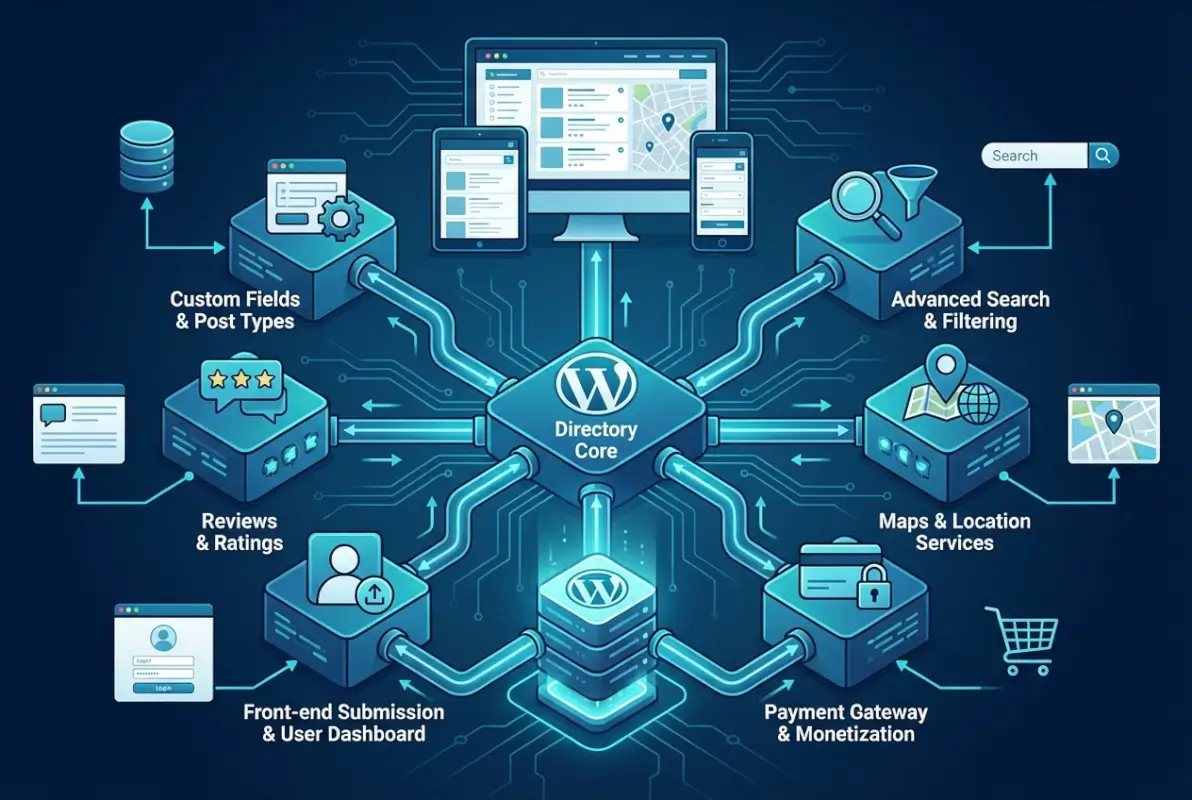
The plugin landscape includes excellent freemium options alongside premium solutions. According to comprehensive reviews from TechRadar’s directory plugin roundup, the best implementations typically combine a robust core plugin with specialized tools for specific functions rather than relying on a single monolithic solution.
Plugin Category 1: Directory Engine and Listings Management
This is your foundation – the plugin that creates and manages your listing post types, custom fields, categories, and basic functionality. Look for solutions that offer flexible custom field builders, allowing you to define exactly what data each listing captures. The form builder should support various field types: text, numbers, dropdowns, checkboxes, media uploads, URLs, and dates at minimum.
Front-end submission capability is non-negotiable. Listing owners need to submit and manage their own entries without accessing your WordPress admin panel. This requires a user dashboard where they can edit listings, view statistics, and manage their account. The best directory engines include role-based permissions that let you control what different user types can do – what guests can see, what registered users can submit, and what moderators can approve.
Integration with page builders (Elementor, Gutenberg, Beaver Builder) matters more than most people realize initially. You’ll want to customize your directory’s appearance without writing code, and tight page builder integration makes this possible. The difference between a directory that looks generic and one that matches your brand usually comes down to how well your core plugin plays with your page builder.
| Feature | Essential | Advanced | Premium |
|---|---|---|---|
| Custom Fields | Basic types | Conditional logic | Repeater fields, calculations |
| Front-end Submission | ✓ | With preview | Multi-step wizard |
| Import/Export | CSV basic | CSV advanced | API integration |
| Search & Filters | Keyword, category | Custom fields | Faceted, auto-suggest |
Plugin Category 2: Payments and Monetization
Unless you’re running a purely informational directory (rare these days), you need payment functionality. This plugin handles listing submission fees, featured listing upgrades, membership packages, and recurring billing. The choice between integrated payment features in your directory plugin versus a separate membership plugin depends on your business model complexity.
For simple “pay per listing” models, integrated payment in your directory plugin often suffices. For tiered memberships with different listing limits, renewal schedules, and feature access levels, a dedicated membership plugin (like Paid Memberships Pro or MemberPress) gives you more flexibility. The key consideration is how these systems communicate – can your directory plugin recognize membership levels and adjust listing features accordingly?
Recurring versus one-time pricing deserves careful thought. Recurring revenue provides predictable income and keeps listings current (you can auto-expire non-renewed listings), but it increases friction in the sign-up process. One-time payments convert better initially but require constant new listing acquisition to maintain revenue. Many successful directories offer both options, letting users choose their preferred model.
Plugin Category 3: Maps, Locations, and Geographic Search
For any directory with a location component (which is most of them), map functionality transforms user experience. Users expect to see listings on an interactive map, filter by distance from their location, and search within a radius. This requires both map rendering and geolocation capabilities that go beyond simple address fields.
Your map plugin needs to geocode addresses (convert street addresses into latitude/longitude coordinates), display markers on a map, and handle radius search queries efficiently. The choice of map provider – Google Maps, Mapbox, OpenStreetMap – affects both cost and features. Google Maps offers the richest feature set but comes with usage fees once you exceed their free tier. OpenStreetMap is free but requires more technical setup and lacks some advanced features.
Performance becomes critical with maps, especially on mobile devices. Loading hundreds of map markers simultaneously will crush page load times. Look for solutions that implement marker clustering (grouping nearby markers into single clusters that expand when clicked) and lazy loading (only loading map data when the map comes into view). These optimizations make the difference between a snappy directory and one that frustrates users.
Plugin Category 4: Reviews and Social Proof
User reviews build trust and engagement while generating fresh content for SEO. Your review system needs to handle submissions, moderation (to prevent fake reviews), ratings display, and ideally some anti-fraud measures. The challenge lies in balancing open reviews with quality control – you want genuine feedback without opening the floodgates to spam and manipulation.
Look for review plugins that integrate cleanly with your directory plugin’s listing types. The review form should appear naturally on listing pages, tie reviews to specific listings in your database, and allow for structured rating criteria (not just overall stars, but specific aspects like “quality,” “value,” “service”). Some advanced solutions include verified purchase/visit flags, though implementing this verification adds complexity.
Moderation workflows matter more than most people initially appreciate. Do reviews publish immediately or await approval? Can listing owners respond to reviews? What’s your policy on removing negative reviews – never, only if provably false, at the reviewer’s request? These aren’t just technical settings; they’re trust and liability decisions. Getting your proven tactics to get businesses join directory efforts right means having a fair, transparent review policy.
Plugin Category 5: SEO and Structured Data
Directory sites live or die by organic search traffic. Each listing represents a potential landing page for long-tail searches, but only if you implement proper SEO fundamentals and structured data markup. This plugin category handles schema markup, meta tags, XML sitemaps, and search engine optimization specific to directory content.
The critical capability here is LocalBusiness schema markup (or the appropriate schema.org type for your listings). This structured data tells search engines exactly what each listing represents – business name, address, phone, hours, ratings, price range, and more. When implemented correctly, this can trigger rich snippets in search results, showing star ratings, price ranges, and other details that dramatically improve click-through rates.
Your SEO plugin should also handle individual listing meta titles and descriptions, ideally with templates that automatically populate from listing data. For example, a meta title template might be “[Business Name] | [Category] in [City] | YourDirectoryName” – pulling those bracketed values from each listing’s custom fields. This automation ensures every listing has unique, optimized metadata without manual work for each entry.
Plugin Category 6: Front-End UX and Forms
This final category encompasses everything that makes your directory pleasant to use – the search interface, filtering controls, listing submission forms, user dashboards, and overall front-end experience. While your core directory plugin provides basic functionality here, specialized form builders and UX plugins can dramatically improve the experience.
The listing submission form deserves special attention because it’s your conversion funnel for new listings. A long, intimidating form with unclear required fields will tank your submission rate. Look for solutions that support multi-step forms (breaking one long form into digestible sections), conditional logic (showing/hiding fields based on previous answers), and clear progress indicators. Auto-save functionality prevents users from losing work if they navigate away or their session times out.
User dashboards – where listing owners manage their entries – should provide at-a-glance analytics (views, clicks, messages received) alongside editing capabilities. The best implementations let users upgrade their listing, renew expiring subscriptions, and access support resources without leaving their dashboard. This self-service approach reduces your support burden while improving user satisfaction.
Evaluating Plugin Compatibility and Maintenance
Before committing to any plugin, investigate its track record. Check the last update date – plugins updated within the past month signal active development, while those untouched for six months raise red flags. Review ratings and support forum responsiveness give you insight into how the developer handles issues. A plugin with 4.7 stars and prompt support responses beats a 4.9-star plugin where developers ignore support requests.
Compatibility testing matters enormously, you can’t assume plugins will work together just because they’re in the same category. Before purchasing premium plugins, test free versions or request demo access. Set up a staging environment and install your shortlist of plugins together. Try actually creating listings, processing payments, and using search features. Many compatibility issues only surface when you combine specific plugins with specific themes under real-world conditions.
| Evaluation Criteria | Red Flag | Green Light |
|---|---|---|
| Last Update | >6 months ago | <30 days ago |
| Support Response | Unanswered threads | Replies within 48hrs |
| Active Installs | <1,000 | >10,000 |
| Code Quality | Security issues reported | Regular security audits |
| Documentation | Minimal or outdated | Comprehensive, current |
Setup and Configuration Best Practices
With your plugins selected, installation order matters. Start with your core directory plugin, configure its basic settings, then layer in supporting plugins one at a time. This methodical approach helps you isolate any conflicts or issues that arise. Trying to install and configure six plugins simultaneously is a recipe for confusion when something inevitably doesn’t work as expected.
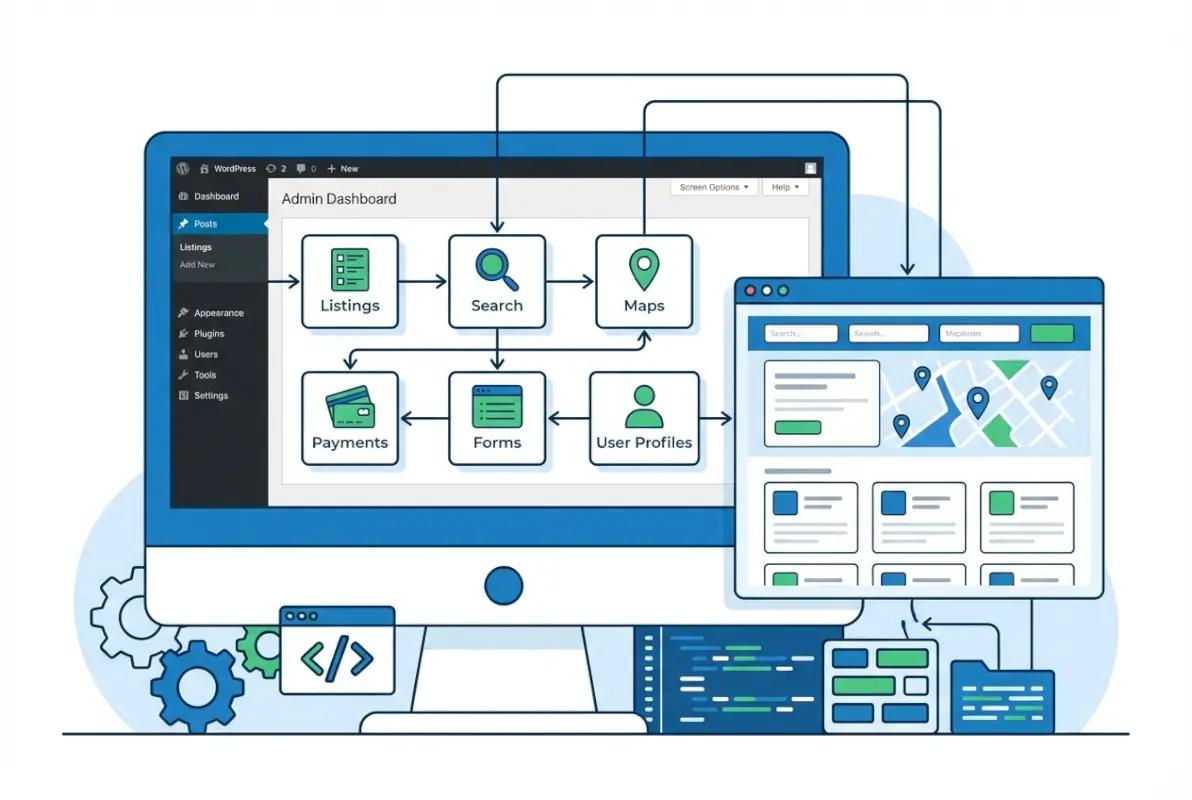
Begin by creating your essential pages before worrying about design polish. You need a main directory browsing page, a listing submission page, a user dashboard, and individual listing detail pages. Most directory plugins create these automatically or provide shortcodes/blocks to insert them. Test the basic flow – can a user find listings, view details, and submit a new listing – before customizing appearance or adding advanced features.
Designing a User-Friendly Submission Flow
The submission flow deserves particular attention because it’s where you’ll lose users if the experience is poor. Start by defining clear role permissions – what can anonymous visitors do versus registered users versus paid members? A common pattern is letting everyone browse but requiring registration to submit listings. This builds your user database while filtering out the most casual spam attempts.
Implement a moderation queue for new listings rather than publishing them immediately. This gives you quality control and spam prevention, though it slows the time-to-publish for legitimate submissions. Some directories use a hybrid approach – trusted users (those with successful published listings) get auto-approval, while new users face moderation. This balances quality control with user experience for established contributors.
Anti-spam measures should include at minimum CAPTCHA on submission forms and reasonable rate limiting (one submission per user per hour, for example). More advanced setups might include email verification, phone verification for paid listings, or even manual identity verification for high-value directory niches like healthcare or legal services. The right balance depends on your niche’s spam risk and the value of each listing.
Custom Fields and Data Modeling
This is where your initial planning pays off. Create custom fields for all the data points you identified during planning, organizing them into logical groups. For a restaurant directory, you might have groups for “Basic Info” (name, description, cuisine), “Contact Details” (address, phone, email, website), “Service Info” (hours, delivery options, reservation policies), and “Media” (photos, menu PDFs, videos).
Field types matter for data quality and user experience. Use dropdown menus for standardized options (cuisine types, price ranges) rather than free text fields – this ensures consistency and enables filtering. Use number fields for data like prices or capacity, not text fields that users might fill with “around 50” instead of “50”. These small choices compound across thousands of listings, affecting both data quality and search functionality.
Payment and Membership Configuration
Configure your pricing tiers thoughtfully, starting simple even if you plan complexity later. A common mistake is launching with five different membership levels and confusing potential customers. Start with two or three clear options – perhaps a free basic listing, a premium listing with enhanced features, and a featured listing with priority placement. You can always add tiers later based on what customers actually request.
For recurring memberships, implement clear cancellation policies and make the process easy. Frustrated users who can’t figure out how to cancel become vocal critics and initiate chargebacks. Provide a simple cancellation button in user dashboards, send email confirmations of cancellations, and honor them immediately rather than dragging out access until the current period ends (unless your terms explicitly state otherwise).
SEO Optimization Steps
Configure your SEO plugin to automatically generate metadata for listings using templates. Set up schema markup for your specific listing type – LocalBusiness for general businesses, Restaurant for food establishments, MedicalBusiness for healthcare, etc. Test your implementation using Google’s Rich Results Test to ensure the structured data validates correctly.
Create an XML sitemap that includes all published listings and submit it to Google Search Console and Bing Webmaster Tools. Configure the sitemap to automatically update when new listings are published or existing ones are modified. This ensures search engines discover new content quickly. When you’re working to create business directory without typing simple methods, proper SEO configuration becomes even more critical since you’re relying on automated content population.
Establish canonical URLs for listing pages to prevent duplicate content issues. If your directory allows listings in multiple categories or locations, each listing should have one canonical URL that all variations point to. This concentrates SEO value and prevents competing with yourself in search results.
Design, UX, and Real-World Workflows
Technical configuration gets you functional, but design and UX refinement make your directory actually useful and pleasant. This is where you differentiate your directory from the dozens of competitors using the same core plugins. The specific choices you make around layout, navigation, and visual hierarchy determine whether users can quickly find what they need or bounce in frustration.
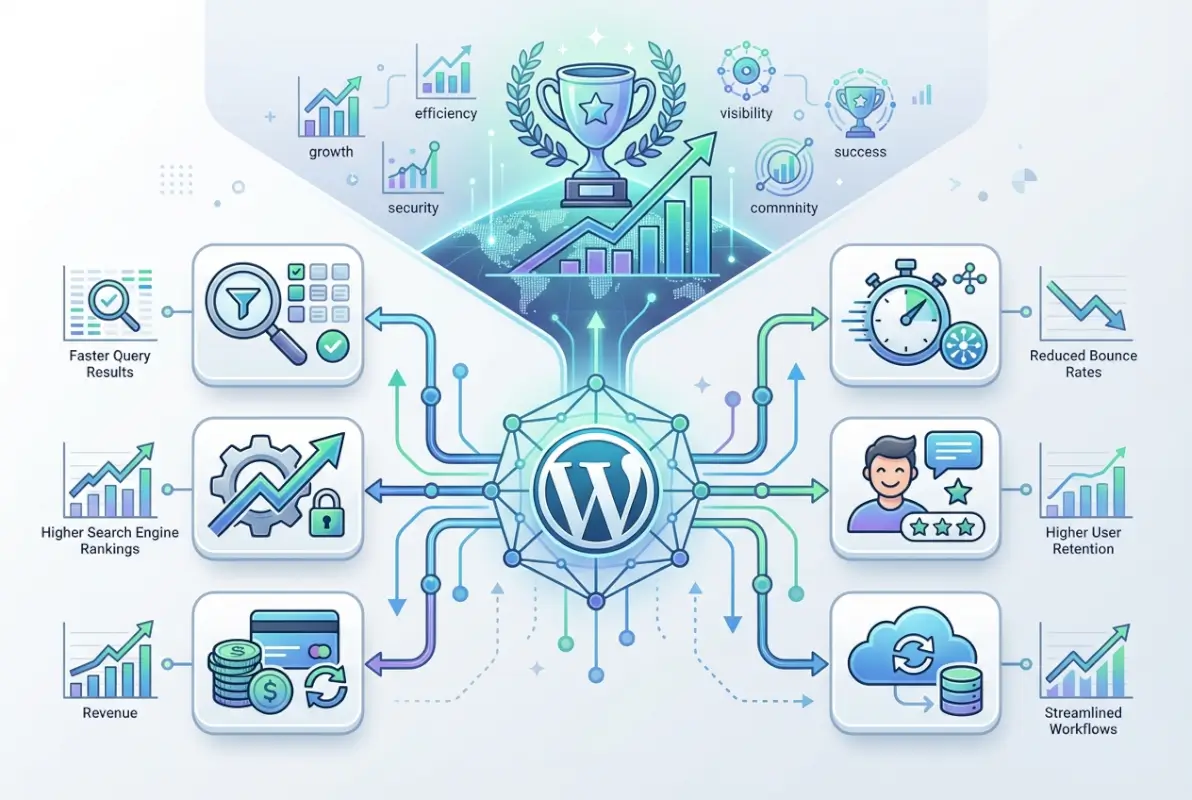
Theme and page builder compatibility directly impacts how much control you have over appearance. If you’re using Elementor, look for directory plugins that offer native Elementor widgets for listing display, search forms, and user dashboards. This lets you customize these elements visually rather than through code or limited plugin settings. The same applies to Gutenberg blocks or other builders – native integration beats shortcodes every time for design flexibility.
Front-End UX Best Practices
Search UX deserves as much attention as any other aspect of your directory. Users should be able to find listings through multiple paths – keyword search, category browsing, map exploration, and filtered queries. The search box should be prominent on every page, with auto-suggest functionality that helps users refine queries as they type. Show result counts for filters before users apply them, so they know whether “Italian restaurants” (47 results) will be more fruitful than “Neapolitan pizza” (3 results).
Listing detail pages need a clear information hierarchy. The most important details – business name, category, location, contact info, rating – should be immediately visible above the fold. Supporting information like full descriptions, hours, photos, and reviews can follow below. Include clear calls-to-action: “Visit Website,” “Call Now,” “Get Directions,” “Write a Review.” Make these buttons, not links, and ensure they work correctly on mobile (click-to-call for phone numbers, launch maps app for directions).
Map-centric views work particularly well for location-based directories. Provide a split-screen layout with the map on one side and a scrollable list of matching listings on the other. As users pan and zoom the map, update the list to show only visible results. This geographic browsing mode serves users who think in terms of “what’s near me” rather than categories or keywords.
Moderation and Quality Control Workflows
Establish clear user roles and capabilities from the start. WordPress’s default roles (Administrator, Editor, Author, Subscriber) might not map perfectly to your needs. You may need custom roles like “Listing Owner” (can submit and edit own listings), “Moderator” (can approve/reject listings), and “Premium Member” (can submit unlimited listings). Many directory plugins include role management, or you can use a dedicated role editor plugin.
Create moderation guidelines that your team can follow consistently. What constitutes an acceptable listing versus spam or inappropriate content? Should you require certain minimum information before approving a listing? How do you handle duplicate submissions for the same business? Document these decisions so that moderation quality remains consistent even as different team members review submissions.
Implement a flagging system that lets users report inappropriate listings, incorrect information, or suspected spam. This crowdsources quality control and often catches issues faster than manual review. The flag should trigger a review workflow, not automatic removal – you need human judgment to distinguish legitimate concerns from competitors trying to sabotage each other.
Localization and Accessibility
If your directory serves multiple languages or regions, configure multilingual support early. Plugins like WPML or Polylang can translate your directory interface, though translating user-submitted listings adds complexity. Some directories require listing owners to provide translations; others use automated translation with disclaimers; others simply allow listings in any language and let users filter by language preference.
Accessibility compliance isn’t just ethical – it’s increasingly legally required and genuinely expands your potential user base. Ensure your directory theme meets WCAG 2.1 AA standards at minimum. This includes proper heading hierarchy, alt text for images, keyboard navigation support, sufficient color contrast, and screen reader compatibility. Many modern WordPress themes claim accessibility compliance, but test with actual screen readers and keyboard-only navigation to verify.
Analytics, Growth, and Long-Term Success
Launch is just the beginning, the real work lies in growing your directory’s listing count and user base. This requires understanding what’s working through analytics, continuously optimizing based on data, and implementing growth tactics specific to directories. Unlike content sites where you’re the primary content creator, directory success depends on attracting quality listings and the users who search for them.

Set up comprehensive analytics from day one. Beyond standard Google Analytics page views, track directory-specific metrics: listings submitted (by tier if you have multiple), listings approved versus rejected, time from submission to approval, search queries users enter, most-viewed categories, most-viewed individual listings, and conversion rates from search to listing view to call-to-action click. These metrics tell you where users find value and where friction exists.
A/B Testing and Optimization
Directory sites offer abundant testing opportunities. Test different search interfaces – does a prominent map view outperform a list-first layout? Test pricing – does a $49/year membership convert better than $5/month despite being nearly identical in total cost? Test submission form flows – does breaking one long form into three short steps increase completion rates?
Search relevance tuning deserves ongoing attention. As your listing count grows, generic keyword matches become less useful than carefully weighted relevance algorithms. Should category matches rank higher than description matches? Should recent listings get a freshness boost? Should listings with more reviews rank higher? Most directory plugins let you adjust these weights; use your search analytics to guide these decisions.
Marketing and Growth Tactics
Content marketing supports directory growth in unique ways. Create neighborhood guides, “best of” lists, and how-to articles that naturally link to relevant directory listings. A post titled “10 Best Coffee Shops in Downtown Portland” showcases your Portland coffee shop listings while providing editorial value that attracts organic traffic. This content serves both SEO and user utility purposes.
Email campaigns keep users engaged and encourage actions. Send new listing alerts to users interested in specific categories or locations. Send renewal reminders to listing owners before their subscriptions expire. Send re-engagement campaigns to dormant users highlighting new features or listings in their area. Segment aggressively – a healthcare professional searching your directory shouldn’t receive emails about your newest restaurant listings.
Partnership outreach accelerates listing acquisition, especially in the early days when you’re building critical mass. Identify industry associations, chambers of commerce, or local business groups whose members would benefit from being listed in your directory. Offer group signup discounts or featured placement to organizations that promote your directory to their members. This leverages existing communities rather than acquiring listings one at a time. Understanding how to get your business listed in Brooklyn directory style partnerships helps you replicate successful outreach patterns.
Compliance and Privacy
Data protection regulations like GDPR (Europe), CCPA (California), and similar laws worldwide affect directory sites that collect personal information. Implement clear privacy policies explaining what data you collect, how you use it, and how users can access or delete their information. Provide easy mechanisms for listing owners to export or delete their data upon request.
Obtain appropriate consents for email communications. Transactional emails (listing approved, payment received) don’t require explicit marketing consent, but promotional emails do. Use double opt-in for marketing lists to ensure compliance and list quality. Maintain suppression lists of users who’ve unsubscribed and honor them across all campaigns.
Consider liability implications of user-generated content. While Section 230 in the US provides broad immunity for platforms hosting third-party content, you should still implement reporting mechanisms and respond to legitimate takedown requests. Maintain records of moderation decisions. Consult legal counsel about terms of service that protect your interests while remaining fair to users.
Maintenance, Security, and Scaling
Directory sites require ongoing technical stewardship. Plugin updates, security monitoring, performance optimization, and data management become routine operational tasks. Neglect these responsibilities and your directory will suffer degraded performance, security vulnerabilities, or catastrophic data loss. Budget time and resources for maintenance from the beginning rather than treating it as an afterthought.
Establish an update cadence for plugins and WordPress core. Many experienced admins update on a weekly schedule, reviewing available updates, testing them on a staging site, then deploying to production. Major updates (WordPress version changes, major plugin version jumps) deserve extra caution and comprehensive testing. Monitor changelogs for breaking changes that might affect your specific configuration.
Security monitoring should include several layers. Use a security plugin like Wordfence or Sucuri to scan for malware, monitor for suspicious login attempts, and alert you to vulnerabilities. Enable two-factor authentication for all administrator accounts. Limit login attempts to prevent brute force attacks. Keep comprehensive activity logs of who accessed the admin panel and what changes they made. When listing owners can fix business info directory engines display, proper audit logs help you track legitimate changes versus unauthorized modifications.
Data Stewardship and Backups
Implement automated daily backups of both your database and files. Store backups off-site (not on the same server as your directory) and test restore procedures at least quarterly. A backup you’ve never successfully restored is just a false sense of security. Consider the 3-2-1 rule: keep 3 copies of your data, on 2 different media types, with 1 copy off-site.
As your listing count grows, database optimization becomes necessary. Regularly clean up post revisions, spam comments, expired transients, and orphaned metadata. Most directory plugins don’t automatically clean up this detritus, and over time it bloats your database and slows queries. Schedule monthly optimization tasks using plugins like WP-Optimize or Advanced Database Cleaner.
Scaling Infrastructure
Monitor server resource usage – CPU, memory, disk I/O, and database query time. When you consistently approach 80% utilization of any resource, it’s time to scale. For directories on shared hosting, this typically means moving to VPS or managed WordPress hosting. For larger operations, consider database optimization, CDN implementation, and object caching (Redis or Memcached) before throwing more server resources at the problem.
Search performance at scale requires special attention. As you approach tens of thousands of listings, default WordPress search becomes painfully slow. Implement a dedicated search solution like ElasticSearch or Algolia that can handle complex queries with sub-second response times. These tools index your listings in optimized data structures specifically designed for search workloads.
Frequently Asked Questions About WordPress Directory Sites
What is a WordPress directory plugin and how does it differ from a standard WordPress site?
A WordPress directory plugin transforms WordPress into a listing platform by adding custom post types for directory entries, front-end submission forms, search and filtering capabilities, custom fields for structured data, and user dashboards for listing management. Standard WordPress sites focus on blog posts and static pages, while directory sites center around searchable, categorized listings submitted and managed by multiple users.
Do I need premium plugins to build a robust directory?
While free plugins like Business Directory Plugin offer basic functionality, most professional directories benefit from premium plugins that provide advanced features like payment integration, map search, review management, and comprehensive customization options. The typical investment ranges from $100-500 annually for a quality plugin stack, which is modest compared to custom development costs or the revenue potential of a well-executed directory.
Which six plugins are essential to start a directory?
The six essential plugin categories are: (1) core directory engine for listings management, (2) payment/membership system for monetization, (3) maps and location search functionality, (4) review and rating system, (5) SEO and structured data tools, and (6) front-end form builders and UX enhancements. Specific product choices depend on your niche, budget, and technical requirements.
Can I migrate listings from another system into WordPress?
Yes, most directory plugins support CSV import for bulk listing migration. You’ll need to map fields from your old system to your new WordPress custom fields. The process typically involves exporting data from your current platform, formatting it to match your new plugin’s field structure, and using the import function. Complex data like reviews or user relationships may require custom migration scripts or professional assistance.
How can I monetize a directory effectively?
Common monetization strategies include paid listing submissions, tiered membership levels with different features, featured/premium listing upgrades, advertising (banner ads or sponsored placements), affiliate commissions for referrals, and lead generation fees. Most successful directories combine multiple revenue streams rather than relying on a single model. Start simple and add complexity as you understand what your users value.
How do I optimize directory listings for search engines?
Implement LocalBusiness schema markup on listing pages, ensure each listing has unique meta titles and descriptions, create descriptive URLs with location and category information, generate an XML sitemap of all listings, encourage user reviews which add fresh content and keywords, and build internal links between related listings and category pages. Optimize for long-tail local searches like “emergency plumber in downtown Seattle” rather than just “plumber.”
How do I ensure listing submissions are high quality?
Implement a moderation queue requiring approval before publication, use clear submission guidelines explaining required information and acceptable content, employ CAPTCHA and email verification to filter automated spam, limit submissions from new users until they establish credibility, provide listing templates or examples of quality submissions, and use community flagging to identify problematic content. Balance quality control with submission friction – overly strict requirements discourage legitimate submissions.
How can I improve listing discovery on mobile devices?
Prioritize mobile-responsive design with touch-friendly buttons and forms, implement map-based browsing since location is often the primary mobile search criterion, use auto-complete in search fields to minimize typing, provide filter options through easy-to-tap buttons rather than complex dropdowns, ensure fast page load times (under 3 seconds on 4G), and use click-to-call and click-for-directions functionality that launches native mobile apps.
What privacy considerations apply to directory data?
You must comply with GDPR, CCPA, and similar regulations if collecting personal data from users in affected jurisdictions. This includes obtaining consent for data collection, providing clear privacy policies, allowing users to access and export their data, honoring deletion requests, securing data appropriately, and limiting data collection to what’s necessary for directory functionality. Public business information (business name, address, phone) has different requirements than personal user data (email addresses, user accounts).
How do I protect against spam and fake listings?
Implement multi-layer protection including CAPTCHA on submission forms, email verification for new accounts, manual moderation of first-time submissions, rate limiting to prevent bulk submissions, spam detection plugins that identify suspicious patterns, required payment for listings (financial commitment reduces spam), and user-reported flagging systems. Monitor for patterns like duplicate content, fake contact information, or off-topic submissions and permanently ban accounts that submit spam.
Taking Action: Building Your Directory the Right Way
Creating a successful WordPress directory isn’t about finding one magical plugin that does everything (it doesn’t exist). It’s about thoughtfully combining six essential plugin types into a cohesive system that serves your specific niche and users. The directories that thrive start with clear planning – understanding their audience, defining their unique value, and mapping out exactly what functionality they need before installing anything.
The technical implementation, while important, is actually the easier part once you’ve made strategic decisions about your directory’s scope, monetization model, and user experience priorities. Choose plugins with proven track records, active support, and strong compatibility. Test thoroughly before launch, but don’t pursue perfection – launch with core functionality solid and iterate based on real user feedback rather than assumptions.
Performance and security aren’t optional considerations to address later; they’re foundational requirements that determine whether your directory can scale and sustain user trust. Implement proper caching, optimize images, protect against spam, and establish update and backup procedures from day one. These unglamorous technical foundations enable everything else you want to accomplish.
Remember that directory success is ultimately about the quality and comprehensiveness of your listings more than technical features. A directory with 1,000 complete, accurate, well-maintained listings will outperform one with 5,000 sparse, outdated entries every time. Focus early efforts on recruiting quality listings in your niche, building momentum through content marketing and partnerships, and providing excellent support to listing owners who will become your advocates and ambassadors.