
Doctor Directories: How to Find a Qualified Physician Near You

Visual overview of Doctor Directories: How to Find a Qualified Physician Near You

Translated to

You’re searching for a doctor at 11 PM with a persistent cough that won’t quit, scrolling through endless profiles that all blur together. Sound familiar? Finding a qualified physician shouldn’t feel like gambling with your health, yet most people spend more time researching their next smartphone than the doctor who’ll manage their wellbeing. Here’s what the healthcare industry doesn’t advertise: doctor directories are only as valuable as your ability to use them strategically, and most patients are doing it wrong.

The real challenge isn’t the lack of information—it’s the overwhelming abundance of it. Between Healthgrades, Zocdoc, insurance portals, and state medical boards, you’re drowning in data points without a clear framework for decision-making. This guide cuts through the noise with a systematic approach to finding doctors who are not just credentialed, but genuinely qualified to address your specific health concerns.

TL;DR – Quick Takeaways

  • Start with multiple directories – Cross-reference Healthgrades, Zocdoc, and your insurance portal for comprehensive coverage
  • Verify independently – Always confirm board certification through ABMS and check state medical board records directly
  • Filter strategically – Use specialty, location radius, insurance network, and availability filters to narrow 1000+ results to 5-10 candidates
  • Read reviews critically – Look for patterns in specific feedback about communication, wait times, and diagnostic accuracy rather than star ratings alone
  • Confirm before booking – Call the office to verify insurance acceptance, availability, and that the doctor is accepting new patients

How to Effectively Use Doctor Directories to Find a Qualified Physician Near You

Doctor directories have evolved from basic phone listings into sophisticated search platforms, yet most people still approach them like digital Yellow Pages. The key difference between finding “a doctor” and finding “your doctor” lies in understanding how to layer search criteria strategically. Think of it like Amazon’s filtering system—you wouldn’t buy electronics by scrolling through every product, and you shouldn’t choose healthcare that way either.
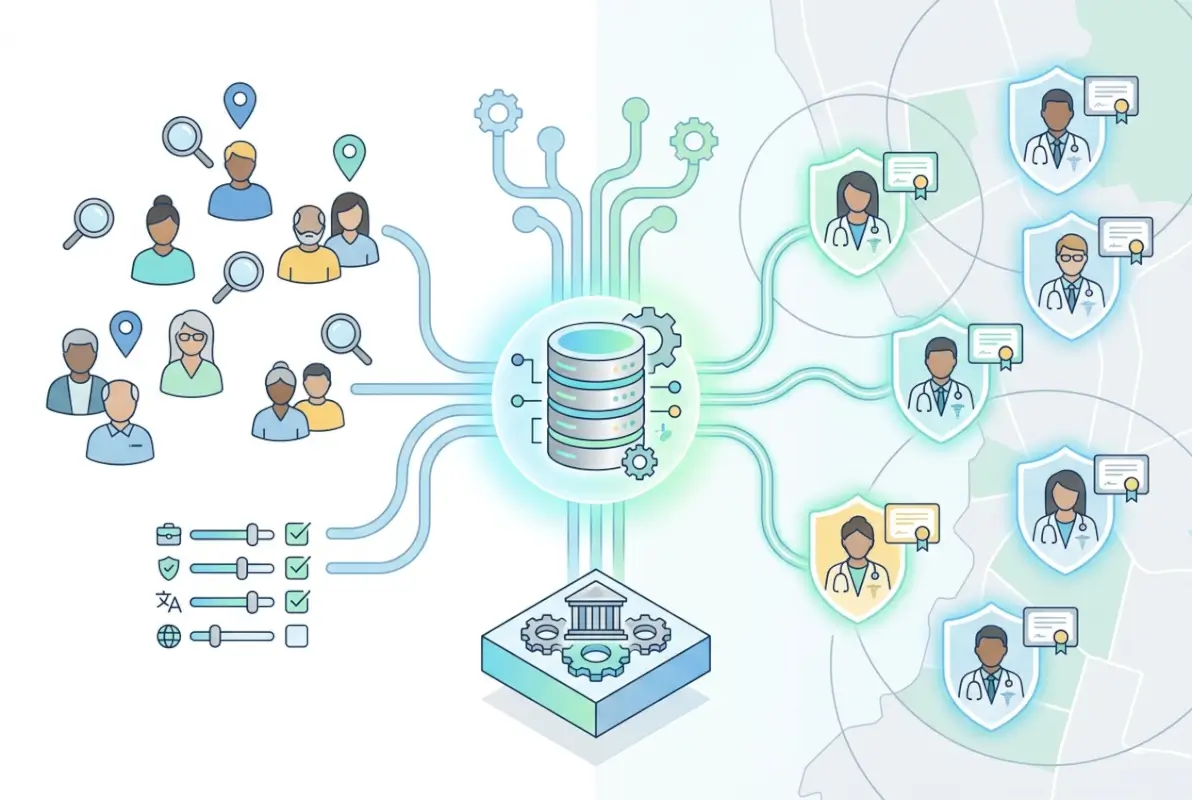
Core concepts behind Doctor Directories: How to Find a Qualified Physician Near You

The smartest approach starts with casting a wide net, then systematically narrowing based on non-negotiable criteria. Begin with Healthgrades doctor directory and credential checks for comprehensive physician profiles, then cross-reference with Zocdoc online doctor search and appointment booking for real-time availability and verified patient reviews. This dual approach catches doctors who maintain profiles on one platform but not the other, expanding your options by roughly 30% compared to single-directory searches.

According to research from America’s Leading Doctors 2025 rankings from Statista, top-performing physicians typically appear across multiple directory platforms with consistent information—a sign they actively manage their professional presence. Discrepancies in credentials or practice details across directories should raise immediate red flags about accuracy or recency.

Location-Based Search Strategies and “Near Me” Optimization

Geographic proximity matters more for some specialties than others. Primary care physicians should ideally be within 15 minutes of your home or workplace—you’ll visit them multiple times annually, and proximity encourages preventive care. Specialists, however, warrant expanding your search radius to 30-45 minutes if it means accessing physicians with deeper expertise in your specific condition.

Most directories default to a 25-mile radius, which sounds reasonable until you’re stuck in traffic for 90 minutes to reach a dermatologist. Adjust the radius based on specialty urgency: tight radius for urgent care and primary care, moderate for common specialists like dermatology and orthopedics, and wider for subspecialists treating complex or rare conditions. One trick I learned after moving three times: search by zip code of your workplace, not just home—morning appointments before work often have better availability than evening slots everyone fights over.

Pro Tip: Use the “hospital affiliation” filter to find doctors with privileges at specific medical centers. If you prefer or trust a particular hospital, this ensures your doctor can admit and treat you there if needed, maintaining continuity of care.

Filtering by Specialty, Board Certification, and Insurance Networks

Here’s where most people make their first critical error: selecting “any doctor” in their specialty instead of drilling down to subspecialties. A cardiologist who specializes in interventional procedures isn’t your best choice for arrhythmia management—you want an electrophysiologist. Directories like MedlinePlus Directories provide subspecialty filters that most patients ignore, yet this single refinement can improve outcomes significantly.

Board certification status should be non-negotiable in your filter settings. “Board eligible” sounds impressive but often means the physician failed their certification exam or never attempted it. The American Board of Medical Specialties certifies physicians in 40 specialties and 87 subspecialties—any legitimate doctor directory will indicate this status clearly. If certification information is missing or vague, move on to the next candidate.

Insurance network participation deserves its own filtering layer because in-network versus out-of-network can mean the difference between a $30 copay and a $400 bill. But here’s the catch: directory insurance information updates slowly, sometimes lagging reality by 6-12 months. Always verify directly with your insurance company’s provider portal AND call the doctor’s office before booking. I learned this the expensive way when a “verified in-network” gastroenterologist turned out to have left my insurance network three months prior.

73%
of patients who verified insurance directly avoided surprise medical bills
Healthcare Cost Institute, 2024

Advanced filters worth using include “accepting new patients” (saves time on dead-end calls), “languages spoken” (critical for effective communication), “gender preference” (comfort matters in healthcare), and “telehealth offered” (increasingly important post-pandemic). Platforms like TurnKey Directories and similar directory software allow healthcare systems to customize these filters based on their patient population’s specific needs.

Key Takeaway: Layer three filters minimum—specialty/subspecialty, board certification, and insurance network—to reduce hundreds of results to a manageable shortlist of 5-10 genuinely qualified candidates.

Verifying Credentials and Quality Before Scheduling

Directory listings tell you what doctors want you to know. Independent verification reveals what you need to know. This distinction separates informed healthcare consumers from those who discover credential issues after establishing care. The verification process takes 15 minutes but prevents months of suboptimal treatment or, worse, discovering your “board-certified specialist” never actually passed their boards.
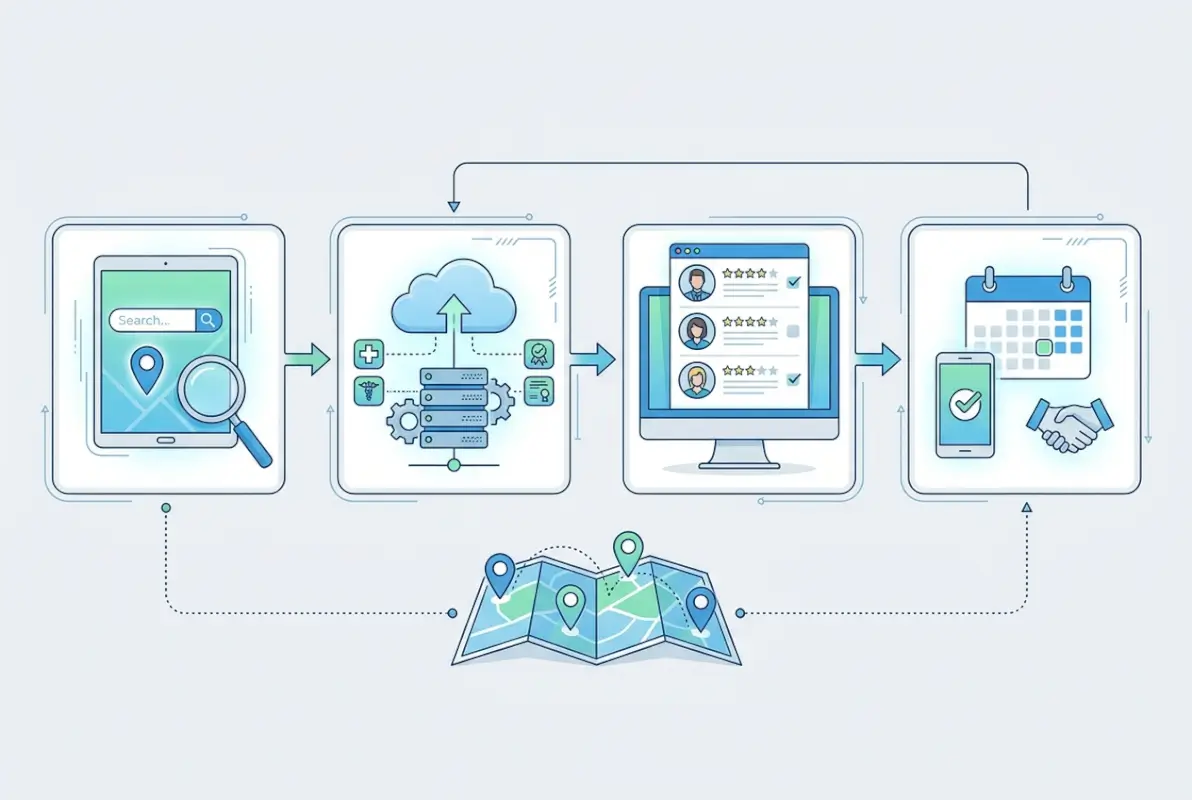
Step-by-step process for Doctor Directories: How to Find a Qualified Physician Near You

How to Verify Board Certification and Licensure

Start with the American Board of Medical Specialties (ABMS) Certification Matters website—it’s free, searchable by physician name, and definitively answers whether your candidate is board-certified. What you’re checking: current certification status (not just “board eligible”), certification date and expiration (some let certifications lapse), and specific specialty and any subspecialties certified. Board certification isn’t permanent; many specialties require recertification every 7-10 years through continued education and exams.

State medical board verification is equally critical but reveals different information. Each state maintains a searchable database of licensed physicians including disciplinary actions, malpractice settlements, practice restrictions, criminal convictions related to practice, and gaps in licensure history. The Federation of State Medical Boards offers a centralized DocInfo service covering multiple states simultaneously—invaluable if your physician trained or practiced in different states.

What constitutes a red flag? Multiple malpractice claims (one or two over a 20-year career isn’t unusual; five suggests a pattern), disciplinary actions related to patient care quality or controlled substances, license suspensions or probationary status, gaps in practice history without clear explanation (sabbatical, research, or family leave are reasonable), and credentials from unaccredited medical schools or unrecognized specialty boards.

Important: “Board eligible” is not the same as “board certified.” Eligible simply means the physician completed training and could take the exam—it doesn’t confirm they passed. For physicians more than 3 years past residency, lack of board certification is a significant warning sign.

Understanding Credentials in Context

Medical school pedigree matters, though perhaps not as much as you’d think. A physician from a mid-tier medical school who completed a competitive residency at a top institution often has stronger training than someone who did both at prestigious but less specialized programs. Look for consistency and progression: medical school accreditation (US MD or DO programs, or international medical graduates who completed US residency), residency at a respected program in their specialty, fellowship training for subspecialization (signals extra 1-3 years of focused training), and current hospital affiliations, particularly academic medical centers.

Hospital affiliations serve as ongoing credentialing checkpoints. Major hospitals conduct thorough background checks, verify credentials, and require physicians to maintain quality standards to keep their privileges. A physician with privileges at a university hospital or nationally ranked medical center has passed multiple credential reviews. Conversely, physicians affiliated only with small community hospitals or surgical centers may have failed credentialing at larger institutions—worth investigating further.

Professional publications and academic involvement aren’t requirements for clinical competence, but they signal ongoing engagement with medical advancement. A physician who publishes research, teaches medical students, or presents at conferences is staying current with their field. This matters more for complex or rapidly evolving specialties (oncology, immunology, cardiology) than for stable fields (general surgery, ophthalmology).

Assess Patient Experience and Care Quality Indicators

Patient reviews occupy an awkward middle ground—they’re subjective and emotionally charged, yet patterns in reviews reveal genuine insights about physician communication, office efficiency, and treatment philosophy. The key is reading reviews analytically rather than emotionally.

Focus on specific, detailed reviews over vague praise or complaints. “Dr. Smith took 45 minutes discussing my treatment options and answered all my questions without rushing” tells you about communication style. “Terrible doctor!!!” tells you almost nothing. Look for patterns across 10-15 reviews: consistent mentions of long wait times, difficulty getting appointments, staff rudeness, or feeling rushed during visits merit serious consideration.

Review ElementHigh Value SignalLow Value Signal
CommunicationSpecific examples of explanations, time spent, questions welcomed“Great doctor” or “terrible bedside manner” without context
Diagnosis accuracyDescriptions of thorough exams, correct diagnoses after others missedComplaints about not getting desired prescription or diagnosis
Wait timesConsistent patterns across multiple recent reviewsSingle complaint about one bad day
Staff professionalismMultiple mentions of helpful or rude staff behaviorGeneric praise or single incident

Beware of suspiciously perfect review profiles—all 5-star ratings with generic praise posted within a short timeframe often indicates solicited reviews from satisfied patients only. Equally suspicious are profiles with only 1-star reviews from patients with unrealistic expectations or complaints about standard medical practice (refusing to prescribe opioids for minor pain, for example).

Some directories verify that reviewers were actual patients, which adds credibility. Zocdoc, for instance, only allows reviews from patients who booked through their platform. Healthgrades displays whether a review was verified. Unverified reviews on general platforms like Google should be weighted less heavily than verified patient feedback.

What to Look For in Outcomes and Safety Indicators

Quality metrics are increasingly available through directories and hospital websites, though they’re specialty-dependent. For procedural specialists (surgeons, interventional cardiologists), look for procedure volume—surgeons who perform a specific operation frequently typically have better outcomes than those who do it occasionally. Many hospitals publish surgeon-specific complication rates for major procedures.

Hospital quality ratings provide context for affiliated physicians. If your doctor admits patients to a hospital with low ratings for safety, infection rates, or readmissions, that environment affects your care regardless of the physician’s individual skills. Centers for Medicare & Medicaid Services (CMS) publishes hospital quality data publicly—check it before selecting a surgeon or any specialist likely to admit you.

For primary care and non-procedural specialists, quality indicators are fuzzier but still valuable. Some directories show patient outcomes data like diabetes control rates or preventive screening compliance. Physicians who participate in quality reporting programs demonstrate engagement with evidence-based care standards.

Key Takeaway: Spend 15 minutes verifying credentials through ABMS and state medical boards before scheduling your first appointment—it’s the single most important step in avoiding unqualified or problematic physicians.

Practical Steps for Booking and Coordinating Care

You’ve identified three qualified candidates. Now comes the tactical challenge: actually getting an appointment with the right doctor at the right time without insurance surprises. This phase separates wishful thinking from actionable healthcare access, and it’s where many patients stumble despite doing excellent research.
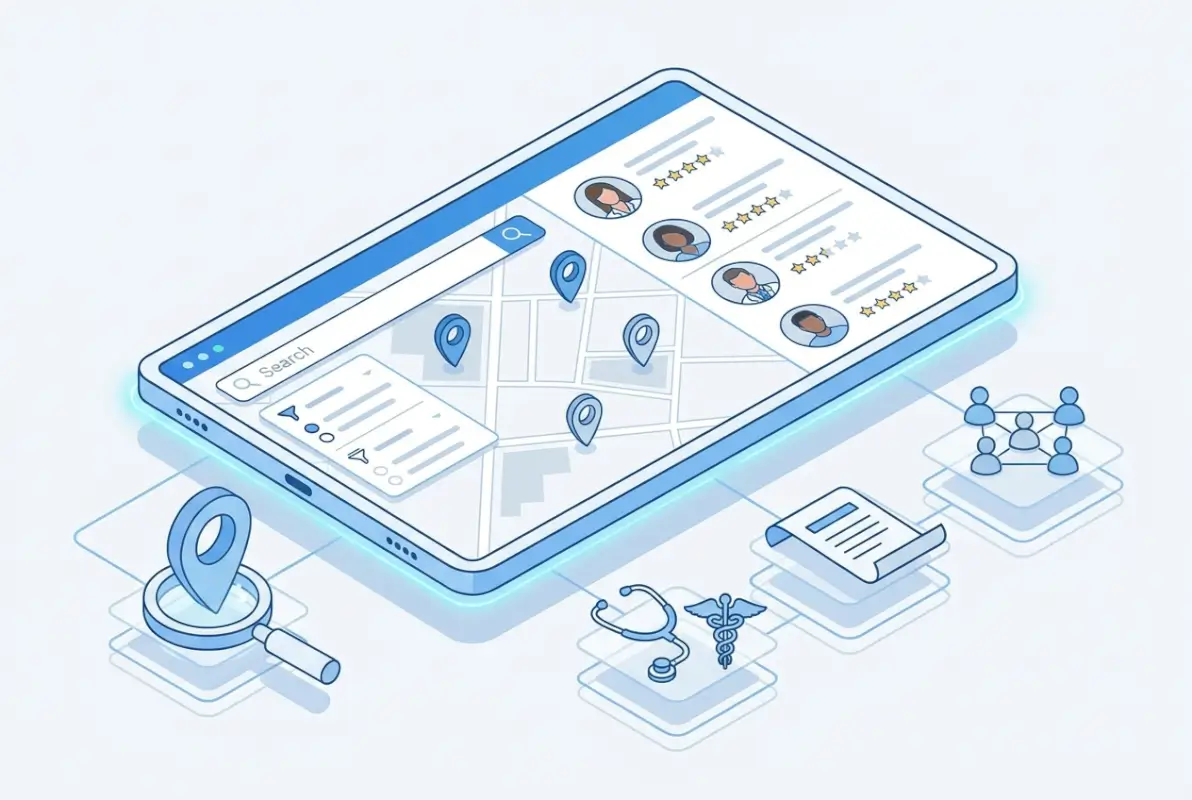
Tools and interfaces for Doctor Directories: How to Find a Qualified Physician Near You

How to Compare Appointment Availability Across Directories

Appointment availability varies wildly by specialty and geography. Primary care in urban areas might offer same-week appointments while dermatology books 3-4 months out. This creates a planning problem: do you choose a highly qualified specialist with a three-month wait or a less experienced physician available next week?

The answer depends on urgency and condition complexity. For chronic condition management, initial consultations can often wait for the right specialist. For potentially serious symptoms (unusual moles, persistent pain, worrying test results), a three-month wait is unacceptable. In these cases, consider booking with the best available doctor for immediate assessment, then scheduling with your preferred specialist as a second opinion if needed.

Real-time availability shown in directories like Zocdoc represents only participating physicians who actively manage their schedule on the platform. Many excellent physicians don’t use these tools, so directory availability doesn’t capture the full picture. When directories show no availability, call the office directly—ask about cancellation lists, early morning slots, or end-of-day appointments that don’t appear online.

Pro Tip: Ask to be placed on the cancellation list when booking with popular specialists. Many offices get same-week cancellations but only contact patients who specifically requested short-notice availability. Mentioning flexibility can cut wait times in half.

Scheduling Tools and In-Network Visibility

Online booking platforms streamline scheduling but with limitations. Zocdoc shows real-time availability only for doctors who pay for the service and actively update their calendars. Healthgrades allows appointment requests but often requires office callback for confirmation. Direct booking through physician practice websites gives the most accurate availability but requires navigating multiple systems if you’re comparing several doctors.

The hybrid approach works best: use directories to identify and compare candidates, then book directly through the physician’s practice website or phone. This ensures you’re getting current availability information and allows you to ask critical questions the directory can’t answer—like whether the doctor has experience with your specific condition or if they’re planning extended leave soon.

Insurance network participation requires triple verification because the financial stakes are high. Check your insurance company’s provider directory first, then verify the doctor’s website lists your insurance, then call both the doctor’s office and your insurance company before booking. Network participation can change monthly, and directories lag these updates. This redundant verification prevents the frustrating scenario of arriving for your appointment only to discover the doctor left your network last quarter.

Contingencies When a Preferred Slot Isn’t Open

Waitlists work better than most patients realize. When calling for appointments, explicitly ask: “Do you maintain a cancellation list for earlier appointments?” Many practices don’t automatically offer this option but will add you if requested. Provide multiple callback numbers and indicate you can arrive with short notice—offices appreciate flexibility and prioritize responsive patients when slots open.

Alternative providers within the same practice can solve urgent access problems while maintaining quality. Large practices often employ multiple physicians with similar credentials. If Dr. Smith is booked three months out, Dr. Jones in the same practice might have availability next week and access to the same patient records and treatment protocols.

Telehealth appointments increasingly offer faster access, particularly for initial consultations, follow-ups, and non-procedural specialties like dermatology, psychiatry, and endocrinology. Some physicians reserve telehealth slots for new patients as an efficient screening tool—if you need in-person care, they’ll schedule it after the initial video consultation. This two-step approach often results in faster overall time-to-treatment.

Insurance directories are essential but error-prone. Provider network participation changes constantly as doctors renegotiate contracts or leave networks entirely. The directory listing you found last month might be outdated today. Always verify current participation through multiple sources before scheduling.

Call the doctor’s office with your insurance information and ask specifically: “Do you accept [insurance name] for new patients?” and “Are there any specific plans under [insurance company] you don’t accept?” Many insurers have multiple plan tiers, and physicians may accept PPO plans but not HMO plans from the same company.

Then call your insurance company and verify the doctor is listed as in-network. Ask about your specific plan’s coverage for the appointment type (new patient consultation, specialist visit, procedure). Get a reference number for the call—if billing problems arise later, this documentation proves you did due diligence.

$417
average surprise medical bill when provider networks aren’t verified
Peterson-KFF Health System Tracker, 2023

Understanding Telehealth Options and Ancillary Fees

Telehealth transformed healthcare access during the pandemic and remains valuable for appropriate situations. Many directories now filter for telehealth availability, but this doesn’t tell you whether the doctor prefers video visits or merely tolerates them. Some physicians excel at remote consultations while others view them as inferior substitutes for in-person care—and this attitude affects your experience.

Ask during scheduling: “Does the doctor conduct new patient consultations via telehealth, and do they recommend it for my condition?” Some physicians reserve telehealth for established patients or follow-up visits only. For initial consultations involving physical exams or diagnostic procedures, in-person visits usually make more sense.

Cost transparency remains frustratingly opaque in U.S. healthcare. Directories rarely display pricing, and even calling offices often yields vague estimates. Try these specific questions: “What’s the cash price for a new patient consultation if insurance doesn’t cover it?” and “Are there facility fees in addition to the physician fee?” Facility fees—charges from hospital-employed physicians for using hospital infrastructure—can double or triple the cost of a visit.

For procedures or specialized services, request a “good faith estimate” as required under recent federal transparency rules. Practices must provide written cost estimates for patients without insurance or those going out-of-network. These estimates aren’t binding but prevent egregious surprise bills.

Key Takeaway: Triple-verify insurance participation through the directory, the physician’s office, and your insurance company directly—network participation changes frequently, and outdated information can cost hundreds or thousands in unexpected bills.

Special Situations: Finding Doctors for Complex Needs

Standard directory searches work well for routine healthcare, but complex medical situations require different strategies. Chronic conditions, rare diseases, and multisystem disorders demand physicians with specialized expertise that basic directory filters can’t identify effectively. This is where research depth separates adequate care from optimal outcomes.
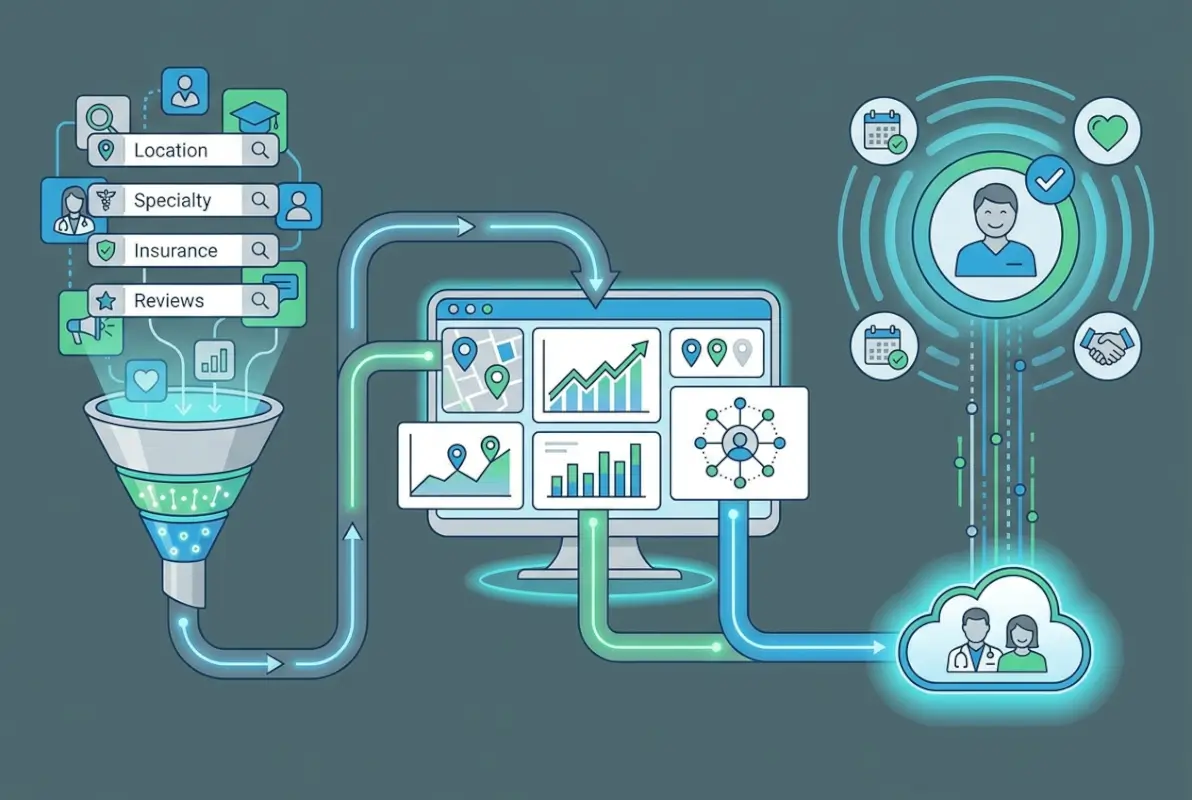
Best practices for Doctor Directories: How to Find a Qualified Physician Near You

Finding Specialists for Chronic, Rare, or Urgent Conditions

Rare disease specialists are nearly impossible to find through standard directories because the filtering categories don’t drill down to subspecialty expertise. A “neurologist” designation doesn’t reveal whether they treat common migraines or rare genetic movement disorders. For complex conditions, start with disease-specific organizations rather than general directories.

Patient advocacy groups maintain specialist referral networks for conditions they serve. The National Organization for Rare Disorders (NORD), disease-specific foundations (Lupus Foundation, Crohn’s & Colitis Foundation), and specialty medical societies all maintain searchable databases of physicians with expertise in specific conditions. These resources often include patient-reported outcome data and physician research focus—information absent from standard directories.

Academic medical centers and teaching hospitals concentrate subspecialty expertise unavailable in community practice. If you’re diagnosed with a complex or rare condition, expanding your search radius to include university hospitals is worth the travel. Physicians at these institutions often participate in research, see higher volumes of unusual cases, and maintain multidisciplinary teams for complex care coordination.

Referrals from your current physician remain the gold standard for specialist selection. Primary care doctors build networks of specialists they trust through patient outcomes and colleague interactions. When asking for referrals, be specific: “I need a cardiologist who specializes in genetic arrhythmias, not general cardiology.” Specificity helps your doctor point you toward the right subspecialist rather than the closest general specialist.

Key Insight: For rare or complex conditions, bypass general directories and search disease-specific patient advocacy organization referral networks—they maintain curated lists of physicians with proven expertise in specific conditions.

When to Seek Multi-Disciplinary Centers and Major Healthcare Systems

Complex conditions affecting multiple organ systems benefit from coordinated multidisciplinary care that single-physician practices can’t provide. Autoimmune diseases, cancer, complex diabetes, and multisystem genetic disorders all fall into this category. For these situations, prioritize physicians affiliated with comprehensive care centers rather than solo practitioners, no matter how well-credentialed.

Multidisciplinary centers coordinate specialists around your condition rather than forcing you to coordinate separate specialists yourself. A comprehensive cancer center, for example, assembles oncologists, surgeons, radiologists, pathologists, and support specialists who communicate regularly about your case. This coordination reduces conflicting advice, redundant testing, and treatment delays that plague fragmented care.

Look for centers with specific disease-focus programs when searching for complex care. Major healthcare systems increasingly organize around disease categories—heart and vascular institutes, neuroscience centers, digestive disease clinics. These programs create natural referral networks among specialists who work together regularly and maintain consistent treatment protocols.

Mayo Clinic Find a Doctor and similar major healthcare system directories allow searching by condition rather than just specialty—a critical difference when conditions span multiple specialties. If your condition defies easy specialty categorization, these disease-focused search tools are far more effective than standard specialty filters.

Finding Providers for Language, Accessibility, or Cultural Needs

Language concordance between patients and physicians improves health outcomes measurably. Studies show patients who share a language with their doctor have better medication adherence, fewer diagnostic errors, and higher satisfaction. Yet language filters in doctor directories are often incomplete or inaccurate because they rely on self-reported data.

Ethnic and cultural medical societies maintain directories of physicians who speak specific languages and understand cultural health contexts. The National Hispanic Medical Association, National Medical Association (historically Black physicians), and Asian Pacific American Medical Student Association all offer “find a physician” tools filtering by language and cultural competency.

For physical accessibility needs, directories offer limited information. Listings might indicate “wheelchair accessible,” but this doesn’t specify whether exam rooms accommodate wheelchairs, if accessible parking exists, or if exam equipment (mammography, dental chairs) can accommodate mobility limitations. Call offices directly and ask detailed questions: “Can your exam tables lower for wheelchair transfer?” or “Do you have a lift system for patients who can’t stand on scales?”

Cultural competency matters beyond language. LGBTQ+ patients, religious communities with specific healthcare needs, and cultural groups with traditional medicine practices all benefit from physicians who understand their specific contexts. Professional organizations like GLMA (Health Professionals Advancing LGBTQ Equality) maintain provider directories of physicians with demonstrated cultural competency training and inclusive practice environments.

TurnKey Directories and similar white label business directory software solutions allow healthcare systems to add custom filtering fields for specialized patient needs—language, accessibility features, cultural competencies, and telehealth modalities—creating more inclusive search experiences than one-size-fits-all national directories.

Key Takeaway: For complex medical conditions, prioritize physicians affiliated with disease-specific multidisciplinary centers where specialists coordinate care collaboratively rather than expecting you to manage fragmented specialists yourself.

How do I verify if a doctor is board certified?

Visit the American Board of Medical Specialties (ABMS) Certification Matters website and search by physician name. The free tool shows current certification status, specialty, and certification dates. You can also verify through your state medical board website or the specific specialty board directly. Board certification confirms the physician passed rigorous specialty exams and maintains continuing education requirements.

What’s the best way to check if a doctor accepts my insurance?

Verify through three sources: your insurance company’s provider directory, the physician’s office directly, and the doctor directory listing. Insurance network participation changes frequently, so triple-checking prevents surprise bills. When calling the office, specify your exact insurance plan name and policy number, as physicians may accept some plans from an insurer but not others. Always get a reference number when verifying with your insurance company.

Can I trust online patient reviews when choosing a doctor?

Patient reviews provide valuable insights about communication style, wait times, and office environment but should be evaluated critically. Look for patterns across 10-15 reviews rather than isolated complaints. Detailed, specific feedback about physician interactions is more reliable than vague star ratings. Consider reviews alongside professional credentials, board certification, and verified quality metrics. Verified patient reviews on platforms like Zocdoc carry more weight than unverified Google reviews.

What red flags should I watch for when researching doctors?

Major warning signs include inability to verify credentials independently, multiple disciplinary actions with state medical boards, patterns of similar complaints in patient reviews, lack of board certification years after residency completion, and resistance to answering questions during consultations. Also be cautious of excessive marketing claims, suspiciously perfect review profiles, and physicians who pressure you toward unnecessary procedures or discourage second opinions. Trust your instincts if something feels wrong.

How far in advance should I book a specialist appointment?

Specialist wait times vary dramatically by specialty and geography. Dermatology and popular subspecialties often book 2-4 months out, while general internal medicine or urgent care specialists may have same-week availability. For non-urgent concerns, book as soon as you know you need the appointment. For potentially serious symptoms, call offices directly and mention urgency—many practices reserve slots for urgent new patients. Ask to be placed on cancellation lists to potentially cut wait times in half.

Do doctor directories show telehealth options reliably?

Many directories now include telehealth filters, but accuracy varies. Some physicians listed as offering telehealth only do so for established patients or follow-up visits, not new patient consultations. Call the office directly to confirm the doctor actively conducts new patient visits via video and whether they recommend virtual visits for your specific condition. Ask about their telehealth platform’s technical requirements and whether virtual visits are billed at the same rate as in-person appointments.

What should I ask during my first doctor appointment?

Ask about their experience treating your specific condition, typical treatment approaches they use, how they handle communication between visits, which hospital they admit to if needed, and how they coordinate with other specialists. Observe whether the doctor listens attentively, explains things clearly without excessive jargon, and seems comfortable with questions. Pay attention to wait times, office organization, and staff professionalism as these factors affect your ongoing care experience significantly.

How can I find a specialist for a rare medical condition?

Bypass general doctor directories and search through disease-specific patient advocacy organizations like the National Organization for Rare Disorders (NORD) or condition-specific foundations. Academic medical centers and teaching hospitals concentrate rare disease expertise. Ask your primary care physician for referrals to subspecialists with specific experience. Search medical literature for physicians publishing research on your condition, as they often have the deepest expertise and access to latest treatments and clinical trials.

Take Control of Your Healthcare Journey

Finding a qualified physician requires more than scrolling through directory listings—it demands strategic filtering, independent credential verification, and critical evaluation of patient feedback. The extra 30 minutes you invest researching doctors properly can prevent years of suboptimal care or costly medical mistakes.

Start with multiple directories to expand your options. Layer filters strategically—specialty, board certification, insurance network, and location. Verify credentials independently through ABMS and state medical boards. Read patient reviews for patterns, not perfection. Triple-check insurance participation before booking. Trust your instincts during that first appointment.

Your health deserves a physician who combines technical expertise with genuine communication skills and respect for your concerns. Don’t settle for the first available doctor when the right doctor is worth finding.

Was this article helpful?

Similar Posts

  • Blog

    How to Create an Online Directory in PHP: A Developer’s Guide

    Building an online directory might seem like a daunting task, but with PHP’s flexibility and power, you can create a robust platform that serves thousands of users. What most developers don’t realize is that the success of a directory isn’t just in the code – it’s in understanding user behavior patterns and creating micro-interactions that…

  • Blog

    How to Get Listed in the Machine Directory: 5 Simple Steps

    Getting your business listed in the Machine Directory isn’t just another marketing checkbox—it’s a strategic move that can fundamentally transform your digital presence. While most businesses chase expensive advertising and complex SEO tactics, the smartest entrepreneurs understand that directory listings serve as the foundation of online visibility. Think of the Machine Directory as your business’s…

  • Blog

    How to Create a Directory Website in PHP: 7 Essential Steps

    TL;DR – Building a PHP Directory Website Planning Phase: Choose a memorable domain and PHP-compatible hosting with MySQL support Technical Setup: Install PHP 8.0+, design normalized database schema with proper indexing Core Development: Build CRUD functionality with file upload capabilities and MVC structure Search Features: Implement full-text search, advanced filtering, and pagination for better UX…

  • Blog

    How to Duplicate a Listing on eBay: 6 Simple Steps for Sellers

    Selling on eBay can be incredibly lucrative, but constantly creating new listings from scratch? That’s a time sink that kills productivity. What most sellers don’t realize is that eBay’s duplication feature isn’t just about copying listings—it’s about creating a systematic approach to scaling your business. While everyone talks about “finding winning products,” the real secret…

  • Blog

    How to Download an Online Directory: 6 Simple Methods

    substring(replace(

    Downloading an online directory shouldn’t feel like cracking a vault, yet many professionals waste hours wrestling with stubborn web platforms, anti-scraping defenses, and jumbled data exports. Here’s something most guides won’t tell you upfront: the “best” method isn’t always the most technical one. I’ve seen Fortune 500 teams burn weeks on custom scraper code when a simple built-in CSV export was sitting right in the platform’s admin panel. The real skill lies in matching your method to the directory’s structure, your technical comfort zone, and—crucially—the legal and ethical boundaries of the data you’re after. Whether you’re grabbing 200 local business listings for a marketing campaign or pulling 50,000 industry contacts for competitive analysis, this guide breaks down six practical methods to download an online directory, complete with real-world gotchas, compliance checkpoints, and post-download cleanup strategies that actually work.

    TL;DR – Quick Takeaways

    • Six distinct methods exist – from manual copy-paste (under 500 records) to API pipelines and third-party aggregators, each suited to different directory sizes and access models.
    • Start with built-in exports – before reaching for scraping tools, check if the platform offers CSV/JSON export; saves time, respects terms of use, and delivers cleaner data.
    • Legality and terms of use are non-negotiable – always review robots.txt, terms of service, and privacy policies; violating them can trigger IP bans, legal notices, or unusable data.
    • Data quality trumps speed – raw downloads often contain duplicates, broken fields, and inconsistent formatting; budget time for deduplication, normalization, and validation checks.
    • Automation beats one-off hacks – for directories that update frequently, set up repeatable workflows (API sync, scheduled scraper runs) rather than manual re-downloads every month.

    Method 1 — Manual Copy-Paste and Save-as Techniques

    Manual copy-paste sounds archaic in an era of AI and automation, but it remains the go-to for micro-projects where the overhead of tooling outweighs the task itself. Think of it as the Swiss Army knife approach: you open the directory page in a browser, highlight rows of data, copy them into a spreadsheet, and repeat across a handful of pages. This method shines when you’re dealing with under 500 records, static HTML tables, or one-off research tasks where you’ll never touch that directory again. The beauty lies in its simplicity—no API keys, no scraper configs, no risk of triggering anti-bot systems because you’re behaving exactly like a human reader.

    [KBIMAGE_1]

    However (and this is a big caveat), manual methods fall apart fast when directories use infinite scroll, JavaScript-rendered content, or dynamic filters that hide data until you click through multi-step wizards. I once tried copying physician listings from a state medical board directory that loaded records via AJAX calls, only the visible ten rows would paste into Excel, leaving me with a fraction of the dataset and no clean way to grab the rest without manually clicking “Load More” 87 times. That’s when you know it’s time to graduate to a better method.

    When This Works Well (Small Directories, One-Off Tasks)

    Manual copy-paste is ideal for directories with fewer than 1,000 records, especially if they’re presented in simple HTML tables or list views. Local chamber of commerce member lists, small professional association rosters, or niche hobby group directories often fall into this category. The key advantage: you maintain complete control over what you grab. You can eyeball each entry as you go, skip irrelevant records, and spot formatting quirks in real time. For compliance-sensitive projects (like medical or legal directories where each record must be verified), this human-in-the-loop approach actually reduces error rates compared to automated scrapes that blindly ingest everything.

    💡 Pro Tip: Use browser extensions like “Table Capture” or “Copytables” to preserve formatting when copying HTML tables directly into Google Sheets or Excel. They auto-detect table structures and save you from pasting garbled text that requires hours of cleanup.

    Step-by-Step Guide: Copy, Paste, and Structure

    Start by opening the directory in a modern browser (Chrome, Firefox, Edge). Navigate to the first page of listings and identify the data rows—look for repeating patterns like name, address, phone, category. Select the visible rows by click-dragging or using keyboard shortcuts (Ctrl+A on the table element if it’s isolated). Copy the selection (Ctrl+C or Cmd+C) and paste into a blank spreadsheet. Immediately check that columns align correctly; if they don’t, you may need to paste as plain text first, then use “Text to Columns” or delimiter splitting to separate fields.

    Move to the next page (if pagination exists) and repeat the copy-paste cycle. As you accumulate rows, keep an eye out for header rows sneaking into your dataset—many directory sites repeat column headers at the top of each page, so you’ll need to manually delete those duplicate header lines before you finish. Once all pages are captured, save the spreadsheet in your preferred format (CSV for universal compatibility, XLSX if you need to preserve formulas or multi-sheet workbooks). Finally, do a quick sanity check: sort by name or ID to spot duplicates, scan for empty cells in critical fields, and confirm the record count matches your expectation from the directory’s page counter (e.g., “Showing 1–50 of 237 results”).

    Pros and Cons (Accuracy, Time, and Rate Limits)

    The upside of manual methods is near-zero technical barrier and maximum transparency—you see exactly what you’re getting. There’s no risk of a scraper misinterpreting JavaScript variables or API pagination logic, because you’re grabbing only what’s rendered on screen. Rate limits are a non-issue since you’re clicking and scrolling at human speed, well below any anti-bot threshold. This makes manual copy-paste one of the safest approaches from a terms-of-service perspective, provided you’re not violating explicit “no copying” clauses (rare but they exist).

    The downside? Time and scalability. Copying 50 records takes a few minutes, 500 might take an hour with breaks, but 5,000 becomes an all-day ordeal that invites repetitive strain injuries and transcription errors. Formatting drift is another pain point—some directories mix text and images in table cells, use nested divs instead of clean tables, or inject ads between rows. When you paste those into a spreadsheet, you get broken layouts that require tedious manual cleanup. And if the directory updates frequently, you’re stuck re-doing the entire manual process every time you need fresh data, which is unsustainable for ongoing projects.

    AspectManual Copy-PasteAutomated Methods
    Setup Time~5 minutes30–120 minutes
    Ideal Record Count< 1,000> 1,000
    AccuracyHigh (human review)Varies (config-dependent)
    RepeatabilityLow (must redo manually)High (scriptable)
    Terms-of-Use RiskMinimalModerate to High

    Method 2 — Built-in Export Features from Directory Platforms

    Before you spin up a scraper or dive into API documentation, pause and ask: does this directory platform already offer an export button? You’d be surprised how often the answer is yes—tucked away in account settings, admin dashboards, or behind a “Download” icon that blends into the UI. Platforms like Yelp for Business, local government business listing sites, industry association portals, and SaaS directory products routinely include CSV, JSON, XLSX, or XML export capabilities for account holders. These exports are purpose-built, meaning they include all standard fields (name, address, phone, category, URL, metadata) in a clean, predictable structure. No parsing headaches, no missing data from hidden DOM elements, no CAPTCHA walls.

    [KBIMAGE_2]

    The catch is access control. Many directories gate exports behind paid tiers, verified membership, or admin privileges. A free public user might see listings but lack the “Export All” option, while premium subscribers get one-click downloads. If you’re working with a directory you already pay for (think CRM integrations, trade association databases, or enterprise directories), this method is your fastest path to a complete dataset. Even if the export isn’t perfect—maybe it’s paginated in chunks of 1,000 records, or the CSV uses semicolon delimiters instead of commas—you’re still miles ahead of manual methods or scraping from scratch.

    Export Formats (CSV, JSON, XLSX, XML)

    Different platforms favor different formats based on their technical stack and intended audience. CSV (Comma-Separated Values) is the universal standard: lightweight, human-readable, and compatible with every spreadsheet tool and database on the planet. Use CSV when you need maximum portability and don’t care about preserving complex metadata like nested categories or multi-language fields. JSON (JavaScript Object Notation) is preferred by modern web APIs and developer-focused platforms; it handles nested structures elegantly (e.g., an array of contact numbers per business) and integrates seamlessly into Python, Node.js, or any programming workflow. If the directory serves developers or offers an API-tied export, you’ll likely see JSON as an option.

    XLSX (Excel) exports are common on business-oriented directories because they support multiple sheets, cell formatting, and embedded formulas. They’re great if you plan to do pivot analysis or share the data with non-technical stakeholders who live in Excel. Just be aware that XLSX files are binary and slightly less portable than CSV or JSON for scripting purposes. Finally, XML (eXtensible Markup Language) shows up in government datasets, healthcare directories, and legacy enterprise systems. It’s verbose and harder to read than JSON, but it’s still machine-parseable and useful if the directory adheres to a specific schema standard (like NIEM for public safety records or HL7 for medical directories).

    ✅ Key Insight: If you have a choice, pick JSON for programmatic processing (APIs, data pipelines) and CSV for spreadsheet analysis or quick imports into databases. XLSX is a middle ground when you need formatting but want to avoid coding.

    How to Locate Export Options (Account Settings, Admin Dashboards, API-Tied Exports)

    Export buttons rarely announce themselves with flashing neon signs. Start by logging into your account (if the directory requires one) and heading to your profile or account settings page. Look for sections labeled “Data Export,” “Download,” “Backup,” or “Tools.” On platforms like Angie’s List or professional directories, the export feature might live under a “Reports” tab or inside a bulk-actions menu when you select multiple listings. If you manage the directory (e.g., you’re an admin of a chamber of commerce member portal), check the admin dashboard for “Export Members” or “Generate CSV” options—these are often segregated from the public-facing interface.

    For directories with official APIs, the export might be API-driven rather than a GUI button. You’d visit the API documentation (usually at example.com/api or example.com/developers), find the endpoint that lists all records (often /api/v1/listings or similar), and authenticate with an API key or OAuth token. The response is typically JSON, which you can save as a file or pipe into a script. Some platforms blend both approaches: a GUI export that triggers an API call under the hood, delivering a download link via email once the export job completes. If you’re stuck, try searching the platform’s help docs for keywords like “export,” “download,” “CSV,” or “bulk data”—or reach out to their support team; they’re usually happy to point paying customers to export features.

    Handling Large Exports (Pagination, Rate Limits, Incremental Exports)

    Even when a directory offers exports, size constraints can complicate things. A platform with 100,000 records might cap each export at 10,000 rows to prevent server overload, forcing you to run multiple exports with different filters or date ranges. This is called pagination in the API world or “batch exports” in GUI terms. The workflow becomes: export records 1–10,000, then 10,001–20,000, and so on, finally merging all CSV files into one master dataset. Tools like csvkit (command-line) or Python’s pandas library make merging painless, but you need to plan for it upfront.

    Rate limits are another wrinkle. If the export runs through an API, you might hit a cap of, say, 100 requests per hour or 10,000 records per day. Exceeding that threshold triggers HTTP 429 errors (“Too Many Requests”) or temporary IP bans. The solution: throttle your requests. If you’re scripting the export, insert delays (e.g., wait 1 second between API calls) and respect the Retry-After header if you get rate-limited. For GUI exports, you may need to wait between downloads—annoying but necessary to stay compliant with the platform’s terms. Incremental exports are a smarter long-term strategy: instead of re-downloading the entire directory monthly, configure an export that pulls only new or updated records since your last sync (often filterable by “modified_since” timestamp in APIs). This reduces data volume, speeds up processing, and keeps your local copy fresh without redundant work.

    Section Summary: Built-in exports are your first line of attack—check account settings, admin panels, and API docs before building custom tooling. They deliver cleaner data faster, though pagination and rate limits require planning for large directories.

    Method 3 — Web Scraping Tools (No-Code / Low-Code)

    When a directory lacks export buttons and manual copy-paste feels like digital archaeology, web scraping tools bridge the gap. Modern no-code and low-code scrapers have democratized data extraction, you don’t need to be a Python wizard to pull thousands of records from a complex directory. These tools work by letting you point and click on webpage elements (like business names, addresses, phone numbers) to teach the scraper what data to grab, then they crawl through multiple pages automatically, extracting the same pattern on each one. Think of it as recording a macro that runs across the entire directory instead of repeating your manual clicks ad nauseam.

    [KBIMAGE_3]

    Popular options in this space include browser extensions like Web Scraper (Chrome), point-and-click platforms like Octoparse and ParseHub, and cloud-based services that handle JavaScript rendering and CAPTCHA challenges for you. The learning curve is measured in hours rather than weeks, making them accessible to marketers, researchers, and small business owners who need data but don’t have engineering teams on standby. That said, scraping is a double-edged sword: it’s powerful and flexible, but it also raises legal and ethical questions we’ll tackle in detail below.

    Popular No-Code / Low-Code Scrapers (Point-and-Click Extractors)

    The no-code scraper market has matured significantly in recent years, offering robust feature sets without requiring you to write a single line of code. Web Scraper (Chrome extension) is a favorite for lightweight projects; you define selectors (CSS or XPath) by clicking on elements, configure pagination rules, and export to CSV or JSON. It runs inside your browser, so it inherits your login sessions (handy for directories behind authentication) and handles JavaScript-rendered content automatically. The free tier is generous, though cloud-based scheduling and API access require a paid plan.

    Octoparse targets mid-sized projects with its desktop client and cloud scrapers. It offers templates for popular sites (Amazon, LinkedIn, etc.), though custom directories require manual setup. The visual workflow builder lets you configure loops, conditionals, and data cleaning steps in a drag-and-drop interface—think of it as a flowchart for your scraping logic. ParseHub competes on similar turf, with a strong emphasis on handling AJAX and infinite scroll. Its free plan allows up to five scraping projects, making it ideal for testing before committing to a subscription.

    For enterprise needs, Apify and Scrapy Cloud (built on the Scrapy framework) offer hybrid low-code/code-optional platforms. You can start with pre-built actors (Apify’s term for scraper templates) and customize them with JavaScript or Python if needed. These platforms excel at scale—think millions of records, rotating proxies, and CAPTCHA-solving integrations—but they assume a bit more technical comfort than pure no-code tools. The right choice depends on your directory’s complexity and your tolerance for configuration tweaks versus coding.

    Setting Up Careful Scraping: Selectors, Delays, and Politeness

    A scraper is only as good as its selectors—the patterns it uses to identify data on the page. Most tools let you pick elements visually, clicking on a business name to auto-generate a CSS selector like .listing-title or div.business-card h2. Always test your selectors on multiple listings to ensure they’re robust; if the directory uses inconsistent class names or IDs, a selector that works on page one might fail on page ten. XPath selectors offer more precision (e.g., //h2[@class='name']/text()) but have a steeper learning curve. Whichever you choose, validate the extracted data row-by-row in a sample export before unleashing the scraper across thousands of pages.

    Delays are your scraper’s manners card. Hammering a directory with 100 requests per second screams “bot” and will get you blocked faster than you can say “rate limit.” Configure random delays between page loads—typically 1–3 seconds for small directories, 5–10 seconds for larger or more restrictive ones. Some tools call this “throttling” or “wait time”; use it generously. Politeness also means respecting the site’s robots.txt file (a plain-text file at example.com/robots.txt that specifies which paths bots can crawl). While not legally binding in most jurisdictions, ignoring robots.txt can violate the Computer Fraud and Abuse Act in the U.S. or similar laws elsewhere if combined with circumventing access controls.

    ⚠️ Important: Always check the directory’s terms of service for explicit anti-scraping clauses before you start. Violating ToS can result in IP bans, cease-and-desist letters, or legal action—even if the data is publicly visible. When in doubt, contact the directory owner to request permission or explore official data partnerships.

    Compliance and Anti-Scraping Considerations

    Web scraping occupies a legal gray zone in many countries. In the U.S., the landmark hiQ Labs v. LinkedIn case (2022) affirmed that scraping publicly accessible data doesn’t violate the Computer Fraud and Abuse Act, but that ruling doesn’t give you carte blanche to ignore terms of service or circumvent technical barriers like CAPTCHAs or login walls. Europe’s GDPR adds another layer: scraping personal data (names, emails, phone numbers) from EU residents without a lawful basis (consent, legitimate interest, etc.) can trigger hefty fines. The safest path is to scrape only publicly available, non-personal data (business names, addresses, categories) or anonymize/aggregate personal fields immediately.

    On the technical side, many directories deploy anti-scraping defenses: CAPTCHAs, IP rate limiting, fingerprinting (tracking mouse movements, browser headers), and honeypot traps (invisible links that only bots click). Sophisticated scrapers counter with rotating residential proxies, headless browsers that mimic human behavior, and CAPTCHA-solving services (2Captcha, Anti-Captcha). While these workarounds are technically feasible, they often violate the directory’s terms and escalate the ethical stakes. A pragmatic middle ground: scrape at modest speeds, use a single IP (or a small pool), and avoid aggressive evasion tactics. If the directory blocks you despite polite behavior, that’s a signal to explore official channels—API access, data partnerships, or licensed datasets from aggregators who’ve already negotiated the legal groundwork.

    Keep detailed logs of your scraping activity (URLs visited, timestamps, selectors used) in case you need to demonstrate good faith or troubleshoot issues later. And always, always review the directory’s privacy policy: if it explicitly states “data not for commercial use” or “scraping prohibited,” you’re on thin ice regardless of technical feasibility. When compliance is mission-critical (e.g., using directory data for regulated industries like finance or healthcare), consult legal counsel before proceeding. The OWASP Foundation offers useful resources on ethical web scraping practices if you want to dive deeper.

    Method 4 — API Access and Data Feeds

    Application programming interfaces (APIs) and structured data feeds represent the gold standard for downloading directory data programmatically. When a directory platform offers an official API, you gain access to clean, machine-readable data with predictable schemas and built-in update mechanisms. This method is ideal for medium to large directories where you need regular updates, high data quality, and formal terms of service that permit commercial use.

    [KBIMAGE_4]

    The first step is determining whether the directory offers a public API or requires an application process. Many business directories, government data portals, and industry platforms publish API documentation openly. Look for links labeled “Developer,” “API,” “Data Access,” or “For Developers” in the site footer or account settings. Government directories often publish APIs under open data initiatives; for example, the U.S. federal portal at api.data.gov aggregates machine-readable endpoints across dozens of agencies. Once you locate the documentation, note any rate limits, authentication requirements, and supported data formats (typically JSON or CSV).

    When Directories Offer Official APIs or Data Feeds

    Official APIs provide several advantages over scraping or manual methods. They deliver data in a consistent schema, often with versioning to track changes over time. Fields are clearly labeled and types are documented (strings, integers, dates, geocoordinates), reducing post-download cleanup. APIs also respect the platform’s infrastructure: rate limits and pagination controls distribute load and prevent overload. Many directories include metadata in API responses—timestamps, source IDs, and change flags—that simplify incremental updates and version control.

    Common scenarios where APIs excel:

    • Government and civic directories: Public sector portals (business registries, health inspections, permits) often publish open APIs under freedom-of-information mandates.
    • Industry platforms: Trade associations and chambers of commerce sometimes offer member-directory APIs with permission-based access.
    • Enterprise SaaS directories: CRM platforms, marketing databases, and lead-generation services frequently expose API endpoints to paying subscribers.
    • Geospatial and mapping directories: Location-based services (points of interest, business listings) typically use APIs to enable real-time lookups and updates.

    If the directory does not advertise an API, check whether it offers RSS/Atom feeds, sitemaps with structured data, or data-dump archives. These alternatives can serve as quasi-APIs for batch downloads.

    Authentication, Rate Limits, and Data Formats (JSON, CSV)

    Most APIs require authentication to track usage and enforce quotas. The two most common schemes are:

    Authentication TypeHow It WorksWhen to Use
    API KeyYou register an application and receive a unique alphanumeric key that you pass in headers or query strings with each request.Public or low-security APIs; simple read-only endpoints.
    OAuth 2.0You authenticate on behalf of a user or application, receiving a short-lived access token that you refresh periodically.User-scoped data, enterprise APIs, platforms requiring fine-grained permissions.

    Always store credentials securely (environment variables, secret managers) and never commit them to version control. Review the API’s rate limits—typically expressed as requests per minute or requests per day. Exceeding these limits may result in temporary bans or throttled responses. Design your scripts to respect limits: introduce delays between requests, handle 429 “Too Many Requests” responses gracefully with exponential backoff, and cache responses when appropriate.

    Most modern APIs return data in JSON format, which is lightweight, human-readable, and easy to parse in any programming language. A typical JSON response for a directory listing might look like:

    {
      "listings": [
        {
          "id": "12345",
          "name": "Acme Hardware",
          "address": "123 Main St, Springfield, IL 62701",
          "phone": "+1-217-555-0199",
          "category": "Hardware Store",
          "latitude": 39.7817,
          "longitude": -89.6501,
          "updated_at": "2025-03-15T08:30:00Z"
        }
      ],
      "pagination": {
        "next_page": 2,
        "total_pages": 50
      }
    }
    

    Some APIs also support CSV output for direct import into spreadsheets. If both formats are available, choose JSON for programmatic workflows (scripts, pipelines) and CSV for quick one-off analysis in Excel or Google Sheets.

    Example Workflows: Pull-and-Update Pipelines, Incremental Syncing

    Once authenticated, you can build repeatable workflows that fetch directory data on a schedule and integrate it into your systems. Here are two common patterns:

    Pattern 1: Full Refresh

    Download the entire directory each time (useful for small to medium datasets or when change tracking is unavailable). Store each snapshot with a timestamp, compare against the previous version, and flag new, updated, or deleted records. This approach is simple but may waste bandwidth and processing if the directory is large and changes infrequently.

    Pattern 2: Incremental Sync

    Many APIs support filtering by update timestamp (e.g., updated_since=2025-03-01). On your first run, download all records and note the latest updated_at value. On subsequent runs, request only records updated after that timestamp. Merge the delta into your local copy, updating existing records and adding new ones. This pattern minimizes data transfer and processing time, making it ideal for large directories with frequent updates.

    A typical pull-and-update script might run daily via cron or a scheduler (Windows Task Scheduler, cloud functions). Pseudocode for an incremental sync looks like:

    last_sync = read_last_sync_timestamp()
    response = api.get("/listings", params={"updated_since": last_sync})
    for record in response["listings"]:
        upsert_into_database(record)
    write_last_sync_timestamp(response["max_updated_at"])
    

    Always log each run (timestamp, record counts, errors) and set up alerts for failures or anomalies (sudden drop in record count, API downtime). This ensures you catch issues early and maintain data continuity.

    Method 5 — Crawlers, Download Managers, and Batch Grabbers

    When a directory lacks an official API or export feature but spans dozens or hundreds of pages, automated crawlers and download managers become practical tools for batch harvesting. These utilities navigate page links, download HTML, and optionally extract data—all without manual intervention. This method sits between point-and-click scraping (Method 3) and full API access (Method 4), offering flexibility for mid-size directories and repeatable workflows.

    [KBIMAGE_5]

    Crawlers work by following hyperlinks: you provide a starting URL (the directory’s index page), and the crawler discovers and downloads linked pages up to a specified depth. Download managers extend this by handling concurrency, retries, and deduplication. Both tools respect robots.txt by default (though this can be overridden) and can be configured to introduce polite delays between requests. For directories organized as paginated lists or hierarchical categories, crawlers efficiently collect all pages without manual clicks.

    Using Download Managers for Multi-Page Harvesting

    Download managers—originally designed for bulk file downloads—can harvest directory pages when configured correctly. Popular open-source and commercial options include:

    • Wget: Command-line tool available on Linux, macOS, and Windows. Supports recursive downloads, rate limiting, and user-agent customization.
    • cURL: Another command-line staple, often used in scripts to fetch individual pages or API endpoints in a loop.
    • HTTrack: GUI-based website copier that mirrors entire sites locally, preserving directory structure and links.
    • Scrapy: Python framework for building custom crawlers with fine-grained control over navigation, parsing, and data export.

    For a simple directory harvest with Wget, you might run:

    wget --recursive --level=2 --wait=2 --limit-rate=200k \
         --user-agent="MyBot/1.0 (+http://example.com/bot.html)" \
         --accept-regex="/directory/category/" \
         https://example.com/directory/
    

    This command crawls up to two levels deep, waits two seconds between requests, limits bandwidth to 200 KB/s, and only downloads pages matching the category URL pattern. Always set a descriptive user-agent so site administrators can contact you if needed.

    After downloading pages, you can parse the HTML locally using the same selectors and extraction logic described in Method 3. Because the files are now on disk, you can experiment with different parsing strategies without hitting the live site repeatedly.

    Managing Redirects, Errors, and Deduplication

    Real-world crawling encounters many edge cases:

    ChallengeSolution
    Redirects (301, 302)Follow redirects automatically (most tools do by default) and log final URLs to detect canonical pages.
    HTTP errors (404, 500)Retry 5xx errors with exponential backoff; skip 404s but log them for investigation.
    Duplicate URLsNormalize URLs (remove tracking parameters, fragments) and maintain a visited set to avoid re-downloading.
    Infinite loops (calendar pages, session IDs)Set a maximum crawl depth and use URL pattern filters to exclude non-directory pages.
    Rate limiting by the serverDetect 429 responses or sudden slowdowns; increase inter-request delay or pause the crawl temporarily.

    URL deduplication is critical: many directories generate multiple URLs for the same listing (e.g., /listing?id=123 and /listing/123/acme-hardware). Normalize URLs by stripping query parameters unless they affect content, and use canonical link tags when present. Store a hash of page content to detect true duplicates even when URLs differ.

    Monitor your crawler’s progress with logs that capture timestamp, URL, status code, and response size. If error rates spike or the crawler stalls, investigate anti-bot measures (see next subsection).

    Scripting Approaches for Repeatable Downloads

    For directories that update regularly, scripting turns a one-time crawl into a repeatable pipeline. A basic Python script using the Requests library and BeautifulSoup might look like:

    import requests
    from bs4 import BeautifulSoup
    import time
    
    base_url = "https://example.com/directory"
    visited = set()
    
    def crawl_page(url):
        if url in visited:
            return
        visited.add(url)
        response = requests.get(url, headers={"User-Agent": "MyBot/1.0"})
        if response.status_code != 200:
            return
        soup = BeautifulSoup(response.text, "html.parser")
        # Extract data here
        for link in soup.select("a.next-page"):
            next_url = link["href"]
            time.sleep(2)  # Polite delay
            crawl_page(next_url)
    
    crawl_page(base_url)
    

    For larger projects, consider frameworks like Scrapy, which handle concurrency, retries, and middleware (user-agent rotation, proxy support) out of the box. Scrapy spiders define start URLs, parse methods, and item pipelines that export data to CSV, JSON, or databases. A minimal Scrapy spider skeleton:

    import scrapy
    
    class DirectorySpider(scrapy.Spider):
        name = "directory"
        start_urls = ["https://example.com/directory"]
    
        def parse(self, response):
            for listing in response.css("div.listing"):
                yield {
                    "name": listing.css("h2::text").get(),
                    "address": listing.css("span.address::text").get(),
                }
            next_page = response.css("a.next::attr(href)").get()
            if next_page:
                yield response.follow(next_page, self.parse)
    

    Run the spider with scrapy crawl directory -o listings.json to export all extracted items to a JSON file. Scrapy’s settings allow you to configure download delays, concurrent requests, and auto-throttling to adapt to server responsiveness.

    ⚠️ Anti-Bot Defenses

    Many directories deploy anti-scraping measures: CAPTCHAs, JavaScript challenges (Cloudflare, PerimeterX), IP-based rate limits, and fingerprinting. If your crawler is blocked, first verify you are complying with robots.txt and terms of service. If blocking persists despite polite behavior, consider requesting official API access or exploring Method 6 (outsourcing). Aggressive circumvention (rotating proxies, headless browsers with evasion scripts) may violate terms and legal boundaries.

    Method 6 — Outsourcing or Third-Party Data Aggregators

    Sometimes the most efficient path to a clean, compliant directory dataset is to purchase or license it from a specialized data vendor. Third-party aggregators invest in infrastructure, legal agreements, and quality assurance to compile directories from multiple sources, deduplicate records, and enrich fields with additional metadata. This method trades upfront cost for speed, legal clarity, and data quality—ideal when internal resources are limited or when licensing is complex.

    When to Consider a Data Service or Custom Aggregation

    Outsourcing makes sense in several scenarios:

    • Comprehensive coverage: You need a national or global directory that aggregates data from dozens of sources (government registries, industry lists, web directories). Building this in-house would require months of integration work.
    • Legal clarity: The target directory’s terms prohibit scraping or downloading, but a licensed vendor has negotiated redistribution rights.
    • Time constraints: You need the data within days, not weeks, and lack the expertise to build scrapers or API clients.
    • Enriched data: Vendors often append firmographic data (employee count, revenue estimates), technographic signals (website platform, contact software), or intent signals that raw directories lack.
    • Ongoing updates: You require monthly or weekly refreshes, and the vendor maintains pipelines to detect changes and deliver deltas automatically.

    Common providers include business-intelligence platforms (Dun & Bradstreet, ZoomInfo, Clearbit), local-business aggregators (Factual, Foursquare Places), and niche data brokers serving specific industries (healthcare, legal, education). Open-data initiatives and government portals sometimes partner with aggregators to distribute curated datasets under permissive licenses.

    Evaluating Data Quality, Licensing, and Cost

    Not all data vendors are equal. Before committing, evaluate these dimensions:

    DimensionWhat to Check
    AccuracyRequest a sample dataset and verify a random subset of records against known sources. Look for error rates below 5% for critical fields (phone, address).
    FreshnessAsk how often the vendor updates their data. Monthly is standard; weekly or real-time is premium.
    CoverageConfirm geographic scope (national, regional, global) and completeness (percentage of target population included).
    LicensingReview permitted uses (internal analytics, marketing, redistribution). Some licenses prohibit resale or public display.
    PricingCompare per-record, subscription, or enterprise pricing. Factor in update frequency and support costs.
    Support & SLAsCheck for documented service-level agreements (uptime, response times) and technical support channels.

    Licensing terms vary widely. Some vendors offer perpetual licenses (one-time purchase, use forever) while others require annual renewals. Enterprise agreements may bundle data with analytics tools, CRM integrations, or API access. Always clarify whether you can store the data indefinitely, share it with partners, or merge it with other datasets.

    Cost structures typically fall into three buckets:

    1. Per-record or per-field: Pay a small fee (cents to dollars) for each listing or enriched field. Economical for small projects but expensive at scale.
    2. Subscription: Monthly or annual fee for unlimited access to a defined dataset (e.g., all businesses in a state). Predictable budgeting and good for ongoing needs.
    3. Enterprise custom: Negotiate a tailored package with guaranteed freshness, custom enrichment, and dedicated support. High upfront cost but maximizes quality and compliance.

    Examples of Typical Deliverables (Cleaned Datasets, Metadata, Provenance)

    When you engage a data vendor, expect deliverables that go beyond raw scrapes:

    • Cleaned and normalized records: Standardized addresses (USPS or international postal formats), validated emails and phone numbers, deduplicated entries.
    • Enrichment fields: Industry codes (NAICS, SIC), geocoordinates, website technologies, social media profiles, employee counts, revenue bands.
    • Metadata and provenance: Source attribution (which directories contributed each record), last-verified timestamps, confidence scores for each field.
    • Change logs: Delta files showing new, updated, and deleted records since the last delivery, enabling efficient incremental updates.
    • Documentation: Data dictionaries describing each field, sample queries, and integration guides for popular CRM and analytics platforms.

    Premium vendors also provide match-and-append services: you supply a list of companies or addresses, and they return enriched records with additional fields. This is particularly useful when you have partial data and need to fill gaps.

    Before finalizing a contract, run a pilot with a small subset of data. Load it into your systems, test integrations, and measure the impact on your workflows. If the quality and fit are strong, scale up; if not, negotiate adjustments or explore alternative vendors.

    Methodology and Best Practices for All Methods

    Regardless of which method you choose—manual copy-paste, export features, scraping, APIs, crawlers, or outsourcing—certain best practices apply universally. This section consolidates legal, technical, and operational guidance to ensure your directory downloads are compliant, high-quality, and maintainable over time.

    Legal, Privacy, and Terms-of-Use Considerations

    Downloading directory data without permission can expose you to legal risk, even when the data is publicly visible. Always begin by reviewing the directory’s terms of service (ToS) or terms of use. Look for clauses that explicitly permit or prohibit automated access, bulk downloads, or commercial reuse. If the ToS is silent or ambiguous, contact the directory owner to request clarification or formal permission.

    Key legal and ethical checkpoints:

    • Robots.txt compliance: Check https://example.com/robots.txt to see which paths are disallowed for automated agents. Respect these rules unless you have explicit written permission to override them.
    • Copyright and database rights: In the EU and some other jurisdictions, databases enjoy sui generis protection. Extracting substantial portions may require a license, even if individual facts are not copyrightable.
    • Personal data and privacy: If the directory includes personal information (names, emails, phone numbers of individuals), ensure your use complies with GDPR (EU), CCPA (California), or other privacy laws. Obtain consent if required, and implement data-minimization and security measures.
    • Computer Fraud and Abuse Act (CFAA) in the U.S.: Unauthorized access to computer systems—including scraping past technical barriers or ignoring ToS—can trigger civil or criminal liability under the CFAA. Recent case law (hiQ Labs v. LinkedIn) has narrowed some interpretations, but risk remains.
    • Attribution and provenance: When permitted to use directory data, cite the original source and respect any attribution requirements (e.g., “Data sourced from Example Directory, licensed under CC BY 4.0”).

    If you are unsure, consult legal counsel before proceeding. The cost of a brief legal review is far lower than the cost of litigation or reputational damage.

    Data Quality Checks: Deduplication, Normalization, and Validation

    Raw directory exports often contain errors, duplicates, and inconsistent formatting. Implement these quality checks immediately after download:


    Frequently Asked Questions

    How can I download a website directory for offline use?

    Use a tool like HTTrack or wget to mirror the entire directory structure locally. Configure the download depth, file types, and exclusion rules before starting. Most tools preserve the original folder hierarchy and update internal links to work offline, creating a fully browsable local copy.

    What is the fastest way to download multiple files from an online directory?

    Browser extensions like DownThemAll or command-line tools with parallel download capabilities offer the fastest performance. These tools can download multiple files simultaneously, resuming interrupted transfers and filtering by file type. For maximum speed, adjust the concurrent connection settings based on your bandwidth.

    Can I download an entire directory from a website without permission?

    While technically possible, downloading content without permission may violate copyright laws and terms of service. Always check the website’s robots.txt file and legal notices before downloading. Public domain content, open-source repositories, and explicitly shared directories are generally safe, but private or copyrighted material requires authorization.

    What file types can I download from an online directory?

    Most download tools support all standard file types including documents (PDF, DOCX), images (JPG, PNG), videos (MP4, AVI), audio files (MP3, WAV), archives (ZIP, RAR), and code files. You can filter downloads by extension to grab only specific types, saving bandwidth and storage space.

    How do I download a directory listing from an FTP server?

    Connect using FileZilla or another FTP client with your credentials. Navigate to the target directory, select all files, and drag them to your local folder. Command-line users can use tools like lftp or ncftp with recursive download flags to mirror entire directory structures efficiently.

    Should I use a VPN when downloading large directories?

    A VPN adds privacy but may reduce download speeds due to encryption overhead. Use a VPN if accessing public Wi-Fi or downloading from sources where privacy matters. For trusted networks and legitimate sources, direct connections typically offer better performance without compromising security for most everyday downloading tasks.

    Can I automate directory downloads to run on a schedule?

    Most command-line tools can be scheduled using cron jobs (Linux/Mac) or Task Scheduler (Windows). Create a script with your download parameters, then configure it to run at specified intervals. This works perfectly for backing up regularly updated directories or syncing files from remote servers automatically.

    What should I do if a directory download fails halfway through?

    Most modern download tools support resume functionality. Simply restart the download with the same settings and the tool will skip completed files and continue from where it stopped. Check your download log to identify failed files, verify your connection stability, and consider reducing concurrent downloads if timeouts occur.

    How much storage space do I need to download an online directory?

    Check the directory size before downloading if possible, then allocate at least 20% extra space for safety. Use your download tool’s preview or estimation feature to calculate total size. Consider downloading in batches if storage is limited, or use selective filtering to grab only essential files first.

    Ready to Master Directory Downloads?

    You now have six proven methods to download online directories efficiently. Whether you prefer graphical tools or command-line power, these techniques will save you hours of manual downloading and help you archive content reliably.

    Start with the method that matches your technical comfort level. Test it on a small directory first, then scale up to larger projects as you gain confidence. Remember to respect copyright restrictions and always verify you have permission before downloading content in bulk.

    Take Action Today

    The difference between knowing these methods and mastering them comes down to practice. Pick one technique from this guide and try it on a real directory you need to download. Notice how much time you save compared to downloading files individually.

    As you become comfortable with basic downloads, experiment with advanced features like scheduling, filtering, and bandwidth management. These capabilities transform simple downloads into powerful automation workflows that run without your constant attention.

    The tools and techniques covered here serve professionals across countless industries. Researchers archive data sets, developers clone repositories, archivists preserve digital content, and businesses backup critical files. Your specific needs may differ, but the fundamental skills remain the same.

    Stop wasting time on manual downloads. Choose your preferred method and start building your directory download workflow today.

    ; <[^>]+>; ); 0; 155)

  • CheckHow to Perform
    DeduplicationIdentify duplicates by exact match on key fields (name + address) or fuzzy match (Levenshtein distance, phonetic algorithms). Remove or merge duplicates, keeping the most complete record.
    Address normalizationUse postal-authority APIs (USPS Address Validation, Google Maps Geocoding) to standardize addresses and append geocoordinates.
    Phone validationParse phone numbers into E.164 international format using libraries like libphonenumber. Flag invalid numbers.
    Email verificationCheck syntax with regex, verify domain MX records, and optionally use third-party validation services to detect disposable or invalid addresses.
    CompletenessCalculate the percentage of records with non-null values for critical fields. Flag records missing required fields (e.g., name, address).
    Outlier detectionIdentify anomalies (e.g., phone numbers with too many digits, addresses outside expected geographies) and review for data-entry errors.