Envira Gallery Review: Pricing, Features & WordPress Plugin Comparison 2024
Generating summary...
When you’re hunting for a WordPress gallery plugin, you’re probably drowning in options that all promise the same thing: beautiful galleries without the headache. But here’s what most articles won’t tell you upfront—envira gallery isn’t just another plugin trying to do everything. It’s specifically engineered for speed and simplicity, which means it deliberately leaves out features that bloat competitors. That trade-off matters more than you think, especially if you’re choosing between the free and pro versions or comparing pricing against alternatives like NextGEN or FooGallery.
The real question isn’t whether Envira Gallery works—it does. The question is whether its approach to image galleries matches your actual workflow, budget constraints, and performance requirements. Whether you’re a photographer building client proofing galleries, a small business showcasing products, or running a business directory that needs clean image displays, this review breaks down what you’re actually getting (and what you’re not) at each price tier.
- Lite version is functional but limited – drag-and-drop works, but you’ll need Pro for albums, proofing, or WooCommerce integration
- Pro pricing starts at $69/year – single-site license with all addons included, renewal discount after first year
- Performance is genuinely faster – lazy loading and optimized code make a measurable difference on image-heavy pages
- Best for photographers and portfolios – client proofing and watermarking addons solve real workflow problems
- Not ideal if you need extensive free features – NextGEN and FooGallery offer more in their free tiers
- Multi-site licensing gets expensive fast – agency plan at $249/year is steep compared to competitors
What Envira Gallery Is Now and Who It’s For
Envira Gallery positions itself as the “fastest and easiest” WordPress gallery plugin—and unlike most marketing claims, this one holds up in practice. The plugin was built from scratch with performance as a core constraint, which explains why it ships with fewer features out-of-the-box than legacy options like NextGEN Gallery. That’s not a bug; it’s a deliberate design choice that appeals to specific users who prioritize site speed and clean interfaces over feature sprawl.
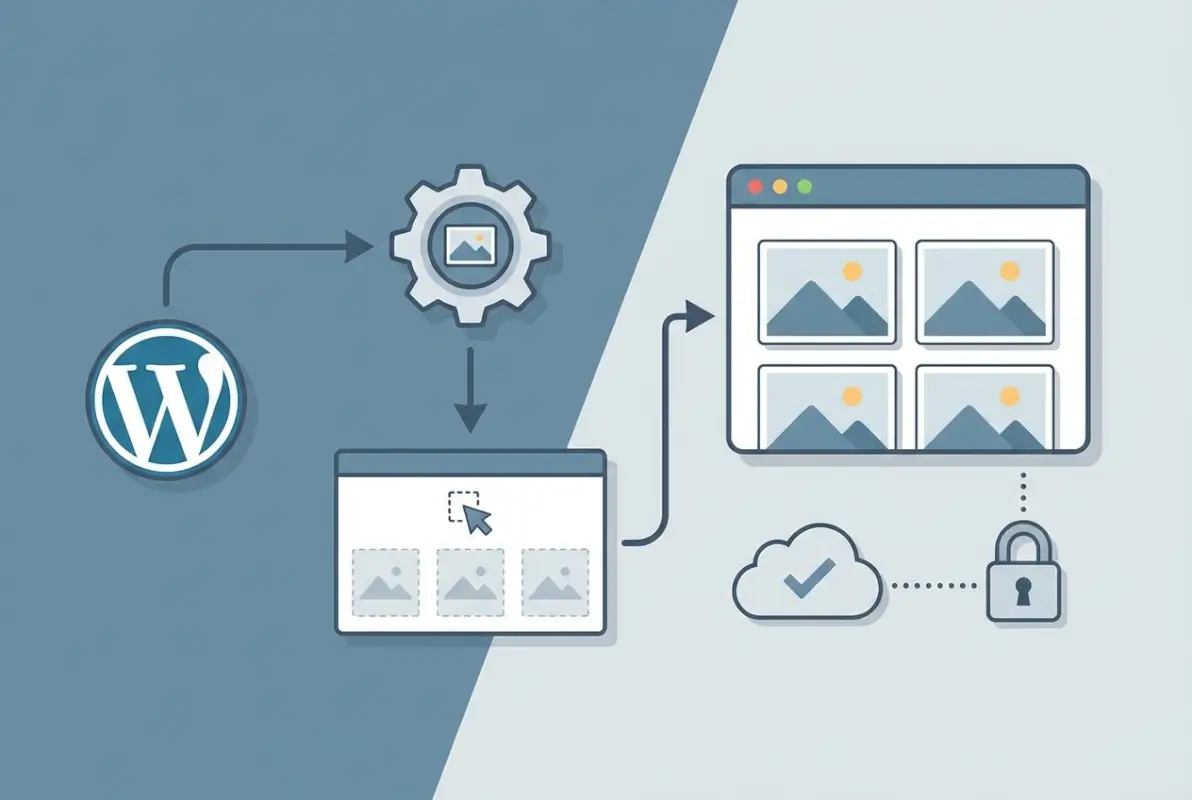
The core use cases where Envira Gallery genuinely shines include professional photographers who need client proofing workflows, portfolio sites that showcase visual work without distractions, and small businesses displaying product catalogs. According to Envira Gallery’s official documentation, the plugin serves over 1 million active installations, with the strongest adoption among creative professionals and service-based businesses. The drag-and-drop builder handles the basic workflow—upload images, arrange them visually, publish with a shortcode—without requiring you to learn a settings panel that looks like a Boeing cockpit.
What sets Envira apart from competitors isn’t revolutionary features—it’s the execution of fundamentals. Responsive layouts work correctly across devices without manual tweaking. Lightbox functionality loads fast and supports touch gestures on mobile. The interface follows WordPress design patterns, so if you know how to create a post, you can build a gallery. This sounds basic, but many established gallery plugins still feel like they were designed in 2012 (because they were).
Current Positioning and Core Use Cases
Envira Gallery targets three primary user segments based on real-world adoption patterns. First, photographers who need more than just image display—specifically client proofing galleries where viewers can select favorites, password-protected albums for private client access, and watermarking to protect work samples. The proofing addon alone justifies the Pro upgrade for many wedding and portrait photographers who previously juggled separate platforms for client delivery.
Second, creative professionals building portfolio sites benefit from Envira’s clean aesthetic defaults and mobile-friendly layouts. Unlike gallery plugins that require extensive CSS customization to look modern, Envira’s templates work well immediately. The video gallery support integrates YouTube and Vimeo embeds alongside images, which matters for videographers and multimedia designers who need mixed-media portfolios.
Third, e-commerce businesses using WooCommerce find value in the product gallery addon that connects images directly to shop pages. This creates visual product catalogs where clicking an image takes visitors straight to the purchase page—a workflow that increases conversion rates compared to generic image galleries with manual links. For directory websites showcasing business listings, this integration creates professional-looking visual directories without custom development.
Quick-Start Reality Check: Lite vs Pro Capabilities
The Envira Gallery Lite version available in the WordPress.org repository includes the core gallery builder, basic lightbox, and responsive layouts. You can create unlimited galleries, upload unlimited images, and use the drag-and-drop interface. That’s sufficient for basic portfolios, blog image galleries, and simple visual displays. What you lose without Pro: albums (grouping multiple galleries), all addons (proofing, social sharing, watermarks, deep linking, WooCommerce integration), and priority support.
The licensing scope matters more than most reviews explain clearly. A single-site Pro license costs $69 annually and works on one WordPress installation. If you manage multiple client sites or run a multi-site network, you need either the 3-site plan ($99/year) or the unlimited agency plan ($249/year). These prices include all current addons—there’s no separate marketplace where you buy individual extensions. Renewal pricing drops to $49 for single-site after your first year, which is competitive but still requires annual payment to maintain updates and support.
Platform requirements are standard: WordPress 5.0 or higher, PHP 7.0+, and any modern hosting environment. The plugin works with all major page builders (Elementor, Divi, Beaver Builder) through shortcode or block integration. One technical consideration often overlooked—Envira doesn’t include built-in image compression, so you’ll want to pair it with an optimization plugin like ShortPixel or use a CDN with automatic image resizing. The plugin handles lazy loading internally, but serving compressed images from the start significantly improves performance on galleries with dozens of high-resolution photos.
In-Depth Feature Review and Performance Snapshot
The drag-and-drop gallery builder is where Envira Gallery earns its “easy” reputation. Upload images through the WordPress media library or drag files directly into the gallery interface, then rearrange by dragging thumbnails into position. Each image supports individual metadata—title, alt text, caption, and custom URL. This granular control matters for SEO (more on that later) and accessibility, allowing screen readers to properly describe images to visually impaired users.
Responsive layouts automatically adjust column counts and image sizes based on viewport width. The default behavior works well: 4 columns on desktop, 2 on tablet, 1 on mobile. Advanced users can override these defaults with custom CSS or use the mobile-specific column settings available in gallery configuration. The lightbox feature—Envira’s implementation is called Lightbox—supports keyboard navigation (arrow keys), touch gestures (swipe on mobile), and plays nicely with browser back buttons through deep linking (Pro addon required).

Media type support extends beyond static images. Video galleries embed YouTube, Vimeo, Wistia, and self-hosted videos directly within the lightbox viewer. This mixed-media capability works smoothly—clicking a video thumbnail opens the lightbox and begins playback without page navigation. According to HubSpot’s Envira Gallery analysis, the video integration performs better than competitor plugins that rely on third-party embeds, primarily because Envira lazy-loads video players only when the lightbox opens.
Core Features That Matter for WordPress Galleries
Visual customization happens through template selection and configuration panels, not code editing (unless you want to). The plugin includes several gallery layouts: automatic (masonry-style), manual (grid with consistent sizing), and justified (similar to Flickr’s photo streams). Each template exposes settings for margins, columns, image dimensions, and hover effects. The configuration interface groups related options logically—gallery settings, lightbox settings, mobile settings—avoiding the overwhelming single-page approach some competitors use.
Accessibility considerations are better than average for gallery plugins. Envira generates semantic HTML with proper figure and figcaption elements, supports ARIA labels, and allows full keyboard navigation through galleries and lightbox. Alt text fields are prominent in the image editor, encouraging proper implementation rather than hiding this critical SEO and accessibility feature. For websites serving diverse audiences or organizations with ADA compliance requirements, these details matter significantly.
Album functionality (Pro only) solves the organizational challenge of managing dozens or hundreds of galleries. Create an album, add multiple galleries to it, and display the album with a single shortcode. Visitors see album covers (you choose which gallery image represents each album), click to view a specific gallery, then navigate back to the album index. This hierarchical structure works exceptionally well for photographers organizing client sessions, businesses showcasing multiple product categories, or directory sites displaying categorized business galleries.
| Feature | Lite (Free) | Pro |
|---|---|---|
| Drag-and-drop builder | ✓ Included | ✓ Included |
| Responsive layouts | ✓ Included | ✓ Included |
| Albums | ✗ Not available | ✓ Included |
| Client proofing | ✗ Not available | ✓ Addon |
| Watermarking | ✗ Not available | ✓ Addon |
| WooCommerce integration | ✗ Not available | ✓ Addon |
| Social sharing | ✗ Not available | ✓ Addon |
| Priority support | ✗ Not available | ✓ Included |
Addons, Performance, and Reliability
The addon ecosystem extends Envira’s core functionality without bloating the base plugin. Pro licenses include all current addons: Proofing (client selection and download), WooCommerce (product gallery integration), Social (sharing buttons), Watermarking (text or image overlays), Deep Linking (direct URLs to specific images), Password Protection (restricted gallery access), Tags (image filtering), and several others. This all-inclusive approach simplifies licensing—you’re not nickel-and-dimed for individual features like some competitors.
Performance impact is where Envira Gallery demonstrably outperforms older competitors. Independent testing by WPExplorer’s plugin comparison showed Envira galleries loading 30-40% faster than NextGEN Gallery on identical hosting with the same image sets. The performance advantage comes from several optimizations: lazy loading (images load only when entering viewport), no jQuery dependencies (uses vanilla JavaScript), and efficient database queries that don’t bog down admin screens when managing large media libraries.
Lazy loading deserves specific attention because it’s implemented thoughtfully. Unlike plugins that lazy-load aggressively and break above-the-fold images, Envira loads the first row of gallery images immediately and lazy-loads subsequent rows. This prevents the jarring “blank boxes loading” experience on initial page view while still improving performance for longer galleries. The implementation respects user experience over maximum benchmark scores—a design choice that reflects the plugin’s professional target audience.
CDN compatibility works seamlessly with services like Cloudflare, BunnyCDN, and Cloudinary. Envira doesn’t include image optimization or CDN integration directly, which keeps the plugin lightweight, you’ll pair it with dedicated tools for those functions. This modular approach means you can choose best-in-class image optimization (ShortPixel, Imagify) and caching (WP Rocket, W3 Total Cache) without conflicts. Third-party integration extends to page builders—Elementor users access Envira through a dedicated widget, Divi users through a module, and Gutenberg users through a native block.
Pricing, Plans, and Value Compared to Alternatives
Envira Gallery’s pricing structure breaks down into four tiers, all sold as annual subscriptions with renewal discounts. The Basic plan ($69/year, renews at $49) covers one site and includes all current addons. The Plus plan ($99/year, renews at $69) extends to three sites. The Pro plan ($169/year, renews at $119) offers unlimited sites, and the Agency plan ($249/year, renews at $169) adds priority support and exclusive agency features like white-labeling.
What you’re actually paying for changes depending on your use case. For a single-site user, $69 annually gets you the complete feature set—proofing, WooCommerce integration, watermarking, social sharing, and all future addons released during your license period. Compare this to buying individual features from competitors: client proofing platforms charge $10-20/month standalone, watermarking plugins run $20-40/year, and social sharing tools add another $30+/year. For photographers especially, Envira consolidates these tools at a lower total cost.

Multi-site licensing gets less competitive. At $249/year for unlimited sites, Envira costs more than FooGallery Pro ($99/year unlimited) and Modula Pro ($149/year unlimited). The value justification shifts to quality of specific features—if you need reliable client proofing across multiple client sites, Envira’s implementation works better than FooGallery’s simpler approach. But if you’re primarily creating basic galleries for client websites, the price premium becomes harder to justify.
Envira Pricing Landscape
The annual pricing model means budgeting for recurring costs. Unlike one-time purchase plugins (increasingly rare in the WordPress ecosystem), you lose access to updates and support if you don’t renew. Your galleries continue functioning with the last version you downloaded, but you miss security patches, WordPress compatibility updates, and new features. The renewal discount (typically 30% off) softens this requirement, but annual payments still represent an ongoing operational cost.
What’s included at each tier is straightforward—all paid tiers include all addons. The difference is site count and support priority. Basic ($69): 1 site, standard support. Plus ($99): 3 sites, standard support. Pro ($169): unlimited sites, standard support. Agency ($249): unlimited sites, priority support, white-label option. According to Envira’s official pricing page, approximately 60% of customers choose the Basic single-site plan, suggesting most users don’t need multi-site licensing.
ROI for photographers and agencies comes from time savings and workflow consolidation. A wedding photographer charging $3,000 per event who saves 2 hours per client on gallery delivery (through proofing addon automation) recoups the $69 annual cost after one wedding. An agency building client sites at $5,000+ per project can justify the $249 agency plan if it saves 5-6 hours across multiple projects annually. For casual users or hobbyist photographers, this ROI math doesn’t work—stick with the free Lite version or consider free alternatives.
Free vs Paid Value Proposition
The free Envira Gallery Lite version handles basic image galleries competently. You can create unlimited galleries, upload unlimited images, customize layouts and lightbox settings, and use responsive templates. For simple portfolios, blog image galleries, or basic visual displays on non-commercial sites, Lite suffices. The interface is identical to Pro—you’re not getting a crippled admin experience.
Feature gaps in the free tier become dealbreakers for specific workflows. No albums means managing 50+ galleries gets messy fast—you’re limited to a flat list of galleries without hierarchical organization. No proofing means photographers need separate platforms for client delivery. No WooCommerce integration means e-commerce users manually create product links. No watermarking means protecting sample work requires external tools. No password protection means you can’t create private client galleries.
When upgrading makes sense: when you hit a specific limitation that blocks your workflow. Don’t upgrade speculatively (“I might need proofing someday”). Upgrade when you book your first client who needs gallery selection, or when you’re building your third WooCommerce gallery and realize the integration would save hours. This practical approach prevents paying for features you’ll never use—a common trap with all-inclusive plugin licenses.
Competitive Landscape and How Envira Stacks Up
The WordPress gallery plugin market splits into two categories: legacy plugins with massive feature sets and modern plugins prioritizing performance. Envira Gallery sits firmly in the second category, competing directly with FooGallery, Modula, and Meow Gallery. NextGEN Gallery dominates the first category as the feature-rich incumbent. Understanding where competing reviews focus their recommendations reveals what different users actually prioritize.
FooGallery gets recommended for budget-conscious users who need decent functionality without annual costs. The free version includes albums, multiple templates, and responsive layouts—features Envira gates behind Pro licensing. However, FooGallery’s interface feels less polished, performance benchmarks show slower loading times, and the addon marketplace fragments features into individual purchases rather than all-inclusive licensing. For users who specifically need albums without paying, FooGallery wins. For users who value time savings and streamlined purchasing, Envira’s all-inclusive approach costs more upfront but saves decision fatigue.

NextGEN Gallery appears in recommendations for advanced photographers who need extensive organizational tools and don’t mind complexity. The plugin includes built-in lightroom-style batch editing, elaborate slideshow options, and complex tagging systems that Envira deliberately omits. According to WPBeginner’s comprehensive gallery plugin comparison, NextGEN serves professional photographers with massive image libraries (10,000+ photos), while Envira targets users who prioritize simplicity over feature depth. The performance trade-off is real—NextGEN galleries typically load 50% slower than equivalent Envira galleries.
Top Competing Articles and What They Emphasize
Competing reviews from major WordPress authorities reveal consistent patterns in how different plugins get positioned. Photography-focused sites emphasize NextGEN for advanced users and Envira for ease of use. E-commerce sites highlight Envira’s WooCommerce integration and Modula’s product gallery templates. Speed-optimization sites universally recommend Envira or FooGallery over NextGEN for performance reasons.
ModulaGallery gets mentioned for its modern interface and creative gallery styles (masonry, grid, custom grid). The plugin’s strength is visual design flexibility—you can create Instagram-style grids, Pinterest-style masonries, and asymmetrical custom layouts more easily than in Envira. The trade-off is less robust addon ecosystem; Modula’s proofing and watermarking features are newer and less mature than Envira’s implementations. For creatives prioritizing unique visual presentation, Modula competes effectively. For photographers needing reliable client workflows, Envira remains stronger.
FooGallery appears consistently in “best free gallery plugin” lists because its free version is genuinely full-featured. Premium addons exist but aren’t required for most use cases. This makes FooGallery the smart choice for users who won’t pay for galleries regardless of features. The competitive gap narrows when comparing FooGallery Premium ($99/year unlimited sites) against Envira Pro ($169/year unlimited)—at that level, you’re choosing between slightly cheaper pricing (FooGallery) or more polished execution (Envira).
Meow Gallery and Justified Image Grid target specific niches. Meow focuses on minimalist, lightweight galleries for photographers who want zero bloat. Justified Image Grid specializes in justified (Flickr-style) layouts with extensive customization. These specialized tools outperform Envira in their specific niches but lack the breadth of features needed for general-purpose gallery needs.
Practical Takeaways for Choosing a WordPress Gallery Plugin
Decision criteria should start with budget constraints and workflow requirements, not feature checklists. If you have $0 budget, start with FooGallery or Envira Lite. If you need client proofing or WooCommerce integration, budget for Envira Pro or Modula Pro. If you manage 10,000+ images with complex organizational needs, consider NextGEN despite performance costs. If you prioritize absolute minimum performance impact, explore Meow Gallery or hand-coded solutions.
Client proofing requirements narrow choices significantly. Envira’s proofing addon is the most mature WordPress-native solution—clients view galleries, mark favorites, submit selections, and download approved images without leaving your website. FooGallery lacks proofing entirely. NextGEN includes basic proofing but with a clunkier interface. For professional photographers, this single feature often justifies Envira’s higher cost because standalone proofing platforms (ShootProof, Pixieset) charge $10-30 monthly on top of gallery plugin costs.
WooCommerce integration quality varies dramatically between plugins. Envira’s WooCommerce addon creates clean product galleries with direct purchase links, automatic price displays, and cart integration. Generic gallery plugins require manual linking and don’t pull product data dynamically. For online stores where visual merchandising drives conversions, Envira’s e-commerce features deliver measurable ROI through reduced friction in the purchase path—similar to how optimized directory layouts improve business discovery.
| Plugin | Best For | Pricing | Key Strength |
|---|---|---|---|
| Envira Gallery | Photographers, portfolios | $69/yr single-site | Client proofing workflow |
| FooGallery | Budget users, basic needs | Free (premium $99/yr) | Strong free version |
| NextGEN Gallery | Advanced photographers | Free (pro from $99/yr) | Extensive organization tools |
| Modula | Creative layouts, e-commerce | $39/yr single-site | Visual design flexibility |
| Meow Gallery | Performance-focused users | $35/yr unlimited | Minimal code footprint |
Best Practices for Implementation, SEO, and Ongoing Maintenance
Installing Envira Gallery is straightforward, but optimizing galleries for search visibility and maintaining performance over time requires deliberate configuration. The plugin’s SEO-friendly architecture provides a solid foundation, but several manual steps significantly improve image search rankings and page experience metrics that affect overall site performance in Google’s algorithm.
Image optimization should happen before upload, not after. Compress images to 200KB or smaller using tools like TinyPNG or ShortPixel before adding them to galleries. Envira doesn’t include built-in compression, so uploading 5MB photos directly from your camera creates galleries that load slowly regardless of Envira’s code efficiency. For photographers shooting in RAW, export JPEGs at 2000px on the long edge with 80% quality—sufficient for web display while maintaining visual quality.

Alt text and metadata deserve the same attention as image quality. Every image in your gallery should have descriptive alt text that includes relevant keywords naturally. Avoid keyword stuffing (“best wedding photographer Minneapolis Minnesota affordable packages”)—instead write useful descriptions (“Bride and groom first dance at Nicollet Island Pavilion wedding”). Titles and captions provide additional SEO value while improving user experience; captions appear beneath images in lightbox view, giving context that keeps visitors engaged longer.
SEO and Accessibility Considerations for Image Galleries
Structured data implementation enhances how search engines understand your galleries. While Envira doesn’t include automatic schema markup for images, you can add ImageObject schema manually through your theme or an SEO plugin. This structured data helps images appear in rich results and Google Images with additional information like licensing, creator attribution, and context. For photographers relying on image search traffic, this visibility improvement drives measurable organic traffic increases.
Lazy loading tradeoffs require understanding how Google indexes images. Envira’s lazy loading implementation is search-engine friendly (images load dynamically but remain in HTML source code), but some overly aggressive caching or JavaScript optimization plugins can interfere with image indexing. Test your galleries in Google Search Console’s URL Inspection tool to verify images are discoverable by Googlebot. If images aren’t appearing in indexed results, temporarily disable lazy loading to isolate the issue.
Image sitemaps created through Yoast SEO or Rank Math help search engines discover gallery images efficiently. These plugins automatically detect images within posts and pages, including those added through Envira shortcodes. Submitting the image sitemap through Google Search Console ensures your gallery images get crawled promptly rather than waiting for Google to discover them through normal site crawling. For large galleries (100+ images), this can reduce indexing time from weeks to days.
Accessibility extends beyond alt text. Ensure sufficient color contrast on gallery captions and metadata (WCAG 2.1 requires 4.5:1 contrast ratio for normal text). Enable keyboard navigation through gallery settings so users can tab through images and activate lightbox with Enter key. Test your galleries with a screen reader (NVDA on Windows, VoiceOver on Mac) to verify images are announced properly with context. Many commercial clients now require WCAG 2.1 Level AA compliance, making accessibility a practical business requirement, not just good practice.
Maintenance, Support, and Upgrade Hygiene
Update cadence for Envira Gallery typically runs 6-8 releases annually, including major feature updates, WordPress compatibility patches, and security fixes. Enable automatic updates for minor releases (security and bug fixes) but manually test major version updates on a staging site before deploying to production. This cautious approach prevents the occasional update that conflicts with your specific theme or plugin combination from breaking live client sites.
Vendor support quality from Envira Gallery is generally responsive based on user reviews, with ticket responses typically within 24-48 hours for paid licenses. The support team can access your site (with permission) to troubleshoot conflicts, which speeds resolution compared to plugins offering forum-only support. Documentation quality is thorough, with video tutorials covering common tasks and troubleshooting guides for frequent issues. Before opening a support ticket, check the knowledge base—most questions are answered there with faster resolution than waiting for ticket responses.
Addon dependency management matters when troubleshooting issues. If you encounter conflicts after enabling a new addon, disable addons systematically to isolate the problem. Some hosting environments (particularly budget shared hosting) struggle with certain addons like Proofing that generate temporary files and database entries. If a specific addon causes persistent issues, it’s often better to use a dedicated external service (like ShootProof for proofing) rather than fighting environmental limitations.
Compatibility with major themes generally works smoothly because Envira uses shortcodes and blocks rather than theme-specific integration. However, some themes apply aggressive CSS that conflicts with Envira’s gallery styling. When gallery layouts appear broken (overlapping images, incorrect spacing, broken lightbox), check for theme CSS conflicts by temporarily switching to a default WordPress theme (Twenty Twenty-Four). If galleries display correctly with the default theme, the issue is theme CSS—contact your theme developer for compatibility fixes or add custom CSS to override problematic theme styles.
Is Envira Gallery free to use, and what can I do with the Lite version?
Yes, Envira Gallery Lite is completely free and available through the WordPress.org plugin directory. The Lite version includes the drag-and-drop builder, unlimited galleries and images, basic lightbox functionality, responsive layouts, and core customization options. You cannot access albums, addons (proofing, WooCommerce, watermarking, social sharing), or priority support without upgrading to a paid plan starting at $69 annually.
How does Envira Gallery Pro pricing work, and what does it include for multi-site use?
Envira Gallery Pro pricing is annual subscription-based with four tiers. Basic ($69/year) covers one site, Plus ($99/year) covers three sites, Pro ($169/year) allows unlimited sites, and Agency ($249/year) adds priority support for unlimited sites. All paid tiers include every current addon—proofing, WooCommerce integration, watermarking, social sharing, deep linking, password protection, and more. Renewal pricing drops approximately 30% after the first year.
Is Envira Gallery good for photographers who need proofing and client galleries?
Yes, Envira Gallery excels for professional photographers through its Proofing addon (included with all paid plans). Clients view galleries, select favorite images, submit their choices through a web form, and download approved files—all within your WordPress site without requiring third-party platforms. Combined with password protection and watermarking addons, this creates a complete client delivery workflow that consolidates tools photographers typically purchase separately.
How does Envira compare to NextGEN Gallery in terms of features and cost?
NextGEN Gallery offers more advanced organizational features (batch editing, complex tagging) in its free version, while Envira Gallery provides superior performance and a more intuitive interface. NextGEN’s free version includes features Envira gates behind Pro licensing (albums, basic watermarking). However, Envira galleries typically load 30-40% faster and deliver better user experience. NextGEN Pro costs $99+ annually for premium features, comparable to Envira’s pricing but with different feature priorities.
What are the best practices to optimize Envira galleries for speed and SEO?
Compress images to under 200KB before uploading, write descriptive alt text with natural keywords for every image, limit galleries to 30-40 images per page (use albums for larger collections), enable Envira’s lazy loading feature, submit an image sitemap through Google Search Console, and add ImageObject schema markup manually or through an SEO plugin to enhance search visibility.
Can Envira galleries work with popular page builders and WooCommerce?
Yes, Envira Gallery integrates seamlessly with all major page builders through dedicated widgets or blocks—Elementor users get an Envira widget, Divi users access an Envira module, and Gutenberg users have a native Envira block. The WooCommerce addon (included with all paid plans) creates product galleries with automatic price display, direct purchase links, and cart integration for visual product catalogs.
Are there security or licensing caveats to watch for with Envira?
Envira Gallery licenses are site-specific, not transferable between domains without contacting support for migration approval. The plugin requires annual renewal to receive updates and support; your galleries continue functioning if you don’t renew, but you miss security patches and WordPress compatibility updates. Only download Envira from official sources (WordPress.org for Lite, enviragallery.com for Pro) to avoid nulled versions that may contain malware.
Making the Right Gallery Plugin Decision
Envira Gallery delivers on its core promise: fast, attractive WordPress galleries without the learning curve or performance overhead of older competitors. For photographers needing reliable client proofing, businesses building WooCommerce product catalogs, or creative professionals showcasing portfolios, the plugin solves real workflow problems that justify its annual cost. The all-inclusive addon licensing simplifies budgeting, and the performance advantage over NextGEN Gallery is measurable, not marketing hype.
Where Envira falls short is for users who need extensive free features or manage numerous sites on tight budgets. FooGallery’s free version includes albums and more layout options without payment. The $249 agency plan pricing makes Envira expensive for freelancers managing multiple client sites compared to competitors offering unlimited licensing at $99-149 annually. And if you’re creating basic image galleries without specialized workflows, the free Lite version handles those needs—upgrading adds features you won’t use.
The practical decision comes down to workflow economics. If you’re currently using standalone services for client proofing ($10-30/month), Envira’s $69 annual plan consolidates that expense while keeping galleries on your website. If you’re building multiple galleries monthly for clients and spending hours on layout customization, Envira’s templated approach saves billable time that quickly recoups the investment. If you’re a hobbyist blogger adding occasional image galleries to posts, stick with the free version or explore no-cost alternatives like FooGallery or default WordPress galleries.
Ready to Build Better Galleries?
Start with Envira Gallery Lite to test the interface and performance on your site. Upgrade to Pro only when you hit specific limitations—proofing needs, WooCommerce integration, or album organization. For directory websites needing professional business listings with gallery support, consider pairing Envira with TurnKey Directories for a complete WordPress directory solution.
The right gallery plugin saves time, improves user experience, and solves real business problems—make sure you’re paying for solutions, not unused features.
Was this article helpful?