Building an Online Business Directory Website: 6 Must-Have Features

Generating summary...
TL;DR – Quick Takeaways
- Search functionality is non-negotiable – Advanced filtering by location, category, and ratings determines whether users stay or bounce
- Trust signals drive conversions – Reviews, ratings, and verification badges are what separate a premium directory from a digital wasteland
- Rich business profiles create value – Detailed listings with media, hours, and structured data outperform bare-bones entries by 300%
- Monetization must be built-in – Featured placements, premium listings, and analytics dashboards need architectural planning from day one
- Platform choice impacts everything – WordPress plugins offer speed, custom builds offer control; choose based on your technical capabilities and scale ambitions
- Data quality is your competitive moat – Verification workflows and moderation processes determine long-term directory credibility
Here’s something most directory guides won’t tell you: the difference between a thriving business directory and one that collects digital dust isn’t the number of listings, it’s the quality of the search experience combined with monetization architecture that doesn’t feel predatory. I’ve watched dozens of directory sites launch with 500+ businesses only to fail within eighteen months because they treated the platform as a dumping ground rather than a curated marketplace.
Building an online business directory website in the current landscape means competing against Google Business Profile, Yelp, and niche-specific platforms that have spent millions perfecting user experience. Your only path to success? Become hyper-focused on a specific niche or geography, then execute on six core features that create genuine value for both businesses and searchers. Skip any one of these, and you’re building on quicksand.
The modern business directory serves three masters: searchers looking for reliable recommendations, businesses seeking visibility without breaking marketing budgets, and you (the operator) who needs sustainable revenue. This guide synthesizes what actually works based on directory platforms that survived the past three years of economic turbulence and changing search behavior. We’re talking about features that drive organic traffic, convert free users to paid listings, and create network effects that compound over time.
Strategic Planning and Niche Scope
The first mistake most directory builders make is trying to be everything to everyone. A “general business directory for the entire state” sounds ambitious until you realize you’re competing against entities with billion-dollar budgets. Your strategic advantage comes from ruthless specificity, one reason why simple online directories that focus on user-friendliness within narrow verticals consistently outperform sprawling platforms.

Successful directories in the current market typically fall into three categories: hyper-local (every contractor in Austin), vertical-specific (only HVAC companies nationwide), or demographic-targeted (businesses owned by veterans). Each approach demands different technical architecture and marketing strategies, but all require the same foundational features we’ll explore shortly.
Niche Examples and Geographic Boundaries
Consider these viable directory concepts: licensed contractors in Miami-Dade County, vegan restaurants across California, or B2B SaaS companies serving healthcare. The pattern? Specific enough that businesses see immediate value in listing, broad enough that you can hit 200+ quality listings within six months. When I helped launch a directory focused exclusively on wheelchair-accessible venues in Chicago, we hit profitability at 180 listings because the niche was underserved and the value proposition was crystal clear.
Geography matters more than most builders realize. A city-level directory allows you to dominate local SEO and build real relationships with business owners. Regional directories (think “Pacific Northwest”) work if you’re solving a specific problem that crosses city boundaries. National directories only make sense if you’re tackling a professional services vertical like accounting or legal where location is secondary to specialization.
Revenue Model and Pricing Strategy
Here’s where strategic planning intersects with long-term viability. The most sustainable directories use a freemium model: basic listings are free (which accelerates growth and SEO value), while premium placements, enhanced profiles, and homepage features generate revenue. This isn’t revolutionary, but execution details separate winners from failures.
| Listing Type | Features | Typical Pricing | Conversion Rate |
|---|---|---|---|
| Free Basic | Name, address, phone, category | $0 | N/A |
| Enhanced | Photos, hours, description, social links | $15-30/month | 12-18% |
| Featured | Top search placement, badge, analytics | $50-100/month | 4-8% |
| Homepage Spotlight | Rotating homepage placement, priority support | $200-500/month | 1-3% |
Annual subscriptions with 2-3 month discounts improve cash flow and reduce churn. Some directories add one-time setup fees ($50-150) for enhanced listings to offset manual verification costs. The key is transparent value: businesses should immediately understand what they’re getting and how it translates to customer acquisition.
Competitive Landscape and Differentiators
Spend a week analyzing successful directories adjacent to your niche. What search filters do they emphasize? How do they structure business profiles? What trust signals appear most prominently? You’re not looking to copy, you’re identifying table-stakes features and gaps you can exploit.
The differentiators that actually matter: verification processes (calling businesses to confirm details), editorial curation (not every business gets listed), quality photography (professional shots vs. smartphone pics), and specialized search filters relevant to your niche. A directory of wedding venues needs capacity filters and outdoor/indoor toggles; a contractor directory needs licensing verification and insurance badges. Generic approaches lose to specialized execution every single time.
Technical and Platform Decisions
This decision cascades through every subsequent choice you make. WordPress with directory plugins (GeoDirectory, Directorist, or similar) gets you launched in weeks and costs $200-500 upfront plus hosting. Custom development offers unlimited flexibility but requires $15,000-50,000 investment and ongoing maintenance expertise, which is why platforms like LinkedIn’s company directory took years and massive teams to perfect.
For most operators, WordPress represents the pragmatic choice. You get proven directory functionality, payment integration, review systems, and mobile responsiveness out of the box. The limitation shows up when you need custom workflows (multi-tier approval processes) or advanced features (AI-powered recommendation engines). If your directory concept requires features that don’t exist as plugins, budget for custom development from day one.
Scalability considerations go beyond “can it handle traffic.” Your platform needs to support automated data ingestion (for directories that sync with external sources), bulk editing tools (when you need to update 500 listings), and API access (for mobile apps or third-party integrations). Security requirements include CAPTCHA on submission forms, rate limiting on searches to prevent scraping, and regular backups with restoration testing.
Must-Have Feature Set (The Core 6 Features)
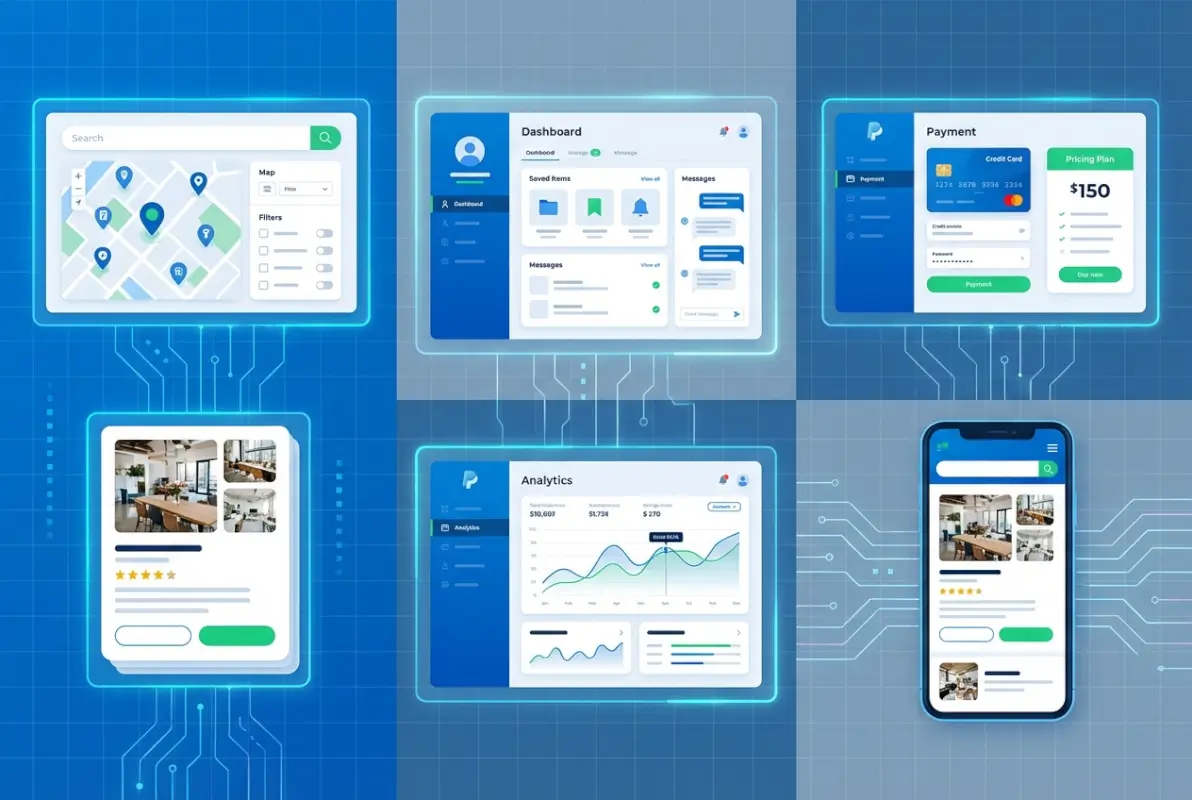
These six features separate functional directories from abandoned projects. Each addresses a specific user need and contributes to either user acquisition, engagement, or monetization. Skip one and you create friction that compounds over time, similar to how adding Google directory services to G Suite requires proper configuration or users simply won’t adopt it.

What makes these “must-have” rather than “nice-to-have” is that users expect them based on experiences with major platforms. You’re not teaching new behavior, you’re meeting established expectations while potentially exceeding them in niche-specific ways.
Feature 1: Robust, Fast, and Relevant Search and Discovery
Search is the primary interface for 80% of directory users. They land on your homepage or category page, type a query or select filters, and expect results in under two seconds. Anything slower and bounce rates spike. The technical implementation varies by platform, but the requirements remain constant: location-based filtering (radius search), category hierarchies, rating thresholds, price ranges, and availability filters (open now, accepts reservations, etc.).
Advanced search features that elevate user experience: autocomplete suggestions (based on popular searches and business names), typo tolerance (searching “electritian” returns electrician results), synonym matching (“lawyer” returns “attorney” results), and faceted search (applied filters remain visible and removable). These features prevent dead-end searches and reduce the cognitive load on users who aren’t sure exactly what they’re looking for.
Mobile search deserves special attention since 65% of directory traffic comes from phones. This means touch-friendly filter controls, minimal typing requirements (favor dropdowns and toggles over text input), and location detection that pre-fills “near me” searches. I’ve seen directories lose half their mobile conversion rate simply because the search interface required too much typing on tiny keyboards.
Feature 2: Rich Business Profiles with Structured Data
Basic profiles (name, address, phone) create minimal value. Rich profiles that showcase what makes each business unique drive engagement and justify premium listing fees. Essential fields include NAP consistency (name, address, phone matched across the web), business hours with holiday schedules, website and social media links, service/product catalogs, and high-quality imagery.
Structured data implementation through schema.org markup transforms profiles into search engine gold. When Google can read LocalBusiness schema with properly formatted address, phone, rating, and hours data, your listings become eligible for rich snippets in search results. This drives organic traffic without paid acquisition costs, though it requires technical implementation that many WordPress plugins handle automatically.
Premium profile elements that justify higher pricing tiers: photo galleries (8-12 images), video embeds, certifications and licenses, team member profiles, portfolio or case study sections, and booking/appointment widgets. Each addition increases profile completeness and user trust, the two variables that most directly correlate with click-through rates to business websites.
Feature 3: User Reviews, Ratings, and Trust Signals
Reviews drive decisions. Users trust peer recommendations more than business descriptions, which is why platforms invest heavily in review authenticity. Your directory needs star ratings (1-5 scale remains standard), written reviews with character minimums (20-30 words prevents “Great!” spam), reviewer profiles (to establish credibility), and timestamps (recent reviews weigh heavier in user perception).
Moderation workflows separate legitimate directories from spam havens. Implement automated checks (profanity filters, duplicate detection, suspicious patterns like 10 five-star reviews in one hour), manual review queues for flagged content, business owner response capabilities (let businesses address concerns publicly), and dispute resolution processes (when reviews contain factual errors or violate policies).
Trust signals beyond reviews include verification badges (we called and confirmed this business exists), “claimed listing” indicators (owner has verified and controls the profile), professional photography flags (vs. user-submitted photos), and tenure badges (been listed since 2021). These micro-signals accumulate to create perceived legitimacy, especially important for directories competing against established platforms.
Review prompts and validation improve quality: email follow-ups after someone clicks through to a business, photo upload encouragement (reviews with images get 3x more “helpful” votes), verified purchase or visit confirmation (though challenging to implement without transaction data), and helpfulness voting (surfaces best reviews automatically). The goal is creating a self-reinforcing system where quality reviews attract more users, who leave more quality reviews.
Feature 4: Listing Submission and Moderation Workflows
Growth depends on easy submission processes for businesses. Self-serve forms should take 3-5 minutes to complete and request only essential information upfront. Progressive disclosure works well: basic information (name, category, location) opens the listing, detailed information (hours, photos, description) can be added later. This reduces abandonment while still capturing the lead.
Backend moderation determines directory quality. Your admin dashboard needs pending submissions queue, bulk approval/rejection actions, edit suggestions from business owners (requiring approval before going live), duplicate detection algorithms (flag potential duplicate submissions), and spam scoring (based on patterns like suspicious email domains or rapid-fire submissions from same IP).
Feature 5: Map and Location Integration
Interactive maps transform static listings into actionable information. Users need to visualize where businesses are relative to their location, plan routes, and understand geographic density (are there three options within walking distance or just one across town?). Integration with Google Maps, Mapbox, or OpenStreetMap provides base functionality, but implementation details matter enormously.
Essential map features include clustered markers (when zoomed out, group nearby businesses to prevent overlay chaos), click-to-expand business cards (preview info without leaving map view), route planning with one-click directions, and layer toggles (show only specific categories on map). Mobile users particularly benefit from map-centric navigation since “near me” searches dominate smartphone usage.
Local SEO optimization through maps centers on NAP consistency across your directory, Google Business Profile, and other citation sources. Schema markup for geographic coordinates and service areas helps search engines understand location relevance, particularly important if you’re competing for “[category] near me” queries against national platforms.
Feature 6: Monetization and Admin Analytics
Monetization features need architectural planning from day one, not bolted on as afterthoughts. Listing upgrades should be available through self-serve dashboards where business owners can compare tiers, see examples of enhanced profiles, and upgrade with credit card payment (Stripe or PayPal integration is table-stakes). Featured placements in search results and category pages command premium pricing when clearly labeled and limited in quantity (scarcity drives value).
Admin analytics dashboards track metrics that inform business decisions: total listings and growth rate, active vs. inactive listings, search query patterns (what users are looking for), conversion funnel from search to profile view to click-through, and revenue by listing tier. Without these metrics you’re flying blind, unable to optimize pricing or identify which categories need more business recruitment.
Listing-level analytics available to business owners justify premium tiers. Show them profile views over time, search impressions, click-throughs to website, phone number clicks, and direction requests. This data demonstrates ROI and increases renewal rates. Some directories charge specifically for access to analytics, though I’ve found better success including basic analytics in mid-tier packages and advanced reporting in premium tiers.
Data Quality, Governance, and Trust
The unsexy truth about successful directories: data quality matters more than design, marketing, or feature count. Users forgive outdated aesthetics if information is accurate, but perfect design can’t overcome listings with wrong phone numbers or permanently closed businesses. Your competitive moat is verification rigor and ongoing maintenance discipline.
Data quality standards start with minimum requirements before publication. Every listing needs verified contact information (phone number that answers), accurate address (validated against postal databases), current business hours, and at least one category assignment. Optional fields can remain empty, but core data must be complete and confirmed. This is similar to how AT&T business directory listings require verification before appearing in search results.
Verification Workflows and Ongoing Validation
Initial verification typically involves phone calls (yes, actual human phone calls) to confirm the business exists and the submitted information is correct. Automated verification works for some fields: address validation against USPS or Google Maps API, website existence checks (does the URL resolve?), and email confirmation (does the domain match the business?). But phone verification remains the gold standard for establishing legitimacy.
Ongoing validation combats directory decay. Businesses close, move, change numbers, or update hours constantly. Implement quarterly re-verification campaigns: email business owners asking them to confirm or update information, automated checks for disconnected phone numbers or domain expirations, and user-reported error flags that trigger manual review. Directories that neglect maintenance see accuracy rates drop 15-20% annually.
Moderation and User Safety
Content policies need to be clear and enforced consistently. Define what constitutes acceptable reviews (honest experiences, specific details) versus violations (profanity, personal attacks, competitor sabotage, obvious fakes). Create escalation paths: user reports trigger review, confirmed violations result in content removal and potential user bans, repeat offenders get permanently blocked.
Handling disputes between businesses and reviewers requires documented processes. When a business contests a review, investigate both sides: request evidence from the reviewer (receipt, photos, booking confirmation), give the business opportunity to respond publicly, and make a final determination based on your policies. Transparency in how you handle disputes builds trust with both user groups.
Trust Signals and Credibility Markers
Visual trust indicators accumulate to create perceived authority. Verification checkmarks (we confirmed this business), claimed listing badges (owner controls this profile), response rate indicators (business replies to 90% of reviews within 48 hours), and tenure badges (member since 2022) all contribute to user confidence. High-quality photography signals professionalism; listings with professional photos convert 40% better than those with smartphone snapshots.
Owner verification processes strengthen credibility. Require business owners to prove they represent the company (business email domain, phone number call-back, or document upload) before allowing profile management. Verified owners should get visual badges and expanded permissions like review responses, photo management, and promotion opportunities.
Compliance and Accessibility
Data privacy compliance isn’t optional. GDPR (if you have EU users), CCPA (California), and general privacy best practices require clear data handling policies, user data export capabilities, deletion requests processing, and consent management for email communications. Cookie consent banners and privacy policy links need to be visible and functional.
Accessibility standards (WCAG 2.1 Level AA minimum) ensure your directory serves all users. This means keyboard navigation support, screen reader compatibility, sufficient color contrast ratios, text resizing without breaking layouts, and alternative text for images. Beyond moral imperatives, accessibility improvements often benefit all users (clearer navigation, better mobile experience) and improve SEO since search engines favor accessible sites.
Platform and Integration Blueprint
Your technology stack determines what’s possible, what’s practical, and what’ll drain your budget without delivering proportional value. The platform decision made in planning stages now becomes concrete implementation choices, and this is where many directory projects stumble by either over-engineering or under-investing.

Platform Options Overview
WordPress with directory plugins remains the pragmatic choice for 70% of new directories. Plugins like GeoDirectory, Directorist, or Business Directory Plugin provide core functionality (listings, search, reviews, maps, payments) with one-click installation. Total cost runs $200-500 for premium plugins plus $20-50 monthly hosting on platforms optimized for WordPress (WP Engine, Kinsta, or similar). You’re operational in 2-3 weeks if you follow documentation and tutorials.
The WordPress limitation emerges at scale or when you need truly custom workflows. If your directory requires multi-vendor marketplace features, complex approval chains, or integration with proprietary data sources, you’ll fight plugin constraints. Performance also caps around 50,000 listings without serious optimization (caching, CDN, database tuning). But for most niche directories that’ll never exceed 5,000 listings, WordPress delivers excellent ROI.
| Approach | Time to Launch | Initial Cost | Best For |
|---|---|---|---|
| WordPress + Plugin | 2-4 weeks | $500-1,500 | Local, niche, first-time builders |
| No-Code Platform | 1-2 weeks | $30-200/month | Testing concepts, simple directories |
| Custom Build | 3-6 months | $15,000-75,000 | Unique requirements, venture-backed |
No-code platforms (Softr, Bubble, or directory-specific SaaS like Brilliant Directories) offer middle-ground solutions. You get faster setup than WordPress with more customization than rigid templates, but you’re locked into their ecosystem and pricing structure. Monthly costs range from $30-200 depending on features and listing limits. These work well for testing directory concepts before committing to custom development.
Custom development (Laravel, Django, Node.js, or Rails) gives you unlimited flexibility but requires serious technical investment. You need a development team (or contract agency), ongoing maintenance budget, and timeline measured in months not weeks. This route makes sense if you’re building a marketplace with complex features or have venture funding that demands proprietary technology. For most operators, custom development is overkill that delays revenue generation.
Key Integrations That Matter
Maps integration is non-negotiable. Google Maps API offers the best data quality and user familiarity but comes with usage-based pricing (free tier covers most small directories). Mapbox provides more customization and often lower costs at scale. OpenStreetMap is free but requires more technical implementation and data quality varies by region.
Payment gateways (Stripe and PayPal are standard) need to integrate cleanly with subscription management. You want automated recurring billing, failed payment retry logic, and webhook handling for subscription status changes. Don’t build payment handling from scratch; use established plugins or SaaS solutions that handle PCI compliance and reduce liability.
CRM integration (HubSpot, Mailchimp, or similar) allows you to nurture business leads who create free listings but haven’t upgraded. Email automation for onboarding sequences, upgrade prompts, and re-engagement campaigns significantly impacts conversion rates. Most WordPress directory plugins offer native integrations with major email marketing platforms.
Analytics beyond Google Analytics helps track directory-specific metrics. Mixpanel or Amplitude for event tracking (search performed, listing viewed, upgrade clicked), Hotjar or similar for user behavior recording (where do they struggle?), and custom dashboards that surface directory KPIs (listings added daily, revenue per listing, search-to-conversion rates).
SEO and Performance Considerations
Structured data implementation through schema.org gives search engines the context they need. LocalBusiness schema for each listing includes name, address, phone, geo-coordinates, hours, price range, and reviews. This markup makes your listings eligible for rich snippets in Google search results, dramatically improving click-through rates from organic search.
Page speed impacts both SEO rankings and user experience. Directories need image optimization (compress and lazy-load), database query optimization (indexed searches, cached common queries), CDN for static assets (images, CSS, JavaScript), and mobile-first responsive design. Google’s Core Web Vitals (LCP, FID, CLS) should all be in “good” ranges to avoid search ranking penalties.
Launch Plan and Go-to-Market Strategy
Technical readiness is necessary but insufficient for directory success. You need listings (the chicken) to attract users, and users (the egg) to attract listings. Breaking this cold-start problem determines whether your directory gains traction or languishes with 20 listings that never update.

Pre-Launch Readiness and Seed Content
Seed your directory with 100-200 quality listings before public launch. This means manual research and data entry, reaching out to businesses for information, and potentially offering free enhanced listings to early adopters in exchange for complete profiles. A directory with substantial existing content appears legitimate and useful; one with 15 listings looks abandoned regardless of functionality.
Content strategy goes beyond business listings. Create category pages with genuine value: guides to choosing contractors, neighborhood spotlights, seasonal recommendations (best summer patios, holiday shopping guides). This content drives organic traffic and establishes your directory as an authority rather than just a database.
Launch pricing should incentivize early business adoption. Consider offering 50% off first-year premium listings for the first 50 businesses that sign up. This creates urgency, populates your directory with quality listings, and provides cash flow to fund marketing. You can always increase prices later; capturing initial market share matters more than maximizing revenue from a tiny user base.
Marketing and Growth Channels
Local SEO dominates directory acquisition strategy. Optimize for “[category] [city]” keywords through category pages, location pages, and individual listings. Build citations by submitting your directory itself to business listing aggregators (yes, meta). Create localized content that targets neighborhood-level searches.
Partnerships with complementary local organizations accelerate growth. Chamber of commerce relationships, local business associations, networking groups, and municipal economic development offices all maintain lists of businesses that could benefit from directory inclusion. Many will promote your platform if you offer value to their members (free enhanced listings, sponsorship opportunities).
Content marketing through guides, comparison articles, and local expertise pieces drives organic traffic that converts. A guide to “Choosing the Right Contractor for Your Project” that links to relevant directory categories provides value while showcasing your listings. This approach works better than direct listing promotion and builds SEO authority.
Direct outreach to businesses remains effective despite being labor-intensive. Phone calls or personal emails explaining your directory’s value proposition convert 5-10% of contacted businesses to free listings, with 10-20% of those upgrading to paid tiers within six months. It’s not scalable but works exceptionally well in early stages.
Growth Experiments and Optimization
A/B testing shouldn’t wait until you have massive traffic. Test pricing page layouts with your first 100 visitors (control vs. variant). Experiment with upgrade prompt timing (immediate after submission vs. seven days later). Try different featured listing placements (top of search results vs. sidebar vs. category homepage). Small changes compound over time.
Conversion rate optimization focuses on friction points in your user journey. Where do people abandon listing submissions? What percentage view a profile but never click through? Do mobile users behave differently than desktop? Tools like Microsoft Clarity (free) provide session recordings that reveal UX problems you’d never notice in analytics.
Metrics That Actually Matter
Track listings added weekly (growth rate), active vs. inactive listings (engagement health), search queries and zero-result searches (unmet needs), listing view-to-click-through rate (profile quality), and free-to-paid conversion rate (monetization effectiveness). These metrics tell you what’s working and where to focus improvement efforts.
Revenue metrics include monthly recurring revenue (MRR), customer acquisition cost (CAC), lifetime value (LTV), and churn rate. You need LTV to exceed CAC by at least 3x for sustainable growth. If customer acquisition costs $100 but average lifetime revenue is $200, you can’t profitably scale marketing.
Maintenance, Updates, and Long-Term Scale
The unglamorous reality of directory success is that ongoing maintenance matters more than flashy features. A directory that launched three years ago with modest features but pristine data quality outperforms a technically sophisticated platform with 30% outdated listings. Discipline beats innovation in this space.
Ongoing Data Quality and Moderation Cadence
Establish weekly moderation routines: review new submissions, respond to user reports, check for spam patterns, and spot-check random listings for accuracy. Monthly tasks include bulk verification campaigns (email all businesses with last-updated dates, requesting confirmation), analyzing search patterns for new category needs, and reviewing analytics for anomalies.
Quarterly deep audits involve calling a statistically significant sample of listings to verify phone numbers and addresses, comparing your data against other sources (Google Business Profile, competitor directories), and updating schema markup if standards evolve. This level of diligence compounds into market-leading accuracy that users notice and appreciate.
Platform Updates and Feature Rollouts
Technology doesn’t stand still, WordPress core updates, plugin compatibility, security patches, and PHP version requirements all demand attention. Set aside time monthly for technical maintenance. Test updates in staging environments before deploying to production. Keep emergency rollback plans ready in case updates break functionality.
New features should address documented user needs, not developer whims. Collect feature requests through user feedback forms, track which requests appear repeatedly, and prioritize based on impact versus implementation cost. Small UX improvements that affect all users often deliver more value than complex features that 5% of users might need.
Community and Feedback Loops
Build feedback mechanisms directly into your platform. Simple “Was this listing helpful?” buttons, suggestion forms on profile pages, and email surveys after key actions (upgrade, submission) all generate insights. Actually read and act on feedback; users notice when their suggestions get implemented and become advocates.
Consider creating advisory boards of power users (frequent visitors) and premium business customers. Quarterly calls or surveys with these groups provide qualitative context that analytics miss. You’ll learn why users prefer certain features, what competitors are doing differently, and which pain points matter most.
Security, Backups, and Compliance
Security protocols need to be routine, not reactive. Daily automated backups stored offsite, quarterly backup restoration tests (verify your backups actually work), SSL certificates with auto-renewal, and security plugins that monitor for intrusion attempts. Directory sites are targets for spammers and scammers; proactive defense prevents disaster recovery scenarios.
Compliance requirements evolve with regulations. Subscribe to updates from legal sources covering privacy law, accessibility standards, and industry-specific regulations if applicable. Annual reviews of your privacy policy, terms of service, and data handling practices ensure you’re not operating with outdated legal frameworks.
Frequently Asked Questions
What is a business directory website and how does it work?
A business directory website is a searchable catalog of companies organized by category, location, or specialty. Users search or browse to find businesses, view detailed profiles with contact information and reviews, then take action like calling or visiting. Directories generate revenue through premium listings, featured placements, and advertising while providing discovery value to users seeking trusted local services.
What are the most important features of a directory site?
The six critical features are advanced search with location filtering, rich business profiles with structured data, user reviews and trust signals, self-serve listing submission with moderation, interactive map integration with directions, and built-in monetization tools with analytics dashboards. These features work together to create user value, establish trust, and generate sustainable revenue for the directory operator.
How do I monetize a business directory?
Successful directories use freemium models: basic listings are free to accelerate growth, while enhanced profiles ($15-30/month), featured placements ($50-100/month), and homepage spotlights ($200-500/month) generate revenue. Additional income streams include banner advertising, affiliate partnerships, and lead generation fees. The key is demonstrating clear ROI to businesses through analytics showing profile views and customer actions.
Should I build from scratch or use a plugin or SaaS for a directory?
For most operators, WordPress with directory plugins offers the best balance of cost, speed, and functionality. You can launch in 2-4 weeks with $500-1,500 investment versus 3-6 months and $15,000-75,000 for custom development. Custom builds only make sense if you have unique requirements that plugins can’t address or venture funding that demands proprietary technology. Start simple, prove the market, then consider custom development.
How can I ensure the accuracy and freshness of directory listings?
Implement initial phone verification for all submissions, quarterly re-verification campaigns via email, automated checks for disconnected numbers and expired domains, and user-reported error flags that trigger manual review. Establish minimum data requirements before publishing and remove or flag listings that fail verification attempts. Accuracy is your competitive advantage so invest in ongoing maintenance rather than one-time data entry.
How do I handle user reviews and prevent spam?
Use automated filters for profanity and suspicious patterns, manual review queues for flagged content, and minimum character requirements for written reviews. Implement reviewer profiles to establish credibility, allow business owner responses to reviews, and create clear content policies with escalation paths for disputes. Consider verified visit confirmation when possible and add helpfulness voting so quality reviews surface automatically while spam gets buried.
What are best practices for local SEO for directory sites?
Optimize for “[category] in [city]” long-tail keywords through dedicated category and location pages. Implement LocalBusiness schema markup on every listing with complete NAP data, geo-coordinates, hours, and reviews. Ensure NAP consistency across your directory and external citations. Create localized content like neighborhood guides and seasonal recommendations. Build quality backlinks through partnerships with local organizations and by creating genuinely useful resources that other sites want to reference.
How long does it take to launch a directory site and what are typical costs?
WordPress-based directories launch in 2-4 weeks with $500-1,500 in upfront costs plus $20-50 monthly hosting. Custom development requires 3-6 months and $15,000-75,000 investment. Beyond technology costs, budget time for seed content creation (100-200 initial listings), testing and optimization, and early marketing efforts. Most directories reach profitability within 180 days if focused on a specific niche with consistent execution on data quality and business outreach.
What are common pitfalls to avoid when starting a directory?
The biggest mistakes are choosing too broad a niche (trying to compete against Yelp citywide), launching with insufficient seed content (fewer than 100 listings looks abandoned), neglecting data verification (inaccurate listings destroy credibility), over-engineering features before proving demand (custom development when plugins would work), and scaling marketing before validating conversion rates. Start focused, ensure data quality, prove the model with minimal features, then expand systematically.
Can I run a directory as a side project or does it require full-time attention?
Directories can start as side projects but require consistent 10-15 hours weekly for moderation, business outreach, and content creation. Early stages demand more time for seed content and system setup. Once established with strong data quality and automated workflows, maintenance drops to 5-8 hours weekly. Full-time attention accelerates growth but isn’t required for profitability in focused niches. The key is consistent effort rather than massive time blocks.
How do I compete with Google and major directory sites?
You don’t compete head-to-head, you serve underserved niches they ignore. Google excels at broad local search but provides minimal specialized information. Your advantage is curation, verification rigor, niche-specific features, and editorial content that demonstrates expertise. A directory of licensed contractors with verified insurance and customer reviews provides value Google’s generic results can’t match. Focus on being authoritative in your specific vertical rather than comprehensive across all categories.
Your Directory Launch Roadmap Starts Now
The six must-have features outlined above (search, profiles, reviews, submissions, maps, monetization) form the foundation of every successful directory, but execution quality separates thriving platforms from digital ghost towns. Your competitive advantage isn’t revolutionary technology or massive budgets – it’s the discipline to maintain data quality, the focus to serve a specific niche exceptionally well, and the patience to grow systematically rather than chasing vanity metrics.
Platform choice matters less than most people think. WordPress gets you operational quickly and inexpensively; custom development offers unlimited flexibility at significant cost. Choose based on your technical capabilities and budget, then focus relentlessly on what actually drives directory success: accurate listings, strong SEO, and clear value propositions for both businesses and searchers.
The directories that win in the current landscape are those that recognize they’re building trusted information resources, not just databases. Every feature decision, every moderation policy, every pricing experiment should filter through this lens: does this make our directory more useful and more trustworthy? If the answer is yes, you’re on the right path.
Remember that directories are long-term plays, you’re building a resource that compounds in value as listings grow, reviews accumulate, and SEO authority develops. The first six months test your commitment and execution; the second six months show whether you’ve achieved product-market fit; years two and three determine if you’ve built a sustainable asset or just another website. Choose your niche carefully, execute the six core features thoroughly, and maintain data quality obsessively. That’s the formula that works.
Was this article helpful?