Does Community Builder Offer an Online Directory Feature?

Generating summary...
When you’re building an online community, one question often surfaces: does your platform give members a way to actually find each other? Salesforce’s Community Builder (now Experience Builder within Experience Cloud) is a powerful tool for creating branded digital spaces—but if you’re hoping for a fully baked, plug-and-play member directory, you might be surprised by what you discover. The truth is, Experience Cloud provides the scaffolding, not the finished directory. Think of it as handing you the lumber and nails instead of a completed bookshelf. You’ll need to do some assembly (or bring in a carpenter).
Here’s where it gets interesting: most organizations successfully run robust member directories on Experience Cloud—they just don’t rely on a single “turn it on” switch. Instead, they combine native search components, custom objects, Lightning Web Components (LWCs), or third-party integrations to create directory experiences that rival dedicated platforms. This flexible approach actually opens doors that rigid, pre-packaged solutions can’t. But it also means you need to understand what’s native, what’s customizable, and when to pull in outside help.
TL;DR – Quick Takeaways
- No out-of-the-box directory – Experience Builder doesn’t ship with a pre-built member directory, but provides all the components to build one
- Native + custom = powerful – Combine global search, navigation, custom objects, and LWCs to create directory-like features
- AMS integrations shine – Association Management Systems like Nimble AMS deliver full-featured directories on Experience Cloud with filters, exports, and dynamic grids
- Market momentum – Online community software market growing strongly through 2026, driving more directory innovation
- Security matters – Directory implementations require careful attention to permissions, data visibility, and privacy compliance
What Experience Builder Actually Gives You for Directory Needs
Let’s start with the foundation. Experience Builder (the evolution of Community Builder) is Salesforce’s drag-and-drop interface for assembling community sites within Experience Cloud. You get templates, components, navigation menus, and page layouts that you can brand and customize without writing code—at least for basic structures. The builder interface is genuinely intuitive once you spend time with it, and it handles responsive design automatically so your community looks good on any device.
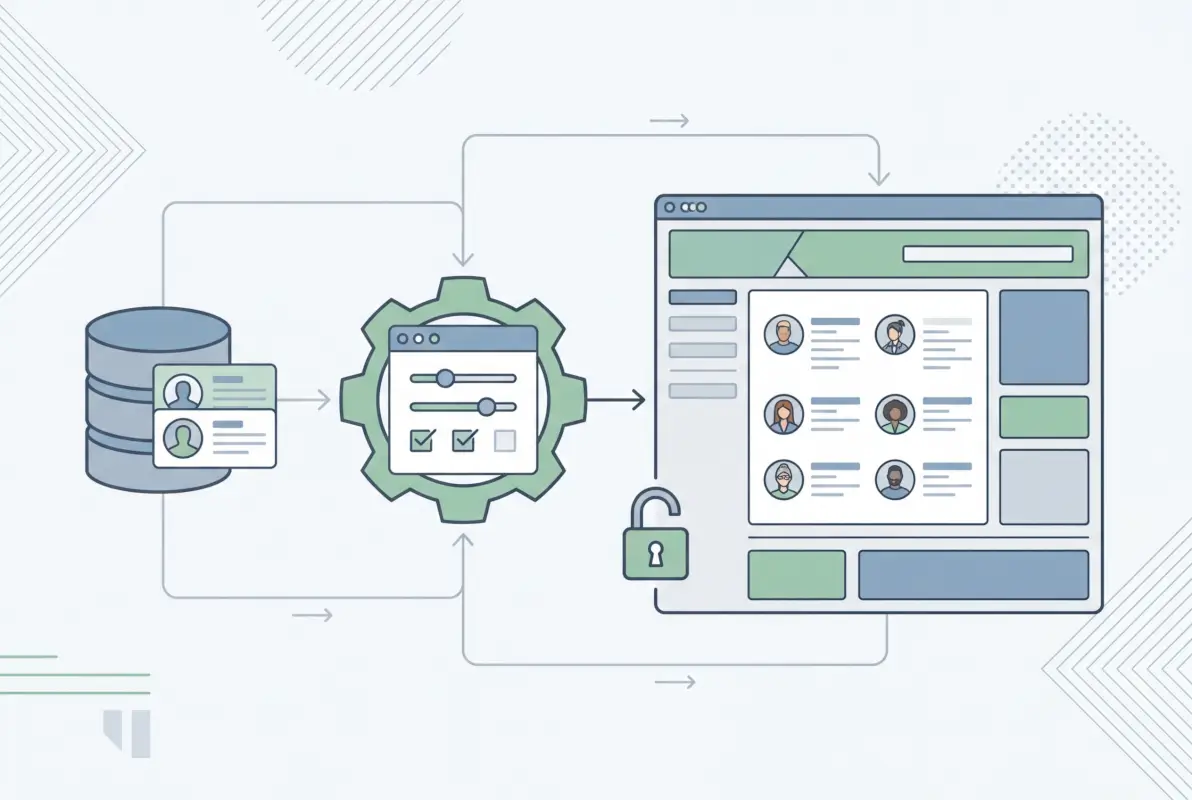
But here’s what the official Salesforce Experience Cloud documentation won’t tell you upfront: there’s no “Member Directory” component sitting in your component library ready to drop onto a page. What you do get are search components, record list displays, and navigation tools that, when combined creatively, form the building blocks of a directory. Global search can help members find each other by name, topic, or expertise. Navigation menus can link to profile pages. Record lists can display member data if you’ve structured your data model correctly.
The practical reality? Many successful Experience Cloud communities build directories using a combination of custom objects (like a “Member Profile” or “Organization” object), page layouts that display those records in grid or list views, and search/filter components that let users narrow results by location, industry, or membership tier. Some development teams write Lightning Web Components to add richer filtering, map views, or export capabilities. Others integrate with Association Management Systems that extend Experience Cloud with pre-built directory modules. If you want a business directory listing experience, you’ll likely take one of these paths rather than relying solely on native tools.
How the Competition Frames Directory Features
When you look at competing platforms or alternative solutions, you’ll notice a spectrum of approaches. Dedicated community platforms like Hivebrite or Higher Logic offer built-in member directories as a core feature—no assembly required. WordPress-based communities often use plugins like Directorist or CM Directory that deliver searchable, filterable member or business listings with minimal setup. These solutions appeal to organizations that want speed and simplicity over deep CRM integration.
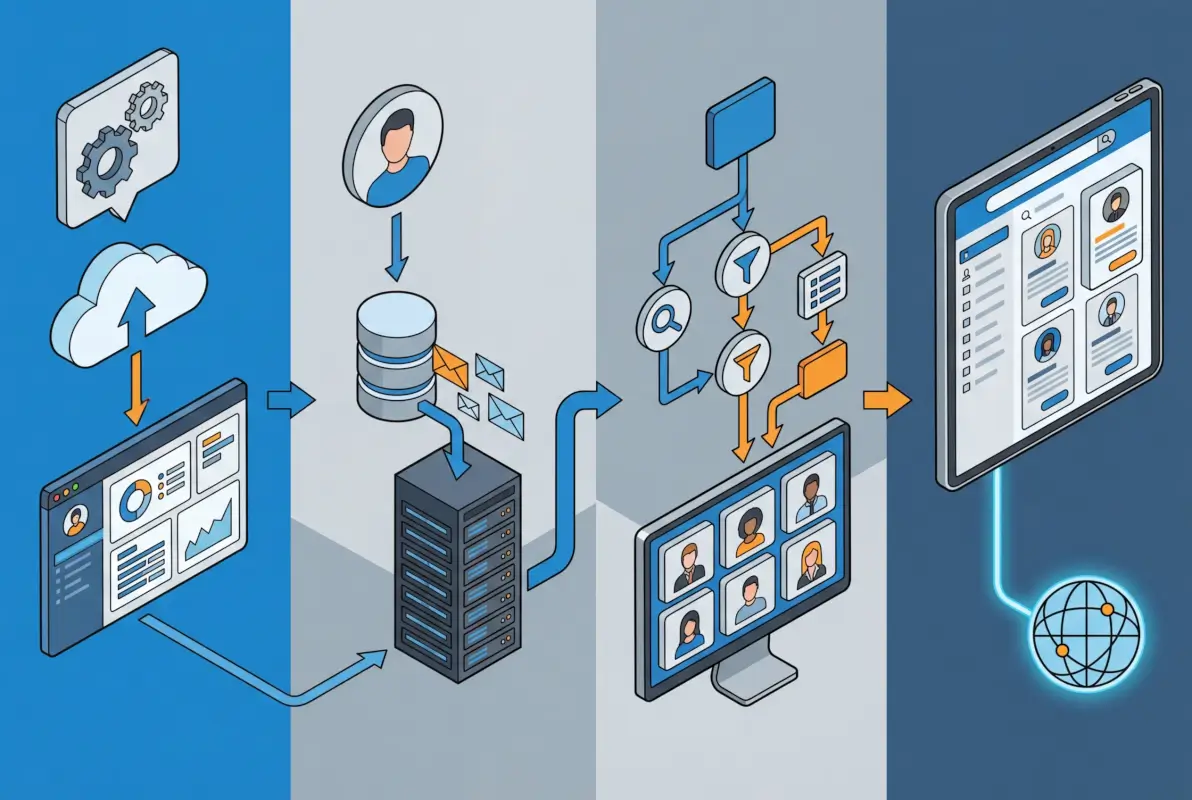
Salesforce-native or Salesforce-integrated solutions occupy a different niche. They prioritize data integrity and workflow continuity over plug-and-play convenience. For example, Soapbox Engage offers online directory builders that integrate with Salesforce, letting nonprofits create donor, member, or volunteer directories that pull live data from their CRM. Nimble AMS goes further, building entire member portals on Experience Cloud with directories that include dynamic filtering, role-based visibility, and export options—all while keeping member data in sync with the association’s core database.
This integration advantage is huge if you’re already invested in Salesforce. Imagine a member updates their job title in your CRM; that change reflects instantly in the community directory without manual syncing or CSV uploads. Contrast that with a standalone directory tool where you’d need to export data, transform it, and re-import regularly (or pay for an integration layer). The trade-off? Setup complexity and often higher costs. You’re not just installing a plugin—you’re architecting a data model, configuring permissions, and potentially writing custom code or hiring a Salesforce partner to do it for you.
| Approach | Time to Launch | Data Integration | Best For |
|---|---|---|---|
| Native Experience Builder | 1-2 weeks | Seamless (Salesforce CRM) | Simple directories, low budget |
| AMS Extension (Nimble, Fonteva) | 4-8 weeks | Deep (member lifecycle) | Associations, membership orgs |
| Third-Party Directory App | 2-4 weeks | API sync required | Hybrid CRM + standalone needs |
| Custom LWC Development | 6-12 weeks | Fully customizable | Unique use cases, advanced features |
Another angle worth considering: governance and monetization. Some organizations want to charge for premium directory listings (think sponsorships or featured placements). Others need strict role-based access—only certain member tiers can view contact details, for instance. Native Experience Cloud tools handle basic permissions well, but layering in payment processing or tiered visibility often requires custom development or specialized apps. If you’re exploring how to encourage businesses to sign up for your directory, understanding these monetization hooks early in your planning will save headaches later.
The Numbers Behind Online Communities and Directories
Why does all this matter? Because the online community software market isn’t slowing down—it’s accelerating. According to market analyses from Global Growth Insights, the online community management software sector is experiencing robust growth through 2026, driven by organizations recognizing that engaged communities boost retention, reduce support costs, and create network effects. Directories play a key role in that engagement: they help members discover peers, find mentors, identify collaboration partners, and attend events together.
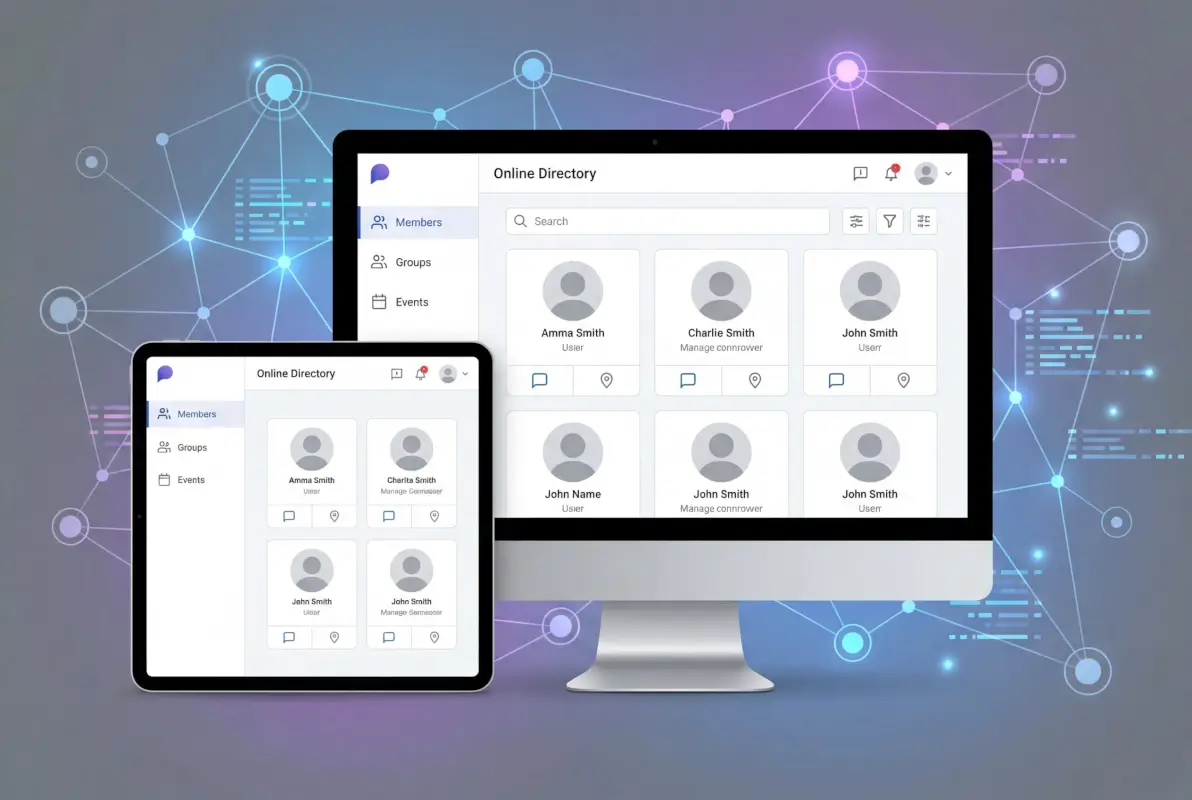
What does this mean for Experience Cloud directory builders? First, investment in directory features—whether native, custom, or third-party—aligns with broader market momentum. Members increasingly expect to search and filter community rosters the same way they search LinkedIn or a conference app. Second, directories aren’t just nice-to-haves anymore; they’re table stakes for competitive community platforms. If your peers offer robust member discovery and you don’t, you risk lower engagement and higher churn. Third, the growing market attracts more vendors and integrations, giving you more options (and potentially lower costs) as solutions mature and compete.
In my experience working with community managers, the organizations that treat their directory as a strategic asset—not an afterthought—see measurably higher participation rates. When members can easily find subject matter experts, local chapters, or potential business partners, they log in more often and stay longer. That engagement compounds over time, creating a virtuous cycle that justifies the upfront investment in building or integrating a quality directory solution.
Architecture Patterns: Building a Directory on Experience Cloud
So how do you actually architect a directory on Experience Cloud? Let’s walk through a typical pattern that balances native capabilities with smart customization. First, define your data model. Most directories center on a “Profile” or “Member” record type—often a custom object or an extended Contact record. Key fields might include name, photo, location, role, expertise tags, biography, and social links. You’ll also need fields that control visibility (e.g., “Public Profile” checkbox, “Membership Status” picklist).

Next, create a directory page in Experience Builder. Drop in a record list component (or a custom LWC if you need advanced features) that queries your Member object. Configure filters: location dropdown, expertise multi-select, membership tier radio buttons. Add a search bar component that queries names and bios. Link each record in the list to a detail page template that displays the full profile. This basic setup gives you a functional directory in a few hours, assuming your data model is ready.
Security and permissions deserve careful attention here. Experience Cloud uses sharing rules, permission sets, and object-level security to control who sees what. For a directory, you typically want members to see each other’s public profiles but not necessarily edit them (unless you enable self-service profile updates). Role hierarchy and public groups let you implement tiered visibility—for example, premium members see full contact details while free members see only names and titles. Review the Salesforce Experience Cloud security documentation to ensure your sharing model aligns with your policy and privacy requirements.
Real-world examples illuminate these patterns. Nimble AMS, an association management system built on Salesforce, offers a Member Portal on Experience Cloud that includes a member directory with dynamic filtering, grid or list views, and export functionality. Members can filter by chapter, committee, certification status, or custom tags, and download results as CSV files for offline networking. The directory pulls live from the AMS database, so renewals, role changes, and profile updates reflect immediately. This level of sophistication requires either an AMS package or significant custom development, but it shows what’s possible when you treat the directory as a first-class feature rather than an add-on. If you’re curious about how to get a business listed in a directory smoothly, studying AMS implementations offers valuable lessons in user onboarding and data validation workflows.
Step-by-Step: Evaluating and Implementing Your Directory
Let’s get tactical. Here’s a proven roadmap for moving from concept to launch, whether you’re building natively or integrating a solution.

Step 1: Define Your Directory Scope and Goals
Start by answering: what will your directory contain? Individual member profiles? Organizations or companies? Resources like events, chapters, or interest groups? Who needs to find whom, and why? For an association, the directory might list members with filters for geography and expertise to facilitate peer connections. For a partner community, it might list certified consultants or resellers searchable by industry and service offerings. Write down 3-5 primary use cases (e.g., “Members find local peers for meetups,” “Sponsors identify prospects by industry”). These use cases will guide your data model and feature priorities.
Step 2: Map Your Data Model
Identify the objects, fields, and relationships your directory requires. Common patterns include a custom Member Profile object (or leveraging Contact with custom fields), linked to Account for organizational affiliation, related to custom Expertise or Interest Tag objects for filtering, and connected to Event or Group objects if you want to show members’ activities. Sketch an entity-relationship diagram and validate it with stakeholders. This upfront modeling prevents costly rework later when you realize you can’t filter by certification type because you didn’t capture it as a field.
Step 3: Choose Your Implementation Pattern
Decide: native Experience Builder with custom objects and standard components, or integrate an AMS/third-party solution? If your needs are straightforward (simple list, basic search, low customization), native may suffice and keep costs down. If you need advanced filters, export, map views, or tight integration with membership lifecycle workflows, lean toward an AMS or custom LWC development. Budget and timeline matter here—native implementations can launch in weeks, while AMS or custom builds often take months but deliver richer functionality. You might also explore a password-protected directory model if your community serves a niche or sensitive audience requiring controlled access.
Step 4: Design the User Experience
Wireframe your directory page: where does search go? How do filters appear on mobile? What information shows in the list view versus the detail page? Test different layouts with actual users (or stakeholder proxies). Pay attention to performance—loading hundreds of records on one page can slow things down, so implement pagination or infinite scroll. Consider accessibility: keyboard navigation, screen reader labels, and color contrast all matter if you want an inclusive directory.
Step 5: Pilot and Measure Success
Launch to a small user group first. Track KPIs: directory page views, search queries, filter usage, profile views, messages sent from the directory, and any downstream actions (event registrations, group joins). Gather qualitative feedback through surveys or interviews. Are members finding who they need? What’s missing? Iterate based on data and feedback before a full rollout. This pilot phase catches usability issues and reveals which features members actually value versus what you assumed they’d want.
Step 6: Scale, Govern, and Maintain
Once live, establish governance: who updates member records, how often do you refresh data, what’s the process for members to opt out or limit visibility? Set up automated data quality checks (e.g., flag profiles missing photos or bios). Plan periodic reviews—quarterly audits of active vs. inactive profiles, surveys on directory satisfaction. Directory features aren’t “set and forget”; they require ongoing stewardship to remain valuable. If you’re managing tax or membership fees tied to directory access, understanding how online directory services handle taxes and membership fees will streamline your compliance and billing workflows.
Native vs. Extended: Weighing Your Options
By now you’ve probably realized there’s no single “right” answer to whether you should build native or extend with third-party tools. Let’s break down the pros and cons clearly so you can make an informed choice based on your context.
When Native Experience Builder Is Enough
If your directory needs are relatively simple—display member names, photos, titles, and perhaps a handful of filters—Experience Builder’s standard components can get you there. You’ll benefit from faster setup (no vendor negotiations or integration delays), lower initial cost (no licensing fees beyond your existing Salesforce/Experience Cloud licenses), and simpler governance (one platform to manage). This approach works well for small-to-midsize communities, internal employee directories, or pilot projects where you want to validate demand before investing heavily.
However, native-only implementations hit limits. Advanced filtering (multi-select tags, range sliders, map-based search) typically requires custom LWC development. Export capabilities aren’t built-in; members can’t download a filtered list as CSV without additional code. Analytics on directory usage—who searched for what, which profiles get the most views—require custom event tracking. If these features matter to your users, you’ll either write code or accept the limitations.
When to Bring in Extensions or AMS Solutions
Extended solutions shine when your directory is mission-critical and feature-rich. AMS platforms like Nimble AMS or Fonteva deliver directories with deep filtering, dynamic grids, export options, integration with event registration and committee management, and built-in analytics dashboards. Third-party apps from vendors like Soapbox Engage offer specialized directory functionality (donor directories, volunteer directories) with simpler setup than full AMS implementations but more features than vanilla Experience Builder.
The trade-offs? Higher cost—licensing fees, implementation services, ongoing support contracts. Longer setup timelines (vendor onboarding, configuration, testing). Dependency on the vendor’s roadmap for new features or bug fixes. You’ll also need to ensure the solution stays compatible with Salesforce releases and Experience Cloud updates. For organizations where the directory is a differentiator (e.g., professional associations where networking is the core value proposition), these trade-offs are worth it. For others, they’re overkill.
| Criterion | Native Experience Builder | AMS/Third-Party Extension |
|---|---|---|
| Setup Time | 1-4 weeks | 4-12 weeks |
| Cost | Low (existing licenses) | Moderate-High (vendor fees) |
| Feature Richness | Basic-Moderate | High |
| Customization | Requires dev for advanced | Config-driven, some dev |
| Maintenance | Internal team | Vendor support available |
One more consideration: hybrid approaches. You might start native, validate member demand, then migrate to an AMS or custom solution once you’ve proven ROI. Or layer a third-party search/filter component on top of native Experience Builder pages to enhance functionality without a full platform switch. Flexibility is one of Salesforce’s strengths; you’re rarely locked into a single path.
Frequently Asked Questions
Does Salesforce Experience Cloud include a built-in member directory?
Experience Cloud does not offer a pre-built, out-of-the-box member directory component. However, it provides the tools—Experience Builder, search components, navigation, and data model flexibility—to build directory-like features. Many organizations create effective directories using custom objects, list views, and filters, or integrate AMS solutions that deliver full-featured directories on the platform.
What are the best ways to implement a directory in an Experience Cloud site?
Common approaches include using native record list components with custom Member objects and search filters for simple needs, integrating an AMS like Nimble AMS for rich directory features (filtering, exports, analytics), or developing custom Lightning Web Components for unique requirements. Choose based on your feature needs, budget, and timeline. Start simple and iterate based on member feedback.
Can I export directory data from an Experience Cloud member directory?
Export capabilities depend on your implementation. Native Experience Builder components don’t include one-click export, but you can build export functionality using custom LWC development or integrate an AMS solution that offers built-in CSV export. Some third-party directory apps also provide export features. Plan for this early if members need offline access to directory data.
What data models are typical for online directories in communities?
Most directories use a Member or Profile object as the core, with fields for name, photo, bio, location, role, expertise tags, and social links. Supporting objects might include Organization/Account for company affiliations, Interest/Tag objects for filtering, and Event/Group objects to show member activities. Relationships between these objects enable rich filtering and navigation within the directory.
How do I measure the success of a directory feature?
Track directory page views, unique visitors, search queries, filter usage, profile detail views, and downstream actions like messages sent or event registrations from the directory. Survey members periodically on directory usefulness and satisfaction. Compare engagement metrics before and after directory launch to quantify impact. High search frequency and profile views indicate healthy adoption and value.
Are there security and privacy considerations for directories in Experience Cloud?
Absolutely. Use sharing rules, permission sets, and object-level security to control who sees which profiles and fields. Implement opt-in/opt-out mechanisms for visibility. Ensure compliance with privacy regulations (GDPR, CCPA) by providing transparency on data use and giving members control over their profile visibility. Regularly audit permissions and data access to prevent unauthorized exposure.
Can I charge for premium directory listings in my community?
Yes, but it requires additional setup. You can create tiered membership levels with different directory visibility or features (e.g., premium members get enhanced profiles or top placement). Integrate payment processing through Salesforce Commerce Cloud, a third-party billing app, or your AMS if it supports dues management. Custom development may be needed to link payment status to directory features dynamically.
How do I encourage members to complete their directory profiles?
Use gamification (badges or points for complete profiles), automated email prompts for incomplete profiles, progress bars on profile edit pages, and highlight the benefits (networking, visibility, opportunities). Feature members with complete profiles prominently in newsletters or on community homepages. Make profile editing easy and mobile-friendly to reduce friction.
What’s the difference between global search and a directory in Experience Cloud?
Global search lets members search across all community content (discussions, files, articles, profiles) using keywords. A directory is a dedicated, structured interface for browsing and filtering member or organization profiles with specific criteria (location, expertise, role). Directories complement search by offering curated, filterable views rather than open-ended keyword queries. Both enhance discoverability in different ways.
Should I build a directory for a small community (under 100 members)?
It depends on your goals. For very small communities, a simple member list page or leveraging Chatter profiles may suffice. However, if networking and member discovery are core to your value proposition, even a basic directory (filterable list, profile pages) can boost engagement and set the stage for growth. Start lean and add features as the community scales.
Taking Your Next Steps with Confidence
So does Community Builder offer an online directory feature? The answer is yes—with an asterisk. Experience Cloud gives you the raw materials and a capable toolset, but you’ll need to assemble those pieces intentionally. Whether you choose a lean native implementation, invest in an AMS for advanced features, or partner with a third-party provider depends on your community’s needs, your budget, and your timeline. The good news? You have options, and the market momentum behind online communities means those options are improving every year.
Ready to build your directory? Start by defining your top three use cases and mapping your existing Salesforce data. Test a simple prototype with a handful of members before committing to a full build. The insights you gain from real usage will guide smarter decisions and save you from over-engineering (or under-delivering). Your members are waiting to connect—give them the tools to find each other, and watch your community thrive.
Remember, directories aren’t just technical features, they’re engagement engines. When members can easily discover peers, mentors, partners, or local chapters, they log in more often and stay longer. That network effect compounds, turning your community from a static resource library into a dynamic, living ecosystem. Whether you’re managing an association, a customer community, or a partner network, investing in directory capabilities pays dividends in member satisfaction and long-term retention.
Was this article helpful?