Business Directory Theme: 6 Designs to Engage Users
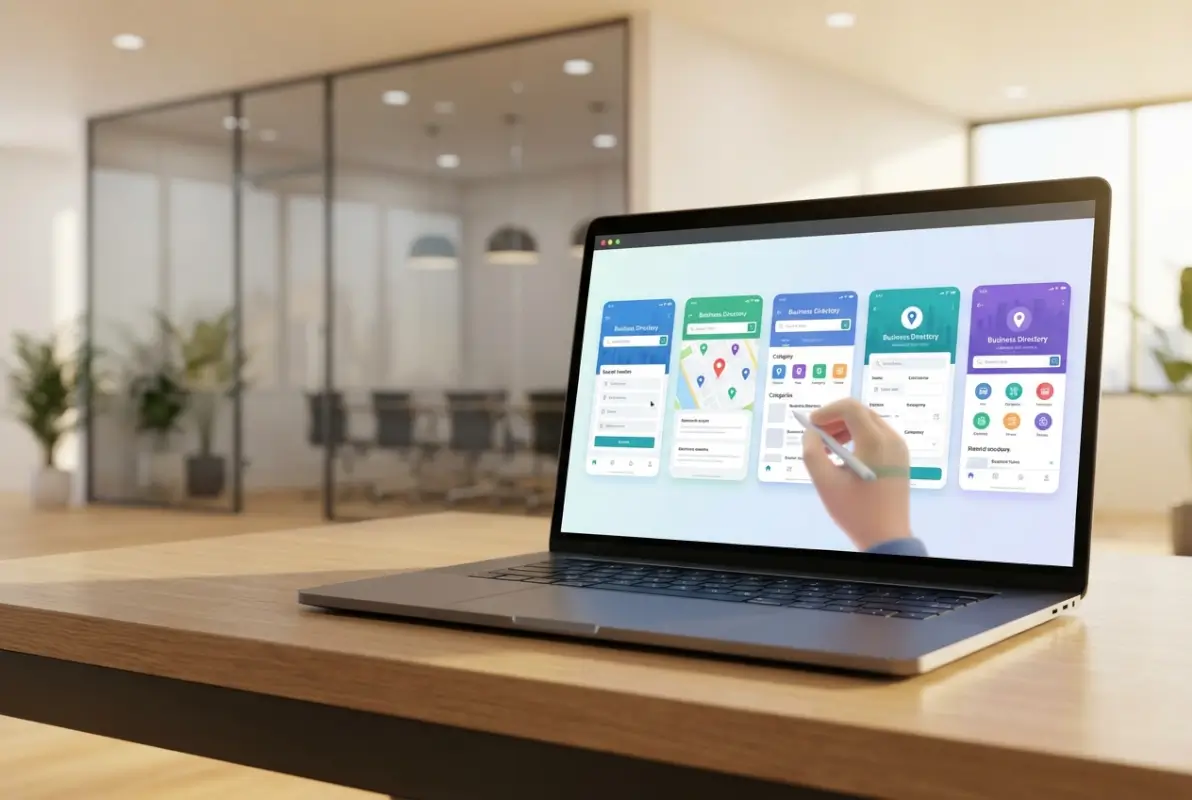
Generating summary...
Most business directories fail not because they lack listings, but because their design actively repels the very users they’re trying to serve. You’ve probably experienced it yourself—clicking into a promising directory only to face a cluttered wall of text, buried search filters, or listings that look like they were last updated in 2010. The harsh truth? Design isn’t decoration in directory platforms—it’s the invisible infrastructure that either guides users to what they need or sends them straight back to Google.
Here’s what catches most directory owners off-guard: the competition for attention isn’t other directories anymore. It’s social media feeds, AI assistants, and map apps that deliver instant gratification. Your directory needs to work harder, smarter, and faster than ever before. The six design approaches we’ll walk through aren’t theoretical—they’re patterns drawn from directories actually keeping users engaged in a landscape where patience is measured in seconds, not minutes.
TL;DR – Quick Takeaways
- Visual hierarchy matters more than features – users decide whether to stay within 0.05 seconds based on layout clarity
- Rich media drives 5-7% CTR gains – videos, interactive calculators, and tours outperform text-only listings significantly
- Performance is engagement – mobile speed and accessibility directly multiply how long users explore your directory
- Trust signals convert browsers to clickers – verified badges, reviews, and NAP consistency reduce hesitation at decision moments
- Personalization scales engagement – AI-driven recommendations and dynamic filtering keep users from hitting dead ends
Design Foundations That Drive Engagement in Business Directories
The foundation of any engaging directory lives in its visual grammar—how quickly a first-time visitor can decode where to look, what to click, and why they should trust what they see. According to research compiled by Figma’s design statistics, users form judgments about website credibility in just 50 milliseconds. For directories, that window is even narrower because users arrive with high intent and zero patience for confusion.
[KBIMAGE_1]
Visual hierarchy starts with a deliberate size, color, and spacing system that tells users what’s primary, secondary, and tertiary without forcing them to think. Your search bar should dominate the top third of the viewport (not tucked in a corner). Category tags need enough breathing room that each one registers as a distinct clickable target. Listing cards should use consistent padding ratios—when elements crowd together, cognitive load spikes and users bail.
Typography plays a sneakier role than most directory builders realize. Sans-serif fonts at 16px minimum (not 14px) for body text reduce eye strain on mobile devices where most directory traffic originates. Whitespace isn’t wasted space; it’s the visual pause that lets users process one listing before moving to the next. The U.S. Small Business Administration emphasizes that local visibility increasingly depends on user experience signals—sites that make visitors work harder to find information lose both engagement and search rankings.
Visual Hierarchy, Typography, and Whitespace to Reduce Cognitive Load
Think of your directory page as a highway system, not a parking lot. Every design element should guide users toward their next logical action—filtering results, clicking a listing, or saving a favorite. Oversized H2 headings for category names act as exit signs; subdued but scannable metadata (hours, distance, price range) functions like lane markers. When everything screams for attention at equal volume, nothing gets heard.
Whitespace around interactive elements (search bars, filter dropdowns, CTA buttons) creates what UX researchers call “perceptual grouping.” Users intuitively cluster related items and ignore distractions when you give designs room to breathe. Web design statistics from NewMedia show that clean layouts with intentional spacing correlate with 38% longer average session durations, a proxy metric for engagement depth.
Typography hierarchy extends beyond size to weight and color. Make primary actions (like “View Profile” buttons) bold and saturated; secondary links (like “Share” or “Report”) should be lighter or muted. This doesn’t mean boring—it means intentional. I’ve seen directories dramatically boost clicks simply by increasing button font weight from 400 to 600 and adding 4px of letter spacing to CTAs.
Branding Consistency and Credibility Cues in Directory Listings
Consistent branding isn’t about plastering your logo everywhere—it’s about creating a recognizable visual rhythm that signals “you’re still in a trustworthy place” as users scroll. Effective directory themes establish a color palette (primary, accent, neutral) and stick to it religiously across listing cards, navigation, and modals.
Credibility cues are the design equivalent of a firm handshake. Verified badges next to business names, star ratings with review counts, “Featured” ribbons for premium listings—all these micro-signals compound into macro-trust. When a user sees professional headshots, complete address information, and a “Claimed” tag, they subconsciously elevate that listing above one with placeholder images and vague locations. According to broader local SEO research, complete business profiles generate 2.7x more clicks than incomplete ones.
Here’s a pattern worth stealing: use subtle borders or shadows to distinguish paid listings without making them look like ads. Users tolerate monetization when it’s transparent but resent anything that feels deceptive. A 1px border in your accent color around sponsored cards maintains visual harmony while clearly marking commercial content.
Content and UX Patterns That Increase Listings Engagement
Engagement doesn’t happen because your directory exists; it happens because users encounter friction-free pathways to value. The difference between a directory that keeps visitors for 90 seconds versus 5 minutes usually comes down to how quickly users find exactly what they need and how much they trust the information they’re seeing. Quality local listings matter, but so does the interface wrapping around them.
[KBIMAGE_2]
Rich media transforms passive browsing into active exploration. A restaurant listing with a 30-second tour video will outperform text-only competitors almost every time. According to directory engagement data from Jasmine Directory, directories incorporating video, virtual tours, or embedded calculators see click-through rate improvements of 5-7%. That’s not marginal—it’s the difference between sustainable traffic and a ghost town.
Interactive elements work because they shift users from consumption mode to participation mode. A mortgage broker listing with an embedded payment calculator gives visitors immediate utility. A contractor listing with a “Get Instant Quote” form reduces the steps between interest and action. Even simple features like image galleries with lightbox zoom tell users “this business takes its online presence seriously,” which translates to credibility.
Rich Media and Interactive Elements in Listings
Videos don’t need Hollywood production value—authenticity beats polish in local contexts. A 60-second walkthrough of a gym facility, narrated by the owner, builds more trust than stock footage with slick transitions. The key is giving users information they can’t get from text: spatial layout, personality cues, proof of quality. Embed videos directly (not just YouTube links) to keep users on your directory rather than losing them to a sidebar rabbit hole.
Interactive tools turn your directory into a decision-making platform, not just a glorified phone book. Calculators (mortgage, ROI, cost estimators), booking widgets, and appointment schedulers eliminate friction at the exact moment users are ready to act. I remember launching a home services directory where we added a “Check Availability” calendar to contractor listings—conversion from listing view to inquiry jumped 23% in the first month.
Tours and 360° photos particularly shine for brick-and-mortar businesses. A restaurant listing with a virtual tour helps users visualize the ambiance before committing to a reservation. Real estate, hospitality, and retail categories see measurable engagement lifts when listings include navigable space previews. The technology is accessible now—most smartphones can capture 360° content natively.
Snappy, Scannable Listing Content and Smart Search Facets
Users don’t read directory listings—they scan them for relevance signals. Bullet points beat paragraphs. Bolded key details (hours, pricing, certifications) beat buried fine print. SEO-optimized directories structure listing content with schema markup so search engines can extract and display the most useful information directly in results.
Smart search facets are the unsung heroes of directory engagement. Generic filters (location, category) are table stakes. Advanced directories add facets like “Open Now,” “Verified,” “Accepts Appointments,” or “Wheelchair Accessible.” Each additional relevant filter reduces the result set and increases the odds that every visible listing feels personally relevant. Data suggests users who engage with three or more filters are 4x more likely to click through to a listing.
Autocomplete in search bars isn’t just a convenience—it’s a discovery tool. When users start typing “Italian” and see suggestions like “Italian Restaurants Downtown,” “Italian Bakeries,” or “Italian Catering,” they’re learning what your directory contains without having to submit blind queries. This reduces zero-result frustration and guides users toward populated categories.
Listing descriptions should follow an inverted pyramid: most critical info first, supporting details second, nice-to-haves last. Users bail halfway through paragraphs, so front-load what makes each listing unique. A format like “Award-winning BBQ • Outdoor Seating • Live Music Weekends” delivers more value in eight words than a 50-word generic mission statement.
Personalization, AI, and Interactive Personal Relevance
Modern business directory themes increasingly leverage personalization to surface the most relevant listings for each visitor. By tracking user behavior—such as search history, location, and past interactions—directories can recommend businesses that align with individual preferences. Directory plugins for WordPress now offer recommendation engines that boost engagement by reducing the time users spend searching. Research from Adobe’s 2025 Digital Trends Report shows that personalized experiences correlate with higher user satisfaction and longer session durations across digital platforms.
[KBIMAGE_3]
Personalization extends beyond simple recommendations to include dynamic content such as tailored landing pages, location-aware results, and user-specific filters. When a returning visitor sees listings pre-filtered by their past preferences or geographic area, friction drops and engagement rises. This approach aligns with local SEO best practices: the U.S. Small Business Administration’s 2025 Annual Report emphasizes that small businesses benefit most from hyper-local visibility strategies. Directories that automatically prioritize nearby or previously viewed categories see measurable improvements in click-through rates.
Personalization and recommendation signals within directories
Recommendation signals can be as simple as “Users also viewed” or as sophisticated as machine-learning models that predict the best match based on dozens of behavioral and contextual variables. Directory themes that integrate these signals into listing cards or sidebars guide users toward high-quality options without overwhelming them. Industry data from Jasmine Directory suggests that personalized recommendations can lift engagement metrics by 5–7% when implemented thoughtfully. The key is to present suggestions subtly, preserving user autonomy while shortening the path to decision.
Trust is central to effective personalization: users must understand why they’re seeing certain recommendations. Transparent labeling—”Based on your location” or “Popular in your industry”—builds confidence and encourages exploration. Avoid opaque algorithms that feel invasive or arbitrary. Instead, pair personalization with clear opt-in controls and privacy-friendly data practices. When users feel respected, they’re more likely to engage deeply with personalized content and return for future searches.
AI-assisted interactions and dynamic content (chat, smart filters, auto-suggestions)
AI-powered chat interfaces and smart filters are transforming how users interact with business directories. Conversational interfaces can answer questions like “Which plumbers serve my ZIP code after hours?” and instantly filter listings to match. Adobe’s 2025 Digital Trends data highlights that organizations investing in AI-driven UX report higher engagement and faster conversion cycles. For directory themes, this means embedding chatbots or intelligent search bars that learn from queries and refine results in real time.
Auto-suggestions further reduce friction by predicting user intent as they type. A well-tuned autocomplete feature surfaces category names, business names, and location tags before the user finishes their query, speeding up the search process. Smart filters—such as “Open now,” “Top-rated,” or “Verified profiles”—allow users to narrow results with a single click. These dynamic elements are especially powerful on mobile devices, where screen real estate is limited and every interaction counts. By combining AI-assisted chat, predictive search, and smart facets, directories create a seamless, frictionless experience that keeps users engaged and reduces bounce rates.
| AI Feature | User Benefit | Engagement Impact |
|---|---|---|
| Conversational chat | Instant answers to complex queries | Reduces search time, improves satisfaction |
| Auto-suggestions | Faster query entry, reduced typos | Increases completed searches |
| Smart filters | One-click refinement of results | Lowers bounce rate, boosts CTR |
| Personalized recommendations | Relevant listings surfaced first | Increases dwell time and conversions |
Performance, Accessibility, and Trust Signals That Retain Users
Page speed and mobile optimization are foundational to user retention in any business directory. Studies show that users form first impressions within 0.05 seconds, and delays beyond 3 seconds drive abandonment rates above 40%. For directory themes, this means optimizing image sizes, leveraging lazy loading, and minimizing render-blocking scripts. Modern directory website builders often include performance presets, but manual tuning—such as CDN integration and database query caching—can yield further gains. Adobe’s 2025 Digital Trends Report notes that design budgets are increasingly allocated to performance and UX, reflecting industry-wide recognition that speed is a competitive differentiator.
[KBIMAGE_4]
Mobile optimization goes beyond responsive design to include touch-friendly controls, streamlined navigation, and fast data loading on cellular networks. More than half of directory searches now originate on mobile devices, making mobile-first design a necessity. Ensure that listing cards, filters, and call-to-action buttons are large enough for thumbs, and that forms auto-fill wherever possible. Performance metrics like First Contentful Paint (FCP) and Largest Contentful Paint (LCP) should be monitored continuously. When directories load quickly and render smoothly on smartphones, engagement metrics—dwell time, pages per session, and conversion rates—all improve measurably.
Speed, mobile optimization, and performance metrics for directory pages
Core Web Vitals—LCP, FID (First Input Delay), and CLS (Cumulative Layout Shift)—serve as industry-standard benchmarks for page performance. Directory themes should target an LCP under 2.5 seconds, an FID below 100 milliseconds, and a CLS score of less than 0.1. Tools like Google PageSpeed Insights and Lighthouse provide actionable diagnostics. Prioritize above-the-fold content, defer non-critical JavaScript, and use modern image formats (WebP, AVIF) to reduce payload. Every second saved in load time correlates with higher user satisfaction and lower bounce rates.
Mobile-specific optimizations include touch-target sizing (at least 48×48 CSS pixels), simplified menus, and adaptive images that serve different resolutions based on device capabilities. Test your directory on real devices across various network conditions—3G, 4G, and Wi-Fi—to ensure consistent performance. Performance budgets, which cap total page weight and script execution time, help maintain speed as features are added. By treating performance as a core design constraint, you create a directory experience that retains users even under suboptimal conditions.
Accessibility and inclusive design as engagement multipliers
Accessible design broadens your directory’s reach to users with disabilities while improving usability for everyone. Adhering to Web Content Accessibility Guidelines (WCAG) 2.1 Level AA ensures that screen readers, keyboard navigation, and assistive technologies function seamlessly. Key practices include semantic HTML, sufficient color contrast (at least 4.5:1 for body text), descriptive alt text for images, and ARIA labels for interactive elements. MeasuringU’s 2024 federal government UX benchmark study found that accessible sites score higher on overall usability, even among users without disabilities.
Inclusive design also means considering diverse contexts: users with slow internet, older devices, or temporary impairments (such as a broken mouse). Provide keyboard shortcuts for power users, offer text resizing without breaking layouts, and ensure that forms include clear error messages and recovery paths. Accessibility audits—manual and automated—should be part of your design QA process. When directories are inclusive by default, they engage a wider audience, reduce legal risk, and signal a commitment to quality that builds long-term trust.
| Performance/Accessibility Focus | Target Metric | User Impact |
|---|---|---|
| Largest Contentful Paint (LCP) | < 2.5 seconds | Faster perceived load, lower bounce |
| First Input Delay (FID) | < 100 milliseconds | Responsive interactions, smoother UX |
| Color contrast ratio | ≥ 4.5:1 (body text) | Readable for users with vision impairments |
| Keyboard navigation | 100% of interactive elements | Usable without a mouse or touch |
| Mobile touch-target size | ≥ 48×48 CSS pixels | Reduces tap errors, improves mobile UX |
Local SEO, Listings Quality, and Trust as Engagement Catalysts
Accurate, consistent Name-Address-Phone (NAP) data is the cornerstone of local SEO and user trust in business directories. When listings display conflicting addresses or outdated phone numbers, users lose confidence and search engines downrank the directory. Creating a business directory website with automated NAP validation and regular data audits ensures that every listing remains reliable. Semrush’s 2025 local SEO statistics show that directories with high NAP consistency rank better in local packs and drive more organic traffic. This consistency also reduces user frustration, leading to higher engagement and repeat visits.
[KBIMAGE_5]
Listing quality encompasses completeness, accuracy, and richness of information. Profiles with full descriptions, operating hours, high-resolution images, and verified contact details outperform sparse entries. Encourage business owners to claim and enhance their listings by offering incentives or highlighting top-performing profiles. The U.S. Small Business Administration’s 2025 report underscores that small businesses with robust online profiles see measurable gains in customer acquisition. For directory operators, prioritizing quality over quantity—through moderation, verification badges, and editorial standards—builds a reputation for reliability that attracts both users and premium advertisers.
NAP consistency, listing quality, and the impact on engagement and conversions
NAP consistency extends beyond individual listings to aggregators, social profiles, and third-party citations. Discrepancies confuse search engines and erode user trust, so implement a single source of truth for business data and syndicate it consistently. Automated tools can flag mismatches and prompt business owners to correct them. High-quality listings also include structured data markup (Schema.org LocalBusiness) that helps search engines understand and display rich snippets, further boosting visibility and click-through rates.
Engagement metrics—time on page, scroll depth, and interaction with contact buttons—correlate strongly with listing completeness. A study by Jasmine Directory found that listings with at least five data fields filled (hours, photos, description, category, reviews) achieve 20–30% higher CTR than minimal entries. Conversion rates also improve: users are more likely to call, request a quote, or visit a website when they have comprehensive, trustworthy information at their fingertips. Invest in listing quality controls, such as mandatory fields and editorial review, to maximize both engagement and monetization opportunities.
Visual trust signals (reviews, verified profiles, case studies) and their role in user confidence
Reviews and ratings are among the most powerful trust signals in any directory. Displaying star ratings, review counts, and recent testimonials directly on listing cards helps users quickly assess credibility. Implement verified review systems to prevent spam and ensure authenticity. Adobe’s 2025 Digital Trends Report highlights that transparent, user-generated content drives higher engagement and conversion rates across digital platforms. For directories, this means not only aggregating reviews but also moderating them, responding to feedback, and showcasing top-rated businesses prominently.
Verified profile badges and case studies add additional layers of trust. A “Verified Business” icon signals that the directory has confirmed ownership and contact details, reducing the risk of fraudulent listings. Case studies or success stories—short narratives highlighting how a business solved a customer problem—provide social proof and context that dry data cannot. When users see evidence of real outcomes, they’re more inclined to engage and convert. Combine these visual cues with clear privacy policies and transparent data practices to create an environment where users feel safe exploring and interacting with listings.
| Trust Signal | Implementation | Engagement Benefit |
|---|---|---|
| Star ratings & reviews | Verified review system with moderation | Faster decision-making, higher CTR |
| Verified business badge | Ownership & contact confirmation | Reduces fraud concerns, builds trust |
| Case studies/testimonials | Short success stories on profile pages | Provides social proof, boosts conversions |
| NAP consistency | Automated validation & regular audits | Improves local SEO, user confidence |
| Transparent data practices | Clear privacy policy & opt-in controls | Enhances user comfort, repeat visits |
Frequently Asked Questions
What makes a business directory engaging for users?
An engaging directory combines fast-loading pages, clear visual hierarchy, scannable listing content, and meaningful interactivity—such as rich media, smart filters, and quick-action widgets. Trust signals like verified profiles and reviews further boost user confidence and interaction rates.
How can I increase click-through rates on directory listings?
Improve listing quality with complete, accurate information, add rich media like photos and videos, optimize for mobile speed, and use clear calls-to-action. Personalized recommendations and interactive tools can lift CTR by 5–7 percent, according to recent directory engagement studies.
Do videos and interactive tools really boost directory engagement?
Yes. Research shows that listings featuring videos, virtual tours, calculators, or booking widgets correlate with higher engagement and longer dwell time. Interactive elements reduce friction, help users make faster decisions, and signal quality, all of which drive conversions.
What are essential trust signals for directory listings?
Essential trust signals include consistent name, address, and phone (NAP) data across platforms, verified profile badges, customer reviews with ratings, business hours, and case studies or portfolios. Transparent, accurate information builds credibility and encourages users to engage.
What metrics should I track to know if my directory design is working?
Monitor click-through rate by listing, time on page, interactions with filters and media, conversion events (form fills, bookings, calls), and mobile performance scores. Track bounce rate and session duration to identify friction points, and use A/B testing to validate changes.
How does mobile optimization affect directory user engagement?
Mobile optimization is critical: most directory users search on smartphones, and page speed directly impacts bounce rates and conversions. Fast-loading, touch-friendly interfaces with responsive design and simplified navigation keep users engaged and improve local SEO rankings and click-through performance.
Should I use AI-powered features in my business directory?
AI-powered features like smart filters, auto-suggestions, and chatbots can accelerate decision-making and personalize the user experience. When implemented thoughtfully, these tools align with 2025–2026 UX trends and can lift satisfaction scores, reduce search friction, and increase listing interactions.
Can accessibility improvements increase directory engagement?
Absolutely. Accessible design—WCAG-compliant color contrast, keyboard navigation, screen-reader support, and clear labels—broadens your audience, improves overall usability, and enhances SEO. Inclusive patterns reduce friction for all users, driving higher engagement and conversions across demographics.
Conclusion: Build a Directory That Works as Hard as You Do
You now have a comprehensive playbook for designing a business directory theme that doesn’t just look good—it performs. From visual hierarchy and rich media to personalization, AI, performance optimization, and trust signals, every element works together to guide users toward meaningful interactions and conversions.
The opportunity is clear: directories that prioritize speed, accessibility, and user-centered design consistently outperform generic templates. Listings that blend transparent data, interactive tools, and strong local SEO signals earn higher click-through rates and longer dwell times. And platforms that test, measure, and iterate based on real user behavior stay ahead of evolving expectations.
Start with the foundations—fast page loads, mobile optimization, and clear information architecture. Layer in the engagement boosters: videos, booking widgets, smart filters, and personalized recommendations. Validate your decisions with A/B tests and usability benchmarks. Monitor the metrics that matter—CTR, time on page, conversions—and refine your design as user needs shift.
Ready to Transform Your Directory?
Apply these design strategies today and watch engagement, trust, and conversions climb. Whether you’re launching a new directory or refining an existing platform, the principles in this guide give you a research-backed roadmap to success.
Next step: Audit your current directory against the six design pillars—identify one quick win (such as adding rich media or improving mobile speed) and implement it this week. Then measure, iterate, and scale what works.
Your users are searching for local businesses right now. Give them a directory experience that feels fast, trustworthy, and genuinely helpful—and they’ll reward you with clicks, referrals, and loyalty.
Was this article helpful?