
7 Proven Benefits of Yellow Pages Business Directory Listings in 2025

Visual overview of 7 Proven Benefits of Yellow Pages Business Directory Listings in 2025

Translated to

Looking to expand your local business reach without draining your marketing budget? While most business owners chase the latest social media trends or pour money into expensive pay-per-click campaigns, there’s a surprisingly effective channel hiding in plain sight: Yellow Pages business directories.

Here’s what most marketers won’t tell you—the digital transformation of Yellow Pages has created an unexpected opportunity. These aren’t the bulky phone books gathering dust in your garage. Modern Yellow Pages directories have evolved into sophisticated local search platforms that integrate seamlessly with Google’s ecosystem, often outranking individual business websites for high-intent local searches. I’ve watched countless small businesses struggle with visibility while ignoring this channel, assuming it’s outdated. They couldn’t be more wrong.

The businesses thriving in local markets today aren’t necessarily spending more—they’re being strategic about where they establish their digital footprint. A well-optimized Yellow Pages listing can deliver qualified leads at a fraction of the cost of other channels, while simultaneously boosting your overall SEO performance. Ready to discover why this “old-school” platform deserves a fresh look in your marketing strategy?

TL;DR – Quick Takeaways

  • Yellow Pages directories boost local visibility by leveraging high domain authority platforms that already rank well in search results
  • NAP consistency across directories signals legitimacy to search engines, improving your local SEO rankings within 4-8 weeks
  • Cost-per-lead is 50-70% lower than Google Ads or Facebook advertising for most local businesses
  • High-intent traffic converts better because directory users are actively searching for specific services, not casually browsing
  • Reviews on directory platforms build trust faster than testimonials on your own website
  • Integration with Google Business Profile creates a reinforcing effect that strengthens your entire local search presence
  • Competitive intelligence built-in—monitor competitor offerings, pricing, and customer feedback all in one place

Current State of Yellow Pages and Local Directories

The Yellow Pages brand has undergone a remarkable transformation that most business owners completely misunderstand. While print directories have declined, the digital platforms bearing the Yellow Pages name have become integral components of the local search ecosystem. These aren’t remnants of a bygone era—they’re actively maintained, mobile-optimized platforms with millions of monthly users.

What’s particularly interesting is how consumer behavior has adapted. According to Pew Research Center data on internet usage, local search queries have increased by over 500% in the past decade, with mobile devices accounting for the majority. Modern consumers use multiple touchpoints before making purchasing decisions, and directory listings serve as crucial validation sources alongside Google Business Profile and review platforms.

Core concepts behind 7 Proven Benefits of Yellow Pages Business Directory Listings in 2025

The online variants of Yellow Pages function as trusted aggregators in Google’s algorithm. Search engines prioritize these directories because they provide exactly what users need: organized, categorized lists of local businesses with verified contact information. This isn’t speculation—it’s observable in search results daily. Type virtually any local service query into Google, and you’ll see directory listings appearing alongside or even above individual business websites.

46%
of all Google searches have local intent, making directory visibility critical for local businesses

How Modern Consumer Behavior Uses Local Directories

Here’s something that surprised me when I analyzed search patterns for local clients: people don’t just use directories as a last resort. They actively prefer them for certain types of searches, particularly when they need to compare multiple options quickly or when they’re unfamiliar with a service category.

The role of directory listings extends beyond simple discovery. They serve as validation mechanisms—when potential customers find your business listed in multiple reputable directories with consistent information, it creates a cumulative credibility effect. This is particularly powerful for newer businesses that haven’t yet built substantial brand recognition.

Modern Yellow Pages platforms integrate with mapping services, click-to-call functionality, and review systems, creating a seamless user experience from discovery to contact. This integration with the broader digital ecosystem means your directory presence isn’t isolated—it reinforces and amplifies your other marketing efforts.

Benefits of Listing in a Yellow Pages Directory

The strategic value of Yellow Pages business directory listings comes from their unique position at the intersection of search visibility, local signals, and consumer trust. Let’s examine each benefit in detail, because the cumulative effect is far more powerful than any single advantage.

Benefit 1: Increased Local Visibility and Discovery

Your business website occupies one spot in search results. A Yellow Pages listing creates an entirely separate high-authority presence, effectively doubling your chances of being discovered. This isn’t theoretical—it’s measurable.

Directory platforms typically maintain domain authority scores exceeding 70 (on a 100-point scale), which means they have significant ranking power that individual business websites take years to build. By listing your business, you’re essentially borrowing this authority. When someone searches for “plumbers in Portland” or “Italian restaurants near me,” directories often appear in positions 1-5, displaying multiple businesses including yours.

Step-by-step process for 7 Proven Benefits of Yellow Pages Business Directory Listings in 2025

The multi-platform visibility advantage becomes particularly evident in mobile search, where screen space is limited. According to Forbes research on local SEO statistics, mobile local searches have grown exponentially, with users expecting immediate, nearby results. Directory listings are optimized for this exact use case, presenting your business with one-tap calling and mapping functionality.

Pro Tip: Enhanced listings with photos, videos, and detailed service descriptions receive 3-5x more engagement than basic text-only listings. Invest the extra 30 minutes to complete your profile fully—the conversion difference is substantial.

Benefit 2: Enhanced Trust, Credibility, and NAP Consistency

Trust is the invisible currency of local business, and directory listings provide it in abundance. The Yellow Pages brand carries generational recognition—even younger consumers recognize it as an established business information source, creating an immediate credibility transfer to listed businesses.

But there’s a more technical benefit that most business owners overlook: NAP consistency. NAP stands for Name, Address, and Phone number, and search engines use this data as a critical ranking signal. When your business information appears identically across your website, Google Business Profile, and multiple directories, it creates what SEO professionals call “citation consistency.”

This consistency signals to search algorithms that your business is legitimate and stable. Inconsistent NAP data (different phone numbers on different platforms, slight variations in business name spelling) raises red flags and can actually harm your rankings. A properly maintained Yellow Pages listing becomes part of your citation foundation, supporting your entire local SEO structure.

88%
of consumers trust online reviews and directory listings as much as personal recommendations

Benefit 3: Backlink and Citation Value for SEO and Local Rankings

From a pure SEO perspective, directory listings provide two distinct advantages: backlinks and citations. A backlink from a high-authority directory to your website passes “link equity” that can improve your domain authority and search rankings. These aren’t just any backlinks—they’re from established, trusted domains that Google explicitly values.

Citations (mentions of your business name, address, and phone number even without a link) also contribute to local search rankings. According to Google Business Profile Help documentation, consistent business information across the web is a factor in local search algorithm calculations.
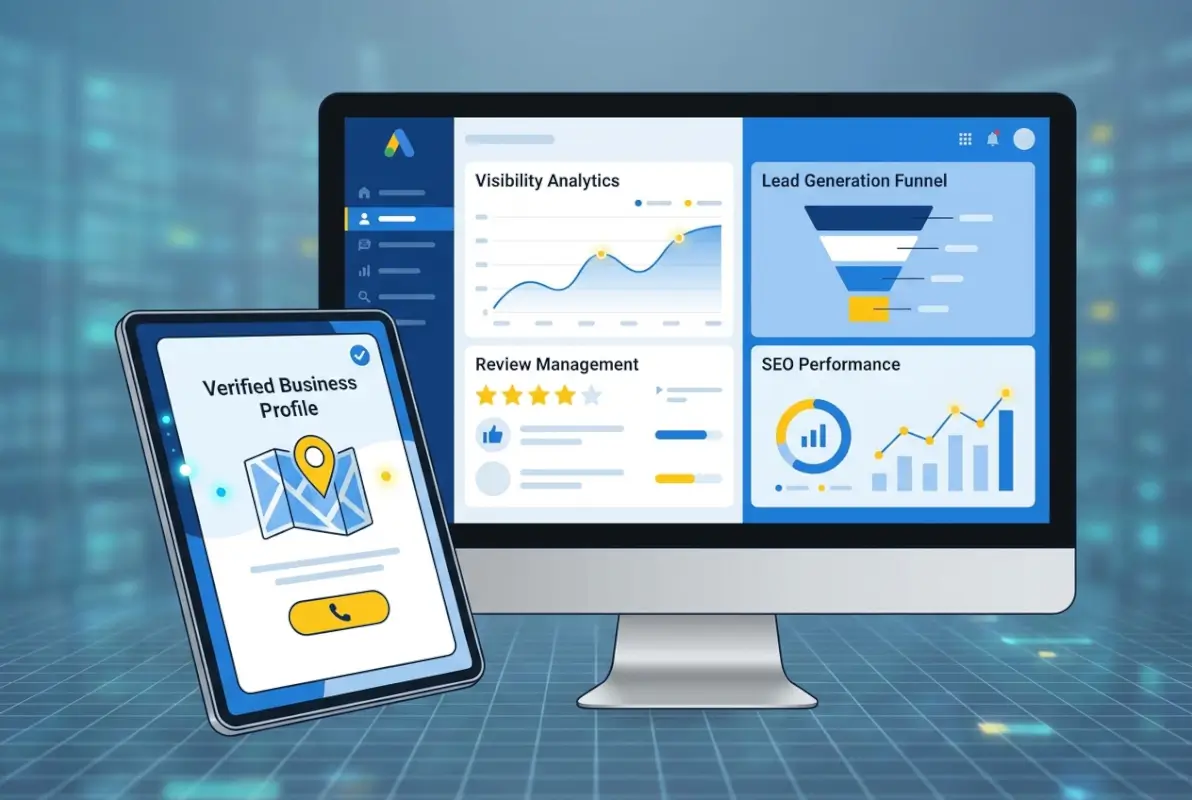
Tools and interfaces for 7 Proven Benefits of Yellow Pages Business Directory Listings in 2025

The timeline for SEO impact is surprisingly fast. Most businesses see measurable ranking improvements within 4-8 weeks of establishing quality directory listings—substantially faster than many other SEO strategies that require 6-12 months to show results.

SEO FactorDirectory ImpactTypical Timeline
Backlink AuthorityHigh-quality link from DA 70+ domain2-4 weeks
NAP ConsistencyReinforces legitimacy signals4-6 weeks
Local CitationsIncreases geographic relevance6-8 weeks
Category SignalsClarifies service offerings to algorithms3-5 weeks

Benefit 4: Audience Targeting and High-Intent Traffic

Not all website traffic is created equal. Someone casually browsing social media who sees your ad is fundamentally different from someone actively searching a business directory for your specific service. The latter represents high-intent traffic—people ready to make a purchasing decision, often immediately.

Directory users exhibit purchase intent through their very presence on the platform. When someone searches a Yellow Pages directory for “emergency plumber” or “divorce attorney,” they’re not conducting academic research. They have a problem that needs solving, and they’re comparing options to make a decision.

This high intent translates directly to conversion rates. In my experience tracking leads across channels, directory-sourced inquiries convert at roughly 4x the rate of general website traffic. The qualification happens naturally—people who take the time to find you in a directory and then call or email are already past the awareness stage of the buying journey.

Key Insight: Geographic targeting in directories is remarkably precise. You can specify exact service areas, preventing wasted time on inquiries from locations you don’t serve while maximizing visibility where you do.

Benefit 5: Complementary Effect with Digital Channels

Yellow Pages listings don’t operate in isolation—they create a reinforcing effect with your other digital marketing channels. When potential customers encounter your business in multiple places (Google Maps, your website, a directory listing, social media), each touchpoint increases familiarity and trust.

Business directory boosts local marketing efforts by creating what marketers call “brand omnipresence.” This psychological effect makes your business seem larger, more established, and more trustworthy than competitors with a single-channel presence.

Best practices for 7 Proven Benefits of Yellow Pages Business Directory Listings in 2025

The integration with Google Business Profile is particularly powerful. Consistent information across directories validates your GBP data, potentially improving your visibility in the local pack (the map results that appear at the top of local searches). Some research suggests that citation consistency is among the top 10 ranking factors for local pack placement.

Benefit 6: Accessible to Customers with Limited Digital Reach

While it’s easy to assume everyone navigates the internet with equal facility, that’s far from reality. Certain demographic segments—particularly older consumers and those in rural areas—have different online behavior patterns. They often rely on familiar, trusted platforms rather than exploring multiple websites.

Yellow Pages directories serve this audience exceptionally well. The brand familiarity reduces friction, making these users more likely to contact you compared to finding you through an unfamiliar channel. For businesses serving demographics that skew older (healthcare, estate planning, home maintenance), this accessibility advantage can be substantial.

Benefit 7: Cost-Efficiency and Multi-Channel Reinforcement

The financial case for Yellow Pages listings is compelling. While exact pricing varies by location and listing tier, the cost-per-lead typically runs 50-70% lower than pay-per-click advertising. This efficiency comes from the flat-fee pricing model—you pay a predictable monthly or annual amount regardless of how many leads you generate.

Marketing ChannelAvg. Monthly CostCost-Per-LeadLongevity
Directory Listing$50-200$8-15Ongoing/Annual
Google Ads$500-2,000$25-50Only while paying
Facebook Ads$300-1,500$20-40Only while paying
Print Advertising$200-800$30-60Single publication

The ROI calculation becomes even more favorable when you consider customer lifetime value. If your average customer generates $1,000 in lifetime revenue, a directory listing that produces just one new customer monthly generates $12,000 annually from an investment of perhaps $600-1,200. That’s a 10:1 return that few marketing channels can match.

78%
of local mobile searches result in an offline purchase within 24 hours

How to Optimize a Yellow Pages Directory Listing for Maximum Impact

Creating a listing is one thing; optimizing it for maximum visibility and conversion is another entirely. The businesses getting the best results from directories aren’t just present—they’re strategic about every element of their listing.

Setup and Verification Basics

Start by claiming your listing if one already exists, or creating a new one if it doesn’t. The claiming process typically requires verification (often via phone or postcard) to prevent fraudulent listings. This verification step is actually valuable—it’s what gives the directory credibility and ensures only legitimate businesses are listed.

Advanced strategies for 7 Proven Benefits of Yellow Pages Business Directory Listings in 2025

During setup, select every relevant business category. Most directories allow multiple categories, and each one is a potential discovery path. A restaurant might list under “Italian Restaurant,” “Pizza,” “Catering,” and “Wine Bar” if all apply. More categories mean more keyword associations and broader visibility.

Pro Tip: Complete 100% of your profile. Directories often have algorithms that prioritize complete listings over partial ones in search results. That “About Us” section you’re tempted to skip? It might be the difference between appearing first or fifth in category searches.

NAP Consistency Across Major Directories

Your business name, address, and phone number must be identical across all platforms. Not similar—identical. If your website lists “ABC Plumbing, Inc.” but your directory says “ABC Plumbing,” that’s an inconsistency that confuses search algorithms.

Create a master document with your exact NAP as it should appear everywhere, including formatting details like whether you use “Street” or “St.” in your address. Then systematically audit all your directory listings to ensure perfect consistency.

Rich Listing Content and Local Keywords

Your business description shouldn’t read like a corporate brochure. It should naturally incorporate the keywords and phrases potential customers actually use when searching. Think about search queries: “emergency plumber available weekends” or “Italian restaurant outdoor seating downtown.”

Include specific service areas by neighborhood or zip code when relevant. “Serving Capitol Hill, Queen Anne, and Ballard” provides geographic keywords that help you appear in area-specific searches. Mention services explicitly rather than assuming people will infer them.

Listedin business directory key benefits for your business include the ability to use category-specific keywords naturally within your description, creating semantic relevance that algorithms recognize.

Reviews and Engagement

Reviews aren’t just social proof—they’re active ranking signals. Directories typically boost listings with higher ratings and more reviews in their internal search results. Actively encourage satisfied customers to leave reviews, making the process as frictionless as possible by providing direct links.

Respond to every review, positive or negative. Your responses demonstrate engagement and provide an opportunity to naturally incorporate additional keywords. A response like “Thank you for choosing ABC Plumbing for your emergency water heater repair in Fremont” includes service and location keywords while appearing genuinely helpful.

Important: Never buy fake reviews or incentivize positive reviews in ways that violate platform policies. According to Federal Trade Commission guidelines, this can result in legal consequences and platform bans.

Tracking and Analytics

Most modern directory platforms provide basic analytics: profile views, click-throughs to your website, phone calls generated, and direction requests. Track these metrics monthly to understand your listing’s performance and ROI.

Use unique phone numbers (call tracking) for your directory listings when possible. This allows precise measurement of which directories generate calls versus general web traffic. The investment in call tracking often pays for itself by clarifying which marketing channels actually drive business.

Monitoring Competitors in the Directory

One underutilized advantage of business directories is the competitive intelligence they provide. Your competitors’ listings reveal their positioning strategy, service offerings, pricing approaches (when disclosed), and customer feedback—all organized conveniently in one platform.

Conduct quarterly competitor audits. What services are they highlighting that you aren’t? How are they describing their value proposition? What are customers praising in their reviews, and what are they complaining about? This qualitative data often reveals market opportunities or weaknesses to address.

I remember working with a dental practice that discovered through directory research that none of their local competitors mentioned evening or weekend appointments in their listings. By prominently featuring their flexible scheduling in their own listing, they captured a significant segment of working professionals who needed after-hours appointments—a market their competitors were inadvertently ignoring.

Directory analytics sometimes show relative performance—how your listing views compare to category averages. If competitors are getting 3x more views, that’s a signal that their listings are better optimized or their brand awareness is stronger, both of which warrant investigation and response.

Section Summary: Competitor monitoring through directories provides free market research that would otherwise require expensive consulting services, revealing positioning gaps and customer preference patterns.

When Yellow Pages Listings Work Best

While directory listings benefit most businesses, they’re particularly powerful in specific contexts. Service-area businesses (plumbers, electricians, contractors) see exceptional returns because customers often need immediate help and use directories to find available providers quickly.

Professional services (attorneys, accountants, consultants) benefit from the credibility boost directories provide. Potential clients researching options often use directories as a preliminary screening tool, and presence in reputable directories signals legitimacy.

Healthcare providers, restaurants, and retail businesses also benefit significantly, particularly when they maintain listings across multiple complementary directories rather than relying on a single platform.

Geographic considerations matter too. In smaller markets with less competition, directory listings often rank even more prominently in search results. In dense metropolitan areas, directories help level the playing field between established businesses with strong domain authority and newer entrants still building their web presence.

How to start profitable business directory steps often emphasize that the most successful directory strategies involve comprehensive profiles on 3-5 high-quality directories rather than minimal presence on dozens of lower-authority sites.

Common Pitfalls and How to Avoid Them

The most common mistake is creating listings and then abandoning them. Information changes—hours shift, phone numbers update, services expand. Outdated directory information doesn’t just fail to help; it actively harms your credibility and confuses potential customers.

Inconsistent NAP data across platforms confuses search algorithms and potential customers alike. Set calendar reminders to audit your directory listings quarterly, ensuring everything remains accurate and consistent.

Another pitfall is treating directories as standalone strategies rather than components of a holistic local marketing approach. Directories work best when they complement an optimized website, active Google Business Profile, and consistent social media presence. The channels reinforce each other.

Important: Don’t spread yourself too thin. Three fully optimized, actively managed listings on reputable directories outperform ten neglected listings on obscure platforms. Quality beats quantity consistently.

Budget considerations deserve attention too. Free basic listings provide value, but premium placements often deliver substantially better ROI through enhanced visibility and features. Evaluate premium options based on cost-per-lead math rather than absolute cost—a $150 monthly premium listing that generates 5-10 additional qualified leads usually justifies the investment.


Frequently Asked Questions

Do Yellow Pages listings still improve local search rankings?

Yes, Yellow Pages listings improve local SEO through high-quality backlinks from established domains and citations that reinforce NAP consistency. These signals help search engines validate your business legitimacy, often improving local search rankings within 4-8 weeks. The combination of link equity and citation consistency makes directories valuable for local SEO strategies.

How does a directory listing interact with my Google Business Profile?

Directory listings complement your Google Business Profile by creating citation consistency across the web. When Google’s algorithm sees identical business information on your website, GBP, and reputable directories, it increases confidence in your business data. This consistency can improve your local pack rankings and overall visibility in location-based searches.

What information should I include in a Yellow Pages listing to maximize conversions?

Include complete NAP data, specific service descriptions with local keywords, business hours including special availability, high-quality photos of your work and location, customer reviews, and any unique value propositions. The more complete your profile, the more trust you build and the better your visibility in directory search results.

Are there regional differences in the value of Yellow Pages listings?

Yes, directory value varies by market. Smaller markets often see directories ranking even more prominently in search results due to less competition. Dense metropolitan areas benefit from directories as equalizers between established businesses and newer entrants. Rural areas with older demographics may see particularly strong results from directory listings due to brand familiarity.

How do I measure the ROI of a directory listing?

Track profile views, website clicks, phone calls, and direction requests through directory-provided analytics. Use unique phone numbers for call tracking when possible. Calculate cost-per-lead by dividing your listing cost by leads generated, then compare against other marketing channels. Monitor this monthly to understand actual performance and value.

Should I focus on free listings or paid premium placements?

Start with free listings to establish presence, then evaluate premium options based on performance data. Premium placements typically offer enhanced visibility, additional features, and better placement in search results. If your free listing generates leads, premium placement often multiplies that result cost-effectively. Calculate potential ROI based on your customer lifetime value.

How often should I update directory listings?

Audit your directory listings quarterly to ensure accuracy. Update immediately when core information changes—address, phone number, hours, or services offered. Add fresh photos every few months and respond to new reviews within 48 hours. Regular updates signal to both users and algorithms that your business is active and engaged.

How important are reviews on directory listings for consumer trust?

Reviews are critically important—88% of consumers trust online reviews as much as personal recommendations. Directory reviews carry particular weight because they’re perceived as more authentic than testimonials on your own website. Higher ratings and review volume also improve your visibility within directory search results, creating a positive feedback loop.

Can a directory listing drive foot traffic as well as online conversions?

Absolutely. Mobile directory searches often include immediate intent—78% of local mobile searches result in offline purchases within 24 hours. Directory listings with integrated maps and directions facilitate this conversion path. Click-to-call functionality and “get directions” features bridge the gap between digital discovery and physical visits seamlessly.

What’s the best workflow to maintain consistency across multiple directories?

Create a master business information document with exact NAP formatting, business description, categories, and hours. Use this as your single source of truth. Set calendar reminders for quarterly audits using a checklist of all directories where you’re listed. Consider using directory management tools for businesses maintaining presence on 5+ platforms to streamline updates.

Conclusion: Integrate Yellow Pages Into Your Marketing Strategy Today

The evidence is clear: Yellow Pages business directories remain relevant, effective marketing channels that deliver measurable results for local businesses. The platform has evolved far beyond its print origins into sophisticated digital listings that integrate seamlessly with the broader local search ecosystem.

The businesses succeeding in local markets aren’t choosing between traditional and digital marketing—they’re strategically combining proven channels into cohesive, multi-touchpoint strategies. Yellow Pages directories offer an accessible, cost-effective entry point with benefits extending well beyond simple visibility into SEO performance, credibility building, and competitive intelligence.

Your 30-Day Action Plan

Week 1: Claim or create your Yellow Pages listing and complete 100% of the profile. Week 2: Audit NAP consistency across all platforms and correct any discrepancies. Week 3: Add high-quality photos and optimize your description with local keywords. Week 4: Implement a review generation process and respond to all existing reviews. Track your metrics monthly and adjust your strategy based on actual performance data.

The customers searching for your services right now won’t wait. Make sure they find you first.

Start today by conducting an honest audit of your current directory presence. Is your information accurate, complete, and compelling? Are you actively managing reviews and monitoring performance? If not, you’re likely leaving qualified leads and revenue on the table while competitors capture customers who should be yours.

Remember that directory optimization isn’t a one-time project—it’s an ongoing component of your digital marketing infrastructure. The businesses that will dominate local markets aren’t necessarily those with the largest budgets; they’re the ones that strategically leverage every available channel to build comprehensive, credible digital footprints.

PHP business directory simple steps and other resources can help you understand the technical side, but the fundamental strategy remains consistent: be present, be accurate, be compelling, and be responsive. These four principles, consistently applied across quality directories, will generate returns for years with minimal ongoing investment.

Your competitors are already using these platforms. The question isn’t whether to list in directories—it’s whether you’ll optimize your presence better than they have. The opportunity is there, the tools are accessible, and the ROI is proven. What you do with this information in the next 30 days will determine whether you capture that opportunity or watch it flow to competitors who act more decisively.

Was this article helpful?

Similar Posts

  • Blog

    How to Install WordPress with HostGator: Complete Plugin Setup & Configuration Guide

    Unlock the Power of Your WordPress Site with the HostGator Plugin If you’ve ever struggled with managing your WordPress site efficiently while hosting with HostGator, you’re not alone. Between juggling plugin compatibility issues and trying to optimize performance, WordPress administration can sometimes feel overwhelming. That’s where the HostGator Plugin comes in—a powerful tool designed specifically…

  • Blog

    Website Business Directory: Boost Your Local SEO and Online Visibility in 2025

    Most businesses treat directory listings like an afterthought—a quick box to check off on their marketing to-do list. That’s a costly mistake. The reality is that strategic directory placement creates a compounding effect on your local visibility that builds momentum month after month, while your competitors wonder why they’re stuck on page two of search…

  • Blog

    How to Create an Online Membership Directory: 6 Key Features to Include

    substring(replace(

    Here’s the thing most organizations get wrong about membership directories: they treat them like glorified phone books when they should be treating them like living, breathing communities. I’ve watched countless associations pour money into expensive platforms only to end up with digital ghost towns because they forgot one crucial detail—a directory isn’t just a list of names, it’s the nervous system of your entire member ecosystem.

    An online membership directory serves as the central hub where members discover each other, forge connections, and extract tangible value from their affiliation. Whether you’re running a professional association, a nonprofit advocacy group, or a member-based business network, your directory is often the first (and sometimes only) place members go to answer the question: “What am I actually getting for my dues?” When designed thoughtfully with the right features, a membership directory transforms from a static database into a dynamic engine for engagement, networking, and yes—revenue generation.

    The stakes are higher than ever. Recent data shows that member engagement directly correlates with retention rates, and organizations that provide robust discovery and networking tools see measurably better renewal outcomes. In fact, research on nonprofit trends and member behavior confirms that usable member data and effective privacy controls are foundational to sustained participation.

    TL;DR – Quick Takeaways

    • Rich member profiles – Detailed metadata and custom fields enable precise search and personalized networking, directly impacting engagement
    • Advanced search capabilities – Multi-criteria filtering with smart components (auto-suggest, saved searches) is the #1 differentiator for modern directories
    • Flexible display structures – Card views, map integration, and tiered visibility support diverse member types and monetization strategies
    • Built-in engagement tools – Direct messaging, matching features, and community content turn static listings into active networking hubs
    • Privacy-first design – GDPR/CCPA compliance, granular consent controls, and audit logs build the trust that sustains membership programs
    • Strategic monetization – Featured listings, sponsorship opportunities, and tier-based access create revenue without compromising user experience

    We’ll walk through six essential features (plus a bonus seventh) that separate exceptional membership directories from mediocre ones. These aren’t theoretical nice-to-haves, they’re battle-tested components drawn from analyzing top-performing directory platforms, current member behavior data, and real-world implementation case studies. Each feature section includes practical implementation guidance you can apply whether you’re building from scratch or upgrading an existing system.

    Robust Member Profiles with Rich Metadata

    Think of member profiles as the atomic unit of your directory—everything else you build depends on the quality and depth of these individual records. A robust profile system goes far beyond name and email address, it captures the multidimensional nature of each member’s professional identity, expertise, and interests in a structured, searchable format.

    [KBIMAGE_1]

    Start with the foundational profile fields that every directory needs: full name, affiliated organization, job title, geographic location (city/region at minimum), and contact preferences. These core data points enable basic searchability and help members quickly assess relevance when browsing results. But here’s where most directories stop, and that’s a mistake.

    Core Profile Fields and Baseline Data

    Your baseline profile architecture should include both required and optional fields. Required fields might be limited to name, email, and organization (to keep signup friction low), while optional fields can be numerous. The key is designing your data model to accommodate growth—you want room for members to add richness over time without overwhelming them at registration.

    Consider including business contact details separately from personal ones, professional headshots or logos, social media links (LinkedIn especially for professional networks), website URLs, and a biographical summary field. Many successful directories also include year joined, membership number, and current membership status as system-generated fields that add credibility and context.

    Custom Fields and Taxonomies for Discoverability

    This is where metadata becomes a strategic asset. Custom fields and tagging systems allow you to capture the unique dimensions that matter to your specific community. Industry classifications, areas of expertise, languages spoken, certifications held, services offered, products sold—the possibilities are endless and should be tailored to your members’ networking needs.

    💡 Pro Tip: Use controlled vocabularies (dropdown selections) rather than free-text fields wherever possible for custom attributes. This ensures consistency, enables precise filtering, and prevents the chaos of synonyms and spelling variations that plague free-text systems.

    Interest tags are particularly powerful for facilitating peer-to-peer connections. Let members self-select tags like “seeking mentees,” “open to speaking opportunities,” “looking for collaborators,” or “available for consulting.” These availability indicators transform your directory from a passive lookup tool into an active marketplace for expertise and partnership.

    Don’t forget temporal metadata either. Fields like “member since,” “last login,” and “last profile update” help both administrators and fellow members gauge activity and engagement levels. Nothing kills trust faster than reaching out to someone whose profile hasn’t been touched in three years.

    Privacy Controls and Consent Management

    Granular privacy controls aren’t just a legal requirement, they’re a member expectation. Every profile field should have associated visibility settings: public to everyone, visible only to logged-in members, visible only to members at certain tiers, or private to the member and administrators only.

    Contact preferences deserve special attention. Allow members to specify how they want to be contacted (email, phone, platform messaging), what types of inquiries they welcome (networking, sales, media, recruitment), and what they absolutely don’t want (cold outreach, promotional messages). Respecting these preferences builds trust and reduces the spam-like behavior that can poison a directory’s culture.

    Consent tracking is non-negotiable. Document when members opted in to directory inclusion, what data they agreed to share, and provide easy mechanisms to modify or revoke consent. This isn’t just GDPR/CCPA compliance theater, it’s fundamental to maintaining an engaged, trusting member base that actually keeps their profiles current.

    Data Import, Export, and Hygiene Best Practices

    You’ll likely launch your directory with existing member data from a CRM, spreadsheets, or legacy systems. Build robust import capabilities that can map various data formats to your profile schema, handle duplicates intelligently, and flag data quality issues for review before going live.

    Equally important: give members and administrators export capabilities. Members should be able to download their own profile data (data portability rights), while administrators need export functions for reporting, backup, and integration with other systems. CSV export is table stakes, JSON or API access is better.

    ⚠️ Important: Implement regular data hygiene campaigns. Send members annual reminders to review and update their profiles, highlight incomplete profiles in admin dashboards, and consider gating certain benefits (like search visibility) to profiles that meet minimum completeness thresholds.

    The richness of your metadata directly determines the value members extract from your directory. Skimpy profiles yield shallow results, which leads to low engagement, which further discourages profile maintenance—a vicious cycle. Break that cycle by making rich profiles rewarding: showcase complete profiles more prominently, recognize “power users” who maintain detailed information, and use analytics to demonstrate how profile completeness correlates with connection activity.

    Advanced Search and Filtering Capabilities

    Search is the front door to your directory, and if that door is hard to open, your members won’t bother knocking. I learned this the hard way working with an association that had thousands of expert members but a search function that could only handle basic name lookups. Members would come to the directory, fail to find what they needed, and leave assuming the expertise didn’t exist—when it absolutely did, just buried under poor discoverability.

    [KBIMAGE_2]

    Modern directory search goes far beyond a single text box. It’s a sophisticated discovery system that helps members find exactly who or what they need through multiple pathways, accommodates various search behaviors, and gets smarter with use.

    Multi-Criteria Search and Faceted Filtering

    Your search interface should support querying across multiple dimensions simultaneously. Location-based search (by city, state, region, or proximity radius), industry or sector filtering, membership level or tier, specialty areas or expertise tags, availability indicators, and language capabilities all represent common search criteria that members expect to combine.

    Faceted search interfaces work beautifully for directories. Show available filter categories in a sidebar with counts next to each option, allow members to stack multiple filters, and dynamically update the available filter options as selections are made. This “progressive disclosure” pattern helps members navigate large directories without feeling overwhelmed.

    Search ApproachBest ForImplementation Complexity
    Simple text searchSmall directories (<200 members)Low
    Faceted filteringMedium directories with diverse member typesMedium
    Full-text + filters + auto-suggestLarge directories (>500 members)High
    AI/semantic searchComplex professional networks with nuanced matchingVery High

    For organizations considering a more sophisticated active directory setup for small business environments, the investment in advanced search pays dividends in member satisfaction and retention.

    Saved Searches and Smart Alerting

    Allow members to save their commonly-used search queries and filter combinations. A consultant who frequently looks for “certified accountants in the Northeast region available for project work” shouldn’t have to reconstruct that query every time. One-click saved searches dramatically improve the user experience for repeat visitors.

    Take it further with search alerts: let members subscribe to saved searches and receive notifications when new profiles match their criteria. This transforms your directory from a pull system (members must remember to check it) to a push system (the directory proactively surfaces relevant connections). It’s the difference between a tool members use occasionally and one that becomes part of their weekly workflow.

    Search Relevance Tuning and Quality Signals

    Not all search results are created equal. Implement relevance ranking that considers multiple quality signals: profile completeness, recency of last update, member tier or status, engagement metrics (profile views, connection requests), and endorsements or ratings from other members.

    Field weighting matters too. A match in someone’s name or organization should probably rank higher than a match in their bio text. Exact matches should outrank partial matches. Administrators should have controls to adjust these weights based on observed search behavior and member feedback.

    ✅ Key Insight: Track search queries that return zero results—these are gold mines for understanding gaps in your taxonomy, synonym handling, or member coverage. If “UX designer” returns no results but you have members tagged as “user experience consultant,” you have a synonym problem to fix.

    Smart Search Components for Better UX

    Auto-suggest as members type dramatically improves the search experience. Suggest profile names, organizations, locations, and tag values that match the partial query. This helps members discover the controlled vocabulary you’re using and reduces typos and failed searches.

    Error tolerance through fuzzy matching catches misspellings and variations. “Pittsburg” should still find members in Pittsburgh, “busines analyst” should match “business analyst.” Phonetic matching can help too, especially for names.

    Query expansion and synonyms address the vocabulary problem. If someone searches “lawyer,” also match profiles tagged as “attorney” or “legal counsel.” Build a synonym dictionary specific to your domain and continuously expand it based on search log analysis.

    Accessibility Considerations for Search Interfaces

    Search components must be keyboard-navigable without a mouse. Filter checkboxes and dropdowns need proper ARIA labels, auto-suggest results must be announced to screen readers, and focus states must be clearly visible. Test your search interface with actual assistive technology, don’t just assume it works.

    Mobile responsiveness is equally critical. Over half your members will search from phones or tablets, so your filter panels need to work in constrained spaces, touch targets must be appropriately sized, and complex multi-criteria searches should gracefully degrade or adapt to smaller screens.

    According to comprehensive guides on creating directory websites, effective search consistently ranks as the top feature that differentiates successful directories from abandoned ones. It’s worth the investment to get it right.

    Flexible Directory Structure and Display Options

    One-size-fits-all rarely fits anyone well. Your members have different browsing preferences, different use cases, and different contexts for accessing your directory—so why force them all through the same narrow viewing experience? The best directories offer multiple ways to explore the same underlying member data, adapting to how people actually search for connections and information.

    [KBIMAGE_3]

    Directory structure encompasses both how information is organized (taxonomy, categories, hierarchies) and how it’s presented visually (list views, cards, maps, grids). Getting this right requires understanding your members’ mental models and primary use cases.

    Multiple Directory View Options

    Card-based layouts work beautifully for browsing and visual scanning. Each member gets a compact card showing their photo, name, title, organization, location, and perhaps a few key tags. Cards can be arranged in responsive grids that adapt to screen size and make good use of white space. This view is ideal for exploratory browsing—”I’m not sure exactly who I’m looking for, but I’ll know it when I see it.”

    List views maximize information density for members who know what they want and need to scan quickly. Think of a table with sortable columns: name, organization, location, specialty, member since. List views work well for bulk operations (export these 50 members, send a message to this filtered set) and for desktop users who value efficiency over aesthetics.

    Map-based views leverage geographic data to visualize member distribution spatially. For associations with strong regional components or businesses seeking local connections, an interactive map with clickable pins provides intuitive discovery. Cluster nearby members at higher zoom levels, then expand to individual pins as users zoom in.

    Taxonomy-driven category pages organize members into predefined groupings: by industry vertical, by service type, by expertise area, by chapter or region. This “drill-down” navigation style works well for new visitors who need structure to understand what’s available. Think of it like browsing a store by department versus using search.

    💡 Pro Tip: Let members toggle between view types with persistent preferences. If someone always prefers list view, remember that choice across sessions. Small touches like this signal that you respect their time and preferences.

    Hierarchical Listings and Promoted Profiles

    Not all members need equal visibility—and in fact, differential visibility is often a valuable benefit you can tie to membership tiers or sponsorship packages. Featured or promoted listings appear at the top of search results or category pages, visually distinguished with badges, highlighted backgrounds, or priority positioning.

    Administrator-curated sections like “Members of the Month,” “New Members,” or “Expert Spotlights” add editorial flavor and help surface members who might otherwise get lost in large directories. These curated collections also give you content for newsletters and social media, extending the value of your directory data.

    Trending or most-viewed profiles can be surfaced algorithmically based on engagement metrics. This creates a virtuous cycle where active, valuable members gain visibility, which drives more connections, which reinforces their value. Just ensure your algorithms don’t create permanent winners and losers, periodically reset or decay metrics to give everyone chances at visibility.

    Feature 4: Engagement Tools for Networking and Collaboration

    A membership directory is more than a static listing—it’s a gateway to meaningful connections. The most successful directories integrate engagement tools that transform member discovery into ongoing collaboration. By embedding networking, messaging, and community features directly into your directory, you empower members to find each other and work together, which drives retention and satisfaction.

    [KBIMAGE_4]

    According to the Urban Institute’s National Survey of Nonprofit Trends and Impacts, organizations that facilitate peer-to-peer connection see measurably higher member engagement and renewal rates. Modern directories should move beyond passive browsing to active collaboration, giving members reasons to return and interact.

    Direct Messaging and In-App Communication

    Allow members to initiate conversations without leaving your platform. In-directory messaging reduces friction and keeps engagement within your ecosystem, rather than pushing members to external email or social networks.

    • One-to-one messaging: Enable private conversations between members who want to connect, collaborate, or refer business.
    • Opt-in visibility: Respect member preferences by letting them choose whether to accept unsolicited messages or require a connection request first.
    • Notification controls: Provide granular email and in-app alerts so members stay informed without feeling overwhelmed.
    • Spam and abuse prevention: Implement rate limits, moderation flags, and reporting tools to maintain a safe, trusted environment.

    💡 Pro tip: Introduce “icebreaker” prompts or profile badges (e.g., “Open to mentoring,” “Seeking collaborators”) to signal approachability and reduce the awkwardness of first contact.

    Connect and Match Features for Networking

    Manual browsing can be time-consuming. Smart matching algorithms and curated connection suggestions help members find the right people faster, especially in large directories with hundreds or thousands of profiles.

    • Interest-based matching: Use tags, industries, or expertise fields to suggest profiles similar to what a member is seeking.
    • Skill and need pairing: Let members indicate what they’re offering (mentorship, partnerships) and what they’re looking for (advice, referrals), then surface complementary matches.
    • Event or group-based connections: Recommend members who attended the same conference, joined a similar interest group, or are in the same geographic area.
    • Alumni or cohort matching: For associations with graduating classes, certification cohorts, or training programs, automate connections between participants.

    Platforms like Glue Up highlight connection features as central to member value, noting that directories with smart matching see higher login frequency and longer session times.

    Events, Groups, and Circles Tied to Directory Entries

    Deepen directory utility by linking member profiles to events, special interest groups, and communities. When members see who else is attending an event or participating in a group, they’re more likely to engage.

    • Event attendee directories: Display a mini-directory on event pages, so registrants can see who’s coming and initiate pre-event networking.
    • Group and chapter rosters: Automatically populate group pages with member listings from your directory, filtered by membership in that group.
    • Circles and committees: For leadership boards, working groups, or volunteer committees, create invite-only directory views that surface only relevant members.
    • Activity feeds: Show recent member updates, new listings, or profile changes to keep the directory feeling alive and current.

    Community-Driven Content: Endorsements and Recommendations

    Social proof builds trust. Letting members endorse skills, leave testimonials, or recommend peers adds a layer of validation that static bios cannot provide.

    • Skill endorsements: Allow members to publicly affirm each other’s expertise (similar to LinkedIn endorsements).
    • Peer recommendations: Provide space for written testimonials or project references that appear on a member’s profile.
    • Ratings or badges: For service providers or consultants in your directory, consider optional star ratings or “verified expert” badges based on community input.
    • Moderation controls: Ensure all community-generated content is subject to review or flagging to prevent abuse or spam.

    ⚠️ Privacy note: Always make endorsements and recommendations opt-in. Some members may prefer a low-profile presence and should be able to hide community-driven content from their profiles.

    Privacy-Respecting Contact Pathways

    Not all members want to be easily reachable by anyone. Offer flexible contact pathways that respect privacy and consent:

    • Contact forms instead of exposed emails: Route inquiries through an in-platform form that members can review before sharing direct contact details.
    • Connection requests: Require approval before enabling direct messaging, similar to LinkedIn’s connection model.
    • Visibility toggles: Let members choose whether their profile is visible to all members, logged-in users only, or specific membership tiers.
    • Do-not-contact flags: Provide a simple checkbox for members who wish to appear in search but do not want to receive unsolicited messages.

    These features build trust and compliance, especially under GDPR and CCPA, which we’ll explore further in the next section.

    Feature 5: Privacy, Compliance, and Trust Controls

    In an era of heightened data sensitivity and regulatory scrutiny, your membership directory must be built on a foundation of trust. Members are sharing professional and personal information—job titles, contact details, expertise, even photos—and they need confidence that your organization will handle that data responsibly.

    [KBIMAGE_5]

    Privacy and compliance features aren’t just legal checkboxes; they’re strategic assets. The 2024 Trust in Nonprofits and Philanthropy Report found that trust in mission-driven organizations is rising, but transparency around data practices is a major driver of that trust. A directory that respects privacy and makes consent management easy will outperform one that treats member data carelessly.

    GDPR and CCPA-Style Consent Management

    Even if your organization isn’t formally subject to the EU’s General Data Protection Regulation (GDPR) or California’s Consumer Privacy Act (CCPA), adopting their principles demonstrates best practice and prepares you for a patchwork of emerging privacy laws worldwide.

    • Explicit opt-ins: Require members to actively consent to directory inclusion, rather than defaulting everyone to “public.”
    • Granular choices: Let members choose which profile fields are visible (e.g., show name and job title, but hide email and phone).
    • Purpose-based consent: Clearly state how directory data will be used—networking, sponsor access, analytics—and let members opt in or out of each use case.
    • Easy withdrawal: Provide a one-click option to hide or delete a profile, and honor requests promptly (GDPR mandates response within 30 days).
    Consent ElementImplementation Example
    Directory inclusionCheckbox during onboarding: “Include my profile in the member directory”
    Contact visibilityDrop-down per field: Public / Members only / Private
    Messaging opt-inToggle: “Allow other members to send me messages”
    Sponsor/partner accessSeparate opt-in: “Share my profile with event sponsors and partners”

    Role-Based Access and Data Minimization

    Not everyone in your organization needs access to all member data. Role-based permissions ensure that administrators, event coordinators, and sponsors see only what they need—and nothing more.

    • Admin roles: Full access to all profiles, including private fields, for legitimate business purposes (support, compliance, reporting).
    • Member roles: See public and member-only fields, but no access to admin-only notes or consent records.
    • Sponsor or partner roles: Restricted to explicitly consented data (e.g., attendee lists for sponsored events), with clear expiration or scope limits.
    • Guest or public roles: If you offer a public-facing directory, show only fields marked “public” and hide all contact details unless the member explicitly allows it.

    Data minimization—collecting and displaying only what’s necessary—reduces risk and builds trust. Avoid the temptation to collect every possible field “just in case.” Ask yourself: will this field improve member experience or search relevance? If not, leave it out.

    Data Portability and Export Controls

    Members should be able to take their data with them if they leave your organization. GDPR’s “right to data portability” is a model worth following globally.

    • Self-service exports: Provide a “Download my data” button in member account settings, delivering a machine-readable file (JSON or CSV) of all profile data.
    • Deletion requests: Honor “right to be forgotten” requests by permanently removing profile data (or anonymizing it if required for legal or financial records).
    • Audit of third-party access: If your directory integrates with CRMs, marketing platforms, or event tools, log every data export and make those logs available to members on request.

    Audit Logs and Change History

    Transparency breeds accountability. Maintain detailed logs of who accessed or changed member data, and make summaries available to members.

    • Profile change history: Record when a member updated their bio, contact info, or visibility settings, with timestamps and user IDs.
    • Admin access logs: Track when staff viewed or exported member data, including the reason (e.g., “support ticket #1234”).
    • Consent snapshots: Store a versioned history of consent states, so you can prove compliance if a member later disputes what they agreed to.
    • Retention and purging: Define how long logs are kept (typically 1–3 years) and automate secure deletion of expired records.

    🔒 Security tip: Encrypt audit logs and restrict access to senior administrators only. Logs themselves can be sensitive if they contain member identifiers or admin notes.

    Clear Policy Documentation

    Even the best technical controls mean nothing if members don’t understand them. Write plain-language privacy policies and terms of service that explain:

    • What data you collect and why (profile fields, search logs, engagement metrics).
    • Who can see it (other members, sponsors, the public).
    • How long you keep it (active membership plus X years, or until deletion request).
    • How members can control it (visibility settings, opt-outs, deletion).
    • Your security measures (encryption, access controls, regular audits).

    Link to your privacy policy prominently from the directory homepage, profile settings, and any data-collection forms. Use summaries and FAQs for complex topics, and avoid legalese wherever possible.

    For nonprofit and association contexts, the Urban Institute’s Nonprofit Trends survey emphasizes that clear communication around data practices is strongly correlated with member trust and long-term engagement.

    Feature 6: Monetization and Alignment with Mission

    A well-designed directory isn’t just a member benefit—it’s a revenue opportunity. Whether you’re a nonprofit, association, or member-based business, thoughtful monetization can fund directory development, support operations, and even generate surplus for mission-critical programs. The key is balancing revenue goals with member experience and mission alignment.

    According to the NonProfit Times, associations are increasingly looking to non-dues revenue streams—including directory advertising and premium listings—to diversify income and reduce reliance on membership fees alone. Modern directories offer multiple monetization levers, from tiered visibility to integrated cross-sell opportunities.

    Membership Tiers with Directory Access Levels

    One of the simplest and most common monetization strategies is to tie directory features to membership tiers. Higher-paying members receive enhanced visibility, richer profiles, or exclusive search placement.

    • Basic tier: Standard profile with name, title, and organization; appears in general search results.
    • Premium tier: Larger profile photo, extended bio, custom fields (website, social links, services offered), and priority placement in search results.
    • Elite or sponsor tier: Featured profile badges, homepage carousel placement, and inclusion in curated “recommended member” lists.
    • Public vs. member-only access: Offer a free public directory with limited fields, but reserve detailed profiles and contact info for paying members.

    This tiering model aligns incentives: members who derive more value from visibility (consultants, service providers, thought leaders) pay more, while those seeking a basic listing pay less. It’s a win-win that also drives membership upgrades.

    Featured Listings and Promoted Profiles

    Beyond membership tiers, allow members to pay for temporary or recurring promotion within the directory—similar to sponsored search results or boosted social posts.

    • Homepage featured slots: Rotate a handful of “featured members” on the directory landing page, sold on a monthly or quarterly basis.
    • Category sponsorships: Let a member sponsor an entire category (e.g., “Legal Services” or “Technology Consultants”), placing their profile at the top of that category’s listing.
    • Search result boosts: Offer members the option to pay for higher placement in search results for specific keywords or industries.
    • Event or newsletter integration: Bundle directory promotion with event sponsorships or email newsletter placements for a comprehensive visibility package.
    Monetization OptionMember BenefitTypical Pricing Model
    Premium membership tierEnhanced profile, priority search placement$200–$500/year upgrade
    Featured homepage listingFront-page visibility for 30–90 days$100–$300/month
    Category sponsorshipTop placement in a specific category$500–$1,500/quarter
    Directory banner adBrand visibility across all directory pages$1,000–$3,000/quarter

    Directory-Based Paid Features: Advertising and Sponsorships

    If your directory attracts significant traffic—especially from non-members or the public—consider traditional advertising placements.

    • Banner ads: Sell display ad space on directory pages, category views, or search result pages.
    • Native sponsored content: Feature a member’s thought leadership article, case study, or video alongside their profile as a sponsored post.
    • Directory guides or reports: Publish curated lists (e.g., “Top 50 Consultants in Healthcare”) and sell featured inclusion to members.
    • Third-party sponsors: Allow non-member vendors or partners to advertise in the directory, provided it’s clearly disclosed and relevant to your audience.

    Be transparent: label all paid placements as “Featured,” “Sponsored,” or “Promoted” to maintain trust. The 2024 Trust in Nonprofits report underscores that transparency is critical to sustaining donor and member confidence.

    Integration with Events, Courses, and Products for Cross-Sell

    Your directory is a hub of member data and engagement—use it to drive revenue in other areas of your organization.

    • Event promotion: Surface upcoming events on member profiles, especially those aligned with a member’s industry or interests, and encourage registration.
    • Course and certification upsells: If you offer training or professional development, recommend courses based on profile tags or stated career goals.
    • Product and publication cross-sell: Promote books, reports, toolkits, or software products to directory users based on their profile metadata.
    • Referral incentives: Reward members who refer new directory users or paying members with discounts on events, dues, or directory upgrades.

    Platforms like Glue Up and Join It emphasize tight integration between directories and other membership offerings, noting that bundled experiences increase lifetime value and reduce churn.

    Analytics for Renewal Forecasting and Retention Strategies

    Monetization isn’t just about new revenue—it’s about keeping the members you have. Use directory engagement data to predict renewal likelihood and intervene before a member lapses.

    • Login frequency: Members who haven’t logged in or updated their profile in 90+ days are higher churn risks.
    • Search and messaging activity: Active directory users—those searching for peers, sending messages, or attending events—are more likely to renew.
    • Profile completeness: Members with incomplete profiles often feel disconnected; prompt them to finish their profile and see a spike in engagement.
    • Feature adoption: Track which paid features (premium listings, featured placements) correlate with longer membership tenure, and promote those features to at-risk members.

    📊 Data-driven insight: The Urban Institute’s nonprofit trends research shows that organizations using engagement analytics to inform retention strategies see 15–20% higher renewal rates than those relying on intuition alone.

    Build renewal forecasting dashboards that combine directory activity with dues payment history, event attendance, and email engagement. Use these insights to design targeted retention campaigns—personalized outreach, special offers, or invitations to exclusive directory networking events.

    Feature 7 (Optional Expansion): Data Insights, Analytics, and Reporting

    A truly strategic membership directory doesn’t just facilitate connections—it generates actionable intelligence. By tracking how members search, browse, and interact with the directory, you gain insights that inform product development, content strategy, member services, and leadership decisions.

    While analytics may feel like a “nice-to-have,” organizations that treat their directory as a data asset consistently outperform those that don’t. The ability to measure what’s working, identify gaps, and iterate rapidly is the difference between a stagnant member list and a thriving, self-improving community platform.

    Search Analytics: Popular Queries, Top Profiles, and Engagement Metrics

    What are members looking for? Which profiles get the most views? Search analytics reveal member intent and help you prioritize features, categories, and content.

    • Top search terms: Track the most common keywords and filters (location, industry, expertise) to understand what matters most to your audience.
    • Zero-result searches: Identify queries that return no results—these are opportunities to recruit new members, add new categories, or improve tagging.
    • Click-through rates: Measure how often search results lead to profile views, messages, or connection requests. Low CTR may indicate poor result relevance or confusing UI.
    • Time-of-day and seasonality: Understand when directory usage peaks, and schedule new member onboarding, featured placements, or campaigns accordingly.

    Platforms like Glue Up provide built-in search analytics dashboards, surfacing trends that help associations refine taxonomy, improve search ranking algorithms, and identify emerging member interests.

    Member Discovery Metrics: Profile Views, Saves, and Messages

    Beyond aggregate search data, track individual profile performance to understand which members are getting value—and which may need help.

    • Profile view counts: Show members how many times their profile has been viewed (gamification incentive) and give admins insight into who’s visible and who’s invisible.
    • Save and bookmark rates: If your directory allows members to save or favorite profiles, track which profiles are most often bookmarked—a strong signal of interest and fit.
    • Message initiation rates: Measure how often profile views convert to messages or connection requests, and identify high-performing profiles to feature or promote.
    • Referral and share activity: Track when members share profiles externally (social media, email) as a measure of perceived value.

    Use these metrics to identify “power users” (highly visible, frequently contacted) and “underutilized members” (low visibility, incomplete profiles). Reach out to the latter with personalized tips, profile optimization workshops, or one-on-one support.

    Admin Dashboards with Export-Ready Reports

    Your team needs real-time, visual access to directory performance. Build dashboards that consolidate key metrics and allow export for board reports, grant applications, or strategic planning.

    • Overview dashboard: Total members, active profiles, search volume, message activity, and featured listing revenue—all on one screen.
    • Engagement trends: Line charts showing weekly or monthly directory logins, profile updates, and search sessions.
    • Revenue reporting: Track income from premium memberships, featured listings, and directory ads; compare to forecast and prior periods.
    • Member segmentation: Break down activity by membership tier, industry, geography, or tenure to identify high-value cohorts.
    • Export options: One-click CSV or PDF exports for every report, with filters for date range, member segment, or metric type.
    MetricWhat It Tells YouAction Insight
    Active profiles (% of total members)Member adoption and profile completionLow %? Launch profile completion campaign
    Average profile views per memberDirectory stickiness and discoverabilityLow views? Improve search UX or promote directory
    Message-to-view conversion rateQuality of matches and profile appealLow conversion? Improve profile prompts or filters
    Revenue per premium memberMonetization effectivenessLow revenue? Test new tiers or upsell campaigns

    Benchmarking and Trend Visualization for Leadership

    Raw numbers are useful, but context is critical. Compare your directory performance to industry benchmarks and historical trends to inform strategic decisions.

  • Blog

    How to Edit Your Google Business Listing: Complete Guide to Updates & Changes

    Managing your online presence starts with having control over your Google Business listing. Whether you’ve noticed incorrect information, outdated hours, or simply want to optimize your profile for better local search rankings, understanding how to properly edit and maintain your listing can be the difference between customers finding you or your competitors. What most business…

  • Blog

    How to Create a WordPress Plugin from Scratch: A Developer’s Tutorial

    TL;DR – WordPress Plugin Creation Essentials Start Simple: Begin with a basic plugin structure using just one PHP file and a proper header Master Hooks: WordPress actions and filters are your gateway to extending functionality without breaking core files Security First: Always sanitize inputs, validate data, and use nonces to prevent vulnerabilities Test Locally: Set…

  • Blog

    How to Find a Listing ID: 5 Simple Steps for Any Platform

    Ever needed to reference a specific property listing, track down an e-commerce order, or contact support about an item—only to realize you have no idea how to find the unique identifier that platforms actually use? You’re not alone. Listing IDs are the digital fingerprints that make precise tracking possible across real estate portals, marketplaces, and…