How to Cancel AT&T Business Additional Directory Listing: Complete Guide

Generating summary...
Managing your business directory presence requires strategic decisions about which listings genuinely drive customer acquisition and which merely drain your marketing budget. If you’ve been paying monthly fees for an AT&T Business Additional Directory Listing that no longer serves your business goals, the cancellation process is more straightforward than most business owners realize—though it requires attention to detail and follow-through across multiple platforms.
The challenge isn’t just removing the listing from AT&T’s internal systems. Your business information likely appears across dozens of interconnected directories, data aggregators, and search platforms that syndicate from primary sources. A proper cancellation strategy addresses both the source listing and its downstream appearances to prevent customer confusion and maintain a clean digital footprint.
Whether you’re consolidating locations, cutting unnecessary expenses, or correcting outdated information, understanding the complete removal process saves time and prevents the frustration of watching cancelled listings mysteriously reappear months later. Let’s walk through every step of canceling your AT&T Business Additional Directory Listing and ensuring it stays removed.
TL;DR – Quick Takeaways
- Three cancellation methods – Online portal (fastest), phone support (800-321-2000), or account manager assistance
- Processing timeline – 1-5 business days for AT&T removal, 30-90 days for complete third-party directory cleanup
- Required information – Account number, PIN, exact listing details, and contract start date before initiating cancellation
- Potential fees – Early termination charges apply if canceling before contract completion (typically 12-month terms)
- Multi-platform removal – AT&T cancellation doesn’t automatically remove listings from Google Maps, Bing, or other third-party directories
- Verification required – Check AT&T directory, Google Business Profile, and major directories 7-10 days post-cancellation
Understanding AT&T Additional Directory Listings and Why Businesses Cancel
An AT&T Business Additional Directory Listing functions as a supplementary entry beyond your primary business listing. These additional entries allow companies to appear under multiple names, service categories, or department designations while pointing to the same contact information. The strategy increases discoverability when potential customers search using varied terminology.
Consider a medical practice that maintains separate listings for “Downtown Family Medicine,” “Pediatric Care Center,” and “Women’s Health Services”—all directing to the same office location. Each listing targets different patient search behaviors while maximizing directory visibility. According to Federal Communications Commission directory listing regulations, these supplementary entries can be customized for both print and digital directories, though each typically carries a monthly fee ranging from $8 to $50 depending on enhancement level.
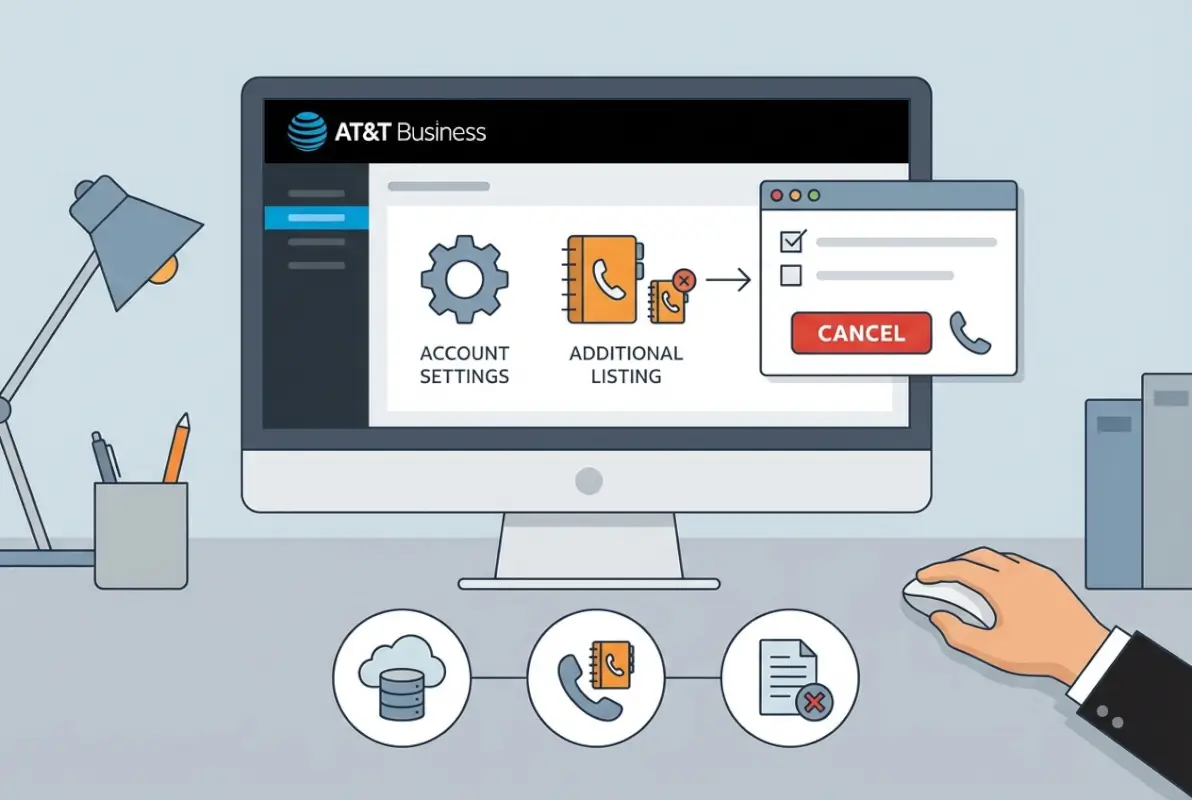
The decision to cancel usually stems from one of several business realities. Cost reduction ranks highest—multiple listings accumulate hundreds of dollars annually, and many businesses discover that 60-70% of their additional listings generate minimal customer contact. Others cancel during business transitions like relocations, rebrandings, or service consolidations where multiple listings create more confusion than value.
I remember consulting with a small accounting firm that maintained three separate directory listings. The owner initially believed this tripled their visibility, but tracking revealed that two of the three listings hadn’t generated a single client inquiry in eighteen months. Canceling those underperforming listings immediately improved their marketing ROI by redirecting $360 annually toward more effective channels.
Common Scenarios Triggering Cancellation
Several specific situations typically prompt businesses to remove additional listings:
- Location closure or consolidation – When shutting down branches or combining physical locations, removing associated listings prevents customers from visiting closed sites
- Digital marketing transition – Companies shifting toward social media and search advertising often reduce traditional directory investments
- Duplicate or incorrect information – If a listing contains errors that can’t be updated cleanly, cancellation and recreation provides a fresh start
- Brand streamlining – Businesses rebranding under a single identity eliminate multiple legacy listings to maintain consistency
- Performance audit results – Regular marketing audits reveal which listings drive acquisition versus which consume budget without returns
Understanding how a business directory boosts local marketing helps frame strategic decisions about which listings deserve investment and which should be eliminated.
Preparing for Cancellation: Essential Information and Documentation
Successful cancellation begins with thorough preparation. Gathering the right information before contacting AT&T significantly reduces processing time and prevents frustrating callbacks for missing details.
Start by locating your AT&T account number—this 9-digit identifier appears on monthly bills and serves as the primary account reference. You’ll also need your account PIN or security passcode for identity verification. Have the exact business name as it appears in the listing, including any punctuation or spacing variations, since even minor discrepancies can cause confusion in AT&T’s systems.

Document the complete address and phone number associated with the listing you’re canceling. If you have a listing ID number (sometimes called a directory reference number), include that as well—it streamlines the identification process. Most importantly, note your contract start date if the listing operates under a term agreement rather than month-to-month service.
Pre-Cancellation Account Audit
Before initiating cancellation, conduct a comprehensive audit of your current directory presence. Log into the AT&T Business Portal and review all active listings associated with your account. This reveals whether you have listings you’d forgotten about or identifies which specific entry you need to cancel when multiple similar listings exist.
Check for any promotional pricing or bundled services that might complicate cancellation. Some listings include features or discounts tied to minimum service periods. Review your original service agreement if available—the contract terms section specifies cancellation policies, potential fees, and notice requirements.
Also search for your business across major online directories to understand where your AT&T listing information has propagated. Check Google Maps, Bing Places, Yellow Pages, and Apple Maps. This reconnaissance helps you anticipate which third-party platforms will require separate removal requests after AT&T processes your cancellation.
| Information Needed | Where to Find It | Why It Matters |
|---|---|---|
| Account Number | Monthly bill or online portal | Primary account identifier |
| Account PIN | Set during account creation | Security verification |
| Exact Listing Name | Business portal or directory search | Prevents canceling wrong listing |
| Listing ID Number | Business portal or billing statement | Speeds identification process |
| Contract Start Date | Original agreement or portal | Determines potential fees |
Step-by-Step Cancellation Through AT&T Business Portal
The AT&T Business Portal offers the most efficient self-service cancellation path for straightforward removal requests. The online method provides 24/7 access, eliminates hold times, and generates immediate documentation of your cancellation request.
Navigate to business.att.com and log in using your business account credentials. Once authenticated, locate the account dashboard and select “Manage Account” or “Account Overview” from the main navigation. The interface design varies slightly depending on your account type and subscribed services, but most accounts display a “Products & Services” section prominently.
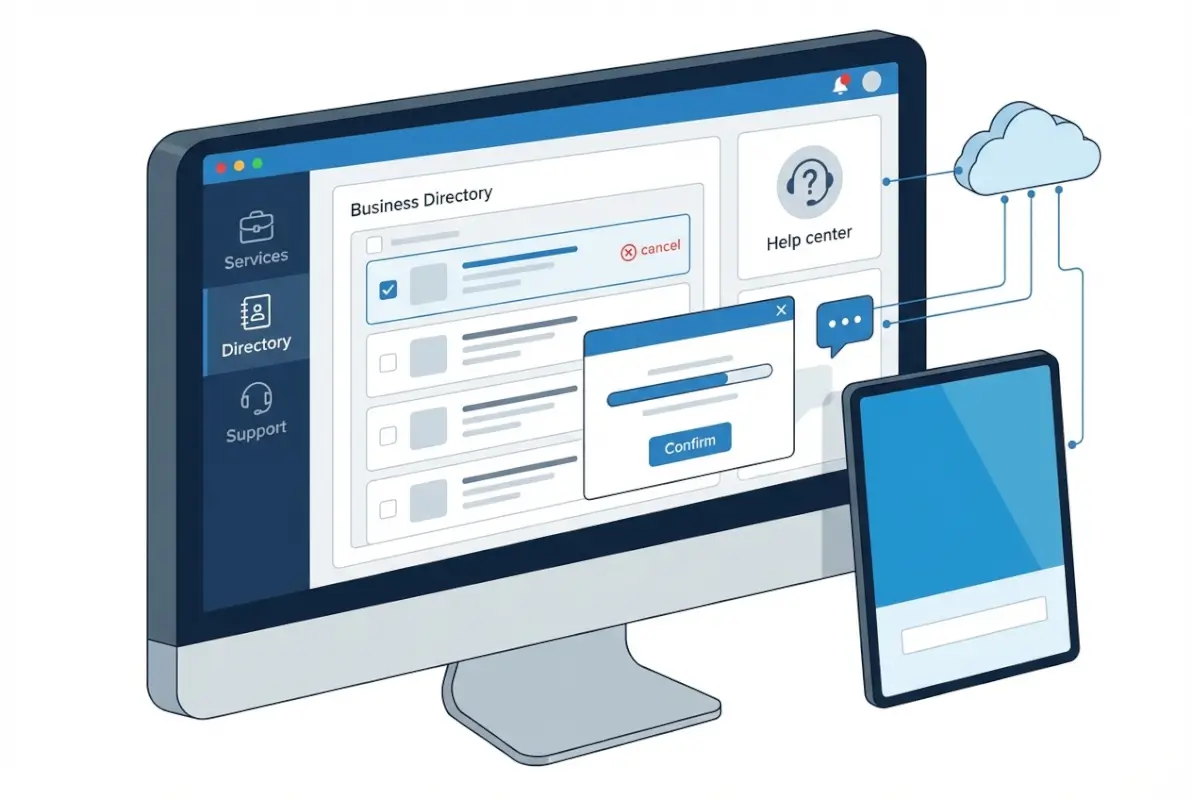
Within Products & Services, find the “Directory Listings” or “Business Listings” menu option. This section displays all active listings associated with your account, including both primary and additional entries. Each listing typically shows the business name, phone number, monthly cost, and listing type (basic, enhanced, premium).
Identify the specific listing you want to cancel and click the “Manage” or “Edit” button adjacent to that entry. The management screen presents various options including updating information, upgrading listing type, or canceling the listing entirely. Look for “Cancel Listing,” “Remove Listing,” or similar language—the exact wording depends on your interface version.
Confirming and Documenting Your Cancellation
Before finalizing, the portal displays a confirmation screen showing cancellation details, effective date, and any applicable fees. Review this information carefully—particularly the fee section if you’re under contract. The screen specifies whether charges apply and the exact amount.
After confirming your understanding of the terms, submit the cancellation request. The system generates an on-screen confirmation with a reference number. Save or screenshot this confirmation page immediately. You should also receive an email confirmation within minutes; if it doesn’t arrive within an hour, check your spam folder or contact support.
According to OWASP secure transaction guidelines, maintaining digital records of all account changes protects you if disputes arise. Download or print the confirmation email and store it with your business records.
Troubleshooting Portal Issues
If you can’t locate your additional listing in the portal, several factors might explain the absence. The listing may be managed under a different sub-account if your organization has multiple account structures. Listings created before AT&T’s current online system was implemented sometimes exist in legacy databases not yet fully integrated with the portal.
Some listings are billed separately from your main account and won’t appear in the standard portal view. In these cases, you’ll need to contact AT&T customer service directly at 800-321-2000 to initiate cancellation. Have your account information ready and explain that you can’t access the listing through the online portal—representatives can access broader system views than the customer-facing interface displays.
Canceling Via Phone Support and Account Managers
While the online portal handles most cancellations efficiently, certain situations benefit from direct human assistance. Complex accounts with multiple listings, contract disputes, or situations requiring immediate processing often resolve faster through phone support.
AT&T Business Customer Service operates at 800-321-2000, with representatives available Monday through Friday, 8am to 7pm local time. For minimal wait times, call mid-week (Tuesday through Thursday) between 9am and 11am—avoid Mondays and late afternoons when call volumes peak.

Before calling, arrange your workspace with all necessary information within reach: account number, PIN, listing details, recent bill, and notes about your cancellation reason. This preparation prevents awkward holds while you search for information and demonstrates to the representative that you’re organized and serious about the cancellation.
When connected, clearly state your objective immediately: “I need to cancel an additional directory listing on my business account.” Provide your account number and PIN when requested. Be specific about which listing you’re canceling—use the exact business name as it appears in the directory to avoid confusion.
Working With Assigned Account Managers
Larger business accounts often include dedicated account managers who handle service changes more efficiently than general customer service. If you have an account manager, contact them directly for cancellation requests. They typically process changes same-day and can expedite fee waivers or contract adjustments that general representatives can’t authorize.
Account managers also provide strategic advice about whether cancellation serves your best interests. I’ve seen situations where an account manager suggested downgrading from an enhanced listing to a basic listing instead of complete cancellation, saving the business money while maintaining some directory presence. This consultative approach helps when you’re uncertain about the right decision.
Post-Call Documentation
Immediately after your phone conversation, document the interaction while details remain fresh. Record the representative’s name, direct extension if provided, date and time of the call, and any reference or case numbers issued. Note what was agreed upon, including cancellation effective date and any fees discussed.
Send a follow-up email to AT&T customer service (use the contact form in your online account if direct email isn’t available) summarizing the conversation and requesting written confirmation. Attach any reference numbers from the call. This creates a paper trail protecting you if the cancellation doesn’t process as discussed or if disputed fees appear on future bills.
| Contact Method | Processing Speed | Best Use Case | Availability |
|---|---|---|---|
| Online Portal | 1-3 business days | Simple, single listing cancellations | 24/7 |
| Phone Support | Immediate-2 days | Complex issues, multiple listings | M-F 8am-7pm |
| Account Manager | Same day | Large accounts, contract negotiations | Business hours |
| Email/Chat | 2-5 business days | Non-urgent documentation needs | 24/7 submission |
Removing Your Listing From Third-Party Directories
Canceling with AT&T represents just the first phase of complete directory removal. Your business information likely appears across dozens of third-party directories that aggregate data from sources like AT&T. These downstream appearances require separate attention to achieve thorough removal.
Directory data flows through complex syndication networks. AT&T provides listing data to various aggregators and publishers who redistribute it to hundreds of smaller directories. When you cancel your AT&T listing, the change eventually propagates through this network, but the timeline varies significantly—some directories update weekly while others refresh quarterly or even less frequently.

Start by identifying where your listing currently appears. Conduct thorough Google searches using your business name, phone number, and address. Note every directory where your listing appears. Common platforms include Google Business Profile (formerly Google My Business), Bing Places, Apple Maps, Yellow Pages, Yelp, and dozens of local business directories specific to your region or industry.
Google Business Profile Removal Process
Google Business Profile requires special attention because it dominates local search visibility. To remove or update your Google listing, you must first claim ownership if you haven’t already. Visit the Google Business Profile support center and search for your business. Follow the verification process Google requires (typically postcard, phone, or email verification).
Once verified as the owner, you can mark your business as permanently closed or request complete removal. For permanent removal, navigate to your business profile settings and select “Close or remove this listing.” Google typically processes removal requests within 7-10 days, though the listing may remain visible in search results for several additional weeks while their systems fully update.
If you’re relocating rather than closing entirely, update your Google Business Profile with new information rather than removing it. The established listing with accumulated reviews and engagement history provides more value than starting fresh at a new location (you can change the address and business name on existing profiles).
Other Major Platform Removal
Bing Places follows a similar process to Google. Visit Bing Places for Business, claim your listing if unclaimed, verify ownership, and request removal through the management dashboard. Microsoft typically processes these requests within 5-7 business days.
For Apple Maps, the process differs slightly. Apple doesn’t offer a traditional business dashboard. Instead, visit the Apple Maps Connect website, search for your business, and select “Report an Issue” to request removal. Apple’s review process can take 2-3 weeks as they verify removal requests manually.
Yellow Pages, Superpages, and similar traditional directories often require phone calls or support tickets to process removal requests. Many of these platforms make removal intentionally cumbersome to maintain directory comprehensiveness. Persistence and clear documentation of your business closure or relocation typically succeed eventually.
Understanding and Managing Cancellation Fees
Financial implications vary significantly based on your listing contract structure. Understanding potential fees before initiating cancellation helps you make informed decisions and potentially negotiate better terms.
Additional directory listings typically operate under either month-to-month agreements or fixed-term contracts (usually 12 months). Month-to-month listings generally cancel without penalty, though you remain responsible for the current billing cycle. Contract-based listings often include early termination fees designed to compensate AT&T for the remaining commitment period.
Early termination fees usually calculate based on remaining contract months multiplied by a percentage of the monthly service charge. For example, with six months remaining on a $15 monthly listing, you might face a fee of $60-90 (typically 60-100% of the remaining obligation). Premium or enhanced listings with higher monthly costs generate proportionally higher termination fees.
Strategies for Fee Reduction or Waiver
Several approaches can minimize or eliminate cancellation fees. Timing matters most—if you’re within the final quarter of your contract term, waiting a few additional weeks to reach the end date eliminates fees entirely while costing only a small amount in additional monthly charges.
Business closure or relocation provides legitimate grounds for fee waiver requests. If you’ve permanently closed your business or moved to an area outside AT&T’s service region, explain this during cancellation. Many representatives can authorize fee waivers for documented business closures—provide proof such as business license termination, lease cancellation, or similar documentation.
Negotiation works surprisingly often for long-term customers. If you’ve maintained multiple AT&T services for several years, you hold leverage. Politely but firmly explain that the cancellation fee seems unreasonable given your customer tenure. Ask whether the representative can reduce or waive the fee as a customer loyalty gesture. You won’t always succeed, but the approach works frequently enough to warrant trying.
Understanding Refund Policies
Refunds for prepaid services or partial billing periods rarely occur with directory listing cancellations. AT&T typically applies a “no refund for partial periods” policy, meaning if you cancel mid-month, you’ve paid for that full month without reimbursement for unused days.
Some circumstances qualify for credits toward other AT&T services rather than cash refunds. If you maintain phone service, internet, or other AT&T products, a representative might apply a service credit to those accounts instead of processing a monetary refund. While not ideal, this approach at least captures some value from the cancellation.
| Fee Reduction Strategy | Success Rate | Best Approach |
|---|---|---|
| Wait Until Contract End | 100% | Plan cancellation 30 days before renewal |
| Document Business Closure | 65-75% | Provide official closure documentation |
| Customer Loyalty Negotiation | 30-40% | Reference long account tenure |
| Accept Service Downgrade | 80-90% | Switch to basic listing instead of canceling |
Verifying Complete Removal and Ongoing Monitoring
Confirmation that your cancellation processed completely requires active verification across multiple channels. Don’t assume the removal succeeded just because AT&T confirmed your request—technical glitches, data synchronization delays, and third-party caching can perpetuate listings long after official cancellation.
Seven to ten business days after AT&T confirms your cancellation, begin your verification process. Log into the AT&T Business Portal and confirm the listing no longer appears in your active services or billing statements. Check that upcoming bills don’t include charges for the cancelled listing.
Search the AT&T online directory directly by entering your business name and location. The listing should return no results or display as permanently closed. If it still appears active, contact AT&T customer service immediately with your cancellation confirmation number and request escalation to technical support for manual database cleanup.
Third-Party Directory Verification
Thorough verification extends beyond AT&T’s own properties. Conduct comprehensive searches across major platforms using multiple search terms—your business name alone, business name with city, phone number, and address. Check Google Maps, Bing Maps, Apple Maps, and traditional directory sites like Yellow Pages and Superpages.
For listings that persist beyond 30 days, initiate individual removal requests with each platform. Most directories provide “Report an Issue” or “Suggest an Edit” options directly on listing pages. Use these tools to report that the business has closed or the listing is incorrect and should be removed.
Establishing a Monitoring Schedule
Even after successful removal, periodic monitoring prevents your listing from mysteriously reappearing. Set quarterly calendar reminders to search for your cancelled business information across major platforms. Data glitches, cached information, or user-generated content can resurrect old listings months after removal.
If you later establish a new business or location, this monitoring also prevents confusion between old and new listings. I’ve seen situations where entrepreneurs closed one business, started a new one, but old directory information for the closed business continued appearing and confusing customers who contacted the wrong location.
Frequently Asked Questions About Canceling AT&T Directory Listings
How long does AT&T take to process directory listing cancellations?
AT&T typically processes cancellation requests within 1-5 business days when submitted through the online portal or phone support. The listing disappears from AT&T’s active directory and billing systems during this timeframe. However, third-party directories that syndicate AT&T data may take 30-90 days to reflect the change through their automated update cycles.
Will canceling my additional directory listing affect my phone service?
No, canceling an additional directory listing has no impact on your telecommunications services. Directory listings and phone service operate as separate products even when billed together. Your business phone line, internet, or other AT&T services continue functioning normally regardless of directory listing changes. Only the directory entry itself is removed.
Can I cancel my AT&T business directory listing online without calling customer service?
Yes, most AT&T Business Additional Directory Listings can be cancelled through the self-service business portal at business.att.com. After logging in, navigate to Products & Services, locate your directory listings, and select the cancellation option for the specific listing. The online method provides immediate confirmation and documentation without phone wait times.
What fees might I face when canceling an AT&T directory listing early?
Early termination fees depend on your contract terms. Month-to-month listings typically cancel without penalty beyond the current billing cycle. Contract-based listings (usually 12-month terms) may incur fees ranging from 60-100% of remaining monthly charges. A listing with six months remaining at $15 monthly could generate $60-90 in termination fees.
How do I remove my business from Google after canceling with AT&T?
Removing your Google Business Profile requires separate action beyond AT&T cancellation. Claim ownership of your Google listing through the Google Business Profile platform, verify your authority through their verification process, then mark the business as permanently closed or request full removal through profile settings. Processing typically takes 7-10 days with complete search result removal within several weeks.
Will AT&T refund money for partial months after cancellation?
AT&T generally does not provide refunds for partial billing periods when canceling directory listings. If you cancel mid-month, you remain responsible for that full month’s charge. Prepaid annual contracts might qualify for prorated refunds in limited circumstances, though AT&T more commonly offers credits toward other services rather than monetary refunds.
What if my cancelled listing keeps appearing in online directories?
Persistent listings after AT&T cancellation require direct action with each directory displaying outdated information. Most platforms offer “Report an Issue” or “Suggest an Edit” features on listing pages. Submit removal requests explaining the business has closed or the listing is incorrect. For widespread persistence, contact major data aggregators like Neustar or Foursquare that supply hundreds of directories.
Can I negotiate lower fees or waive them when canceling?
Yes, fee negotiation often succeeds, particularly for long-term customers or documented business closures. Explain your situation—business closure, relocation, or financial constraints—and politely request fee reduction or waiver. Account managers and retention-focused representatives frequently have authority to reduce fees by 50% or more, especially if you maintain other AT&T services.
Should I cancel my listing or just let it expire at contract end?
If you’re within a few months of contract completion, waiting until natural expiration often makes more financial sense than paying early termination fees. However, if incorrect information or business closure creates customer confusion, immediate cancellation prevents ongoing problems despite short-term fees. Calculate the cost difference and weigh it against the business impact of maintaining an active but inaccurate listing.
How do I verify that my AT&T directory listing is completely removed?
Comprehensive verification requires checking multiple sources 7-10 business days after cancellation confirmation. Log into the AT&T Business Portal to confirm the listing no longer appears in active services. Search the AT&T online directory for your business name and phone number—it should return no results. Check Google Maps, Bing, Apple Maps, and traditional directories for persistent appearances requiring additional removal requests.
Taking Control of Your Business Directory Presence
Successfully canceling your AT&T Business Additional Directory Listing extends beyond the initial request—it requires follow-through, verification, and strategic thinking about your overall directory presence. The businesses that manage this process most effectively treat it as an opportunity to audit and optimize their entire local search footprint rather than simply eliminating one listing.
Consider this cancellation a catalyst for broader directory management improvements. Evaluate whether your remaining listings accurately represent your business, whether you’re investing in directories that actually drive customer acquisition, and whether your information consistency across platforms positions you well for local search success. Many businesses discover during this process that they’ve neglected directory maintenance for years, allowing incorrect information and duplicate listings to accumulate.
The money saved from cancelled unnecessary listings can be redirected toward more effective marketing channels—whether that’s improving your Google Business Profile with regular posts and photos, investing in search advertising, or exploring solutions like ListedIn business directory key benefits for your business that provide greater control over your directory presence without ongoing per-listing fees.
For businesses seeking complete autonomy over their directory strategy, self-hosted solutions offer compelling advantages. Rather than paying recurring fees to appear in third-party directories with limited control, start profitable business directory steps show how creating your own directory platform provides permanent ownership and unlimited customization without monthly listing charges.
The cancellation process also highlights broader questions about data accuracy and digital presence management. How often does your team audit where your business appears online? Who owns the responsibility for maintaining consistent information across platforms? Establishing clear processes and accountability prevents the accumulation of outdated or duplicate listings that necessitate future cleanup projects.
Take action today by conducting a comprehensive audit of your current directory presence. Search for your business across all major platforms, document where you appear, and evaluate whether each listing justifies its cost (whether monetary fees or the time investment to maintain accuracy). This strategic approach ensures your directory investments align with actual business results rather than continuing indefinitely on autopilot.
Was this article helpful?