Why Small Businesses Need Company Directories: Essential Benefits & Implementation Guide

Generating summary...
Here’s something most small business owners don’t realize until it’s too late: the informal “just ask around” approach to finding information stops working somewhere around your 12th employee. I’ve watched dozens of growing businesses hit this wall—suddenly nobody knows who handles what, new hires spend weeks confused about reporting structures, and your team wastes hours every week hunting for basic contact information that should be at their fingertips.
The solution isn’t complicated, but it’s consistently overlooked. A properly implemented company directory transforms how your organization operates, and the businesses that recognize this early gain measurable advantages over competitors still operating on institutional memory and sticky notes. According to the Small Business Administration, over 36 million small businesses now operate in the United States, and those embracing digital infrastructure tools consistently outperform those relying on informal systems.
What makes this especially relevant now is the shift toward hybrid and remote work arrangements. Your directory isn’t just a nice-to-have anymore—it’s foundational infrastructure that supports everything from daily collaboration to local search visibility. The data backs this up: employees waste an average 2.5 hours weekly searching for information that a well-designed directory would surface instantly.
TL;DR – Quick Takeaways
- Time savings are immediate – Employees reclaim 2-3 hours weekly previously spent hunting for contact information and organizational details
- Remote work demands it – Distributed teams need structured access to colleague information across time zones and locations
- Local search benefits – Consistent organizational data feeds your Google Business Profile and other local listings, improving discoverability
- Onboarding accelerates dramatically – New hires integrate 60% faster when they can quickly understand who does what
- Scale demands structure – Beyond 15 employees, informal systems create bottlenecks that compound as you grow
The Business Case for Modern Company Directories
Let’s cut through the obvious benefits and talk about what actually matters. Yes, a company directory gives people contact information—but that’s like saying a car’s main benefit is having seats. The real value lies in how directories fundamentally reshape information flow within your organization.
Modern small businesses operate in an environment where speed and responsiveness directly impact revenue. When a customer inquiry lands with the wrong person, every minute spent routing it to the right department damages that relationship. When your marketing team needs technical specs from engineering, delays cascade into missed deadlines and frustrated clients. A comprehensive directory eliminates these friction points by making expertise instantly discoverable.

Consider how this plays out in practice. A 30-person professional services firm I consulted with tracked their internal communication patterns before and after implementing a structured directory. Before: employees sent an average of 8.3 “who handles X?” messages daily. After: that number dropped to 1.2. That’s not just convenience—it’s reclaimed focus time for knowledge workers whose productivity depends on sustained concentration.
The shift toward distributed work makes this even more critical. According to the U.S. Chamber of Commerce, small businesses increasingly rely on technology to coordinate remote and hybrid teams. Your directory becomes the connective tissue that prevents remote workers from becoming isolated or uninformed about organizational structure and colleague availability.
Beyond Contact Information: Strategic Organizational Benefits
A well-designed company directory serves functions that extend far beyond basic contact lookup. It becomes your organizational chart, your skills database, your institutional memory, and your onboarding accelerator—all in one accessible system.
Think about what happens when someone leaves your organization or moves to a new role. In companies without structured directories, that person’s project history, expertise areas, and relationship networks often walk out the door with them. With a proper directory that captures skills, project involvement, and collaboration patterns, you preserve this institutional knowledge even as people transition.
The customer-facing implications matter too. When clients contact your business, they increasingly expect immediate routing to the right expert. A directory that clearly identifies specializations and responsibilities enables front-line staff to provide accurate handoffs instantly, rather than the frustrating “let me find out who can help you” experience that drives customers toward competitors.
The Local Search and Digital Presence Connection
Here’s an angle most articles miss: your company directory feeds the accuracy of your entire digital presence. When you maintain consistent organizational data—names, titles, roles, locations—in a central directory, you create a single source of truth that ensures consistency across your website, Google Business Profile, industry directories, and other platforms.
Search engines reward consistency. When your business information matches perfectly across channels, you signal credibility and earn better local search rankings. The latest local search ranking research confirms that NAP (Name, Address, Phone) consistency remains a fundamental ranking factor for businesses competing in local markets.
Your directory can also enhance your website’s SEO through structured data. When you mark up employee profiles with proper schema, search engines can surface this information in relevant queries, potentially driving qualified traffic from people searching for specific expertise in your market.
Understanding the Current Small Business Technology Landscape
The context for implementing company directories has shifted dramatically. Small businesses now operate in an environment where digital tools are no longer optional competitive advantages—they’re baseline requirements for efficient operation. Understanding this landscape helps clarify why directories deserve priority in your technology stack.
Recent data from the SBA shows that the 36+ million small businesses in the United States are increasingly adopting cloud-based collaboration and communication tools. However, adoption remains uneven—many businesses implement piecemeal solutions without considering how these tools should connect and share data. A directory serves as connective infrastructure that makes your other tools more valuable.

The artificial intelligence wave sweeping through business technology creates both opportunities and challenges for directory implementation. Smart businesses are leveraging AI for directory search, automated profile updates based on communication patterns, and intelligent routing suggestions. However, the foundation remains the same: clean, accurate, well-structured data about your organization and its people.
| Technology Trend | Impact on Directories | Implementation Priority |
|---|---|---|
| Remote/Hybrid Work | Makes directories essential rather than optional | High |
| Cloud Collaboration Tools | Directories should integrate seamlessly | High |
| AI-Powered Search | Enhanced discoverability and smart suggestions | Medium |
| Mobile-First Access | Directories must work flawlessly on smartphones | High |
| Privacy Regulations | Requires thoughtful access controls and consent | High |
Small Business Statistics That Matter for Directory Decisions
When you’re deciding whether to invest time and resources into a formal directory system, real-world performance data should guide that decision. The numbers consistently demonstrate measurable returns that justify implementation even for smaller teams.
Organizations report that structured directories reduce the time spent searching for colleague information by approximately 85%. For a 20-person team where each employee earns an average of $30 per hour, that translates to roughly $62,000 annually in reclaimed productive time—far exceeding the cost of even sophisticated directory solutions.
Employee satisfaction metrics tell an equally compelling story. Businesses implementing comprehensive directories report 31% higher scores specifically related to organizational transparency and communication clarity. In competitive talent markets where retention directly impacts profitability, this advantage compounds over time.
What Modern Company Directories Must Include
Not all directories are created equal, and understanding the difference between basic contact lists and truly functional directory systems helps you make smarter implementation choices. The best directories balance comprehensive information with usability, providing depth without overwhelming users.
At minimum, your directory should capture employee names, roles, departments, contact information (email, phone, messaging handles), physical or remote location, and a professional photo. These basics enable the fundamental use case: finding and reaching colleagues quickly.
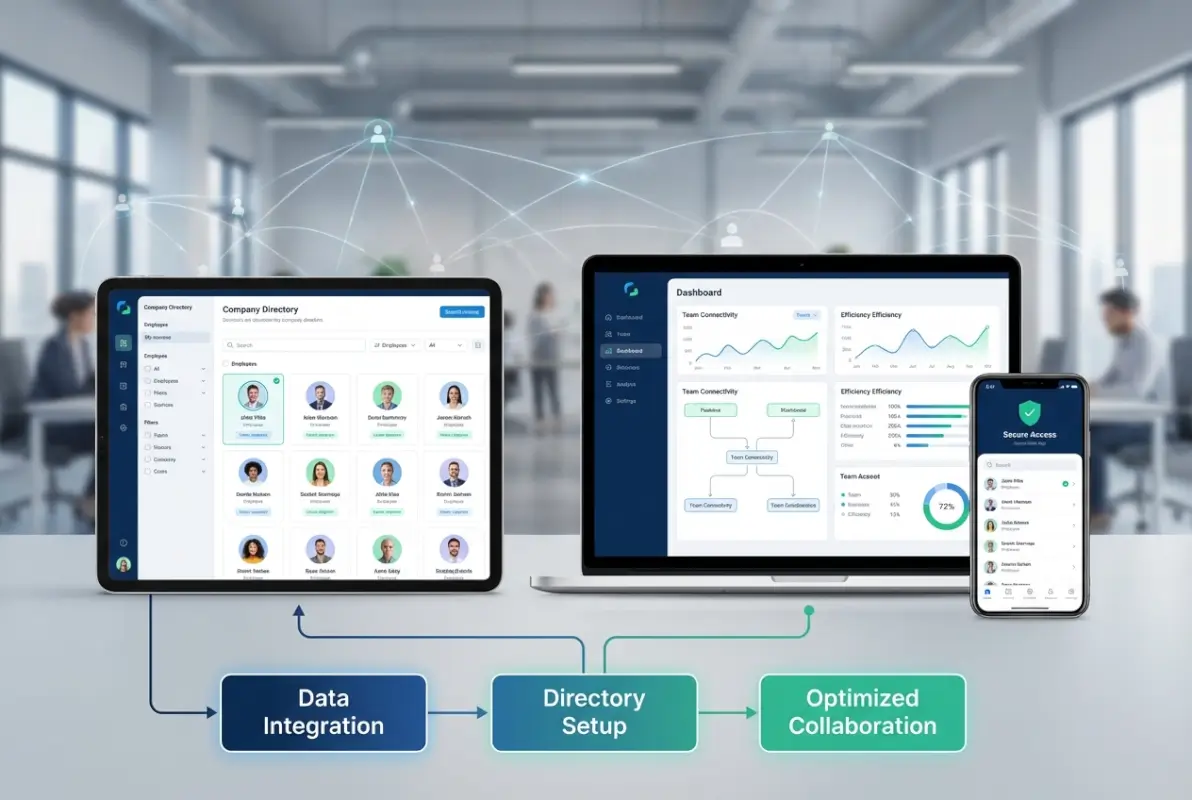
But modern directories extend well beyond this foundation. Skills and expertise tracking transforms your directory from a contact list into a capabilities database. When someone needs specific knowledge—say, experience with a particular client type or technical proficiency with certain tools—they should be able to search your directory and identify colleagues with relevant backgrounds.
Organizational chart integration provides visual context that purely text-based listings can’t match. New employees especially benefit from seeing reporting structures and understanding how different departments connect. This visual element accelerates comprehension of organizational dynamics in ways that lists of names and titles simply cannot achieve.
Integration Capabilities That Multiply Value
A directory’s true power emerges when it connects seamlessly with your existing communication and collaboration tools. The goal is making colleague information accessible precisely when and where people need it, without requiring separate lookups in a standalone system.
Integration with email platforms means clicking a colleague’s name in your directory can immediately compose a message. Calendar integration enables instant meeting scheduling. Chat platform connections allow direct messaging from directory entries. Video conferencing integration provides one-click call initiation. Each integration eliminates friction and makes the directory more central to daily workflows.
The white label business directory software solutions market has matured significantly, offering customizable platforms that integrate with popular business tools. These solutions typically provide APIs and pre-built connectors that dramatically simplify integration compared to building custom systems.
Data Quality, Governance, and Security Fundamentals
Here’s where many directory implementations fail: they launch with accurate information but lack processes to maintain that accuracy over time. Within six months, outdated entries accumulate, people lose trust in the system, and usage drops. Avoiding this requires deliberate governance from day one.
Establish clear ownership for directory maintenance—typically HR or IT, depending on your organization. Create automated reminders for quarterly profile reviews. Build directory updates into your onboarding and offboarding workflows so new hires are added immediately and departing employees are removed promptly. These seemingly small processes make the difference between directories that remain useful and those that become obsolete.
Privacy and security deserve careful consideration, particularly as regulations like GDPR and CCPA establish stricter requirements for personal data handling. Your directory should implement role-based access controls, allowing you to show different information to different employee groups. Some information—like emergency contacts or personal phone numbers—might be restricted to HR and managers, while basic contact details are visible to all employees.
Step-by-Step Implementation: Building Your Directory
Implementation doesn’t need to be complex or time-consuming. The most successful deployments follow a straightforward progression: define requirements, select a platform, collect data, configure the system, train users, and establish maintenance processes. Let’s walk through each step with practical guidance based on what actually works.
Start by clearly defining what you need your directory to accomplish. Are you primarily solving for basic contact lookup? Do you need skills tracking for project team assembly? Is integration with existing tools essential? Your answers shape every subsequent decision and prevent scope creep that derails projects.

For very small teams (under 10 people), a well-maintained shared spreadsheet might suffice initially. However, plan for growth—what works at 8 employees becomes unwieldy at 15. Most businesses benefit from implementing proper directory software once they reach 10-12 employees, before communication problems compound.
| Team Size | Recommended Approach | Key Features Needed |
|---|---|---|
| 5-10 employees | Shared document or simple tool | Basic contact info, roles, photos |
| 10-25 employees | Dedicated directory platform | Search, departments, basic integrations |
| 25-50 employees | Robust directory with integrations | Skills tracking, org charts, automation |
| 50+ employees | Enterprise-grade solution | Advanced search, analytics, API access |
Platform Selection: Choosing the Right Foundation
The directory platform market offers options ranging from simple WordPress plugins to sophisticated enterprise systems. For small businesses, the sweet spot typically lies in mid-range solutions that provide professional features without enterprise complexity or pricing.
If your organization already uses Microsoft 365, SharePoint provides built-in directory functionality that integrates naturally with Outlook, Teams, and other Microsoft tools. The learning curve is gentler when employees already know the interface, and licensing costs are often covered by existing subscriptions.
For businesses preferring standalone solutions, platforms like BambooHR, Pingboard, or dedicated directory applications offer purpose-built features and intuitive interfaces. WordPress-based organizations should evaluate directory plugins that provide customization flexibility at accessible price points—TurnKey Directories offers exactly this combination for businesses seeking control without complexity.
Data Collection and Migration Strategy
Gathering accurate employee information sounds straightforward but often reveals data inconsistencies you didn’t know existed. Email signatures use different title formats than HR records. Some departments track skills informally while others don’t document them at all. Office locations appear in multiple conflicting formats across systems.
Approach data collection systematically. Start with your HRIS (Human Resources Information System) as the authoritative source for basic employment data—names, titles, departments, hire dates. Cross-reference with IT systems for email addresses, phone extensions, and equipment assignments. For information that doesn’t exist in formal systems—like skills, project history, or areas of expertise—create simple intake forms that employees complete during the setup process.
Allow employees to review and correct their own information before the directory goes live. This crowdsourced validation catches errors that centralized data entry would miss and gives employees ownership of their profiles, increasing the likelihood they’ll keep information current going forward.
Launch, Training, and Adoption Tactics
The technical launch is usually the easy part. The challenge lies in changing employee behavior—getting people to actually consult the directory instead of defaulting to old habits of asking around or searching email for contact details.
Communicate the “why” clearly and repeatedly. Don’t just announce “we now have a directory”—explain specifically how it saves time, improves collaboration, and makes everyone’s work easier. Share concrete scenarios where the directory solves common frustrations your team experiences.
Provide brief, practical training that shows exactly how to accomplish the most common tasks: searching for colleagues, viewing department listings, updating profile information, and accessing the directory from mobile devices. Five minutes of hands-on demonstration during a team meeting works better than lengthy written documentation most people won’t read.
Consider gamification during the launch phase. One client created a scavenger hunt where employees used directory search features to find colleagues with specific skills or backgrounds, with small prizes for participants. This playful approach drove engagement while teaching search functionality organically.
Measuring Impact: KPIs That Demonstrate Directory Value
You can’t improve what you don’t measure, and demonstrating directory ROI requires tracking specific metrics that connect directory usage to business outcomes. The most successful implementations establish baseline measurements before launch, then track improvements over time.
Internal efficiency metrics capture the most immediate benefits. Track how much time employees spend searching for colleague information—measure this through brief surveys before and after implementation. Monitor the volume of “who handles X?” questions in team communication channels. Count how many internal emails get routed to wrong recipients before finding the right person. All of these should decrease significantly after directory deployment.

Data quality metrics ensure your directory remains useful long-term. What percentage of employee profiles are complete? How current is the information (when was each profile last updated)? How many duplicate or conflicting entries exist? Set targets—like 95% profile completeness and quarterly updates—and track progress toward these benchmarks.
External visibility metrics connect your directory to customer-facing outcomes. If you’re using directory data to maintain consistent information across your website, Google Business Profile, and other listings, track your local search rankings over time. Monitor NAP consistency scores using tools that check your business information across platforms. Understanding how to search businesses in fslocal directory tips can inform both internal directory design and external listing optimization.
| Metric Category | What to Track | Target Improvement |
|---|---|---|
| Efficiency | Time spent finding contacts | 80-85% reduction |
| Adoption | Active users per week | 90%+ of employees |
| Data Quality | Profile completeness rate | 95%+ complete |
| Onboarding | Time to organizational fluency | 60% faster integration |
| Satisfaction | Communication clarity scores | 25-30% improvement |
ROI Calculations That Justify Investment
Hard ROI calculations make directory investments easier to justify, especially when budget-conscious stakeholders question spending on “just a contact list.” The math consistently favors implementation, even when you account for setup time and ongoing maintenance.
Start with the time savings. If your 20-person team each saves 2.5 hours weekly at an average fully-loaded cost of $40 per hour, that’s $2,000 per week or approximately $104,000 annually in reclaimed productive time. Even a sophisticated directory solution costing $5,000 annually delivers 20x return on the time savings alone—and that doesn’t account for improved customer service, faster onboarding, or better employee satisfaction.
Factor in reduced turnover if your directory contributes to higher employee satisfaction. Replacing an employee typically costs 50-200% of their annual salary when you account for recruiting, training, and lost productivity. If better organizational transparency helps you retain even one employee every two years, that justifies substantial directory investment.
Governance, Security, and Compliance Essentials
Directory governance sounds bureaucratic but really just means establishing clear rules for who can access what information, who’s responsible for keeping it current, and how you’ll protect sensitive data. Get this right from the start and you avoid painful retrofitting later.
Access controls should balance transparency with appropriate privacy. Most employees need basic contact information for colleagues—email, office phone, role, department. However, personal mobile numbers, home addresses, emergency contacts, and sensitive HR information should be restricted to managers and HR staff who have legitimate need for this data.
Privacy regulations increasingly affect how businesses handle employee information. GDPR applies if you have any EU employees or contractors, requiring explicit consent for data collection and providing employees rights to access and correct their information. CCPA establishes similar requirements for California residents. Even if you’re not currently subject to these regulations, implementing compliant practices now prevents scrambling later as your business grows or regulations expand.
Data Retention and Maintenance Protocols
Establish clear policies for how long you retain directory information after employees leave. Some organizations remove departed employees immediately, which can create confusion when people search for historical project collaborators. Better approaches archive former employee profiles—maintaining searchable records of who worked on what, but clearly indicating these people no longer work for your organization.
Create a maintenance calendar that assigns specific responsibilities. HR updates employment data (titles, departments, managers) during role changes. IT maintains technical information (email addresses, phone extensions, equipment). Employees update their own skills, bio information, and photos—with HR or IT reviewing changes before they go live to prevent inappropriate content.
The key steps run successful directory website business operations apply equally to internal directories: consistent data governance, regular quality audits, and clear ownership prevent the gradual degradation that undermines directory value over time.
Optimizing for Local Search and Digital Presence
Here’s an advantage most businesses completely overlook: your company directory can directly improve your local search visibility and overall digital presence when implemented strategically. The key lies in using your directory as the authoritative source for organizational information that feeds all your external-facing platforms.
Google and other search engines evaluate consistency when determining which businesses to show for local searches. When your business name, address, phone number, and employee information match perfectly across your website, Google Business Profile, industry directories, and social media, you signal legitimacy and earn ranking boosts. Your internal directory should be the master database that ensures this consistency.
Structured data markup (schema.org) allows you to tell search engines explicitly about your organization, locations, and people. When you publish employee directory pages on your website with proper Person and Organization schema, search engines can display rich results that showcase your team’s expertise for relevant queries. A potential client searching for “experienced tax accountant in Seattle” might see your firm’s directory entry highlighting your senior tax specialist—directly in search results.
Integration with Google Business Profile and Local Listings
Your Google Business Profile should reflect the same organizational information stored in your company directory—business name, locations, hours, phone numbers, and service descriptions. Many businesses manually update these platforms separately, which inevitably leads to inconsistencies as information changes.
Better approaches treat your directory as the single source of truth and push updates to external platforms systematically. Some directory platforms offer integrations that automatically sync changes to listing management services. Even without direct integration, establishing a process where directory updates trigger manual reviews of external listings prevents the divergence that damages local search performance.
The ways to access business park directory information quickly parallel how customers and search engines access your business information—make it consistent, accessible, and current everywhere it appears.
Frequently Asked Questions
What exactly is a company directory and how does it differ from a simple contact list?
A company directory is a structured database containing comprehensive information about your organization’s people, including contact details, roles, departments, skills, reporting relationships, and availability. Unlike basic contact lists, modern directories integrate with communication tools, support advanced search and filtering, maintain organizational charts, and connect to other business systems to enable efficient collaboration and knowledge sharing.
Why do small businesses specifically need company directories?
Small businesses need directories because informal “ask around” communication breaks down around 10-15 employees, creating bottlenecks that worsen as you grow. Directories save employees 2-3 hours weekly finding information, accelerate new hire onboarding by 60%, support remote work coordination, improve organizational transparency, and ensure consistent business information across digital platforms—benefits that directly impact small business productivity and competitiveness.
How does a company directory improve internal communication and collaboration?
Directories improve communication by enabling instant identification of the right person for specific questions, eliminating time wasted on routing messages through intermediaries. They surface colleague expertise for project team assembly, clarify reporting structures to prevent organizational confusion, integrate with messaging and email platforms for one-click contact, and preserve institutional knowledge about who worked on past projects.
What should be included in an effective small business employee directory?
Essential elements include employee names, job titles, departments, email addresses, phone numbers, office locations or remote status, profile photos, and reporting relationships. Advanced directories add skills and expertise tags, project history, working hours and time zones, availability status, biographical information, and organizational chart integration. Start with basics and expand based on your specific collaboration needs.
Can company directories actually impact local SEO and search visibility?
Yes, when your directory serves as the authoritative source for organizational information that feeds your website, Google Business Profile, and other listings. Search engines reward NAP consistency across platforms with better local rankings. Publishing directory data with proper schema markup can surface your team’s expertise in search results. Consistent employee and location information strengthens your overall digital presence.
What’s the best software platform for creating a company directory?
The best platform depends on your existing technology stack and specific needs. Microsoft 365 users often benefit from SharePoint’s built-in directory features. Standalone solutions like BambooHR or Pingboard offer purpose-built functionality for growing businesses. WordPress users should evaluate directory plugins offering customization and integration capabilities. Prioritize platforms that integrate with your communication tools and support mobile access.
How do you maintain directory accuracy over time without constant manual updates?
Maintain accuracy by designating clear ownership (typically HR or IT), automating quarterly profile verification reminders, incorporating directory updates into onboarding and offboarding workflows, allowing controlled employee self-service for certain fields, scheduling periodic data audits, integrating with HRIS systems to sync employment data automatically, and consistently promoting directory usage to maintain engagement and data quality.
What privacy and security considerations apply to employee directories?
Implement role-based access controls restricting sensitive information to appropriate personnel. Comply with GDPR, CCPA, and other privacy regulations by obtaining proper consent and providing employee data rights. Never include highly sensitive information like Social Security numbers or health data in general directories. Conduct regular access audits, maintain clear data retention policies, and separate public-facing information from confidential HR data.
How does a company directory help with remote and hybrid team management?
Directories are essential for distributed teams, providing accessible contact information from any location, clarifying time zones and working hours for coordination, displaying availability status for real-time collaboration decisions, helping remote workers understand organizational structure they can’t observe in person, and fostering connection through profiles and photos that humanize distant colleagues.
What ROI should small businesses expect from implementing a company directory?
Expect 80-85% reduction in time spent finding colleague information (2-3 hours per employee weekly), 60% faster new hire onboarding and integration, 25-30% improvement in employee satisfaction scores related to communication and transparency, measurably better customer response times through improved internal routing, and stronger local search performance from consistent organizational data—typically delivering 10-20x ROI within the first year.
Taking Action: Your Directory Implementation Next Steps
The businesses that benefit most from directories are the ones that implement them before communication problems become critical. Waiting until you’re actively struggling with organizational confusion means you’ve already absorbed months of productivity losses and employee frustration that could have been prevented.
Start by assessing your current state honestly. Survey your team about time spent searching for information and common communication frustrations. Track how long it takes new hires to feel comfortable navigating your organization. Document instances where customer inquiries get routed incorrectly or delayed because people couldn’t quickly identify the right internal expert.
These baseline measurements accomplish two things: they quantify the problem you’re solving (useful for justifying investment) and they provide comparison points for measuring improvement after implementation. Without before-and-after data, you’ll struggle to demonstrate directory value to stakeholders who question the investment.
Choose a platform that matches your current needs while supporting reasonable growth. It’s tempting to implement minimal solutions that save money upfront, but transitioning platforms later disrupts workflows and requires re-training employees. Better to invest in proper infrastructure now that will scale with your business over the next 3-5 years.
Your 30-Day Directory Launch Roadmap
- Days 1-5: Survey employees about current pain points; define directory requirements and success metrics
- Days 6-10: Evaluate platforms; select solution that matches your needs, budget, and technical environment
- Days 11-15: Collect and validate employee data from HRIS, IT systems, and employee self-submissions
- Days 16-20: Configure directory structure, permissions, integrations, and user access controls
- Days 21-25: Conduct training sessions; launch directory with clear communication about benefits
- Days 26-30: Monitor usage, gather feedback, address issues, and refine based on actual usage patterns
Implementation doesn’t need to be perfect from day one. Launch with core functionality that solves your most pressing communication challenges, then expand capabilities based on employee feedback and evolving needs. The businesses that succeed with directories are those that prioritize adoption and data quality over comprehensive feature sets.
Remember that your directory is infrastructure—foundational technology that makes everything else work better. Just as you wouldn’t question whether you need email or reliable internet, directories deserve similar consideration as essential business tools rather than optional nice-to-haves. The competitive advantages they enable—efficiency, agility, transparency, and consistency—compound over time as your business grows.
Your employees spend enough time hunting for basic information that should be instantly accessible. Your new hires deserve faster integration into organizational culture and networks. Your customers expect responsive service that requires efficient internal coordination. A well-implemented company directory addresses all of these needs simultaneously while establishing data infrastructure that supports broader business objectives from local SEO to knowledge management.
Don’t wait for communication problems to multiply. Take the first step toward better organizational efficiency today, and position your small business for the connected, responsive, data-driven future your customers and employees increasingly expect.
Was this article helpful?