The Future of Active Directory: Why It’s More Critical Than Ever in 2025

Generating summary...
If you’ve been following IT industry chatter, you might think Active Directory is yesterday’s technology—a legacy system being replaced by cloud-native solutions. The reality couldn’t be more different. Active Directory isn’t just surviving in 2025; it’s evolving into something more powerful and essential than ever before. As organizations face increasingly sophisticated cyber threats, navigate hybrid work environments, and balance on-premises infrastructure with cloud services, AD has emerged as the critical bridge that makes modern identity management actually work.
What makes Active Directory’s role so interesting right now is its transformation from a purely on-premises directory service into the foundation of hybrid identity architectures. With over 90% of Fortune 1000 companies still relying on Active Directory, and cyber attackers targeting identity systems more aggressively than ever, understanding AD’s future isn’t optional—it’s a business imperative that directly impacts your security posture, operational efficiency, and ability to scale.
TL;DR – Quick Takeaways
- Active Directory remains central to enterprise identity – Hybrid integration with Microsoft Entra ID (formerly Azure AD) creates unified identity management across on-premises and cloud environments
- Security threats targeting AD are intensifying – Modern AD implementations require MFA, privileged access management (PAM/PIM), and zero-trust controls to mitigate risks
- Windows Server 2025 brings critical security enhancements – New Kerberos protections, improved auditing, and golden ticket mitigations strengthen AD’s defensive capabilities
- Hybrid work demands centralized identity – AD provides consistent authentication and policy enforcement regardless of user location or device
- A 90-day modernization roadmap can transform your security posture – Phased implementation of MFA, hybrid sync, and monitoring delivers measurable ROI
The Current State of Active Directory in 2025
Active Directory’s role in modern IT infrastructure might surprise you. Rather than fading into obsolescence, it’s experiencing a renaissance as the anchor point for hybrid identity architectures. The shift isn’t about choosing between on-premises AD and cloud identity—it’s about orchestrating both into a cohesive system that provides security and flexibility simultaneously.

According to recent industry analysis, Active Directory continues serving as the foundation for on-premises and hybrid IAM in the majority of enterprise environments. This persistence isn’t due to technological inertia—it reflects AD’s unique ability to manage legacy applications while enabling cloud-native identity services through integration with Microsoft Entra ID.
AD as the Foundation of Hybrid IAM
The modern enterprise identity landscape looks vastly different than it did five years ago. Organizations maintain on-premises applications that will never migrate to the cloud (think manufacturing control systems, specialized research equipment, or legacy financial platforms), while simultaneously adopting SaaS applications at an accelerating pace. Active Directory sits at the intersection of these two worlds, providing the authentication backbone for local resources while synchronizing identity data to Entra ID for cloud services.
This hybrid approach addresses a critical challenge: maintaining a single source of truth for identity across disparate environments. When properly configured, changes made in AD—new user accounts, password resets, group memberships—automatically propagate to cloud services through Azure AD Connect or the newer Entra Cloud Sync. Users experience seamless access to both on-premises file shares and cloud applications like Microsoft 365, Salesforce, or Google Workspace with a single set of credentials.
Entra ID and AD: The Hybrid Identity Partnership
Microsoft’s rebranding of Azure Active Directory to Microsoft Entra ID reflects a strategic shift toward unified identity management. The relationship between on-premises AD and Entra ID isn’t one of replacement—it’s complementary. Entra ID extends AD’s capabilities into cloud environments while adding modern features like conditional access, identity protection, and passwordless authentication.
The synchronization mechanisms have evolved significantly. Azure AD Connect remains the traditional choice for organizations with complex on-premises configurations, offering extensive customization options and hybrid Exchange deployments. Entra Cloud Sync, introduced more recently, provides a simpler deployment model better suited to organizations with straightforward synchronization needs. For businesses exploring how to organize active directory for business environment, understanding these sync options is fundamental to designing a scalable architecture.
Federation scenarios add another layer of sophistication. Some organizations choose to federate identity rather than synchronize passwords to the cloud, maintaining all credential validation on-premises while using Entra ID for cloud resource authorization. This approach appeals to highly regulated industries with strict data residency requirements.
Key Security Signals and Risk Context for 2025
The security landscape surrounding Active Directory has become dramatically more hostile. Cybersecurity researchers at CIO note that Active Directory remains a high-value target for sophisticated attackers because compromising AD effectively grants access to an organization’s entire digital infrastructure. Techniques like golden ticket attacks, Kerberos exploitation, and credential harvesting have become standard components of advanced persistent threat (APT) playbooks.
The Change Healthcare breach in 2024 illustrated the devastating impact of identity system compromises. While specific technical details vary by incident, the broader pattern is clear: organizations with inadequate AD security controls face existential risks. Multi-factor authentication, privileged access management, and comprehensive auditing have shifted from “best practices” to absolute necessities.
According to security researchers, the imperative for robust AD security has never been stronger. Organizations must implement MFA universally, deploy privileged identity management (PIM) solutions, conduct regular access reviews, and maintain detailed audit logs that can detect anomalous authentication patterns before they escalate into breaches.
Five Compelling Reasons Your Business Needs Active Directory in 2025
The case for Active Directory in modern IT infrastructure rests on five fundamental pillars that address today’s most pressing business and security challenges. These aren’t theoretical benefits—they’re practical capabilities that directly impact operational efficiency, security posture, and business resilience.

Reason 1: Centralized Identity Governance Across Hybrid Environments
Managing identity across fragmented systems creates security gaps and administrative nightmares. I remember consulting with a mid-sized financial services firm that was managing user accounts in seven different systems—on-premises AD, three separate cloud directories, two legacy LDAP servers, and a standalone VPN authentication database. Password resets required updating multiple systems manually, access provisioning took days, and nobody could definitively answer “what can this user access?” without checking each system individually.
Active Directory eliminates this fragmentation by serving as the authoritative source for identity information. When properly integrated with Entra ID and configured with synchronization to cloud services, AD creates a single control plane where administrators manage users once and policies propagate everywhere. This centralization reduces the attack surface by eliminating orphaned accounts, ensures consistent policy enforcement, and dramatically simplifies compliance auditing.
The governance benefits extend beyond user management. Group-based access control in AD allows administrators to define resource permissions based on job functions or organizational roles rather than managing individual user permissions. When an employee changes departments, updating their group memberships automatically adjusts their access rights across all connected systems—on-premises file servers, cloud applications, VPN access, and more.
Reason 2: Strengthened Security Posture with Modern AD Features
Windows Server 2025 introduced significant security enhancements to Active Directory that directly address contemporary threat vectors. According to technical analysis, these improvements include enhanced Kerberos security to mitigate golden ticket attacks, improved credential protection mechanisms, and more granular auditing capabilities that provide visibility into potential compromise attempts.
| Security Feature | Protection Against | Business Impact |
|---|---|---|
| Enhanced Kerberos Security | Golden ticket attacks, credential replay | Prevents attackers from creating persistent backdoors |
| Advanced Audit Logging | Privilege escalation, unauthorized access | Earlier threat detection and forensic capability |
| Credential Guard | Credential theft via memory dumps | Protects against pass-the-hash attacks |
| Privileged Access Workstations | Administrative credential compromise | Isolates high-value administrative access |
The shift toward zero-trust architectures has made AD security features more relevant, not less. Modern implementations combine traditional AD security with cloud-enhanced protection through Microsoft Defender for Identity (formerly Azure ATP), which uses behavioral analytics and machine learning to detect suspicious activities that traditional signature-based systems miss.
Reason 3: Seamless Integration with Modern IAM Constructs
The future of Active Directory lies in its integration with contemporary identity and access management frameworks. Multi-factor authentication, once considered an optional security layer, has become a baseline requirement. Active Directory’s integration with Azure MFA, FIDO2 security keys, and Windows Hello for Business enables organizations to implement strong authentication without replacing their existing identity infrastructure.
Privileged Identity Management (PIM) and Privileged Access Management (PAM) solutions build on AD’s role-based access control to provide just-in-time privilege elevation. Instead of granting standing administrative permissions that create security risks, PIM allows administrators to request temporary elevation for specific tasks, with approval workflows, time limits, and comprehensive auditing. This approach dramatically reduces the window of opportunity for credential compromise while maintaining operational flexibility.
According to identity management trend analysis, the integration of AD with zero-trust frameworks represents a critical evolution. Conditional access policies can make real-time authorization decisions based on user risk scores, device compliance status, network location, and application sensitivity—all while leveraging AD as the underlying identity source.
Reason 4: Hybrid and Cloud Readiness Without Losing Control
The “cloud-first” mandate that dominated IT strategy discussions a few years ago has evolved into a more nuanced understanding that hybrid architectures will persist indefinitely. Organizations have legitimate reasons for maintaining on-premises infrastructure—regulatory requirements, application compatibility, performance needs, or simply the economics of existing infrastructure investments.

Active Directory’s hybrid capabilities allow organizations to modernize incrementally rather than attempting risky “big bang” migrations. Legacy applications that require on-premises authentication continue functioning through local domain controllers, while new cloud-native workloads authenticate against Entra ID. Users experience this as a seamless environment with single sign-on across both realms.
The control dimension matters significantly for organizations in regulated industries. By maintaining AD on-premises while synchronizing selected attributes to Entra ID, organizations can keep sensitive data within their own infrastructure while still leveraging cloud services. This architectural pattern satisfies data sovereignty requirements while enabling modern collaboration tools.
For businesses implementing key steps run successful directory website business models, the ability to integrate web-based directory platforms with enterprise identity systems creates a unified user experience. Solutions like TurnKey Directories can authenticate users against Active Directory, ensuring that both internal staff and external directory users benefit from consistent identity management.
Reason 5: Disaster Recovery, Backup, and Resilience
Active Directory isn’t just an authentication system—it’s a critical business asset that requires the same protection as customer databases or financial records. When AD becomes unavailable or corrupted, organizations face complete operational paralysis. Users can’t log in, applications can’t authenticate, and business processes grind to a halt.
Modern AD implementations incorporate disaster recovery capabilities that were uncommon a decade ago. Multiple domain controllers distributed across different physical locations provide redundancy and load balancing. Azure AD Connect Cloud Sync can serve as an identity continuity mechanism if on-premises AD becomes temporarily unavailable. Regular state backups using Windows Server Backup or specialized AD backup tools enable recovery from corruption or malicious deletion of objects.
I worked with a healthcare organization that discovered the value of proper AD disaster recovery planning the hard way. A ransomware attack encrypted their primary domain controller and backup servers before IT detected the breach. Because they had implemented a proper AD recovery strategy—including isolated offline backups and a documented restoration procedure—they restored operations in under six hours. Organizations without such planning have taken weeks to recover or paid substantial ransoms.
The resilience benefits extend beyond disaster scenarios. Regular monitoring of AD replication, SYSVOL consistency, and DNS health allows IT teams to detect and correct issues before they impact users. Tools like Microsoft’s AD Replication Status Tool and third-party monitoring solutions provide visibility into the health of the directory infrastructure.
How to Modernize Active Directory in 2025: A Practical Roadmap
Understanding why Active Directory remains essential is only half the equation—implementing a modernized AD environment that addresses contemporary security threats and operational requirements is where theory meets practice. The following roadmap provides a structured approach that organizations can adapt to their specific circumstances.
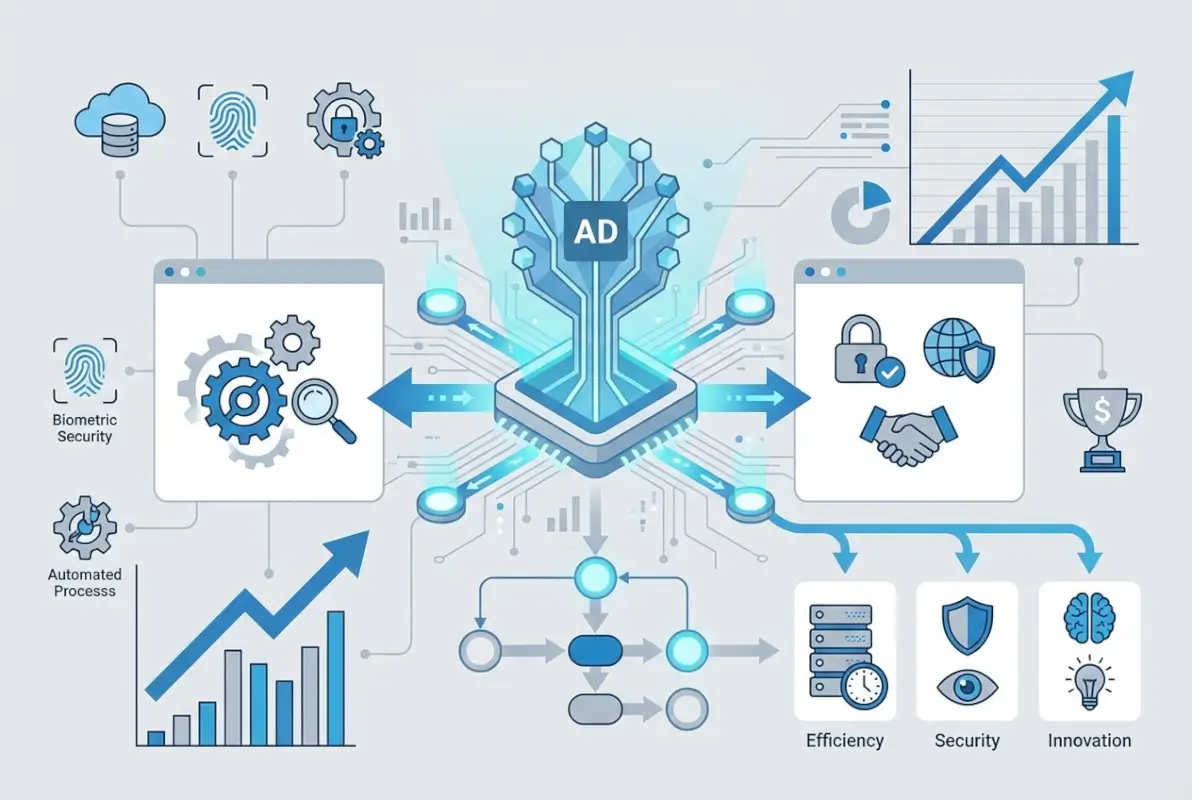
Phase 1: Audit and Strengthen Identity Pipelines (Weeks 1-3)
Begin with a comprehensive assessment of your current AD environment. This baseline evaluation should identify domain controllers and their configuration, document AD-integrated applications and their authentication mechanisms, map user and group structures, review existing Group Policy Objects and their scope, and assess current security configurations including password policies and account lockout settings.
Security posture assessment tools can identify common AD vulnerabilities. Look for privileged accounts with never-expiring passwords, service accounts with unnecessary permissions, disabled audit logging, outdated domain functional levels, and missing security patches on domain controllers. Tools like Bloodhound can visualize attack paths through AD that attackers might exploit.
Document your hybrid identity strategy. Which applications will remain on-premises? Which are migrating to the cloud? What synchronization method (Azure AD Connect vs. Cloud Sync) best fits your environment? This planning prevents later architectural rework.
Phase 2: Policy Hardening and MFA Deployment (Weeks 4-7)
Implement security baseline policies based on Microsoft’s security recommendations and industry frameworks like CIS benchmarks. Key policy areas include minimum password length of 14 characters (or passphrase policies), account lockout thresholds to prevent brute-force attacks, auditing of privileged account activities, restrictions on who can log on to domain controllers, and regular password rotation for service accounts.
Deploy multi-factor authentication using a phased approach. Start with privileged accounts (domain admins, enterprise admins, schema admins), then expand to IT staff and users with access to sensitive data, and finally implement organization-wide MFA. Azure MFA integrates seamlessly with AD through Entra ID synchronization, and for organizations exploring ways to access business park directory systems, MFA can protect both internal and external-facing directory platforms.
Implement Privileged Access Workstations (PAWs) for administrative tasks. These hardened workstations used exclusively for administrative activities prevent credential theft through common attack vectors like phishing or drive-by downloads. Administrative accounts should never be used for email, web browsing, or other general-purpose activities.
Phase 3: Hybrid Identity Orchestration with Entra (Weeks 8-10)
Configure synchronization between on-premises AD and Microsoft Entra ID. For most organizations, this involves installing Azure AD Connect or deploying Cloud Sync agents, configuring attribute filtering to control what synchronizes to the cloud, setting up password hash synchronization or federation based on requirements, and testing single sign-on to cloud applications.
Implement conditional access policies that provide context-aware access control. Example policies might require MFA when accessing sensitive applications, block access from untrusted locations or non-compliant devices, enforce approved client applications for mobile access, and apply session controls for high-risk scenarios.
| Sync Method | Best For | Key Advantage |
|---|---|---|
| Azure AD Connect | Complex environments, hybrid Exchange | Extensive customization options |
| Entra Cloud Sync | Simpler deployments, multi-forest scenarios | Built-in high availability |
| Federation (ADFS) | Strict data residency requirements | Credentials never leave on-premises |
Phase 4: Monitoring, Auditing, and Continuous Improvement (Weeks 11-12)
Deploy comprehensive monitoring for AD health and security. Microsoft Defender for Identity provides advanced threat detection specifically for AD environments, identifying reconnaissance activities, lateral movement attempts, and domain dominance attacks. Integrate AD audit logs with your SIEM platform for correlation with other security events.
Establish regular access review processes where managers verify that their team members have appropriate access rights. Automated workflows can surface accounts that haven’t been reviewed in 90 days, service accounts with overly broad permissions, or group memberships that appear unusual based on organizational patterns.
Create a continuous improvement cycle with quarterly AD security assessments, regular testing of disaster recovery procedures, periodic review and updating of Group Policy Objects, and ongoing training for IT staff on AD security best practices.
Phase 5: Documentation and Knowledge Transfer (Ongoing)
Comprehensive documentation transforms AD from a black box into a manageable system. Document network topology including domain controller locations and replication topology, disaster recovery procedures with step-by-step restoration instructions, operational procedures for common administrative tasks, and security baseline configurations and the rationale behind specific settings.
Training ensures that knowledge doesn’t reside with a single administrator. Regular knowledge sharing sessions, documented runbooks for routine and emergency procedures, and cross-training across IT team members build organizational resilience.
Risks and Pitfalls to Avoid in 2025
Even well-intentioned AD modernization efforts can stumble over common mistakes. Being aware of these pitfalls helps organizations navigate the implementation journey more successfully.

Common Misconfigurations That Create Security Gaps
Certain AD configuration mistakes appear with surprising frequency. Excessive privileged account permissions, where IT staff use domain admin credentials for routine tasks, create unnecessary risk exposure. Default domain policies that haven’t been hardened since initial setup often lack modern security requirements. Unclear delineation between production and test AD environments can lead to security policies being developed in isolated test forests that don’t match production configurations.
Password policies that prioritize complexity over length represent outdated thinking. Current guidance from NIST and other authorities recommends longer passphrases over complex character requirements that encourage predictable patterns (Password1! or Summer2023!).
Over-reliance on Single Identity Layer
While centralization provides benefits, putting all identity eggs in one basket creates risks. Organizations should implement defense in depth with network segmentation that limits lateral movement even if AD is compromised, application-level authentication that doesn’t solely rely on AD, and offline recovery capabilities for critical systems.
The principle applies to cloud integration too. Complete dependence on Azure AD Connect creates a single point of failure. Organizations should plan for scenarios where the sync mechanism fails or becomes compromised.
Inadequate Auditing and Access Reviews
AD audit logging creates massive volumes of data, and without proper analysis tools, critical security events disappear into the noise. Organizations often enable auditing but never review the logs or configure alerting for suspicious patterns. This checkbox compliance provides no actual security value.
Access reviews that happen annually (if at all) allow inappropriate permissions to persist for extended periods. Quarterly or even monthly reviews for privileged access ensure that access rights remain aligned with current job responsibilities. Automated tools can flag obvious anomalies—a marketing employee with database admin rights, for example—allowing security teams to focus on nuanced cases requiring judgment.
Delayed Adoption of Zero-Trust Controls
Many organizations continue operating with implicit trust models where being connected to the corporate network equals trusted access. This approach was questionable ten years ago; it’s indefensible now. Zero-trust architectures that verify every access request regardless of network location align with contemporary threat models where attackers operate from compromised endpoints inside the network perimeter.
Implementing zero-trust doesn’t require replacing AD—it requires integrating AD with conditional access policies, device compliance verification, and continuous risk assessment. The organizations seeing the best security outcomes are those treating zero-trust as a journey with incremental improvements rather than a destination requiring complete infrastructure replacement.
Frequently Asked Questions
What is Active Directory, and why is it still relevant in 2025?
Active Directory is Microsoft’s directory service that provides centralized authentication, authorization, and policy management for Windows-based networks. It remains relevant because it serves as the foundation for hybrid identity architectures that bridge on-premises infrastructure with cloud services through integration with Microsoft Entra ID, providing consistent identity management across both environments while supporting legacy applications that won’t migrate to the cloud.
How does Active Directory work with Microsoft Entra ID?
Active Directory and Microsoft Entra ID work together through synchronization services like Azure AD Connect or Entra Cloud Sync. These tools replicate user accounts, groups, and other identity information from on-premises AD to the cloud, enabling single sign-on across both environments. Users maintain one identity that works for on-premises resources and cloud applications, with password changes and group membership updates automatically propagating between systems.
What security measures should I prioritize for AD in 2025?
Prioritize multi-factor authentication for all users, privileged identity management (PIM) for administrative accounts, comprehensive audit logging integrated with SIEM platforms, regular access reviews to ensure appropriate permissions, zero-trust conditional access policies, and proactive monitoring with Microsoft Defender for Identity. These controls work together to detect and prevent common AD attack vectors like credential theft and privilege escalation.
Is Active Directory compatible with cloud-first strategies?
Yes, Active Directory supports cloud-first strategies through hybrid identity configurations. Organizations can maintain AD for on-premises resources while leveraging Entra ID for cloud services, creating a unified identity system. This hybrid approach allows incremental cloud adoption without forcing immediate migration of legacy applications, providing flexibility to modernize at an appropriate pace while maintaining consistent identity management.
What are the best practices for auditing AD activity?
Enable advanced audit policies that log authentication events, privilege use, directory service changes, and account management activities. Integrate AD logs with a SIEM platform for correlation with other security events. Configure automated alerts for suspicious patterns like unusual authentication times, failed login attempts from privileged accounts, or changes to critical AD objects. Conduct regular log reviews and maintain retention periods sufficient for compliance and forensic investigation.
How does Active Directory support zero-trust architectures?
Active Directory serves as the identity foundation for zero-trust implementations by providing the authoritative user and device information that conditional access policies evaluate. Modern zero-trust frameworks use AD identity data combined with device compliance status, network location, application sensitivity, and real-time risk scoring to make access decisions. Rather than replacing AD, zero-trust architectures leverage it as the source of identity truth while adding context-aware access controls.
What are common signs Active Directory is at risk?
Warning signs include unusual authentication patterns like logins at odd hours or from unexpected locations, failed login attempts against multiple accounts suggesting password spraying attacks, changes to privileged groups outside normal change windows, new service principal names that could indicate Kerberoasting preparation, and disabled audit logging which attackers often do to cover their tracks. Monitoring tools should alert on these indicators for immediate investigation.
How can I measure the ROI of AD modernization?
Measure ROI through reduction in security incidents and associated costs, decreased help desk calls for password resets when self-service is implemented, time saved on user provisioning and deprovisioning through automation, improved compliance audit outcomes, and reduced risk of business disruption from identity system failures. Industry analysis suggests properly secured AD environments experience significantly fewer breaches and faster incident response when threats are detected.
Should I upgrade to Windows Server 2025 for domain controllers?
Organizations running domain controllers on Server 2012 R2 or earlier should prioritize upgrading, as these versions lack critical security features present in newer releases. Windows Server 2025 includes enhanced Kerberos protection, improved auditing, and better credential security. The specific urgency depends on your current version, but maintaining domain controllers on supported, modern operating systems is fundamental to AD security.
Where can I find authoritative guidance on AD security?
Microsoft’s official documentation provides comprehensive technical guidance, while frameworks from NIST and CIS offer security baseline recommendations. Industry resources like CIO’s AD security coverage and cybersecurity research provide practical implementation advice. Combining official standards with real-world guidance creates a robust security approach tailored to your organization’s risk profile.
Conclusion: The Evolving Foundation of Enterprise Identity
The future of Active Directory isn’t about clinging to legacy technology—it’s about evolving the foundation of enterprise identity to meet contemporary challenges. The organizations thriving in today’s threat landscape aren’t the ones abandoning AD for purely cloud-based solutions, nor are they the ones running decade-old configurations without modern security controls. The successful approach integrates AD’s proven capabilities with cloud-native services, zero-trust principles, and proactive security monitoring.
Active Directory’s role has expanded beyond simple on-premises authentication to become the anchor point for hybrid identity architectures that span data centers, multiple clouds, and distributed workforces. This evolution positions AD not as a legacy system awaiting replacement, but as a critical infrastructure component requiring ongoing investment in security, monitoring, and integration with modern IAM frameworks.
Ready to Modernize Your Identity Infrastructure?
Start with a comprehensive AD security assessment to identify gaps in your current configuration. Implement the 90-day roadmap outlined above, beginning with MFA deployment and progressing through hybrid identity integration and continuous monitoring. The investment in modernizing Active Directory pays dividends through improved security posture, operational efficiency, and business resilience.
Key Takeaway: Active Directory’s future is bright because it has successfully evolved from a purely on-premises directory service into the foundation of hybrid identity management that bridges legacy infrastructure with cloud-native services while providing the security controls essential for today’s threat landscape.
Whether you’re managing a growing business establishing professional IT practices or an enterprise navigating complex hybrid environments, Active Directory provides the flexibility, security, and scalability to support your identity management needs today and adapt to whatever challenges tomorrow brings.
Was this article helpful?