How to Index a Directory Listing: 5 Methods for Website Owners

Generating summary...
Most website owners think about indexing their individual pages, but what about the directories that hold them? If you’ve ever stumbled across a bare directory listing in search results—rows of file names and folders exposed to the world—you know it can look unprofessional, confusing, or even risky. Yet many site owners inadvertently allow directory indexing without understanding how it impacts their SEO, site architecture, and security posture. The truth is, controlling how search engines discover and index your directory structures isn’t just a technical nicety; it’s a strategic decision that affects your site’s visibility, user experience, and vulnerability to data exposure. In this guide, we’ll walk through exactly how to index a directory listing the right way—balancing discoverability with protection—so you can guide search engines to your best content while keeping sensitive areas locked down.
TL;DR – Quick Takeaways
- Directory indexing exposes folder contents – Without an index file, servers may display raw directory listings that search engines can crawl and index
- Control indexing with five core methods – Serve explicit index files, use robots.txt, disable server-level directory indexing, leverage canonicalization and internal linking, and submit targeted XML sitemaps
- Sitemaps and internal links are your best friends – Explicit signals tell search engines exactly what to index, bypassing reliance on accidental discovery
- Security matters – Exposed directories can leak sensitive files, credentials, or configuration data; always audit and restrict as needed
- Trailing slashes and canonicalization count – Search engines treat /directory and /directory/ as potentially separate URLs; proper canonicals prevent duplication
What It Means for a Directory URL to Be Indexed
When we talk about indexing a directory, we’re really asking: will Google (or Bing, or any crawler) store a URL like example.com/products/ in its index, and if so, what content will it associate with that URL? The answer depends on what the server actually returns when a bot requests that path. If you’ve placed an index.html or index.php file in the directory, the crawler sees a proper page with content, titles, and metadata—something worth indexing. If no index file exists and your server is configured to show directory listings, the bot sees a raw list of files and subdirectories, which may or may not be useful or appropriate to index.
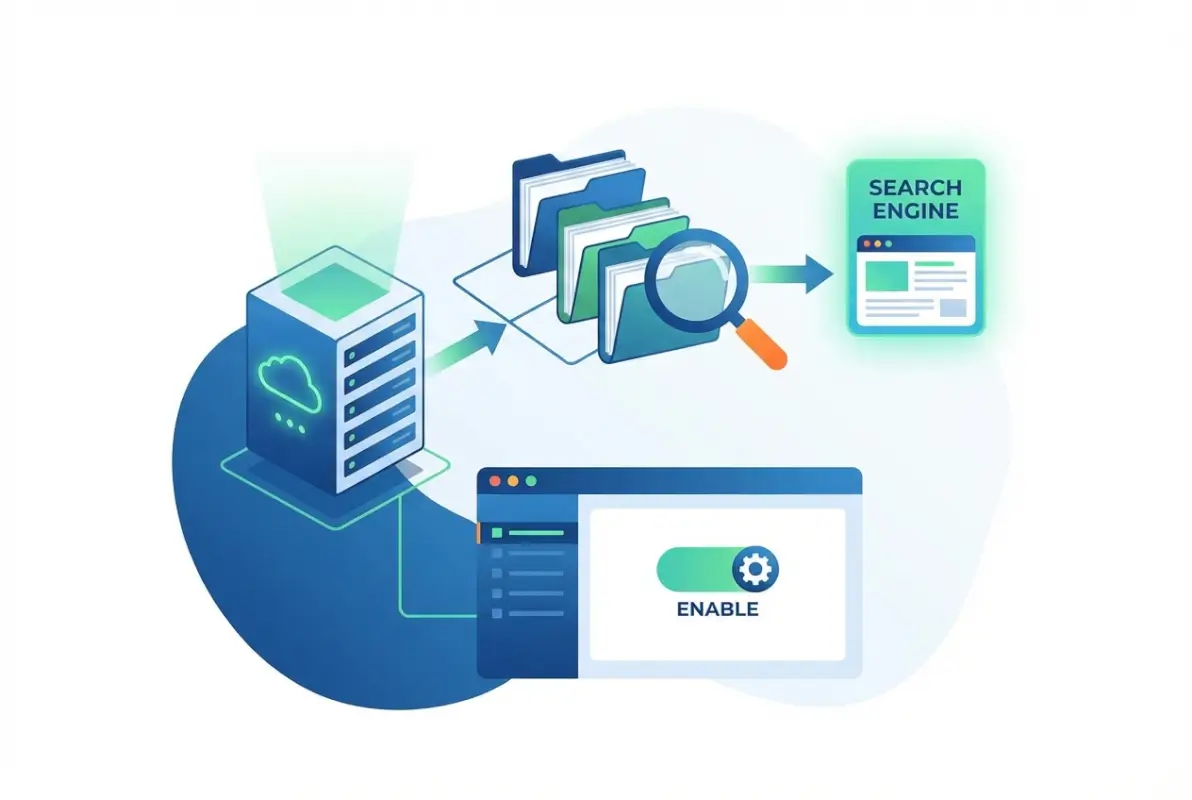
Directory indexing becomes a problem when the only “content” on a directory URL is an auto-generated list of files. Search engines may index it anyway, but users who land on that page get a confusing experience—no branding, no navigation, just a bare file browser. Worse, if the directory contains sensitive files (backups, logs, config files), you’ve just exposed them to the world. That’s why understanding the distinction between content-rich directory pages and non-content directory listings is the first step in controlling how directories are indexed.
Content vs. Non-Content Directory Pages
A content directory page has a real HTML document (like index.html) that provides context, navigation, and value to users. A non-content directory listing is just the server’s file manager view—useful for admins, not for visitors. Search engines can index either, but only the former should be indexed in most cases. If you want a directory URL to rank and serve users well, always place an explicit index file there. If you don’t want the directory indexed at all, disable directory listings at the server level (more on that in a moment).
URL Canonicalization and Trailing Slash Considerations
Here’s a subtle gotcha: example.com/products (no trailing slash) and example.com/products/ (with trailing slash) can be treated as different URLs by search engines. Some servers redirect one to the other automatically, but not all do. If both versions exist and serve slightly different content (or the same content without a canonical tag), you risk duplicate content issues. Best practice is to pick one canonical form (typically with the trailing slash for directories) and 301-redirect the other, or use a <link rel="canonical"> tag pointing to your preferred version. This small detail prevents wasted crawl budget and indexing confusion.
How Bots Decide to Index or Ignore a Directory Listing
Crawlers follow links and sitemaps to discover URLs, then apply a set of rules to decide whether to index them. Factors include: Is the URL blocked by robots.txt? Does it return a 200 status or a 404? Is there meaningful content (text, headings, metadata)? Is the page linked internally or externally? If a directory URL has no inbound links and returns a sparse file listing, bots may crawl it but rank it poorly or exclude it from the index entirely. Conversely, if you link to the directory from your navigation and provide a well-structured index page, it’s much more likely to be indexed and ranked. Understanding these signals helps you steer crawler behavior deliberately, rather than leaving it to chance.
The Role of Internal Linking and Site Structure in Directory Indexing
Search engines rely heavily on internal links to discover content and understand its importance. If a directory page is orphaned—meaning no other page on your site links to it—it’s far less likely to be crawled or indexed, even if it’s technically accessible. Conversely, if your main navigation or sitemap links directly to /products/, you’re signaling that this directory matters. This is a powerful lever: by controlling your internal link structure, you can essentially tell crawlers “index this directory page” or “ignore this one” without touching server configs or robots.txt.
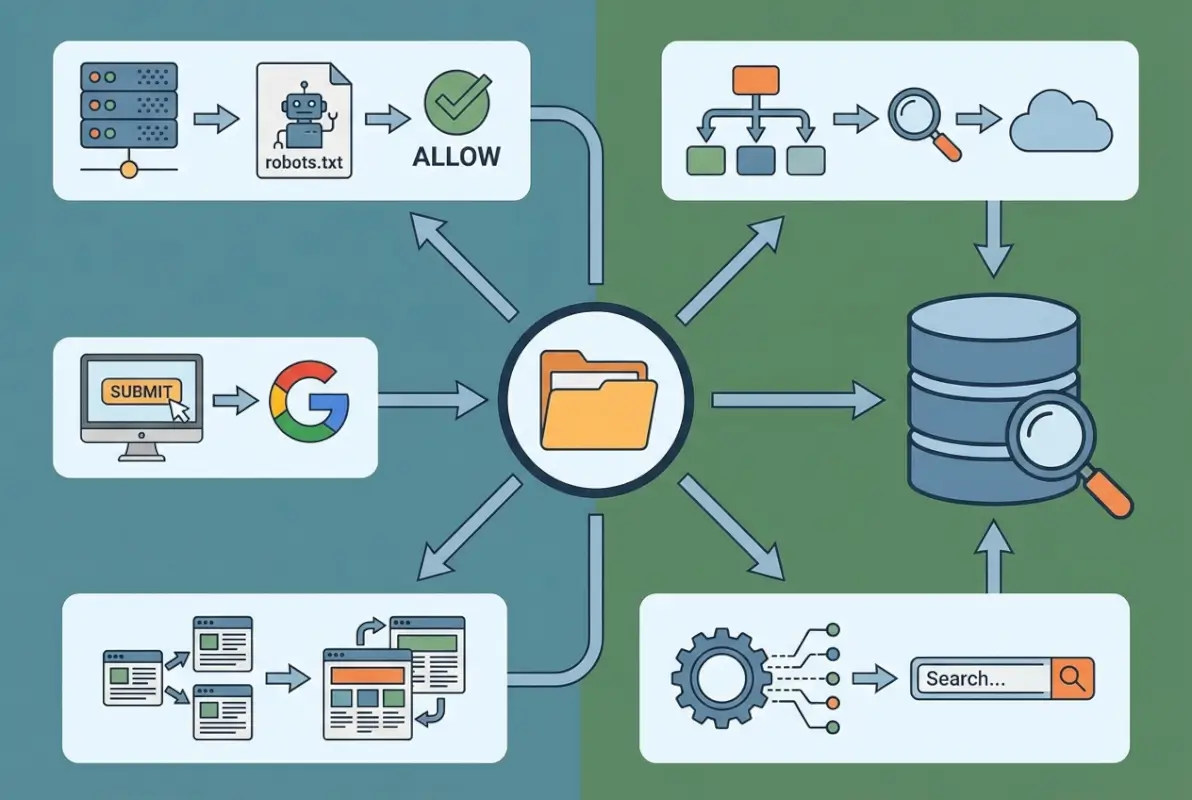
Link signals also affect crawl efficiency. Google and Bing allocate a crawl budget to each site—the number of pages they’ll fetch in a given period. If your internal links point to valuable directory pages with real content, crawlers spend their budget wisely. If links lead to empty directories or file listings, you’re wasting crawl budget on low-value URLs. Thoughtful internal linking ensures bots find and index your best pages first, improving your overall increase google business listing visibility local seo tips and ranking potential.
Link Signals and Crawl Efficiency
Every internal link is a vote of confidence. When you link to a directory URL from a high-authority page (like your homepage), you’re telling search engines it’s important. When that directory page itself links to deeper content (individual product pages, articles, etc.), you create a clear hierarchy that helps crawlers understand your site structure. This cascading link equity flows down, ensuring even deep pages get discovered and indexed. On the flip side, if a directory page is linked but offers no onward links (just a file listing), it becomes a dead end—crawlers may stop there and never find the content within.
How a Directory Page Can Lead (or Fail to Lead) to Deeper Content
A well-designed directory page acts as a hub: it lists or links to all the individual resources within that directory. For example, /blog/ might display excerpts and links to recent posts, guiding crawlers to each article. If you instead let the server show a raw directory listing (filename.html, filename2.html, etc.), crawlers might follow those links, but the user experience is terrible and the page itself has no semantic value. Worse, if you’ve disabled directory listings entirely with no index page, crawlers hit a 403 Forbidden and can’t reach the content at all. The lesson: always provide a navigable index page if you want the directory and its contents to be indexed.
Sitemaps and Explicit Indexing Signals
XML sitemaps are one of the most direct ways to tell search engines “here are the URLs I want you to index.” Rather than relying on crawlers to discover directories through links, you can list each important directory URL in your sitemap and submit it via Google Search Console or Bing Webmaster Tools. This is especially useful for large sites, new content, or isolated pages that aren’t well-linked. When you include https://example.com/resources/ in your sitemap, you’re explicitly asking bots to crawl and consider that URL for indexing, even if it’s not heavily linked elsewhere on your site.
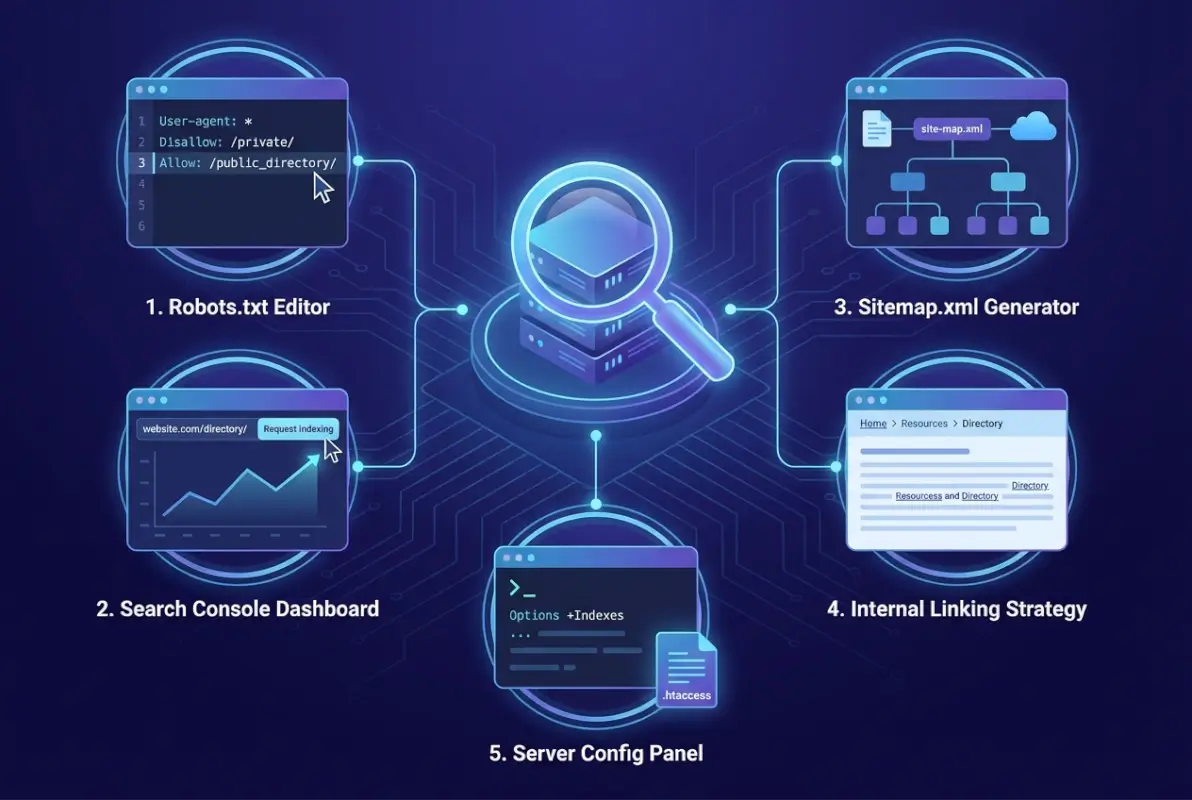
The sitemap protocol (defined at sitemaps.org) supports metadata like last-modified dates and priority hints, helping crawlers prioritize fresh content. For directories, you might set a lower priority if the directory page itself is just a gateway, or a higher priority if it’s a key landing page. Either way, sitemaps complement (but don’t replace) good internal linking. Together, they form a robust discovery strategy that ensures your most valuable directory pages get indexed, while less important ones can be omitted from the sitemap and left to natural crawl discovery—or blocked entirely.
The Sitemap Protocol and How It Helps Discover Directory-Bound URLs
Sitemaps are essentially roadmaps for search engines. Each <url> entry tells the crawler “this page exists and here’s when it was last updated.” For directory URLs, this means you can guide bots to /products/, /services/, or /archive/2023/ without waiting for them to stumble upon these paths via links. This is particularly valuable when you’ve just reorganized your site or launched new sections—sitemaps speed up discovery. They also help with improve directory listing seo best practices, since you’re proactively signaling which directories matter most.
Submitting Sitemaps vs. Relying on Crawler Discovery
Relying solely on crawler discovery (following links) works fine for well-interlinked sites, but it’s slow and unpredictable. If a directory page is buried three clicks deep and rarely updated, it might be weeks before a bot finds it. Submitting a sitemap, by contrast, puts every listed URL on the crawler’s radar immediately. That said, submitting a sitemap doesn’t guarantee indexing—Google and Bing will still evaluate each URL’s quality and relevance. But it does guarantee discovery, which is half the battle. For best results, combine both: strong internal linking for user navigation and crawler guidance, plus a sitemap for comprehensive coverage and faster updates.
| Discovery Method | Speed | Completeness | Best For |
|---|---|---|---|
| Internal Links Only | Slow | Depends on link density | Small, well-structured sites |
| XML Sitemap | Fast | As complete as you make it | Large sites, new content, orphaned pages |
| Both Combined | Fastest | Comprehensive | All sites (best practice) |
How Robots.txt and Directory Indexing Interact
The robots.txt file is your first line of defense (or invitation) for crawlers. By adding directives like Disallow: /private/, you can block bots from crawling entire directories, effectively preventing them from discovering or indexing anything within. This is useful for admin areas, staging environments, or directories containing sensitive files. However, robots.txt is a request, not a mandate—malicious bots may ignore it, and even well-behaved bots will still index URLs if they find external links pointing to them. So robots.txt is best used in combination with server-level access controls (HTTP authentication, IP whitelisting) for truly sensitive content.
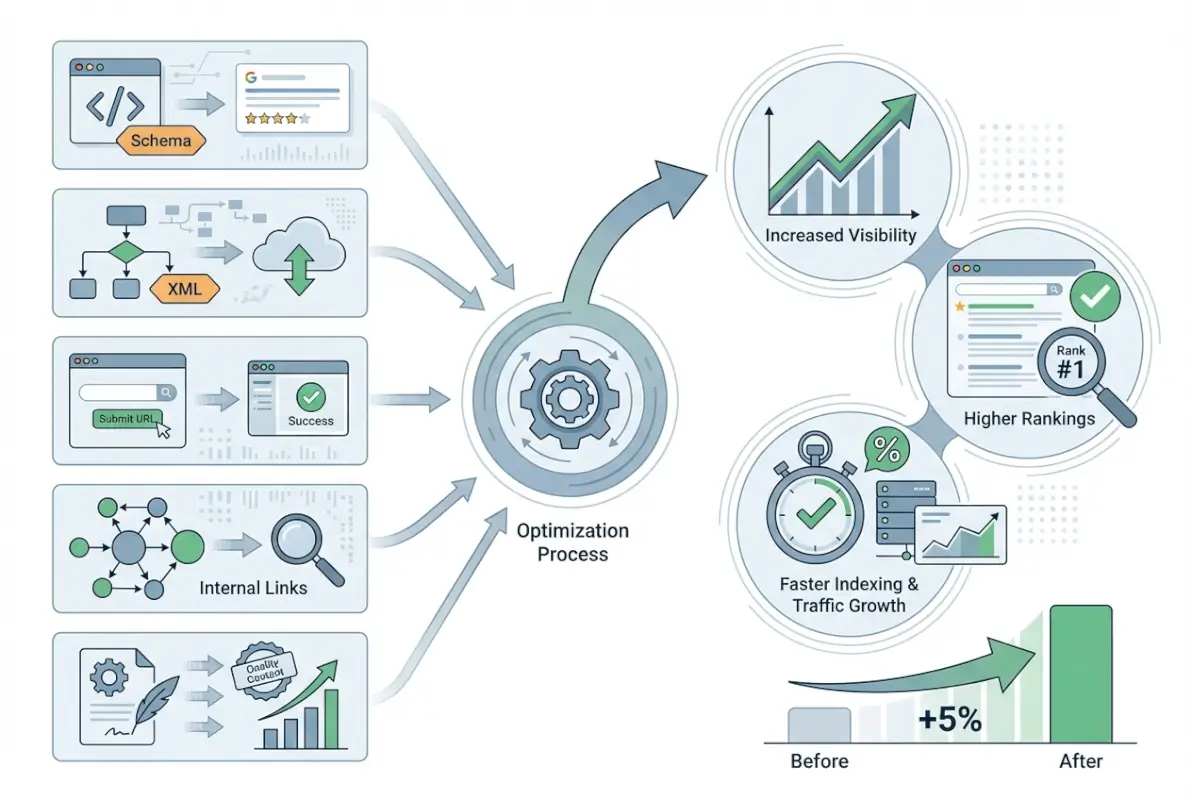
On the flip side, you can use robots.txt to allow crawling but discourage indexing with meta tags. For example, you might allow /archive/ to be crawled (so bots can follow links to individual posts), but add <meta name="robots" content="noindex"> to the directory’s index page to keep it out of search results. This nuanced approach lets you control what appears in the index without completely hiding content from crawlers—useful when you want internal pages indexed but not the directory listing itself. Just remember, robots.txt and meta robots tags work together; neither is a substitute for proper server configuration or access control when security is at stake.
When to Block or Allow Directory Access
Block directories that contain private, sensitive, or duplicate content—admin panels, user-uploaded files, backup directories, or test environments. Allow directories that contain public content you want indexed, like /blog/, /products/, or /resources/. If you’re unsure, err on the side of allowing (so you don’t accidentally hide valuable content), but make sure you’ve disabled directory listings and provided proper index pages. For directories that are purely functional (e.g., /assets/ or /includes/), it’s often best to block them in robots.txt and restrict server-level access, since there’s no SEO benefit to indexing CSS or JavaScript files.
Common Pitfalls with Directory-Level Directives
One common mistake is blocking a directory in robots.txt while still linking to pages within it from your main site. This creates orphaned pages: crawlers can’t reach them via normal crawl, but they might still get indexed from external links or sitemaps, appearing in search results with no description. Another pitfall is forgetting that robots.txt rules are public—anyone can read your robots.txt file and learn which directories you’re hiding, which might pique curiosity or reveal site structure. Finally, overly broad Disallow rules can accidentally block content you want indexed. Always test your robots.txt with Search Console’s robots.txt tester before deploying changes.
Practical Implications for Security and Data Exposure
Exposed directory listings aren’t just an SEO nuisance, they’re a security risk. When a directory listing is enabled, anyone (including bots and bad actors) can browse your server’s file structure, potentially finding backups, database dumps, configuration files, or credentials stored in plain text. This is a common vector for site compromises—attackers look for .sql files, .bak files, or .env files in publicly accessible directories and exploit them. Even if your content itself is harmless, revealing your directory structure can help attackers map your site and identify vulnerable plugins or outdated software.

The good news is that securing your directories is straightforward: disable directory indexing at the server level (we’ll cover exactly how in the next section), remove or protect sensitive files, and regularly audit your site for accidental exposure. Tools like OWASP ZAP or simple manual checks (try accessing yoursite.com/wp-content/uploads/ and see if you get a file listing) can reveal vulnerabilities. For most sites, the rule of thumb is simple: if a directory contains anything other than public media files or explicitly published content, it should not allow directory indexing, and ideally should be protected by access controls or moved outside the web root entirely.
Risks of Exposed Directory Listings (Data Exposure, Misconfigurations)
An exposed directory listing can leak sensitive information: file names that reveal business logic (e.g., customer-export-2024.csv), backup files (database-backup.sql), or configuration files (config.php.bak). Attackers script tools to scan thousands of sites for these patterns. Once they find a vulnerable directory, they download everything and sift for credentials, API keys, or exploitable code. Beyond direct data theft, exposed listings reveal your technology stack (file extensions tell them you’re using PHP, Python, etc.), which helps attackers tailor their exploits. Even if you think “there’s nothing sensitive here,” you’re giving away information that reduces your security by obscurity.
How to Reduce Risk While Preserving Needed Discoverability
The goal is to let search engines index your legitimate content pages while hiding the scaffolding. Here’s how: disable directory listings on your server (next section), serve explicit index.html files for directories you want indexed, and use robots.txt to block administrative or system directories. For public-facing directories like /downloads/ or /gallery/, create a proper landing page with thumbnails or descriptions, rather than relying on the raw file listing. This way, users and search engines see a polished, navigable page, and attackers see no file structure to exploit. Regular security audits and log monitoring (watch for 404s or unusual access patterns in your server logs) help catch accidental exposure early, before it becomes a breach.
Method 1 — Serve a Proper index.html (or index.*) in Each Directory
The simplest and most SEO-friendly way to control directory indexing is to place an explicit index file—typically index.html, index.php, or index.htm—in every directory you want to be indexed. When a crawler (or user) requests example.com/products/, the server automatically serves /products/index.html instead of generating a directory listing. This gives you full control over the content, metadata, and user experience for that URL. You can write a proper title, description, and heading, add internal links to products within the directory, and optimize the page for SEO just like any other page on your site.
This method is universal across server types—Apache, Nginx, IIS, and most hosting platforms default to serving index files if they exist. It’s also user-friendly: visitors landing on /products/ see a professional, branded page instead of a confusing file listing. From a security standpoint, serving an index file means the raw directory contents are never exposed, even if directory indexing is enabled on the server. However, you do need to maintain these index files, which can be tedious for sites with many directories. Automation (scripting or CMS plugins) can help, but this method works best when you have a manageable number of directories you actively want indexed. If you’re integrating this with your content management workflow, understanding how to include plugin wordpress step by step guide can help streamline the process.
Why an Explicit Index File Replaces Directory Listings
Web servers follow a precedence rule: if a directory is requested, the server first checks for an index file (index.html, index.php, etc.) and serves it if found. If no index file exists, the server then checks its directory indexing setting—if enabled, it generates a listing; if disabled, it returns a 403 Forbidden. By always providing an index file, you short-circuit this decision: the server never needs to generate a listing because it has a real page to serve. This is the most elegant solution because it requires no server configuration changes—just drop an index.html file into each directory and you’re done.
How to Implement Across Different Server Stacks (Apache, Nginx, etc.)
On Apache, the default DirectoryIndex directive is index.html index.php, meaning Apache will look for those files first. You don’t need to change anything—just create the files. On Nginx, the default index directive works the same way. For IIS, Default.aspx or index.html are typical defaults. If you’re using a CMS like WordPress, you already have index.php files in key directories, so this is partly handled. For custom directories (e.g., /downloads/), manually create an index.html with a list or description of files, or generate it dynamically via a script. If you need consistency across many directories, consider a server-side include or template that auto-populates index pages based on directory contents.
Pros/Cons for SEO and User Experience
Pros: Full control over content and SEO metadata; professional user experience; no server config changes needed; works everywhere. Cons: Maintenance overhead if you have hundreds of directories; risk of outdated index pages if files change frequently; requires discipline to create index files for every new directory. For most sites, the pros far outweigh the cons, especially since you only need index files for directories you actually want indexed. For directories that are purely internal (assets, includes), you can skip the index file and disable directory listing at the server level instead (Method 3).
Method 2 — Use Robots.txt to Gate Directory Access Where Appropriate
Robots.txt is a powerful tool for telling search engines which directories they should or shouldn’t crawl. By adding a Disallow directive for specific paths, you can prevent bots from ever visiting those directories, effectively keeping them out of the index. This is ideal for admin areas, private content, or directories with no SEO value. For example, adding Disallow: /admin/ to your robots.txt tells Google, Bing, and other compliant bots to stay out of the /admin/ directory entirely. No crawling means no indexing (assuming there are no external links pointing to those pages, which would bypass robots.txt).
However, robots.txt is not a security tool—it’s a courtesy protocol. Malicious bots and scrapers can ignore it. If a directory contains truly sensitive data, don’t rely on robots.txt alone; use server-level authentication or IP restrictions. For most SEO and indexing purposes, though, robots.txt works well. You can also use it to allow crawling while discouraging indexing: leave the directory accessible in robots.txt, but add a <meta name="robots" content="noindex,follow"> tag to the directory’s index page. This lets bots follow links to deeper content without indexing the directory listing itself—a nuanced control that’s often overlooked. If you’re also working on related visibility strategies, consider exploring increase views airbnb listing optimization strategies for complementary techniques.
Rules That Affect Directory-Level Crawling
In robots.txt, Disallow: /path/ (with a trailing slash) blocks the directory and everything beneath it. Disallow: /path (no trailing slash) blocks URLs starting with /path, which could include /path.html or /path-to-something else—be careful with your syntax. You can also use wildcards in some implementations: Disallow: /*.pdf$ would block all PDFs site-wide, for instance. For directory-level control, always include the trailing slash to be clear. And remember: robots.txt is read top-to-bottom; if you have conflicting Allow and Disallow rules, the most specific one wins. Test changes with Google Search Console’s robots.txt tester to catch mistakes before they impact your crawl budget.
When to Allow Crawling But Not Indexing, and When to Block Entirely
Allow crawling but prevent indexing when a directory page has no value on its own, but links to valuable pages within. For example, /archive/ might list dozens of old blog posts—you want bots to follow those links and index the posts, but the directory page itself is just navigation. Add noindex,follow to its meta robots tag. Block entirely when a directory contains admin tools, private uploads, or duplicate/test content—no reason for bots to waste time there. A good rule of thumb: if you wouldn’t want users landing on the page from search, block or noindex it. If you want users to find it but it’s not worth indexing, noindex+follow. If you want it indexed, ensure it has an index.html with real content.
| Scenario | Robots.txt | Meta Robots | Outcome |
|---|---|---|---|
| Public directory with content | Allow | index,follow | Crawled and indexed |