Free vs Paid Business Listings: Which Strategy Works Best for Local SEO in 2026?
Generating summary...
Most local businesses waste time debating whether to invest in paid business listings when they haven’t even optimized their free ones. Here’s what rarely gets discussed: the competitive advantage of free business listings doesn’t come from the listing itself—it comes from how you use it. While your competitors are either ignoring their Google Business Profile entirely or throwing money at paid placements without a strategy, you can dominate local search by mastering the free tools already at your disposal.
After working with hundreds of local businesses, I’ve noticed a pattern. The ones crushing it in local search aren’t necessarily spending the most on ads. They’re the ones who understand that free business listings serve as the foundation for everything else in local SEO. When someone searches “coffee shop near me” at 7 AM, Google doesn’t care whether you paid for your listing—it cares about completeness, engagement, and relevance.
- Free listings level the playing field – Small businesses can outrank larger competitors in local search through optimization, not budget size
- Completeness drives visibility – Profiles with 100% complete information receive 2.7x more views than incomplete ones
- Engagement matters more than placement – A well-maintained free listing with regular updates and reviews outperforms a bare-bones paid listing
- NAP consistency is non-negotiable – Matching business information across all directories signals legitimacy to search engines
- Paid listings amplify, don’t replace – The best strategy combines optimized free listings as your foundation with strategic paid placements for high-intent searches
The True Value of Free Business Listings in Local SEO
Free business listings represent the most underutilized asset in local marketing. According to BrightLocal’s 2025 Local SEO Statistics, 87% of consumers read online reviews for local businesses, yet nearly 40% of small businesses haven’t claimed their Google Business Profile. This gap creates an opportunity that smart business owners exploit while their competitors remain invisible.
The fundamental misunderstanding about free listings centers on the word “free.” Business owners assume that because something costs zero dollars, it delivers zero value. The reality? A fully optimized Google Business Profile can generate more qualified leads than a $2,000/month Google Ads budget, especially for service-area businesses where local intent drives conversions.
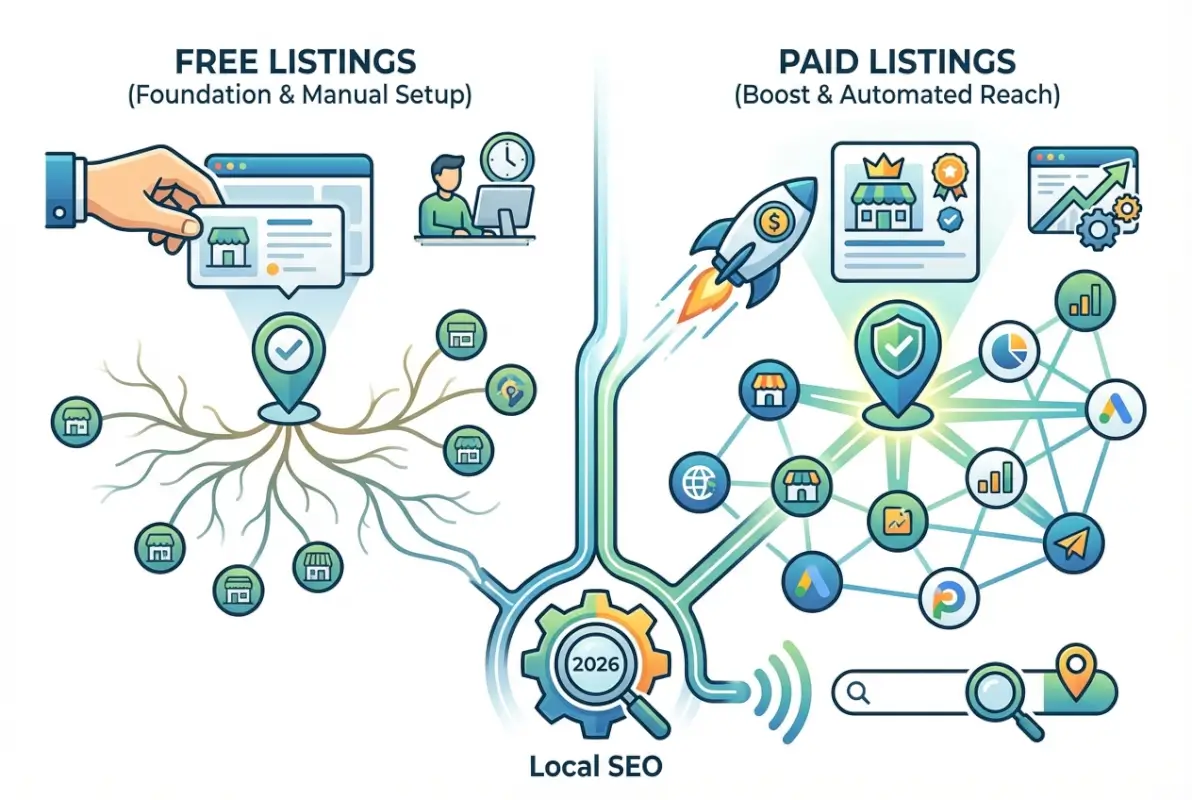
Reach and Discoverability Across Maps and Search Results
When potential customers perform local searches, they encounter three distinct touchpoints where your free listing appears: the local map pack (those three businesses pinned at the top), the knowledge panel (the information box on the right side), and organic search results with enhanced local features. Each touchpoint serves a different stage of the customer journey, and a properly configured free listing ensures you’re visible at all three.
The map pack dominates mobile search results, often occupying 60-70% of the visible screen before users scroll. According to research from SEO Sandwich’s analysis of Google local SEO behavior, 44% of all Google searches have local intent, and appearing in that map pack delivers a click-through rate 3x higher than traditional organic results below it.
What determines map pack placement? Three primary factors work together: relevance (how well your listing matches the search query), distance (proximity to the searcher), and prominence (your overall online reputation through reviews, links, and citations). Free listings allow you to control relevance and prominence directly—distance is the only factor outside your control.
Cost Efficiency and ROI Compared to Paid Placements
Let’s run the numbers. A typical local service business might spend $1,500-$5,000 monthly on Google Local Services Ads or pay-per-click campaigns. Those ads disappear the moment funding stops. Meanwhile, a properly maintained free Google Business Profile continues working indefinitely, generating calls, direction requests, and website visits without ongoing expenditure.
I worked with a plumbing company that was spending $3,200 per month on Google Ads with mediocre results. After we optimized their free Google Business Profile—adding service descriptions, regular posts, responding to all reviews, and uploading project photos weekly—their organic local visibility increased 340% over six months. They still run ads, but at a reduced budget of $800 monthly because the free listing now handles the heavy lifting for brand searches and local discovery.
The return on investment for free listings compounds over time. Each review you earn, each photo you upload, each question you answer builds authority that improves your visibility permanently. Paid ads deliver immediate results but zero lasting value. This doesn’t mean paid listings lack merit—it means the smart strategy uses free listings as your foundation and paid placements for specific tactical goals like promoting limited-time offers or capturing ultra-competitive keywords.
How Free Listings Drive Real Local Traffic
Visibility means nothing without engagement. The businesses winning at local search understand that free listings aren’t digital billboards—they’re interactive storefronts that operate 24/7. Every element of your listing either encourages action or creates friction, and the difference shows up directly in your call volume, foot traffic, and revenue.
The data reveals exactly which listing elements drive conversions. According to SEOCaddy’s Small Business SEO Impact Report 2025, businesses with optimized Google Business Profiles see a 35% increase in website visits compared to businesses with basic, unclaimed listings. But the real insight comes from breaking down which specific optimizations drive that lift.

Listing Visibility, Clicks, and Engagement Metrics
Your Google Business Profile dashboard reveals three critical metrics: how many people saw your listing (impressions), how many clicked for more information (clicks), and what actions they took (calls, direction requests, website visits). These metrics tell you whether your listing is merely visible or actually converting.
Here’s what healthy engagement looks like for a well-optimized local business: a 20-30% click-through rate from impressions to profile views, 15-25% of profile viewers taking an action (call, directions, website), and a 60%+ ratio of discovery searches (people finding you without searching your name) to direct searches. If your numbers fall below these benchmarks, your listing needs optimization work.
| Profile Completeness | Avg. Monthly Views | Actions Taken | Conversion Rate |
|---|---|---|---|
| 0-50% Complete | 120 views | 18 actions | 15% |
| 51-80% Complete | 285 views | 68 actions | 24% |
| 81-100% Complete | 430 views | 138 actions | 32% |
The gap between mediocre and excellent performance often comes down to small details. Adding your business hours (including special holiday hours) might seem trivial, but it directly impacts whether someone visits your location or calls. Listing your service areas tells Google exactly when to show your profile. Selecting accurate business categories determines which searches trigger your appearance.
Influence of Photos, Updates, and Reviews on CTR and Inquiries
Visual content creates emotional connection before potential customers ever contact you. Businesses with 10+ photos on their Google Business Profile receive 42% more direction requests and 35% more website clicks than businesses with fewer than three photos. But photo quantity alone doesn’t drive results—variety and recency matter more.
The most effective photo strategy includes exterior shots that help customers identify your storefront, interior images showing your space and atmosphere, team photos that add human connection and trust, product or service photos demonstrating your work quality, and behind-the-scenes content that differentiates you from competitors. Upload new photos at least monthly to signal activity and freshness to both Google and potential customers.
Google Posts function as mini-announcements directly on your business profile. They appear prominently when users view your listing and disappear after seven days, creating urgency and highlighting time-sensitive information. Use posts to promote limited-time offers or sales, announce new products or services, share company news or achievements, and highlight upcoming events or special hours. Businesses that post weekly see 2.3x higher engagement rates than those that post monthly or not at all.
Reviews deserve their own discussion because they impact both visibility and conversion simultaneously. Google’s algorithm treats reviews as trust signals—more reviews (especially recent ones) improve your ranking in local search results. But reviews also influence human decision-making. Research shows that 93% of consumers say online reviews impact their purchasing decisions, and the average consumer reads 10 reviews before feeling able to trust a business.
Competitive Landscape: Free vs Paid Listings in 2026
The conversation about free versus paid business listings creates a false dichotomy. The real question isn’t which one to choose—it’s understanding when each delivers the best return. After analyzing hundreds of local businesses across different industries, I’ve found that success comes from strategic layering, not choosing sides.
Here’s what most small business owners miss: your competitors aren’t just other businesses in your category. You’re also competing against directories, review sites, and third-party platforms for visibility in local search results. When someone searches “best Italian restaurant near me,” they might click your Google Business Profile, your competitor’s profile, a Yelp search result, or a “top 10 restaurants” article. Free listings help you control more of that real estate.
[KBIMAGE_3]What Competing Articles Show About Free Listing Benefits
Most content about business listings falls into two camps: generic “claim your free listing” advice that provides no depth, or technical SEO guides that overwhelm small business owners with complexity. The gap between these extremes leaves business owners confused about practical implementation.
The top-performing businesses I’ve worked with share a common approach: they treat their free Google Business Profile as their primary local marketing asset, not an afterthought. This means dedicating 2-3 hours monthly to maintenance, monitoring, and optimization. They track their listing metrics as closely as website analytics, understanding that profile views and actions taken are leading indicators of revenue.
One overlooked advantage of free listings: they appear in more places than just Google Search. Your Google Business Profile information feeds into Google Maps (the most-used navigation app globally), appears in knowledge panels for branded searches, shows up in Google’s local finder tool, and gets syndicated to various third-party platforms and apps. A single, well-optimized free listing creates visibility across multiple touchpoints without additional work.
When Paid Listings Outperform Free Ones (and Why Readers Should Care)
Paid listings make strategic sense in specific scenarios. If you’re launching a new business with zero online presence, paid placements can jumpstart visibility while you build organic authority. If you operate in an ultra-competitive market where the top three map pack positions are locked down by established players, paid ads give you a fighting chance at visibility. If you’re running a time-sensitive promotion or event, paid listings ensure immediate exposure.
Google Local Services Ads represent the most effective paid option for many local businesses. These appear above both organic results and traditional Google Ads, displaying a “Google Guaranteed” or “Google Screened” badge that builds instant trust. According to AP News reporting on Google’s verification requirements, these ads now require full business verification, which actually increases their credibility and click-through rates.
| Listing Type | Best For | Monthly Investment | Longevity |
|---|---|---|---|
| Free Google Business Profile | Brand searches, local discovery, ongoing visibility | $0 (time only) | Permanent |
| Google Local Services Ads | High-intent service searches, competitive markets | $300-$3,000+ | Active during funding only |
| Google Ads (Search) | Specific keywords, immediate visibility | $500-$5,000+ | Active during funding only |
| Yelp Ads | Restaurants, home services, retail with strong reviews | $300-$1,000+ | Active during funding only |
The strategic approach combines both. Optimize your free listings to capture all the visibility available at zero cost, then layer in paid placements for specific tactical goals—not as a replacement for free listings but as an amplifier. A landscaping company might run Google Local Services Ads during peak spring season while maintaining their optimized free profile year-round. A restaurant might use Yelp ads to boost visibility for weekend reservations while ensuring their free Yelp and Google profiles are complete and actively managed.
Best Practices to Maximize Free Listings Today
Optimization isn’t a one-time task—it’s an ongoing discipline that separates businesses dominating local search from those barely appearing. The businesses I’ve seen achieve the best results follow systematic processes that ensure consistency and completeness across all elements of their free listings.
The biggest mistake? Creating a listing and abandoning it. Google tracks engagement signals including how often you update your profile, how quickly you respond to reviews, and whether you maintain accurate information. Stale listings decline in visibility over time while actively managed profiles gain authority and prominence.
[KBIMAGE_4]Profile Completeness, Accuracy, and Consistency (NAP, Categories, Hours)
Your NAP (Name, Address, Phone number) must match exactly across every platform where your business appears. Not “approximately” match—exactly match, character for character. This includes whether you abbreviate “Street” as “St.” or spell it out, whether you use periods in your phone number formatting, and even spacing.
Why such precision? Search engines use NAP consistency as a trust signal. When they find your business name, address, and phone number listed identically across Google, Yelp, Facebook, industry directories, and other platforms, they gain confidence that all these citations refer to the same legitimate business. Inconsistencies create doubt—is this the same business, or different locations? Search engines respond to doubt by reducing your visibility.
Business categories determine which searches trigger your listing. Google allows one primary category and multiple secondary categories. Choose your primary category based on your core business function, not aspiration. A business that does 80% plumbing and 20% HVAC should select “Plumber” as primary and “HVAC Contractor” as secondary, not the reverse (even if HVAC is more profitable).
Business hours require obsessive accuracy. Nothing frustrates potential customers more than arriving during hours your listing claims you’re open, only to find you’re closed. Set special hours for holidays at least two weeks in advance. If your hours change seasonally, update them at the start of each season. According to BrightLocal’s verification and optimization guide, businesses with inaccurate hours receive 2.3x more negative reviews than those with accurate information.
Ongoing Optimization: Posts, Photos, Q&A, and Review Management
Think of Google Posts as micro-blog updates directly on your business profile. They appear prominently when users view your listing and remain visible for seven days before expiring. This creates built-in urgency and ensures your profile always looks active and current—as long as you post consistently.
What to post: special offers or limited-time promotions, new product or service announcements, upcoming events your business is hosting or attending, seasonal tips or advice related to your industry, and company news or achievements worth highlighting. Each post should include a call-to-action button (Learn More, Sign Up, Call Now, etc.) and an eye-catching photo.
Photo strategy matters more than volume. One restaurant owner told me they uploaded 50 photos in a single day thinking more was better, then wondered why they saw minimal impact. The reality is that regular photo additions signal ongoing activity better than bulk uploads. Upload 3-5 photos weekly showing different aspects of your business—this steady cadence tells Google and customers that your business is active and worth featuring.
The Q&A section on Google Business Profile is completely overlooked by most businesses, yet it appears prominently in listings and gets indexed for search. Anyone can ask or answer questions on your profile, including competitors or unhappy customers. Take control by proactively adding and answering your own frequently asked questions.
Common questions to pre-answer: Do you offer [specific service]? What forms of payment do you accept? Do you have parking available? Are you wheelchair accessible? What’s your typical turnaround time? Do you offer emergency services? By answering these yourself, you ensure accurate information appears and you incorporate relevant keywords naturally.
Review management requires both strategy and discipline. Response rate and response time both influence your visibility and conversion rates. Responding to 100% of reviews signals to Google that you’re engaged with customers. Responding within 24 hours signals to potential customers that you value feedback and address concerns promptly.
When responding to positive reviews, thank the customer by name, mention something specific from their review, reinforce what they praised, and invite them back. When responding to negative reviews, apologize genuinely, take the conversation offline by providing direct contact information, and outline steps you’re taking to address their concern. Never argue or make excuses publicly—it makes you look defensive to everyone reading.
Measuring Success: What to Track and How to Report It
Optimization without measurement is just guessing. The businesses that consistently improve their local search performance track specific metrics, identify patterns, and adjust their strategies based on data—not hunches. Your Google Business Profile includes a built-in analytics dashboard (the Insights tab) that reveals exactly how customers find and interact with your listing.
Too many business owners either ignore these metrics completely or obsess over vanity numbers that don’t correlate with revenue. The key is identifying which metrics serve as leading indicators for the outcomes you actually care about: more phone calls, more customers walking through your door, more website traffic.
[KBIMAGE_5]Impressions, Clicks, and Action Rates from GBP and Local Search
Your Insights dashboard shows two types of impressions: direct searches (people who searched for your business name or address) and discovery searches (people who searched for a category, product, or service you offer). The ratio between these reveals whether you’re simply maintaining visibility among existing customers or actually attracting new prospects.
Healthy ratios vary by business type, but generally, you want discovery searches to represent at least 40% of total impressions. If discovery searches make up less than 25% of your impressions, your listing isn’t optimized properly for category searches—you’re only appearing when people already know your name, which means you’re missing the majority of potential new customers.
Click-through rate from impressions to profile views indicates how compelling your listing appears in search results. Your business name, primary photo, star rating, and review count all influence whether someone clicks to see more. A CTR below 15% suggests your listing isn’t standing out—consider updating your primary photo, improving your star rating through better service, or ensuring your business name is descriptive enough that searchers understand what you offer.
| Metric | What It Measures | Healthy Benchmark | How to Improve |
|---|---|---|---|
| Total Impressions | How often listing appears in search/maps | Growing month-over-month | Add more categories, post regularly, earn reviews |
| Discovery vs Direct | New customer reach vs existing awareness | 40%+ discovery searches | Optimize categories, add service keywords |
| Profile Views | How many click to see full profile | 20-30% of impressions | Improve primary photo, boost star rating |
| Actions Taken | Calls, directions, website visits | 15-25% of profile views | Complete all info, add clear CTAs |
Actions represent the conversion point where interest becomes tangible behavior. The three primary actions Google tracks are phone calls, direction requests, and website visits. Each action type reveals different customer intent—calls suggest high purchase intent, direction requests indicate imminent visits, and website visits signal research mode where customers want more information before committing.
Traffic and Conversions from Listing Referrals (Phone Calls, Directions, Website Visits)
Phone call tracking separates serious businesses from amateurs. If you’re not tracking which marketing channels generate phone calls, you’re operating blind. Enable call tracking through your listing by using a dedicated phone number that routes to your main line but allows you to attribute calls specifically to your Google Business Profile.
Direction requests indicate intent to visit your physical location. Track this metric alongside actual foot traffic to understand the conversion rate from direction request to in-person visit. If you see high direction requests but low actual traffic, the problem might be inadequate parking, confusing signage, or an exterior that doesn’t match customer expectations from your photos.
Website visits from your listing deserve special attention in your analytics platform. Set up UTM parameters in your Google Business Profile website URL to track this traffic specifically in Google Analytics. This allows you to compare the behavior and conversion rate of visitors from your listing versus other sources. In my experience, traffic from Google Business Profiles often converts 40-60% better than general organic search traffic because the visitors are further along in their customer journey.
Create a simple monthly scorecard that tracks the five critical metrics: total impressions (search visibility), discovery search percentage (new customer reach), profile views (listing appeal), total actions (engagement), and action conversion rate (how well your profile converts). Plot these month-over-month to identify trends. If you’re optimizing consistently, you should see steady improvement over 3-6 months.
Do free business listings actually boost local search rankings?
Yes, free business listings directly impact local search rankings by creating citations (NAP mentions) that signal legitimacy to search engines. Complete, optimized profiles with regular engagement earn higher placement in map packs and local search results than incomplete or neglected listings. The effect compounds as you earn reviews and maintain consistency across multiple directories.
How many photos, updates, and reviews are needed to see an impact?
Aim for at least 10 diverse photos, weekly Google Posts, and a minimum of 10-15 reviews to establish credibility. However, consistency matters more than initial volume—3 new photos weekly and one post every seven days will outperform a one-time bulk upload. For reviews, steady acquisition (2-3 per month) signals ongoing customer satisfaction better than 20 reviews from two years ago.
Are paid listings necessary if I already have a free listing?
Paid listings aren’t necessary for most businesses but can accelerate results in specific scenarios: new businesses building initial visibility, ultra-competitive markets where organic ranking takes months, or time-sensitive promotions requiring immediate exposure. Optimize your free listing first—paid ads amplify an already-strong presence but can’t compensate for a weak foundation.
How often should I update my free listing to maintain visibility?
Implement a weekly maintenance routine: add 3-5 new photos, publish one Google Post, respond to any new reviews, and check Q&A for new questions. Monthly tasks include verifying all information accuracy and reviewing your Insights metrics. Immediate updates are required for any changes to hours, contact information, or services offered.
What common mistakes do businesses make with free local listings?
The most damaging mistakes include NAP inconsistency across directories, selecting incorrect primary business categories, incomplete profile information, ignoring or slowly responding to reviews, using low-quality or irrelevant photos, and treating the listing as a one-time setup rather than an ongoing asset requiring regular maintenance.
How long does it take to see results from optimizing a free listing?
Initial visibility improvements typically appear within 2-4 weeks of optimization, with noticeable traffic increases by 6-8 weeks. Full impact develops over 3-6 months as you build review volume and establish consistency. Businesses in less competitive markets see faster results, while those in saturated categories may need longer to climb rankings.
Should I use the same business information across all directory platforms?
Yes—NAP information must match exactly across all platforms where your business appears. Create a master reference document with your precise business name, address formatting, and phone number, then use this as your single source of truth for every listing. Even minor variations like “St.” versus “Street” can dilute the SEO value of your citations.
Stop Debating and Start Dominating Local Search
The competitive advantage in local SEO doesn’t come from choosing between free and paid listings—it comes from executing a systematic optimization process that most of your competitors are too lazy to implement. While they’re debating whether to invest in ads or arguing about which directory matters most, you can claim the visibility they’re leaving on the table.
Your 30-Day Free Listing Optimization Plan
Week 1: Claim and verify your Google Business Profile, create your master NAP document, and complete 100% of profile fields
Week 2: Upload 15 diverse photos, write and answer 5 Q&A entries, and publish your first Google Post
Week 3: Claim listings on Yelp, Facebook, and Bing Places using identical NAP information; request reviews from 5 recent satisfied customers
Week 4: Respond to all existing reviews, set up weekly reminder for ongoing maintenance, and review your first month of Insights data
If you’re managing multiple business locations or building a directory platform to help other businesses optimize their listings, tools like TurnKey Directories provide WordPress-based solutions that streamline listing management at scale. Whether you’re optimizing for your own business or helping clients improve their local visibility, the principles remain the same: completeness, consistency, and continuous engagement.
The businesses that dominate local search in their markets aren’t necessarily the biggest or the ones with the largest marketing budgets. They’re the ones that understand free business listings as foundational marketing assets deserving the same strategic attention as paid advertising—and they execute consistently while their competitors make excuses.
Start with your Google Business Profile today. Complete every field, upload quality photos, and publish your first post. Then commit to the weekly maintenance rhythm that keeps your listing fresh, engaging, and climbing in visibility. The competitors who outrank you right now aren’t smarter or better funded—they’re just more consistent.
Was this article helpful?