6 Business Directory Website Templates to Kickstart Your Platform

TL;DR – Quick Takeaways
- Six template archetypes – Cover general directories, niche platforms, classifieds, review-focused sites, mobile-first designs, and developer-friendly options
- Monetization flexibility – Paid listings, featured placements, subscriptions, and lead generation create multiple revenue streams
- SEO-driven growth – Schema markup, FAQ optimization, and category hub pages accelerate organic visibility
- Launch in 8 weeks – Structured approach from data model to soft launch with beta users
- Quality matters – Moderation workflows and verification systems build trust and differentiate your platform
Template Archetypes for Directory Sites
Understanding which template type matches your use case prevents costly pivots later. Each archetype carries distinct structural assumptions about data models, user flows, and monetization hooks. Let’s break down the six core templates and when they shine.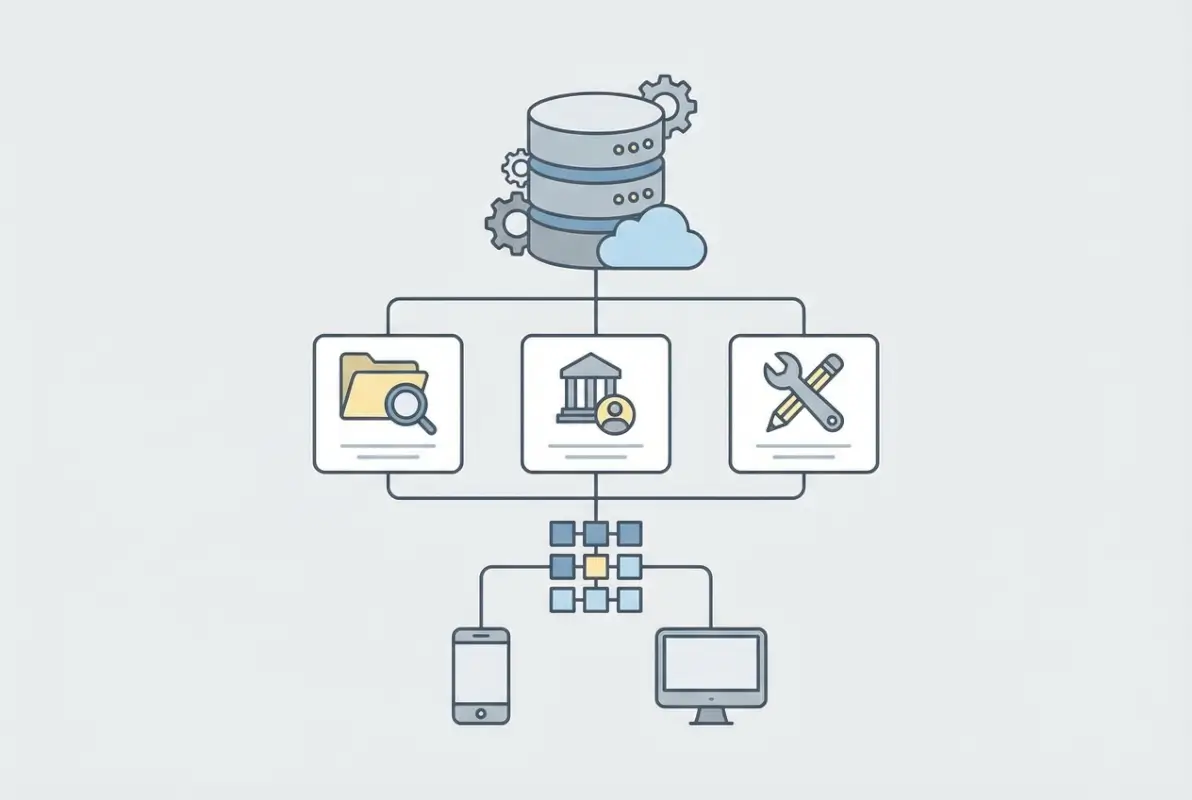
1) General Business Directory Listings
This workhorse template handles broad categories—restaurants, plumbers, lawyers, retail shops—organized by location and industry. Think Yellow Pages reimagined for the web. The data model stays relatively flat: business name, address, phone, website, category tags, hours, description. Search and filter capabilities emphasize geographic radius and category drill-downs, often with map views powered by Google Maps or Mapbox APIs.General directories thrive when you’re building a local city guide or regional marketplace where users browse across diverse sectors. The elements of a successful local business directory website include robust location indexing and category taxonomies that scale as your listings grow. Monetization leans on paid placement tiers: basic free listings alongside premium upgrades for photos, videos, and top-of-category positioning.
💡 Pro Tip: Start with five to ten core categories and expand based on submission volume. Over-categorizing early creates empty sections that hurt user experience and SEO.
2) Niche-Specific Directories
Niche templates zoom in on a single vertical—freelancers, health practitioners, SaaS tools, coworking spaces. They support richer profile pages with vertical-specific fields: portfolios for designers, appointment booking for doctors, pricing matrices for software. These templates often integrate lead capture forms, booking widgets, or RFP mechanisms that turn browsing into direct business inquiry.Niche directories command higher listing fees because they deliver qualified traffic. A wedding photographer directory can charge more per listing than a general business directory since couples searching there have clear intent. The narrow focus also makes SEO easier; you dominate long-tail keywords like “affordable maternity photographers Portland” instead of battling for “Portland business listings.”3) Classifieds-Style Directories with Listings and Ads
Classifieds templates blend directory structure with user-generated ads: job postings, equipment sales, service offers. Submission workflows support both business profiles and one-off listings with expiration dates. The UI typically features grid layouts with thumbnail images, pricing callouts, and “contact seller” buttons.Monetization mixes listing fees with banner ad inventory and featured placements. Users often expect free basic listings with upsells for bumps, highlights, or extended run times. This template type works well for local marketplaces, B2B equipment exchanges, or service aggregators where transaction volume matters more than brand depth.
✅ Key Insight: Classifieds platforms benefit enormously from auto-expiration and renewal email sequences, which create natural revenue cycles and keep listings fresh.
4) Directory Templates with Robust Profile Pages and Review Systems
Review-centric templates prioritize trust signals: star ratings, written testimonials, verified badges, response rates. Profile pages feel more like brand showcases with photo galleries, team bios, FAQs, and customer stories. The data model includes review schemas, moderation flags, and reputation scoring.These templates suit industries where trust drives decisions—home services, healthcare, childcare, legal services. The benefits of listing in a new business directory multiply when review systems are robust, since businesses gain social proof while users gain confidence. Expect heavier development around anti-spam measures, review verification, and GDPR-compliant data handling.5) Directory Templates Optimized for Mobile-First Discovery and Lead Capture
Mobile-first templates strip UI to essentials: fast-loading cards, thumb-friendly buttons, click-to-call, one-tap forms. Search filters collapse into slide-out panels, map views fill the screen, and listing cards show only critical info until tapped. The entire flow optimizes for speed—users find a plumber, call directly, or submit a lead in under 30 seconds.This archetype shines for on-the-go searches: emergency services, food delivery, local events. Conversion rates often double compared to desktop-first designs when mobile traffic dominates. However, the lean interface limits opportunities for rich content and upsells, so balance simplicity with strategic CTAs for premium features.6) Developer-Friendly Templates (Next.js/Sanity/Headless CMS Approaches)
Developer-centric templates use modern stacks—Next.js for frontend, Sanity or Contentful for headless CMS, GraphQL APIs for data. They prioritize flexibility over out-of-the-box completeness, offering component libraries and starter configs instead of drag-and-drop builders. You gain full control over data models, integrations, and deployment pipelines.Choose this path if you’re technical or have engineering resources and need custom workflows, third-party integrations (CRMs, payment processors), or advanced features like multilingual support and progressive web app capabilities. The trade-off: longer initial build time and steeper learning curve compared to WordPress or template marketplaces.Core Features Every Directory Template Should Offer
Regardless of archetype, certain features form the backbone of any functional directory. Missing even one creates friction that hampers growth and user satisfaction.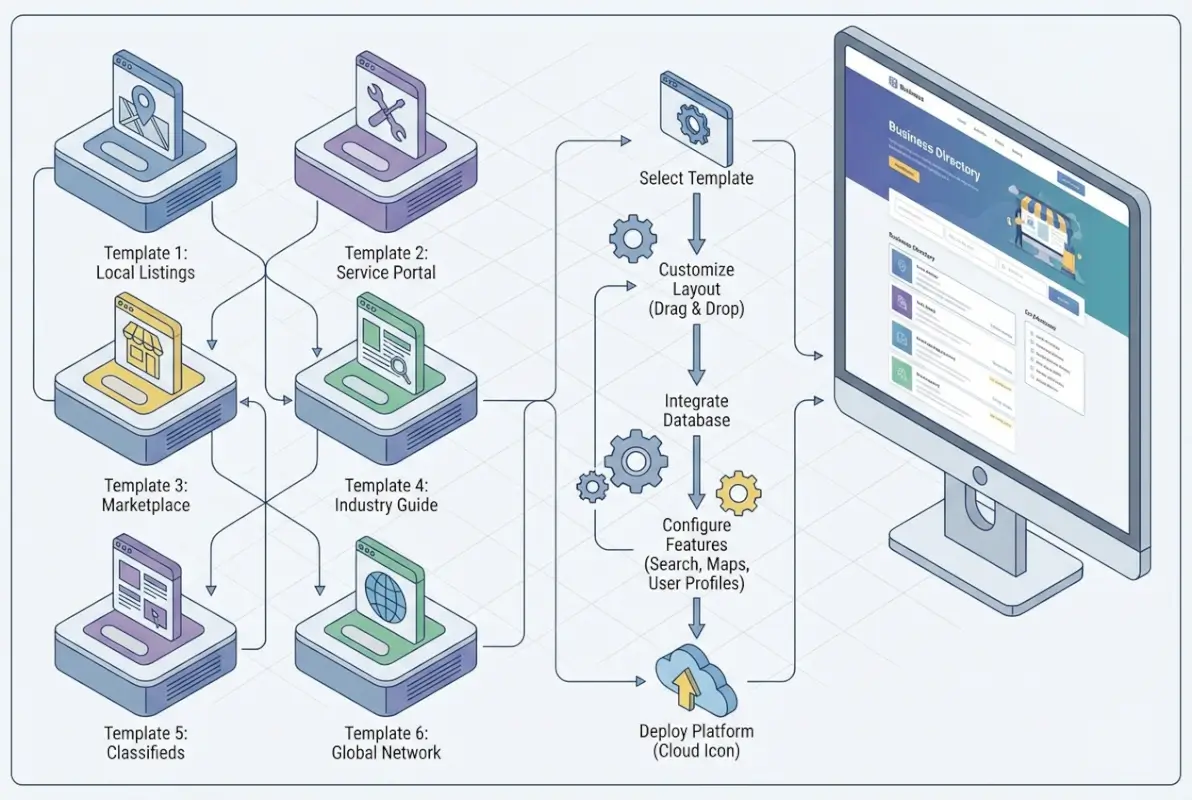
Listing Data Model and Schema
Your data model defines what information each listing captures and how it’s structured. At minimum: business name, categories, location (geocoded for maps), contact details, description, hours, and media uploads. Advanced fields include pricing, service areas, certifications, languages spoken, and custom taxonomies.Schema markup—specifically LocalBusiness and related types—helps search engines understand and display your listings in rich results. Implementing structured data from day one accelerates indexing and improves click-through rates from search.Submission Workflow (User-Generated Listings, Admin Moderation)
Submission workflows balance ease of use with quality control. A simple form captures core fields, validates inputs (phone format, website URLs), and routes submissions to a moderation queue. Admin dashboards let you approve, edit, or reject listings before publishing.Some templates support instant publishing with post-moderation, which increases listing volume but risks spam. Others require payment before publication, filtering out low-quality submissions naturally. The how to remove old business directory listings process matters too—clear policies and self-service tools keep your database fresh.
⚠️ Important: Always include terms of service and content guidelines during submission to avoid legal headaches when moderating or removing listings.
Search, Filters, and Map-Based Discovery
Search functionality makes or breaks usability. Users expect keyword search, category filters, location radius, price ranges, and ratings thresholds. Autocomplete on search bars reduces friction, while faceted filters (multiple categories, hours, amenities) let users narrow results efficiently.Map-based discovery—plotting listings as pins on interactive maps—appeals strongly to mobile users and local searches. Templates often integrate Google Maps API or open-source alternatives like Leaflet. Clustering markers at zoom-out levels prevents map clutter, and clicking pins opens listing preview cards.Rich Profile Pages (Business Details, Hours, Contact, Media)
Profile pages convert browsers into customers. Display all listing data prominently: hero image or gallery, formatted hours, click-to-call buttons, website links, directions via maps, social media icons. FAQ sections and service menus add depth for service-based businesses.Media-rich profiles—photos, videos, virtual tours—significantly increase engagement. Templates should support bulk uploads, image optimization, and lazy loading to maintain page speed despite heavy media assets.Reviews and Ratings System
User reviews build trust and drive SEO through fresh user-generated content. Rating systems average scores (1-5 stars) and display aggregate ratings on listing cards and search results. Individual review entries include reviewer name, date, star rating, written feedback, and optional business responses.Moderation tools flag suspicious reviews (identical text, rapid submission patterns). Verified review badges—tied to confirmed transactions or email verification—enhance credibility. Schema markup for reviews (Review schema) helps search engines display star ratings in SERPs, boosting click-through rates.Monetization Mechanics (Paid Listings, Featured Placements, Memberships)
Revenue levers vary by template. Common models include:– **Freemium tiers**: free basic listings with paid upgrades for photos, premium placement, analytics. – **Subscription plans**: monthly or annual fees for enhanced profiles, lead forwarding, or multiple locations. – **Featured listings**: pay-per-placement to appear atop category pages or search results. – **Lead generation fees**: charge per inquiry or quote request routed to businesses. – **Banner ads and sponsorships**: sell advertising inventory to complementary services.Templates with built-in payment gateways (Stripe, PayPal) and subscription management save development time. Pricing tiers and feature gating should be configurable without code changes to test different monetization strategies.
Section Summary: Core features—structured data models, submission workflows, search and maps, rich profiles, reviews, and flexible monetization—form the foundation of scalable directory platforms.
SEO Essentials (Schema Markup, Structured Data, Robust FAQ Blocks)
SEO infrastructure should be baked in, not bolted on. Beyond LocalBusiness schema, implement BreadcrumbList for navigation, AggregateRating for reviews, and FAQ schema for common questions. Clean URL structures (e.g., `/city/category/business-name`) improve indexing and keyword targeting.Meta titles and descriptions should populate dynamically from listing data, avoiding duplicate content penalties. XML sitemaps auto-update as listings publish, and robots.txt files guide crawler behavior. Internal linking between category pages, city hubs, and related listings distributes link equity and keeps users engaged.UX and UI Patterns That Boost Discovery and Conversions
Design choices directly impact whether users find what they need and whether businesses convert visitors into customers. Templates with thoughtful UX patterns outperform prettier but clunkier alternatives.
Mobile-First Responsive Design
Mobile traffic often exceeds desktop for local searches. Mobile-first design prioritizes small screens, touch targets, and fast load times. Navigation menus collapse into hamburger icons, forms stack vertically, and buttons size for thumbs (minimum 44x44px touch targets).Responsive frameworks like Bootstrap or Tailwind CSS handle breakpoints automatically, but custom templates should test across real devices—not just browser dev tools—to catch layout quirks. Progressive web app (PWA) features like offline caching and home screen installation deepen mobile engagement.Clean Listing Grids with Strong Visual Hierarchy
Grid layouts balance density and clarity. Listing cards show thumbnail images, business names, star ratings, short descriptions, and primary CTAs (view details, call, get quote). Visual hierarchy guides eyes: larger images for featured listings, bold headings, contrasting CTA buttons.Whitespace prevents cognitive overload. Overstuffed grids tire users and bury important info. A/B testing different card layouts—vertical vs. horizontal, text-heavy vs. image-heavy—reveals what resonates with your audience.Fast Search and Page Speed Considerations
Speed impacts both SEO rankings and user satisfaction. Aim for under three-second load times on mobile. Techniques include:– **Lazy loading images**: load images as users scroll, not all at once. – **CDN delivery**: serve assets from edge servers closer to users. – **Caching strategies**: cache listing pages and search results with reasonable TTLs. – **Minified assets**: compress CSS/JS files and optimize images. – **Database indexing**: ensure search queries hit indexed fields (location, category).Templates pre-optimized for speed save headaches. Check Lighthouse scores and Core Web Vitals before committing to a template.Clear Calls-to-Action (Claim Listing, Upgrade, Pay)
CTAs should be obvious and action-oriented. “Claim This Listing” buttons on unclaimed profiles prompt business owners to register and upgrade. “Get Featured” or “Boost Your Listing” upsells appear in dashboards and email nudges. “Request Quote” or “Book Appointment” buttons on profiles convert visitors into leads.Color contrast matters—bright buttons on neutral backgrounds catch attention without clashing. Limit CTA options per page to avoid decision paralysis; one primary action and one secondary action work best.
💡 Pro Tip: Use heatmaps (Hotjar, Crazy Egg) to see where users actually click and adjust CTA placement accordingly. Assumptions about “above the fold” often prove wrong.
Accessibility and Inclusive Design
Accessible design expands your audience and improves SEO. Use semantic HTML (proper heading hierarchy, alt text for images, ARIA labels for icons), sufficient color contrast (WCAG AA standards), and keyboard navigation support. Screen reader compatibility ensures visually impaired users can navigate listings and submit forms.Inclusive design also considers language options, translation toggles, and culturally appropriate imagery. Templates supporting multilingual content open opportunities in diverse markets and immigrant communities searching in native languages.SEO-Building Blocks for Directory Sites
Directory sites live or die by organic search traffic. Investing in SEO infrastructure from the start compounds over time, turning your platform into a traffic magnet.
Schema Markup for Listings, Reviews, and Local Business Data
Schema.org markup tells search engines what your content represents. LocalBusiness schema includes fields for name, address, phone, hours, price range, and more. Review schema adds aggregateRating and individual review details. BreadcrumbList schema clarifies site navigation, improving sitelinks in SERPs.Implement JSON-LD format for schema—it’s cleaner than microdata and easier to validate with Google’s Rich Results Test. Templates with schema generators or plugins (for WordPress, Yoast SEO handles much of this) reduce manual coding.FAQ Pages and PAA (People Also Ask) Optimization
FAQ content targets featured snippets and “People Also Ask” boxes in Google results. Each question-answer pair should address common queries—”How much does a listing cost?”, “Can I edit my business hours?”, “What categories are available?” Write concise answers (40-60 words) that directly answer the question upfront, then expand if needed.FAQ schema markup wraps questions and answers in structured data, increasing snippet eligibility. FAQs also serve users, reducing support tickets and clarifying platform mechanics. The small business directory reasons to get listed today make great FAQ topics that resonate with prospective business customers.Blog Integration for Topical Authority and Long-Tail Targets
Blogs generate topical authority and capture long-tail search traffic. Write how-to guides, local business spotlights, industry trends, and tips relevant to your directory niche. For example, a wedding vendor directory publishes articles like “How to Choose a Wedding Photographer” or “Top Wedding Venues in Austin.”Internal links from blog posts to category pages and listings boost SEO and guide readers toward conversion paths. Templates with integrated blog platforms (WordPress, Ghost) simplify content publishing and theme consistency.Internal Linking and Category Taxonomy for Discovery
Strong internal linking spreads link equity and improves crawlability. Category hub pages link to subcategories and top listings. Listings link to related businesses and category pages. Breadcrumb navigation creates automatic internal links across hierarchical structures.Category taxonomies should balance specificity and breadth. Too few categories create bloated landing pages; too many create thin, low-traffic pages. Monitor analytics and adjust taxonomy as listing volume grows, merging sparse categories or splitting popular ones.| SEO Element | Purpose | Implementation Tip |
|---|---|---|
| Schema Markup | Rich results, better indexing | Use JSON-LD, validate with Google tools |
| FAQ Content | Featured snippets, user clarity | 40-60 word answers, FAQ schema |
| Blog Posts | Long-tail keywords, authority | Weekly publishing, internal links |
| Internal Linking | Link equity, crawlability | Breadcrumbs, contextual links |
How to Choose a Stack for Your Six Templates
Tech stack decisions shape development speed, feature flexibility, and long-term maintainability. The right choice depends on your technical skills, budget, and growth plans.
Frontend Approaches (Static HTML Templates vs. Headless CMS)
Static HTML templates—downloaded from marketplaces like ThemeForest or Colorlib—work if you have basic coding skills and modest customization needs. They’re affordable (often under $100) and deploy quickly on shared hosting. However, updates require manual code edits, and scaling features (user accounts, payment processing) demands backend integration.Headless CMS setups (Next.js + Sanity, Gatsby + Contentful) decouple frontend from backend, offering flexibility and performance. Developers build custom React components while content editors manage listings in a visual CMS. This approach suits platforms needing multilingual support, complex data relationships, or API integrations with third-party services.CMS Choices for Listings (Sanity, WordPress with Listing Plugins, or Bespoke Backends)
WordPress dominates directory CMS space thanks to plugins like GeoDirectory, Listify, and DirectoryPress. These plugins add listing post types, submission forms, payment gateways, and search filters with minimal coding. WordPress’s ecosystem means abundant themes, extensions, and developer talent.Sanity and similar headless CMSs excel when you need granular control over data models and presentation. Define custom schemas for listings, reviews, and categories, then query via GraphQL or REST APIs. The trade-off: steeper learning curve and fewer out-of-the-box integrations compared to WordPress.Bespoke backends (Node.js + MongoDB, Django + PostgreSQL) offer ultimate flexibility but require significant development resources. Choose this path only if your directory has unique requirements—complex algorithmic ranking, real-time features, or proprietary integrations—that off-the-shelf solutions can’t handle.Hosting and Scalability Considerations
Shared hosting suffices for small directories (under 1,000 listings, modest traffic), but performance degrades as you scale. Managed WordPress hosting (WP Engine, Kinsta) optimizes for WordPress sites with caching, CDN, and staging environments. Cloud hosting (AWS, Google Cloud, DigitalOcean) provides granular control and scalability via load balancers and auto-scaling groups.Database indexing and caching strategies (Redis, Memcached) become critical as listing counts and search queries grow. Monitor server response times and database query performance; slow searches frustrate users and hurt SEO.
✅ Key Insight: Start with managed hosting or a PaaS (Vercel, Netlify for Jamstack) to minimize DevOps overhead early, then migrate to cloud infrastructure once revenue supports dedicated engineering.
Monetization Levers and Growth Playbook
Building traffic is half the battle; converting that traffic into revenue determines sustainability. Directory platforms enjoy diverse monetization options, reducing reliance on any single revenue stream.Paid Listings, Featured Placements, and Subscription Models
Tiered pricing aligns value with features. A typical structure:– **Free tier**: basic listing with minimal fields, no images, low visibility. – **Standard tier** ($20–50/month): enhanced profile with photos, social links, and moderate placement. – **Premium tier** ($100–200/month): top placement, unlimited media, analytics dashboard, lead forwarding.Featured placements—sticky positions atop search results or category pages—command premium prices. Businesses pay for visibility where intent is highest. Subscription models create predictable recurring revenue, though they require retention efforts (email campaigns, feature updates) to prevent churn.Lead Generation and Affiliate Partnerships
Lead generation flips the script: instead of charging businesses upfront, you charge per qualified lead (quote request, appointment booking, phone call). This performance-based model appeals to businesses wary of paying for listings without guaranteed ROI.Affiliate partnerships with complementary services—insurance providers, payment processors, marketing agencies—generate commissions when directory users sign up. For example, a restaurant directory partners with online ordering platforms, earning referral fees for each integration.3x–5x
higher lifetime value from subscription customers compared to one-time listing fees
Directory Submission Fees and Vendor Onboarding
Submission fees—one-time payments to list a business—work well for high-value niches (legal, medical, B2B software) where businesses accept upfront costs for exposure. Automated approval after payment reduces admin overhead.Vendor onboarding programs offer white-glove service: your team creates and optimizes listings for businesses unfamiliar with self-service platforms. Charge premium fees for onboarding packages that include professional photography, copywriting, and ongoing listing management.Trust, Data Quality, and Regulatory Considerations
Quality and trust differentiate successful directories from spammy link farms. Investing in moderation, verification, and compliance builds long-term brand value.Moderation Policies and User-Generated Content Controls
Clear moderation policies set expectations and protect against abuse. Define acceptable content (no hate speech, false claims, spam), outline approval workflows, and communicate review timelines. Automated filters catch obvious spam (duplicate text, keyword stuffing, suspicious URLs), while human moderators handle edge cases.User-generated content—reviews, photos, Q&A—adds value but requires oversight. Implement flagging mechanisms so users report inappropriate content, and respond promptly to removal requests. Transparent moderation builds community trust.Privacy, Terms, and Consent for Listings and User Data
Privacy regulations (GDPR, CCPA) mandate explicit consent for data collection and usage. Your terms of service should clarify:– What data you collect (contact info, business details, user behavior). – How you use it (display on listings, share with advertisers, analytics). – User rights (access, correction, deletion requests).Cookie consent banners and privacy-focused analytics (Plausible, Fathom) respect user preferences while maintaining compliance. Consult legal counsel to ensure terms and privacy policies meet jurisdictional requirements.Data Quality Metrics (Completeness, Freshness, Verification)
Data quality impacts user satisfaction and SEO. Track metrics like:– **Completeness**: percentage of listings with all recommended fields filled. – **Freshness**: age of listing data; flag stale listings for owner review. – **Verification**: confirmed ownership via email, phone, or business documents.Gamification encourages businesses to complete profiles: progress bars showing “Your listing is 60% complete” nudge owners to add missing photos or hours. Verification badges distinguish confirmed listings from unverified ones, reducing skepticism.
⚠️ Important: Regularly audit listings for accuracy and remove defunct businesses. Outdated directories erode user trust faster than empty directories.
How to Map Each of the Six Templates to Real-World Use Cases
Theory meets practice when you assign each template to a specific market opportunity. Here’s how the six archetypes translate into actionable platforms.Template A (General Business Directory): Broad Categories, Map-Based Search
**Use case**: City-wide or regional directory covering restaurants, services, retail, healthcare.**Features**: Multi-category taxonomy, radius search, map clustering, basic profiles, freemium pricing.**Example niche**: “Detroit Business Directory” or “Austin Local Guide.”**Monetization**: Free basic listings, $25/month for premium profiles with photos and top placement.This template thrives in underserved local markets or cities where existing directories (Yelp, Google My Business) leave gaps in specific neighborhoods or business types.Template B (Niche Freelancers/Services): Profile Depth, Booking/Lead Capture
**Use case**: Platform for freelancers, consultants, or personal services (photographers, tutors, fitness trainers).**Features**: Rich profiles with portfolios, availability calendars, integrated booking forms, testimonials.**Example niche**: “Wedding Photographers Network” or “Home Tutors Directory.”**Monetization**: Subscription plans ($50–150/month) unlocking unlimited client messages, featured placement, analytics.Niche directories command higher fees because they deliver qualified leads. The ways to download files from an online directory include exporting lead contact info for CRM integration, a feature worth premium pricing.Template C (Classifieds with Ads): Ad Placements, Upsell Rails
**Use case**: Local marketplace for equipment, vehicles, real estate, jobs.**Features**: User-posted ads with images and pricing, category filters, seller contact forms, ad expiration.**Example niche**: “Construction Equipment Classifieds” or “Pet Adoption Listings.”**Monetization**: Free basic ads, $10–20 per featured ad, banner ad sales to related businesses.Classifieds templates excel in transactional environments where volume and turnover drive revenue more than deep business relationships.Template D (Profiles + Reviews): Enhanced Reputation System, Trust Signals
**Use case**: Service directories where trust is paramount—contractors, childcare, legal services.**Features**: Verified reviews, aggregate ratings, business response to reviews, trust badges (background checks, insurance verification).**Example niche**: “Trusted Home Contractors” or “Childcare Providers Network.”**Monetization**: Tiered plans based on review volume and verification level; charge for verified badges.Review-heavy directories benefit from partnerships with background check services or insurance providers, adding third-party validation that justifies premium pricing.Template E (Mobile-First Directory): Lean UI, Fast Paths to Listings
**Use case**: Emergency or on-the-go services—locksmiths, tow trucks, urgent care, food delivery.**Features**: Click-to-call buttons, instant geolocation, minimalist UI, offline caching (PWA).**Example niche**: “24/7 Emergency Services Finder” or “Food Trucks Near Me.”**Monetization**: Pay-per-lead model where businesses pay for phone calls or form submissions.Speed and simplicity trump richness here. Users won’t browse galleries when they need a locksmith at midnight, they want a phone number in two taps.Template F (Developers/Tech-Savvy): Headless CMS, API-First Integrations
**Use case**: Specialized directories requiring custom integrations—B2B SaaS marketplaces, developer tool aggregators, API directories.**Features**: RESTful APIs, webhooks, custom data models, programmatic listing management, developer documentation.**Example niche**: “SaaS Tool Directory” or “Open Source Libraries Index.”**Monetization**: API access tiers, white-label licensing, enterprise custom integrations.Developer-friendly templates attract technical audiences willing to pay for programmatic access and customization. This template also suits platforms planning to offer white-label directory solutions to agencies or franchises.| Template | Best For | Key Feature | Monetization |
|---|---|---|---|
| General Directory | City guides, broad markets | Map search | Freemium listings |
| Niche Services | Freelancers, specialists | Booking integration | Subscriptions |
| Classifieds | Transactional, high volume | Ad expiration | Featured ads, banners |
| Reviews Focus | Trust-critical services | Verified reviews | Verification fees |
| Mobile-First | Emergency, on-the-go | Click-to-call | Pay-per-lead |
| Developer-Friendly | Technical, B2B tools | API access | API tiers, licensing |
8-Week Launch Plan for a Six-Template Directory Platform
A structured timeline keeps projects on track and prevents scope creep. This plan assumes you’re working part-time or with a small team, adjust timelines if you have more resources.**Week 1–2: Define Niches and Feature Lists Per Template**Research target markets, competitor directories, and user pain points. For each of the six templates, draft a feature spec: required fields, user roles, monetization hooks, integrations. Validate assumptions with potential users—survey local businesses or freelancers to gauge interest and willingness to pay.Create lightweight wireframes (Figma, Sketch) outlining key pages: homepage, search results, listing detail, submission forms. Lock in the tech stack based on your skills and budget.**Week 3–4: Set Up Core Data Model and CMS/Backend**Build or configure the data model: listing entities, categories, users, reviews, payments. If using WordPress, install your chosen directory plugin and theme. If going headless, configure Sanity or Contentful schemas and spin up a Next.js or Gatsby frontend.Set up development and staging environments, version control (Git), and basic CI/CD pipelines. Integrate payment gateways (Stripe, PayPal) in test mode.**Week 5–6: Build Listing Submission Workflows and Search**Develop submission forms with validation and moderation queues. Implement search functionality with filters (category, location, price, ratings) and map integration. Test mobile responsiveness and page load speeds.Seed the database with 20–50 sample listings across categories to stress-test search and UI. Invite beta testers to submit real listings and provide feedback on submission UX.**Week 7: Add Monetization and Onboarding**Configure pricing tiers, payment flows, and upgrade prompts. Build user dashboards where businesses manage listings, view analytics, and renew subscriptions. Draft email sequences for onboarding, renewal reminders, and upsell nudges.Test end-to-end payment scenarios (signup, upgrade, renewal) in sandbox mode. Ensure invoices, receipts, and subscription management work smoothly.**Week 8: QA, SEO Wiring, and Soft-Launch with Beta Users**Conduct thorough QA: cross-browser testing, accessibility checks, edge-case scenarios (expired listings, failed payments). Implement schema markup, meta tags, sitemaps, and robots.txt. Set up Google Analytics and Search Console.Soft-launch with a curated group of beta users (10–20 businesses). Gather feedback, fix bugs, and iterate. Prepare a content calendar for blog posts, social media announcements, and local outreach to drive initial traffic.
💡 Pro Tip: Publicly commit to your launch timeline (blog post, social media) to create accountability and build anticipation among potential early adopters.
Content and SEO Boosters You Can Reuse Across All Templates
Certain content strategies amplify every template’s SEO performance without reinventing the wheel each time.FAQ Blocks Tailored to Local Listings and Categories
Every category page benefits from an FAQ section addressing common questions: “What types of [category] are listed?”, “How do I choose the best [service provider]?”, “What’s included in premium listings?” Rotate FAQ content to target different long-tail keywords while keeping structure consistent.FAQ schema markup turns these blocks into featured snippet opportunities. I’ve seen directories gain hundreds of impressions from snippet placements on obscure long-tail queries that competitors ignore.Category-Level Hub Pages and Internal Linking Patterns
Hub pages act as SEO anchors for broad topics—”Restaurants in [City]”, “Home Services”, “Wedding Vendors.” Each hub links to subcategory pages (Italian restaurants, plumbers, photographers) and featured listings. Hub pages also host evergreen content: guides, local insights, top-rated lists.Internal linking from hubs to listings and from listings back to hubs creates a robust link graph that search engines love. Update hubs quarterly with fresh content (seasonal guides, new listings) to signal activity and freshness.Schema-Rich Listing Pages
Beyond LocalBusiness schema, layer on additional types: Service (for service-based listings), Product (for e-commerce directories), Event (for event listings). AggregateRating schema highlights star ratings in SERPs, driving clicks.Validate schema with Google’s Rich Results Test and monitor Search Console for structured data errors. Fix issues promptly to maintain rich result eligibility.Frequently Asked Questions
What is a business directory website template and when should you use one?
A business directory website template is a pre-built design and functionality package that includes listing submission forms, search filters, profile pages, and monetization tools. Use one when you want to launch quickly without coding from scratch, especially for local or niche directory platforms where proven patterns already work.How does a directory listing submission workflow work and what is moderation like?
Users fill out a submission form with business details, images, and contact info. Submissions enter a moderation queue where admins review for quality and compliance. Approved listings publish immediately or after payment, depending on your settings. Automated filters catch spam before reaching human moderators.What features differentiate six directory templates?
General directories emphasize broad categories and map search. Niche directories add booking and portfolio features. Classifieds include ad expiration and upsells. Review-focused templates prioritize trust signals. Mobile-first designs optimize for speed and calls-to-action. Developer-friendly templates offer APIs and headless CMS flexibility.How can I monetize a directory site?
Monetization strategies include freemium listings with paid upgrades, monthly subscriptions for premium profiles, featured placements in search results, pay-per-lead models for quote requests, banner ads, affiliate partnerships, and one-time submission fees for high-value niches.What are essential SEO practices for directory pages?
Implement LocalBusiness and Review schema markup, create FAQ sections with schema to target featured snippets, build category hub pages with internal links, maintain clean URL structures, optimize meta titles and descriptions dynamically, and publish regular blog content for topical authority.Which tech stack is best for a headless directory vs. a WordPress-based directory?
WordPress-based directories suit non-technical founders needing quick setup, abundant plugins, and community support. Headless directories (Next.js + Sanity) fit technical teams needing custom data models, API integrations, and performance optimization but require more development time and expertise.How do I handle listings data quality and trust signals?
Track completeness metrics (percentage of filled fields), freshness (data age), and verification status. Implement moderation workflows to approve submissions, encourage profile completion with progress bars, offer verification badges for confirmed businesses, and regularly audit listings to remove outdated entries.Can I run multiple niches under one directory platform?
Yes, multi-niche directories use shared infrastructure with category-specific landing pages and filters. This approach spreads development costs and lets you test multiple markets simultaneously. However, branding can suffer if niches feel too disparate (weddings vs. industrial equipment).Should I allow free listings or go fully paid from the start?
Freemium models build inventory quickly and attract businesses hesitant to pay upfront, which improves SEO and user experience. Once traffic grows, upsell premium features. Fully paid models work in high-value niches where businesses expect to pay for leads and can afford monthly subscriptions.How important are reviews and ratings for directory success?
Reviews build trust, generate user-generated content for SEO, and differentiate listings. Platforms with robust review systems see higher engagement and conversion rates. However, they require moderation resources to combat fake reviews and maintain quality standards.Conclusion
Launching a business directory platform doesn’t require starting from zero anymore. Six well-chosen templates—each tailored to specific use cases—give you a toolkit to tackle diverse markets without rebuilding infrastructure every time. Whether you’re targeting broad local audiences with a general directory, carving out authority in a niche vertical, or building a mobile-first emergency services finder, the patterns and features outlined here provide a proven roadmap.Success hinges on more than templates though. Data quality, trust signals, SEO discipline, and thoughtful monetization separate directories that fizzle from those that scale into six- or seven-figure platforms. Moderation workflows keep listings accurate, schema markup puts you in front of searchers, and tiered pricing captures value across customer segments.Take action this week: pick your niche, choose a template archetype that aligns with user needs, and commit to the 8-week launch plan. Start small—focus on one template and one market—then expand as you validate demand and refine your playbook. The online directory market continues growing, and opportunity remains wide open for platforms that deliver genuine value, trustworthy data, and seamless user experiences.Remember, the best directory platform is the one that ships. Don’t wait for perfect; iterate based on real user feedback and watch your platform evolve into the go-to resource for your chosen niche.