5 Steps to Cancel Your Next Directory Online Subscription

Generating summary...
Most of us rack up subscriptions without a second thought—directory listings, professional networks, niche platforms—and before you know it, you’re bleeding $50, $100, or more each month on services you barely use. Canceling a directory online subscription should be straightforward, but companies have historically buried cancel links, forced you through multi-step mazes, or made you call during business hours just to stop a recurring charge. That’s changing thanks to new regulatory push (the FTC’s “click-to-cancel” rule and California’s tightened Automatic Renewal Law), but knowing the practical, step-by-step process to cancel cleanly—and making sure you actually stop the charges—still requires a deliberate plan. In this guide, you’ll get a tight, five-section action plan that covers inventory through confirmation, sidesteps common pitfalls, and arms you with the regulatory context that can shift how cancellations work in your favor.
TL;DR – Quick Takeaways
- Inventory first – List every directory subscription, renewal date, and cost so you know exactly what you’re paying for and can flag the dead weight.
- Check cancellation policies and new regulations – The FTC’s click-to-cancel rule and California ARL updates mean companies must offer simple, online cancellation paths if you signed up online.
- Self-serve first, escalate if blocked – Use the account portal or app cancel button; if it’s intentionally difficult, document everything and contact support.
- Confirm and monitor – Get a cancellation confirmation email, watch your next billing cycle, and dispute any phantom charges immediately.
- Prevent future clutter – Set quarterly reminders to audit subscriptions, use pause instead of cancel when possible, and consider building your own directory if you need listings without recurring third-party fees.
Assess and Inventory Your Directory Subscriptions
Before you cancel anything, you need a complete picture of what you’re actually paying for. Pull up your credit card and bank statements from the past three months, scan for any recurring charges with “directory,” “listing,” “network,” or niche platform names, and note every single one. Include the service name, monthly or annual price, renewal date (or trial end date if you’re still in a trial), and the last time you logged in or actually used the platform. This sounds tedious, but skipping it means you’ll miss subscriptions you forgot existed—those $9/month listings that auto-renewed twice already because you never checked.

Once you have the list, flag each subscription’s renewal mechanism: did you sign up online, through a mobile app, or in person at a trade show? That matters because the new FTC click-to-cancel rule requires that if you enrolled online, you must be able to cancel through the same online channel without jumping through extra hoops. Knowing your enrollment path upfront tells you which cancellation method you’re legally entitled to use, which will save you time later if a company tries to force you onto a phone call.
Evaluate Necessity and Costs
Now comes the honest part: which of these directory subscriptions are you actually using? Look at contact records pulled, leads generated, profile views, or directory listings updated in the past 60 days. If the answer is zero (or close to it), that’s an immediate candidate for cancellation. Add up the annual cost of each service—$15/month turns into $180/year, and three of those is over $500 you’re spending for maybe one or two directory placements that drive no real traffic.
Consider whether any can be downgraded instead of fully canceled. Some directories offer a free tier with limited features or a one-time listing fee instead of recurring monthly charges; if you only need basic visibility, downgrade and stop the bleed. For context, subscription churn in directory and SaaS markets often hovers around 5–7% per month, meaning plenty of people are walking away because the value isn’t there—you’re not alone in trimming these costs.
Prepare for Cancellation
Preparation prevents friction. Gather your login credentials for each directory service you plan to cancel, note the account ID or email address you used to sign up (it might be different from your current primary email), and write down the last four digits of the payment method on file. If you’ve already received any renewal notices or trial-end warnings, save those emails—they often contain direct cancellation links or instructions that bypass the main account menu. Having this information in one document (a simple spreadsheet or note file works) means you can execute cancellations in one focused session instead of hunting for passwords across six browser tabs.
Next, review the official cancellation policy for each service. Most legitimate directories publish cancellation terms in their FAQ, account settings footer, or Terms of Service; look for notice periods (some require 30 days before renewal), fees for early cancellation of annual contracts, or refund eligibility if you cancel mid-cycle. Cross-reference this with the regulatory baseline: the FTC’s final click-to-cancel rule and California’s updated Automatic Renewal Law both emphasize that cancellations should be “at least as easy” as sign-up and that companies can’t require phone calls or live chat if you enrolled online. If a company’s policy contradicts this (forcing you to call when you signed up on their website), you have regulatory backing to push back.
Gather Essential Account and Payment Details
This step overlaps with your initial inventory, but now you’re collecting the tactical details you’ll need to actually execute the cancellation. For each directory subscription, confirm: full account email, username or account ID, billing address on file, and current payment method (card ending in XXXX or PayPal email). If the service uses multi-factor authentication, make sure you can still access the phone number or authenticator app; locked-out accounts are harder to cancel cleanly. Also note any outstanding invoices or credits—if you prepaid a year and are canceling six months in, you’ll want to reference that when requesting a prorated refund.
If you’ve been using a password manager, this is easy; if not, use the “forgot password” flow now (while you still want access) rather than during the cancellation process when you’re in a hurry. I’ve seen people lose weeks because they couldn’t reset a password for an old directory account, missed the renewal deadline, and got charged another cycle—don’t let that be you.
Review Cancellation Terms and Regulatory Context
Regulations have shifted in favor of consumers, but companies still have leeway on how they structure cancellations as long as they meet minimum standards. According to California ARL amendments, businesses must provide a clear cancellation mechanism and can’t require consumers to navigate through multiple pages or answer unnecessary retention questions if they enrolled digitally. The FTC rule similarly bans “dark patterns” designed to discourage cancellations (hidden buttons, confusing multi-step flows, forced retention calls). In practice, this means that if you encounter a cancel flow that makes you click through five screens of “Are you sure?” prompts or forces a live chat where the agent won’t process the request without a “reason,” you can cite these rules and escalate to a supervisor or file a complaint with the FTC or your state attorney general.
That said, companies can still require you to fulfill a minimum term if you signed a contract (common with annual directory plans that offer a discount). Read the fine print: if you’re three months into a twelve-month commitment, you might owe the remaining balance or a termination fee. Some directories, however, offer prorated refunds or allow you to cancel immediately without penalty if they’ve changed terms mid-contract or failed to deliver promised features—check for any service updates or feature removals that might give you an out.
Execute the Cancellation
Cancel via the primary channel (self-serve)
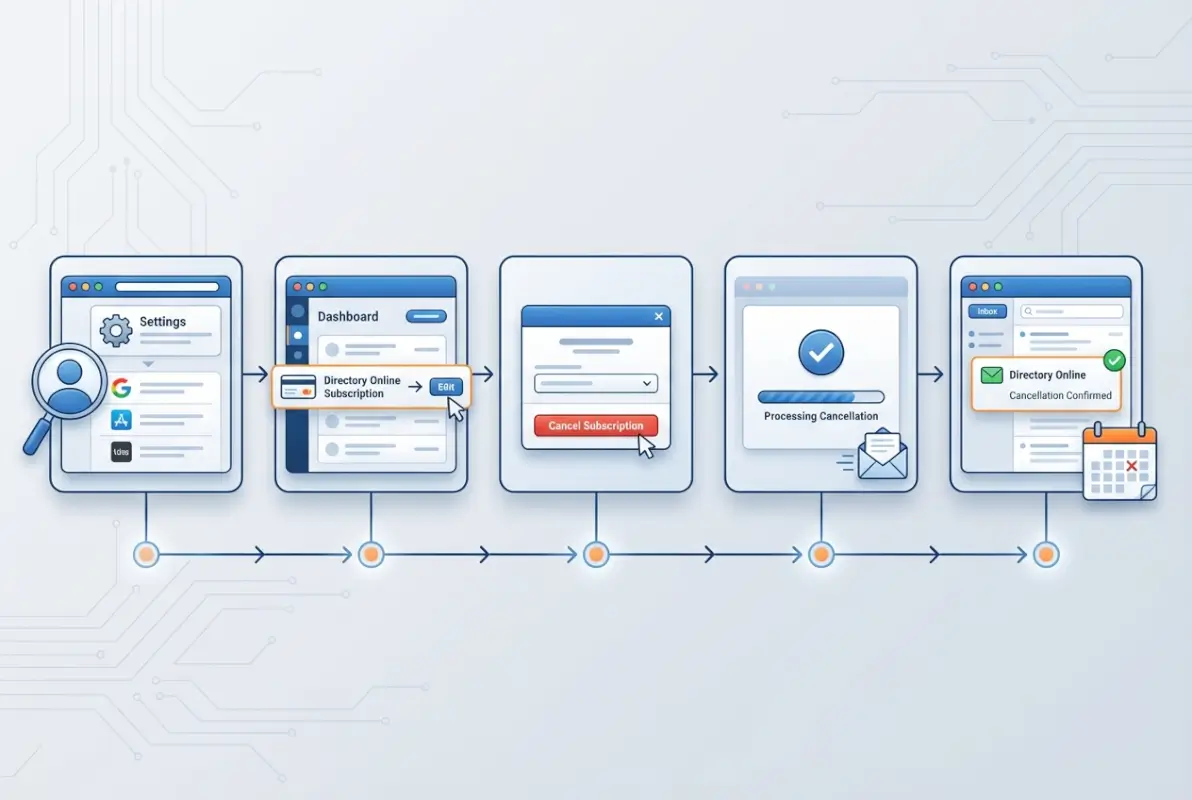
Your first stop should always be the website or app where you originally signed up for the directory service. Navigate to your account settings or billing page and look for a clearly labeled “Cancel Subscription,” “Manage Plan,” or “End Service” button. The FTC’s click-to-cancel rule encourages businesses to provide straightforward, single-channel cancellation paths that mirror the ease of sign-up, so many platforms now offer one‑click or clearly guided flows. Complete every required step (confirmation modals, surveys, or reason checkboxes) without skipping, and take a screenshot at each stage to document your progress.

If the interface presents any retention offers—discounts, pauses, or feature upgrades—evaluate them quickly against your original decision to cancel. Weigh whether the new terms genuinely solve your concern or simply delay the inevitable. Only accept if the revised plan fits your budget and usage; otherwise, proceed immediately to final confirmation. Once you click “Confirm Cancellation” or the equivalent, you should see an on‑screen acknowledgment or be redirected to a confirmation page.
Before leaving the site, verify that your subscription status reflects “Cancelled” or “Will not renew” in your account dashboard. Save or print the confirmation page and note the date; this timestamp becomes your primary evidence if billing disputes arise later. Most self‑service portals also send an automatic email confirmation within minutes, but the on‑screen acknowledgment is equally valid proof.
If self-service is blocked or unclear, escalate to supported channels
When a directory service hides the cancellation button, forces you through multiple redirects, or requires talking to a representative, you’ve encountered a dark pattern that regulators are working to eliminate. Open the company’s official “Contact Us” or “Help” page, identify every available support channel (email, live chat, phone), and start with the one that gives you a written record—typically email or chat. In your first message, state clearly: “I am canceling my subscription effective immediately. Please confirm cancellation and the final billing date.” Keep the tone polite but firm, and include your account ID, registered email, and the date you’re sending the request.
If phone support is your only option, call during business hours, note the representative’s name and the call timestamp, and ask for a confirmation number or reference ticket. Follow up the call with an email summarizing what was agreed (“Per our conversation on [date] at [time], I requested cancellation of account [ID]; confirmation number [XXX].”) to create a paper trail. This two‑channel approach protects you if the phone cancellation is “lost” or if the agent later claims you never called.
Document every interaction—save chat transcripts, print emails with full headers, and record phone‑call details in a dedicated spreadsheet or note. If the company continues to charge you after your documented cancellation request, this record becomes essential evidence for chargeback disputes with your credit‑card issuer or for filing a complaint with the FTC or your state attorney general. Regulatory frameworks like the FTC’s click‑to‑cancel rule and California’s Automatic Renewal Law expect companies to honor timely cancellation requests through any reasonable channel, so your documentation supports enforcement if needed.
| Channel | Evidence to Collect | Follow‑Up Action |
|---|---|---|
| Full message thread, sent timestamp, confirmation number | Monitor inbox for automated reply; forward to personal backup | |
| Live Chat | Transcript download or screenshot, agent name, date/time | Save HTML or PDF; send summary email to support@ address |
| Phone | Agent name, call timestamp, confirmation or ticket number | Send follow‑up email recap within 24 hours |
Confirm Cancellation and Manage Post‑Cancellation Steps
Verify cancellation is processed and monitor for charges
Within 24 to 72 hours of initiating your cancellation, log back into your directory account to confirm that the subscription status has updated to “Cancelled,” “Not renewing,” or “Expires on [date].” If the dashboard still shows “Active” after 72 hours, escalate immediately via email or chat with your original cancellation evidence attached. Simultaneously, check your email inbox (including spam and promotions folders) for an automated confirmation message that restates your cancellation effective date and final billing cycle; if none arrives, contact support again and request a confirmation resend in writing.
Set a calendar reminder for one day after your stated final billing date and review your credit‑card or bank statement on that date. Verify that no new charge from the directory service appears; if one does, initiate a chargeback dispute with your card issuer by providing your cancellation screenshots, email confirmations, and the exact charge date. Most issuers allow 60–120 days to dispute a charge, but acting within the first billing cycle maximizes your chances of a quick reversal. Keep all dispute correspondence in the same folder as your cancellation records for a complete audit trail.
If the charge was legitimate because you canceled mid‑cycle and the company only committed to “no renewal,” accept that final charge but verify it matches the prorated or full‑cycle amount described in the original terms. Any amount higher than expected warrants an immediate inquiry and, if unresolved, a formal complaint to your state attorney general or the FTC. Document the discrepancy with side‑by‑side screenshots of the service’s pricing page and your bank statement to support your claim.
Decide on refunds, credits, or reactivation windows
Review the service’s refund policy (usually found in the Terms of Service or FAQ) to determine whether you qualify for a prorated refund if you canceled mid‑cycle or within a trial period. Many directory platforms offer full refunds only if you cancel within the first 7–14 days; after that window, you typically retain access until the period you paid for expires, with no partial reimbursement. If a refund is promised, submit your request in writing through the same channel you used to cancel, referencing your confirmation number and the specific policy clause that grants the refund.
Track the refund timeline stated in the policy (commonly 5–10 business days for credit‑card reversals, longer for ACH or PayPal). If the deadline passes without a credit appearing on your statement, contact billing support with your original refund request and cancellation proof, and escalate to a chargeback if the company remains unresponsive. For services that offer account credits or “pause” options instead of cash refunds, evaluate whether you might reactivate in the future; if so, accepting a credit can preserve value, but if you’re certain you won’t return, insist on a monetary refund per the stated terms.
Be aware that some states, including California under the Automatic Renewal Law, require clear disclosure of refund policies at sign‑up and easy paths to exercise those rights. If the company’s current refund policy contradicts what was shown when you enrolled, cite the original terms in your dispute and consider filing a complaint with your state’s consumer‑protection office. Keep screenshots of both the old and new policy language to demonstrate the discrepancy.
Alternatives, Bottom‑Line Safeguards, and Future Subscriptions
Consider alternatives to or consolidation of directory services
Once you’ve canceled, assess whether you still need any directory presence at all by reviewing the leads, traffic, or contacts each listing generated over the past six months. If your primary directory drove fewer than five qualified inquiries per month, explore free or low‑cost alternatives such as Google Business Profile, industry‑specific open directories, or social‑media business pages that offer similar visibility without recurring fees. For niche industries—legal, medical, or local services—evaluate whether a single, authoritative directory (for example, a state bar association or healthcare registry) delivers better ROI than multiple paid listings.

Consolidation can mean moving from three or four overlapping directories to one premium service that offers broader reach and better analytics. Compare feature sets side by side: does the surviving platform provide lead tracking, review management, and SEO benefits that justify its cost? If not, consider one‑time listing fees or annual renewals you control manually, avoiding auto‑renew traps entirely. This shift aligns with broader subscription‑fatigue trends, where consumers and businesses alike are pruning low‑value recurring charges in favor of pay‑as‑you‑go or consolidated solutions.
Document your decision criteria in a simple spreadsheet: list each directory option, its annual cost, estimated monthly leads, cost per lead, and unique features. Share this analysis with any team members or stakeholders who influence marketing spend, ensuring everyone agrees on which services warrant continued investment. Revisit the spreadsheet quarterly to catch any shifts in performance or pricing before the next renewal cycle begins.
Implement prevention and smart subscription hygiene
Adopt a “pause‑first” mindset for any directory service that offers temporary suspension instead of outright cancellation; pausing locks your listing for 30–90 days without billing, letting you test whether you miss the traffic before committing to a full exit. If the platform doesn’t advertise a pause feature, ask support directly—many will grant a courtesy hold to retain you as a future customer. Use this window to monitor your analytics and decide whether to resume, downgrade, or cancel permanently when the pause expires.
Set recurring calendar reminders (quarterly or semi‑annually) to audit all active subscriptions, not just directories, and flag any you haven’t logged into in the past 60 days. Treat these reviews as financial hygiene, similar to reconciling bank statements, and involve your finance or operations team if you manage subscriptions on behalf of a business. For personal accounts, use a dedicated password manager or spreadsheet to track renewal dates, so you receive at least two weeks’ notice before each auto‑renewal and can cancel proactively if the service no longer fits your needs.
Consider using virtual credit‑card numbers or privacy‑focused payment services that let you set spending limits or expiration dates for each subscription. If a directory tries to charge beyond your authorized amount or after your set end date, the transaction declines automatically, forcing the company to contact you for updated payment details—at which point you can renegotiate terms or walk away. This technical safeguard complements regulatory protections like the FTC’s click‑to‑cancel rule by giving you an additional layer of control over when and how charges occur.
Finally, cultivate the habit of reading renewal notices and policy‑update emails as soon as they arrive, rather than archiving them unread. Companies often bury price increases, feature changes, or new auto‑renewal clauses in these messages, and catching them early gives you time to cancel before the new terms take effect. Mark a “Subscriptions” label or folder in your email client, set up filters to route all billing notifications there, and schedule five minutes each week to review anything new. This small investment of time can save hundreds of dollars annually and prevent unwanted service lock‑in.
| Hygiene Practice | Frequency | Action |
|---|---|---|
| Subscription audit | Quarterly | Review all active services; cancel or downgrade unused ones |
| Renewal‑notice review | Weekly | Check dedicated email folder for price or policy changes |
| Payment‑method check | Monthly | Verify virtual card limits; update or revoke as needed |
| Analytics review | Monthly | Measure ROI (leads, traffic) for each directory listing |
Frequently Asked Questions
How do I cancel a directory subscription quickly and easily?
Log in to the platform where you signed up, navigate to account settings or billing, and follow the cancellation link. Most services now offer self-service cancellation per FTC guidance. If the option isn’t clear, contact customer support directly and request immediate cancellation with written confirmation.
Will I get a refund if I cancel before the end of the term?
Refund policies vary by provider. Many directory services do not offer prorated refunds for monthly or annual plans, but some provide credits for unused time or trial periods. Check your subscription agreement and ask support explicitly about refund eligibility when you cancel to secure any available credits.
How long does it take for a cancellation to go through and for charges to stop?
Cancellations typically process within 24 to 72 hours, with confirmation sent via email or portal update. Charges stop on the date your current billing period ends, not immediately. Always verify your next scheduled charge date during cancellation and monitor your payment method for 30 days afterward.
What should I do if the cancellation flow is intentionally difficult or confusing?
Document every step with screenshots and timestamps, then escalate to customer support via email or chat for a paper trail. If the provider still obstructs cancellation, file a complaint with the FTC or your state attorney general, citing the Click-to-Cancel rule and California’s Automatic Renewal Law if applicable.
Are there specific state or federal rules about canceling auto-renewals I should know?
Yes. The FTC’s Click-to-Cancel rule requires businesses to make cancellation as easy as sign-up, and California’s Automatic Renewal Law mandates clear disclosure and simple cancellation mechanisms. Both regulations protect you from hidden renewal charges and complex cancellation processes, giving you strong grounds to dispute non-compliant practices.
Can I pause my directory subscription instead of canceling it completely?
Some directory platforms offer a pause or downgrade option that freezes billing while preserving your data and listings. This can be useful if you plan to reactivate later. Check your account settings or contact support to ask about pause features, trial extensions, or lower-tier plans before committing to full cancellation.
Should I cancel my directory subscription before or after the renewal date?
Cancel before your renewal date to avoid being charged for another billing cycle. Most providers require notice at least one business day prior to renewal. Review your subscription terms for specific deadlines, set a calendar reminder one week early, and confirm cancellation well in advance to prevent unwanted charges.
What happens to my listings and data after I cancel my directory subscription?
Policies vary, but many services remove or deactivate your listings immediately or at the end of your paid term. Some platforms retain data for a grace period. Before canceling, export any contacts, analytics, or content you need, and confirm the provider’s data retention policy to avoid losing critical business information.
Take Control of Your Subscriptions Today
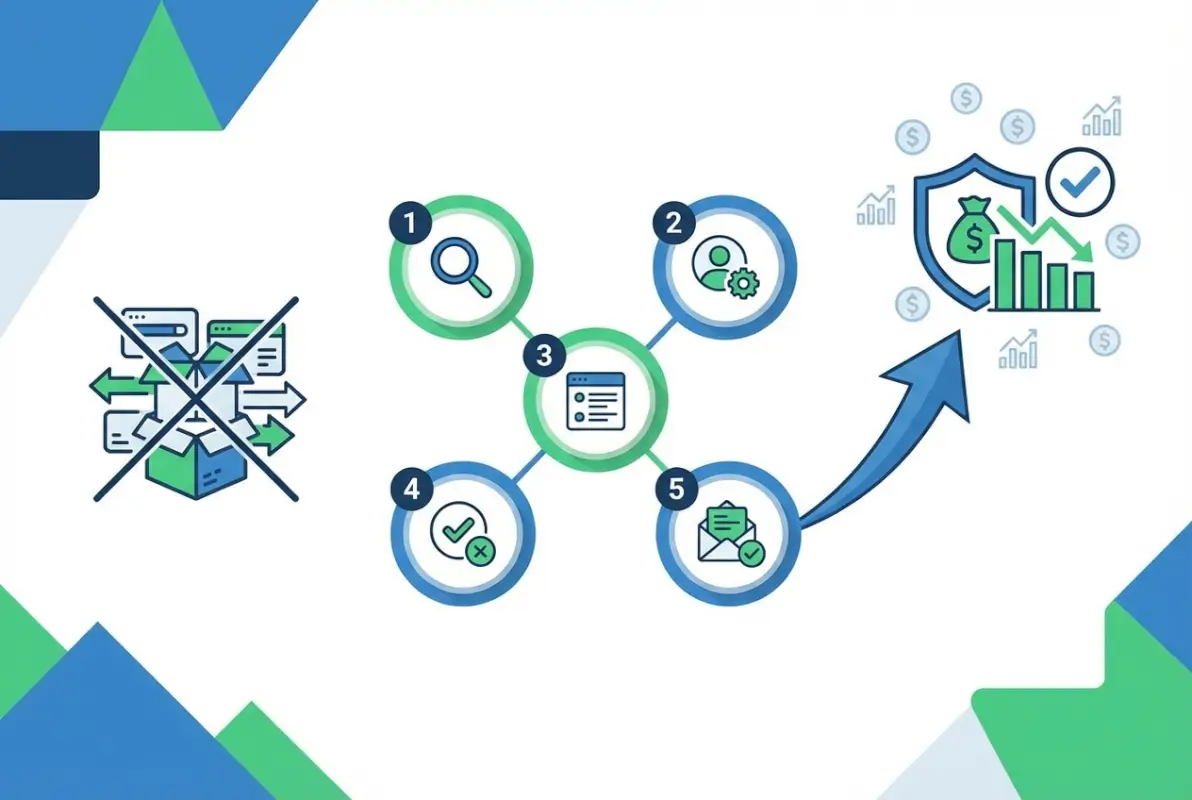
You now have a complete, actionable roadmap for canceling any directory subscription without friction or surprise charges. By inventorying your active services, preparing essential account details, executing cancellation through the simplest available channel, confirming the process, and exploring smarter alternatives, you’ve positioned yourself to reclaim both budget and peace of mind.
The regulatory landscape is working in your favor. The FTC’s Click-to-Cancel rule and California’s Automatic Renewal Law have set clear expectations that providers must make cancellation as straightforward as sign-up. Use this leverage whenever you encounter confusing flows or hidden barriers, and don’t hesitate to escalate to customer support or file a formal complaint if a company tries to trap you in a subscription you no longer want.
Beyond today’s cancellation, adopt subscription hygiene as a quarterly habit. Set calendar reminders to review every recurring charge, ask yourself whether each service still delivers value, and pause or downgrade before you cancel outright if you think you might return. This proactive approach prevents subscription fatigue, reduces wasteful spending, and keeps your digital life lean and purposeful.
Ready to Simplify Your Subscriptions?
Start your cancellation audit today. List every directory service, flag the ones draining your budget, and apply these five steps to take back control.
Your wallet and your schedule will thank you—and you’ll never lose track of a renewal again.
If you found this guide helpful, bookmark it and share it with colleagues or friends who are drowning in subscription overload. The faster you act, the more you save, and the sooner you can redirect those funds toward services and tools that truly move the needle for your business or personal goals.
Was this article helpful?