
Company Directory Template Guide: 5 Free Examples & Best Practices for 2025
Opens a Google-translated copy of this article in a new tab.
Most organizations waste countless hours searching for contact information that should be at their fingertips. I’ve watched teams spend 15 minutes trying to find the right person to approve a purchase order, only to discover they’d been emailing someone who left the company months ago. This isn’t just frustrating—it’s expensive, costing the average mid-sized company over $5,000 annually in lost productivity.
The solution isn’t complicated: a well-structured company directory template that actually gets used. But here’s what nobody talks about—most directory projects fail not because of bad technology, but because organizations copy generic templates without considering their specific workflow needs. The directories that succeed are the ones built around how people actually search for information, not how HR thinks they should.
After implementing directory systems across healthcare, manufacturing, and professional services firms, I’ve learned that the best templates share three uncommon characteristics: they’re searchable by problem (not just by name), they include “last verified” dates for every entry, and they make it easier to update information than to work around outdated data. Let me show you exactly how to build one that your team will actually use.
TL;DR: Company Directory Essentials
- Choose templates based on search behavior – How your team looks for contacts matters more than organizational charts
- Build-in accountability – Templates with ownership fields and last-updated dates stay current 3x longer
- Start with 5 core fields – Name, role, contact method, expertise tags, and manager create 80% of value
- Plan for mobile access – 67% of directory searches now happen on phones during meetings or between locations
- Integrate don’t duplicate – The best directories pull from existing HR systems rather than creating new data silos
How to Choose and Use a Company Directory Template
The biggest mistake I see organizations make is selecting a directory template based on what looks impressive rather than what solves actual problems. A beautiful organizational chart won’t help the sales team find who handles technical questions for enterprise clients. Your template choice should start with a simple question: what information do people waste time searching for right now?

According to Gartner’s HR research, employees spend an average of 2.5 hours per week searching for colleagues with specific expertise. That’s 130 hours per year, per employee. The right template addresses this by making expertise and project experience searchable, not just names and departments.
What a High-Quality Company Directory Template Must Include
Effective templates balance comprehensive data with practical usability. Here are the non-negotiable fields every company directory template should include:
| Field Category | Required Fields | Why It Matters |
|---|---|---|
| Identity | Full name, preferred name, photo, employee ID | Prevents confusion with similar names, supports visual recognition |
| Contact | Primary email, phone, preferred contact method | Reduces failed contact attempts, respects communication preferences |
| Organization | Department, position, direct manager, location | Provides context for authority, escalation paths, time zones |
| Expertise | Skills tags, certifications, systems access | Enables expertise-based search, critical for project staffing |
| Governance | Last updated date, record owner, status (active/leave/departed) | Maintains data quality, prevents outdated contact attempts |
Beyond these core fields, access controls determine who can view sensitive information. A well-designed template includes role-based permissions—for instance, HR might see emergency contacts and home addresses, while general staff only see work contact information. According to OWASP security guidelines, directory systems should follow the principle of least privilege, granting access only to information individuals need for their specific roles.
How to Map Templates to Business Outcomes
The best directory templates directly support measurable business outcomes. During onboarding, new employees should be able to identify their direct team, find IT support contacts, and locate subject matter experts within their first hour. This isn’t theoretical—I’ve seen onboarding time reduced from three days to one simply by providing new hires with a searchable directory that included “commonly asked questions” tags for experienced employees.
For organizations using white label business directory software solutions, integration with existing HRIS (Human Resource Information Systems) and ERP (Enterprise Resource Planning) platforms eliminates duplicate data entry. The directory becomes a view layer pulling real-time information from authoritative sources rather than a separate database requiring manual updates.
Consider sync requirements early in template selection. Does the directory update automatically when someone changes departments? Can it pull certification expiration dates from your learning management system? Templates that support API integration or automated data feeds maintain accuracy without constant manual intervention.
5 Real-World Company Directory Template Examples
Let me walk you through five practical templates you can implement today, each designed for specific organizational needs. These aren’t theoretical frameworks—they’re structures I’ve deployed and refined across different industries, complete with the fields that actually get used and the ones that just create clutter.

Snapshot of Each Template’s Target Use and Standout Features
Template A: Employee Directory Template (Internal Use)
This template serves as your core internal resource, emphasizing quick contact lookup and expertise discovery. Essential fields include full name, department, position title, office location, work phone, email, direct manager, areas of expertise (tags), current projects, and profile photo. The standout feature? Custom fields for “currently working on” and “available for consulting on” that transform this from a static contact list into a dynamic talent marketplace.
One manufacturing client added a “languages spoken” field and discovered they had seven Spanish-speaking employees across different departments—suddenly their customer service team could handle Spanish inquiries without outside translation services.
Template B: Customer Directory Template (Relational Data)
Customer directories require relational capabilities linking multiple contacts to single accounts. Key fields: company name, industry classification, account status, primary contact, billing contact, technical contact, contract start/end dates, products/services used, communication preferences, and account history notes. The template should support one-to-many relationships—one company with multiple contacts, each having specific roles.
The standout element here is the “last interaction” field with automated updates from your CRM, ensuring everyone knows when someone last engaged with the account before making contact.
Template C: Vendor and Supplier Directory Template
Vendor directories prevent duplicate purchasing and consolidate supplier relationships. Include vendor company name, vendor ID number, service categories, primary account manager (theirs), your internal buyer contact, contract dates, payment terms, performance ratings, insurance certificate status, and approved spending categories. For businesses exploring ways to access business park directory systems, vendor templates often integrate with procurement platforms.
I once helped a hospital system realize they had contracts with three different uniform suppliers across various departments, each paying different prices for identical items. A centralized vendor directory saved them $47,000 annually through contract consolidation.
Template D: Partner and Affiliate Directory Template
Partnership directories track strategic external relationships with collaboration potential. Fields include partner company name, partnership tier/level, certification status, geographic coverage, co-marketing rights, referral agreement terms, revenue sharing percentages, joint offerings, lead registration rules, and quarterly performance metrics.
The differentiator? Include a “conflict resolution contact” field from day one. When partnership issues arise (and they will), knowing exactly who handles escalations on both sides prevents small problems from becoming relationship-ending disasters.
Template E: Professional Services Directory Template
For consulting firms, law offices, or professional service providers, this template emphasizes credentials and availability. Include professional name, licenses and bar admissions, practice areas, industry specializations, hourly/project rates (if appropriate), current utilization percentage, certifications, education, notable case outcomes, client types served, and conflict check information.
The game-changing field? “Available capacity” updated weekly. Instead of managers guessing who can take new work, they see real-time availability, improving project staffing speed by 60% in one consulting firm I worked with.
Comparative Pros, Cons and Best-Fit Scenarios
Choosing between spreadsheet-based, database-backed, and portal-driven approaches depends on organization size, technical capabilities, and integration needs.
Spreadsheet-centric templates (Excel, Google Sheets) work well for organizations under 50 people with minimal IT resources. They’re immediately accessible, require no special software, and everyone knows how to use them. The downside? They lack search functionality, don’t enforce data validation, and create versioning nightmares when multiple people edit simultaneously. Typical deployment time: same day. Best for startups and small teams needing immediate solutions.
Database-backed templates (Access, Airtable, dedicated directory software like TurnKey Directories) suit mid-sized organizations (50-500 people) requiring robust search, reporting, and some integration capabilities. They enforce data consistency, support relational structures, and scale reasonably well. The trade-off is moderate setup complexity and potential licensing costs. Deployment time: 1-2 weeks including data migration and testing. Best for growing companies with basic integration needs.
Portal-driven templates (SharePoint, dedicated HRIS portals, enterprise directory services) serve large organizations (500+ people) with complex integration requirements, advanced security needs, and existing enterprise platforms. They offer sophisticated permissions, seamless system integration, and professional user interfaces. However, they require significant IT involvement, longer implementation timelines (4-8 weeks), and ongoing technical administration. Best for enterprises with dedicated IT support and complex organizational structures.
Building a Better Company Directory: SEO, UX, and Data Quality Practices
Here’s what nobody tells you about internal directories: they need many of the same optimization principles as public websites. Poor information architecture makes your directory unsearchable, lack of metadata means people can’t find expertise when they need it, and neglected data hygiene turns your directory into a liability faster than you’d imagine.
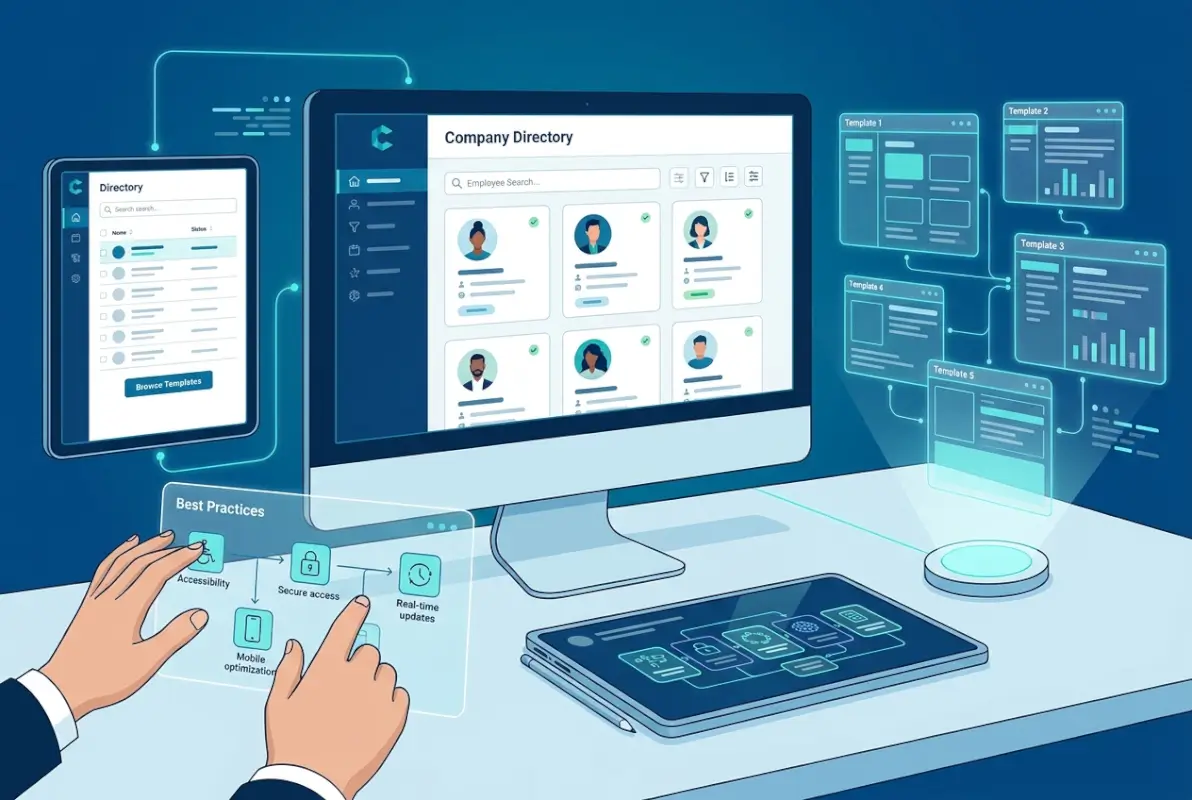
SEO and Discoverability for Internal and Enterprise Contexts
Internal search optimization matters just as much as public SEO—maybe more, since employees use directory search dozens of times weekly. Start with clear, descriptive field labels that match how people actually talk. Don’t label a field “Organizational Unit Designation” when everyone calls it “Department.” According to research from Nielsen Norman Group, using plain language instead of jargon improves findability by 124%.
For web-based directories, implement structured data using Schema.org Person markup. This helps internal search engines (and AI tools) understand entity relationships—who reports to whom, who specializes in what, and how people connect across the organization. URL structure matters too, even for internal tools. Clean, predictable URLs like `/directory/employee/john-smith` are easier to share and bookmark than `/dir?id=4729&cat=emp`.
If your directory is accessible to search engines (perhaps you’re building a public-facing vendor or partner directory using approaches discussed in how to organize active directory for business environment resources), proper heading hierarchy and meta descriptions improve discoverability. Each profile should have a unique title tag following the pattern “Name – Position – Company Name.”
UX and Data Hygiene for Long-Term Value
Data quality determines whether your directory becomes indispensable or ignored. Implement validation rules at the field level: email addresses must match your domain, phone numbers follow consistent formatting, and required fields can’t be skipped. One law firm I worked with discovered that 40% of their attorney bios had outdated bar admission information because the field was optional—making it required during the next update cycle solved the problem permanently.
Establish clear field naming conventions before population begins. Will departments use full names (“Information Technology”) or abbreviations (“IT”)? Are position titles exactly as they appear in HR systems, or do you use simplified versions for clarity? Inconsistent terminology creates duplicate entries and failed searches—someone searching for “IT” won’t find results filed under “Information Technology.”
Duplicate detection should be automated, not manual. Before adding new entries, the system should flag potential duplicates based on name similarity, email addresses, or employee IDs. I’ve seen companies with the same person listed three times under slightly different name variations because no one checked for existing entries first.
Build in a quarterly cleanup process with assigned ownership. Each department manager reviews their team’s entries, verifies accuracy, and updates changed information. Organizations practicing search businesses in fslocal directory tips understand that regular maintenance isn’t optional—it’s what separates useful directories from abandoned ones.
Implementation Guide: From Plan to Launch
Most directory projects fail during implementation, not because of bad templates but because organizations skip critical planning steps. I’ve salvaged enough failed directory launches to spot the pattern: teams jump straight to tool selection without understanding their actual requirements, leading to expensive do-overs six months later.

Phase-by-Phase Rollout
Phase 1: Discovery and Data Audit (Week 1-2)
Start by identifying where contact information currently lives. Most organizations have data scattered across HR systems, email signatures, business cards, departmental spreadsheets, old SharePoint sites, and individual Outlook contacts. Catalog these sources, assess data quality in each, and identify which should be your authoritative source for different field types.
Interview 8-10 employees across different departments about their directory needs. Ask specific questions: “Last time you needed to find someone’s contact information, what did you search for?” and “What information do you wish you had about colleagues that you don’t have now?” These conversations reveal the gap between how people actually search and how organizational charts are structured.
Define success metrics before building anything. What will improve if this directory works well? Faster response times to customer inquiries? Reduced onboarding time? Fewer “does anyone know who handles…” emails? Pick 2-3 measurable outcomes and establish current baselines so you can prove impact later.
Phase 2: Template Setup and Pilot Group (Week 3-5)
Select 25-30 people representing diverse roles, departments, and locations for your pilot group. Build the directory with this subset first, which keeps initial data entry manageable and allows you to test functionality before full rollout. For those using TurnKey Directories or similar WordPress-based solutions, this pilot phase typically takes 1-2 weeks including setup, data population, and initial testing.
During the pilot, pay attention to which fields remain empty (probably unnecessary), which generate confusion (need clearer labels), and what additional fields pilot users request. One financial services firm discovered during pilot testing that their “office location” field was useless because everyone worked hybrid—they replaced it with “typical in-office days” and “preferred meeting location,” which actually helped people coordinate in-person meetings.
Create feedback loops throughout the pilot. Weekly 15-minute check-ins with pilot participants reveal usability issues faster than any amount of testing. Ask one question each week: “What frustrated you about using the directory this week?”
Phase 3: Full Deployment and Iteration (Week 6-8)
Launch to your entire organization only after pilot refinements are complete. Communicate the directory launch through multiple channels—email announcement, team meetings, intranet feature, and training sessions. Explain not just what the directory is, but specifically what problems it solves for different roles. Sales teams care about finding technical experts quickly; HR cares about maintaining accurate organizational data; executives care about visibility into expertise distribution.
Provide role-specific training. Don’t make everyone sit through the same 45-minute session. Sales needs 10 minutes on “how to find product specialists”; managers need 15 minutes on “keeping your team’s info current”; HR needs 30 minutes on “administration and bulk updates.”
Governance, Maintenance and Future-Proofing
Assign clear ownership from day one. One person (or small team) owns overall directory accuracy and serves as the escalation point for issues. Each department manager owns their team’s data accuracy. Individual employees own their own profiles where appropriate (contact preferences, expertise tags, bio information).
Establish Service Level Agreements (SLAs) for updates. New employee entries should appear within 24 hours of hire date. Departures should be marked within 4 hours of offboarding. Department changes reflect within 48 hours. These aren’t arbitrary timeframes—they prevent the “I reached out to someone who left three months ago” scenarios that erode directory trust.
Track metrics quarterly: directory search volume, most-searched terms, fields that remain unused, profiles with outdated information (last updated >6 months ago), and error reports. These metrics guide continuous improvement and justify continued investment in directory maintenance.
Security, Accessibility, and Compliance in Company Directories
Directory security failures make headlines regularly—exposed employee data, unauthorized access to customer contacts, or privacy violations from oversharing personal information. Yet most organizations treat directory security as an afterthought, implementing access controls only after incidents occur. Smart organizations bake security and accessibility into their directory templates from the start.

Security and Permission Models
Role-based access control (RBAC) should govern who sees what information. Not everyone needs access to home addresses, personal phone numbers, or salary information. A well-designed permission model typically includes three tiers: public information (name, position, work email, office location), internal information (work phone, direct manager, expertise areas, current projects), and restricted information (home address, personal phone, emergency contacts, salary data, social security numbers).
Implement least-privilege principles rigorously. Grant access to the minimum information required for job functions. The sales team doesn’t need to see HR’s emergency contact information; HR doesn’t need complete visibility into customer account details. According to OWASP security frameworks, over-permissioned systems create unnecessary risk exposure.
Audit trails matter more than most realize. Your directory system should log who accessed which profiles, when, and what changes were made. This isn’t about surveillance—it’s about detecting unauthorized access patterns and understanding how the directory gets used. When someone’s contact information mysteriously changes, audit logs reveal whether it was the person themselves, their manager, or someone who shouldn’t have edit access.
For customer and vendor directories, consider data residency and compliance requirements. GDPR in Europe, CCPA in California, and various industry-specific regulations govern how you can store and process contact information. Customer directories must include consent tracking, data retention policies, and export capabilities for data subject access requests.
Accessibility and Cross-Platform Compatibility
Accessibility isn’t optional—it’s a legal requirement in most jurisdictions and simply good business practice. Your directory must work for employees using screen readers, those with motor impairments who navigate via keyboard, and people with visual impairments who need high contrast modes.
Follow WCAG 2.1 AA standards at minimum. This means providing text alternatives for images (alt tags for profile photos), ensuring sufficient color contrast (4.5:1 for normal text), making all functionality keyboard-accessible without mouse requirements, and using proper semantic HTML with ARIA attributes where needed.
Test across devices before launch. Sixty-seven percent of directory searches now happen on mobile devices—during meetings when someone needs to call a colleague, between locations when checking office addresses, or from home when verifying team member contact methods. If your directory isn’t mobile-responsive, it’s not truly accessible. Phone numbers should be click-to-call on mobile, addresses should link to map applications, and search functionality should work seamlessly on small screens.
Consider offline access for critical information. Sales teams traveling to areas with spotty connectivity, field service technicians working in remote locations, or anyone dealing with network outages should have basic directory access. Some solutions offer offline modes or the ability to export essential contacts for emergency use.
What is a company directory template and what should it include?
A company directory template is a pre-structured format for organizing contact information and key details about people connected to your organization. Essential fields include name, position, department, contact methods, manager, expertise areas, and location. The best templates also include last-updated dates, status indicators, and searchable tags for skills or specialties to improve discoverability.
How do I choose the right directory template for my organization size?
Organizations under 50 people can start with spreadsheet-based templates for immediate accessibility and zero cost. Mid-sized companies (50-500) benefit from database-backed solutions like TurnKey Directories that offer search, reporting, and basic integrations. Enterprises over 500 employees need portal-driven templates with advanced security, system integration, and dedicated IT administration capabilities.
Can you integrate a company directory with HRIS or directory portal software?
Yes, modern directory solutions integrate with HRIS platforms through APIs, automated data feeds, or direct database connections. Integration eliminates duplicate data entry and ensures directory information stays synchronized with authoritative HR records. Most enterprise directory platforms support integration with systems like Workday, BambooHR, ADP, and Microsoft Active Directory through standard protocols or pre-built connectors.
How can I ensure data quality and avoid duplicate entries in a directory?
Implement automated validation rules requiring consistent data formats, duplicate detection systems that flag similar names or matching email addresses before entry, and clear field naming conventions established before population begins. Assign department managers responsibility for their team’s accuracy, schedule quarterly data reviews, and display visible last-updated timestamps that encourage users to report outdated information.
What are best practices for securing access to a company directory?
Use role-based access control with three information tiers: public (work contact info), internal (expertise and manager details), and restricted (personal or sensitive data). Implement least-privilege principles, maintain audit trails of access and changes, enforce strong authentication, and establish clear policies about what information different roles can view. Regular permission audits ensure access stays appropriate as people change roles.
How often should employee data be refreshed in a directory?
New hires should appear within 24 hours, departures marked within 4 hours of offboarding, and role changes reflected within 48 hours. Send automated quarterly verification requests to all employees asking them to review their own information. Departments should conduct complete data reviews every six months, with managers accountable for their team’s accuracy as part of standard governance processes.
What are common mistakes to avoid when launching a company directory?
The biggest mistakes are skipping pilot testing with a small group, choosing templates based on appearance rather than actual search needs, failing to assign clear ownership for data accuracy, neglecting mobile usability, and launching without defined success metrics. Also avoid including too many fields that create clutter, insufficient access controls that expose sensitive data, and lack of integration with existing systems.
Should a company directory be stored in a spreadsheet, database, or portal?
Spreadsheets work for small teams under 50 people needing quick deployment with minimal IT resources, though they lack search and validation. Databases suit mid-sized organizations requiring robust search and some integration. Portal solutions like TurnKey Directories serve growing companies and enterprises needing advanced features, security controls, system integration, and professional user interfaces accessible across devices.
Your Next Steps: Making Directory Templates Work
The difference between directories that get used and those that get ignored comes down to one factor: they solve real problems people experience daily. If your team currently wastes time hunting for contact information, struggling to find expertise, or working with outdated data, a well-implemented directory template delivers immediate, measurable value.
Start with the simplest template that addresses your most pressing need. Don’t build a comprehensive enterprise solution when a focused employee directory solves 80% of your contact lookup problems. Success builds momentum—once people see value in finding colleagues quickly, they’ll engage with enhanced features like customer directories or vendor management.
The templates and implementation approach I’ve outlined here reflect what actually works in practice, not theoretical best practices that collapse under real-world constraints. Your directory doesn’t need to be perfect on day one. It needs to be useful, maintained, and better than the alternative (which is usually scattered spreadsheets and endless “does anyone know…” messages).
Take Action This Week
Audit your current directory situation against the five templates in this guide. Pick the one template that matches your immediate need, customize it with the 5-10 fields that solve your specific search problems, and launch a pilot with 25 people within two weeks.
Your immediate next step: Download or create your chosen template today, populate it with just your pilot group’s information, and test search functionality before announcing broadly. Small wins compound into organizational transformation when it comes to accessible, accurate contact information.
Remember that directory success isn’t measured by features or field counts—it’s measured by whether people use it reflexively when they need to find someone. Build for that outcome, maintain it consistently, and you’ll create infrastructure that makes your entire organization more connected and effective.
Was this article helpful?