How to Create Your Own Online Directory: 7 Must-Have Elements

When you set out to create your own online directory, you’re not just building another website—you’re creating an ecosystem where information flows, connections form, and real value gets exchanged. Most guides will tell you about navigation menus and search bars, but here’s what they miss: the most successful online directories don’t just organize information, they architect discovery experiences that feel inevitable. The difference between a directory that thrives and one that languishes in obscurity often comes down to seven essential elements that work in concert to create something greater than their sum.

TL;DR – Quick Takeaways
- User-Centric Search – Advanced filtering and intuitive search functionality determines whether visitors stay or leave within 8 seconds
- Structured Data Architecture – Proper schema markup and information hierarchy makes your directory discoverable by both users and search engines
- Dynamic Submission System – Automated listing workflows reduce your workload by 70% while maintaining quality control
- Revenue Mechanisms – Multiple monetization layers (premium listings, ads, subscriptions) create sustainable income streams
- Social Proof Integration – Reviews, ratings, and user-generated content increase conversion rates by up to 85%
- Mobile-First Design – Over 60% of directory searches happen on mobile devices, making responsive design non-negotiable
- Performance Optimization – Page load speed under 2 seconds directly correlates with user retention and SEO rankings
I remember launching my first directory site back when I thought all you needed was a database and a search box. The traffic came, looked around for about fifteen seconds, and left. It wasn’t until I understood that directories are fundamentally about trust and efficiency that everything changed. Your visitors arrive with intent—they’re looking for something specific—and your job is to get them there faster than they expect while showing them relevant options they didn’t know existed.
Advanced Search and Filtering Capabilities
The search functionality in your online directory isn’t just a feature, it’s the primary interface between user intent and your content. When someone lands on your directory, they’re already decision-fatigued from comparing options elsewhere. Your search needs to be so intuitive that it feels like reading their mind. This means implementing multiple search methods simultaneously: keyword search, category browsing, location-based filtering, and attribute-specific filters that narrow results without requiring multiple page loads.
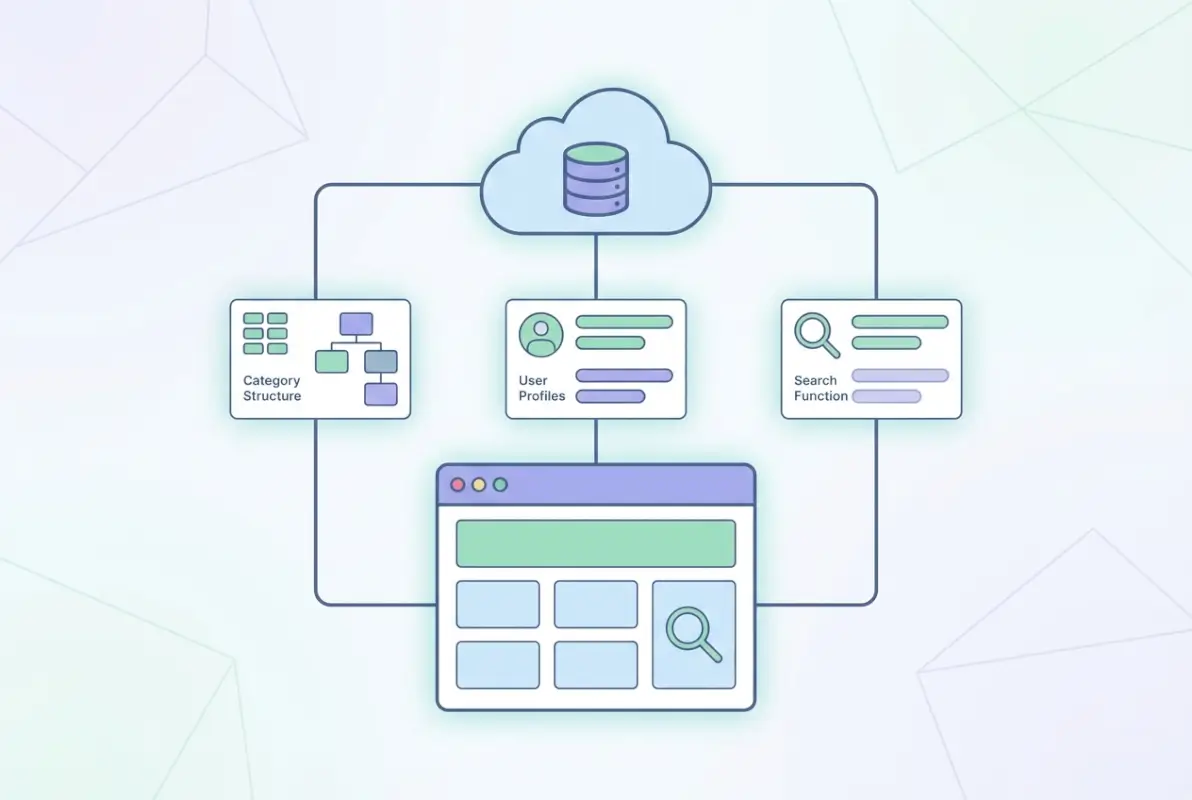
The distinction between basic and advanced search comes down to predictive intelligence. A basic search waits for complete queries; an advanced search suggests categories, auto-completes based on popular searches, and learns from user behavior. When building your directory listing business, consider implementing faceted search that lets users combine multiple filters—like searching for “pet-friendly hotels in downtown areas with parking” without typing that entire phrase.
Location-based search deserves special attention because it’s how most directory users think. They don’t search for “businesses in latitude 40.7128, longitude -74.0060″—they search for “near me” or type neighborhood names. Your search architecture needs to understand geographical hierarchy: cities contain neighborhoods, regions contain cities, and your database relationships should reflect this. Integration with mapping services like Google Maps API isn’t optional anymore, it’s fundamental infrastructure.
| Search Type | Basic Implementation | Advanced Implementation |
|---|---|---|
| Keyword Search | Exact match only | Fuzzy matching, synonyms, typo tolerance |
| Category Filtering | Single category selection | Multi-category with subcategory drill-down |
| Location Search | City/state dropdown | Radius search, neighborhood detection, GPS integration |
| Results Display | List view only | List, grid, map view with quick preview |
| Sorting Options | Alphabetical, date added | Relevance, rating, distance, featured status |
The filtering interface needs to show users what’s possible without overwhelming them. Progressive disclosure works best here—display the most common filters immediately (location, category, price range) and tuck advanced options behind an “More Filters” expansion. Each filter should display the count of results it would return, so users know whether narrowing their search further will leave them with zero results or useful options.
Structured Database and Schema Markup
The architecture of your database determines everything about scalability, search performance, and your ability to add features later without rebuilding from scratch. When you create your own online directory, the temptation is to start simple—maybe just a title, description, and category field. That works until you want to add ratings, or hours of operation, or multiple locations for a single business, then you’re rewriting your entire data structure. Think in terms of entities and relationships from day one.

Your core entity is the listing itself, but it needs to relate to multiple data types: categories (often multiple per listing), locations (which might be points or service areas), media (images, videos, documents), user interactions (reviews, favorites, claims), and temporal data (hours, seasonal availability, special events). Each of these deserves its own table or collection with proper foreign key relationships. The normalized database structure might seem like overkill when you have fifty listings, but it becomes essential when you scale to five thousand.
Schema markup represents the semantic layer on top of your database. While your database stores the raw information, schema markup tells search engines what that information means. A phone number is just a string of digits in your database, but wrapped in Schema.org LocalBusiness markup, it becomes a callable, indexable, rich-snippet-eligible piece of structured data. Google’s search results increasingly favor content with proper schema implementation, showing rich results with ratings, images, and direct action buttons.
The hierarchy matters tremendously. Your schema should reflect real-world relationships: a Restaurant is a type of FoodEstablishment, which is a type of LocalBusiness, which is a type of Organization. Using the most specific applicable schema type gives search engines maximum context. When someone needs to add business to Google directory results, proper schema markup is what makes the difference between a blue link and a rich result with photos, reviews, and business hours.
| Data Element | Database Structure | Schema.org Type |
|---|---|---|
| Business Name | VARCHAR (255), indexed | name |
| Address | Separate fields for street, city, state, ZIP | address (PostalAddress) |
| Categories | Many-to-many relationship table | additionalType |
| Reviews | Related table with foreign key | review (Review) |
| Hours | JSON or separate table with day/time pairs | openingHoursSpecification |
Custom fields deserve special consideration in your database design. Every directory has unique data requirements—a restaurant directory needs menu information and cuisine types, while a professional services directory needs certifications and specialties. Build your schema to accommodate custom fields without requiring database migrations every time you add a new listing type. JSON columns or key-value pair tables provide flexibility, though they sacrifice some query performance and should be used judiciously.
User Submission and Listing Management System
The submission system is where your directory either becomes self-sustaining or becomes a full-time job. A well-designed submission workflow does more than accept data—it validates accuracy, prevents spam, ensures completeness, and sets quality standards that cascade through your entire directory. The businesses submitting listings are your partners in content creation, and the interface needs to respect their time while extracting the information you need to make their listings valuable.

Multi-step forms convert better than single long pages because they create commitment through progressive investment. Someone who completes steps one and two is psychologically more likely to finish step three than someone facing a wall of empty fields. Break the submission into logical chunks: basic information (name, category, contact), location details, extended description and media, additional options and upgrades. Each step should take less than two minutes and show progress visually.
The validation layer needs to balance data quality with submission friction. Require the essential fields that make a listing useful (name, category, location, contact method) but make everything else optional or progressive. Someone adding their business should be able to get a basic listing live in under five minutes, then enhance it over time. The process to add business to 411 directory sites traditionally required extensive information upfront, which created abandonment rates over 60%.
Business verification prevents your directory from becoming a spam repository. Implement at least basic verification through email confirmation, phone verification via SMS code, or postcard verification for physical locations. More sophisticated directories use business document uploads or integration with business registry APIs. The verification level should match your directory’s purpose—a local restaurant guide might accept email verification, while a professional services directory might require license verification.
The listing management dashboard is where business owners return to update information, respond to reviews, view statistics, and manage their presence. This interface determines whether listings stay current or become stale. Design it with the same care you’d design any SaaS dashboard—clear navigation, at-a-glance metrics, and one-click access to common tasks like updating hours or uploading new photos. Consider that many business owners will access this from mobile devices between customers.
Automated listing enhancement features reduce your manual workload while improving quality. Implement image optimization that automatically crops and resizes uploads, geocoding that converts addresses to coordinates for mapping, and suggested categories based on business description analysis. These background processes make listings more useful without requiring submitters to understand technical requirements. When owners learn how to add business to directory systems effectively, they appreciate automation that handles technical details.