How to Level Up Your eBay Listings: 8 Optimization Tips for Sellers

TL;DR – Quick Takeaways
- Strategic title optimization – Front-load exact-match keywords in your 80-character titles for maximum Cassini algorithm impact
- Image quality is non-negotiable – Use up to 12 high-resolution photos with proper lighting to build immediate buyer trust
- Complete item specifics win – Filling every relevant field dramatically improves discoverability in eBay’s search filters
- Mobile-first matters – Over 70% of eBay browsing happens on mobile devices, requiring optimized formatting
- Pricing strategy drives clicks – Competitive pricing combined with “Make an Offer” features increases engagement by 30-40%
Here’s something most eBay sellers won’t tell you: the difference between a listing that generates consistent sales and one that languishes in search result purgatory often comes down to a handful of tactical decisions made in the first five minutes of creation. I’ve watched sellers with identical inventory achieve wildly different results simply because one understood how to speak eBay’s algorithmic language while the other didn’t.

The eBay marketplace remains brutally competitive, with millions of active listings competing for buyer attention at any given moment. But here’s the counterintuitive truth – success on eBay isn’t primarily about having the best products or the lowest prices. It’s about understanding how to position your listings so they actually get seen by buyers who are ready to purchase. When you optimize properly, you’re not just improving your visibility, you’re fundamentally changing your conversion economics.
What separates top-performing eBay sellers from everyone else? They’ve mastered the delicate balance between keyword optimization, visual trust-building, and strategic positioning that makes Cassini (eBay’s search algorithm) favor their listings. This comprehensive guide will walk you through eight proven optimization pillars that can transform your eBay performance, regardless of what category you’re selling in.
Understanding the Search Landscape and Setting a Keyword Strategy
Before you write a single word of your listing, you need to understand what buyers are actually searching for. This might sound obvious, but most sellers skip this critical research phase and wonder why their listings don’t rank. The eBay search landscape operates differently than Google – buyers use shorter, more product-specific queries, and they’re further down the purchase funnel when they arrive.

Start by analyzing the top-performing listings in your specific category. Open 10-15 of the highest-ranked items for products similar to yours and look for patterns. What keywords appear consistently in their titles? Which item specifics are they filling out? What features do they emphasize in their bullet points? This competitive intelligence forms the foundation of your keyword strategy.
Extract Common Keywords and Features from Category Leaders
I remember when I first started selling vintage electronics on eBay, I spent hours crafting what I thought were clever, unique titles. My conversion rate was terrible. Then I studied the top sellers and realized they were using remarkably consistent terminology – specific model numbers, condition descriptors, and accessory mentions that buyers were actively searching for. Within a week of adjusting my approach, my impression rate increased by 60%.
Create a simple spreadsheet with three columns: Keywords, Frequency, and Position. As you analyze top listings, track which terms appear most often and where they’re placed in the title. You’ll notice that successful sellers front-load the most important search terms – brand names, model numbers, and key descriptors – in the first 40 characters because that’s what displays in mobile search results.
Align Title Length and Keyword Placement with Cassini Ranking Cues
eBay gives you 80 characters for your title, and every single one matters. The Cassini algorithm weighs terms differently based on their position – keywords at the beginning of your title carry more ranking weight than those at the end. This isn’t speculation, it’s been validated through countless A/B tests by professional eBay sellers.
The optimal title structure follows this pattern: [Brand] [Model/Type] [Key Feature 1] [Key Feature 2] [Condition] [Accessories]. For example: “Apple iPhone 13 Pro Max 256GB Sierra Blue Unlocked A-Grade + Case” hits multiple search queries while maintaining clarity. Notice there’s no wasted space on articles (a, the, an) or filler words like “wow” or “look.”
Identify Buyer Intent Signals to Influence Item Specifics
Different buyers search for different things even within the same product category. Someone searching “iPhone 13 unlocked” has different intent than someone searching “iPhone 13 parts.” Understanding these intent signals helps you prioritize which item specifics to emphasize and which keywords deserve title placement.
Item specifics serve as powerful filters that help buyers narrow down search results, and when you fill them out completely, you appear in more filtered searches. eBay has repeatedly stated that listings with complete item specifics perform better in search rankings. This isn’t optional – it’s foundational to your business directory on the platform.
| Search Intent | Keyword Focus | Item Specifics Priority |
|---|---|---|
| Ready to use | Brand, model, condition, “working” | Condition, warranty, accessories included |
| DIY/Repair | “Parts,” “repair,” “as-is,” specific component | Compatible models, part numbers, defects |
| Collection/Investment | “Vintage,” “rare,” specific year/edition | Year, rarity indicators, authentication details |
Research Data and Benchmarks for Modern eBay Optimization
The eBay selling environment has evolved dramatically over recent years, and understanding current benchmarks helps you set realistic expectations while identifying optimization opportunities. Mobile-first behavior represents the most significant shift in how buyers interact with listings.

Mobile-First Behavior and Its Impact on Listing Design
More than 70% of eBay browsing now happens on mobile devices, which fundamentally changes how you should structure your listings. What looks great on a desktop monitor might be completely unreadable on a smartphone screen. The first image needs to communicate value instantly, your title must work in truncated form, and your description needs to be scannable rather than dense paragraphs of text.
Mobile users scroll differently – they scan quickly, they tap on images to zoom, and they abandon listings that don’t load quickly or look trustworthy within three seconds. This means your main image needs to be high-resolution but optimized for fast loading, your title’s first 40 characters need to convey the core value proposition, and your description should use bullet points and short paragraphs.
Expected Impact of Strong Listings on Visibility and Conversions
When sellers implement comprehensive listing optimization, they typically see measurable improvements across multiple metrics within 30-60 days. Average impression increases range from 40-80% depending on category competitiveness. Click-through rates often improve by 25-50% when image quality and titles are optimized together. Conversion rates can jump 15-30% when descriptions clearly address common buyer questions and concerns.
These aren’t overnight transformations, however. The Cassini algorithm takes time to assess listing performance through metrics like click-through rate, watch counts, and completion rates. Strong listings build momentum over weeks as these engagement signals accumulate. If you’re looking to launch a thriving business presence on eBay, patience combined with systematic optimization delivers results.
Industry Benchmarks for Imaging, Titles, and Descriptions
Top-performing eBay listings share common characteristics that have become de facto standards. For images, expect to use 8-12 high-quality photos showing multiple angles, detail shots, and any imperfections. Titles should utilize 70-80 of the available 80 characters (not stuffing, but maximizing relevant keywords). Descriptions should be 200-400 words for most products, providing clear specifications while addressing common purchase objections.
According to U.S. Small Business Administration guidance on ecommerce, successful online sellers consistently invest in quality product photography and detailed descriptions. These fundamentals apply across all marketplace platforms, not just eBay.
Crafting Powerful, Precise Titles That Signal Relevance and Value
Your title is the single most important element of your listing for search visibility. It’s what Cassini reads to determine relevance, what buyers see in search results to decide whether to click, and what mobile users primarily interact with when scrolling. Yet somehow, many sellers treat title creation as an afterthought, copying manufacturer descriptions or using vague, generic language.

The 80-character title limit forces prioritization. You can’t include everything, so you need to include what matters most to buyers and the algorithm. This requires understanding your product’s unique selling points and the specific search terms buyers use to find products like yours.
Use Exact-Match Keywords Early in the Title
Front-loading your title with exact-match keywords significantly improves your ranking potential. When a buyer searches for “Sony WH-1000XM4 headphones,” eBay’s algorithm gives preference to listings that start with those exact terms rather than listings that bury them mid-title or use variations like “Sony noise-cancelling over-ear headphones (WH-1000XM4).”
This doesn’t mean every title should be robotic and keyword-stuffed. It means being strategic about word order. Compare these two titles for the same product:
Weak: “Amazing Wireless Headphones Sony WH-1000XM4 Black with Case”
Strong: “Sony WH-1000XM4 Wireless Noise Cancelling Headphones Black + Case”
The second title will outperform the first in search rankings because it immediately establishes relevance for brand and model searches, the two highest-intent search terms for this product category. The word “Amazing” in the first title wastes valuable character space on a subjective claim that doesn’t help discoverability.
Balance Keyword Coverage with Clarity and Buyer Intent
While keyword optimization matters, readability still counts. Buyers need to quickly understand what you’re selling. A title that reads like “iPhone 13 Pro Max 256GB Unlocked Blue Case Screen Protector Charger Cable Adapter” technically includes lots of keywords but creates confusion about what’s actually included versus what’s just keyword stuffing.
Better approach: “iPhone 13 Pro Max 256GB Sierra Blue Unlocked + Case Screen Protector Set.” This version clarifies that the case and screen protector are included accessories rather than random keywords. Clarity builds trust, and trust drives conversions.
Title Length Guidelines and Formatting Tips
The sweet spot for title length is 70-80 characters. Shorter titles waste opportunity; longer titles get truncated in mobile search results (which cuts off around 65-70 characters depending on device). Use every available character strategically, but don’t force keywords that don’t naturally fit.
Formatting tips that work: Use abbreviations that buyers commonly search for (like “NWT” for New With Tags in clothing, or “NIB” for New In Box). Avoid special characters except hyphens and plus signs. Don’t use ALL CAPS except for established acronyms. Include numbers when they’re relevant (sizes, quantities, model numbers). When you’re building your business directory presence, these small details accumulate into significant competitive advantages.
Creating a Compelling Image Set That Builds Trust
Images are where trust is built or destroyed on eBay. Buyers can’t physically hold your product, so they rely entirely on visual representation to assess condition, authenticity, and value. One blurry photo or poorly lit image can tank your conversion rate no matter how good your title optimization is.
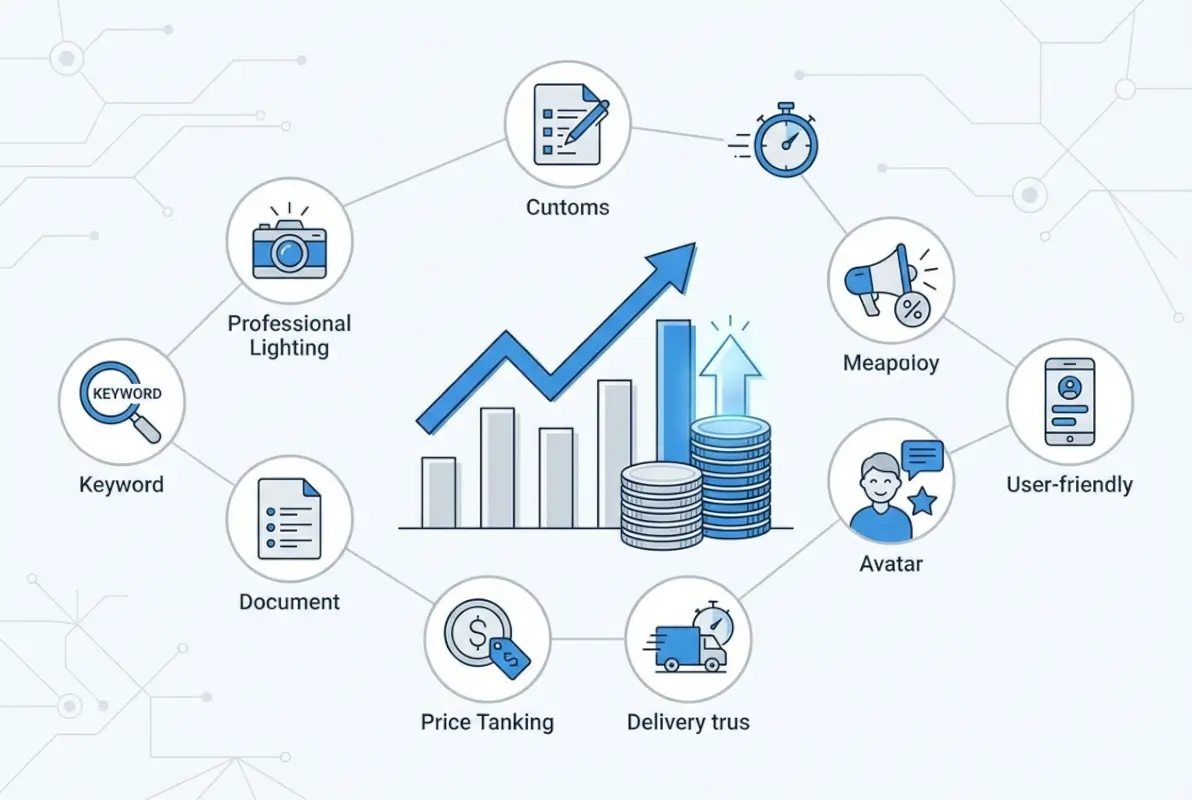
eBay allows up to 12 photos for most listings, and top sellers consistently use most or all of them. This isn’t excessive – it’s necessary. Each image should serve a specific purpose: establishing what the item is, showing condition details, displaying included accessories, proving authenticity, and building confidence through professionalism.
High-Quality Main Image Requirements and Best Practices
Your main image (the first one) appears in search results and thumbnails throughout eBay. It needs to accomplish several things simultaneously: clearly show what the product is, look professional and trustworthy, display accurate colors and condition, and load quickly on mobile devices.
Technical specifications matter here. Use images at least 1600 pixels on the longest side (eBay recommends this for zoom functionality). Shoot against a clean, neutral background – white or light gray works best for most products. Ensure even, bright lighting that doesn’t create harsh shadows or color distortion. Include the entire product in frame without excessive empty space.
Common main image mistakes to avoid: cluttered backgrounds that distract from the product, watermarks that reduce trust (eBay is secure enough), extreme close-ups that don’t show the overall item, and using stock photos when you’re selling used items (this misleads buyers about actual condition).
Use Lifestyle and Angle-Shot Variations to Reduce Buyer Uncertainty
After your main image establishes what you’re selling, subsequent images should answer every question a buyer might have. This means showing the product from multiple angles (front, back, sides, top, bottom), zooming in on any wear or damage, displaying all included accessories laid out clearly, and including scale reference when size might be ambiguous.
Lifestyle shots – showing the product in use or in context – can significantly boost conversion rates for certain categories. Clothing looks better on a mannequin or model than lying flat. Electronics benefit from photos showing ports and connections. Home goods should be styled in appropriate settings. These contextual images help buyers visualize ownership.
| Image Number | Purpose | What to Show |
|---|---|---|
| 1 (Main) | Search result visibility | Clean, front-facing product shot |
| 2-4 | Multiple angles | Back, sides, top/bottom views |
| 5-7 | Details and condition | Close-ups of features, labels, any wear |
| 8-10 | Accessories and proof | What’s included, authenticity markers |
| 11-12 | Context/lifestyle | Product in use or appropriate setting |
Image SEO Basics: File Naming Considerations
While eBay’s image SEO works differently than Google Images, proper file naming still matters for organization and potential external search visibility. Instead of “IMG_2847.jpg,” use descriptive names like “sony-wh1000xm4-black-headphones-1.jpg.” This helps you manage large inventories and provides semantic context that can benefit indexing.
Writing Descriptions That Build Trust and Answer Buyer Questions
Your description is where you close the deal. Buyers who’ve clicked through from search results based on your title and main image are now evaluating whether to purchase or move on. A strong description anticipates and answers every question that might prevent a purchase, while building confidence in both the product and you as a seller.

The biggest mistake sellers make with descriptions is either writing too little (forcing buyers to message questions, which many won’t bother doing) or writing too much in dense, unreadable paragraphs that mobile users immediately skip. The goal is comprehensive clarity in scannable format.
Clear Product Facts: Materials, Sizing, Compatibility, and Usage
Start with a brief overview paragraph that expands on your title, then break into clearly labeled sections with subheadings. For electronics, include specifications, compatibility information, and condition details. For clothing, provide exact measurements, material composition, and care instructions. For collectibles, document provenance, condition assessment, and any authenticity documentation.
Be specific with numbers. Instead of “lightly used,” say “worn 3-4 times, no visible wear.” Instead of “large size,” give exact measurements: “chest 42 inches, length 28 inches.” Specificity reduces uncertainty, and uncertainty kills conversions. Think about what you’d want to know if you were the buyer, then provide that information proactively.
Buyer-Centric Language and Addressing Common Objections
Write your description from the buyer’s perspective, not as a clinical specification sheet. Instead of “This item features premium construction,” say “You’ll notice the quality immediately when you handle it – the stitching is tight and even, and the materials feel substantial.” Paint the picture of ownership.
Address common category-specific concerns directly. For electronics, talk about testing procedures and functionality. For vintage items, acknowledge age-appropriate wear while emphasizing remaining quality. For designer goods, explain authenticity guarantees. Your return policy, shipping speed, and seller credentials all belong in the description as trust-building elements. For those interested in WordPress plugin development, this same principle of user-centric communication applies.
Fill Out All Relevant Item Specifics and Structured Data
Item specifics appear in a structured format above your description and serve multiple critical functions. They populate eBay’s filter options in search results, they provide Cassini with clear categorization signals, and they give buyers quick-reference information without reading your full description.
eBay provides category-specific item specific fields, and you should fill every single one that applies to your product. Don’t skip fields because you think they’re optional or unimportant. Each completed field is another potential entry point for filtered searches. Brand, model, size, color, condition, material, year, manufacturer part number – if eBay provides the field, complete it accurately.
Competitive Pricing and Smart Promotional Strategies
Pricing isn’t just about what you charge – it’s about positioning your listing in the competitive landscape and using eBay’s promotional tools strategically to drive engagement and conversions. The relationship between pricing, visibility, and conversion is more complex than simply undercutting competitors.
Evaluate Your Pricing Strategy in Context
Research completed listings (not just active ones) to understand what your item actually sells for, not just what sellers are asking. There’s often a significant gap between listing prices and sale prices. Sort completed listings by “sold” and analyze the price range where transactions actually occurred. This is your target pricing band.
Position your price strategically within this range based on your item’s condition, what’s included, and your seller rating. If you’re a newer seller or your item has minor flaws, price at the lower end of the range. If you’re offering premium condition or extras, you can command higher prices, but only if your listing clearly communicates that value through images and description.
Use “Make an Offer” and Promotional Tools to Increase Engagement
The “Make an Offer” feature serves multiple purposes beyond just price negotiation. It creates engagement and signals to Cassini that buyers are interested in your listing (which boosts your visibility). It allows you to capture sales from price-sensitive buyers without dropping your listing price (which would hurt your positioning for less price-sensitive buyers). And it gives you flexibility to move inventory when needed.
Set your auto-accept threshold at a price you’d be thrilled to receive, and your auto-decline threshold at your absolute minimum. Everything in between gets manual review. I’ve found that responding to offers within 2-3 hours (not immediately, which makes you look desperate, but promptly) tends to yield the best conversion rates. When you’re establishing your business directory footprint, this kind of responsive engagement builds reputation.
When to Use Promoted Listings and Balance with Profitability
Promoted Listings put your items in front of more buyers by paying for premium placement, but they reduce your profit margin (typically 5-15% of sale price). Use them strategically, not universally. New listings benefit from promotional boost to build initial momentum. Slow-moving inventory sometimes needs the extra visibility to move. High-competition categories might require promotion to be visible at all.
Track your promoted listings’ performance carefully. If a listing isn’t converting even with promotion, the problem is usually the listing itself (poor images, unclear description, wrong price), not lack of visibility. Fix the fundamental issues before throwing money at promotion. Some sellers find that once a listing gains traction organically through good engagement metrics, they can scale back or eliminate promotion while maintaining visibility.
Maintaining Listing Health for Long-Term Performance
Optimization isn’t a one-time event – it’s an ongoing process of auditing, adjusting, and maintaining listing quality. The eBay marketplace is dynamic, with new competitors entering, buyer preferences shifting, and algorithm updates changing ranking factors. Successful sellers build systems to stay current.
Regular Audits of Active Listings
Set a recurring calendar reminder (monthly for high-volume sellers, quarterly for smaller operations) to review your active listings systematically. Check for outdated information, broken formatting, pricing that’s drifted away from market rates, and opportunities to refresh images or descriptions based on what competitors are doing now versus when you originally listed.
Look at your listing’s performance metrics – impressions, click-through rate, watch count, and conversion rate. Listings with high impressions but low clicks need better titles or main images. Listings with good click-through but poor conversion need description improvements, better pricing, or trust-building elements. Data tells you where to focus optimization efforts.
Handling, Shipping Speed, and Returns Policy Impact
Your operational performance (how you fulfill orders) directly impacts your search rankings through eBay’s seller standards program. Fast shipping, accurate tracking, low defect rates, and favorable return policies all contribute to higher search placement. Cassini rewards sellers who deliver excellent buyer experiences.
Consider offering free returns if your margins support it – this significantly reduces buyer hesitation and can increase conversion rates by 20-30%. Fast and free shipping similarly reduces purchase friction. Yes, these cost money, but they also generate more sales at better margins because you’re competing on convenience rather than just price.
Scaling Strategies and Automation Considerations
As your eBay business grows, manual listing creation becomes unsustainable. Tools like listing templates, bulk editing software, and inventory management systems help you scale while maintaining quality. However, automation should enhance your process, not replace critical optimization steps like keyword research and image quality control.
The most successful high-volume sellers use templates for structural consistency (layout, policies, formatting) while customizing the critical elements for each listing (title, images, item specifics, and product-specific description content). This balance maintains efficiency without sacrificing the optimization that drives performance.
Compliance, Governance, and Staying Within Platform Policies
eBay’s policies exist to protect buyers and maintain marketplace integrity, and violating them can result in listing removal, selling restrictions, or account suspension. Understanding these rules isn’t just about avoiding penalties – it’s about building a sustainable business that doesn’t face sudden disruptions.
Common Policy Considerations and Responsible Listing Practices
Prohibited items lists vary by category and change periodically. Review eBay’s restricted and prohibited items policies for your specific categories. Common violations include misleading titles or descriptions (claiming something is “new” when it’s refurbished), using others’ images without permission, keyword spamming, and violating intellectual property rights by selling counterfeit goods.
Marketplace dynamics and regulations continue evolving, as evidenced by FTC enforcement actions around deceptive marketplace practices. Stay informed about both platform-specific rules and broader e-commerce regulations that might apply to your business.
Monitoring for Algorithm Updates and Policy Changes
eBay announces major policy changes through seller updates and the seller portal announcements. Subscribe to these official channels rather than relying solely on third-party sources. Join seller communities where experienced sellers discuss platform changes and their observed impacts.
When algorithm updates occur (which eBay doesn’t always announce explicitly), you’ll notice through changed performance metrics. Sudden drops in impressions, changes in ranking position for your standard search terms, or shifts in category best practices all signal potential algorithm adjustments requiring response.
Advanced Data-Driven Optimization Tactics
Once you’ve mastered the fundamentals, data-driven refinement takes your performance to the next level. This involves systematic testing, performance analysis, and continuous improvement based on what your actual metrics reveal rather than assumptions about what should work.
Using Listing Performance Data to Refine Strategy
eBay provides detailed performance data through Seller Hub – impressions, views, watch counts, and sales data for each listing. Aggregate this data to identify patterns. Which keywords in titles correlate with higher impression rates? Which image styles drive better click-through? Which price points maximize total revenue (not just sale probability)?
A/B testing on eBay requires discipline because you can’t show two versions of the same listing to split traffic. Instead, test variables sequentially on similar items or across relisting cycles. Change one variable at a time (title structure, pricing, main image), measure the impact over 30-60 days, then implement winning variations broadly.
AI-Assisted Listing Creation with Human Oversight
AI tools can accelerate certain aspects of listing creation – generating initial description drafts, suggesting keywords based on category analysis, or optimizing title structure. However, AI outputs require human review and refinement. Generic AI-generated content often lacks the specificity and authenticity that build buyer trust.
Use AI as a starting point for efficiency, not as a replacement for expertise. Let AI draft your initial description structure, then customize it with specific product details, condition notes, and your own brand voice. Use AI keyword tools to identify optimization opportunities, then apply human judgment about which terms genuinely fit your product and buyer intent.
Frequently Asked Questions
What is the most important factor for ranking eBay listings?
No single factor dominates eBay’s Cassini algorithm, but title optimization with front-loaded, exact-match keywords combined with complete item specifics provides the strongest foundation. After that, seller performance metrics (shipping speed, return rate, feedback score) significantly influence rankings. High engagement (clicks, watches, conversions) creates positive feedback loops that boost visibility over time.
How many photos should I include in an eBay listing?
Use 8-12 photos for most listings, with 12 being ideal for higher-value items or those where condition details matter significantly. Your main photo should clearly show the product against a clean background. Additional photos should cover multiple angles, detail shots, included accessories, and any condition issues. More photos reduce buyer uncertainty and typically increase conversion rates by 20-30% compared to listings with 3-4 photos.
How long should my eBay title be?
Optimize for 70-80 characters to maximize keyword coverage while ensuring mobile visibility. eBay allows 80 characters total, and you should use most of this space strategically. However, mobile search truncates around 65-70 characters depending on device, so front-load your most important keywords (brand, model, key features) in the first 40-50 characters where they’ll always be visible.
Do higher prices hurt or help eBay rankings?
Price itself isn’t a direct ranking factor – Cassini focuses on relevance and buyer satisfaction metrics rather than price level. However, price indirectly affects rankings through conversion rate and sell-through rate. Listings priced significantly above market rate receive clicks but don’t convert, which signals poor relevance to Cassini and hurts rankings. Competitive pricing within market range optimizes for both conversion and ranking performance.
Can I use video in listings and does it affect visibility?
eBay supports video in listings, and it can meaningfully improve conversion rates by providing additional product context and building trust. However, video doesn’t directly boost search rankings. Use video as a conversion optimizer for higher-value items where visual demonstration adds significant value. Keep videos under 60 seconds, focus on highlighting key features, and ensure fast loading for mobile users.
How often should I refresh or relist items to maintain visibility?
Good Time Listings (automatic 30-day duration) work well for most products and don’t require manual relisting. However, if an item hasn’t sold after 60-90 days, consider relisting with optimized title, updated images, or adjusted pricing rather than just renewing the same listing. Fresh listings with new engagement sometimes perform better than stale listings that have accumulated poor engagement metrics, though eBay has reduced the “new listing boost” in recent algorithm updates.
What are best practices for item specifics and category selection?
Choose the most specific, accurate category possible – broader categories have more competition and less qualified traffic. Fill every applicable item specific field even if some seem redundant or minor. These fields populate filter options and help Cassini understand exactly what you’re selling. Brand, model, condition, color, size, material, and manufacturer part number are particularly important. Incorrect category placement or incomplete item specifics can reduce impressions by 50% or more.
How do Promoted Listings affect organic rankings?
Promoted Listings don’t directly influence organic search rankings – eBay keeps paid and organic algorithms separate. However, increased traffic from promotion can improve engagement metrics (clicks, watches, sales velocity) which do influence organic rankings. View promotion as a catalyst that accelerates engagement, potentially creating positive momentum that carries over to organic performance. Once a listing gains traction, you can often reduce promotion while maintaining visibility through strong organic metrics.
Are there policy pitfalls I should avoid on eBay?
Common violations include keyword stuffing or misleading titles (using brand names for non-branded items), misrepresenting condition (calling used items “new”), using others’ photos without permission, and violating intellectual property rights. Drop-shipping arrangements must comply with eBay’s policy requiring you to be the responsible seller. Always accurately describe items, ship within stated timeframes, and respond professionally to buyer inquiries. Policy violations can result in listing removal, selling restrictions, or account suspension that severely impacts your business.
Implementing Your eBay Optimization Framework
The eight optimization pillars we’ve covered – keyword research and positioning, title optimization, image quality, detailed descriptions with complete item specifics, strategic pricing and promotions, listing health maintenance, policy compliance, and data-driven refinement – work synergistically to improve your eBay performance. No single element creates success; it’s the systematic application of all these practices together that separates top performers from everyone else.
Start by auditing your current listings against this framework. Identify your biggest gaps – maybe your titles need work, or perhaps your images aren’t competitive with category leaders. Prioritize the areas with the most room for improvement, then implement changes methodically. Don’t try to optimize everything simultaneously; focus on 2-3 high-impact areas first, measure results over 30-60 days, then expand to other optimization areas.
The marketplace continues evolving, which means your optimization approach must evolve too. What works today might need adjustment next year as buyer behavior shifts, competition intensifies, or eBay updates its algorithms and features. Build a habit of continuous learning – follow eBay’s official seller updates, study what top performers in your category are doing, and most importantly, pay attention to your own performance data.
Your Next Steps
Choose one listing to optimize completely using this framework. Implement all eight optimization pillars, then track its performance against a comparable un-optimized listing. When you see the impact firsthand, you’ll have both the motivation and the proof-of-concept to scale these practices across your entire inventory. Success on eBay isn’t about secrets or shortcuts – it’s about consistent application of proven optimization fundamentals that help both buyers and the algorithm understand why your listings deserve visibility and sales.