How to Build a PHP Business Directory: Complete Development Guide

Building a PHP business directory from scratch gives you complete control over features, monetization, and growth—something impossible with restrictive SaaS platforms or cookie-cutter plugins. Yet many developers either overcomplicate the architecture or skimp on critical security foundations, leading to costly rebuilds down the line.

The real challenge isn’t the coding itself—it’s making strategic decisions about database design, security implementation, and scalability before writing your first line of code. I’ve seen developers waste months building elaborate features nobody needed while neglecting the basics that actually drive user adoption. This guide cuts through the noise to show you exactly what matters for launching a profitable, secure PHP business directory that can scale with your ambitions.
TL;DR – Quick Takeaways
- Database design is your foundation – Poor schema decisions will haunt you; invest time upfront in relationships and indexing
- Security must be built-in, not bolted-on – Prepared statements, password hashing, and input validation from day one
- Start with core MVP features – Launch with listings, search, and categories before adding reviews or social features
- Monetization planning shapes architecture – Free vs paid tiers affect your database schema and user management from the start
- Performance optimization matters early – Caching strategies and query optimization prevent expensive refactoring later
Understanding the PHP Directory Landscape in 2026
The business directory market hasn’t disappeared—it’s evolved. While massive platforms like Yelp dominate general listings, specialized niche directories continue thriving by serving specific industries, locations, or demographics that general platforms ignore. According to market data and insights from Statista, local search generates billions in annual advertising revenue, with significant portions going to specialized directory platforms.
PHP remains an excellent choice for directory development despite newer frameworks gaining popularity. The language offers mature ecosystems, extensive documentation, affordable hosting options, and straightforward deployment—critical factors when you’re bootstrapping a directory business. Modern PHP (8.0+) includes performance improvements and type safety features that make it competitive with alternatives while maintaining the simplicity that made it popular.

Most competing tutorials focus on either WordPress plugins or basic CodeIgniter examples, leaving a gap for developers wanting full control without plugin limitations. WordPress plugins like those covered in directory plugin reviews work well for quick launches but constrain customization and can create performance bottlenecks as you scale.
Custom PHP vs WordPress Plugins: Making the Right Choice
This decision shapes everything that follows. WordPress plugins offer faster initial deployment—you can launch in days rather than weeks. They provide user-friendly admin interfaces and extensive theme compatibility. However, they lock you into WordPress’s update cycles, create plugin conflict risks, and limit architectural flexibility.
Custom PHP development requires more upfront investment but delivers complete control over features, performance optimization, and data structures. You’re not dependent on third-party plugin developers or constrained by WordPress’s database schema. For niche directories targeting specific monetization models or unique features, custom development typically proves more cost-effective long-term.
Step 1: Define Architecture, Data Model, and Compliance Foundation
Most directory failures stem from inadequate planning, not poor execution. Before touching code, you need crystal-clear answers about your target market, essential features, and data relationships. This phase feels tedious—I get it—but skipping it means rebuilding core systems later when you’ve already invested months of development time.
Identify Your Niche and Core Value Proposition
Generic directories compete against established platforms with massive resources. Your advantage lies in specialization—serving an underserved niche where you understand user needs better than general platforms. Are you targeting local contractors in specific cities? Healthcare providers in rural areas? B2B service vendors in particular industries?
Your niche determines everything from required data fields to monetization strategies. A restaurant directory needs reservation integration and menu storage; a contractor directory needs license verification and insurance documentation. Define these requirements now, not after building your database schema.
Design Your Database Schema with Scalability in Mind
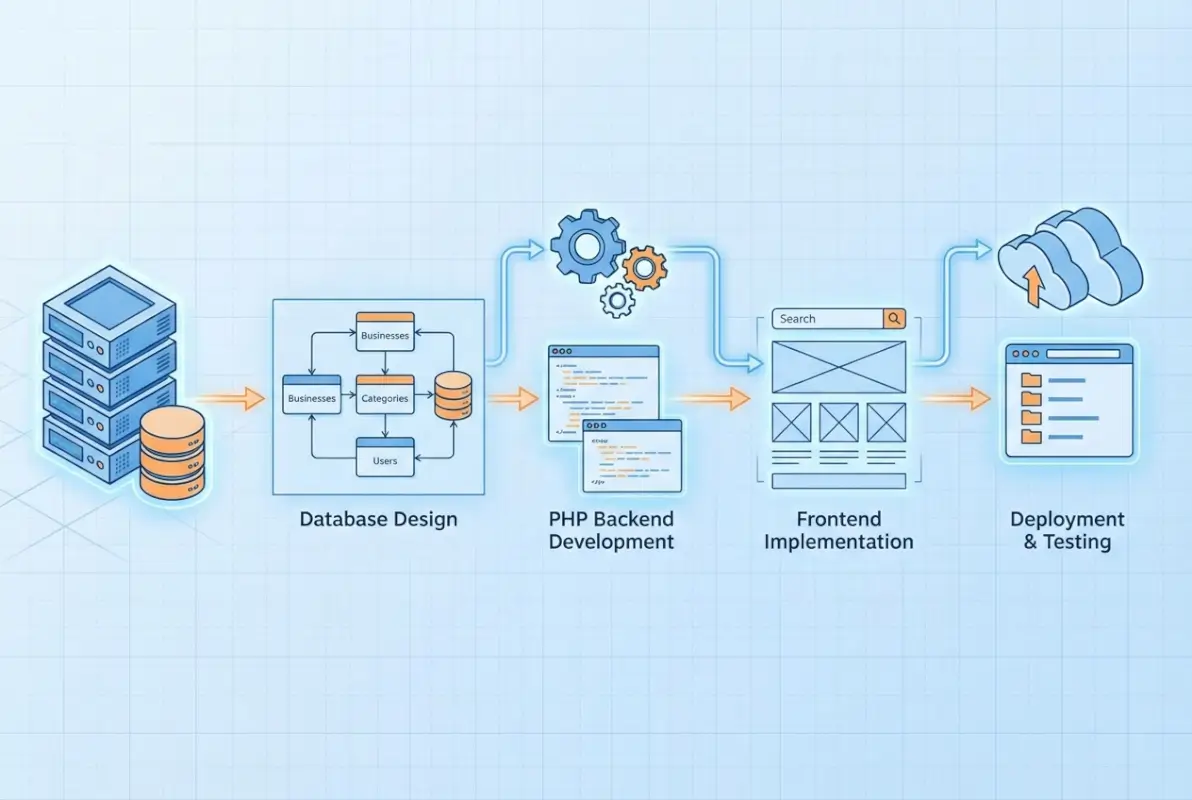
Your database structure is your directory’s skeleton. Poor design here creates cascading problems throughout development. Start by identifying core entities and their relationships:
| Entity | Key Attributes | Relationships |
|---|---|---|
| Users | Email, password_hash, user_type, verification status | One-to-many with listings |
| Listings | Title, description, address, coordinates, status | Many-to-many with categories |
| Categories | Name, slug, parent_id, hierarchy level | Self-referential for subcategories |
| Reviews | Rating, text, verified status, moderation | Many-to-one with listings |
Use appropriate data types and constraints. Store coordinates as DECIMAL(10,8) for latitude and DECIMAL(11,8) for longitude to enable location-based searching. Use ENUM for status fields with limited options. Add indexes to columns you’ll query frequently—city, category_id, status, and created_at are common candidates.
Establish Security and Compliance Baselines
Security isn’t a feature you add later—it’s foundational architecture. According to OWASP Top Ten security guidelines for PHP applications, most breaches exploit preventable vulnerabilities in input handling, authentication, and data exposure.
Implement these security measures from your first commit: use PDO with prepared statements for all database queries, hash passwords with password_hash() using PASSWORD_DEFAULT algorithm, validate and sanitize all user inputs server-side, implement CSRF tokens on forms, enforce HTTPS with secure cookie flags, and use parameterized queries exclusively.
Data privacy regulations like GDPR and CCPA affect directory platforms collecting user information. Build consent management into your user registration flow. Provide mechanisms for users to export or delete their data. Document your data retention policies and implement automated cleanup for expired listings or inactive accounts.
Step 2: Build Core Listing Infrastructure and User Management
With your schema defined, you’re ready to build the foundation: user registration, authentication, and basic listing creation. These core systems support everything else, so prioritize robustness over speed. A solid authentication system prevents security headaches; a flexible listing system accommodates future feature additions without major refactoring.

Implement Secure User Registration and Authentication
Your authentication system needs to balance security with usability. Collect minimal information during registration—email and password are sufficient initially. You can request additional profile details after users experience your platform’s value.
Here’s a secure registration implementation pattern:
// Validate inputs
$email = filter_var($_POST['email'], FILTER_VALIDATE_EMAIL);
$password = $_POST['password'];

if (!$email || strlen($password) < 8) {
    $errors[] = 'Invalid email or password too short';
    // Handle error
}

// Check for existing user
$stmt = $pdo->prepare("SELECT id FROM users WHERE email = ?");
$stmt->execute([$email]);
if ($stmt->fetch()) {
    $errors[] = 'Email already registered';
}

// Hash password and create user
$password_hash = password_hash($password, PASSWORD_DEFAULT);
$stmt = $pdo->prepare("INSERT INTO users (email, password_hash, created_at) VALUES (?, ?, NOW())");
$stmt->execute([$email, $password_hash]);
Never store plaintext passwords. Never use MD5 or SHA1 for password hashing. Never skip email verification for business accounts. These aren’t optional best practices—they’re security fundamentals that prevent devastating breaches.
Create Flexible Listing Management Systems
Listings are your directory’s core content. Design your listing system to accommodate varying information needs across different business types while maintaining a consistent base structure.
Your base listings table should include universal fields every business needs: title, description, primary address, contact information, and operational status. Use separate tables for category-specific attributes—a restaurants table with cuisine_type and price_range, a hotels table with star_rating and amenities, or a healthcare table with specialties and insurance_accepted.
This approach provides flexibility without cluttering your main listings table with nullable columns that only apply to specific categories. It also simplifies querying—you can join category-specific tables only when needed rather than loading unnecessary fields for every query.
Implement Role-Based Access Control
Different users need different permissions. Regular users browse and review; business owners manage their listings; moderators approve submissions; administrators access everything. Implement a clean role system from the start to avoid security gaps.
Store user roles in your users table as an ENUM or foreign key to a roles table. Check permissions before executing sensitive operations. Create middleware functions that verify authorization before displaying admin interfaces or processing privileged requests.
Step 3: Build Search, Discovery, and Map Integration
Users come to directories to find businesses, not browse randomly. Your search functionality determines whether users find what they need quickly or abandon your platform in frustration. Location-based discovery—”businesses near me”—drives significant traffic for local directories, making map integration essential rather than optional.

Implement Effective Search with Filtering
Basic keyword search is table stakes. Users expect to filter by location, category, ratings, and custom attributes relevant to your niche. Build a search system that handles multiple simultaneous filters without performance degradation.
For small to medium directories (under 10,000 listings), MySQL’s FULLTEXT search provides adequate functionality. Create FULLTEXT indexes on searchable columns—typically title and description—and use MATCH AGAINST queries for keyword searching. Combine keyword search with WHERE clauses for filtering by category, location, or status.
Larger directories benefit from dedicated search engines like Elasticsearch. The setup complexity pays off through better search relevance, faster query performance, and advanced features like fuzzy matching, faceted filtering, and search result highlighting. However, don’t prematurely optimize—start with MySQL and migrate to Elasticsearch when performance metrics justify the additional complexity.
Add Location-Based Search with Maps
Location search requires storing latitude and longitude coordinates for each listing. Geocode addresses during listing creation using services like Google Geocoding API or OpenStreetMap’s Nominatim. Store coordinates in your database to enable proximity-based searching without repeated API calls.
Calculate distances using the Haversine formula for accurate results accounting for Earth’s curvature. For approximate distance filtering (which is usually sufficient), use bounding box queries that are significantly faster than calculating precise distances for every listing.
Map integration typically uses Google Maps, Mapbox, or OpenStreetMap. Google Maps offers the most comprehensive features and familiarity but comes with usage costs beyond free tier limits (28,000 map loads monthly). Mapbox provides similar functionality with more generous free tiers and better customization options. OpenStreetMap is completely free but requires more implementation effort.
Optimize for Local SEO and Structured Data
Search engines favor directories that properly implement structured data. According to Google SEO best practices and structured data guidance, using schema.org markup for LocalBusiness and Organization types significantly improves search visibility and enables rich snippets.
Implement JSON-LD structured data on listing pages including business name, address, coordinates, phone number, opening hours, and aggregate ratings. This data helps search engines understand your content and display enhanced results with star ratings, business hours, and contact information directly in search results—dramatically improving click-through rates.
Create location-specific landing pages targeting geographic keywords: “restaurants in Austin,” “plumbers near Denver,” etc. These pages aggregate listings by location while providing unique content about the area, creating SEO value that individual listing pages can’t achieve alone.
Step 4: Implement Reviews, Monetization, and Security Hardening
Reviews build trust and engagement, transforming your directory from a static list into a dynamic community resource. Monetization converts that engagement into revenue, ensuring your directory’s long-term sustainability. Both require careful implementation to balance user experience with business objectives.

Build a Trustworthy Review System
Reviews add tremendous value but introduce moderation challenges and fraud risks. Implement verification mechanisms to ensure review authenticity—verified purchase badges, email verification, or account age requirements before reviewing. These measures don’t eliminate all fake reviews but significantly reduce low-effort spam.
Your review system needs moderation workflows. New reviews enter a pending state, visible to moderators but not public users. Moderators approve legitimate reviews and reject spam, abuse, or policy violations. Business owners should respond to reviews, creating dialogue that demonstrates engagement and helps resolve customer concerns publicly.
Store reviews with user_id, listing_id, rating (1-5), review text, verified status, and moderation state. Add helpful_count to let users vote on review quality, surfacing the most valuable content. Include timestamps for sorting by recency—recent reviews matter more for understanding current business quality.
Implement Sustainable Monetization Strategies
Free listings build inventory; paid upgrades generate revenue. The most successful directories offer basic listings at no cost while charging for enhanced visibility, additional features, or lead generation. This freemium model maximizes listing quantity (helping users) while monetizing businesses that value visibility.
Common monetization tiers include: free basic listings with limited information and no prominent placement, premium listings ($29-99/month) with unlimited photos, video, social media links, and basic analytics, and featured placements ($99-299/month) with homepage presence, top search placement, and detailed analytics. Many successful directories explored through best low cost business directories for startups combine these approaches for diversified revenue.
Payment processing requires PCI-DSS compliance considerations. Use established payment processors like Stripe or PayPal rather than storing credit card information directly. These services handle compliance complexity while providing subscription management, automated billing, and dunning for failed payments.
Security Hardening Beyond Basics
Basic security measures prevent common attacks; hardening protects against sophisticated threats. After implementing prepared statements, password hashing, and input validation, additional protections include: Content Security Policy headers restricting resource loading, HTTP Strict Transport Security (HSTS) enforcing HTTPS, and secure session management with httpOnly and SameSite cookie flags.
Regular security audits identify emerging vulnerabilities. Run automated scans using tools from OWASP security best practices quarterly or after significant code changes. Monitor server logs for suspicious patterns—repeated failed login attempts, unusual query patterns, or unexpected traffic spikes often precede attacks.
Keep PHP and all dependencies current. Security patches for known vulnerabilities release regularly; delaying updates creates exploitable windows. Implement a maintenance schedule for monthly dependency updates and immediate security patch application.
Step 5: Deploy, Monitor, and Scale Your Directory
Deployment is just the beginning. Successful directories continuously monitor performance, iterate based on user feedback, and scale infrastructure to handle growth. The decisions you make here affect operational costs, uptime, and your ability to respond quickly to issues.
Choose the Right Hosting Architecture
Shared hosting works for testing and very small directories but lacks the resources and control needed for growth. Virtual Private Servers (VPS) from providers like DigitalOcean, Linode, or Vultr offer excellent value—you get dedicated resources, root access, and predictable performance for $20-50 monthly.
Configure your server properly: enable PHP OpCache for compiled bytecode caching (often providing 3x performance improvements), set up Redis or Memcached for object caching, configure proper file permissions (644 for files, 755 for directories), and implement automated daily backups with off-site storage. I learned this lesson the hard way when a client’s server failed without backups—we lost a week of new listings. Don’t skip backups.
Consider containerization with Docker for consistent environments across development, staging, and production. Containers simplify deployment, make rollbacks straightforward, and enable horizontal scaling when you’re ready for multiple servers. However, they add complexity—only adopt containerization when you have the expertise to manage it properly.
| Metric | Target | Action if Exceeded |
|---|---|---|
| Page Load Time | < 2 seconds | Optimize queries, implement caching |
| Database Query Time | < 100ms average | Add indexes, optimize queries |
| Server CPU Usage | < 70% average | Scale vertically or horizontally |
| Error Rate | < 0.1% | Investigate error logs immediately |
Implement Monitoring and Analytics
You can’t improve what you don’t measure. Implement comprehensive monitoring covering technical performance (server resources, page load times, error rates) and business metrics (new listings, user signups, search queries, conversion rates). Tools like New Relic or self-hosted solutions like Prometheus provide technical monitoring; Google Analytics tracks user behavior and conversion funnels.
Set up alerting for critical issues. Server downtime, elevated error rates, or failed database backups require immediate attention. Configure notifications that reach you via email, SMS, or Slack depending on severity—production outages warrant aggressive alerting; performance degradation can wait for business hours.
Plan for Growth and Scaling
Successful directories eventually outgrow single-server architectures. Plan your scaling strategy before you need it. Vertical scaling (upgrading to larger servers) is simpler but has limits; horizontal scaling (adding more servers) requires architectural changes but scales indefinitely.
Separate concerns as you grow: dedicated database server independent of web application server, read replicas for database queries not requiring immediate consistency, content delivery network (CDN) for static assets like images and CSS, and load balancer distributing traffic across multiple web servers. Each separation point adds complexity but improves performance and reliability.
Advanced Considerations and Optimizations
Once your core directory functions reliably, advanced optimizations unlock competitive advantages. These aren’t essential for launch but significantly improve user experience and operational efficiency as you mature.
Implement Sophisticated Caching Strategies
Caching dramatically reduces server load and improves response times. Implement multiple caching layers: OpCache for PHP bytecode (enabled server-wide), object caching with Redis or Memcached for database query results, page caching for fully rendered HTML (especially for anonymous users), and browser caching via appropriate HTTP headers for static assets.
Consider cache invalidation strategies carefully. Stale data frustrates users—showing outdated business information or missing new listings erodes trust. Implement cache invalidation triggered by relevant events: new listings, updated business information, or new reviews should clear affected cache entries.
Optimize Database Performance at Scale
As your listing count grows, database optimization becomes critical. Beyond basic indexing, consider: query optimization using EXPLAIN to identify slow queries, partitioning large tables by geographic region or date, and archiving old or expired listings to separate tables maintaining query performance on active data.
Monitor slow query logs regularly. Queries taking over 500ms warrant investigation and optimization. Often, adding a strategic index resolves performance issues immediately; other cases require query restructuring or denormalization for acceptable performance.
Accessibility and Mobile Optimization
Directories must work flawlessly on mobile devices—many users search for local businesses on phones while traveling. Implement responsive design with mobile-first considerations, ensuring touch targets are adequately sized, forms work smoothly on small screens, and maps render properly on various devices. According to W3C Web Accessibility Guidelines, accessible design improves usability for all users while being essential for those with disabilities.
Test your directory on actual devices, not just browser emulators. Real-world testing reveals issues simulators miss—touch interactions, network latency on mobile connections, and rendering quirks on specific devices or operating systems.
Frequently Asked Questions
What is the best way to start a PHP-based business directory from scratch?
Begin with comprehensive planning: define your niche, design your database schema with proper relationships and indexes, implement security foundations using prepared statements and password hashing, and build core MVP features (listings, search, categories) before expanding. Don’t skip the planning phase—poor initial decisions create expensive technical debt requiring significant refactoring later.
Should I build a custom PHP directory or use a WordPress plugin?
WordPress plugins enable faster launches (days vs weeks) and provide user-friendly interfaces but limit customization and create dependency on third-party developers. Custom PHP offers complete architectural control, better performance optimization opportunities, and no plugin conflicts, making it better for specialized directories with unique requirements or monetization models requiring custom features.
How do I monetize a business directory without driving away users?
Use a freemium model: offer basic listings free to maximize inventory while charging for enhanced visibility, additional features, or lead generation. Common tiers include free basic listings, premium listings ($29-99/month) with extra features and analytics, and featured placements ($99-299/month) with prominent positioning. This approach satisfies both users seeking information and businesses wanting visibility.
What are the essential security practices for a PHP directory?
Implement prepared statements with parameterized queries for all database operations, use password_hash() with PASSWORD_DEFAULT for password storage, validate and sanitize all user inputs server-side, enforce HTTPS with secure cookie flags, implement CSRF tokens on forms, and maintain regular updates for PHP and dependencies. Security must be foundational architecture, not features added later.
How can I optimize for local SEO in a business directory?
Implement schema.org structured data (LocalBusiness, Organization types) on listing pages using JSON-LD format, create location-specific landing pages targeting geographic keywords, optimize individual listings with unique titles and descriptions, build high-quality backlinks through content marketing, and ensure fast page loads with mobile responsiveness. Submit XML sitemaps to Google Search Console for proper indexing.
What are the recommended map integrations for directories?
Google Maps offers comprehensive features and user familiarity but costs money beyond 28,000 monthly map loads. Mapbox provides similar functionality with more generous free tiers and better customization options. OpenStreetMap is completely free but requires more implementation effort. Choose based on budget, feature requirements, and technical expertise—most directories start with Google Maps then evaluate alternatives if costs escalate.
How should I handle listings verification and user-generated content?
Implement moderation workflows where new listings and reviews enter pending status, visible to moderators but not public users. Verify business ownership through email confirmation, phone verification, or documentation review. For reviews, use verification badges for confirmed customers, account age requirements, and email verification to reduce spam. Enable business owner responses to reviews creating valuable dialogue.
What hosting and deployment approach works best for scale?
Start with VPS hosting ($20-50/month) offering dedicated resources and root access. Configure properly with OpCache, Redis/Memcached caching, and automated backups. As you grow, separate database and web servers, add read replicas for database queries, implement CDN for static assets, and use load balancers for multiple web servers. Plan scaling architecture before urgently needing it.
How do I implement structured data for directory pages?
Use JSON-LD format for schema.org structured data, implementing LocalBusiness type for individual listings with properties including name, address, telephone, geo coordinates, openingHours, and aggregateRating. Add Organization type for your directory itself. Validate implementation using Google’s Rich Results Test tool. Proper structured data enables rich snippets in search results, dramatically improving click-through rates.
What are common pitfalls when building a PHP-based directory and how to avoid them?
Common mistakes include inadequate database schema planning (creating expensive refactoring needs), treating security as optional (leading to breaches), building elaborate features before validating core functionality, skipping automated backups (risking catastrophic data loss), and neglecting mobile optimization (alienating majority of users). Avoid these by investing in proper planning, implementing security foundations from day one, launching with MVP features, and testing thoroughly on actual devices.
Launch Your Directory with Confidence
Building a PHP business directory requires balancing technical implementation, user experience design, and business strategy. The directories that succeed don’t necessarily have the most features—they solve specific problems for well-defined audiences better than alternatives. Rather than competing with massive general platforms, successful directory builders focus on underserved niches where specialized knowledge creates defensible competitive advantages.
The development approach outlined here—careful planning, security-first architecture, MVP feature focus, and scalable infrastructure—provides a foundation for sustainable growth. You don’t need everything perfect at launch; you need core functionality working reliably with room to expand based on user feedback rather than assumptions.
Your Development Checklist
✓ Database schema designed with proper relationships and indexes
✓ Security foundations implemented (prepared statements, password hashing, input validation)
✓ Core features functional (listings, search, user management)
✓ Monetization strategy planned and architecture supports it
✓ Hosting configured with caching, backups, and monitoring
✓ SEO fundamentals implemented (structured data, location pages, mobile optimization)
Remember that successful directories iterate continuously. Launch with your MVP, gather real user feedback, and improve based on actual usage patterns rather than theoretical needs. The difference between directories that thrive and those that languish often comes down to responsiveness—how quickly you identify what users actually need and deliver it.
Start building today. Define your niche, design your schema, implement your security measures, and launch your directory one feature at a time. The journey from concept to profitable platform begins with that first database table and grows through persistent iteration based on real user needs. Your directory’s success depends less on perfect initial execution and more on sustained commitment to serving your specific audience better than anyone else.