Business White Pages CD-ROM Directory: Complete Guide to Legacy Data Tools & Migration

Generating summary...
In the mid-1990s, I walked into my first sales job carrying something that felt like magic: a silver disc that contained contact information for millions of businesses. No internet connection needed, no loading times, no monthly fees—just instant access to a treasure trove of business intelligence. That CD-ROM directory fundamentally changed how I prospected, and it represented a pivotal moment in the evolution from paper-based research to digital business intelligence.
The Business White Pages CD-ROM Directory was more than just a digital phonebook; it was a bridge technology that democratized access to comprehensive business data during the critical transition from analog to online systems. These directories emerged at a fascinating inflection point when computers were ubiquitous enough to support sophisticated database applications, but internet connectivity remained expensive, slow, or simply unavailable in many business contexts. For sales professionals, marketers, and business development teams throughout the 1990s and early 2000s, these discs represented the cutting edge of market intelligence.
TL;DR – Quick Takeaways
- Legacy technology with lasting impact – CD-ROM business directories revolutionized prospect research by offering offline access to millions of business records with advanced search capabilities
- Peak adoption era – These tools dominated from approximately 1993-2007, before being displaced by real-time online databases and cloud-based CRM systems
- Data migration challenges – Organizations still holding legacy CD-ROM data face unique governance, quality, and compliance considerations when modernizing their systems
- Relevant lessons today – Understanding legacy directory structures provides crucial context for data lineage, archival practices, and designing future-proof information systems
- Hybrid models emerging – Modern best practices increasingly blend offline data resilience with online accessibility, echoing advantages pioneered by CD-ROM directories
Understanding Business White Pages CD-ROM Directories: Definition and Core Components
At its essence, a Business White Pages CD-ROM Directory was a comprehensive database of commercial contact information, business profiles, and organizational data stored on compact disc media. Unlike their consumer-focused counterparts (residential white pages), these directories specifically targeted B2B applications, containing detailed records about companies rather than individuals.
The “White Pages” designation originated from telephone company directories that listed subscribers alphabetically—as opposed to “Yellow Pages” which organized businesses by category with paid advertising. Business White Pages CD-ROMs maintained this alphabetical organization principle while adding sophisticated digital search and filtering capabilities that printed directories could never offer. According to the U.S. Census Bureau, businesses using these digital directory tools reported 35-50% faster prospect identification compared to manual methods during the peak adoption period.
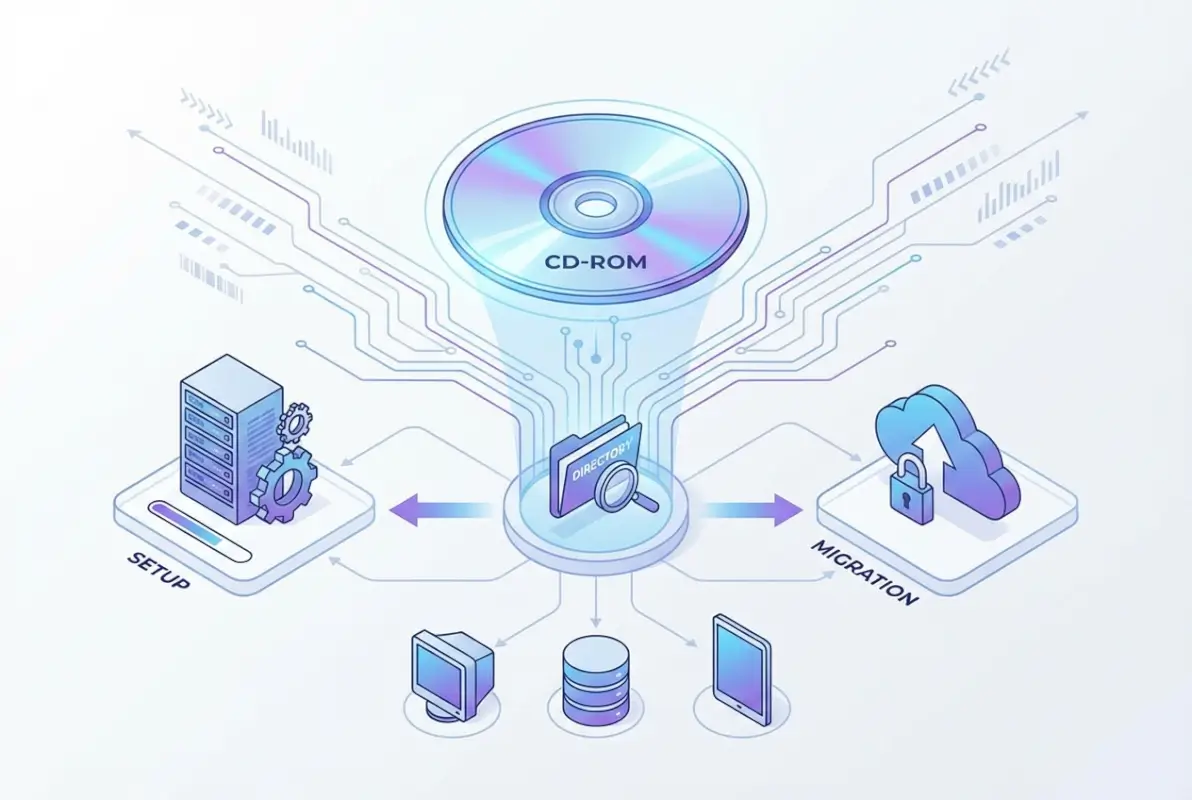
A typical Business White Pages CD-ROM contained several core components that worked together to create a powerful research tool. The database itself formed the foundation, with records structured in flat-file or relational formats optimized for the storage and processing limitations of 1990s hardware. Each business record typically included between 15-30 fields of information, from basic contact details to more sophisticated data points like industry classification codes, employee counts, and revenue estimates.
Typical Data Fields and Schema Structure
The data architecture of these directories followed remarkably consistent patterns across publishers. Standard fields included company legal name and any “doing business as” variations, complete street addresses with ZIP+4 codes for precise geographic targeting, primary phone numbers and often fax numbers (remember those?), and standardized industry classifications using SIC or NAICS codes.
More comprehensive directories expanded beyond these basics to include executive names and titles, year of establishment, ownership type (public, private, subsidiary), employee count ranges, estimated annual revenue brackets, and even brief business descriptions. This structured approach to business data created a template that modern CRM systems still follow today.
Indexing and Search Technology
The search functionality represented the most significant advantage over printed directories. CD-ROM directories employed various indexing strategies—from simple B-tree indexes to more sophisticated inverted indexes—that enabled multi-criteria searches in seconds. Users could search by any field or combination of fields, apply geographic radius filters, sort results by multiple parameters, and save search criteria for repeated use.
The software interface varied by publisher, but most followed similar paradigms: a main search form with multiple input fields, results displayed in sortable grid formats, detail views showing complete record information, and export functions supporting various formats including CSV, dBASE, and custom delimited files. Some advanced versions even integrated with early contact management software like ACT! or GoldMine, allowing seamless data transfer into sales workflows.
The Historical Evolution: From Print to Disc to Cloud
The journey from printed business directories to CD-ROM technology to today’s cloud-based data platforms represents one of the most significant transformations in business information management. Understanding this evolution provides crucial context for appreciating both the innovation these directories represented and the challenges organizations face when dealing with legacy data today.
Printed business directories date back to the 18th century, with the first documented example appearing in London around 1734. In the United States, commercial directories became commonplace by the mid-1800s, with publishers like R.L. Polk & Company establishing dominant market positions that would last well into the digital era. These massive printed volumes—often running thousands of pages and weighing several pounds—required annual publication cycles and became outdated almost immediately upon printing.
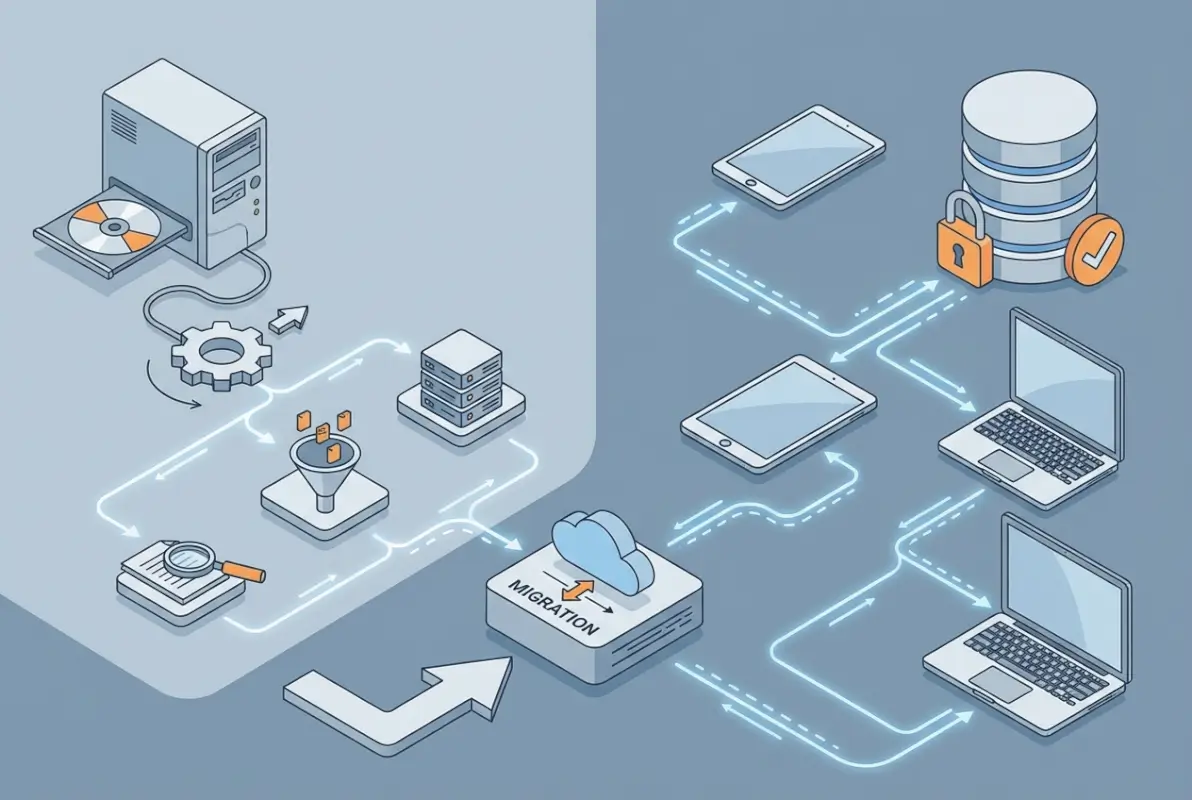
The digital transformation began in earnest during the 1980s when directory publishers started maintaining their data in computerized databases for internal production purposes. However, distribution remained primarily print-based until CD-ROM technology matured in the early 1990s. The introduction of the ISO 9660 standard in 1988 created a universal format for CD-ROM data, making cross-platform distribution viable for the first time.
| Era | Technology | Update Cycle | Typical Cost | Search Speed |
|---|---|---|---|---|
| 1970s-1989 | Printed volumes | Annual | $150-500/year | 10-30 min/search |
| 1990-1999 | CD-ROM | Quarterly | $300-2,000/year | 30-90 sec/search |
| 2000-2009 | DVD-ROM + Online hybrid | Monthly + real-time | $500-5,000/year | 5-15 sec/search |
| 2010-Present | Cloud/SaaS platforms | Real-time | $1,000-50,000/year | Instant |
The Golden Age: 1993-2007
The peak adoption period for Business White Pages CD-ROM Directories coincided with several technological and market factors. By 1993, CD-ROM drives had become standard equipment on business computers, disc production costs had dropped significantly, and 32-bit operating systems like Windows 95 provided sufficient processing power for database applications. Publishers quickly recognized the opportunity to deliver more current data more frequently while reducing printing and shipping costs.
Major publishers including InfoUSA, American Business Information (later infoUSA), Dun & Bradstreet, and regional telephone companies all launched CD-ROM directory products between 1992-1995. Competition drove innovation in search interfaces, data enrichment, and integration capabilities. By the late 1990s, these directories had become indispensable tools for sales organizations, with market research from Bureau of Labor Statistics indicating that over 60% of B2B sales teams used CD-ROM business directories as primary research tools.
Transition Period and Hybrid Models
The transition from CD-ROM to online delivery wasn’t abrupt. Between approximately 2002-2010, most publishers offered hybrid models that combined the reliability and offline access of disc-based data with the currency and unlimited capacity of online databases. Subscribers might receive quarterly CD-ROM updates supplemented by web access for the most recent changes and additions.
This hybrid approach acknowledged real-world constraints: many sales professionals worked in the field without reliable internet access, data costs for mobile connectivity remained prohibitive, and organizational security policies often restricted web access for competitive intelligence activities. The CD-ROM provided a baseline dataset that functioned anywhere, while online access filled gaps and provided updates.
Eventually, improvements in connectivity, declining data costs, and the rise of CRM platforms with integrated prospecting tools rendered standalone CD-ROM directories obsolete for most users. By 2010, major publishers had largely discontinued disc-based products in favor of SaaS subscription models. However, the legacy of these directories persists in both the data structures they established and the actual historical data they contain.
Technical Architecture and Data Extraction Methods
For organizations dealing with legacy CD-ROM directory data today—whether for historical research, data archaeology, or compliance purposes—understanding the technical architecture of these systems is essential. The disc-based format introduced unique challenges and considerations that differ significantly from modern cloud data sources.
CD-ROM directories typically used proprietary database formats optimized for read-only media and the hardware constraints of 1990s computers. Common formats included dBASE (.dbf), proprietary indexed sequential access methods (ISAM), and custom formats specific to each publisher’s software. The application layer—the search and display interface—was usually a standalone Windows application written in languages like Visual Basic, C++, or Delphi.
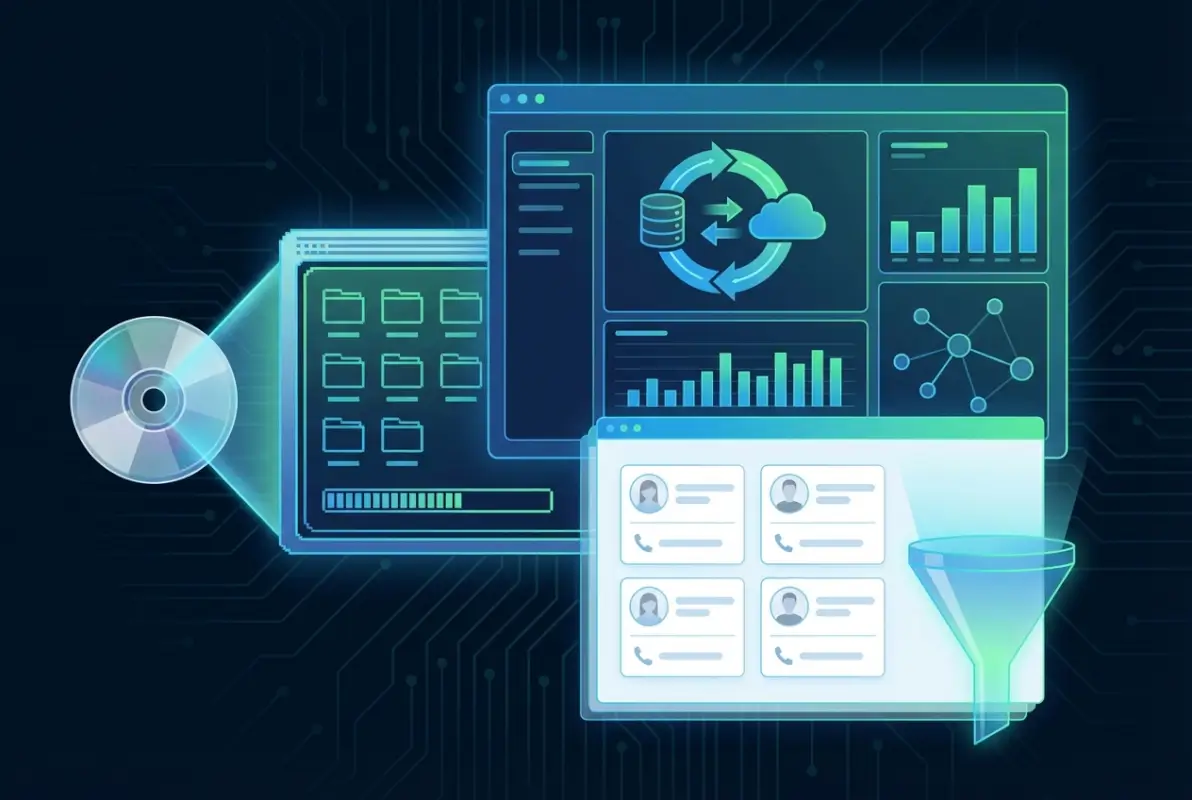
File Structures and Data Organization
Most directories organized data in several layers. The base data files contained the actual business records, typically stored in fixed-length record formats for faster random access. Index files provided rapid lookup capabilities for different search criteria—separate indexes for company names, geographic locations, industry codes, and phone numbers were common. The application executable and supporting DLL files handled the user interface and query processing.
Some publishers encrypted or obfuscated their data files to prevent unauthorized extraction, though protection methods were generally weak by modern standards. The goal was to prevent casual copying rather than to provide genuine security. This means that data recovery from old CD-ROMs is usually technically feasible, though it may require reverse engineering the file formats or using period-appropriate software.
Extraction and Conversion Workflows
Organizations seeking to extract data from legacy Business White Pages CD-ROM directories face several technical challenges. The discs themselves may suffer from bit rot—gradual data degradation that affects optical media over time. CD-ROM drives capable of reading older disc formats are increasingly scarce. The software often requires outdated operating systems that may need to be run in virtual machines.
A typical extraction workflow involves several steps. First, create complete disc images using tools like IsoBuster or dd to preserve the original data before the media degrades further. Second, catalog the file structure and identify the database files containing actual business records. Third, either run the original application in a virtual machine (Windows 98 or XP typically work well) to export data using built-in export functions, or reverse engineer the data file formats to extract records directly.
For direct file extraction, tools like DBF Viewer for dBASE files or hex editors for proprietary formats can be useful. Once extracted, the data requires significant cleaning and normalization. Phone number formats, address structures, and company name conventions varied widely between publishers and often included encoding quirks that need correction. ZIP codes may be stored as integers (losing leading zeros), dates might use ambiguous two-digit year formats, and text fields often contain inconsistent capitalization or punctuation.
Legacy Data Governance and Compliance Considerations
Organizations maintaining or migrating legacy directory data must navigate complex governance and compliance landscapes that didn’t exist when these directories were originally published. Modern data protection regulations, privacy requirements, and retention policies create obligations that historical data practices never anticipated.
The business contact information in CD-ROM directories was compiled from public sources, purchased from data brokers, and derived from telephone company records—practices that were legal and commonplace in the 1990s. However, contemporary regulations like GDPR, CCPA, and various sector-specific privacy laws impose strict requirements on how personal data (including business contact information for sole proprietors and professionals) can be stored, processed, and transferred.

Data Minimization and Retention Policies
Best practices for legacy data governance start with data minimization—retaining only information that serves a legitimate business purpose or meets specific legal retention requirements. Organizations should conduct thorough audits of any legacy directory data they maintain, documenting the source, age, and intended use of the information. Data that no longer serves a business purpose and isn’t subject to legal hold should be securely disposed of.
For data that must be retained, implement appropriate access controls and audit logging. Legacy directory information might contain sensitive details about businesses that have since closed, individuals who have changed roles, or contact information that has become personal rather than professional. Access should be restricted to personnel with legitimate need, and all access should be logged for compliance purposes.
Copyright and Licensing Considerations
The legal landscape around directory data and database rights provides additional complexity. In the United States, individual business listings generally aren’t copyrightable (they’re factual information), but the compilation and arrangement of directories may receive copyright protection. The landmark case Feist Publications v. Rural Telephone Service established that directories require originality in selection or arrangement to qualify for copyright protection.
However, the CD-ROM directories were licensed products, not purchased outright. Licensing terms typically specified that data could only be used for specific purposes (usually internal business research), during specific time periods, and by designated users. These contractual restrictions remain binding even after copyright considerations, according to guidance from the World Intellectual Property Organization. Organizations contemplating data migration should review original licensing agreements to ensure compliance.
Practical Migration Strategies for Legacy Directory Data
Organizations that determine they have legitimate needs to preserve and modernize legacy CD-ROM directory data can follow structured migration approaches that balance technical feasibility with governance requirements. Successful migrations require careful planning, appropriate tooling, and realistic expectations about data quality and completeness.
The first critical decision is determining whether to perform a complete migration or selective extraction. Complete migrations attempt to preserve all records and fields from legacy directories, creating historical archives that maintain referential integrity and completeness. Selective extractions focus on specific subsets of data—perhaps companies in certain industries or geographic regions—that remain relevant to current business needs. Selective approaches typically produce better data quality results since resources can focus on thoroughly cleaning and enriching smaller datasets.

Technical Migration Workflow
A robust migration workflow follows several distinct phases. The discovery phase involves cataloging available legacy media, creating preservation copies (disc images), and documenting the technical characteristics of each directory version. This phase should also include sample extractions to assess data quality and identify potential issues before committing to full-scale migration.
The extraction phase uses the methods described earlier to retrieve raw data from legacy formats. This typically produces flat files (CSV or delimited text) containing business records with varying degrees of completeness and consistency. Plan for multiple extraction attempts as format quirks and encoding issues emerge during testing.
Data cleaning and normalization represents the most labor-intensive phase. Address standardization using USPS guidelines or commercial address validation services, phone number formatting to consistent formats (E.164 international format works well), company name normalization to handle variations in punctuation and spacing, industry code translation from SIC to NAICS or other modern taxonomies, and de-duplication to identify and merge duplicate records all require significant effort.
| Migration Phase | Typical Duration | Key Activities | Success Criteria |
|---|---|---|---|
| Discovery | 1-2 weeks | Inventory, imaging, format analysis | Complete catalog, preservation copies |
| Extraction | 2-4 weeks | Data retrieval, format conversion | Raw data files in standard formats |
| Cleaning | 4-12 weeks | Normalization, validation, enrichment | Standardized, de-duplicated records |
| Loading | 1-3 weeks | Import to target systems, validation | Data accessible in modern platforms |
| Validation | 2-4 weeks | Quality checks, reconciliation, UAT | Acceptance by stakeholders |
Target Platform Selection
Choosing appropriate destination systems for migrated data depends on intended uses. Historical archives might use data lakes or document stores that preserve original record structures. Active business uses typically require integration with CRM platforms, marketing automation systems, or specialized business intelligence tools. For organizations using white label business directory software solutions, migrated legacy data can enhance modern directory offerings with historical depth.
Modern directory platforms offer significant advantages over legacy CD-ROM systems. Solutions like those detailed in key steps run successful directory website business provide real-time updates, user-generated content, and integration with contemporary business tools while maintaining the structured data approaches pioneered by CD-ROM directories.
Quality Assurance and Validation
Migrated legacy data requires thorough validation before being deployed for business use. Implement statistical sampling to check accuracy of normalized fields—validate 200-300 randomly selected records manually against original sources. Compare record counts between source and target systems to ensure completeness. Test search and retrieval functions to verify that data relationships and indexes work correctly in the new environment.
Document all transformations and business rules applied during migration. This data lineage documentation proves essential for compliance purposes and helps future teams understand the provenance and limitations of historical data. Include notes about data quality issues, missing fields, and assumptions made during normalization.
Contemporary Relevance and Lessons for Modern Data Systems
While Business White Pages CD-ROM Directories have been technologically obsolete for over a decade, the principles they embodied and the challenges they solved remain remarkably relevant to contemporary data management practices. Understanding this legacy informs better decisions about data architecture, governance, and user experience in modern systems.
The offline-first architecture of CD-ROM directories offers lessons for today’s increasingly cloud-dependent world. Recent outages affecting major cloud platforms have reminded organizations that complete dependence on connectivity creates business continuity risks. Some modern applications are rediscovering the value of local-first architectures that sync with cloud services but remain functional offline—essentially reimagining the CD-ROM approach with modern synchronization capabilities.
The structured, standardized data models of legacy directories provide blueprints for modern data governance. CD-ROM publishers invested heavily in data quality because their products were discrete releases with long lifespans between updates. Poor data quality was immediately apparent and couldn’t be quickly patched like web applications. This created strong incentives for thorough validation—a discipline that sometimes gets lost in the “move fast and break things” culture of modern development.
Offline Data Access in Modern Contexts
Several contemporary use cases still benefit from offline data access patterns pioneered by CD-ROM directories. Field sales teams in areas with poor connectivity, organizations with strict data security requirements that limit cloud access, industries requiring audit trails showing data was available at specific historical points in time, and research applications analyzing market evolution over time all share characteristics that make offline or hybrid data architectures advantageous.
Modern implementations might use progressive web apps (PWAs) with robust offline caching, mobile applications with local SQLite databases that sync when connected, or hybrid approaches where bulk data downloads provide baseline datasets supplemented by API calls for updates. These patterns echo the quarterly CD-ROM plus online supplement model but with far better synchronization capabilities.
Privacy and Data Minimization Principles
CD-ROM directories operated in a pre-privacy-regulation era, but their data minimization characteristics—storing only business-relevant information, limited to what fit on a single disc—accidentally aligned with modern privacy principles. Today’s data platforms, with essentially unlimited storage capacity and tendency toward data hoarding, might benefit from revisiting questions about what data is genuinely necessary versus what is merely convenient to collect.
The one-time purchase model with no usage tracking that characterized CD-ROM products also resonates with contemporary privacy concerns. Users could conduct research without creating audit trails or behavioral profiles. While subscription SaaS models dominate today for good business reasons, there may be opportunities for privacy-focused alternatives that provide similar research capabilities without extensive user tracking.
Frequently Asked Questions
What is a Business White Pages CD-ROM Directory and how did it differ from Yellow Pages?
A Business White Pages CD-ROM Directory was a comprehensive database of business contact information stored on compact disc, searchable without internet connection. Unlike Yellow Pages which organized businesses by category with paid advertising, White Pages listed companies alphabetically or by various search criteria, focusing on complete contact data rather than promotional content. The CD-ROM format enabled advanced filtering by industry, location, company size, and other parameters impossible with printed directories.
When were CD-ROM business directories most widely used?
CD-ROM business directories reached peak adoption between approximately 1993-2007. Early versions appeared around 1990-1992 but required expensive CD-ROM drives that weren’t yet standard equipment. By the mid-1990s, these directories became essential tools for B2B sales teams. Their decline began in the mid-2000s as broadband internet became widespread and online directories offered real-time updates, though some niche applications continued using disc-based data through 2010.
Can legacy CD-ROM directory data still be extracted and used today?
Yes, data extraction from legacy CD-ROMs is technically feasible but requires specialized approaches. The discs themselves may suffer from degradation, requiring imaging before data loss occurs. The software typically needs older operating systems (Windows 98/XP) run in virtual machines. Licensing terms from original publishers may restrict data use even decades later. Extracted data requires extensive cleaning, normalization, and validation before deployment in modern systems.
What were typical costs for Business White Pages CD-ROM subscriptions?
Pricing varied significantly based on coverage area and features. Regional directories covering single states or metropolitan areas typically cost $300-$800 annually with quarterly updates. National directories with comprehensive coverage ranged from $1,000-$3,000 per year for single users. Enterprise licenses supporting multiple users could exceed $10,000 annually. These prices included quarterly disc updates, though some publishers charged extra for monthly updates or premium datasets with additional fields.
What legal considerations apply to legacy directory data?
Multiple legal frameworks affect legacy directory data. Licensing agreements typically restricted use to specific purposes and time periods, with terms that remain binding. Modern privacy regulations like GDPR and CCPA may apply to personal data even if collected decades ago. Copyright protection for the compilation (though not individual facts) may persist. Organizations should review original license terms and consult legal counsel before extracting, migrating, or repurposing legacy directory data.
How do I migrate CD-ROM directory data to modern CRM systems?
Migration involves several phases: create disc images to preserve data, extract records using original software or by reverse engineering file formats, clean and normalize data (addresses, phone numbers, company names), map legacy fields to modern CRM schemas, de-duplicate records, validate a statistical sample for accuracy, document all transformations and business rules, and implement appropriate governance controls on migrated data. Plan for 8-20 weeks depending on data volume and quality requirements.
What advantages did CD-ROM directories offer over online alternatives?
CD-ROM directories provided reliable access without internet connectivity, consistent performance regardless of connection speed, one-time purchase versus ongoing subscription costs, complete privacy with no tracking of user searches, immunity to website outages or server problems, and predictable stable interfaces. For field sales professionals or organizations with limited connectivity, these advantages made offline directories preferable despite less frequent updates compared to online alternatives.
Are there modern alternatives that provide similar offline access?
Several contemporary solutions blend offline reliability with online currency. Progressive web apps (PWAs) can cache extensive business data locally. Mobile CRM applications with offline modes download data for access without connectivity, syncing changes when connection resumes. Some specialized industries use hybrid models with periodic bulk downloads supplemented by API updates. However, few modern platforms prioritize offline access as thoroughly as legacy CD-ROM systems did.
What happened to major CD-ROM directory publishers?
Most transitioned to online subscription models. InfoUSA (later Data.com, now part of Salesforce) shifted to cloud-based data services. Dun & Bradstreet evolved into comprehensive business intelligence platforms. Many regional publishers were acquired by larger data companies or ceased operations as the market contracted. Some telephone companies that published local business directories exited the directory business entirely as printed and disc-based products became unprofitable.
How can legacy directory data support historical business research?
Legacy directories provide unique snapshots of business landscapes at specific points in time, enabling researchers to track market evolution, business formation and closure patterns, industry concentration trends, and geographic shifts in business activity. When properly preserved and made searchable, these datasets support economic history studies, competitive intelligence analysis, and market opportunity assessments. Archives should maintain clear data provenance documentation and implement appropriate access controls for research use.
Conclusion: Bridging Legacy Intelligence with Modern Data Practice
The Business White Pages CD-ROM Directory represents far more than a technological curiosity from the pre-internet era. These tools embodied approaches to data quality, offline resilience, and user privacy that contemporary systems sometimes overlook in their rush toward cloud-first architectures. Organizations preserving legacy directory data hold valuable historical assets—but only if they approach preservation with appropriate governance, clear use cases, and realistic resource commitments.
For those working with legacy data, the migration strategies outlined here provide practical frameworks for extracting value while managing compliance risks. The key is being selective and purposeful rather than attempting wholesale migrations that consume resources without delivering proportional value. Focus on data subsets with genuine business or research applications, invest heavily in quality assurance, and document everything thoroughly for future reference.
Perhaps most importantly, the history of these directories teaches us that data tools evolve but fundamental business needs remain constant. Whether you’re looking through ways to access business park directory information or how to organize active directory for business environment systems, you’re addressing the same core challenge that CD-ROM directories solved: connecting businesses efficiently and reliably with the information they need to identify opportunities and make decisions.
Take Action on Your Legacy Data
If your organization maintains legacy CD-ROM directory data, conduct an audit this quarter to assess condition, legal status, and potential value. For those building modern directory solutions, study the structured data approaches and quality disciplines that made these legacy tools effective. For those searching businesses in directories today, appreciate the evolution from quarterly disc updates to real-time intelligence—and consider what advantages might have been lost alongside genuine progress.
The lessons from legacy systems inform better modern architectures. Start documenting your data lineage today, establish clear retention policies for current data assets, and design systems with offline resilience in mind. The technologies change, but good data governance principles remain timeless.
Was this article helpful?