How to Build an Online Directory: 7 Key Elements for Success

Generating summary...
What if I told you that most online directories fail—not because of bad technology, but because their builders treat them like static phone books instead of living, breathing ecosystems? After watching dozens of directory projects launch (and several quietly shut down), I’ve noticed a pattern: the successful ones don’t just list businesses—they solve specific problems for specific people, and they do it with obsessive attention to seven interconnected elements that most guides overlook.
Think about the last time you searched for a plumber, a lawyer, or even a good taco place. You probably didn’t just want a name and phone number—you wanted reviews, photos, hours, maybe a map. You wanted to trust what you found. That’s the essence of a modern online directory: a curated, searchable database that connects people with what they need while building credibility through quality and consistency.
Building one isn’t rocket science, but it’s not trivial either. You’re essentially creating a marketplace of information, and like any marketplace, success depends on getting the fundamentals right from day one. Whether you’re targeting local service providers, B2B specialists, or niche hobbyist communities, the principles remain surprisingly consistent.
TL;DR – Quick Takeaways
- Niche specificity beats broad coverage – Focused directories with clear value propositions consistently outperform generic “everything” directories
- Data quality is your moat – Accurate, verified listings create trust and repeat usage; outdated data kills credibility faster than anything
- SEO architecture from day one – URL structure, schema markup, and internal linking patterns determine whether you rank or languish on page seven
- Monetization must serve users – Premium placements work when they highlight genuinely better options, not just who paid the most
- Analytics drive iteration – Track listing quality scores, search conversion rates, and user engagement to identify what’s working and what’s draining value
- Governance isn’t optional – Clear submission standards, verification workflows, and moderation policies separate professional directories from spam dumps
- Platform choices matter less than execution – SaaS tools can work brilliantly; so can custom builds. Your success hinges on how you implement, not which tool you choose
1. Clear Niche, Value Proposition, and Audience Fit
Here’s the uncomfortable truth: “a directory for all businesses in all industries” is not a value proposition, it’s a recipe for mediocrity. The directories that gain traction solve a specific problem for a specific audience. Maybe you’re connecting homeowners with pre-vetted contractors who specialize in historic renovations. Maybe you’re helping startups find fractional CFOs with SaaS experience. The tighter your focus, the easier your SEO, the clearer your content strategy, and the more obvious your monetization path becomes.

I’ve seen this play out repeatedly. A friend launched a “fitness professionals” directory that went nowhere for eight months. After pivoting to “certified pre/postnatal fitness coaches,” her traffic tripled within six weeks. Why? Because pregnant women searching for trainers were desperate for exactly that specificity—and Google rewarded her for it.
Your value proposition should answer three questions in ten seconds or less: Who is this for? What problem does it solve? Why should I trust it over a generic Google search? If you can’t articulate that clearly, your potential users definitely can’t either. And if they can’t see the value immediately, they’ll bounce—taking your conversion rate and your SEO signals with them.
Examples of effective niche positioning include directories that focus on eco-certified contractors, directories for faith-based service providers, or platforms connecting remote workers with coworking spaces that offer childcare. Notice the pattern? Each adds a qualifying dimension that standard search engines can’t easily filter for. That qualifier becomes your competitive advantage.
2. High-Quality Data Curation and Listing Standards
If niche focus is your foundation, data quality is your load-bearing wall. A directory with 10,000 listings sounds impressive until you realize 3,000 are duplicates, 2,000 have disconnected phone numbers, and 1,500 haven’t updated their hours since 2019. At that point, you’re not running a directory—you’re running a graveyard with a search bar.
[KBIMAGE_2]Start with a clear data model. At minimum, each listing needs: business name, primary category, location (with structured address fields, not just free text), contact methods (phone, email, website), operational hours, and a description. From there, consider what differentiates quality listings in your niche. If you’re building a directory of attorneys, practice areas and bar admission dates matter. If it’s restaurants, cuisine type, price range, and dietary options become critical.
The submission process determines data quality from the start. Free-for-all submissions with no validation invite spam and low-effort entries. But overly complex forms discourage legitimate businesses. I’ve found the sweet spot involves required core fields, optional enrichment fields, and a simple verification step—usually an email confirmation or phone call for high-value categories.
| Data Sourcing Method | Pros | Cons | Best For |
|---|---|---|---|
| Business Owner Submissions | Accurate, motivated to maintain, ownership verified | Slow initial growth, requires marketing to get sign-ups | B2B directories, professional services |
| Manual Research & Curation | High initial quality, editorial control | Labor-intensive, doesn’t scale well, update lag | Highly curated niche directories (e.g., award-winning designers) |
| Data Partnerships/APIs | Fast initial population, scales easily | Expensive, less differentiation, potential licensing constraints | Local business directories needing critical mass |
| Community/User Submissions | Rapid growth, community engagement | Quality inconsistency, high moderation burden, spam risk | Enthusiast communities (e.g., hiking trails, food trucks) |
Ongoing maintenance is where most directories fall apart. Businesses change hours, move locations, shut down. If your directory shows permanently closed businesses or outdated information, users lose trust instantly. Implement quarterly verification emails, monitor bounce rates on contact methods, and consider partnering with data providers for automated updates. Yes, it costs money—but the alternative is slow death by irrelevance.
3. Scalable SEO and Content Architecture
SEO isn’t something you bolt on later; it’s baked into your URL structure, taxonomy, and internal linking patterns from day one. Get this wrong initially, and you’ll face painful migrations and 301 redirect chains that bleed link equity. Get it right, and every new listing becomes an SEO asset that compounds your organic visibility.
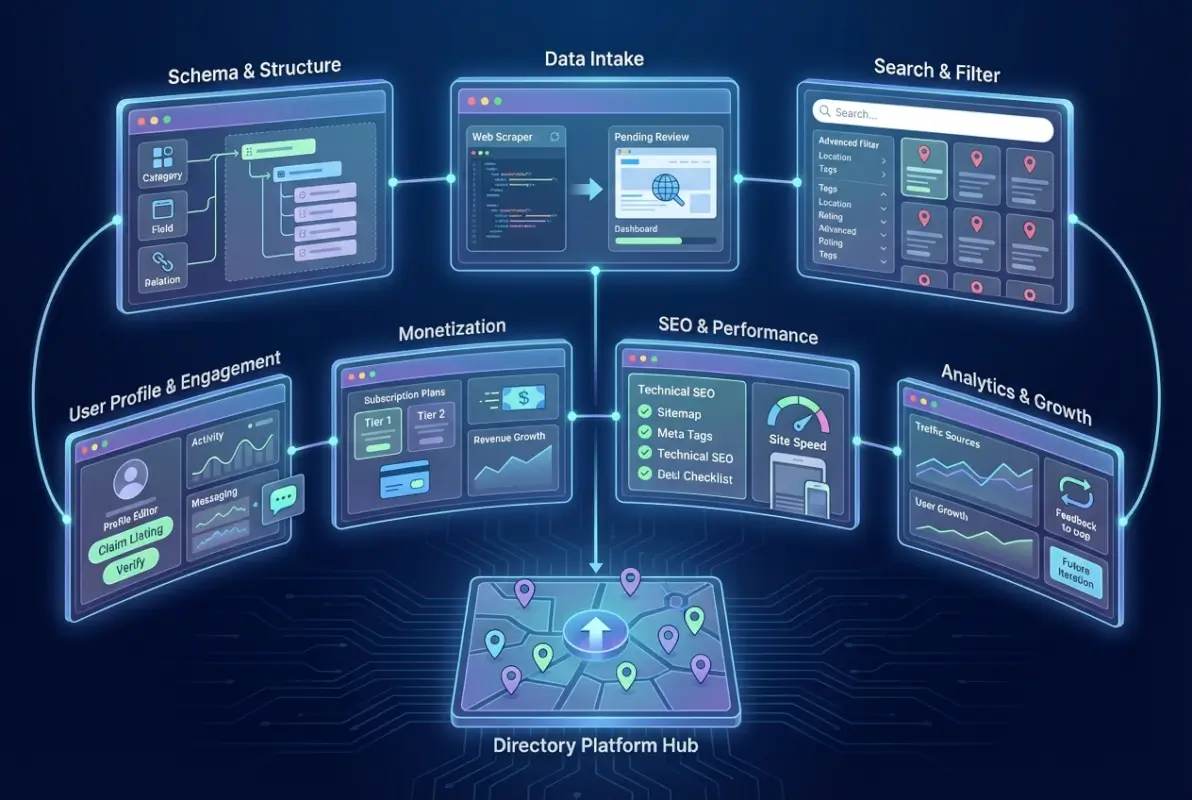
Your URL structure should be logical, keyword-rich, and hierarchical. For location-based directories, consider patterns like /[state]/[city]/[category]/[business-name]. For category-focused directories, try /[category]/[subcategory]/[listing-name]. The key is consistency and predictability—both for users and search engines.
Don’t underestimate the power of category and location hub pages. These are your high-volume keyword targets. A page for “plumbers in Austin” should aggregate all relevant listings while offering original, valuable content about plumbing considerations specific to Austin (hard water issues, local code requirements, seasonal demand patterns). These hub pages become link magnets and rank for competitive head terms, funneling traffic to individual listings.
Schema markup is non-negotiable. Implement LocalBusiness schema for location-based listings (including geo coordinates, hours, price range), Organization schema for companies, and Review schema for user feedback. This structured data helps search engines understand your content and can trigger rich results—the star ratings, business hours, and map cards that dramatically improve click-through rates from search results.
Internal linking strategy matters more than most realize. Link from category pages to relevant listings, from listings back to category pages, and create cross-category connections where logical (“contractors in Denver” should link to “architects in Denver” and “interior designers in Denver”). This distributes link authority throughout your site and helps search engines understand topical relationships.
Page speed and Core Web Vitals directly impact rankings now. Directories face particular challenges here because of database queries, filters, and image-heavy listings. Use lazy loading for images, implement database query caching, optimize your JavaScript, and consider a CDN for static assets. According to Google’s page experience guidelines, sites with good Core Web Vitals scores see measurably better rankings, especially on mobile devices.
4. Robust Search and Browsing Experience
Users come to directories with intent—they’re looking for something specific, and they want to find it fast. If your search function is clunky, your filters are limited, or your results take three seconds to load, they’ll hit the back button and try a competitor. In my experience, search and filter functionality is where the gap between “adequate” and “excellent” directories becomes most visible.

Core search functionality should include autocomplete (suggests businesses, categories, and locations as users type), fuzzy matching (handles misspellings and variations), and multi-field querying (searches across business names, descriptions, categories, and even tags simultaneously). The search bar should be prominent, ideally in the header on every page, with clear affordances about what users can search for.
Filtering is where users refine broad searches into actionable results. At minimum, provide category filters, location/distance filters (with map integration), and rating filters. Advanced filters depend on your niche—price range for restaurants, years in business for contractors, certification types for professionals, availability for service providers. The trick is exposing filters progressively: show the most common ones by default, tuck the rest behind an “advanced filters” toggle.
| Search/Browse Feature | User Benefit | Technical Implementation Tip |
|---|---|---|
| Autocomplete | Faster searches, discovery of options users didn’t know existed | Use debounced API calls; cache common queries; prioritize recent searches |
| Map View | Spatial understanding, route planning, discovery of nearby alternatives | Cluster markers at zoomed-out views; lazy-load listing details on marker click |
| Multi-Select Filters | Precise results without multiple searches | Use URL parameters for filter state; enable deep linking to filtered results |
| Sort Options | Control over result prioritization (relevance vs. rating vs. distance) | Default to relevance; allow sort persistence via cookies for returning users |
| Save/Compare | Facilitates decision-making across multiple options | Store favorites in localStorage for guest users; offer account sync for registered users |
Map integration transforms user experience for location-based directories. Instead of mentally mapping addresses, users see spatial relationships at a glance. Implement clustering for zoomed-out views (showing “15 plumbers in this area” instead of 15 individual pins that clutter the map), and provide smooth transitions between list and map views. Google Maps API remains the standard, though OpenStreetMap alternatives exist for budget-conscious projects.
Performance targets matter: aim for initial page load under three seconds, search results returned in under one second, and filter applications feeling instant (under 200ms). This requires smart database indexing, query optimization, and potentially Elasticsearch or Algolia for large catalogs. But the investment pays off—according to user experience research from Nielsen Norman Group, response times over one second interrupt the user’s flow of thought, leading to higher bounce rates.
5. Monetization and Business Model Clarity
Let’s address the elephant in the room: directories need revenue to sustain curation, hosting, marketing, and ongoing development. But monetization done poorly destroys trust faster than almost any other mistake. Users who encounter pay-to-win directories—where the “best” results are just whoever paid the most—quickly learn to ignore your rankings or leave entirely.

The most sustainable models align business incentives with user value. Subscription or listing fees work when they fund meaningful benefits: enhanced profiles with more photos and detail, priority support for profile questions, analytics showing how many people viewed or contacted the business. This creates value for listing owners while maintaining search result integrity for users.
Premium placement (featured listings at the top of search results or category pages) requires careful implementation. The key is transparency and relevance. Label sponsored results clearly (“Featured” or “Sponsored”), and ensure they’re still relevant to the user’s query—don’t show a premium plumber in Dallas when someone searched for plumbers in Houston. Some directories reserve premium spots for businesses that meet minimum quality thresholds (minimum rating, complete profiles, verified status).
Lead generation models (charging businesses per contact or inquiry) can be lucrative but require sophisticated tracking and clear terms. Users expect to contact businesses for free; the business pays for the lead. Implement duplicate lead detection, qualify leads before charging (a spam submission shouldn’t cost the business), and provide transparent reporting so businesses can track ROI.
| Monetization Model | Revenue Potential | User Impact | Complexity |
|---|---|---|---|
| Free Listings + Premium Upgrades | Medium | Low (maintains free discovery) | Low |
| Subscription Tiers | Medium-High | Low (all listings discoverable) | Medium |
| Lead Generation (Pay-per-Contact) | High | Low-Medium (can reduce direct contact info) | High |
| Display Advertising | Low-Medium | Medium (can degrade UX if excessive) | Low |
| Commission on Bookings/Transactions | Very High | Medium (requires transaction flow through platform) | Very High |
Advertising (display ads, sponsored content) provides supplementary revenue but rarely sustains a directory alone. The CPMs for niche directory traffic are typically modest unless you achieve substantial scale. If you go this route, prioritize user experience: limit ad density, avoid intrusive formats, and ensure ads don’t obscure or confuse navigation.
Hybrid models often work best: free basic listings ensure comprehensive coverage (good for users and SEO), premium upgrades provide revenue from motivated businesses, and limited advertising supplements income without dominating the experience. The key is testing and iteration—what works for a local service directory may not work for a B2B platform.
6. Data Governance, Quality Control, and Trust
If monetization is about sustaining your directory, governance is about ensuring it’s worth sustaining. A directory with lax standards becomes a spam magnet, which tanks your search rankings, drives away users, and poisons your brand. Governance encompasses submission standards, verification processes, review moderation, and compliance with data protection regulations.
Start with clear listing guidelines: what qualifies for inclusion, what information is required versus optional, and what behaviors result in removal (fake reviews, misleading information, harassment). Publish these guidelines publicly. They set expectations for businesses and provide a framework for consistent moderation decisions.
Verification workflows build trust. For high-value or professional listings (lawyers, doctors, contractors), implement proof of credentials: business licenses, professional certifications, insurance documentation. This can’t be automated entirely, it requires human review for edge cases, but even basic verification (confirming the business phone number connects to a real business, not a dummy voicemail) filters out the majority of spam.
User-generated content—especially reviews—requires active moderation. Fake reviews (both positive and negative) undermine credibility. Implement detection mechanisms: flag reviews from users who’ve posted multiple reviews in a short time, reviews with suspicious patterns (template language, extreme sentiment), and reviews from IP addresses associated with the business. Use a combination of automated flagging and human review for final decisions.
Abuse handling needs documented processes. What happens when a business disputes a review? When a user reports a listing as fraudulent? When competitors leave fake negative reviews on each other? Having clear escalation paths, response time commitments, and appeal processes protects you legally and maintains user trust.
Data protection compliance isn’t optional. If you’re collecting personal data (user accounts, review authorship, business owner contact info), you need to comply with relevant regulations—GDPR in Europe, CCPA in California, and various other regional requirements. This means clear privacy policies, data retention limits, user rights to access and delete data, and secure data storage practices. The consequences of non-compliance include substantial fines and reputational damage that can kill a directory outright.
Trust signals extend beyond verification badges. Display last-updated dates on listings, show response rates for businesses that use built-in messaging, highlight businesses with long tenure on your platform. These subtle cues help users distinguish between actively maintained, engaged listings and stale entries that might not even be in business anymore.
7. Analytics, Metrics, and Growth Iteration
You can’t improve what you don’t measure, and directories generate rich data that reveals exactly what’s working and what’s broken. The difference between directories that plateau and those that compound growth is often just systematic use of analytics to guide decision-making.
Start with the basics: listings submitted, active listings, listing churn (how many go inactive or get deleted), user registrations, searches performed, and traffic sources. These establish your baseline health. If active listings are declining, you have a data quality or business engagement problem. If searches are growing but registrations aren’t, you might have an account-creation friction issue.
Dig deeper into user behavior: search-to-result conversion (do users find what they’re looking for?), listing view rates by category (which categories drive engagement?), contact rates per listing view (are listings compelling enough to drive action?), and bounce rate by entry point (which pages or searches lose users immediately?). These metrics reveal where the user experience breaks down.
| Metric Category | Key Metrics to Track | What They Tell You |
|---|---|---|
| Listing Health | Active listings, submission rate, claim rate, completion rate, update frequency | Whether your catalog is growing, maintained, and engaged |
| User Engagement | Searches, search-to-click rate, time on listing pages, repeat visits | Whether users find value and return |
| Conversion | Contact rate, lead quality score, premium upgrade rate, churn | Whether the directory drives business outcomes |
| SEO Performance | Organic traffic, ranking keywords, backlinks, indexed pages | Your visibility and growth potential |
| Revenue | MRR, ARPU, customer acquisition cost, LTV, upgrade rate | Business sustainability and unit economics |
Listing quality scores deserve special attention. Develop a composite metric that weights profile completeness (all fields filled), freshness (recently updated), engagement (views, contacts), and social proof (reviews, ratings). Use this score to identify high-quality listings worth featuring and low-quality listings that need attention or removal. You can even surface this score to business owners as an incentive to improve their profiles.
A/B testing transforms hunches into data-driven improvements. Test everything: search result layouts, filter presentation, call-to-action wording on listing pages, subscription pricing tiers, and email nurture sequences for inactive business owners. Tools like Optimizely or open-source alternatives like GrowthBook make sophisticated experimentation accessible even for smaller directories.
Build dashboards that different stakeholders can use. Operations teams need listing health and moderation queue metrics. Marketing teams need traffic sources and conversion funnels. Product teams need feature usage and drop-off points. Executives need MRR, growth rate, and unit economics. Tools like Google Data Studio, Metabase, or Tableau let you create role-specific views of the same underlying data.
The analytics-driven growth loop looks like this: measure baseline → identify highest-leverage problem or opportunity → hypothesize solution → implement → measure impact → iterate. This loop never stops. The most successful directories I’ve studied run this cycle weekly or biweekly, accumulating dozens of improvements per year that compound into significant competitive advantages.
Platform and Tech Considerations: Finding Your Fit
The perennial question: should you use a SaaS directory platform or build custom? There’s no universal answer, but there are clear decision criteria. SaaS platforms (like WordPress directory plugins, purpose-built solutions, or low-code platforms) get you live faster, typically at lower upfront cost, with less technical expertise required. Custom builds offer unlimited flexibility, ownership of your data and technology, and no recurring platform fees—but require significant development resources and ongoing maintenance.
If you’re testing a niche, validating market fit, or operating with limited budget and technical resources, SaaS makes sense. You can launch in weeks rather than months and pivot quickly if initial assumptions prove wrong. Once you’ve validated demand and have revenue to invest, a custom build or heavily customized SaaS solution may optimize for your specific workflows and user experience.
| Decision Factor | SaaS Platform | Custom Build |
|---|---|---|
| Time to Launch | Weeks | Months |
| Upfront Cost | $500-5,000 | $15,000-100,000+ |
| Ongoing Cost | $50-500/month | Hosting + maintenance ($200-2,000+/month) |
| Flexibility | Limited to platform capabilities | Unlimited |
| Technical Requirement | Minimal | Developer(s) required |
| Data Ownership | Limited (export capabilities vary) | Full |
| Scalability | Depends on platform | Depends on architecture |
Security and compliance are non-negotiable regardless of approach. Implement SSL certificates (HTTPS everywhere), regular backups with tested restoration processes, secure authentication (consider two-factor for admin accounts), and protect against common vulnerabilities (SQL injection, XSS, CSRF). If handling payment information, PCI DSS compliance becomes mandatory—though using payment processors like Stripe that handle card data dramatically simplifies this.
Data import and export capabilities matter more than most realize upfront. You’ll need to import initial listings (from spreadsheets, APIs, or scraped data), and you should be able to export your data (for backups, analytics, or migration). Being locked into a platform with no export path is a business risk you don’t want to discover after you’ve invested years of work.
Hosting and infrastructure should scale with your ambitions. Shared hosting might suffice for 1,000 listings and 10,000 monthly visits, but 50,000 listings and 500,000 visits require VPS or cloud infrastructure. Budget for CDN services (Cloudflare is generous at entry levels), database optimization, and potentially caching layers (Redis or Memcached) as you grow.
Frequently Asked Questions
What is an online directory and how does it differ from a marketplace?
An online directory is a searchable database of business or service provider listings, focused on discovery and information. Users browse, compare, and contact businesses directly. Marketplaces facilitate transactions—bookings, purchases, or service requests—through the platform itself, often taking a commission. Directories connect; marketplaces transact. Many successful platforms blend both models over time.
Which niche should I choose for an online directory, and how do I validate demand?
Choose a niche where you have expertise, existing connections, or clear underserved demand. Validate by testing search volume for relevant keywords using tools like Google Keyword Planner, surveying potential users about pain points in finding services, and running a simple landing page campaign to gauge signup interest before building. Aim for niches with strong commercial intent and fragmented existing solutions.
How do I structure a directory’s URL and taxonomy for best SEO performance?
Use descriptive, hierarchical URL structures like /[location]/[category]/[listing-name] or /[category]/[subcategory]/[listing-name]. Include target keywords naturally in URLs, keep them concise (under 60 characters when possible), use hyphens not underscores, and maintain consistency across your site. Implement proper canonical tags, XML sitemaps, and breadcrumb navigation to reinforce your information architecture for search engines.
How can I monetize a new directory without alienating users or harming experience?
Start with free basic listings to build catalog critical mass and user trust. Introduce premium upgrades (enhanced profiles, priority placement, analytics) as paid options once you’ve demonstrated value. Keep organic search results unbiased; label sponsored placements clearly. Test pricing with small user segments before broad rollout. Transparency and genuine value alignment prevent monetization from feeling exploitative.
What data should I collect for each listing and how do I verify it at scale?
Core fields include business name, category, physical address, contact methods (phone, email, website), hours of operation, and description. Secondary fields depend on niche (certifications for professionals, menu for restaurants, portfolio for creatives). Verify via email confirmation for submissions, phone verification for high-value categories, and periodic automated checks (website availability, phone number validity). Consider manual spot-checks for featured or premium listings.
What are best practices for listing submission and moderation workflows?
Make submission forms simple with progressive disclosure (core fields required, optional fields revealed after). Provide clear guidelines and examples. Auto-approve low-risk submissions; queue high-risk ones (new domains, suspicious patterns) for review. Use automated spam detection (honeypot fields, rate limiting). Respond to submitted listings within 24-48 hours. Allow businesses to claim and manage their listings directly after verification.
How important are reviews and ratings for directory credibility and SEO?
Reviews provide social proof that significantly influences user decisions and trust. They also generate fresh, unique content that search engines value, especially when paired with proper schema markup that can trigger rich results. However, fake or unmoderated reviews destroy credibility faster than no reviews at all. Implement verification (reviewers must have accounts), moderation workflows, and clear policies against fake reviews.
Should I enable map view, geolocation, or localized pages to improve engagement?
For location-based directories, map views dramatically improve user experience by visualizing spatial relationships between listings. Geolocation (detecting user location) can default searches to nearby results, reducing friction. Location-specific landing pages (city, neighborhood, or region pages) capture local search traffic and provide targeted content. All three features compound value when implemented together, particularly for mobile users searching on-the-go.
How long does it typically take to build a profitable online directory from scratch?
Using SaaS platforms, you can launch a functional directory in 4-8 weeks, but achieving profitability typically takes 12-24 months as you build catalog depth, establish SEO visibility, and acquire critical mass of active users. Custom builds extend the initial timeline but may accelerate growth if differentiation matters. The specific timeline depends heavily on your niche, competition, marketing resources, and initial catalog size.
What’s the most overlooked factor that causes online directories to fail?
Data quality and maintenance. Directories often launch with enthusiasm and reasonable initial data, then fail to sustain ongoing curation, updates, and moderation. Stale, inaccurate listings erode trust, which increases bounce rates, which degrades SEO performance, creating a downward spiral. Successful directories treat data quality as an ongoing operational priority, not a one-time launch task, and build systems to maintain freshness at scale.
Building Your Directory: Moving from Concept to Launch
If you’ve read this far, you’re probably itching to start building. Good. The online directory space still has room for well-executed, niche-focused entrants that serve specific audiences better than generic alternatives. But success requires disciplined execution across all seven elements simultaneously—you can’t ignore data quality while perfecting your search experience, or nail monetization while letting SEO languish.
Start with clarity: define your niche, articulate your value proposition, and validate demand before writing a line of code or configuring a platform. Then move methodically through the infrastructure decisions: platform choice, data model, URL structure, and initial listing sources. This foundation determines how easily you can execute the later stages.
Launch lean. You don’t need every feature on day one. A solid search experience, clean listing pages, basic filters, and reliable data quality matter infinitely more than fancy map clustering or AI-powered recommendations (which you can add later). Get your core loop working—users search, find relevant results, contact businesses—and iterate from there based on real user behavior, not assumptions.
Remember that building a directory is a marathon, not a sprint. The directories that succeed treat it as a long-term business with ongoing operational requirements, not a passive side project they can “set and forget.” Budget time and resources for data curation, user support, feature development, and marketing. The compound effects of consistent execution across months and years separate winners from abandoned projects.
Most importantly, stay close to your users—both the searchers and the business owners. They’ll tell you what’s working and what’s frustrating, what features would unlock more value, and where competitors are falling short. Your ability to listen, adapt, and deliver on that feedback determines whether you build something genuinely useful or just another digital directory that disappears into obscurity.
The opportunity is real. The path is well-defined. Now it’s up to you to execute with focus, consistency, and an unwavering commitment to delivering genuine value to both sides of your marketplace. Start small, validate ruthlessly, iterate constantly, and build something people actually want to use. That’s how successful online directories get built—one high-quality listing, one satisfied user, one smart decision at a time.
Was this article helpful?