Kik Online Directory: What It Is & How to Use It Safely

Generating summary...
If you’ve typed “Kik online directory” into a search engine, you’re probably looking for one of three things: a way to find Kik users or groups, resources to understand Kik safety, or a guide to navigating the murky waters of third-party Kik listings. Here’s what most articles won’t tell you upfront: there is no official “Kik Online Directory” product. What exists instead is a patchwork of unofficial websites, user-generated lists, and resource hubs—some helpful, many risky, and a few outright dangerous. This guide cuts through the noise to explain what these directories actually are, how people use them, and—most importantly—how to protect yourself (or your kids) when exploring Kik-related resources online. The stakes are higher than you might think, especially given the evolving landscape of online directory platforms and the persistent safety gaps in messaging apps designed for anonymity.
TL;DR – Quick Takeaways
- No Official Directory Exists – “Kik online directory” usually refers to unofficial third-party sites aggregating user profiles or group links, not a Kik-endorsed product
- Safety First – These directories carry real risks: scams, grooming, privacy exposure, and limited accountability; never share personal data
- Verify Everything – Cross-check directory listings against official safety resources; assume all third-party sources are unvetted
- Use Official Channels – For safety guidance, rely on Kik’s Community Standards, NCMEC’s CyberTipline, and FTC consumer protection resources
- Report and Block – If you encounter suspicious content, block the user immediately and report to authorities and the platform
What a Kik Online Directory Is (and Why People Use It)
The term “Kik online directory” doesn’t describe a single platform or service. Instead, it’s a catch-all phrase for various third-party websites, forums, and aggregation tools that attempt to catalog Kik usernames, group codes, or public profiles. Think of it as an informal phonebook for an app that was designed to be pseudonymous from the start. People turn to these directories for a few common reasons: discovering public groups centered on hobbies or interests, researching safety information for parents or educators, or simply trying to understand how Kik’s community operates. The problem? Unlike top business listing sites that verify entries and moderate content, most Kik directories operate in a regulatory gray zone with zero quality control.
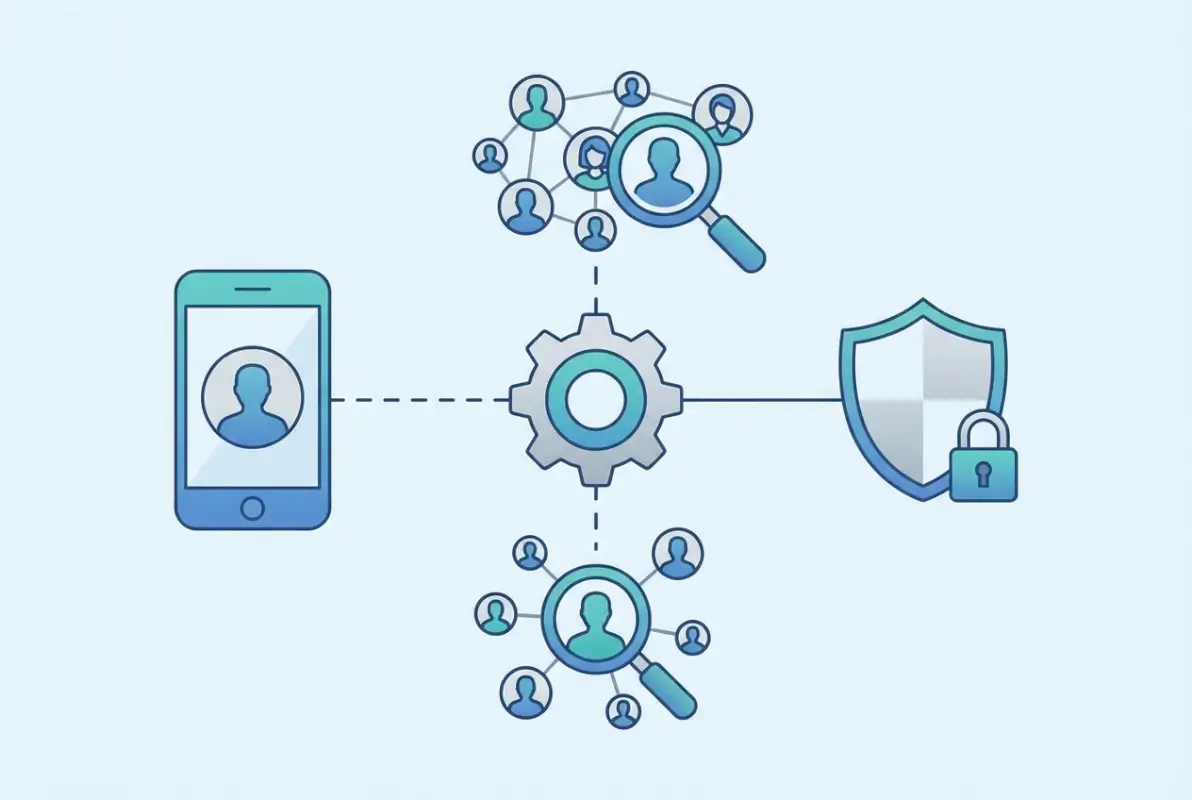
It’s worth understanding the mechanics here (because most users don’t). Kik itself doesn’t publish a searchable database of users—by design. The app uses usernames instead of phone numbers, which theoretically offers more privacy than platforms tied to real-world identities. Third-party directories exploit this by scraping usernames from public group invitations, chat logs, or user submissions. Some directories frame themselves as “safety resources” or “community hubs,” but the reality is murkier. A 2018 study by the National Institutes of Health found that anonymized messaging apps like Kik are frequently cited in cases involving online exploitation precisely because they make user verification nearly impossible.
So why do people still use them? For some, it’s curiosity—wanting to see what’s out there without officially joining groups or adding random strangers. For others, especially parents or educators, directories offer a window into the types of communities their kids might be accessing. But there’s a third category that rarely gets discussed: people looking for connections outside the scrutiny of mainstream social media. That last group includes both harmless users seeking niche communities and bad actors hunting for vulnerable targets. The directories themselves rarely distinguish between the two, which brings us to our next critical distinction.
Definition and Typical Use Cases
An online directory in the Kik context can take several forms: publicly accessible websites listing usernames by category (age, location, interests), Reddit threads or Discord servers aggregating group codes, or even educational portals compiling safety case studies and policy materials. The use cases vary widely. A high school counselor might review a directory to understand which group types students are joining. A parent might search for their child’s username to see if it appears in risky listings. A researcher studying online safety patterns might analyze directory trends for academic purposes. None of these uses involve Kik’s official endorsement or oversight, which is where things get legally and ethically fuzzy.
Legitimate educational use exists—don’t dismiss that entirely. Organizations like the Internet Matters project compile safety guides that function as informal “directories” of best practices and warning signs. These resources help parents decode app features, privacy settings, and red flags without encouraging direct contact with strangers. That’s a far cry from directories that actively facilitate new connections by publishing usernames. The key difference? Intent and accountability. Educational directories cite sources, update regularly based on platform changes, and explicitly warn against risky behavior. User-generated listing sites do none of that.
Here’s the limitation nobody mentions upfront: accuracy is abysmal across the board. Usernames get recycled, accounts get deleted, and malicious actors create fake profiles to populate directories with honeypot listings. A username you find on a directory today might belong to a completely different person next month—or it might never have been legitimate in the first place. Kik’s terms of service explicitly prohibit scraping user data, which means most directories operate in violation of platform rules from day one. You’re not just accessing unverified information; you’re potentially using data harvested through methods that could expose you to legal or security risks.
What It Is Not
Let’s clear up the biggest misconception right now: a Kik online directory is not an official Kik product, feature, or endorsed resource. Kik Interactive (now owned by MediaLab) does not maintain, sanction, or verify any third-party directories. In fact, Kik’s Community Standards emphasize user privacy and explicitly discourage sharing personal information or using the platform for activities that compromise safety. When you use a third-party directory, you’re stepping outside Kik’s ecosystem entirely—there’s no customer support, no content moderation, and no recourse if something goes wrong.
It’s also not a foolproof safety tool, despite how some directories market themselves. I’ve seen sites that claim to “vet” users or “verify” group safety based on crowdsourced reports, but there’s no standardized process behind those claims. Unlike business listing services that implement verification workflows and SEO best practices, Kik directories often rely on unfiltered user submissions with zero identity checks. The Federal Trade Commission’s guidance on protecting kids online warns that platforms with minimal age verification and anonymous profiles present heightened risks—Kik fits that profile, and directories amplify those risks by aggregating unverified contacts in one place.
Another thing it’s not: a replacement for direct communication with kids or students about online safety. Parents sometimes use directories as a shortcut to “monitor” their child’s activity, but that approach backfires more often than it helps. Finding your teen’s username on a directory doesn’t tell you what they’re actually doing—it just confirms they’re using the app (which you probably already knew). Worse, it can erode trust if they discover you’ve been searching for them without their knowledge. Safety organizations like NCMEC recommend open conversations and agreed-upon boundaries instead of surveillance tactics, because the latter often push risky behavior underground rather than eliminating it.
How to Use Kik Online Directories Safely
If you’ve decided to explore a Kik directory despite the risks—maybe for research, parental oversight, or understanding community dynamics—the first rule is simple: never, ever share personal information. That includes your real name, location, age, school, workplace, or any detail that could be used to identify you offline. This might seem obvious, but directory users routinely make exceptions (“I’ll just share my city, not my address”) that create vulnerability chains. Bad actors are skilled at social engineering; one innocuous detail becomes a starting point for phishing, doxxing, or worse. According to research from the Pew Research Center, 41% of Americans have personally experienced online harassment, and the risk multiplies on platforms designed for anonymity.
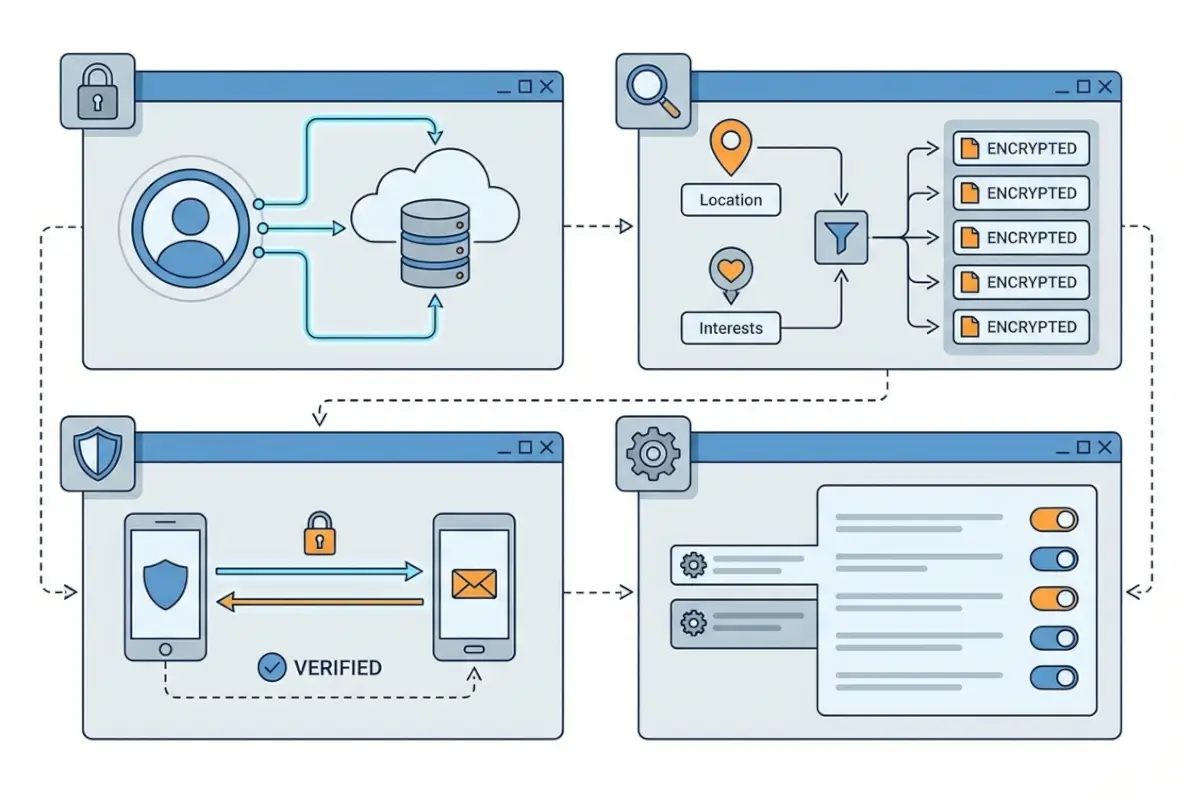
Start with Kik’s native privacy controls before you even touch a directory. The app allows you to limit who can message you, block users, and report inappropriate content—features that many users ignore until it’s too late. Kik’s privacy settings guide walks through options like restricting contact to mutual friends or disabling read receipts, both of which reduce your exposure when browsing directories. Think of these settings as your first line of defense. If you’re researching on behalf of a child, make sure their account is locked down before they encounter directory-listed groups or users. I’ve worked with parents who discovered their teen’s username on a directory only to realize the account had zero privacy restrictions enabled—fixing that gap should be step one, not step ten.
Directory browsing itself requires a critical eye. Look for red flags like outdated layouts (suggesting the site hasn’t been maintained), excessive pop-up ads (a sign of low credibility), or requests to download software or create accounts before viewing listings (often a malware vector). Cross-check any “safety” claims against established resources like verified directory platforms that prioritize user transparency. If a directory claims to verify users but provides no details about its verification process, that’s a red flag. Similarly, if usernames are categorized by age or “looking for” tags that suggest dating or adult content, you’re in sketchy territory—exit immediately and consider reporting the site to authorities.
Privacy, Account Security, and Settings Basics
Beyond Kik’s built-in controls, your device and network settings matter more than most people realize. Use a VPN when accessing directories to mask your IP address—this prevents the directory operator from logging your location or tracking your browsing habits. Enable two-factor authentication (if available) on your Kik account to prevent unauthorized access if your username gets leaked. Regularly audit your Kik contacts and block any users you don’t recognize; directories sometimes encourage mass-adding strangers, which inflates your exposure to scams and malicious content. The FTC’s phishing scam guide emphasizes that contact list hygiene is a critical but overlooked aspect of digital safety.
Privacy settings are not a “set it and forget it” task, I can’t stress this enough. Kik periodically updates its app with new features or changes to default settings, which can accidentally reset your preferences or introduce new exposure risks. Schedule a monthly check-in to review who can contact you, what data is visible on your profile, and which groups you’ve joined. For parents managing a child’s account, do this together—it’s a teachable moment, not a surveillance tactic. When kids understand *why* certain settings matter (e.g., “this prevents strangers from seeing your age”), they’re more likely to maintain them independently.
One setting that flies under the radar: Kik’s “S” and “D” read receipts. Those little indicators tell senders when you’ve received and read their messages. In a directory context, responding to a suspicious message—even to say “leave me alone”—confirms your account is active and monitored, which can trigger a flood of follow-up spam or targeted harassment. Disable read receipts, and never respond to unsolicited messages from directory-sourced contacts. Block, report, and move on. Engagement of any kind rewards the sender’s behavior and signals you’re a viable target.
Verifying Credibility and Avoiding Scams
Scammers love Kik directories because they aggregate targets in one convenient location. Common scams include phishing links disguised as “group invitations,” catfishing profiles that use stolen photos to build trust, romance scams targeting lonely users, and sextortion schemes that record compromising conversations and demand payment. A 2021 report by the FBI’s Internet Crime Complaint Center noted that confidence fraud and romance scams accounted for losses exceeding $956 million, with messaging apps like Kik frequently cited as initial contact points. The anonymity that makes Kik appealing to privacy-conscious users also makes it a playground for fraud.
Verification is your best defense, but it’s harder than it sounds when dealing with pseudonymous platforms. Start by reverse-image searching any profile photos you encounter—scammers often steal images from public social media accounts or modeling portfolios. If the same photo appears on multiple unrelated profiles or websites, you’re dealing with a fake. Check usernames against known scam databases (sites like ScamSearch or Reddit’s r/Scams archive common aliases). Be skeptical of profiles that seem too good to be true—overly attractive photos, generic interests, and vague bios are all red flags. Similar principles apply when evaluating credible business directory platforms versus spammy aggregators.
When in doubt, ask yourself: what is this person or directory gaining from this interaction? Legitimate community groups don’t pressure you to join quickly, share personal details, or click external links before you’ve had a chance to verify their purpose. Scam groups do all three. If a directory listing promises “verified” users but asks you to pay a fee or complete a survey to unlock contact details, that’s a scam—exit and report the site. The same goes for directories that require email addresses or phone numbers to browse listings; you’re not accessing a service, you’re feeding a data harvesting operation.
Risks, Scams, and Safety Gaps in Directory-Style Resources
Directory-style resources for messaging apps like Kik can expose users—especially minors—to significant safety threats, even when the directory itself appears legitimate. These listings often aggregate usernames or group links without robust vetting, creating pathways for bad actors to contact vulnerable individuals. Because third-party directories operate outside official platform oversight, there are few safeguards to prevent malicious listings, impersonation, or contact by predators seeking to exploit young users.
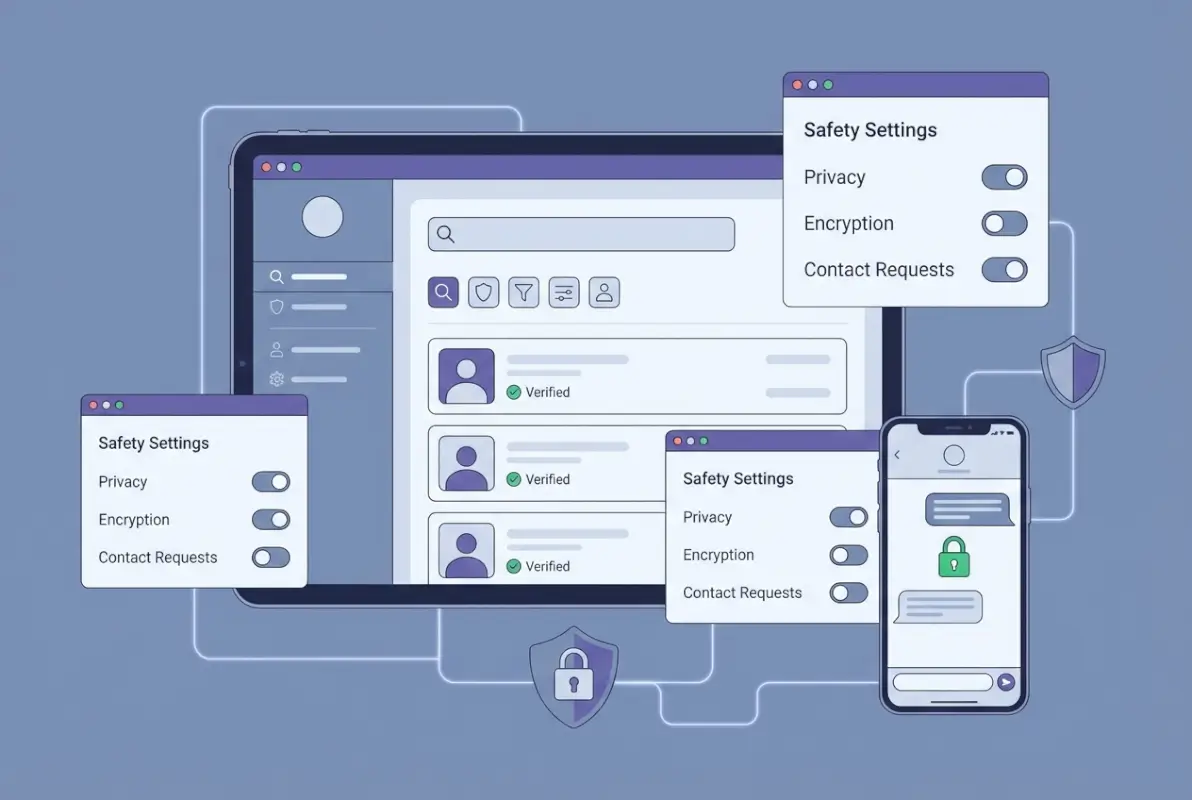
Common risks associated with Kik and similar platforms
Kik has faced sustained criticism from child-safety organizations for features that enable anonymous contact and limited moderation, making it a preferred tool for grooming and exploitation. The platform does not require a phone number or email for signup, which lowers barriers for predators to create multiple accounts and evade detection. Safety advocates have documented cases where minors were contacted by strangers soliciting explicit images or arranging offline meetings, often beginning with innocuous group invitations or direct messages.
Public directories amplify these risks by broadcasting usernames to anyone who searches, effectively creating a recruitment database for those with malicious intent. Kik’s in-app reporting and blocking tools exist, but they rely on users recognizing threats quickly enough to act—a challenge for children and teens who may not yet recognize grooming tactics. Research by child-protection organizations, including the National Center on Sexual Exploitation, highlights that Kik’s minimal age verification and ephemeral messaging features contribute to an environment where harmful content and predatory behavior can flourish with limited accountability.
Beyond predatory contact, directories can also expose users to scams, phishing attempts, and malware distribution. Scammers often pose as popular groups or influencers, using directory listings to lure users into clicking malicious links or sharing account credentials. The lack of centralized oversight means there is no way to verify the legitimacy of a listing before you engage, placing the entire burden of risk assessment on the individual user.
What to do if you encounter harm
If you or someone you know encounters sexual content, grooming behavior, or other harmful activity on Kik—whether discovered through a directory or direct contact—the first step is to stop all communication immediately and preserve evidence. Take screenshots of usernames, messages, and any profile information before blocking the user; this documentation is critical for reporting to authorities. Do not delete conversations until you have secured copies, as law enforcement and platform investigators may need them to pursue the case.
Report the incident to the National Center for Missing & Exploited Children (NCMEC) CyberTipline, which serves as the central reporting hub for suspected child sexual exploitation in the United States. NCMEC works directly with law enforcement and tech platforms to investigate reports and can escalate urgent cases quickly. You should also report the user within Kik itself using the app’s built-in reporting feature, which notifies the platform’s trust and safety team, though response times and outcomes vary.
For immediate safety concerns—such as threats of violence, attempted blackmail, or planned offline meetings—contact local law enforcement or dial emergency services. Many jurisdictions now have specialized cybercrime or internet crimes against children (ICAC) task forces equipped to handle digital exploitation cases. Additional support and guidance are available from the Federal Trade Commission’s online safety resources, which offer step-by-step reporting checklists and recovery advice for victims of online scams and exploitation.
| Risk Type | Warning Signs | Immediate Action |
|---|---|---|
| Grooming or predatory contact | Requests for personal photos, age/location questions, flattery or gift offers, pressure to move to private chat | Block immediately, screenshot all messages, report to CyberTipline and Kik, inform a trusted adult |
| Scam or phishing | Unsolicited links, promises of prizes/money, requests for login credentials or payment info | Do not click links, block sender, report to Kik and FTC, change account password if credentials were shared |
| Explicit content or sextortion | Unsolicited sexual images, threats to share compromising content, demands for money or more images | Do not comply with demands, preserve evidence, report to CyberTipline and local law enforcement, seek support from NCMEC |
| Fake or malicious directory listing | Listings that promise exclusive content, impersonate known entities, or require personal data to join | Avoid engagement, verify source independently, report listing to directory host and Kik if applicable |
Practical Guidelines for Safe Exploration (5-Step Playbook)
Navigating any online directory—especially one tied to a messaging platform with known safety gaps—requires a deliberate, risk-aware approach. The following five-step playbook is designed to help you define your goals, evaluate sources critically, and protect your personal information throughout the process. Whether you are a parent researching the platform, an educator seeking safety resources, or a user exploring groups, these steps provide a structured framework to minimize exposure to scams, privacy violations, and harmful content.
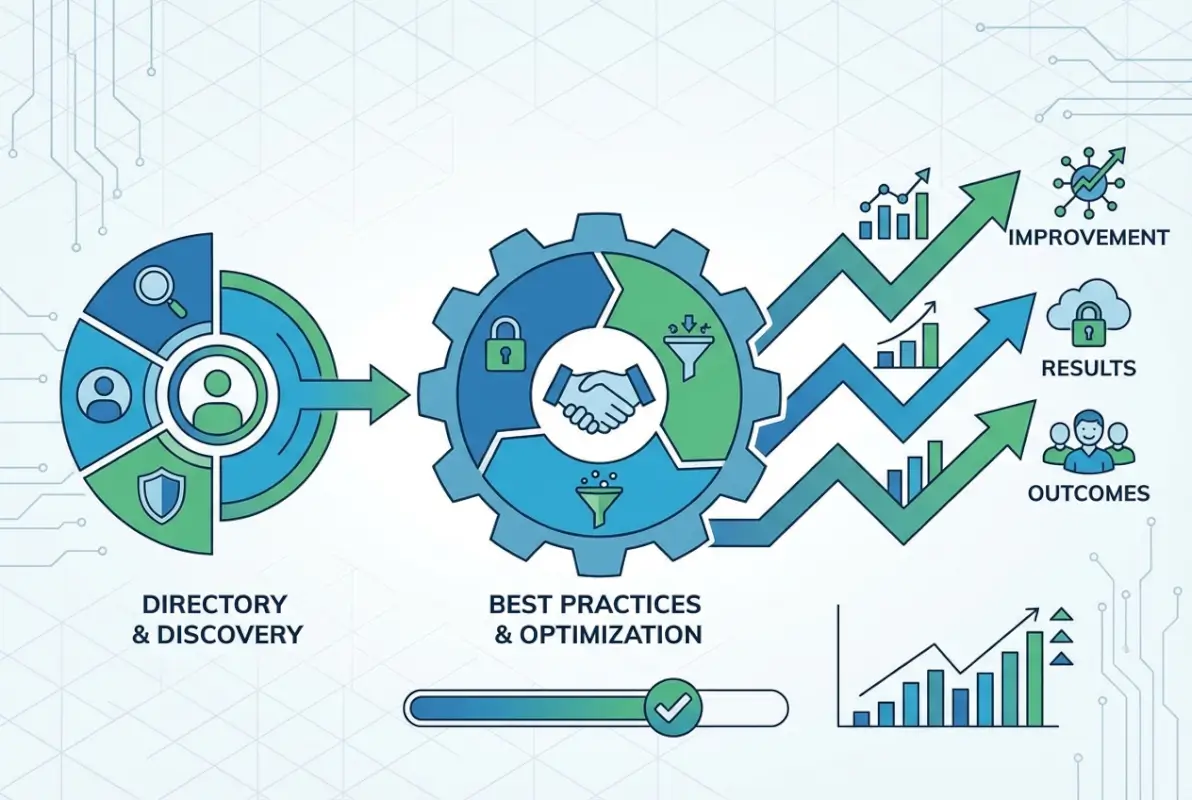
Before you search: assess your goal and risk
Start by clearly defining why you need to use a Kik-related directory and what specific information you hope to find. Are you looking for official safety guidelines, researching parental controls, or trying to locate a specific community? Writing down your objective helps you stay focused and avoid the temptation to browse listings that fall outside your stated purpose, which increases the risk of encountering malicious content or deceptive invitations.
Next, set strict boundaries around what personal data you will share—or, ideally, commit to sharing none at all. Never enter your Kik username, real name, email, phone number, or location into a third-party directory form, even if it promises exclusive access or curated results. Many directories harvest this information for marketing, resale, or worse, enabling targeted scams or harassment campaigns. If a directory requires account creation or personal details to view listings, treat that as an immediate red flag and seek an alternative source.
Finally, assess whether you actually need a directory at all. For most safety, policy, or community questions, Kik’s official Community Standards and help center—or authoritative third-party safety sites like eSafety Commissioner (Australia)—offer more reliable, safer answers than crowd-sourced or unverified directory listings. Starting with official resources reduces your attack surface and ensures the guidance you receive is current and trustworthy.
During your search: critical evaluation of sources
As you browse directory listings or informational sites, apply a skeptical lens to every claim, username, or group link you encounter. Cross-check any listing against official Kik channels or well-established safety organizations to verify its legitimacy. If a directory claims to offer “verified” or “safe” groups but provides no methodology or oversight body, treat that assurance as marketing language, not a security guarantee.
Watch for common hallmarks of scam or predatory listings: promises of exclusive content, requests to contact via external apps or email, usernames that mimic popular brands or influencers, and language designed to create urgency or secrecy (“limited time,” “invite only,” “don’t share this link”). Legitimate informational resources rarely pressure users to act quickly or demand contact outside the platform. If a listing includes shortened URLs or asks you to download files, do not click—these are classic vectors for malware and phishing.
Throughout your search, avoid logging into Kik or any related account from a link provided by a directory. Phishing sites often masquerade as login portals to steal credentials; always navigate to the official Kik app or website directly through your browser or app store. Document any suspicious listings by taking screenshots and reporting them to the directory host (if contact information is available) and to Kik’s support team, helping to protect other users from the same threat.
| Step | Action | Why It Matters |
|---|---|---|
| 1. Define your goal | Write down exactly what you need to learn or accomplish | Keeps you focused and reduces exposure to irrelevant or harmful content |
| 2. Set data boundaries | Commit to sharing zero personal information with any directory | Protects your identity from harvesting, scams, and targeted harassment |
| 3. Start with official sources | Check Kik help center and .gov/.edu safety sites first | Ensures information is accurate, current, and trustworthy |
| 4. Evaluate listings critically | Cross-check claims, watch for urgency language, avoid shortened URLs | Helps you identify scams, phishing, and predatory contact before engaging |
| 5. Document and report | Screenshot suspicious content and report to Kik, directory host, or authorities | Protects others and creates a paper trail for law enforcement if needed |
Alternatives, Resources, and When to Seek Help
Given the risks inherent in third-party directories, the safest approach is often to bypass them entirely in favor of official, moderated, and authoritative resources. This section identifies reliable alternatives for learning about Kik safety, finding community support, and accessing expert guidance—along with clear indicators of when a situation requires immediate professional or law-enforcement intervention.

Safer alternatives to public directories
For parents, educators, or users seeking information about Kik’s safety features, privacy settings, or community standards, the official Kik Help Center is the most authoritative starting point. It offers step-by-step guides on enabling privacy controls, blocking unwanted contacts, and reporting violations, all maintained by the platform itself. Because these resources are updated directly by Kik, they reflect the current app version and policy environment, reducing the risk of acting on outdated or inaccurate advice.
Reputable child-safety and digital-literacy organizations also publish comprehensive guides that contextualize Kik within broader online-safety frameworks. Internet Matters and the eSafety Commissioner provide parent-focused breakdowns of Kik’s features, common risks, and conversation starters for talking to children about safe app use. These sites are editorially independent, research-backed, and free from commercial incentives, making them more trustworthy than user-generated directories or promotional content.
If you are looking for community or peer support related to online safety, consider joining moderated forums hosted by established nonprofits or educational institutions rather than open directories. Organizations like the National Center for Missing & Exploited Children and the Federal Trade Commission maintain resource hubs with vetted links, reporting tools, and guidance tailored to families, victims, and advocates. Relying on these curated ecosystems dramatically reduces your exposure to scams and harmful actors.
Where to get help and more authoritative guidance
When you encounter content or behavior that feels unsafe—whether grooming attempts, explicit material, sextortion, or threats—seeking help from qualified professionals and official channels is critical. If you are unsure whether a situation constitutes a reportable offense, err on the side of caution: organizations like NCMEC and the FTC are equipped to triage reports and can guide you on next steps, even if the incident does not ultimately rise to the level of a criminal investigation.
For real-time support, especially in cases involving minors or imminent harm, contact your local law enforcement or a dedicated hotline such as the CyberTipline. Many regions also operate 24/7 crisis lines for child exploitation or online abuse; a quick web search for “[your state/country] internet crimes against children hotline” will surface the appropriate resource. These services are staffed by trained specialists who can coordinate with platform safety teams and law enforcement to escalate urgent cases.
Finally, if you are a parent or caregiver navigating these issues for the first time, comprehensive safety guides from FTC consumer protection and Internet Matters offer age-appropriate talking points, device-monitoring strategies, and scripts for difficult conversations. Remember that asking for help is a strength, not a weakness—child safety is a shared responsibility, and the resources exist precisely to ensure no family faces these challenges alone.
Frequently Asked Questions
Is Kik safe for kids and teens in 2025?
Kik presents notable safety concerns for younger users. Safety organizations highlight risks including grooming, explicit content, and limited moderation. While Kik provides basic safety tools, parental involvement and education are essential. Official Kik safety guidelines and resources from Internet Matters offer important guidance.
How can I tell if a Kik directory listing is legitimate?
Verify legitimacy by cross-referencing against official Kik resources and established safety organizations. Avoid sharing personal information with unverified sources. Red flags include requests for sensitive data, suspicious URLs, or promises that sound too good. Use FTC consumer safety guidance to evaluate credibility and report suspicious activity promptly.
What steps should I take if I encounter sexual or grooming content on Kik?
Immediately block the user, report the content within Kik, and preserve evidence through screenshots. Contact the NCMEC CyberTipline to file a formal report. If a minor is involved, notify local law enforcement. Never engage with the content or individual further, and seek support from trusted adults or counselors.
What safety features does Kik offer, and what are their limits?
Kik provides blocking, reporting, and privacy settings to control who can contact you. However, safety advocates note significant gaps: limited content moderation, no robust age verification, and minimal parental controls. These limitations mean that user vigilance and external safety measures are critical, especially for minors.
Where can I find authoritative safety guidance for online directories and teens?
Trusted resources include the Federal Trade Commission, National Center for Missing & Exploited Children, and eSafety Australia. These organizations provide up-to-date best practices, reporting mechanisms, and educational materials for parents, educators, and young users navigating online platforms safely.
Can I use Kik anonymously and stay completely safe?
While Kik allows sign-up without a phone number, true anonymity is difficult and does not guarantee safety. Anonymous accounts can still be targeted by predators or scammers. Protect yourself by limiting personal information, using privacy settings, never sharing location, and being cautious with whom you communicate, regardless of your account’s anonymity level.
Should parents monitor their child’s use of Kik and similar apps?
Yes, active monitoring and open communication are strongly recommended. Many safety experts advise parents to discuss online risks, review contacts regularly, and use device-level parental controls. Given Kik’s known risks, consider whether the platform is age-appropriate. Resources from Internet Matters and FTC guidance support proactive parental engagement.
What are the biggest risks when using third-party Kik directories?
Third-party directories can expose you to scams, impersonation, privacy breaches, and contact with harmful individuals. Many are not moderated or verified, increasing risks of grooming or data misuse. Always prioritize official Kik resources and established safety organizations over unverified listings, and never share personal details through unvetted directory platforms.
Conclusion: Navigate Kik Directories with Confidence and Caution
Understanding what a Kik Online Directory is—and more importantly, what it is not—empowers you to make safer, smarter decisions when researching or using Kik-related resources. These directories can serve as informal hubs for discovering communities or learning about safety practices, but they come with real risks: privacy exposure, scam potential, and the possibility of harmful contact, especially for younger users.
The most effective strategy is simple: prioritize official sources. Anchor every decision in Kik’s Community Standards, cross-check information against trusted safety organizations like NCMEC and the FTC, and never share personal data through unverified listings. When red flags appear—suspicious requests, unverified credentials, or concerning behavior—act immediately: block, report, and document.
For parents and educators, this guide underscores the importance of active engagement. Open conversations about online risks, regular monitoring of platform use, and education about privacy settings are non-negotiable when young people interact with Kik or similar apps. For all users, the takeaway is clear: treat directories as starting points for research, not as trusted gatekeepers. Verify everything, limit exposure, and stay vigilant.
Take Action Today
Your safety online starts with informed choices. Review your Kik privacy settings now, audit any directories or communities you engage with, and bookmark official safety resources for quick reference. If you’re a parent, schedule a conversation with your child about their app use this week.
Remember: the best defense against online risk is knowledge, vigilance, and a willingness to act when something feels wrong. Use this guide as your roadmap, and don’t hesitate to reach out to trusted authorities when you need help.
Online directories and social platforms will continue to evolve, but the fundamentals of digital safety remain constant. Stay skeptical, stay informed, and always put your privacy and well-being first. Whether you’re exploring Kik for legitimate networking, researching safety protocols, or guiding a young person through their digital journey, the principles in this guide will serve you well.
By combining official platform guidance, authoritative safety resources, and your own critical thinking, you can navigate the Kik ecosystem—and its associated directories—with greater confidence and far less risk. The tools and knowledge are in your hands. Use them wisely, share them generously, and contribute to a safer online environment for everyone.
Was this article helpful?