Does Windows Small Business Server Include Active Directory? Complete 2025 Migration Guide
Generating summary...
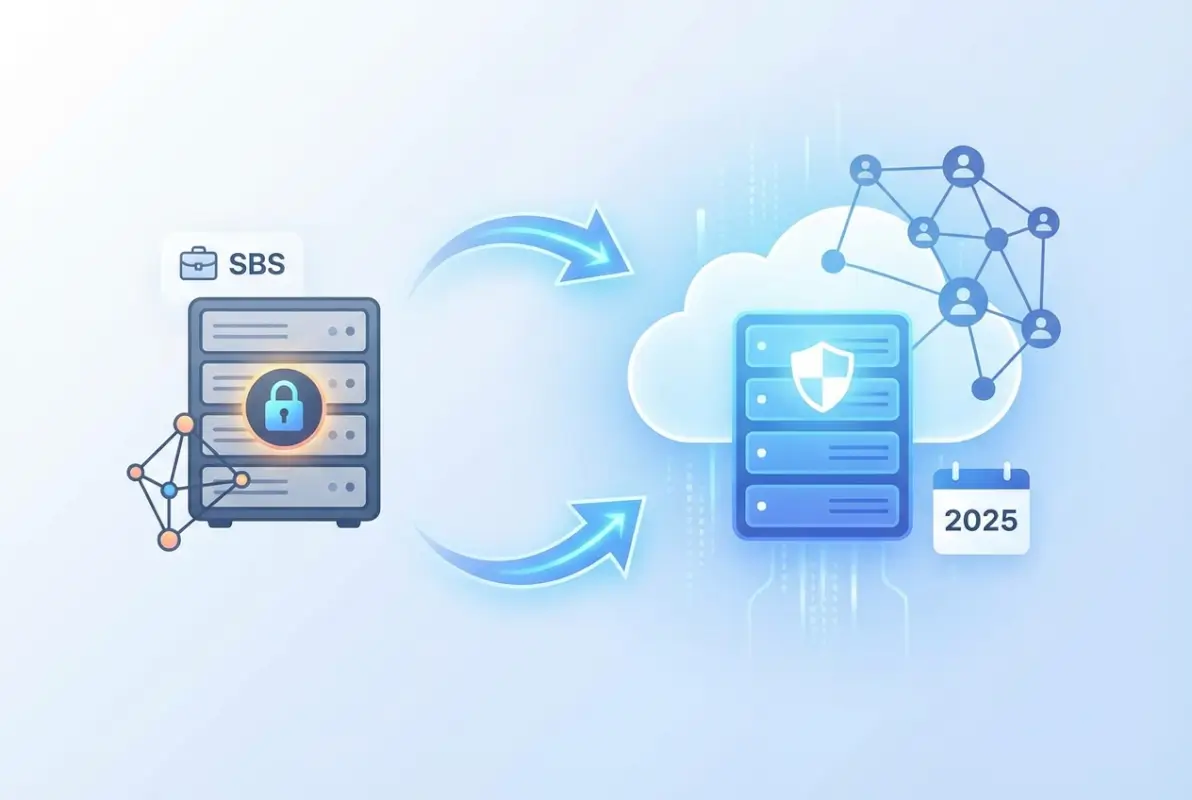
If you’re running Windows Small Business Server or considering whether it’s the right solution for your organization, you’re probably asking: does it actually include Active Directory? The short answer is yes—Windows Small Business Server (SBS) absolutely includes Active Directory Domain Services as a core, integrated component. But here’s what most guides won’t tell you: understanding the nuances of how AD works in SBS environments, its limitations compared to modern Windows Server implementations, and when you should consider migrating can save you thousands of dollars and countless headaches down the road.
I’ve spent years helping businesses navigate the confusing landscape of small business server infrastructure, and one thing consistently surprises people: SBS wasn’t just a simplified Windows Server—it was a fundamentally different architecture with built-in constraints that can bite you when you least expect it. Whether you’re maintaining a legacy SBS 2011 installation or evaluating alternatives, this guide cuts through the marketing speak to give you actionable insights you won’t find in official documentation.
TL;DR – Quick Takeaways
- Yes, SBS includes Active Directory – All versions from SBS 2003 through SBS 2011 include full AD Domain Services functionality
- Hard user limits apply – SBS 2011 caps at 75 users; Server Essentials versions limit you to just 25 users
- Single domain restriction – You cannot create child domains or complex forest structures in SBS environments
- Migration is inevitable – With SBS 2011 support ended and no new versions released, planning your exit strategy is critical
- Modern alternatives exist – Windows Server 2022/2025 with Essentials role, hybrid Azure AD, or full cloud solutions offer better long-term viability
What Exactly Is Windows Small Business Server and How Does AD Fit In?
Windows Small Business Server was Microsoft’s answer to a genuine market need: small organizations wanted enterprise-grade directory services without enterprise-level complexity or cost. The product line ran from 2000 through 2011, with each version bundling Active Directory alongside Exchange Server, SharePoint, and various connectivity tools into a single, wizard-driven installation package.
Here’s what made SBS unique—it wasn’t just Windows Server with some add-ons thrown in. Microsoft engineered SBS as a tightly integrated platform where Active Directory formed the foundational authentication layer for all other services. When you installed SBS, the setup wizard automatically configured your domain controller, DNS infrastructure, and basic organizational units without requiring you to understand the intricacies of AD architecture. For a 20-person law firm or medical practice without dedicated IT staff, this was genuinely revolutionary.

The Active Directory implementation in SBS provided all the core functionality you’d find in standard Windows Server: user authentication, group policy management, domain-based security, and centralized resource control. Users logged in once with their domain credentials and gained access to email, file shares, and line-of-business applications without repeated password prompts. From the end-user perspective, SBS AD worked identically to enterprise Active Directory deployments.
According to Microsoft’s official lifecycle documentation, Windows Small Business Server 2011 reached end of extended support in October 2020, making it the last version of the traditional SBS product line. Microsoft transitioned small business customers toward Windows Server Essentials—a role-based approach that maintains simplified AD functionality while integrating with modern cloud services.
The SBS Family Tree and Active Directory Evolution
Understanding where your current environment fits in the SBS lineage helps clarify upgrade paths and compatibility considerations:
| Version | AD Functional Level | User Limit | Support Status |
|---|---|---|---|
| SBS 2003 | Windows 2003 | 75 users | Ended 2015 |
| SBS 2008 | Windows 2008 | 75 users | Ended 2018 |
| SBS 2011 Standard | Windows 2008 R2 | 75 users | Ended 2020 |
| SBS 2011 Essentials | Windows 2008 R2 | 25 users | Ended 2020 |
| Server 2012 Essentials | Windows 2012 | 25 users | Ended 2023 |
| Server 2016 Essentials | Windows 2016 | 25 users | Mainstream ended 2022 |
| Server 2019 Essentials | Windows 2016 | 25 users | Extended through 2029 |
Notice how the “SBS” branding disappeared after 2011, replaced by the “Essentials” role in standard Windows Server editions. This wasn’t just a naming change—it represented a fundamental shift in Microsoft’s small business strategy toward cloud integration and away from all-in-one appliance servers. For more context on the evolution, Wikipedia’s SBS overview provides helpful historical perspective.
How SBS Active Directory Compares to Modern Windows Server AD DS
The Active Directory implementation in Small Business Server wasn’t a stripped-down version—it was the real deal with architectural constraints designed to simplify management. Understanding these differences helps you evaluate whether your current SBS environment still meets your needs or if migration to Windows Server 2022/2025 makes strategic sense.
At the protocol and authentication level, SBS Active Directory uses the same Kerberos infrastructure, LDAP queries, and domain trust mechanisms as enterprise Windows Server deployments. A domain-joined Windows 10 or 11 workstation can’t tell whether it’s authenticating against SBS 2011 or Windows Server 2022—the underlying protocols are identical. This compatibility means line-of-business applications, email clients, and network resources work consistently regardless of whether your domain controller runs SBS or standard Windows Server.

The critical differences emerge in architecture, scalability, and administrative flexibility rather than core functionality. SBS imposes a single-domain forest structure—you can’t create child domains, establish forest trusts with other organizations, or implement complex organizational hierarchies. For a 30-person accounting firm operating from one location, this limitation rarely matters. But if you acquire another company or open a second office with its own IT infrastructure, you’ll quickly hit architectural walls that require complete infrastructure redesign.
Domain Controller Roles and FSMO Placement in SBS
In SBS environments, all five Flexible Single Master Operation (FSMO) roles must reside on the SBS server itself—you can’t distribute these roles across multiple domain controllers for redundancy. This creates a single point of failure that enterprise environments would never tolerate. I’ve seen businesses lose an entire day of productivity because their SBS server suffered hardware failure and they had no secondary domain controller to maintain authentication services.
Standard Windows Server deployments let you distribute FSMO roles strategically, place domain controllers at multiple sites for performance and redundancy, and implement read-only domain controllers in branch offices with limited physical security. These architectural options simply don’t exist in SBS, and attempting to add a second domain controller while keeping the SBS server operational creates unsupported configurations that Microsoft explicitly warns against.
Active Directory Schema and Functional Levels
SBS 2011 Standard operates at the Windows Server 2008 R2 forest and domain functional level—that’s more than a decade old at this point. While this functional level provides adequate security and features for basic directory services, you miss out on significant improvements Microsoft introduced in later versions:
- Advanced authentication policies in Windows Server 2012 R2 and later that enable dynamic access control and claims-based authorization
- Protected Users security group providing additional protections against credential theft attacks introduced in Server 2012 R2
- Privileged access management features in Server 2016 that time-limit administrative access and reduce standing privilege risks
- Azure AD integration capabilities in Server 2016/2019 enabling hybrid identity scenarios and conditional access policies
- Improved Kerberos implementations addressing specific attack vectors discovered in recent years
These aren’t just theoretical improvements—they represent meaningful security hardening that addresses real-world attack patterns. According to TechTarget’s analysis of AD features in Windows Server 2025, newer functional levels provide significantly improved credential protection and attack surface reduction compared to 2008 R2-era implementations.
Implementing and Maintaining Active Directory in SBS Environments
If you’re currently running SBS or inheriting an SBS environment, understanding the practical realities of AD management in these systems helps you maintain stability while planning eventual migration. The good news: SBS makes basic AD administration surprisingly straightforward through its dashboard interface. The bad news: this simplification sometimes obscures what’s actually happening under the hood, making troubleshooting more difficult when things go wrong.
The SBS dashboard provides consolidated management for the most common administrative tasks—creating user accounts, managing group memberships, configuring email addresses, and setting basic security policies. For someone without deep Active Directory expertise, this interface significantly reduces the learning curve compared to standard Windows Server tools like Active Directory Users and Computers or Group Policy Management Console.

However, the dashboard is essentially a simplified wrapper around the same underlying AD management tools available in standard Windows Server. When you create a user through the SBS dashboard, it’s ultimately creating the same AD object with the same attributes as if you’d used ADUC directly. Understanding this relationship helps when you need to troubleshoot issues or perform advanced configurations that the dashboard doesn’t expose.
DNS Configuration and Its Critical Role in SBS AD
Active Directory depends absolutely on properly functioning DNS infrastructure—without it, authentication fails, group policy doesn’t apply, and domain-joined computers can’t locate domain controllers. SBS automatically configures DNS during initial setup, creating the necessary service location (SRV) records and zone structures that AD requires.
The most common DNS-related problem I encounter in SBS environments is incorrect DNS server configuration on client computers. Every domain-joined machine should point to the SBS server as its primary DNS server. If workstations use your ISP’s DNS servers or public DNS services like Google’s 8.8.8.8, they won’t properly resolve internal AD resources even though internet connectivity works fine. This manifests as intermittent login failures, group policy application problems, or inability to access shared resources.
Organizational Unit Structure and Group Policy Basics
SBS creates a default OU structure during installation: MyBusiness (or your company name), with sub-OUs for Users, Computers, Security Groups, and Distribution Groups. This structure works adequately for most small businesses, but you may want to create additional OUs based on department, location, or security requirements to enable more granular group policy application.
Group Policy in SBS environments works identically to standard Active Directory—you can create GPOs that configure security settings, deploy software, map network drives, or enforce organizational standards. The SBS dashboard includes basic group policy management, but for advanced configurations you’ll need to use the full Group Policy Management Console that’s available through Administrative Tools.
One mistake I see repeatedly: applying too many group policies at the domain level rather than targeting specific OUs. This creates performance problems during login and makes troubleshooting difficult when you need to identify which policy is causing a particular behavior. A better approach is creating OUs for different computer types (workstations, laptops, servers) or user groups (accounting, sales, management) and applying relevant policies only where needed.
Backup and Disaster Recovery for SBS Active Directory
Since SBS typically operates as a single domain controller, backing up the Active Directory database and system state becomes absolutely critical—there’s no secondary DC to fall back on if something goes wrong. SBS includes Windows Server Backup, which can perform system state backups containing your AD database, but the built-in tool has significant limitations.
For production SBS environments, I strongly recommend third-party backup solutions that specifically support Active Directory restoration and provide bare-metal recovery capabilities. Solutions from Veeam, Acronis, or similar vendors designed for server environments offer substantially better recovery options than the built-in Windows Server Backup. Whatever solution you choose, test your AD restoration procedure at least quarterly—a backup you’ve never successfully restored is just wishful thinking, not a disaster recovery plan.
| Backup Component | Frequency | Retention | Testing Schedule |
|---|---|---|---|
| System State (AD database) | Daily | 14 days minimum | Quarterly |
| Full server image | Weekly | 30 days minimum | Semi-annually |
| File-level backup | Daily | 90 days recommended | Monthly |
The Active Directory tombstone lifetime in SBS is 180 days by default (it varies by forest functional level). This means if you go more than 180 days without successfully backing up your domain controller, you can’t restore from those old backups—they’re considered stale and will introduce replication conflicts if restored. Keep this timeline in mind when planning your backup retention policies.
Migration Paths from SBS to Modern Windows Server AD DS
Eventually, every SBS installation reaches a decision point: continue nursing along aging infrastructure running unsupported software, or bite the bullet and migrate to a supportable platform. With SBS 2011 support ended years ago and no new SBS versions on the horizon, migration isn’t a matter of “if” but “when” and “how.”
The migration challenge isn’t just technical—it’s architectural and strategic. SBS bundled multiple services (AD, Exchange, SharePoint, file sharing, remote access) into a single server with tight integration between components. When you migrate away from SBS, you’re not just upgrading Active Directory; you’re potentially redesigning your entire server infrastructure and deciding which services stay on-premises versus moving to cloud alternatives.
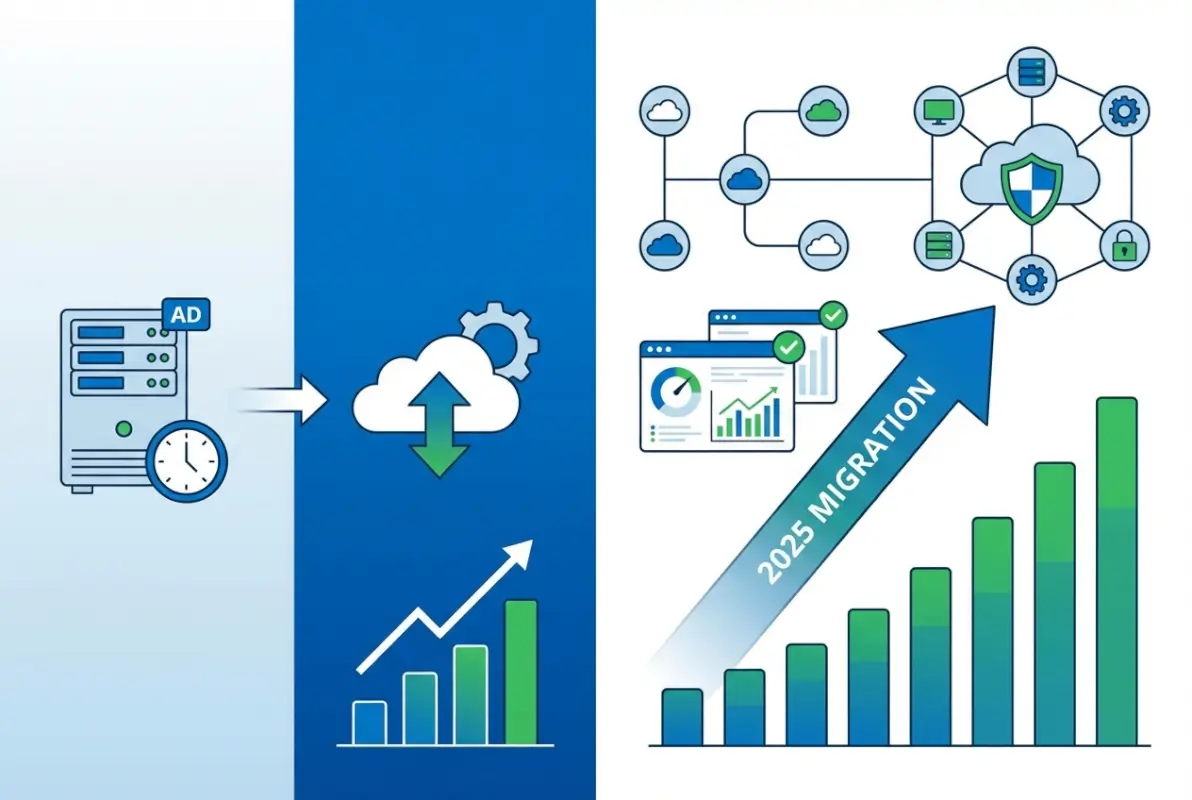
I remember working with a manufacturing company running SBS 2008 well past its support end date because “everything worked fine.” Then a cryptographic protocol change in a supplier’s EDI system suddenly prevented them from receiving orders—their ancient Exchange server couldn’t negotiate the required TLS version. What should have been a routine upgrade turned into an emergency migration project with the business hemorrhaging money every day they couldn’t process orders. Don’t let procrastination turn your migration into a crisis.
Migration Strategy Options
You have several viable paths for moving away from SBS Active Directory, each with different cost, complexity, and timeline implications:
Option 1: In-Place Domain Migration to Windows Server Standard/Essentials
This approach maintains your existing AD domain while transitioning to a modern Windows Server platform. You install a new Windows Server 2022 or 2025 system, join it to your existing SBS domain, transfer FSMO roles, migrate file shares and other services, then demote and retire the SBS server. This path preserves all user accounts, group memberships, and security policies without requiring workstations to leave and rejoin the domain.
The main advantage: minimal disruption to end users. The main disadvantage: you’re carrying forward any architectural decisions or legacy configurations from your SBS environment, some of which may not represent current best practices.
Option 2: New Domain Migration with Trust Relationship
Create an entirely new Active Directory domain on modern Windows Server infrastructure, establish a trust relationship with your old SBS domain, then gradually migrate users and resources. This approach gives you a clean slate for OU structure, group policy design, and naming conventions, but requires more complex migration coordination and temporarily maintaining two domains.
Option 3: Hybrid Cloud with Azure AD
Instead of maintaining on-premises domain controllers long-term, transition to a hybrid identity model using Azure Active Directory with Azure AD Connect synchronizing your on-premises AD to the cloud. This positions you for eventual full cloud migration while maintaining compatibility with applications that require traditional AD. According to Microsoft’s Windows Server 2025 documentation, newer server versions include improved hybrid identity capabilities specifically designed for this transition scenario.
Option 4: Full Cloud Migration to Azure AD or Microsoft 365
For businesses ready to eliminate on-premises infrastructure entirely, moving to cloud-only identity with Azure AD (now Microsoft Entra ID) removes the need for domain controllers altogether. This requires the most significant process changes—applications must support modern authentication, file storage moves to SharePoint or OneDrive, and users adapt to cloud-based management tools. But it also eliminates server maintenance, reduces infrastructure costs, and provides identity protection features that on-premises AD can’t match.
Critical Migration Planning Considerations
Regardless of which path you choose, successful SBS migration requires attention to several critical factors:
- Domain and Forest Functional Level Upgrades: After migrating to newer Windows Server versions, you’ll eventually want to raise your forest and domain functional levels to enable new features. This is a one-way operation, so ensure all domain controllers are at appropriate versions before proceeding.
- FSMO Role Transfer: Moving these five special domain controller roles requires specific procedures and can cause authentication disruptions if done incorrectly. Never simply turn off the old SBS server—always gracefully transfer roles first.
- DNS Migration: Your new domain controllers need to host DNS, and DHCP configurations across your network need updating to point clients to the new DNS servers. Poor DNS migration planning causes more problems than any other single factor.
- Group Policy Review and Cleanup: Migration provides an excellent opportunity to audit your existing group policies, removing obsolete settings and consolidating redundant GPOs. Many SBS environments accumulate policy cruft over years that migration can help clean up.
- Certificate Services Considerations: If your SBS installation included Certificate Services, these require special migration procedures separate from AD domain services migration.
For detailed technical guidance on upgrade procedures, Microsoft’s Windows Server 2025 announcement outlines improved migration tools and compatibility features designed to smooth the transition from legacy platforms.
Security and Compliance Considerations for Small Business Active Directory
Running Active Directory in a small business environment creates interesting security challenges. You need enterprise-grade protection against credential theft, privilege escalation, and lateral movement attacks, but without the dedicated security team that large organizations employ. SBS environments are particularly vulnerable because the single domain controller represents both the authentication authority and often a file server, application server, and email server—compromising this one system gives attackers complete control over your network.
The reality is that small businesses are absolutely targeted by attackers despite the common misconception that “we’re too small to worry about.” Ransomware operators specifically seek out small businesses running aging infrastructure because these organizations often lack robust backup and recovery capabilities. An Active Directory compromise can lock you out of your entire network, and without proper AD backups, recovery becomes exponentially more difficult.

Essential AD Security Hardening for Small Business
Even in resource-constrained environments, several critical security measures dramatically improve your Active Directory security posture:
Privileged Account Management: Never use domain administrator accounts for daily activities, even for IT staff. Create separate standard user accounts for normal work and use “Run As” when administrative access is needed. In SBS environments where the owner often acts as the IT administrator, this discipline proves especially challenging but equally critical.
Password Policy Enforcement: While SBS includes basic password complexity requirements, consider implementing more sophisticated policies using fine-grained password policies (available in 2008 R2 functional level and later). Require long passwords (14+ characters minimum) rather than relying solely on complexity rules that users satisfy with minimal variations like “Password1!”
Account Lockout Configuration: Balance security and usability by implementing account lockout after 5-10 failed login attempts, with automatic unlock after 30-60 minutes. This protects against brute-force password attacks while preventing helpdesk overwhelm from users who mistype passwords.
Audit Policy Configuration: Enable auditing for account logon events, account management, directory service access, and policy changes. While small businesses rarely review logs proactively, this audit trail becomes invaluable during incident investigation or compliance audits. Consider implementing a SIEM solution or at least centralized log collection to preserve these records beyond the limited local event log retention.
Kerberos and Authentication Protocol Security
Active Directory primarily uses Kerberos for authentication, with NTLM as a fallback protocol for older systems. Unfortunately, NTLM has well-documented security weaknesses that attackers exploit through pass-the-hash and relay attacks. While you can’t completely disable NTLM in most environments due to application compatibility, you should minimize its use wherever possible.
Modern Windows Server versions include Kerberos improvements that provide better protection against credential theft and replay attacks. For example, Windows Server 2025 licensing and features documentation describes enhanced Kerberos implementations that reduce attack surface compared to SBS 2011-era protocols. This represents another compelling reason to prioritize migration away from legacy platforms.
Addressing Common AD Security Misconfigurations
Small business AD environments frequently contain security gaps that would never pass muster in enterprise deployments:
- Excessive group memberships: Too many users added to Domain Admins or other highly privileged groups “temporarily” and never removed
- Service accounts with domain admin rights: Applications running with excessive privileges because it was easier than troubleshooting proper delegated permissions
- Unrestricted delegation: Servers or service accounts trusted for delegation without carefully limiting scope, enabling credential theft escalation
- Missing security updates: Domain controllers running without current security patches, especially common in SBS environments past their support lifecycle
- Weak or shared administrator passwords: The same administrator password used for years or shared among multiple staff members
An AD security audit—either using free Microsoft tools like PingCastle or BloodHound, or engaging a security consultant—can identify these issues before attackers exploit them. The investment in security assessment typically costs far less than recovering from a successful breach. If you’re managing online directories or member databases alongside your AD infrastructure, consider reviewing our business directory website complete guide for complementary security perspectives on managing online authentication systems.
Frequently Asked Questions About Windows Small Business Server and Active Directory
Does Windows Small Business Server 2011 include Active Directory Domain Services?
Yes, Windows Small Business Server 2011 includes full Active Directory Domain Services as a core component. During SBS installation, the setup wizard automatically configures AD DS, creates your domain, and establishes the server as the primary domain controller. All SBS versions from 2003 through 2011 included integrated Active Directory functionality designed specifically for small business environments with simplified management interfaces and wizard-driven configuration.
Can I still run SBS 2011 with Active Directory safely in production?
No, running SBS 2011 in production environments is not recommended and carries significant security risks. Microsoft ended extended support in October 2020, meaning no security updates are released regardless of newly discovered vulnerabilities. Systems past their support lifecycle become increasingly vulnerable as attackers develop exploits for unpatched vulnerabilities. If you’re still running SBS 2011, prioritize migration planning immediately to avoid potential security breaches or compliance violations.
What’s the difference between SBS Active Directory and Windows Server 2022 AD DS?
While both implement the same core Active Directory protocols and authentication mechanisms, Windows Server 2022 AD DS provides significantly newer forest functional levels, advanced security features, improved Kerberos implementations, and flexible architectural options. SBS restricts you to single-domain configurations with all FSMO roles on one server, while Server 2022 supports complex multi-domain forests, distributed FSMO roles, read-only domain controllers, and integration with Azure Active Directory for hybrid identity scenarios.
How do I migrate Active Directory from SBS 2011 to Windows Server 2022?
The standard migration path involves installing a new Windows Server 2022 system, joining it to your existing SBS domain as an additional domain controller, transferring all five FSMO roles to the new server, updating DNS configurations, migrating file shares and other services, then gracefully demoting and retiring the SBS server. This process maintains your existing domain, user accounts, and security configurations. Microsoft provides migration tools and documentation, but complex environments benefit from professional assistance to avoid authentication disruptions.
Can I add a second domain controller to SBS for redundancy?
While technically possible to add an additional domain controller to an SBS domain, this configuration has significant limitations and is typically only done as part of a migration away from SBS. The SBS server must retain all FSMO roles and remain the primary DC. Adding a secondary DC for redundancy makes more sense as a migration step—you promote a new Server 2022 system to DC, transfer roles, then demote SBS—rather than as a long-term dual-DC configuration.
Should I migrate SBS Active Directory to Azure AD instead of on-premises Server?
The decision depends on your infrastructure strategy and application requirements. Azure Active Directory (now Microsoft Entra ID) provides excellent cloud-based identity services and eliminates domain controller maintenance, but doesn’t fully replace on-premises AD for applications requiring traditional Windows authentication, Group Policy, or LDAP integration. Many businesses implement hybrid configurations using Azure AD Connect to synchronize on-premises AD with Azure, providing cloud benefits while maintaining compatibility with legacy applications during gradual cloud migration.
What are the user limits for Active Directory in Small Business Server?
SBS 2011 Standard supports maximum 75 users and 75 devices, while SBS 2011 Essentials limits you to 25 users. Windows Server Essentials editions (2012/2016/2019) maintain the 25-user limit. These restrictions are enforced through licensing and cannot be exceeded. Organizations approaching these thresholds must migrate to standard Windows Server editions, which support unlimited users within Client Access License (CAL) limits. Planning migration before hitting user limits prevents rushed emergency migrations under business pressure.
How do I back up Active Directory on Windows Small Business Server?
SBS includes Windows Server Backup for system state backups containing the AD database, SYSVOL, and related components. Schedule daily system state backups to external storage or network locations, and test restoration procedures quarterly to verify backups work correctly. Since SBS typically operates as a single domain controller, proper backups become absolutely critical—there’s no secondary DC for failover. Consider third-party backup solutions designed for server environments, which often provide better bare-metal recovery and granular AD object restoration capabilities than built-in Windows backup tools.
Can Mac and Linux computers join Active Directory domains on SBS?
Yes, both Mac and Linux systems can join Active Directory domains hosted on SBS and authenticate against domain credentials. macOS includes native AD integration supporting authentication, group policy application, and network home directories with functionality comparable to Windows clients. Linux systems require configuration of Samba, SSSD, or similar integration tools for AD authentication. File sharing via SMB protocol works reliably across all three platforms. The AD domain services functionality works identically regardless of client operating systems.
What security risks exist in legacy SBS Active Directory environments?
Legacy SBS installations face multiple security concerns: no ongoing security patches after support ends, older Kerberos and NTLM protocol implementations with known vulnerabilities, outdated forest functional levels lacking modern credential protections, and single-server architecture creating concentrated attack targets. Additionally, many SBS deployments use the server for multiple roles (DC, file server, email server), so compromising one service grants access to authentication infrastructure. Organizations running unsupported SBS should prioritize migration to eliminate these cascading security risks.
Is Windows Server Essentials the same as Small Business Server?
Windows Server Essentials represents Microsoft’s successor to SBS but with significant differences. While Essentials maintains simplified management interfaces and includes Active Directory functionality similar to SBS, it doesn’t bundle Exchange Server or SharePoint—Microsoft expects customers to use Office 365/Microsoft 365 for these services instead. Essentials operates as a role in standard Windows Server editions rather than a separate product, providing more deployment flexibility. The 25-user limit matches SBS 2011 Essentials, making it suitable for similar-sized organizations but with cloud-integrated architecture assumptions.
Taking Action: Your Next Steps for Small Business Active Directory
Windows Small Business Server absolutely does include Active Directory as a fundamental component, providing small organizations with enterprise-grade authentication and directory services in a simplified package. But if you’re reading this guide, chances are you’re either maintaining a legacy SBS installation or evaluating whether SBS-style solutions still make sense for your business infrastructure strategy. The honest answer: they don’t, at least not long-term.
The SBS product line served its market well for over a decade, but Microsoft’s strategic direction has clearly shifted toward cloud-integrated hybrid identity and away from all-in-one small business server appliances. With SBS 2011 support ended years ago and no new versions planned, every SBS installation represents technical debt that will eventually require resolution. The only question is whether you address it proactively on your timeline or reactively when something breaks at the worst possible moment.
Here’s what you should do based on your current situation:
If you’re running SBS 2011 or earlier: Stop everything and create a migration plan immediately. You’re operating without security updates on infrastructure that handles your entire organization’s authentication—this isn’t sustainable. Budget for either Windows Server 2022/2025 migration or transition to cloud-based alternatives within the next 3-6 months maximum.
If you’re running Server 2012/2016 Essentials: You have more time but should still be planning your next infrastructure phase. Evaluate whether on-premises AD still serves your needs or whether hybrid/cloud identity makes more strategic sense given your workforce distribution and application portfolio.
If you’re planning new infrastructure: Don’t even consider SBS or Essentials-only deployments. Start with either standard Windows Server editions that provide architectural flexibility or go cloud-first with Microsoft 365 and Azure AD/Microsoft Entra ID. The 25-50 user limits in Essentials become constraints faster than you expect as businesses grow.
Active Directory remains the foundation of Windows-based business infrastructure, but the delivery model is evolving from on-premises domain controllers toward hybrid and cloud-managed identity. Understanding where SBS fits in that evolution—and more importantly, where it doesn’t—helps you make infrastructure decisions that support rather than constrain your business growth. For businesses managing member directories or professional listings alongside their corporate AD, solutions like those discussed in our pro tips launch thriving business directory website guide can complement your authentication infrastructure with public-facing directory capabilities.
The migration away from SBS isn’t just a technical project—it’s an opportunity to rethink how identity and authentication fit into your broader IT strategy. Take the time to evaluate not just what replaces your current SBS server, but what authentication and identity management should look like for your organization over the next five years. That long-term perspective ensures your migration investment positions you for future requirements rather than just maintaining the status quo on newer hardware.
Was this article helpful?