How to Access Your Servant Keeper Online Directory: 5 Simple Steps

TL;DR – Quick Takeaways
- Five straightforward steps – Access your Servant Keeper online directory by confirming your church uses the platform, locating the official login, using authorized credentials, navigating the dashboard, and managing member privacy settings
- Privacy comes first – Churches control exactly what information members see, with robust password protection and opt-out options for anyone who prefers to stay unlisted
- Multiple access points – Use web browsers, mobile devices, or even printed formats depending on your congregation’s preferences and technical comfort levels
- Admin-friendly design – Church staff can invite members, adjust visibility settings, and manage roles without needing advanced technical skills
- Security best practices matter – Always verify you’re on the legitimate Servant Keeper domain before entering credentials to avoid phishing attempts
Your church just switched to an online directory system, and suddenly you’re staring at a login screen wondering where to even start. I’ve been there—standing in the church office with a Post-it note containing a cryptic URL and wondering if I was about to accidentally email the entire congregation instead of just looking up someone’s phone number. The transition from those heavy, printed church directories (you know, the ones that went out of date the moment they came back from the printer) to a digital system can feel overwhelming, especially when you’re juggling Sunday service preparations and trying to remember which password you used.

Here’s what most articles won’t tell you upfront: accessing your Servant Keeper online directory isn’t just about technology—it’s about maintaining community connections while respecting everyone’s privacy boundaries. Unlike Google My Business directory listings that broadcast your information publicly, church directories operate in a protected environment where your congregation controls who sees what. That fundamental difference changes everything about how you approach access, security, and daily usage.
This guide walks you through the five essential steps to access your church’s Servant Keeper online directory, plus the security measures and privacy controls that keep your congregation’s information safe. Whether you’re a church administrator setting up the system for the first time or a member who just wants to find contact information for your small group leader, you’ll find practical, tested advice that actually works in real church environments.
Understanding What Servant Keeper Online Directory Actually Does
Before we dive into login procedures and dashboard navigation, let’s establish what you’re actually accessing. Servant Keeper online directory functions as a password-protected database where your church stores member contact information, ministry involvement, family relationships, and photo directories. Unlike public business directories, this system requires authentication—meaning only authorized people (members, staff, and volunteers your church specifically invites) can view the information.
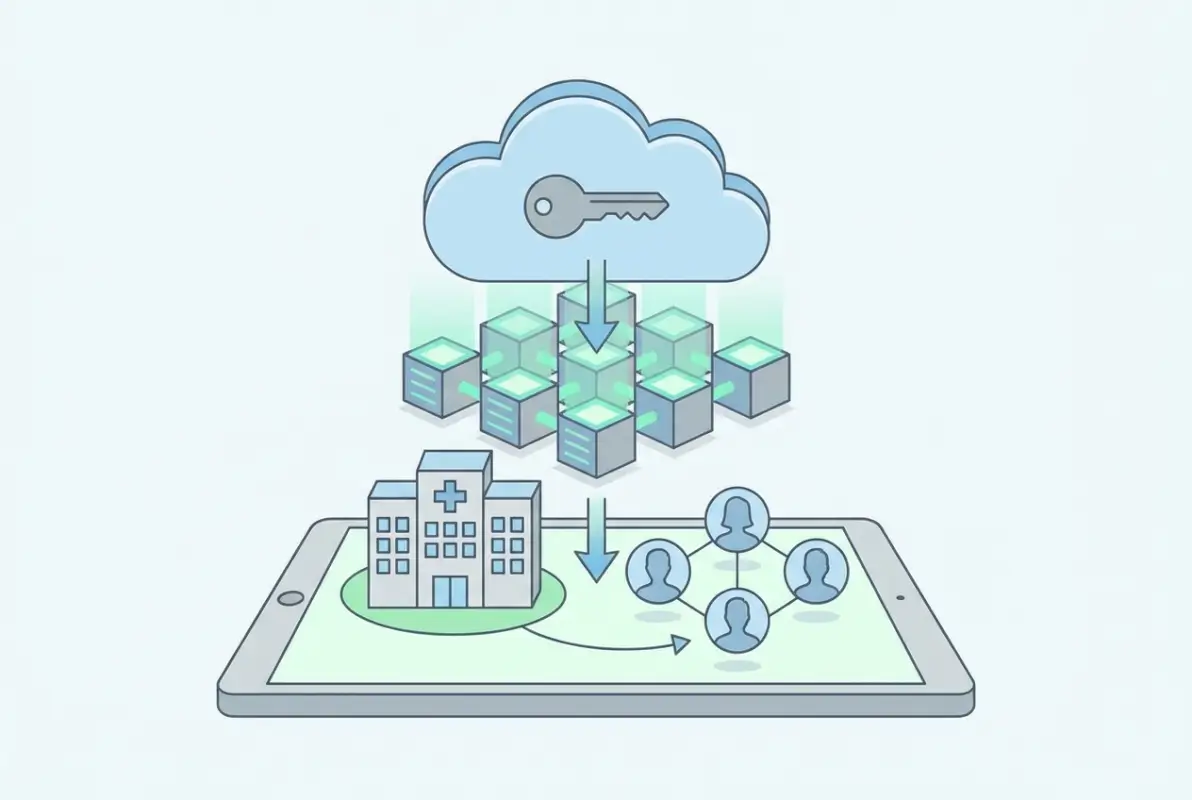
The platform replaces those printed directories that became obsolete the moment someone moved or changed their phone number. Instead of waiting months for updated information, members see real-time data that church administrators update centrally. When someone joins a new ministry team or their daughter heads off to college, those changes appear immediately for everyone with directory access.
What distinguishes Servant Keeper from simpler solutions is its administrative depth. Church staff can segment information visibility—for example, showing home addresses only to other adult members while hiding them from youth group participants. Financial giving records, pastoral notes, and attendance tracking stay completely separate from the member-facing directory, even though administrators manage everything from the same backend system.
Privacy controls form the backbone of how the system operates. Members can request to be unlisted entirely, hide specific contact methods (like showing church email but hiding personal cell numbers), or restrict photo visibility. These granular controls matter tremendously in an era where people rightfully worry about data security and unwanted contact. The directory functions more like a secure church communication portal than a traditional public listing service.
For churches transitioning from paper directories or no directory at all, the system typically integrates with existing church management functions—attendance tracking, volunteer scheduling, event registration, and small group coordination all pull from the same member database. That integration means less duplicate data entry for church staff and more accurate information for everyone using the directory.
Step 1: Confirm Your Church Uses Servant Keeper Online
This might sound obvious, but confirming your church actually uses Servant Keeper’s online directory feature saves considerable frustration. Some churches purchase Servant Keeper software for administrative tasks like giving management and attendance tracking but never activate the member-facing online directory component. Others use entirely different directory platforms while using Servant Keeper for back-office functions.
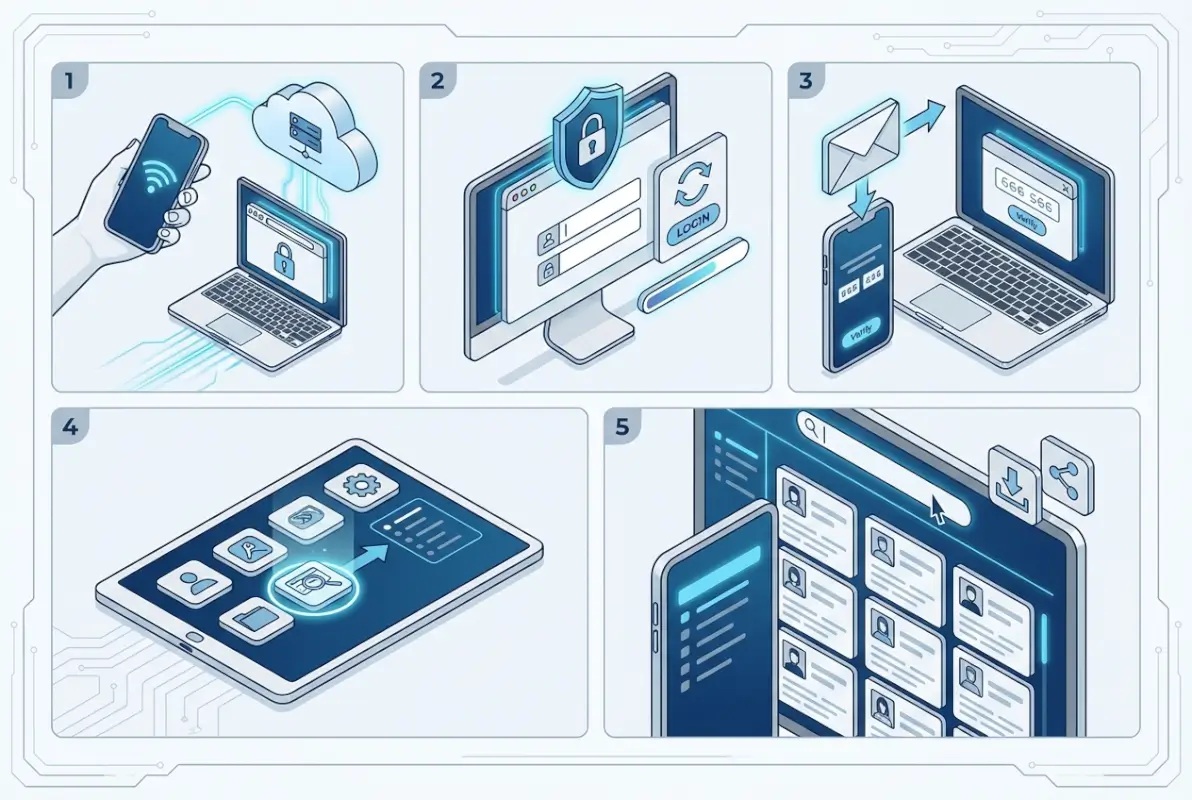
Start by checking your church’s website for a “Member Login” or “Online Directory” link, usually found in the main navigation or footer. Churches using Servant Keeper typically display a login portal link labeled something like “Church Directory,” “Member Portal,” or “Servant Keeper Access.” The link should direct to either office.servantkeeper.com or a custom-branded URL your church configured.
If you can’t locate directory information on your church website, contact your church office directly and ask which directory system they use. Some smaller congregations maintain Servant Keeper for internal staff use but haven’t yet invited members to access the online directory—they might still be distributing printed directories or using phone trees for communication. Knowing this upfront prevents you from creating login credentials that don’t actually connect to anything.
Check whether your church uses a customized login portal versus the standard Servant Keeper interface. Larger churches sometimes white-label their directory access, meaning you might log in through yourchurchname.com/directory rather than the main Servant Keeper domain. This customization doesn’t change functionality—it’s purely cosmetic branding—but it does affect which URL you bookmark for future access.
Churches that recently migrated from other systems (like Planning Center, Breeze, or Instant Church Directory) sometimes maintain parallel access during transition periods. If you received multiple sets of login credentials recently, clarify with church staff which system represents the current, active directory to avoid updating your information in an abandoned database.
Step 2: Locate the Official Login Page and Avoid Phishing
Finding the legitimate login page matters more than you might think. Church members represent attractive targets for phishing schemes because they’re often less tech-savvy than corporate employees and more trusting of communications that appear church-related. Scammers create convincing fake login pages that steal credentials, then use that access to harvest member contact information for spam or more sophisticated fraud attempts.
The official Servant Keeper login portal typically resides at office.servantkeeper.com, where you’ll either log in directly or use a “Find Your Church” search function to locate your congregation’s specific portal. When you reach the correct page, you’ll see Servant Keeper branding, a secure connection indicator (padlock icon in your browser’s address bar), and an HTTPS prefix in the URL.
Pay attention to the domain name carefully. Legitimate Servant Keeper URLs will always include “servantkeeper.com” as the primary domain—not variations like “servantkeeper-login.com,” “servantkeeper.net,” or “my-servantkeeper.com.” Scammers frequently register similar-looking domains hoping people won’t notice the subtle differences. When in doubt, type the URL manually rather than clicking links in emails or text messages.
Your church might provide a direct link to their customized login portal, which could look like “yourchurch.servantkeeper.com” or redirect through your church’s main website. These custom URLs are legitimate when they ultimately connect to Servant Keeper’s servers and display proper SSL certification. You can verify authenticity by clicking the padlock icon in your browser and checking that the certificate was issued to Servant Keeper or your church organization.
The login page should load quickly and display professional design without spelling errors, broken images, or suspicious pop-up windows. Legitimate Servant Keeper pages won’t ask for unusual information like Social Security numbers, credit card details, or answers to security questions before you’ve even logged in. If something feels off about the page appearance or the information it requests, stop and contact your church office before proceeding.
Some churches send welcome emails with embedded login links when they first invite members to the directory. These emails should come from your church’s official email domain or from Servant Keeper’s notification system. Verify the sender address carefully—scammers often use addresses like “admin@yourchurch.net” when your church actually uses “admin@yourchurch.org,” hoping you won’t notice the different domain extension.
Step 3: Use Your Authorized Credentials and Understand Access Levels
Getting your login credentials involves different processes depending on whether you’re a church staff member, volunteer with administrative responsibilities, or a regular member accessing contact information. Each role typically receives different permission levels that determine what information you can view, edit, or export from the directory system.
Church administrators usually receive invitation emails directly from Servant Keeper when the system is first configured. These emails contain temporary login credentials and instructions to create a permanent password meeting security requirements (typically 8+ characters with mixed case, numbers, and symbols). Administrator accounts can view everything in the database, modify member records, adjust privacy settings, and generate reports—significant responsibility that requires strong password protection.

Regular members receive access through a different invitation process. Your church administrator generates invitation emails through Servant Keeper’s member portal, which sends you a personalized link to create your login. This invitation usually expires after a set period (commonly 30 days), so respond promptly when you receive it. If your invitation expires before you set up access, contact your church office to request a new invitation rather than trying to create credentials independently.
The credentials you create work specifically for your church’s Servant Keeper instance—they don’t transfer to other churches using the same platform or provide access to any other Servant Keeper features beyond your directory. If you attend multiple churches or recently transferred membership, you’ll need separate credentials for each congregation’s directory system.
| Access Level | Typical Users | Permissions |
|---|---|---|
| Administrator | Church office staff, senior pastors | Full access to all records, privacy settings, and system configuration |
| Staff | Pastoral team, ministry directors | View and edit member information, limited access to financial/sensitive data |
| Volunteer Leader | Small group leaders, ministry coordinators | View contact information for assigned groups, cannot modify records |
| Member | General congregation | View directory listings, update own profile, respect privacy restrictions |
Password management for church directory access deserves serious attention, even though it’s tempting to reuse passwords you’ve already memorized. Because the directory contains personal information about families and children, using a unique, strong password protects not just your account but everyone else’s privacy too. Consider using a password manager to generate and store complex credentials you won’t forget.
Some churches configure single sign-on (SSO) integration where your directory credentials match your login for other church systems like online giving portals or event registration. This convenience reduces password fatigue but means compromising that one set of credentials potentially exposes multiple church systems. The security/convenience tradeoff depends on your church’s technical infrastructure and risk tolerance.
If you forget your password, the recovery process typically involves clicking a “Forgot Password” link on the login page, which sends a reset link to your email address on file with the church. This email-based recovery only works if your church has your current email address in their database—another reason to keep your contact information updated. For security purposes, password reset links expire quickly (usually within a few hours), so complete the reset process promptly after requesting it.
Step 4: Navigate the Directory Dashboard and Understand the Interface
Once you’ve successfully logged in, the directory dashboard presents your main interface for finding member information, updating your profile, and accessing church communication tools. The specific layout varies depending on your church’s configuration choices, but most Servant Keeper directories share common navigation patterns and information organization.
The main dashboard typically displays a search function prominently at the top—this becomes your primary tool for finding specific people or families quickly. You can search by last name, first name, phone number, or address depending on what information you remember about the person you’re trying to contact. Advanced search options often let you filter by ministry involvement, age group, or membership status to find groups of people rather than individuals.

Member profiles show the information your church administrator configured for visibility. Common fields include names, contact phone numbers, email addresses, home addresses, family relationships, and photographs. You might also see ministry involvement, small group participation, or special skills/interests if your church tracks that information. Remember that what you see depends on both administrative settings and individual member privacy preferences—absence of information doesn’t necessarily mean it wasn’t provided.
Navigation menus usually include sections for household directory (families grouped together), individual member listings, ministry team rosters, and your personal profile editor. The household view proves particularly useful for churches where you know family names but not individual members—you can look up the Smith family and see all household members listed together with their individual contact preferences.
Your personal profile section allows you to update your own contact information, adjust visibility preferences, and upload or change your profile photograph. Making regular updates here keeps the directory accurate for everyone else and reduces administrative burden on church staff who otherwise need to track down current information. Some churches lock certain fields (like legal names or birthdays) that only administrators can modify, preventing accidental errors in core identifying information.
Privacy toggle switches usually appear in your profile settings, letting you control which information other members can see. Common options include hiding your address while showing phone and email, displaying information only to other adult members, or removing yourself from the directory entirely. These controls operate in real-time—changes you save immediately affect what other members see when they search for you.
Churches often enable communication features within the directory dashboard, like sending secure messages to other members, requesting to join small groups, or signing up for volunteer opportunities. These integrated tools turn the directory from a static phone book into an active community platform. However, functionality varies significantly based on your church’s package level and configuration choices.
Step 5: Manage Access and Privacy for Members (Admin Focus)
For church administrators and staff managing the directory system, understanding member invitation workflows and privacy configuration determines whether your congregation embraces or ignores the online directory. Poorly managed access creates security vulnerabilities and erodes trust; thoughtful administration builds a valuable communication tool that members actually use.
Inviting members begins in the administrative portal where you select individuals or groups to receive access invitations. Servant Keeper generates personalized email invitations containing unique registration links for each recipient. Best practice involves sending invitations in manageable batches (maybe 50-100 at a time) rather than inviting your entire congregation simultaneously, which prevents your church office from being overwhelmed with technical support questions.
The invitation email should clearly explain what the directory is, why the church is implementing it, and what information will be visible to other members. I’ve seen churches experience significant pushback when members received unexpected directory invitations without context—people worried their information was being made public or sold to third parties. Transparent communication beforehand through Sunday announcements, newsletter articles, and church website updates prevents these concerns.
Re-invitation processes handle members who didn’t respond to initial invitations or whose invitation links expired. Rather than manually tracking who needs new invitations, Servant Keeper lets administrators filter for uninvited members or those with expired/unused invitations. Sending periodic re-invitations (maybe quarterly) gradually increases directory participation without creating spam fatigue from too-frequent reminders.
Privacy configuration operates at multiple levels—church-wide defaults, individual member preferences, and field-specific visibility rules. Church-wide defaults determine the baseline privacy stance (conservative churches might hide all information by default, requiring members to opt in; others might show basic contact info unless members opt out). Individual member preferences override these defaults, giving people personal control regardless of administrative settings.
Role-based access control lets you create different permission tiers for staff, volunteer leaders, and general members. For example, small group leaders might see phone numbers and addresses for their assigned group members but not for the entire congregation. Youth ministry volunteers might access information only for students and their parents, with all other member data hidden. These segmented permissions respect privacy while enabling ministry-specific communication.
| Privacy Setting | Conservative Approach | Open Approach |
|---|---|---|
| Default visibility | Hidden unless member opts in | Visible unless member opts out |
| Home addresses | Staff only | All members (with opt-out option) |
| Phone numbers | Church phone only, personal hidden | Cell and home visible |
| Children’s information | First names only, no photos | Full names and family photos |
Audit logs track who accesses the directory, when they log in, and what information they view or export. While most churches don’t monitor these logs routinely, they provide crucial evidence if someone misuses directory information or if members report suspicious activity. Regular administrators should understand where to find audit logs and how to interpret them, even if you never need that capability under normal circumstances.
Password policies enforcement keeps accounts secure but shouldn’t create such complexity that members write passwords down or share credentials. Most churches find a middle ground requiring moderate password strength (eight characters, mixed case and numbers) without demanding special characters or monthly password changes. The goal is security appropriate for church context, not corporate-level paranoia.
Optional Bonus: Mobile Access and Printed Directory Alternatives
While web browser access represents the primary directory interface, mobile access and printed versions serve important roles for congregations with diverse technical capabilities and preferences. Understanding when to recommend each format helps administrators meet members where they are rather than forcing everyone into one access method.
Mobile directory access typically works through responsive web design—the same login portal you access on a computer automatically adjusts its layout for smartphone screens. Some churches configure dedicated mobile apps (either Servant Keeper’s own mobile solution or third-party apps that integrate with their directory), which can offer advantages like offline access and push notifications for directory updates. However, apps require members to download and maintain additional software, creating an adoption barrier browsers don’t have.
The mobile interface prioritizes search and contact functions since phone screens can’t display the comprehensive tables and reports that work well on desktop monitors. You’ll typically see larger touch-friendly buttons, simplified navigation menus, and one-column layouts replacing multi-column desktop views. Photo directories display as scrollable lists rather than grid layouts, making it easier to browse through facial recognition rather than alphabetical searching.
Printed directories still serve valuable purposes despite online access availability. Elderly members who don’t use computers or smartphones reliably, families who limit screen time for children, or simply people who prefer paper reference materials benefit from traditional printed formats. Servant Keeper generates print-ready PDFs respecting current privacy settings, so printed directories reflect the same information visibility as online versions.
The primary disadvantage of printed directories is obsolescence—information becomes outdated the moment someone moves or changes their phone number. Churches printing directories annually (or less frequently) should clearly mark the publication date and include reminders that online information stays more current. Some congregations print basic “emergency” directories with just names and primary contact methods, directing members to the online system for complete, current details.
Cost considerations factor into the print-versus-digital decision. Professional directory printing typically costs several dollars per copy, meaning a congregation of 500 families might spend $2,000-$3,000 on printed directories that immediately begin aging. In contrast, online directories incur annual software licensing fees (usually $200-$500 depending on church size) but provide always-current information and eliminate per-copy printing costs. The comparison resembles the broader shift many organizations face regarding directory technology versus traditional business portals in terms of ongoing value and maintenance.
Hybrid approaches work well for many churches—maintaining an online directory as the primary source while printing limited copies for members who specifically request them. This strategy respects different preferences without forcing everyone into a single access method or bearing the full cost of printing directories for an entire congregation when most people prefer digital access.
Security Best Practices and Common Privacy Concerns
Directory security extends beyond technical password requirements into broader practices around information stewardship and appropriate use policies. Church administrators carry responsibility not just for configuring secure systems but for establishing cultural expectations around how members should treat directory information.
Password sharing represents one of the most common security vulnerabilities in church directory systems. Families sometimes share a single login credential among household members, which seems convenient but creates audit trail confusion and prevents individual privacy preferences from working correctly. Better practice involves creating separate credentials for each adult household member, then linking those accounts to show family relationships without compromising individual access control.
Data export capabilities require careful permission management. While administrators and staff often need to export contact lists for ministry coordination or event planning, unlimited export access creates risks of information misuse. Directory exports should include usage policy reminders and clear ownership markings (e.g., “Church Name Confidential – For Ministry Use Only”) to reinforce that exported information isn’t personal property but trusted data requiring stewardship.
Member education prevents most security problems before they occur. Churches should clearly communicate acceptable directory uses (finding contact information for genuine church community purposes) versus inappropriate uses (harvesting email lists for personal business ventures, stalking or harassment, or sharing information with external parties). Written acceptable use policies provide reference points when addressing misuse, though hopefully the need rarely arises.
Regular access reviews identify accounts that should be deactivated—former members who moved away, volunteers who completed their service terms, or staff who transitioned to different roles with different permission requirements. Many churches perform these reviews quarterly or at least annually, treating directory access as a privilege requiring ongoing affiliation with the congregation rather than a permanent right granted once and never reconsidered.
Photography permissions deserve special attention, particularly regarding children. Many churches allow families to opt out of directory photos entirely or to include adult household members while excluding minor children. Some maintain separate photo visibility settings where images appear to other church members but not in any exported or printed materials. These nuanced controls acknowledge that families have different comfort levels around children’s image sharing, similar to how schools and community organizations increasingly approach photo permissions.
Two-factor authentication (2FA) adds security layers for administrative accounts with elevated permissions. While probably excessive for general member accounts, requiring 2FA for staff who can modify privacy settings, export large datasets, or access financial information provides worthwhile protection against compromised administrative credentials. Implementation should balance security needs against the technical sophistication of church staff who need to use these admin functions.
Incident response planning addresses what happens when directory information is misused or when security breaches occur. Even with good security practices, situations arise—a volunteer exports a contact list then uses it for personal business marketing, an ex-spouse uses directory information to locate someone with a protective order, or a member shares their login with a friend outside the church. Having predetermined response procedures (who investigates, how quickly access is revoked, what notification affected members receive) prevents panicked overreactions or negligent underreactions when incidents occur.
Integrating Your Directory with Broader Church Management
Directory access becomes exponentially more valuable when integrated with other church management systems rather than operating as a standalone contact database. Modern church administration platforms increasingly unify directory information with giving records, event registration, volunteer scheduling, and small group management under single integrated systems.
Member self-service reduces administrative workload when directory integration allows people to update their own contact information, register for events, sign up for volunteer opportunities, and join small groups through a unified portal. Instead of church staff manually processing dozens of form submissions and email requests, members make changes directly in the system with staff reviewing and approving where necessary. This shift mirrors the broader business trend toward self-service portals, though churches often need more guidance periods since members update their information infrequently unlike daily business system users.
Communication tools integrated with directory data enable targeted, permission-based messaging. Youth pastors can email parents of middle school students without manually compiling contact lists; missions committee chairs can text message trip participants; worship leaders can coordinate with team members—all drawing from current directory information with appropriate privacy controls. These communication features work only as well as the underlying directory accuracy, creating positive feedback loops where people keep information current because they rely on the system for important communications.
Event management connections let registration systems auto-populate contact information from directory records, eliminating the tedious re-entry of names, addresses, and emergency contacts every time someone registers for a retreat or conference. Families particularly appreciate this convenience when registering multiple children for VBS or summer camp—their directory profile contains all the necessary information, available for reuse with simple confirmation rather than complete re-entry. Organizations managing this type of integration face similar decisions to businesses choosing between specialized directories like the SBA franchise directory versus general business listing platforms in terms of depth versus breadth of features.
Volunteer coordination systems cross-reference directory information with ministry involvement tracking, showing administrators which members have specific skills, availability patterns, or background check completion status. This integration transforms volunteer recruitment from broadcast requests hoping someone responds into targeted invitations to qualified, available individuals. The improvement in volunteer placement quality and efficiency often becomes one of the most appreciated benefits of integrated church management systems.
Financial giving integration requires careful consideration of privacy boundaries. While administrators might see comprehensive financial data alongside directory information, member-facing directory access should never expose giving records. Some systems allow members to access their own giving history through the same portal where they update directory information, combining convenience with appropriate privacy separation. The key is ensuring that unified administrative views don’t accidentally create unified member views where people can see others’ financial information.
Troubleshooting Common Access Problems and Where to Get Help
Despite straightforward design, directory access problems inevitably occur. Understanding common issues and their solutions helps both members and administrators resolve problems quickly without extended frustration or unnecessary support tickets to Servant Keeper’s help desk.
Login credential problems top the list of directory access issues. Members forget passwords, confuse directory credentials with website login passwords, or use incorrect email addresses when attempting password resets. The standard solution—clicking “Forgot Password” and following email reset instructions—works only when the email address you enter matches what your church has on file. If password reset emails never arrive, contact your church office to verify they have your current email address before assuming technical problems.
Browser compatibility issues occasionally prevent directory access, particularly for members using outdated web browsers or devices with strict security settings that block necessary cookies or JavaScript. Servant Keeper’s web interface works best with current versions of major browsers (Chrome, Firefox, Safari, Edge), so members struggling with access should first verify they’re using an up-to-date browser. Church staff should avoid recommending Internet Explorer, which Microsoft retired and no longer supports for modern web applications.
Missing information in member profiles often results from privacy settings rather than data problems. If you can’t see someone’s phone number or address, that person likely configured their privacy preferences to hide that information from other members. Similarly, if your information isn’t appearing to others as expected, review your own privacy toggles to ensure you haven’t accidentally hidden fields you intended to share.
Invitation link expiration frustrates members who receive directory invitations but don’t immediately respond. Most churches configure invitation links to expire after 30 days for security purposes, meaning procrastination prevents access. The solution is simple—contact your church office to request a fresh invitation. Administrators can re-issue invitations in seconds, so don’t feel embarrassed about needing new credentials after missing the initial invitation window.
Mobile access problems sometimes occur when members bookmark the desktop version of the login portal rather than letting the responsive design detect their device automatically. If the directory appears difficult to use on your phone, try accessing it without using a bookmark—navigate to your church website and click the directory link fresh. The system should automatically serve a mobile-optimized interface rather than forcing you to pinch-zoom around a desktop layout.
When self-troubleshooting doesn’t resolve access problems, your church office represents the first support contact point. Church administrators can verify your invitation status, confirm your email address on file, adjust permission levels if needed, or escalate genuine technical issues to Servant Keeper support. For administrators encountering system-wide problems or unusual technical behavior, Servant Keeper maintains support resources at their help desk and user guide documentation that addresses configuration issues beyond basic member access troubles.
Frequently Asked Questions
What is Servant Keeper Online Directory?
Servant Keeper Online Directory is a password-protected web-based member directory system used by churches to share contact information, photos, and ministry involvement details among authorized members and staff. Unlike public directories, it operates as a secure, church-controlled platform where administrators manage who can access information and what data each member sees.
How secure is the Servant Keeper Online Directory?
The directory employs password-protected access, encrypted connections (HTTPS/SSL), and granular privacy controls allowing members to hide specific information or opt out entirely. Church administrators control invitation permissions, can revoke access when needed, and audit logs track system usage. Security levels compare favorably to online banking for typical church directory applications.
Can members choose not to appear in the directory?
Yes, members can request complete removal from directory visibility or selectively hide specific information like home addresses, phone numbers, or photographs. Churches should honor these privacy preferences immediately and maintain documentation to prevent accidentally re-inviting opted-out members. Privacy controls operate at both administrative and individual member levels.
What do I do if I forget my Servant Keeper login?
Click the “Forgot Password” link on the login page and enter your email address to receive password reset instructions. If reset emails don’t arrive, contact your church office to verify they have your current email on file. Church administrators can also re-send invitation emails or manually reset passwords for members experiencing persistent login difficulties.
How do I invite or re-invite members to join the online directory?
Church administrators access the invitation function through their administrative dashboard, select members to invite, and the system generates personalized email invitations with unique registration links. Re-invitations work identically for members whose initial invitations expired. Regular members should contact church staff to request invitations since member-level accounts lack invitation privileges.
Is Servant Keeper the only option for online church directories?
No, churches can choose from various directory platforms including Breeze ChMS, Instant Church Directory, DirectorySpot, Planning Center, and others. Each offers different feature sets, pricing models, and integration capabilities. Churches should evaluate options based on congregation size, technical expertise, budget constraints, and integration needs with existing church management systems.
What information appears in a member profile by default?
Default profile fields typically include names, contact phone numbers, email addresses, home addresses, family relationships, and photographs. Churches customize which fields display and can add ministry involvement, birthdays, anniversaries, or special skills. Actual visibility depends on both administrative default settings and individual member privacy preferences, which can hide specific fields.
How can I access the directory from a mobile device?
Navigate to your church’s directory login portal using your smartphone’s web browser—the system automatically delivers a mobile-optimized interface. Some churches offer dedicated mobile apps providing offline access and push notifications. For best results, bookmark the login page on your phone’s home screen for quick access without repeatedly typing URLs.
Why can’t I see certain members’ contact information?
Missing information usually indicates privacy preferences rather than data problems. Members can selectively hide addresses, phone numbers, or other details from other members while keeping that information visible to church staff. If you legitimately need contact information for ministry purposes, reach out to your church office rather than assuming the person hasn’t provided it.
Can I export directory information for my small group or ministry team?
Export permissions depend on your access level and church policy. General members typically cannot export data, while administrators and some ministry leaders may have limited export capabilities for their assigned groups. Exported information should only be used for legitimate church purposes and carries stewardship responsibilities regarding privacy and appropriate use.
Taking Your Next Steps with Church Directory Access
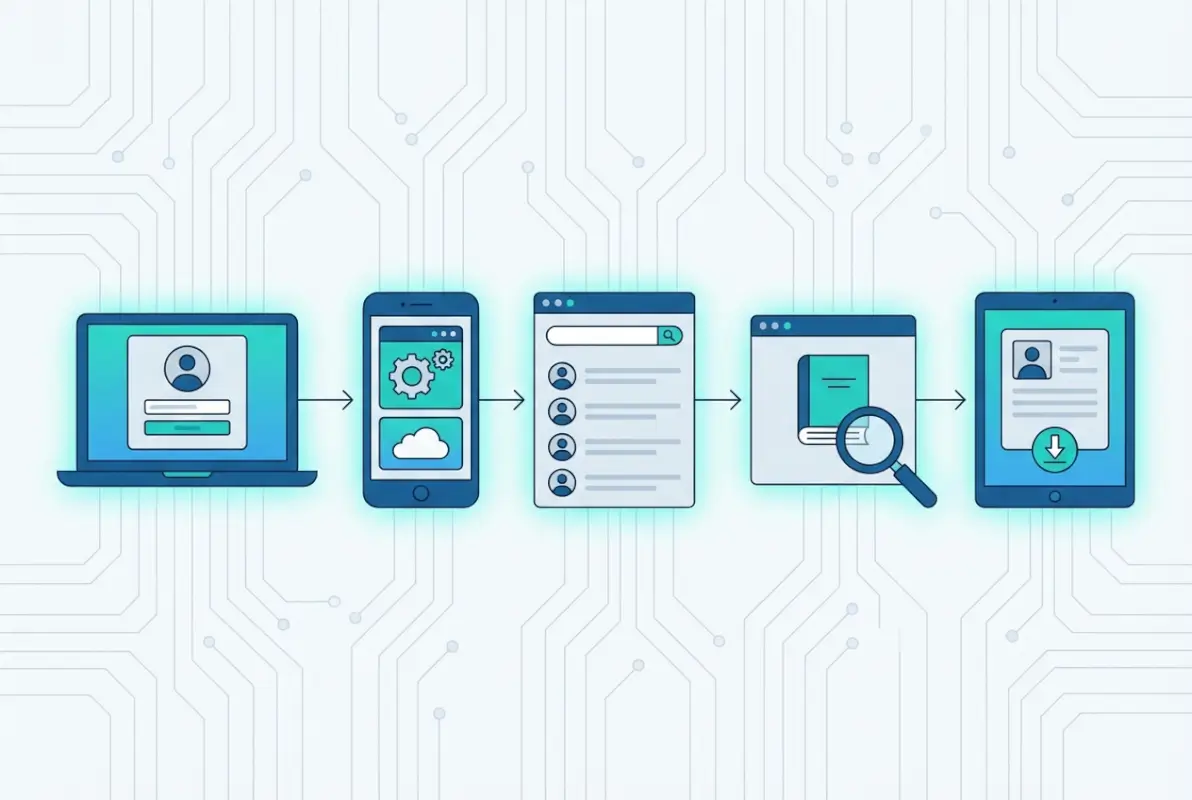
Accessing your Servant Keeper online directory transforms from a technical challenge into a routine task once you’ve completed the initial setup and familiarized yourself with the interface. The five steps we’ve covered—confirming your church uses the platform, locating the legitimate login portal, obtaining authorized credentials, navigating the dashboard, and understanding privacy controls—provide a foundation for both members seeking contact information and administrators managing the system.
The real value of directory access emerges not from the technology itself but from how it strengthens community connections within your church. When setup properly and adopted widely, online directories enable the spontaneous coffee meetups, timely prayer support, and coordinated service projects that build vibrant church communities. Members can quickly find each other’s contact information without bothering overworked church office staff, while those same staff members gain time previously spent answering directory questions to focus on more strategic ministry work.
Remember that directory systems serve people, not the other way around. When technical features create barriers instead of bridges, something needs adjustment—whether that’s clearer instructions, simplified workflows, or reconsidering whether certain capabilities actually serve your congregation’s needs. The best church technology disappears into the background, enabling ministry rather than demanding attention as an end in itself.
Start with the basics we’ve outlined here, then gradually explore additional features as you become comfortable with fundamental directory navigation. Most churches discover unexpected benefits months after initial implementation, when members start using directory integration with event registration, volunteer coordination, or small group management. Those advanced applications build naturally on the foundation of reliable, accurate directory access.