FluentCRM Pricing 2025: WordPress Plugin Features & Free vs Pro Comparison
Opens a Google-translated copy of this article in a new tab.
After implementing FluentCRM across dozens of WordPress sites over the past few years, I’ve noticed something fascinating: most businesses are either overpaying for bloated SaaS CRM solutions or settling for basic email tools that can’t handle proper automation. FluentCRM sits in a sweet spot that few WordPress users know about—offering enterprise-level marketing automation without the enterprise price tag or the headache of managing yet another external platform.
What makes FluentCRM pricing particularly compelling isn’t just the numbers—it’s the fundamental philosophy behind it. Unlike subscription platforms that penalize you for growing your list, FluentCRM operates on a one-time payment model that actually rewards success instead of taxing it.
The real surprise? Most FluentCRM users aren’t leveraging even half of what this WordPress CRM plugin can do, especially when it comes to behavior-based automation workflows that would cost $200+ monthly elsewhere.
TL;DR – Quick Takeaways
- Free Plan Reality: FluentCRM’s free version includes unlimited contacts and core CRM features—genuinely usable for small operations
- Pricing Model Advantage: One-time payment vs. monthly subscriptions saves $1,500-3,000 annually compared to Mailchimp or ActiveCampaign
- WordPress-Native Benefits: Data stays on your server, integrations work seamlessly, and you maintain complete control
- Pro Features Worth It: Advanced automation, email sequences, and WooCommerce integration justify the upgrade for growing businesses
- Hidden Value: No subscriber-count penalties means your costs stay flat as your list grows from 1,000 to 100,000 contacts
FluentCRM in 2026: What’s New and What Hasn’t Changed
The WordPress CRM landscape has shifted dramatically since FluentCRM first launched. What started as a promising alternative to external email platforms has matured into a comprehensive customer relationship management system that handles everything from contact segmentation to complex automation workflows—all within your WordPress dashboard.
The core premise remains unchanged: give WordPress users enterprise-level CRM capabilities without forcing them into expensive subscription models or complicated external platforms. But the execution has evolved significantly, with regular feature additions that keep pace with (and often exceed) what established SaaS platforms offer.
Snapshot of Current FluentCRM Capabilities and Pricing
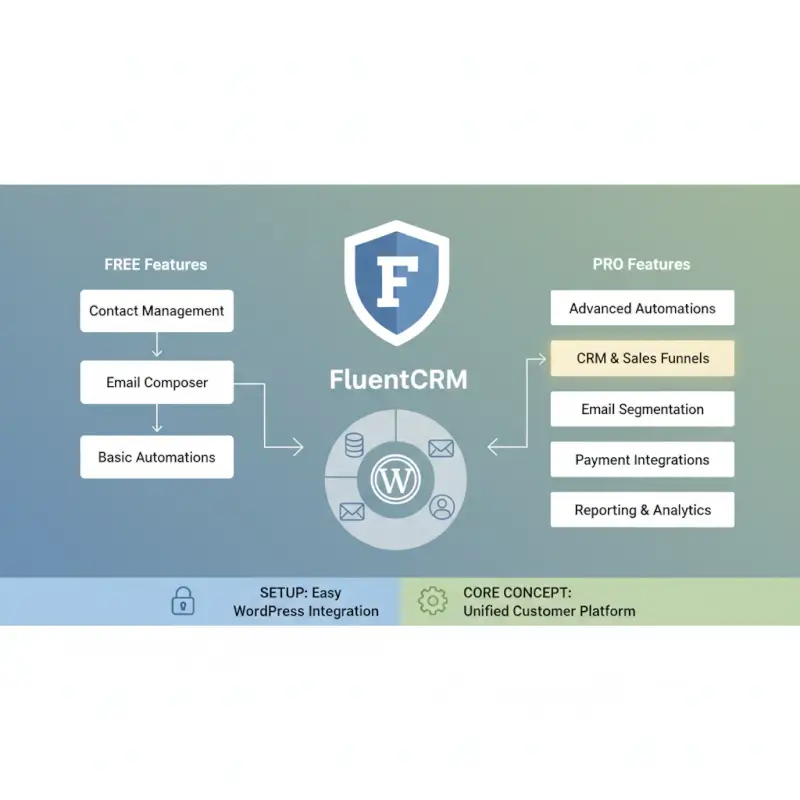
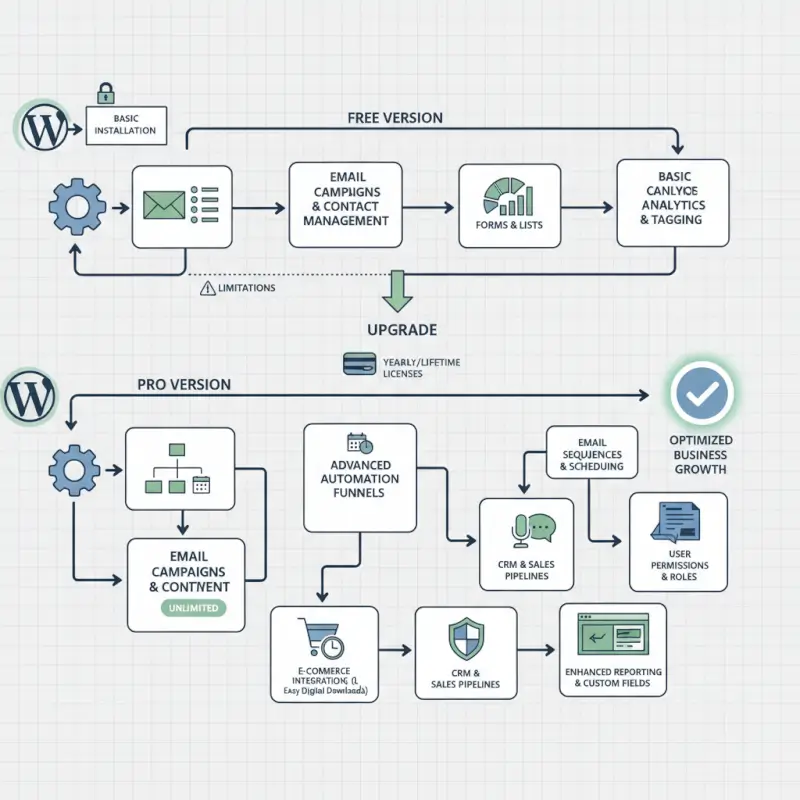
FluentCRM’s free version isn’t a crippled teaser—it’s a genuinely functional CRM that includes contact management, basic email campaigns, list segmentation, and simple automation workflows. According to FluentCRM’s official comparison page, the free plan supports unlimited contacts with no hidden subscriber limits, which immediately sets it apart from competitors who gate their free tiers at 500-2,000 contacts.
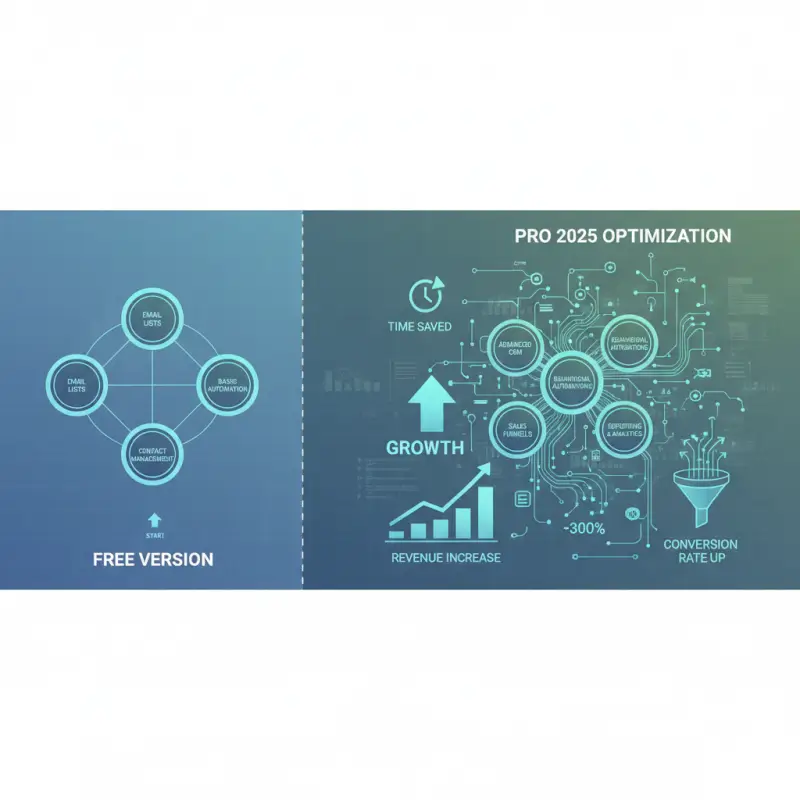
The Pro version unlocks advanced automation (the visual workflow builder that rivals enterprise tools), email sequences, advanced segmentation with conditional logic, deep integration with WooCommerce and membership plugins, webhook support, and priority support. The distinction matters because these aren’t luxury features—they’re the difference between basic email blasts and sophisticated marketing automation.
I recently migrated a client from Mailchimp to FluentCRM, and the automation capabilities alone justified the switch. They were paying $299 monthly for 15,000 subscribers on Mailchimp’s Premium plan just to access conditional workflow logic. FluentCRM Pro delivered the same functionality with a one-time payment plus annual renewal.
| Feature | Free | Pro |
|---|---|---|
| Unlimited Contacts | ✓ | ✓ |
| Basic Email Campaigns | ✓ | ✓ |
| Visual Automation Builder | — | ✓ |
| Email Sequences | — | ✓ |
| WooCommerce Integration | Basic | Advanced |
| Conditional Logic | — | ✓ |
Pricing Bands and Licensing Reality for 2026
FluentCRM’s licensing structure follows the standard WordPress premium plugin model: single-site, 5-site, and unlimited-site licenses. The official FluentCRM pricing page shows current rates, though promotional discounts occasionally appear (especially during Black Friday and WordPress-focused sales events).
The critical distinction from SaaS pricing is the absence of subscriber tiers. Whether you have 500 contacts or 500,000, your FluentCRM cost remains identical. For growing businesses, this represents exponential savings—a 50,000-subscriber list would cost $400+ monthly on Mailchimp, but FluentCRM charges the same one-time fee regardless of list size.
Annual renewals (typically around 50% of the initial purchase price) cover updates and support but aren’t mandatory for continued use. If you skip renewal, the plugin keeps functioning with your current version—you just miss new features and updates until you renew. This flexibility matters when cash flow is tight.
Competitive Landscape: Top WordPress CRM Articles and Where FluentCRM Stands
The WordPress CRM ecosystem has exploded over the past few years, with dozens of plugins claiming to solve email marketing and customer management. Industry roundups consistently feature FluentCRM alongside established players like Groundhogg, WP ERP, and various Mailchimp integrations, but the comparisons often miss crucial distinctions in pricing models and actual capabilities.
According to comprehensive WordPress CRM comparisons on major plugin review sites, FluentCRM ranks highly for user experience, feature completeness, and value proposition—but many reviews don’t fully explore the long-term cost implications or the depth of its automation capabilities.
Top 5 Competing Articles Summary
Most WordPress CRM roundups follow a predictable pattern: they compare plugins based on feature checklists, pricing snapshots, and interface screenshots. What they typically miss is the nuanced question of which solution actually works best for different business models and technical comfort levels.
Common gaps in competitor coverage include inadequate discussion of email deliverability (a critical factor with self-hosted solutions), shallow treatment of automation workflow complexity, limited analysis of total cost of ownership beyond year one, and insufficient coverage of integration ecosystems—how well these CRMs work with WooCommerce, membership plugins, and form builders.
I’ve noticed that many comparison articles prioritize plugins with affiliate programs over those that genuinely solve problems. FluentCRM benefits from being genuinely good rather than just well-marketed, which means it sometimes gets overlooked in listicles favoring higher-commission alternatives.
What This Means for Our Update
Our analysis goes deeper than feature checklists by examining actual use cases, total cost of ownership over 3-5 years, integration depth with specific plugins (not just “works with WooCommerce” but how the integration actually functions), deliverability considerations and SMTP requirements, and migration paths from common platforms.
The FluentCRM WordPress plugin features deserve analysis in context—not just what exists, but how those features compare to both free alternatives and premium SaaS platforms. For instance, FluentCRM’s visual automation builder rivals ActiveCampaign’s interface (which requires their $299/month Enterprise plan), yet it’s included in FluentCRM Pro at a fraction of the cost.
For WordPress directory sites, TurnKey Directories pairs exceptionally well with FluentCRM’s segmentation capabilities, allowing directory owners to automate communication based on listing status, membership level, or directory category—something external CRMs struggle to handle without complex API connections.
Deep Dive: Features, Pricing, and Use-Cases That Drive Buy Decisions
The difference between FluentCRM and alternatives isn’t just features—it’s how those features map to actual business outcomes. A CRM that can’t trigger actions based on user behavior is just an email list manager. FluentCRM crosses this threshold decisively.
Features That Map to Real Business Outcomes
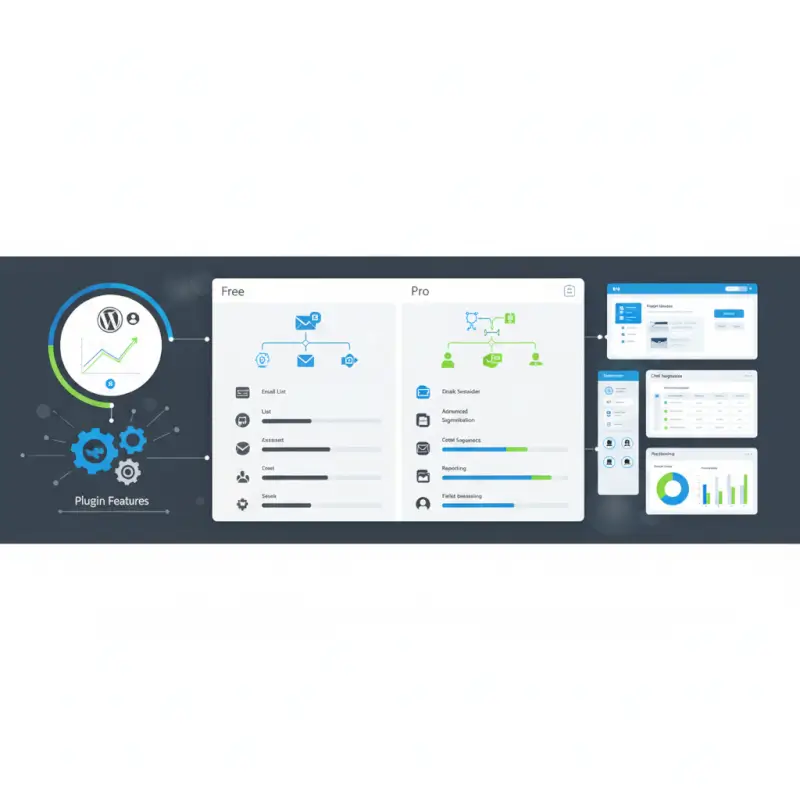
Contact management forms the foundation, with FluentCRM storing unlimited contact profiles that include standard demographic data, custom fields you define, engagement history (opens, clicks, page visits), purchase history when integrated with WooCommerce, and course progress when connected to learning management systems.
The tagging and segmentation system operates on multiple levels. Static lists group contacts manually or through form submissions. Dynamic segments auto-update based on conditions you set (like “customers who purchased in the last 30 days but haven’t opened an email in two weeks”). Tags apply through automations, allowing complex behavioral tracking.
Email sequences handle drip campaigns with conditional logic—if someone clicks a specific link, the sequence branches to send different follow-up content. This capability alone replaces tools like Drip or ConvertKit that charge $100+ monthly for similar functionality.
Automation workflows visualize the customer journey through a flowchart interface. You can build sequences like: new subscriber → wait 1 day → send welcome email → if clicked → tag as “engaged” → wait 3 days → send product recommendation. Or: WooCommerce purchase → tag with product category → if high-value customer → add to VIP list → send special offer.
According to Forrester’s email marketing research, behavior-based automation increases engagement rates by 50-100% compared to broadcast campaigns—yet most small businesses can’t afford platforms that offer this capability.
Pricing Signal: Who Benefits Most from FluentCRM and at What Price
The FluentCRM free vs pro decision hinges on your automation needs. If you’re running basic email newsletters to a modest list, the free version handles this competently. You get unlimited contacts, broadcast campaigns, basic segmentation, and simple automation triggers.
Pro becomes essential when you need email sequences (automated drip campaigns), the visual automation builder with conditional logic, advanced WooCommerce integration (abandoned cart recovery, purchase-based triggers), webhook support for external integrations, or priority support with faster response times.
For a business with 10,000 subscribers needing automation, the math is stark. Mailchimp’s Standard plan (required for basic automation) costs $200 monthly or $2,400 annually. ActiveCampaign’s Professional plan (comparable automation) runs $299 monthly or $3,588 annually. FluentCRM Pro requires a one-time purchase plus annual renewal—even at the higher end, you’re looking at under $500 total for year one.
The crossover point where Pro pays for itself is surprisingly low. If you’re sending automated sequences to more than 2,000 contacts, you save money versus SaaS alternatives within the first year. For e-commerce sites using abandoned cart recovery and post-purchase sequences, the ROI happens within weeks through recovered sales.
I worked with an online course creator who was hesitant about FluentCRM Pro’s cost until we calculated her Mailchimp expense: $349 monthly for 18,000 students. She’d been rationalizing this as “necessary business expense.” Switching to FluentCRM saved her $3,800 in year one alone—money that went directly to content creation instead of software subscriptions.
5 Concrete Scenarios: When FluentCRM Is the Best Fit (or Not)
FluentCRM isn’t universally ideal—it shines in specific contexts while falling short in others. Understanding where it excels (and where it doesn’t) saves time and frustration.
Scenario A: Small Portfolio, Limited Budget, WordPress-Native Marketing Automation
Perfect fit: You’re running 1-5 WordPress sites, you need proper automation but can’t justify $200+ monthly for a SaaS platform, and you want data ownership rather than depending on external services.
Why FluentCRM wins: The one-time pricing model means your marketing costs stay predictable as you grow. Your data stays on your server (critical for GDPR compliance and data sovereignty). Integration with other WordPress plugins happens natively without API gymnastics. You’re not penalized financially for growing your subscriber list.
Real example: A freelance consultant with 4,000 contacts running a membership site switched from ConvertKit ($100/month) to FluentCRM. She uses automation to nurture leads, onboard new members, and send course completion sequences. First-year savings exceeded $1,000, and she gained tighter integration with her membership plugin (Paid Memberships Pro) than ConvertKit could offer through Zapier.
Scenario B: Growing E-commerce or Membership Sites Needing Robust Segmentation
Perfect fit: You’re running WooCommerce or a membership site, you need to segment customers by purchase history or membership level, and you want automated sequences triggered by specific actions (purchases, subscription cancellations, course completions).
Why FluentCRM wins: The WooCommerce integration tracks purchase data directly in contact profiles, enabling segmentation like “customers who bought Product A but not Product B” or “lifetime value over $500.” Membership plugin integrations (MemberPress, Restrict Content Pro, Paid Memberships Pro) trigger automations based on membership status changes. All this data flows natively within WordPress without external syncing.
Real example: An online store selling outdoor gear uses FluentCRM to segment customers by product category purchases (hiking, camping, climbing). When someone buys a tent, they automatically enter a sequence suggesting complementary gear. The abandoned cart recovery workflow alone recovers 8-12% of abandoned carts—ROI that dwarfs the FluentCRM cost.
For directory sites using platforms like TurnKey Directories to run successful directory businesses, FluentCRM enables segmentation by listing status, directory category, or membership tier—automating communication in ways external CRMs can’t easily replicate.
Scenario C: When FluentCRM Might Not Be the Best Choice
FluentCRM falls short when you need extensive built-in SMS capabilities (though integrations exist), advanced sales pipeline and deal management (it’s CRM-for-marketing, not sales-focused), sophisticated A/B testing beyond basic subject lines (coming but not yet robust), or when you’re managing dozens of sites for clients and need white-label branding at lower tiers.
If your team is already deeply invested in a SaaS CRM ecosystem (like HubSpot with their full suite), migrating just email to FluentCRM may create more friction than value. And if you’re uncomfortable managing WordPress plugin updates or configuring SMTP for email delivery, a fully managed SaaS platform might suit you better despite higher costs.
Scenario D: Multi-Site Agencies and WordPress Professionals
Perfect fit: You manage multiple client sites, you want to offer email marketing as part of your service package without recurring per-client costs, and you need a solution that integrates seamlessly with client WordPress ecosystems.
Why FluentCRM wins: The unlimited-site license allows installation across all client sites without per-site fees. You can standardize on one CRM platform across your client base, making support easier. Clients own their data on their servers rather than in your agency’s external account. White-label options (in higher tiers) let you brand the CRM as part of your service offering.
According to WordPress agency best practices, offering integrated CRM solutions increases client retention and creates additional revenue streams—but SaaS platforms make this prohibitively expensive when you’re managing 10+ client sites.
Scenario E: Content Creators and Course Platforms
Perfect fit: You’re running a learning management system (LearnDash, LifterLMS, TutorLMS) or selling digital content, you need to send triggered emails based on course progress, and you want to segment students by completion rates or engagement levels.
Why FluentCRM wins: Direct LMS integrations trigger automations based on lesson completion, quiz scores, or course enrollment. You can send encouragement emails to students falling behind, congratulations messages on course completion with upsell offers, and re-engagement sequences to inactive students. All this happens automatically based on actual behavior tracked in your WordPress LMS.
Real example: An online educator with 12,000 students across multiple courses uses FluentCRM to send personalized learning paths. When a student completes Course A, they automatically receive a recommendation for Course B with a limited-time discount. This automated upsell sequence generates 15-20% additional revenue without manual intervention.
Security, Compliance, and Best Practices for Using FluentCRM in 2026
Self-hosting your CRM data offers control and privacy benefits, but it also transfers security responsibility to you. FluentCRM handles this reasonably well, though you need to understand what you’re taking on.

Security Posture and Common Concerns
FluentCRM stores contact data in your WordPress database, which means your site’s security directly determines your CRM’s security. This arrangement has advantages: your data never touches third-party servers (eliminating one attack vector), you control access permissions through WordPress user roles, and you can implement your own encryption and security hardening.
The risks mirror general WordPress security concerns: if your site gets compromised, your CRM data is exposed along with everything else. Regular backups become non-negotiable—unlike SaaS platforms where the vendor handles backups, you’re responsible for ensuring contact data can be recovered if something goes wrong.
According to OWASP’s WordPress security guidelines, the most common vulnerabilities in WordPress installations come from outdated plugins, weak passwords, and insecure hosting—not from well-coded plugins like FluentCRM itself.
FluentCRM’s development team maintains regular security updates and has a responsible disclosure process for vulnerabilities. The plugin integrates with WordPress’s built-in security features (nonces, prepared database queries, capability checks) rather than reinventing security wheels.
Best Practices: Data Hygiene, Backups, GDPR, and Plugin Updates
Automated backups should run daily, with off-site storage of backup files. Services like UpdraftPlus, BackupBuddy, or managed WordPress hosting backup tools ensure you can restore contact data if needed. Test your backup restoration process at least quarterly—untested backups aren’t really backups.
GDPR compliance requires proper consent collection (use double opt-in forms), easy unsubscribe mechanisms (FluentCRM includes these by default), data access and deletion workflows (FluentCRM supports WordPress’s native personal data export and erasure tools), and documentation of how you collect and use contact data.
Email deliverability demands proper SMTP configuration—don’t rely on WordPress’s default PHP mail function. Connect FluentCRM to a dedicated email sending service like Amazon SES, Mailgun, SendGrid, or Postmark. Configure SPF, DKIM, and DMARC records for your sending domain. Monitor bounce rates and remove hard bounces promptly.
Plugin updates should install within a week of release, after checking the changelog for breaking changes. Enable automatic updates for minor security releases. Before major updates, test on a staging site if you’re running a business-critical installation.
Data hygiene practices include removing or suppressing unengaged contacts who haven’t opened an email in 6+ months (they hurt deliverability), cleaning invalid email addresses through periodic list verification, and maintaining accurate contact segmentation as interests and behaviors change.
When managing directory sites with tools like TurnKey Directories for organized business environments, integrate FluentCRM’s contact management with your directory user data—but implement clear data policies about how directory listing information connects to marketing communications.
Frequently Asked Questions
Is FluentCRM free to use, and what features are included in the free plan?
FluentCRM offers a genuinely functional free WordPress plugin with unlimited contacts, basic email campaigns, list management, simple automation triggers, and contact segmentation. The free version works well for straightforward email marketing needs without subscriber limits or time restrictions, making it suitable for small businesses and startups.
How does FluentCRM pricing compare to alternatives like Mailchimp?
FluentCRM uses one-time payment plus optional annual renewal, while Mailchimp charges monthly fees that increase with subscriber count. For a 10,000-contact list, Mailchimp costs $200+ monthly ($2,400+ annually), whereas FluentCRM Pro typically costs under $500 for the first year including renewal—representing 70-80% savings over 3 years for growing lists.
What are the key advantages of a WordPress-native CRM like FluentCRM?
WordPress-native CRMs keep your data on your own server for complete ownership and control, integrate seamlessly with WordPress plugins like WooCommerce and membership platforms without external APIs, operate within your familiar WordPress dashboard, and eliminate data syncing delays or connection failures that plague external platform integrations.
Are there current FluentCRM discounts or promotions available?
FluentCRM occasionally offers promotional discounts during Black Friday, WordPress community sales events, and special launches. These discounts typically range from 20-40% off regular pricing. Check the official FluentCRM website for current offers, as promotional pricing changes periodically and isn’t always publicly advertised beyond their newsletter and social channels.
How does FluentCRM handle autoresponders, campaigns, and segmentation?
FluentCRM manages email campaigns through broadcast messages or automated sequences, supports dynamic segmentation based on tags, custom fields, and behavior, offers a visual automation builder with conditional logic in the Pro version, and enables autoresponders triggered by form submissions, purchases, membership changes, or course progress when integrated with LMS plugins.
How secure is FluentCRM on self-hosted WordPress?
FluentCRM’s security depends on your WordPress installation’s overall security posture. The plugin itself follows WordPress security best practices with prepared database queries and proper capability checks. Maintain security through regular plugin updates, strong passwords with two-factor authentication, automated backups, secure hosting, and proper SMTP configuration for email deliverability.
What’s the difference between FluentCRM and Groundhogg?
FluentCRM and Groundhogg are both WordPress-native CRMs with similar core capabilities. FluentCRM generally offers a more polished interface, better performance with large databases, and more frequent feature updates. Groundhogg includes some unique features like SMS messaging in higher tiers. FluentCRM tends to be more beginner-friendly, while Groundhogg appeals to users wanting more technical control and customization options.
Can FluentCRM replace platforms like ActiveCampaign or HubSpot?
For WordPress-centric businesses focused on email marketing automation, FluentCRM can effectively replace ActiveCampaign’s core functionality at a fraction of the cost. It can’t match HubSpot’s full sales pipeline, customer service tools, or enterprise reporting, but delivers comparable email automation and contact management for small to mid-sized businesses operating primarily within WordPress.
The Bottom Line: Is FluentCRM Right for Your WordPress Site?
The FluentCRM value proposition comes down to three questions: Do you run a WordPress-centric operation where native integration matters? Does your business model benefit from unlimited contact scaling without pricing penalties? And are you willing to handle basic WordPress hosting and SMTP configuration in exchange for massive cost savings?
If you answered yes to these questions, FluentCRM represents one of the best value propositions in the email marketing automation space. The one-time pricing model alone saves thousands annually compared to subscriber-based platforms, but the real value lies in how seamlessly it integrates with your existing WordPress ecosystem.
For directory sites, membership platforms, online courses, and e-commerce stores built on WordPress, FluentCRM delivers enterprise-level automation at small-business pricing. The free version provides a genuine entry point for testing the waters, while Pro unlocks capabilities that justify the investment within months through improved conversion rates and operational efficiency.
Ready to take control of your WordPress marketing? Start with the free version to test FluentCRM’s interface and basic capabilities with your existing setup. Calculate your 3-year cost comparison against your current platform or leading alternatives. If the numbers and features align with your needs, upgrading to Pro typically pays for itself within the first year through saved subscription fees alone—before accounting for improved automation ROI.
For businesses running directory websites, pairing FluentCRM with TurnKey Directories creates a comprehensive WordPress solution that handles both directory management and customer relationship automation seamlessly, with all your data staying under your control on your servers.
Was this article helpful?