How to Build a Business Directory Website: Complete 2026 Guide That Actually Works

Building a business directory website in 2026 isn’t just about throwing up some listings and hoping businesses magically appear. The directory landscape has evolved dramatically—what worked even two years ago now feels outdated. Modern directories need to function as sophisticated discovery engines, not static yellow pages. The truth nobody talks about? Most directory projects fail within the first six months because founders focus on features instead of solving actual problems for their two distinct audiences: the businesses being listed and the people searching for them.

Here’s what I’ve learned after watching dozens of directory launches: success isn’t determined by your technology stack or design aesthetics. It comes down to three things—niche specificity, data quality, and understanding local search behavior. The directories that thrive in 2026 are hyper-focused, obsessively maintain listing accuracy, and optimize relentlessly for mobile-first, location-aware searches. Everything else is secondary noise that distracts from these fundamentals.
This guide breaks down exactly how to build a directory that people actually use and businesses willingly pay for. We’ll cover strategic foundation work, technical implementation that scales, and monetization approaches that don’t alienate your users. Whether you’re targeting local service providers or building a specialized industry directory, the principles remain consistent—just applied differently based on your specific market dynamics.
TL;DR – Quick Takeaways
- Niche focus beats broad coverage – Specialized directories with 100 quality listings outperform generic ones with 10,000 mediocre entries
- Mobile and local signals dominate – Over 60% of directory searches happen on mobile devices with location intent
- Data quality determines success – Consistent NAP (Name, Address, Phone), regular updates, and validation workflows separate winners from failures
- Schema markup is non-negotiable – Structured data dramatically improves SERP visibility and click-through rates
- Monetization requires patience – Plan for 6-12 months of free listings before meaningful paid conversion rates
- Security and trust build authority – Content moderation, verified badges, and transparent review systems create sustainable competitive advantages
Understanding the 2026 Directory Landscape and What Actually Matters
The business directory model has fundamentally shifted from simple listing aggregation to sophisticated discovery platforms. Users expect instant, location-aware results with rich media, verified information, and social proof. Google’s local search algorithms now prioritize directories that demonstrate expertise through content depth, listing accuracy, and consistent user engagement signals rather than just keyword matching.

What makes this challenging is serving two completely different audiences simultaneously. Businesses want visibility, lead generation, and manageable costs. Searchers want accurate information, efficient filtering, and trustworthy recommendations. The intersection of these needs—where both parties get measurable value—is where your directory must operate. Miss either side and the entire ecosystem collapses.
Why Directories Still Matter as Discovery Engines
Despite social media and Google Maps dominance, specialized directories fill a crucial gap that general platforms can’t address. When someone searches for “HVAC contractors specializing in historic home restoration” or “vegan restaurants with private dining rooms,” they need curated, category-specific results with detailed filtering capabilities. Generic search engines provide breadth; quality directories provide depth within specific verticals.
According to Pew Research data on internet usage patterns, local search behavior has become increasingly intent-driven and mobile-first. Users aren’t browsing anymore—they’re executing specific tasks with clear objectives. Your directory needs to facilitate task completion in 3-4 clicks maximum, or users abandon for alternatives that do.
Local SEO Implications and Mobile-First Behavior
Local search optimization for directories operates differently than traditional SEO. You’re not optimizing a single page—you’re creating an entire ecosystem where every listing page, category page, and location page contributes to your overall authority. Google evaluates directories based on listing completeness, update frequency, user engagement metrics, and the presence of proper structured data markup.
Mobile-first indexing means your directory’s mobile experience directly determines search rankings. Slow load times, difficult navigation, or poor touch targets will tank your visibility regardless of content quality. The technical foundation must prioritize speed, responsive design, and location-aware features that leverage device GPS for instant “near me” functionality.
The Role of Structured Data in Modern Discovery
Schema markup has evolved from “nice to have” to absolutely essential for directory success. Properly implemented structured data allows search engines to understand your content relationships, display rich snippets in search results, and potentially feature your listings in specialized SERP elements like local packs or knowledge panels.
For directories specifically, you need multiple schema types working together. LocalBusiness schema on individual listings, Organization schema for the businesses themselves, AggregateRating schema for review summaries, and GeoCoordinates for precise location data. According to Schema.org LocalBusiness documentation, this structured approach significantly improves how search engines interpret and display your content.
Strategic Foundation: Niche Selection and Audience Understanding
The single biggest determinant of directory success happens before you write a single line of code or design a single page. Choosing the right niche with sufficient demand but manageable competition creates a foundation everything else builds upon. Get this wrong and no amount of technical excellence or marketing effort will save your project.
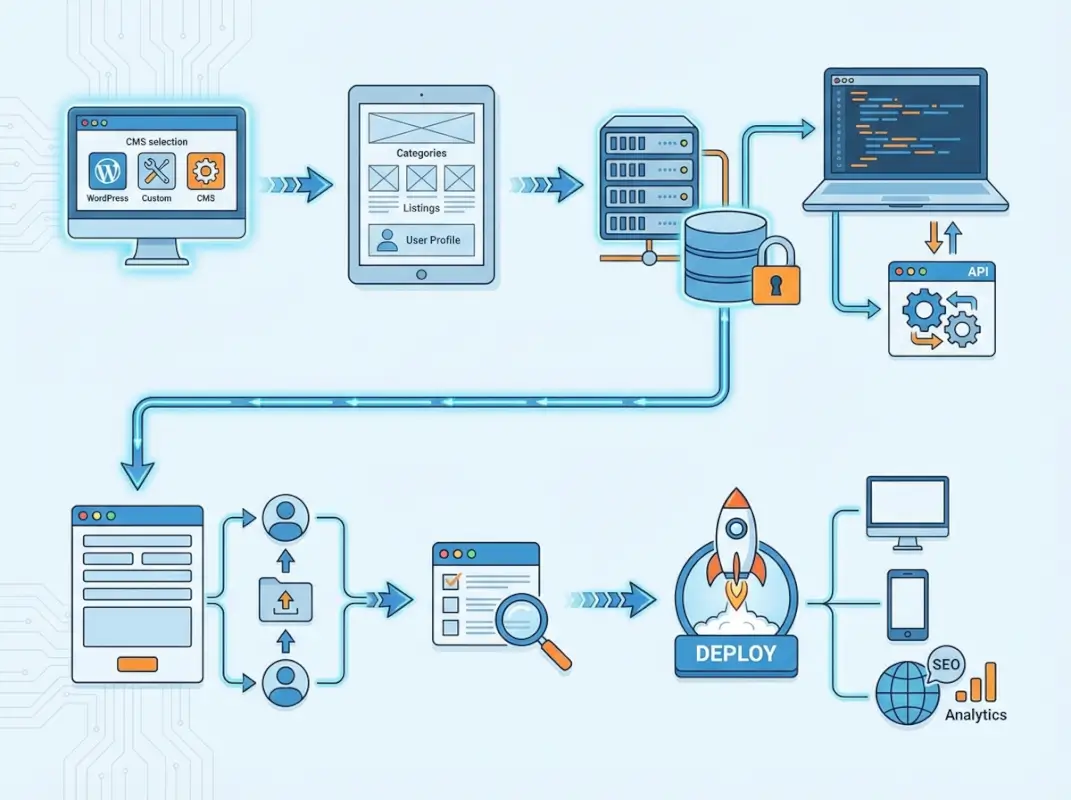
I’ve watched directory founders waste months building beautiful platforms for markets that simply don’t exist or are too saturated to penetrate. The validation work feels tedious and unglamorous, but it’s literally the difference between building something people use versus something that collects digital dust while burning through your budget.
Identifying Profitable Niches with Validation Data
Start by analyzing existing directories in potential niches, but look for what they’re doing wrong rather than trying to copy what they do right. Where are the user complaints? What features are missing? Which categories feel underserved or poorly organized? These gaps represent your opportunity to provide differentiated value.
Validate demand through multiple signals simultaneously. Keyword search volume indicates interest but not necessarily willingness to pay. Business density in your target niche shows supply but not unmet need. The sweet spot combines moderate-to-high search volume, sufficient business population, and visible frustration with existing solutions. Survey 30-50 potential users about their current search behavior and pain points—this qualitative data often reveals opportunities quantitative metrics miss.
| Validation Signal | What It Tells You | How to Measure |
|---|---|---|
| Search Volume | User interest and demand | Keyword research tools, Google Trends |
| Business Density | Supply and market size | Yellow pages scraping, industry associations |
| Competitor Gaps | Differentiation opportunities | User reviews, support tickets, feature analysis |
| Willingness to Pay | Monetization potential | Business surveys, ad spend analysis |
Minimum Data Requirements for Quality Listings
Every listing in your directory needs consistent, structured data that serves both users and search engines. The baseline requirements should include complete NAP data (Name, Address, Phone), business category classifications, operating hours, and contact methods. Optional fields like descriptions, photos, and specialties add value but shouldn’t be required initially—friction in the listing submission process kills conversion rates.
Consider implementing a tiered data model where basic listings require minimal information (5-6 fields maximum) while premium listings encourage comprehensive profiles with galleries, detailed descriptions, and enhanced features. This approach balances quality with acquisition speed during your growth phase.
Understanding Both Sides of Your Marketplace
You’re not building a website—you’re building a two-sided marketplace where value flows in both directions. Businesses need qualified leads and visibility among their target customers. Searchers need accurate information and efficient discovery tools. If either side doesn’t get sufficient value, the entire ecosystem collapses because directories require both participants to function.
Research business directory listing fundamentals to understand what creates value for listers beyond just visibility. Many businesses are willing to pay premium prices for features like appointment booking integration, review management tools, or detailed analytics rather than just placement in search results.
Platform Selection and Technical Architecture Decisions
Platform choice determines your development timeline, ongoing costs, customization flexibility, and long-term scalability potential. There’s no universally “best” option—only trade-offs between time, money, control, and technical complexity. Understanding these trade-offs in the context of your specific requirements prevents costly mistakes and platform migrations later.
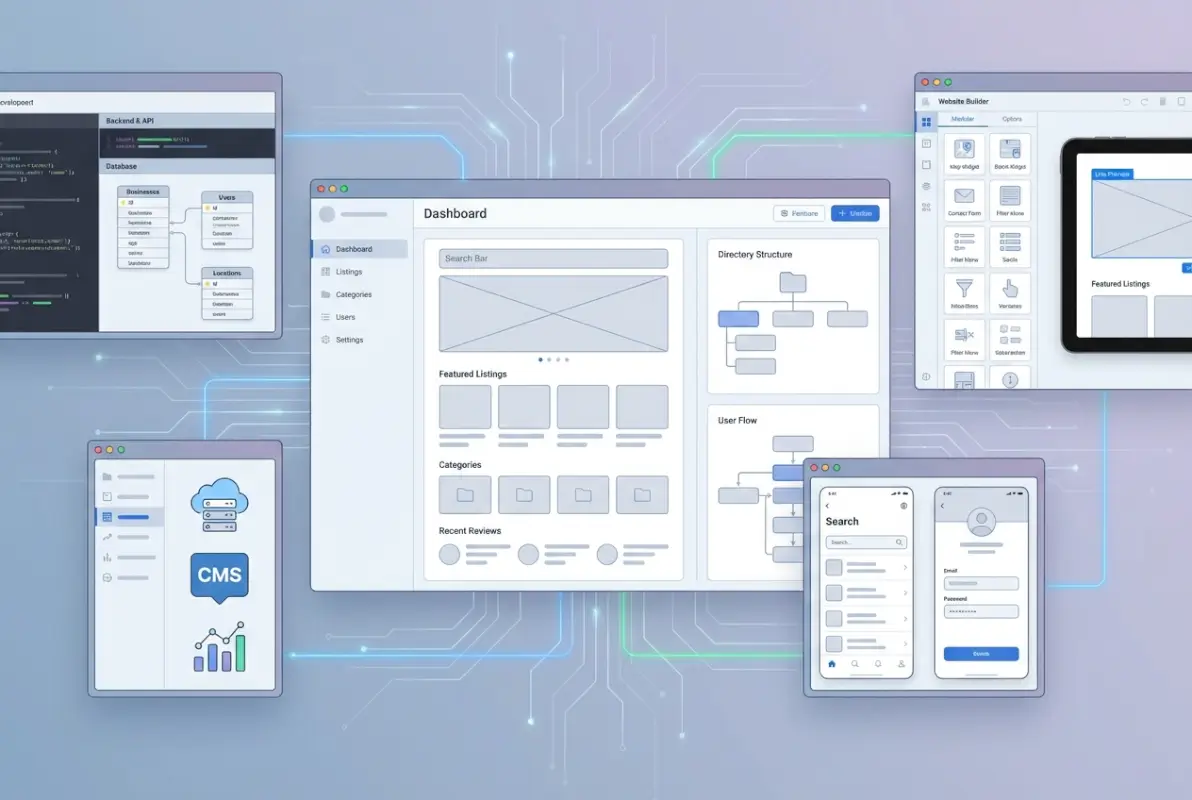
Most directory founders overthink this decision, getting paralyzed by analysis of every possible technology stack. Here’s the reality: the platform matters far less than consistent execution on your core value proposition. I’ve seen successful directories built on everything from WordPress plugins to custom Ruby applications to no-code platforms. The common thread isn’t their technology—it’s their focus on solving real problems for their specific niche.
WordPress Plus Directory Plugins: The Balanced Approach
WordPress combined with directory-specific plugins remains the most popular choice for good reasons. The ecosystem offers mature solutions like Business Directory Plugin, GeoDirectory, or ListingPro that handle core functionality out of the box. You get reasonable customization flexibility without deep coding knowledge, extensive community support, and relatively low upfront costs.
The main challenges involve plugin compatibility issues, performance degradation with too many add-ons, and occasional security vulnerabilities if you don’t maintain regular updates. Budget $1,000-3,000 for initial setup including premium themes and essential plugins, plus $100-300 monthly for quality hosting and maintenance.
For pre-configured WordPress directory solutions, TurnKey Directories offers professionally designed setups that can launch in days rather than weeks, which significantly reduces your time-to-market if you’re targeting a time-sensitive opportunity.
Custom Development: Maximum Control and Cost
Building from scratch makes sense only when you have truly unique requirements that existing platforms can’t accommodate, or you’re expecting massive scale from day one. Custom development costs $10,000-50,000+ depending on feature complexity, requires 3-6 months from conception to launch, and demands ongoing technical expertise for maintenance and updates.
The advantages include unlimited customization potential, optimized performance for your specific use case, no third-party dependencies that might break, and potential competitive differentiation through proprietary features. However, most directory startups don’t actually need these advantages initially—they need to validate their market and prove unit economics before investing heavily in custom technology.
SaaS Directory Builders: Speed Over Flexibility
Platforms like Brilliant Directories, eDirectory, or Sharetribe offer all-in-one solutions with hosting included, requiring minimal technical knowledge. You can launch a functional directory in 1-2 weeks with predictable monthly costs ($50-200) and managed security updates. The trade-offs involve limited customization options, potential vendor lock-in, and scalability constraints as you grow.
These solutions work well for validation phases or smaller niche directories that don’t require extensive custom functionality. Consider them as stepping stones—use a SaaS platform to validate your concept, build initial traction, and generate early revenue before migrating to more flexible infrastructure if growth demands it.
Data Quality, Schema Markup, and SEO Foundations
Data quality separates professional directories that build authority from amateur projects that never gain traction. Search engines evaluate directories primarily on listing completeness, update frequency, and structural consistency. Users judge you instantly based on whether the first few results they click provide accurate, current information. One outdated listing with a disconnected phone number destroys trust faster than ten perfect listings build it.

Implementing proper schema markup feels technical and tedious, but it’s the single highest-ROI SEO activity for directories. Structured data allows search engines to understand your content relationships and display enhanced results that dramatically improve click-through rates. According to Google’s structured data guidelines, properly marked-up content receives preferential treatment in local search results and specialized SERP features.
Implementing Comprehensive Schema Markup
Your directory needs multiple schema types working together to create a complete semantic structure. At minimum, implement LocalBusiness schema on individual listing pages, Organization schema for business entities, AggregateRating schema for review summaries, and GeoCoordinates for precise location data. Additional types like Service, Product, or Event schemas add value for specialized directories.
The markup should cascade hierarchically—your homepage uses WebSite and Organization schemas, category pages use CollectionPage schema, and individual listings use the most specific business type available (Restaurant, MedicalClinic, LegalService, etc.) rather than generic LocalBusiness. This specificity helps search engines categorize and display your content appropriately.
Data Validation and Quality Control Workflows
Establish systematic processes for maintaining data accuracy rather than relying on manual spot-checks. Implement automated validation rules that flag incomplete listings, detect duplicate entries, and verify phone number formats and address structures before publication. Schedule quarterly audits where you systematically verify a sample of listings and remove those that have closed or moved.
For local business directory operations specifically, NAP consistency across your site and external sources like Google Business Profile directly impacts your local search performance. Provide businesses with data export tools so they can maintain consistency across all their online presence using your directory as the authoritative source.
Technical SEO Fundamentals for Directory Architecture
Directory sites present unique SEO challenges because you’re managing potentially thousands of dynamically generated pages with overlapping content. Implement canonical tags to prevent duplicate content issues when listings appear in multiple categories. Create logical URL hierarchies that reflect your information architecture (e.g., /category/subcategory/business-name rather than /listing/12345).
Pagination and filtering need careful handling to avoid creating duplicate content or orphaned pages. Use rel=prev/next tags for paginated category pages, implement faceted navigation with URL parameters rather than JavaScript manipulation, and create XML sitemaps that prioritize high-value listing and category pages over utility pages.
Monetization Models That Balance Revenue and User Experience
Monetization strategy should inform your entire platform design from day one, not get bolted on later as an afterthought. However, aggressive monetization too early kills growth by creating friction before you’ve established value. The most successful directories follow a deliberate progression: free listings to build critical mass, freemium features to demonstrate value, then paid tiers once you’ve proven ROI to early adopters.

Understanding the business directory ID system helps you structure listings with proper tracking for attribution and conversion measurement. You can’t optimize what you don’t measure, and directory monetization requires sophisticated tracking of which features drive upgrades and which go unused.
Freemium Models and Upgrade Paths
Start with genuinely useful free listings that provide real value—not crippled experiences designed to force upgrades. Free tiers should include basic profile pages with complete NAP data, category inclusion, and standard search visibility. Premium tiers add enhanced visibility (featured placement, homepage spots), additional functionality (booking integration, multimedia galleries), and business tools (analytics dashboards, review management).
Structure pricing tiers around clear value propositions rather than arbitrary feature combinations. A service business cares about qualified lead generation and booking conversion, while a retail location prioritizes visibility and directions traffic. Tailor your upgrade paths to these distinct needs with language and features that resonate with specific business types.
| Tier | Target Audience | Key Features | Typical Pricing |
|---|---|---|---|
| Free | Market validation | Basic profile, category listing | $0 |
| Basic | Small businesses | Photos, hours, social links | $20-50/month |
| Professional | Growth businesses | Featured placement, analytics, multimedia | $75-150/month |
| Enterprise | Multi-location brands | API access, priority support, custom integration | $300-1000/month |
Advertising and Sponsorship Revenue
Display advertising works best as supplemental revenue rather than your primary model. Banner ads, sponsored content, and category sponsorships provide income from your traffic without requiring businesses to commit to listings. However, aggressive advertising degrades user experience and can undermine the trust that makes your directory valuable in the first place.
Implement advertising thoughtfully with clear policies about placement, frequency, and disclosure. Native advertising that matches your content style performs significantly better than disruptive banner ads while maintaining better user experience. Category sponsorships where a business gets enhanced visibility within their specialty often deliver better results than scattered banner placements.
Lead Generation and Performance-Based Models
For service-based directories, performance pricing where businesses pay per qualified lead or booking can be more attractive than flat subscription fees. This model aligns costs with value received and removes risk from the business’s perspective. However, it requires sophisticated tracking infrastructure and clear lead qualification criteria to prevent disputes.
Studying best low cost business directories for startups reveals that successful lead-gen models typically combine base subscription fees with per-lead charges rather than pure performance pricing, which helps stabilize revenue while still offering performance incentives.
Security, Compliance, and Trust Building
Security and trust aren’t just technical checkbox items—they’re fundamental to whether businesses and users engage with your directory long-term. One data breach or spam epidemic can permanently damage reputation in ways that take years to recover from, if ever. Implementing security best practices from day one is significantly cheaper than retrofitting them after incidents occur.
Essential Security Practices for User-Generated Content
Directories face unique security challenges because you’re accepting user-submitted content at scale. Implement input validation on all submission forms to prevent SQL injection and cross-site scripting attacks. According to OWASP Top 10 security guidelines, input validation and proper authentication remain the most critical security controls for web applications handling user content.
File uploads for business photos and documents require special attention—validate file types, scan for malware, strip metadata that could contain vulnerabilities, and store uploads separately from your application code. Implement rate limiting on submission forms to prevent spam floods and DDoS attacks that could overwhelm your infrastructure.
Content Moderation and Quality Control
Establish clear submission guidelines and moderation workflows before launch, not after spam becomes a problem. Implement multi-stage approval processes where new listings from unverified sources go through manual review before publication. Once businesses establish good history, you can move them to auto-approval to reduce moderation burden.
For reviews and user-generated content beyond listings, combine automated filtering (flagging profanity, suspicious patterns, competitor attacks) with human review for edge cases. Transparency about your moderation policies builds trust—publish clear community guidelines and explain your review process so users understand how you maintain quality.
Privacy Compliance and Data Protection
Even if you’re not explicitly subject to GDPR or CCPA, implementing privacy-respecting practices builds user trust and future-proofs against regulation changes. Collect only data you actually need, provide clear privacy policies in plain language, offer users control over their data, and implement secure deletion when users request account removal.
For email marketing to listed businesses, comply with CAN-SPAM requirements including clear unsubscribe options, accurate sender information, and truthful subject lines. Permission-based marketing where businesses opt-in to communications performs better anyway and avoids legal complications.
Frequently Asked Questions
How do I start a business directory website with a limited budget?
Begin with WordPress and a quality directory plugin like Business Directory Plugin or GeoDirectory, which costs $200-500 for initial setup. Use shared hosting initially ($10-20/month) and upgrade as traffic grows. Focus on one specific niche and geographic area to minimize content creation costs. Manually add your first 50-100 free listings to create initial value before investing in marketing. This approach lets you launch for under $1,000 while maintaining growth potential.
What’s the fastest way to get initial listings and early traffic?
Personally reach out to 50-100 businesses in your target niche offering free premium listings for 6-12 months in exchange for detailed profiles and feedback. Create SEO-optimized category and location pages targeting long-tail keywords with lower competition. Publish comprehensive guides and comparison content that naturally attracts backlinks. Partner with industry associations or local business groups for bulk outreach and credibility. Initial momentum comes from hustle and relationship-building, not passive strategies.
Should I build from scratch or use a directory plugin or SaaS platform?
Use existing platforms (WordPress plugins or SaaS solutions) unless you have truly unique requirements that can’t be accommodated any other way. Custom development costs 10-50x more than plugin-based solutions and delays your launch by months. Most directories don’t need custom technology—they need focused execution on their niche value proposition. Build custom only after you’ve proven product-market fit and generated consistent revenue that justifies the investment.
How important is NAP consistency for local SEO in a directory?
Extremely critical—inconsistent NAP data across your directory and external sources confuses search engines and directly harms local search rankings. Implement validation rules that standardize address formats, phone number structures, and business name formatting before listings publish. Provide businesses with their exact listing data from your directory to maintain consistency across other platforms. NAP consistency often matters more than link building for local directory SEO performance.
What schema markup should I implement on listing pages?
Implement LocalBusiness schema (or more specific subtypes like Restaurant, MedicalClinic) on individual listing pages, Organization schema for the business entity, AggregateRating for review summaries, GeoCoordinates for location data, and PostalAddress for structured address information. Add OpeningHoursSpecification for operating hours and ContactPoint for phone numbers. This comprehensive markup helps search engines understand your content relationships and display rich snippets that improve click-through rates.
How can I monetize a local directory without alienating users?
Start with genuinely useful free listings that provide real value, not crippled experiences designed to force upgrades. Introduce paid features after you’ve established directory utility—typically 100+ quality listings and consistent monthly traffic. Offer clear value propositions for paid tiers focused on outcomes (more leads, better visibility) rather than features. Use subtle visual differentiation for premium listings instead of intrusive ads. Most successful directories don’t monetize meaningfully until months 6-12 after launch.
What are the best practices for moderating user-generated listings and reviews?
Implement multi-stage approval where new submissions from unverified sources require manual review before publication. Use automated filters to flag obvious spam, profanity, or suspicious patterns, but rely on human judgment for edge cases. Establish clear community guidelines published transparently so users understand quality standards. Create easy reporting mechanisms for problematic content and respond quickly to reports. Once businesses build good history, move them to auto-approval to reduce moderation burden while maintaining quality.
How do I measure ROI for a directory website over the first 12 months?
Track listing activation rate (submitted listings that get completed and published), user engagement metrics (search sessions, listing views, contact button clicks), conversion rates from free to paid listings, and revenue per listing. For early-stage directories, focus on leading indicators like listing submissions per week, return visitor rate, and time-on-site rather than just revenue. Expect 6-12 months before meaningful paid conversion rates. Set milestone goals: 100 listings by month 3, 500 by month 6, first paid conversions by month 8-10.
What security measures are essential for user data in directories?
Implement HTTPS site-wide with current TLS versions, use bcrypt or Argon2 for password hashing, validate all user inputs to prevent SQL injection and XSS attacks, implement rate limiting on forms to prevent spam, scan uploaded files for malware, and store files separately from application code. Add CAPTCHA to submission forms, implement account lockout after failed logins, and maintain regular security patches for your platform. Follow OWASP Top 10 guidelines and conduct quarterly security audits as your directory grows.
How can I scale a directory to multiple cities or niches without performance losses?
Implement robust caching strategies at multiple levels (page cache, object cache, CDN for static assets), optimize database queries with proper indexing on frequently searched fields, use lazy loading for images and pagination for large result sets, and implement search functionality with dedicated search infrastructure like Elasticsearch for directories exceeding 10,000 listings. Structure your information architecture hierarchically with clear parent-child relationships between locations and categories. Add new markets systematically rather than simultaneously, ensuring each has critical mass before expanding further.
Take Action: Your Directory Launch Checklist
Building a successful business directory requires systematic execution across strategy, technology, and operations. The directories that win aren’t necessarily the most sophisticated technically—they’re the ones that consistently deliver value to both businesses and searchers while maintaining relentless focus on their specific niche.
Start by validating your niche thoroughly before any significant development investment. Survey potential users, analyze competitor gaps, and prove businesses will actually list before you build. Choose platforms that balance your budget, timeline, and technical capabilities—WordPress plugins for most projects, SaaS for rapid validation, custom development only after proven traction.
Implement proper technical foundations from day one: comprehensive schema markup, mobile-first responsive design, security best practices, and data quality workflows. These aren’t optional nice-to-haves—they’re fundamental requirements for competitive directories in 2026.
Plan for 6-12 months before meaningful monetization, focusing initially on building critical mass through free listings and establishing user trust through data accuracy and helpful content. Once you’ve proven value, introduce paid features that provide clear ROI to businesses willing to invest in enhanced visibility and functionality.
The directory landscape remains opportunity-rich for those who execute strategically in focused niches rather than attempting to compete broadly against established platforms. Your competitive advantage comes from deep understanding of your specific audience’s needs and relentless optimization of the experience for both searchers and businesses. Start narrow, execute well, and expand deliberately as you prove each market segment.