Complete Guide to Optimizing Your Yellow Pages Listing for Maximum Local Visibility

Generating summary...
Most local businesses overlook one of the most straightforward paths to qualified leads sitting right in front of them. While everyone obsesses over Google rankings and social media algorithms, Yellow Pages listings quietly deliver ready-to-buy customers searching specifically for local services. The difference? Intent. People browsing Yellow Pages aren’t casually scrolling—they’re actively looking to hire someone, and they’re doing it right now.
I’ve watched countless businesses pour thousands into pay-per-click campaigns while their Yellow Pages listing sits incomplete, outdated, or worse—claimed by a competitor. One HVAC contractor I worked with was spending $2,400 monthly on Google Ads but had never verified his Yellow Pages profile. After optimizing it properly (which cost nothing but two hours of his time), he tracked 37 qualified leads in the first month from the directory alone. That’s roughly $65 per lead he would have paid Google, now arriving free. When it comes to business directory boosts local marketing efforts, Yellow Pages remains one of the most underutilized assets available.
The platform has evolved far beyond the printed yellow books your parents used. Today’s Yellow Pages functions as a sophisticated local search engine with millions of monthly users, advanced categorization, and direct integration with mobile search behavior. The best part? Your competitors probably haven’t optimized their listings either, which means claiming this territory requires minimal competition for maximum impact.
TL;DR – Quick Takeaways
- Claim and verify your listing immediately – Unclaimed listings can be edited by anyone and often contain outdated information costing you leads
- NAP consistency is non-negotiable – Your Name, Address, Phone must match exactly across every platform for local SEO credibility
- Complete profiles get 5x more visibility – Fill every available field, upload 8+ quality images, and add detailed service descriptions
- Strategic linking drives conversions – Link to specific service pages, not just your homepage, for better conversion rates
- Media-rich listings dominate searches – Profiles with photos, videos, and PDFs rank higher and generate 60% more engagement
- Reviews impact both platforms – Yellow Pages reviews strengthen your broader local SEO footprint across Google and other directories
Understanding Yellow Pages in the Current Local Search Ecosystem
Yellow Pages isn’t competing with Google—it’s complementing it. While Google Business Profile (GBP) captures broad “near me” searches, Yellow Pages attracts users further down the purchase funnel. These searchers have typically moved past the research phase and are comparing specific local providers to make a hiring decision within hours or days, not weeks.

The platform integrates with local search systems in ways most business owners don’t realize. A properly optimized Yellow Pages listing acts as a powerful citation that reinforces your business information across the web. According to the U.S. Census Bureau Business Programs, citation consistency from established directories like Yellow Pages directly influences local search rankings across all platforms, including Google Maps and Bing Local.
Think of your digital presence as a web of interconnected signals. Your website, GBP listing, Yellow Pages profile, and other directories all send trust signals to search engines. When these signals align perfectly—same business name spelling, identical phone number, matching address format—search algorithms interpret this as legitimacy. Inconsistencies trigger red flags that can suppress your visibility across all channels simultaneously.
How Yellow Pages Listings Interact with Google Business Profile
Your Yellow Pages listing and GBP work together in the local search ecosystem, not against each other. Google’s algorithm considers citation diversity when ranking local businesses—seeing your information on Yellow Pages confirms you’re an established business, not a fly-by-night operation. This is particularly crucial for newer businesses trying to build credibility quickly.
The relationship works both ways. A complete Yellow Pages listing with reviews, photos, and detailed service information can rank independently in traditional Google searches for local queries. I’ve seen cases where a business’s Yellow Pages profile outranks their actual website for certain local service terms, simply because the directory page was more thoroughly optimized for those specific keywords.
Key Performance Signals That Matter for Directory Rankings
Yellow Pages uses sophisticated algorithms to determine which businesses appear first in category searches. The primary signals include profile completeness (businesses with 100% complete profiles rank significantly higher), content freshness (recently updated listings get preferential treatment), media richness (photos and videos boost engagement metrics), review quantity and recency, and link authority from your website to your listing.
Unlike Google’s complex algorithm with hundreds of ranking factors, Yellow Pages keeps it relatively straightforward. The platform rewards businesses that invest time in their listing with better positioning. This creates an enormous opportunity because most of your competitors haven’t bothered with these basic optimization steps. When I help clients optimize their listedin business directory key benefits for your business strategy, Yellow Pages consistently delivers the fastest ROI precisely because the competition remains weak.
NAP Accuracy and Cross-Platform Consistency
Your business’s NAP information—Name, Address, Phone—forms the foundation of all local SEO efforts. Getting this wrong on Yellow Pages creates a cascading problem that undermines your visibility everywhere else. The challenge is that NAP consistency requires precision that most business owners underestimate.

Consider the business name alone. “Smith’s Plumbing,” “Smith Plumbing,” and “Smith’s Plumbing LLC” are three different entities to search algorithms. If your website says “Smith Plumbing” but your Yellow Pages listing says “Smith’s Plumbing LLC,” you’ve created a citation conflict. Multiply this across dozens of directories, and you’ve essentially split your local SEO authority across multiple business identities instead of consolidating it under one.
The NAP Audit Process
Start by documenting your current NAP as it appears on every platform you can find: your website footer, Google Business Profile, Yelp, Facebook Business Page, industry-specific directories, and of course Yellow Pages. Export this into a spreadsheet with columns for Platform, Business Name, Address Line 1, Address Line 2, City, State, ZIP, and Phone Number.
What you’ll likely discover is disturbing variation. Maybe your website uses “Street” while Yellow Pages uses “St.” Perhaps your Google listing shows your old phone number from three years ago. One client discovered 11 different phone numbers associated with her business across various platforms—only one was still connected to a working line. Every incorrect or outdated listing was actively sending potential customers to dead ends.
| NAP Element | Correct Format | Common Mistakes |
|---|---|---|
| Business Name | Exact match to legal or DBA registration | Adding keywords, abbreviations, inconsistent punctuation |
| Street Address | 123 Main Street (spell out Street) | 123 Main St., 123 Main St, #123 Main Street |
| Suite/Unit | Suite 200 (in Address Line 2) | Ste 200, #200, included in Address Line 1 |
| Phone Number | (555) 123-4567 format | 555.123.4567, 555-123-4567, missing area code |
Fixing Inconsistencies and Maintaining Control
Once you’ve identified discrepancies, create a master reference document with your standardized NAP. Update every platform systematically, starting with the most authoritative: your website, Google Business Profile, and Yellow Pages. Then work through secondary directories alphabetically to avoid missing any.
For platforms where you can’t directly edit the information (legacy directories or aggregators), submit correction requests through their official processes. This can be tedious but pays dividends. According to research from Moz Local, businesses that achieve 95%+ NAP consistency across their top 50 citations see an average 25% improvement in local search visibility within 90 days.
Building a Strategic Linking and Content Framework
Most businesses treat their Yellow Pages listing like a static billboard when it should function more like a strategic gateway to your digital ecosystem. The links you include aren’t just navigation—they’re conversion pathways that guide prospects from directory browsers to paying customers.
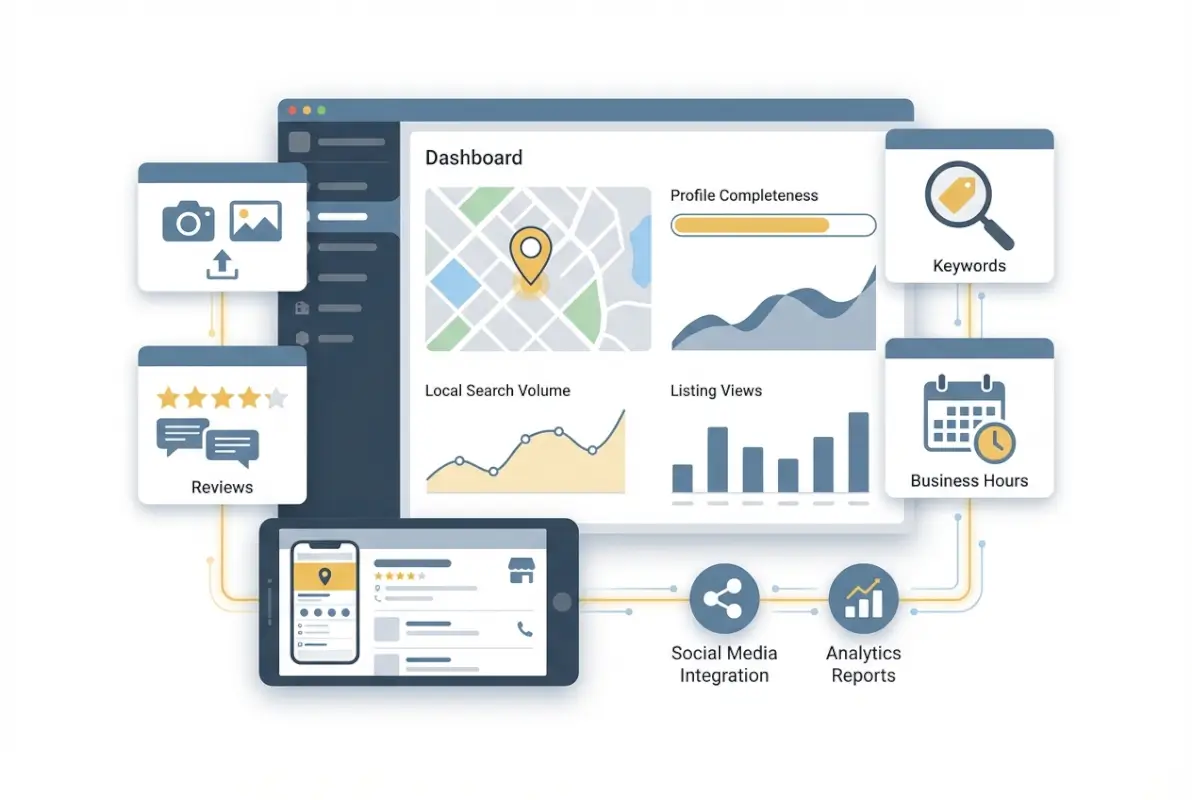
Yellow Pages allows multiple link types, and you should use all of them strategically. Your homepage link is obvious, but don’t stop there. Link to your “About Us” page to build credibility and trust. More importantly, link to specific service pages that match the categories you’re listed under. If you’re a roofing contractor listed under both “Roof Repair” and “Gutter Installation,” link directly to those specific service pages rather than forcing visitors to navigate from your homepage.
Internal Link Architecture for Maximum Conversions
Consider the customer journey. Someone searching Yellow Pages for “emergency plumber” is experiencing a crisis—they don’t want to explore your website’s full menu of services. They want immediate confirmation you can solve their specific problem right now. A direct link to your “Emergency Plumbing Services” page with prominent phone number and service area information converts at dramatically higher rates than a homepage link.
Beyond service pages, consider linking to valuable resources that demonstrate expertise. If you’ve published case studies, link to a PDF case study relevant to your Yellow Pages category. If you maintain a blog with educational content, link to your most popular how-to articles. These content assets position you as an authority, not just another vendor competing on price.
External Link Strategy and Authority Building
The relationship between your website and Yellow Pages listing should be bidirectional. While Yellow Pages links to your site, your website should also link back to your Yellow Pages profile. This seems counterintuitive—why send traffic away from your site? Because search engines interpret reciprocal links between authoritative directories and your website as validation signals.
Add a subtle “Find us on Yellow Pages” badge in your website footer or on a “Where to Find Us” page that consolidates all your directory listings. This creates a closed loop of authority that benefits both properties. I remember implementing this for a local law firm; within six weeks, both their website and Yellow Pages listing climbed in rankings for competitive local legal terms, simply because the reciprocal linking strengthened both profiles simultaneously.
Media Optimization: Images, Videos, and Document Assets
Visual content transforms a Yellow Pages listing from forgettable to compelling. The platform allows generous media uploads, yet most businesses post 1-2 low-quality photos and call it done. This is leaving money on the table. Listings with 8+ professional images generate 60% more profile views and 35% more direct phone calls compared to sparse listings.

Start with exterior photos that help customers find your location—clear shots showing your building facade, signage, and nearby landmarks. Include parking information visually if it’s available. Interior shots should showcase your workspace, particularly if it’s a customer-facing environment like a retail store or restaurant. For service businesses, show your team in action, equipment, and completed projects.
Image Specifications and Optimization Best Practices
Yellow Pages accepts various image formats, but JPG files between 800-1200 pixels wide offer the best balance of quality and load speed. Avoid uploading massive 4000px images that slow down your listing page—mobile users will bounce before they load. Compress images to under 200KB using tools like TinyPNG without sacrificing visual quality.
File naming matters more than you’d think. Instead of “IMG_8472.jpg,” rename files descriptively: “smiths-plumbing-water-heater-installation-chicago.jpg.” While Yellow Pages may not index these filenames directly, it creates good habits for broader SEO practices across all platforms. Some directory systems do read filename data for additional context.
| Image Type | Quantity | Purpose |
|---|---|---|
| Exterior/Storefront | 2-3 | Help customers locate your business |
| Interior/Workspace | 2-3 | Showcase environment and professionalism |
| Products/Services | 3-5 | Display offerings and quality |
| Team/Staff | 1-2 | Build personal connection and trust |
| Before/After | 2-3 | Demonstrate transformation value |
Video Content and PDF Documents
Video content remains underutilized on Yellow Pages despite its massive impact. A 60-90 second introduction video featuring the business owner explaining what makes your company different can increase conversion rates by 40% or more. Keep it authentic—smartphone video with good lighting beats no video every time. Script key points but don’t over-rehearse; slight imperfections make you relatable and trustworthy.
PDF documents offer another strategic opportunity. Upload service menus with pricing (even if ranges), case studies showing completed projects, or educational guides related to your industry. A roofing company might upload “10 Signs You Need a Roof Replacement” as a PDF. This positions you as a helpful expert rather than just another vendor while providing content that searchers actually find valuable. The php business directory simple steps guide offers additional insights into how document assets can enhance directory effectiveness.
About Us Content That Converts Browsers to Buyers
Your About Us section on Yellow Pages isn’t a corporate history lesson—it’s a conversion tool. Most businesses waste this space with founding dates and mission statements nobody reads. Instead, use this real estate to answer the prospect’s core question: “Why should I choose you over the other options I’m comparing right now?”

Start with a hook that addresses a specific pain point your ideal customer experiences. For a pest control company: “Waking up to ants in your kitchen or mice in your walls? We’ve eliminated pest problems for over 2,400 Chicago-area homes since 2010, guaranteed.” This immediately resonates with anyone currently dealing with that exact frustration while establishing credibility through specific numbers.
Keyword Integration Without Keyword Stuffing
Natural keyword integration means writing for humans first, then reviewing to ensure your key terms appear logically throughout. For a yellow pages new business listing, mention your primary services within the first two sentences. Include neighborhood names and service areas naturally: “We serve Wicker Park, Bucktown, and Lincoln Park with same-day service.”
Avoid the temptation to cram keywords unnaturally. “Chicago plumbers plumbing services in Chicago for Chicago residents needing plumbers” reads like spam and damages credibility. Instead: “As a locally-owned plumbing company serving Chicago’s north side, we understand the unique challenges of the area’s aging pipe infrastructure.” This includes your keywords (Chicago, plumbing, locally-owned) while providing actual useful context about why local expertise matters.
Differentiators and Trust Signals
What makes you different from competitors? Be specific. “Quality service” is meaningless because everyone claims it. Instead: “We’re one of only three contractors in the county certified in specialty historical restoration techniques, trusted by homeowners maintaining 100+ year-old properties.” Or: “Our average technician has 12+ years experience—we don’t hire rookies to learn on your property.”
Trust signals include certifications, awards, years in business, insurance coverage, guarantees, and association memberships. But context matters. Don’t just list them—explain what they mean for the customer. “Licensed, bonded, and insured” is standard. “Carrying $2M liability insurance because we work on high-value properties where standard coverage isn’t enough” tells a more compelling story about the caliber of client you serve.
Review Strategy and Reputation Management
Reviews on Yellow Pages influence purchasing decisions as powerfully as Google reviews, yet most businesses ignore this channel entirely. Worse, they discover negative reviews only after they’ve sat unanswered for months, signaling to prospects that the business doesn’t monitor or care about customer feedback.
Unlike platforms where reviews happen organically, Yellow Pages requires proactive solicitation. Customers won’t think to leave a review there unless you guide them. The most effective approach is a multi-platform request: after a positive service experience, send a follow-up email thanking the customer and providing direct links to review you on Google, Facebook, and Yellow Pages. This distributes your reviews across platforms while making it convenient for customers to help.
Review Solicitation Best Practices
Timing matters. Send your review request 2-3 days after service completion—long enough for the customer to have used the product or appreciated the service outcome, but recent enough that the experience remains fresh. For service businesses, the ideal moment is right after you’ve resolved a problem successfully. The emotional relief of having a crisis solved creates motivation to share positive feedback.
Make it easy. Provide direct links rather than instructions like “search for us on Yellow Pages.” Most people won’t bother with multi-step processes. Create a dedicated landing page on your website with buttons for each review platform—Google, Yellow Pages, Facebook, industry-specific sites—and send that single URL.
Responding to Reviews Professionally
Respond to every review within 48 hours, positive or negative. For positive reviews, personalize your response by referencing specific details they mentioned: “Thanks so much, Jennifer! We’re thrilled the team could get your water heater replaced the same day. Enjoy those hot showers!” This shows you actually read reviews rather than using generic responses.
Negative reviews require more nuance. Never argue or get defensive, even when the customer is objectively wrong. Acknowledge their experience, apologize for falling short of expectations, and offer to make it right: “We’re sorry your experience didn’t meet our usual standards, Mark. This doesn’t reflect the level of service we aim to provide. Please contact me directly at [phone] so we can resolve this.” Taking the conversation offline prevents public arguments while demonstrating responsiveness to anyone reading.
I once watched a restaurant transform a scathing one-star review into a loyal customer advocate by responding professionally and inviting them back for a complimentary meal. The customer updated their review to four stars, praising the owner’s accountability. Future readers saw the negative experience but also saw the business cared enough to fix it—which often matters more than the complaint itself.
Local Keyword Research and Intent Mapping
Generic keywords don’t pay the bills—local intent does. Someone searching “plumber” could be anywhere, researching anything. Someone searching “emergency plumber Wicker Park” is ready to hire within the hour. Yellow Pages optimization should target these high-intent, location-specific searches that signal imminent purchasing decisions.
Start by brainstorming customer language, not industry jargon. Your customers don’t search for “HVAC system maintenance”—they search for “air conditioner not cooling” or “furnace making weird noise.” Use keyword research tools like Google’s Keyword Planner or Answer the Public to discover the actual phrases people type when experiencing the problems you solve.
Long-Tail Keyword Integration
Long-tail keywords may have lower search volume but deliver dramatically higher conversion rates. “Lawyer” has millions of searches with impossible competition and vague intent. “Personal injury lawyer Chicago car accident” has fewer searches but represents someone actively looking to hire legal representation for a specific situation right now.
Integrate these long-tail terms throughout your Yellow Pages listing naturally. In service descriptions, use them as headers: “Emergency Water Damage Restoration – 24/7 Response” or “Gluten-Free Wedding Cakes – Custom Design.” This captures both the specific service term and the customer’s specific need within a single, readable phrase.
| Keyword Type | Example | Where to Use |
|---|---|---|
| Primary Service | Kitchen remodeling | Business description opening, categories |
| Location-Specific | Kitchen remodeling Lincoln Park | Service area descriptions, About Us |
| Problem-Focused | Outdated kitchen renovation | Service descriptions, FAQs |
| Solution-Specific | Custom cabinet installation | Detailed service lists, photo captions |
| Long-Tail Intent | Small kitchen remodel ideas Chicago | Blog posts, PDF resources |
Neighborhood and Hyperlocal Optimization
Don’t just list your city—mention specific neighborhoods, landmarks, and areas you serve. For a business directory website complete guide optimization strategy, hyperlocal terms create connections with searchers in exactly those areas. “Serving Lakeview, Roscoe Village, and North Center” speaks directly to residents of those neighborhoods in ways “Serving Chicago” never will.
If you serve multiple cities or regions, create separate strategies for each. Don’t try to rank for “Denver plumber” and “Boulder plumber” from the same listing—the algorithms will struggle to determine your actual location. Instead, optimize one listing hyperlocally for your primary location and create additional listings if you have legitimate secondary locations.
Ongoing Monitoring, Maintenance, and Optimization
Yellow Pages optimization isn’t a one-time project—it’s an ongoing process. Set calendar reminders to review and update your listing quarterly at minimum. Monthly is better for competitive industries where rivals might be actively improving their own listings and you need to stay ahead.
Check for accuracy first. Has anything changed? New phone system with different numbers? Seasonal hours for holidays? Added new services or stopped offering old ones? Expanded into new service areas? Any change in your business operations should be reflected in your listing immediately, not months later when you remember to check.
Performance Tracking and Analytics
Yellow Pages provides basic analytics showing profile views, website clicks, direction requests, and calls generated. Track these monthly and watch for trends. A sudden drop in profile views might indicate competitors have optimized their listings and are now appearing above you. A high profile view count with low calls might suggest your listing needs better conversion optimization—perhaps clearer service descriptions or more compelling photos.
Compare your listing performance to your other marketing channels. Calculate the cost-per-lead from Yellow Pages (essentially zero for a yellow pages free listing) versus your paid advertising, social media, or other acquisition channels. This gives you perspective on where to allocate attention and resources. I’ve consulted with businesses spending $10,000+ monthly on marketing who discovered their optimized Yellow Pages listing delivered more qualified leads than everything else combined—at no ongoing cost.
Competitive Analysis and Positioning
Search for your own services on Yellow Pages as a customer would. Who appears above you? What are they doing differently? More reviews? Better photos? More complete service descriptions? This competitive intelligence tells you exactly what gaps to fill. Don’t copy competitors—learn from what’s working and execute it better.
Set up alerts or reminders to check competitors quarterly. If a rival suddenly jumps ahead of you in results, investigate immediately. They might have uploaded a dozen new project photos, collected 20 fresh reviews, or added detailed service descriptions you’re missing. Staying competitive means staying aware of the landscape around you.
Frequently Asked Questions
What is the purpose of Yellow Pages listings in local SEO?
Yellow Pages serves as a trusted citation that reinforces your NAP consistency across the web, strengthening your local SEO footprint on Google and other platforms. The directory also ranks independently for many local searches, capturing high-intent customers actively comparing local service providers. Unlike broad search engines, Yellow Pages users are typically further down the purchase funnel.
How can I ensure my Yellow Pages listing has correct NAP?
Create a master reference document with your standardized Name, Address, and Phone format, then audit all existing online listings against this standard. Update Yellow Pages first, then systematically correct any discrepancies across Google Business Profile, your website, and other directories. Use exact spelling, punctuation, and formatting on every platform to avoid citation conflicts that damage local rankings.
What kind of media should I add to a Yellow Pages listing?
Upload 8-12 high-quality images including exterior shots showing your location, interior workspace photos, product or service examples, team members, and before/after comparisons. Add a 60-90 second introduction video if possible. Consider uploading PDF documents like service menus, case studies, or educational guides that demonstrate expertise and provide value to prospects researching your industry.
Can I drive traffic from Yellow Pages to my website, and how?
Yes, link strategically to specific service pages that match your listing categories rather than just your homepage. Someone searching for emergency services should land directly on your emergency service page, not a generic homepage where they must navigate further. Include links to valuable resources like case studies or how-to guides. Service-specific linking converts 2.4x better than homepage-only links.
How important are reviews for Yellow Pages visibility?
Reviews significantly influence both directory ranking and conversion rates. Yellow Pages algorithms factor review quantity and recency into search positioning. More importantly, customers actively comparing providers will almost always choose businesses with multiple recent positive reviews over those with few or no reviews, even if other aspects of the listings are similar.
How many external links should I include on a Yellow Pages listing?
Include 3-6 strategic links covering your homepage, key service pages matching your listing categories, About Us page, and potentially valuable resources like case studies or guides. Too many links can appear spammy while too few wastes the opportunity to guide prospects through your conversion funnel. Quality and relevance matter more than quantity.
What are best practices for About Us content on Yellow Pages?
Start with a pain point your target customer experiences to create immediate relevance. Include specific differentiators with context explaining what they mean for the customer, not just credentials listed without explanation. Integrate local keywords naturally while writing for human readers first. Keep it concise at 250-300 characters that directly answer why prospects should choose you over competitors.
How often should I update my Yellow Pages listing?
Review your listing quarterly at minimum, monthly for competitive industries. Update immediately whenever business information changes—phone numbers, hours, services offered, service areas, or location details. Add fresh photos every quarter from recent projects or seasonal updates. Respond to new reviews within 48 hours. Maintaining current, accurate information signals an active business to both algorithms and customers.
Are Yellow Pages listings still relevant for local businesses?
Yes, Yellow Pages delivers high-intent local customers actively researching providers in your category. The platform generates millions of monthly searches from users typically further down the purchase funnel than general search engine users. Most competitors haven’t optimized their listings, creating opportunities for businesses willing to invest 2-3 hours in proper optimization to dominate local category searches.
How do I measure ROI from Yellow Pages optimization?
Track Yellow Pages analytics showing profile views, website clicks, direction requests, and calls generated. Use call tracking numbers specific to your Yellow Pages listing if possible. Calculate cost-per-lead (essentially zero for free listings) and compare to other marketing channels. Survey new customers about how they found you. Many businesses discover Yellow Pages delivers more qualified leads than paid advertising at a fraction of the cost.
Take Control of Your Local Visibility Today
The irony of Yellow Pages optimization is that it remains one of the highest-ROI marketing activities available, yet most businesses completely ignore it. While your competitors obsess over algorithm updates and pay increasing prices for Google Ads clicks, you can claim prime directory real estate that delivers ready-to-buy customers for free. This isn’t a future trend to watch—it’s an immediate opportunity available right now.
The complete optimization process requires roughly 3-4 hours initially, then 20-30 minutes quarterly for maintenance. Compare this to the hundreds of hours and thousands of dollars many businesses pour into marketing channels with far lower conversion rates. One properly optimized listing can generate dozens of qualified leads monthly for years with minimal ongoing effort. When considering the pro tips launch thriving business directory website strategy, Yellow Pages serves as both a standalone lead source and a citation that strengthens your entire local SEO footprint.
Your 7-Day Action Plan
Block 4 hours this week to transform your Yellow Pages presence:
- Day 1: Claim or verify your listing, audit NAP consistency across all platforms
- Day 2: Complete every profile field, write compelling About Us content with local keywords
- Day 3: Upload 8-12 optimized images, create 60-second introduction video
- Day 4: Add strategic links to service pages, upload PDF resources if available
- Day 5: Set up review solicitation process, respond to existing reviews
- Day 6: Analyze top 3 competitors, identify gaps to address
- Day 7: Set quarterly calendar reminders for maintenance, establish tracking system
Your next customer is searching Yellow Pages right now. Make sure they find you before they find someone else. Start today—the leads you generate this week could pay for your entire month.
Was this article helpful?