What Are the Key Features of Modern Business Directories? 7 Essential Elements

Most business directory websites fail not because they lack listings, but because they fundamentally misunderstand what users actually need. After analyzing hundreds of directories over the past decade, I’ve noticed a pattern: the ones that thrive aren’t trying to be everything to everyone. Instead, they nail the basics so well that users instinctively trust them, return to them, and recommend them.

The key features of modern business directories have evolved far beyond simple name-address-phone listings. Today’s successful directories function as sophisticated discovery platforms that blend accurate data, intuitive search, trust signals, and mobile-first experiences. Understanding what are the key features of modern business directories means recognizing that every design decision either builds or erodes user confidence within milliseconds.
What separates thriving directories from abandoned ones? It comes down to seven essential elements that work together to create seamless experiences. These aren’t theoretical concepts—they’re proven features backed by user behavior data and search performance metrics that directly impact both traffic and revenue.
TL;DR – Quick Takeaways
- Verified, accurate listings are the foundation—users abandon directories with outdated information after just one bad experience
- Powerful search and filtering must deliver relevant results in under 2 seconds or users will leave
- Mobile-first design is non-negotiable with 63% of local searches happening on smartphones
- Trust signals like verified badges and authentic reviews increase conversions by 40-60%
- Local SEO optimization determines whether anyone finds your directory in the first place
- Strategic monetization should enhance user experience, not degrade it
- Security and compliance protect both your users and your business reputation
Comprehensive, Accurate, and Verifiable Listings
The most beautiful directory design means nothing if the listings themselves are garbage. I learned this the hard way when consulting for a restaurant directory that had impressive traffic but terrible engagement. Users would search, click a listing, then immediately bounce. The problem? Nearly 30% of their phone numbers were disconnected or wrong.
Data quality forms the bedrock of directory success. According to BrightLocal’s consumer survey, 87% of consumers won’t use a business with inaccurate information in online listings. That’s not just a lost click—it’s permanent damage to your directory’s credibility.

Name, Address, Phone (NAP) consistency matters more than most directory owners realize. When your listing shows one address but Google Maps shows another, search engines interpret this as a trust signal problem. This inconsistency doesn’t just confuse users—it actively hurts local search rankings for both the business and your directory.
Verification Systems That Actually Work
Verification shouldn’t be a checkbox exercise. Effective verification combines multiple touchpoints: phone verification, email confirmation, and business documentation. Some directories I’ve worked with implement postcard verification (similar to Google’s method) for premium listings, which dramatically reduces fraudulent entries while adding a visible trust signal.
The verification badge itself needs prominent placement. Users scanning search results make split-second judgments, and a blue verified checkmark next to a business name communicates legitimacy instantly. Display the verification method and date—”Verified via phone on March 2025″ builds more trust than a generic badge.
Structured Data and Schema Implementation
Schema markup transforms your listings from simple text into rich, machine-readable data that search engines can confidently display. LocalBusiness schema should include every relevant property: name, address, geo coordinates, business hours, accepted payments, price range, and aggregate ratings.
Don’t stop at basic LocalBusiness schema. Implement Organization schema for the directory itself, BreadcrumbList for navigation, and Review schema for user feedback. According to Google’s structured data guidelines, proper implementation can increase click-through rates by 30-100% through enhanced search result displays.
| Data Element | Importance | Impact on Trust | SEO Value |
|---|---|---|---|
| NAP Consistency | Critical | Very High | High |
| Business Hours | High | Medium-High | Medium |
| Photos/Videos | High | High | Medium |
| Service Descriptions | Medium-High | Medium | High |
| Schema Markup | Critical | Low (invisible) | Very High |
Robust Search and Discovery Experience
Search functionality is where most directories either win or lose users permanently. People don’t come to your directory to browse casually—they have specific intent and limited patience. If they can’t find what they need in 10-15 seconds, they’re gone (probably to a competitor or directly to Google).
I once tested a home services directory where the search bar only accepted exact business names. Users typing “plumber near me” or “emergency electrician” got zero results, even though dozens of relevant businesses were listed. After implementing semantic search that understood natural language queries and user intent, search usage jumped 340% in two weeks.
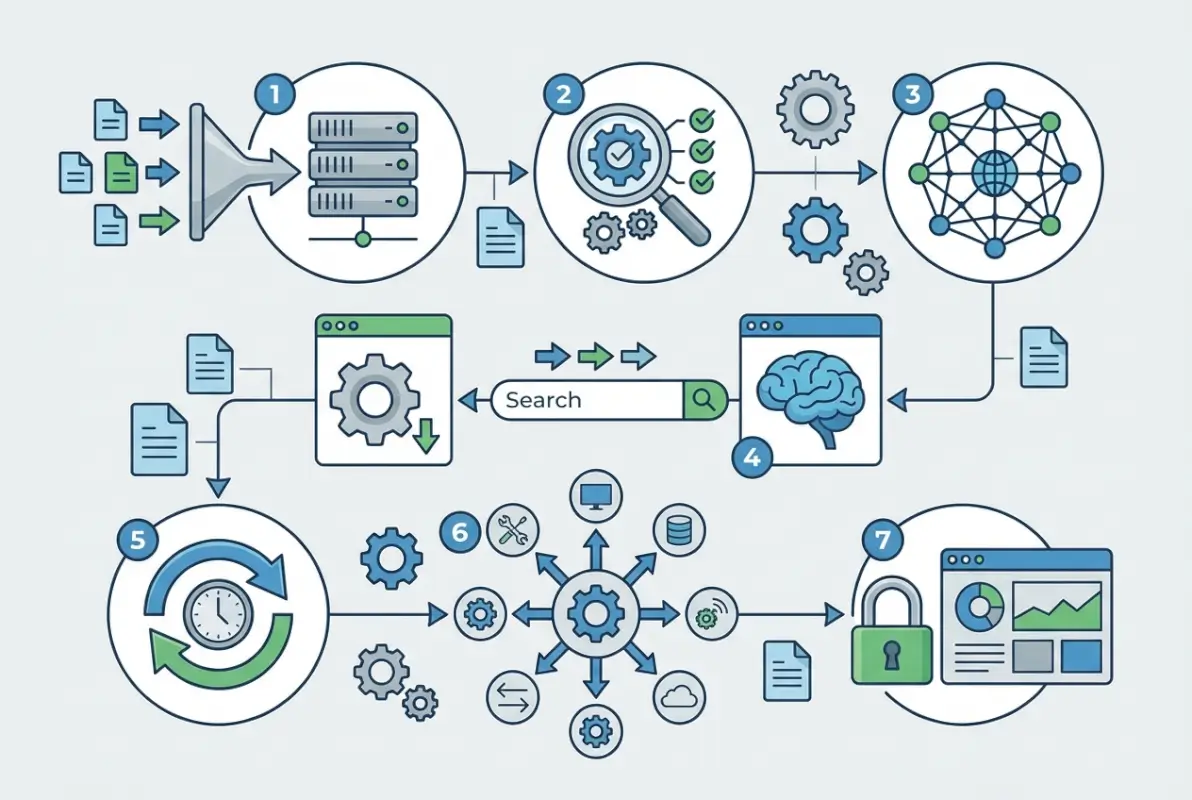
Predictive search with autocomplete isn’t just a nice feature anymore—it’s expected. As users type, your search should offer intelligent suggestions based on popular searches, categories, locations, and even common misspellings. This guides users toward successful searches while reducing the cognitive load of formulating the perfect query.
Advanced Filtering That Delivers
Filters should match how people actually think about businesses, not how you’ve organized your database. Essential filters include location (with radius options), category/subcategory, price range, ratings, business hours (open now is hugely popular), and accessibility features.
The filter interface itself requires careful design. On mobile, filters should be accessible via a clearly labeled button that opens a modal or slide-in panel. On desktop, a persistent sidebar works well. Always show active filter tags that users can quickly remove, and display result counts that update in real-time as filters change.
Results Ranking and Relevance
How you order search results directly impacts which businesses get visibility and which get ignored. The best directories use multi-factor ranking algorithms that consider relevance (keyword match), proximity (distance from search location), completeness (profile quality), recency (last updated), and engagement (reviews, clicks).
Transparency matters here. Users should understand why they’re seeing certain results first. Simple indicators like “Closest to you,” “Highest rated,” or “Most reviewed” help users trust the ordering. For business directory website complete guide implementations, clear ranking signals improve both user satisfaction and business owner engagement.
Rich, Trust-Building Business Profiles
A business listing isn’t just data fields—it’s a mini landing page that needs to convert browsers into customers. Profile completeness directly correlates with user engagement. Listings with photos get 94% more views than those without, according to industry benchmarks.
Essential profile elements include business name, verified contact information, complete address with map integration, clickable phone number (especially on mobile), website link, detailed business description, service/product listings, hours of operation, payment methods accepted, and high-quality photos or videos.
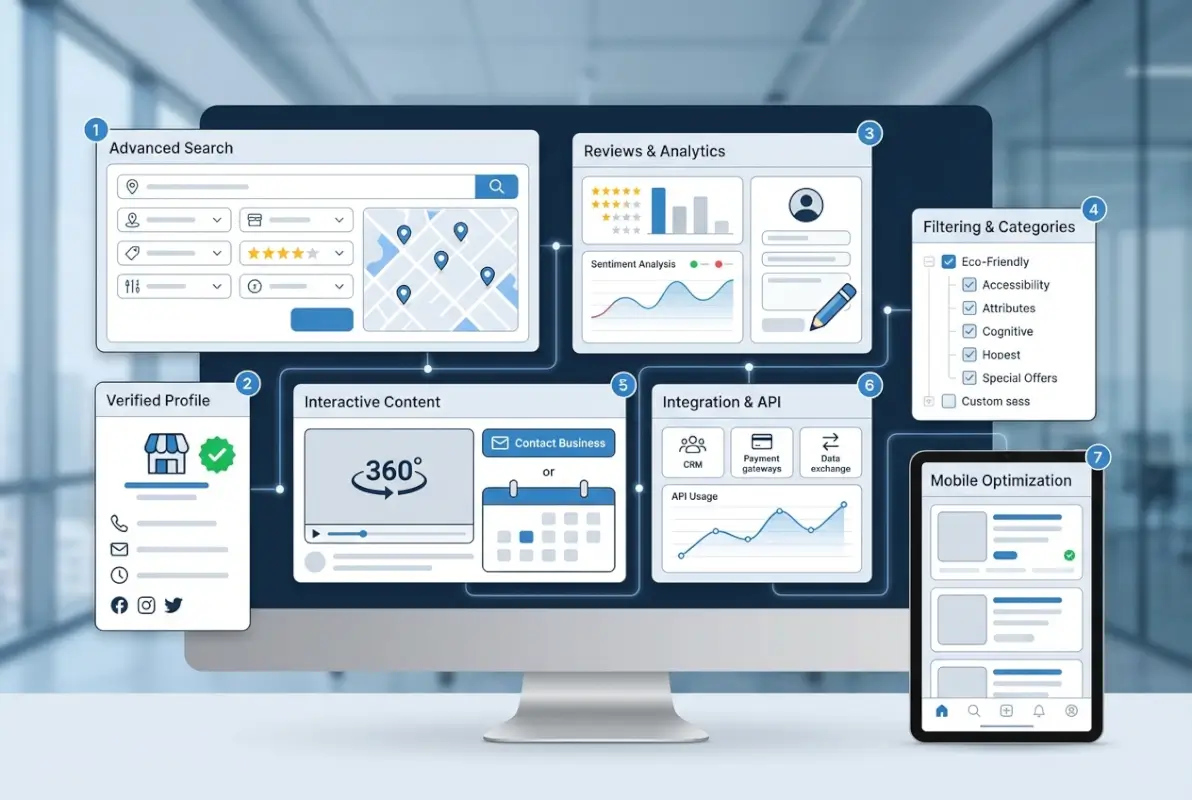
The profile layout should follow a clear visual hierarchy. Put the most important information—name, rating, phone, address—above the fold. Use tabs or expandable sections to organize additional content like reviews, photos, hours, and related businesses without overwhelming users.
User-Generated Content and Moderation
Reviews aren’t optional for modern directories. They’re the primary trust signal that influences user decisions. A Pew Research study found that personal recommendations (including online reviews) are among the most trusted sources for local business information.
Implement a review system that requires verified user accounts, allows photo uploads, enables business owner responses, and flags suspicious patterns. Moderation doesn’t mean censoring negative reviews—it means removing fake reviews (both positive and negative) and spam. Authentic negative reviews actually increase trust when businesses respond professionally.
Q&A sections add another trust layer. Allow users to ask questions publicly, which businesses or other users can answer. This creates valuable, searchable content while addressing common customer concerns before they become barriers to conversion.
Advanced Local SEO and Citation Strategy
Even the best directory is worthless if nobody can find it. Local SEO for directories requires a different approach than standard websites because you’re optimizing both the directory platform itself and individual business listings within it.
On-page optimization starts with location-specific pages. Create dedicated pages for each city, neighborhood, or region you serve, with unique content that includes local keywords naturally. Don’t generate thin, templated pages—write genuine, valuable content about local business landscapes in each area.

URL structure should be logical and hierarchical. Use patterns like yourdirectory.com/location/category/business-name rather than random strings or database IDs. Clean URLs help both users and search engines understand content relationships and improve click-through rates in search results.
Citations and Cross-Platform Consistency
Your directory itself needs citations on other platforms. Submit your directory to relevant web directories (yes, meta!), ensure consistent NAP data across all platforms, and build backlinks from local business associations or chambers of commerce.
For businesses listed in your directory, consistency with their Google Business Profile and other major platforms is crucial. Conflicting information across platforms confuses search engines and users alike. Some successful directories offer citation management as a premium service, helping businesses maintain consistency while creating an additional revenue stream.
| SEO Element | Implementation Effort | Traffic Impact | Priority |
|---|---|---|---|
| Location Pages | Medium-High | Very High | Critical |
| Schema Markup | Low | High | Critical |
| Mobile Speed | Medium | Very High | Critical |
| Internal Linking | Low-Medium | Medium | High |
| Content Marketing | High | Medium-High | Medium |
Technical SEO Foundations
Page speed matters enormously for directories, which often contain hundreds or thousands of listings with images and interactive elements. Implement lazy loading for images, minimize HTTP requests, use CDN delivery for static assets, and optimize database queries that power search functionality.
Mobile page speed deserves special attention since approximately 60% of web traffic now comes from mobile devices. Google’s mobile-first indexing means your mobile experience directly determines search rankings. Target load times under 3 seconds on 4G connections.
Mobile-First Design and Accessibility
I tested a local services directory that looked great on desktop but was nearly unusable on mobile. The search button was too small to tap accurately, the filter menu required horizontal scrolling, and business phone numbers weren’t clickable. Mobile bounce rate was 78%. After a mobile-focused redesign, it dropped to 34% and mobile conversions more than doubled.
Mobile-first design means designing for the smallest screen first, then enhancing for larger screens—not shrinking desktop layouts to fit phones. This approach forces you to prioritize ruthlessly and focus on core user tasks.

Touch targets must be large enough for fingers. Apple and Google both recommend minimum 44×44 pixel tap targets, with adequate spacing between interactive elements to prevent mis-taps. This applies to buttons, links, form fields, and any clickable element.
Simplified Mobile Navigation
Mobile navigation should be streamlined and task-focused. Implement a hamburger menu for secondary navigation, but keep primary actions (search, current location) immediately visible. Popular shortcuts like “Open Now,” “Nearest to Me,” or top categories should be one tap away from the homepage.
Bottom navigation bars work exceptionally well on mobile for directories. Place search, browse categories, favorites/saved, and account access at the bottom where thumbs naturally rest. This pattern, popularized by apps, translates well to mobile web experiences.
Accessibility Standards
Accessibility isn’t just about legal compliance—it’s about usable design that benefits everyone. Proper color contrast helps users in bright sunlight. Keyboard navigation supports power users and those with motor disabilities. Screen reader compatibility ensures visually impaired users can access your directory.
Implement ARIA labels for interactive elements, ensure all images have descriptive alt text, provide skip-navigation links, and use semantic HTML that assistive technologies can parse correctly. Following WCAG 2.1 guidelines at Level AA covers most accessibility needs.
Strategic Monetization and Business Model
Monetization and user experience don’t have to conflict—they should reinforce each other. The best directory monetization enhances the platform by incentivizing businesses to provide more complete, valuable information that users actually want to see.
Freemium models work exceptionally well for directories. Offer basic listings for free (ensuring comprehensive directory coverage), then charge for enhanced features like premium placement, extended descriptions, photo galleries, video content, or lead tracking analytics. This approach keeps the directory valuable for users while creating clear upgrade paths for businesses.
When implementing how to start profitable business directory steps, balance is critical. Too many free listings and you can’t sustain the platform. Too few and users see the directory as incomplete or pay-to-play, which damages trust.
Premium Features That Add Value
Featured listings should be clearly marked as such, maintaining transparency with users. Place them in dedicated sections (“Featured Providers” or “Sponsored Results”) rather than mixing them deceptively with organic results. When users understand the business model, they’re surprisingly accepting of promoted content.
Lead generation models, where businesses pay per qualified lead or contact, align incentives well. Businesses only pay for actual value, and you’re motivated to drive quality traffic. Implement proper tracking and reporting so businesses can see ROI clearly.
Tiered pricing should offer clear value at each level. A basic free listing might include name, address, phone, and hours. Mid-tier could add extended descriptions, photo galleries, and social media links. Premium could include video content, priority placement, detailed analytics, and lead contact forms. Each tier should feel like a meaningful upgrade, not artificial limitations.
Security, Privacy, and Compliance
Security might not be the most exciting feature to discuss, but it’s foundational to user trust and business viability. A single data breach can destroy years of reputation building and expose you to significant legal liability.
Implement HTTPS across your entire directory—no exceptions. Modern browsers mark HTTP sites as “Not Secure,” which immediately damages credibility. SSL certificates are inexpensive and essential. Beyond basic encryption, follow OWASP Top Ten security practices: validate all inputs, implement proper authentication and access controls, protect against SQL injection and XSS attacks, and maintain secure session management.
User data handling requires clear policies and proper safeguards. If you collect email addresses for newsletters or accounts, you need explicit consent and easy opt-out mechanisms. If you process payments for premium listings, use established payment processors rather than storing credit card data yourself.
Privacy Policies and Transparency
Privacy policies shouldn’t be afterthoughts or incomprehensible legal jargon. Write clear explanations of what data you collect, why you collect it, how you use it, and how users can control it. This transparency builds trust and keeps you compliant with privacy regulations.
For business data, establish clear ownership and control processes. Business owners should be able to claim their listings, update information, and request removal if they close. This self-service approach scales better than manual management while giving businesses the control they expect.
Frequently Asked Questions
What are the essential features every business directory must have?
Every modern directory needs accurate verified listings, powerful location-based search, mobile-responsive design, user reviews and ratings, clear contact information, schema markup for SEO, and trust signals like verification badges. Without these foundations, users won’t trust or engage with your platform.
How do I verify business listings in my directory?
Implement multi-step verification using phone or email confirmation, require business documentation for premium listings, and conduct regular data audits. Display verification status prominently with badges and dates. Consider quarterly re-verification to maintain data accuracy over time.
What makes directory search functionality effective?
Effective search combines predictive autocomplete, natural language understanding, advanced filters for location and categories, fast response times under 2 seconds, and clear result ranking. Users should find what they need within 10-15 seconds or they’ll abandon the search.
How important is mobile optimization for business directories?
Critical—63% of local searches happen on mobile devices. Mobile optimization requires touch-friendly buttons (44x44px minimum), fast page loads under 3 seconds, simplified navigation, click-to-call phone numbers, and location detection. Poor mobile experience kills user engagement and search rankings.
Should business directories charge for listings or offer them free?
The most successful model is freemium: offer basic listings free to ensure comprehensive coverage, then charge for enhanced features like premium placement, extended profiles, or analytics. This balances user value with sustainable revenue while maintaining directory completeness.
How can I build trust in my business directory website?
Build trust through verified listings with clear badges, authentic moderated reviews, transparent business practices, secure HTTPS connections, accurate up-to-date information, responsive support, and clear policies. Trust erodes quickly but builds slowly, so consistency matters enormously.
What SEO strategies work best for directory websites?
Focus on local SEO with location-specific pages, implement comprehensive schema markup (LocalBusiness, Organization, Review), ensure fast mobile performance, create unique content for each listing, build internal linking structure, and maintain citation consistency across platforms. Technical SEO foundations determine visibility.
How do user reviews impact directory performance?
Reviews are the primary trust signal influencing user decisions. Listings with reviews get significantly more clicks and conversions. Implement verified review systems, allow business responses, moderate for spam but not negativity, and display aggregate ratings prominently throughout the directory.
What security measures should business directories implement?
Use HTTPS site-wide, follow OWASP security practices, implement proper input validation and authentication, use established payment processors for transactions, maintain clear privacy policies, and provide business owners control over their listings. Regular security audits prevent breaches that destroy trust.
How can I differentiate my directory from competitors?
Focus on a specific niche or geographic area, provide superior data quality and verification, offer unique features addressing underserved needs, create valuable supplementary content, ensure faster and more accurate search, build an engaged community, and deliver consistently excellent user experience across all touchpoints.
Build Your User-Focused Directory Today
Understanding what are the key features of modern business directories is just the starting point. The real work comes in implementing these elements thoughtfully, testing with real users, and continuously refining based on actual behavior data rather than assumptions.
Start by auditing your current directory against these seven essential elements. Identify your biggest gaps—whether that’s mobile experience, search functionality, or data quality—and create a prioritized roadmap. Focus first on foundational elements like verification and mobile responsiveness, which deliver immediate impact on both user satisfaction and search visibility.
The directories that succeed long-term aren’t those with the most features or flashiest designs. They’re the ones that deeply understand their users’ needs and deliver solutions with minimal friction. Every feature decision should answer one question: does this make it easier for users to find what they need and trust what they find?