
How to List Your Business on 411 Directory: Complete Registration & Verification Guide
Opens a Google-translated copy of this article in a new tab.
Most business owners obsess over Google My Business and Yelp, completely overlooking a directory that predates the internet itself—411. Here’s something that might surprise you: the 411 directory still drives millions of monthly searches from consumers who grew up with “dial 4-1-1 for information” ingrained in their minds. This isn’t about nostalgia; it’s about tapping into a consistent stream of high-intent local searches that your competitors are probably ignoring.
What makes the 411 directory particularly valuable is its cross-generational appeal. While younger consumers might default to Google, older demographics—often with higher disposable incomes—instinctively turn to 411 when seeking local assistance. They’re not browsing; they’re actively looking for businesses like yours with genuine intent to contact or visit.
TL;DR – Quick Takeaways
- Free registration – Basic 411 directory listings cost nothing and take 15-20 minutes to complete
- Verification required – Expect 1-3 business days for email or phone verification before your listing goes live
- NAP consistency matters – Use identical business name, address, and phone across all directories for local SEO impact
- Update quarterly – Set calendar reminders to keep hours, services, and contact info current
- Premium options available – Enhanced visibility features exist but aren’t necessary for most small businesses
Understanding 411 Directory Ecosystems and Their Local SEO Impact
The 411 directory didn’t just survive the digital transition—it evolved into a comprehensive business listing platform that feeds data to multiple services. When you add your business to 411, you’re not just appearing in one place. These listings often syndicate to voice assistants, GPS navigation systems, and local search aggregators that most business owners never even think about.
According to research from Pew Research Center, over 85% of Americans use online directories to find local businesses at least occasionally, with 411-style directory searches remaining particularly strong among adults over 45. This demographic tends to have established buying power and brand loyalty—exactly the customers many local businesses want to attract.
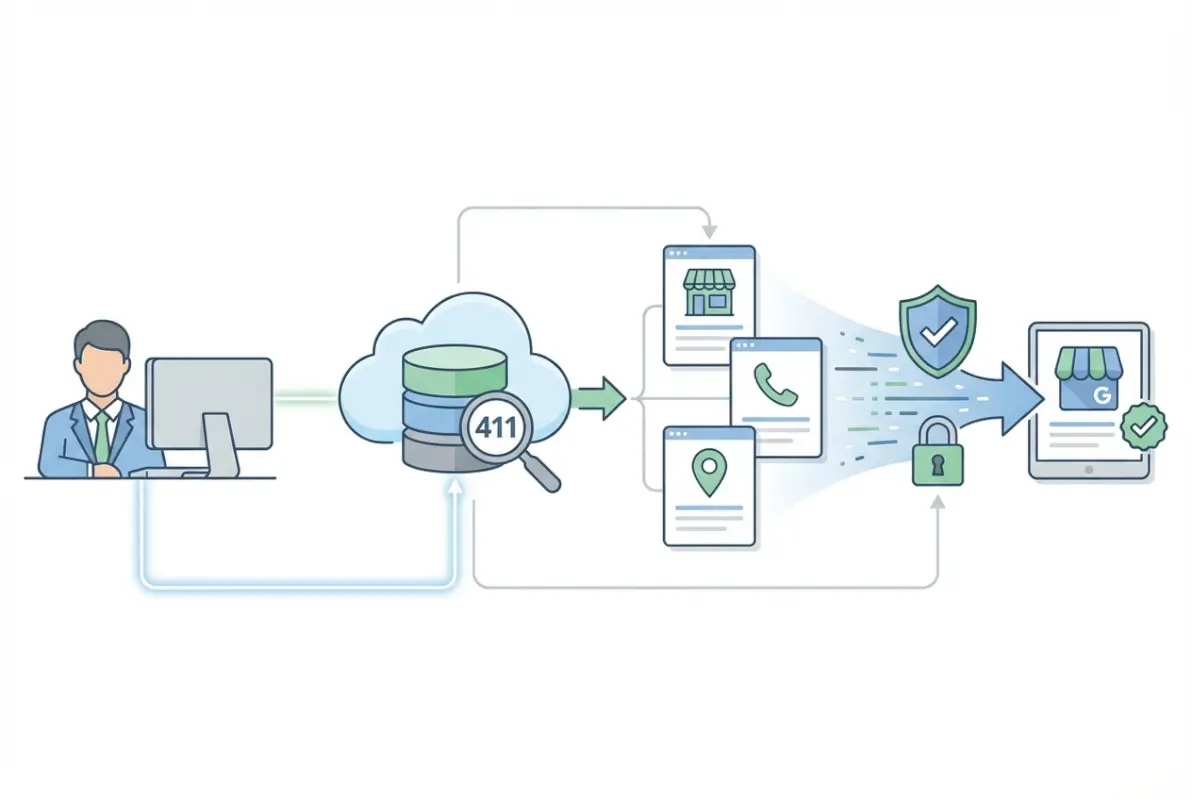
The distinction between 411.com, 411.ca, and similar services matters less than you’d think. Most operate as part of larger directory networks, meaning a listing on one platform often appears (with variations) across multiple services. The key is establishing your presence with complete, accurate information that can propagate throughout these interconnected systems.
For local SEO, 411 listings function as citations—references to your business name, address, and phone number (NAP) across the web. Search engines use these citations as trust signals when determining local search rankings. The more consistent and widespread your citations, the stronger your local SEO foundation becomes.
Gathering Required Information Before You Start
Before touching the 411 registration form, assemble all your business information in one document. I learned this the hard way after starting a listing, realizing I didn’t have the correct hours for holidays, and having to abandon the form halfway through. Most directory platforms time out after 15-20 minutes of inactivity, which means you’ll need to start over if you leave to hunt down missing details.
Your complete business data package should include your legal business name (not your DBA or nickname, even if everyone calls you that), complete physical address with suite numbers if applicable, primary phone number, mobile number if different, website URL, email address for customer inquiries, and detailed business hours including holiday schedules. Don’t just write “9-5″—specify “Monday-Friday 9:00 AM – 5:00 PM, Saturday 10:00 AM – 3:00 PM, Sunday Closed.”

You’ll also need visual assets: a high-resolution logo (minimum 500×500 pixels), 5-7 photos showing your storefront exterior, interior spaces, products or service examples, and your team if customer-facing. According to Forrester research, business listings with professional photos receive 42% more direction requests and 35% more website clicks than text-only listings.
Finally, prepare a 150-200 word business description that naturally incorporates relevant keywords. A restaurant might mention “family-owned Italian restaurant specializing in wood-fired pizza, handmade pasta, gluten-free options, and catering services for corporate events and weddings in the downtown district.” Notice how specific services, dietary accommodations, and location context are woven naturally into the description.
Step-by-Step: Adding Your Business to 411 Directory
The actual 411 business registration process is straightforward once you’ve gathered your materials. Navigate to the official 411 directory website—in most cases, this is 411.com for U.S. businesses or 411.ca for Canadian establishments. Look for “Add Your Business,” “List Your Business,” or “Business Center” links, typically located in the main navigation menu or footer area.
Click through to the registration portal and create a business account. You’ll need a valid email address (use your business email, not personal) and a secure password. Some platforms allow you to register using existing accounts like Google or Facebook, but I recommend creating a standalone login so your business listing isn’t tied to personal social media profiles that might change over time.

After email verification (check your spam folder if you don’t receive it within 5 minutes), log in to access the business dashboard. This is where you’ll input all the information you’ve prepared. The interface typically presents a multi-step form or a single long-form page with clearly labeled sections.
Completing the Core Business Information
Start with the basics: exact legal business name, complete address, and primary phone number. The platform will likely attempt to auto-populate some fields based on your business name or address—double-check everything carefully, as these auto-fill features sometimes pull outdated or incorrect information from other sources.
Select your primary business category from the provided options. This categorization determines which searches surface your listing, so choose carefully. Most directories allow one primary category and 2-3 secondary categories. A coffee shop might select “Cafe” as primary, with “Bakery” and “Breakfast Restaurant” as secondary options.
| Information Field | Importance | SEO Impact |
|---|---|---|
| Business Name (NAP) | Critical | High – citation consistency |
| Complete Address (NAP) | Critical | High – citation consistency |
| Phone Number (NAP) | Critical | High – citation consistency |
| Business Description | High | Medium – keyword relevance |
| Business Hours | High | Low – user experience |
| Photos & Logo | Medium | Low – engagement signal |
In the business description field, paste your prepared 150-200 word description. Avoid keyword stuffing—write for humans first. The description should answer “What do you do?” and “Why should someone choose you?” naturally incorporating relevant search terms customers might use when looking for your services.
Adding Enhanced Details and Media
Don’t skip the optional fields. Payment methods accepted, website URL, social media links, service area radius (for service businesses), and detailed hours (including special holiday schedules) all contribute to a complete, trustworthy listing. The more complete your profile, the more likely the directory algorithm surfaces it in relevant searches.
Upload your logo first, followed by your best 5-7 photos. Most platforms allow up to 10 images for free listings. Choose photos that show different aspects of your business—don’t upload seven nearly identical storefront shots. Include exterior, interior, products, team members, and your work in action if applicable.
Before submitting, review every field carefully, checking for typos, formatting inconsistencies, and accuracy. One misplaced digit in your phone number means lost calls. An incorrect address sends customers to the wrong location and generates negative reviews. Triple-check the NAP information especially.
Verification Methods and Approval Timeline
After submission, the 411 directory initiates a verification process to confirm you’re a legitimate business owner or authorized representative. This safeguard prevents competitors from creating fake listings or unauthorized individuals from claiming businesses they don’t control. The verification typically happens through one of three methods: email verification, phone verification, or postcard verification (less common for online directories).
Email verification is most common and fastest. You’ll receive an automated message at the email address associated with your account containing either a unique verification code or a confirmation link. Enter the code on the website or click the link within 24-48 hours before it expires. Check your spam folder immediately if you don’t see the verification email within 10 minutes—aggressive spam filters sometimes flag automated directory emails.

Phone verification works similarly: the system calls your business phone number and provides an automated verification code you must enter on the website. Some platforms offer SMS text verification as an alternative. In rare cases involving larger businesses or those in regulated industries (healthcare, legal, financial services), manual verification might occur where a representative contacts you directly to confirm details.
The approval timeline typically ranges from a few hours to three business days under normal circumstances. During high-volume periods—typically early January when businesses update their information for the new year, or September when students return to school—approval may take up to five business days. If your listing hasn’t appeared within five business days, contact customer support through the platform’s help section with your submission confirmation number.
Once approved, you’ll receive a confirmation notification that your business is now searchable in the 411 directory. At this point, it becomes discoverable by consumers across desktop, mobile apps, and voice search interfaces that pull from the directory database. Your listing typically appears in search results within 24 hours of approval, though full propagation across all platforms and partner sites may take 7-10 days.
Maintaining Data Quality and NAP Consistency
Creating your 411 listing is just the beginning—ongoing maintenance determines whether it becomes a valuable asset or a source of customer frustration. I remember working with a business that moved locations but forgot to update their directory listings for three months. They accumulated dozens of negative reviews from customers who showed up at the old address, damaging their reputation significantly before they even realized the problem existed.
Set quarterly calendar reminders (March, June, September, December) to audit your 411 listing and all other directory profiles. During these reviews, verify that your NAP information remains accurate, business hours reflect any seasonal or permanent changes, service descriptions match your current offerings, photos represent your current appearance, and contact information works properly.

NAP consistency—maintaining identical Name, Address, and Phone information across all online platforms—is crucial for local SEO. Search engines compare your information across dozens or hundreds of sources. Significant inconsistencies create confusion, potentially harming your local search rankings by 15-25% according to Moz local search research. If you change your phone number, update it everywhere the same day. If you move locations, block time to update every listing within 48 hours.
Managing and Responding to Customer Reviews
The 411 platform allows customers to leave reviews and ratings for businesses. These reviews significantly impact consumer decisions—studies show 94% of consumers avoid businesses with unaddressed negative reviews. Monitoring and responding should become part of your regular business routine, ideally checking for new reviews weekly.
Thank positive reviewers promptly, ideally within 24 hours. A simple “Thank you for your kind words about our service! We’re thrilled you had a great experience and look forward to serving you again soon” takes 30 seconds but demonstrates that you value customer feedback. Personalize responses when possible—if a reviewer mentions specific staff members or services, reference those details in your reply.
Negative reviews require more careful handling but present opportunities to demonstrate professionalism. Respond within 24 hours acknowledging the concern, apologizing for their negative experience (even if you disagree with their assessment), offering to resolve the issue offline, and providing direct contact information for follow-up. Never argue, make excuses, or attack the reviewer publicly—it reflects poorly on your business regardless of who’s “right.”
| Review Type | Response Timeline | Key Elements |
|---|---|---|
| Positive (4-5 stars) | Within 24 hours | Thank them, invite return visit |
| Neutral (3 stars) | Within 12 hours | Acknowledge feedback, offer improvement |
| Negative (1-2 stars) | Within 12 hours | Apologize, take offline, provide contact |
| Spam/Fake | Report immediately | Flag for platform review, don’t engage |
Some businesses incentivize positive reviews with discounts or giveaways, but be cautious—most directories prohibit offering compensation for reviews, and violating these policies can result in listing suspension. Instead, simply ask satisfied customers to share their experiences online. Include a gentle reminder on receipts, in follow-up emails, or through in-store signage like “Enjoyed your visit? We’d love to hear about it on 411!”
Optimizing Beyond the Basics: Premium Features and Cross-Platform Strategy
While basic 411 directory listings are free and valuable, premium upgrade options exist that can enhance visibility within the platform. These paid features typically include priority placement in search results (appearing in top 3 positions), enhanced visual elements like video integration, additional information fields for services and specializations, removal of competitor advertisements from your listing page, and detailed analytics showing view counts, click patterns, and customer actions.
Whether premium features make sense depends on your industry competitiveness and how much directory traffic contributes to your customer acquisition. A restaurant in a tourist area competing with hundreds of similar establishments might benefit significantly from priority placement. A specialized B2B service provider with limited local competition probably doesn’t need enhanced visibility since they’ll likely rank well organically.
According to Google Business Profile guidelines, maintaining consistent information across multiple directories strengthens local search signals more effectively than investing heavily in a single platform. Rather than spending $50-100 monthly on premium 411 features, consider that same budget to ensure your business appears on 10-15 relevant directories with complete, consistent information.
Your 411 listing should integrate into a broader multi-platform visibility strategy including Google Business Profile (primary search engine discovery), Yelp (review-focused discovery especially for restaurants and services), industry-specific directories (targeted audience reach for your niche), and local chamber of commerce or business association directories (community credibility signals).
Promoting Your Directory Listings
Don’t just create listings and hope customers find them—actively promote your directory presence. Add small “Find us on 411” badges to your website footer linking directly to your listing, include your directory URLs in email signatures, mention your 411 listing in local marketing materials and advertisements, and occasionally remind social media followers they can find comprehensive business information through your directory profiles.
Cross-promotion leverages your existing audience to build credibility on newer platforms while creating multiple discovery pathways. When customers see consistent information across your website, social media, and multiple directories, trust increases significantly. This multi-touchpoint presence also protects against single-platform dependencies—if one directory changes its algorithm or policies, your visibility doesn’t disappear entirely.
Frequently Asked Questions
How do I add my business to 411 directory for free?
Visit 411.com or 411.ca and click “Add Your Business” in the navigation menu. Create an account with your business email, complete the registration form with your business name, address, phone, hours, and description, upload photos and logo, then submit for verification. Basic listings are completely free with no credit card required.
What information do I need to list my business on 411?
You’ll need your legal business name, complete physical address, primary phone number, website URL, email address, detailed business hours, business category, and a 150-200 word description. Prepare a high-resolution logo and 5-7 quality photos showing your storefront, interior, products, or services before starting the registration process.
How long does 411 business verification take?
Most 411 directory verifications complete within 1-3 business days. Verification typically occurs through email or phone confirmation to ensure legitimacy. During high-volume periods, approval may take up to 5 business days. If your listing hasn’t been approved within a week, contact customer support with your submission details.
Can I register multiple business locations on 411?
Yes, businesses with multiple locations can create separate listings for each physical address. This multi-location strategy helps you dominate local search results across all service areas. Each location needs its own unique listing with accurate address and phone information specific to that branch or storefront.
How does a 411 listing help my local SEO?
The 411 directory provides valuable citations—references to your business name, address, and phone (NAP) that search engines use as trust signals when ranking local results. Consistent NAP information across directories like 411 can improve local search rankings by 15-25% according to local SEO research from industry authorities.
Should I pay for premium 411 directory features?
Premium features make sense if directory traffic represents a significant customer acquisition channel and you face high local competition. Priority placement increases visibility 3-5x compared to free listings. However, most small businesses benefit more from investing that budget in maintaining consistent presence across multiple directories rather than premium features on one platform.
How often should I update my 411 business listing?
Review and update your 411 listing at least quarterly—every three months—to ensure accuracy. Set calendar reminders for March, June, September, and December. Update immediately whenever business information changes such as new phone numbers, address changes, adjusted hours, added services, or rebranding. Outdated information leads to customer frustration and negative reviews.
Can I respond to customer reviews on 411?
Yes, log into your business dashboard to view and respond to customer reviews. Reply to both positive and negative feedback within 24 hours when possible. Thank positive reviewers and address concerns in negative reviews professionally, offering to resolve issues offline. Consistent review engagement demonstrates customer service commitment and builds trust with prospective customers.
What’s the difference between 411.com and 411.ca listings?
The .com version primarily serves United States businesses while .ca focuses on Canadian establishments. Both operate as part of larger directory networks, so a listing on one platform often appears across multiple connected services. Choose the version matching your primary business location and target customer base for optimal local relevance.
How do I claim an existing 411 listing for my business?
If a 411 listing already exists for your business (perhaps created automatically from public records), search for your business name on the platform, click “Claim this business” or “Are you the owner?” on your listing page, then complete the verification process. This lets you take control of the existing listing rather than creating a duplicate.
Was this article helpful?