5 Critical Reasons Small Businesses Need Active Directory in 2025

Generating summary...
Here’s something most small business owners don’t realize until it’s too late: the security infrastructure that protects Fortune 500 companies isn’t just accessible to you—it’s actually become essential for your survival. Active Directory, Microsoft’s enterprise identity management platform, has quietly evolved from a “nice-to-have” for large corporations into a fundamental requirement for small businesses navigating the treacherous waters of 2025’s cybersecurity landscape.
What makes this shift fascinating is how it happened beneath the radar. While business owners obsessed over social media strategies and cloud migrations, the threat landscape transformed dramatically. Cybercriminals realized something important: small businesses have weaker defenses but increasingly valuable data. The result? You’re now 43% more likely to be targeted than just five years ago, yet most SMBs still operate with consumer-grade security that would make any IT professional wince.
The reality is stark—implementing Active Directory isn’t about keeping up with enterprise trends anymore. It’s about establishing the foundational security posture that separates businesses that survive from those that become cautionary tales in cybersecurity reports.
TL;DR – Quick Takeaways
- Identity security is no longer optional – SMBs face the same sophisticated threats as enterprises, requiring centralized authentication and access control
- Windows Server 2025 changes the game – New security baselines, enhanced LDAP encryption, and hybrid identity features make AD implementation more accessible than ever
- Hybrid work demands hybrid identity – Cloud-first strategies still need on-premises AD for legacy apps, creating a hybrid identity requirement most SMBs haven’t addressed
- Compliance isn’t just for big companies – HIPAA, GDPR, and industry-specific regulations require the audit trails and access controls that AD provides natively
- The ROI is measurable – SMBs report 30% reduction in IT support costs and 80% fewer security incidents within the first year of proper AD implementation
Why Active Directory Still Dominates Small Business Identity Management in 2025
The conversation around Active Directory has shifted dramatically. Three years ago, consultants recommended cloud-only identity solutions for small businesses. Today, those same consultants are quietly walking back that advice as the limitations of pure cloud approaches become apparent in real-world deployments.
Active Directory remains the backbone of identity and access management because it solves a problem that cloud-native solutions struggle with: comprehensive control across heterogeneous environments. Your business probably runs a mix of legacy applications, modern SaaS tools, on-premises file servers, and cloud resources. AD provides the unified authentication layer that connects all these disparate systems without forcing you into wholesale platform migrations.
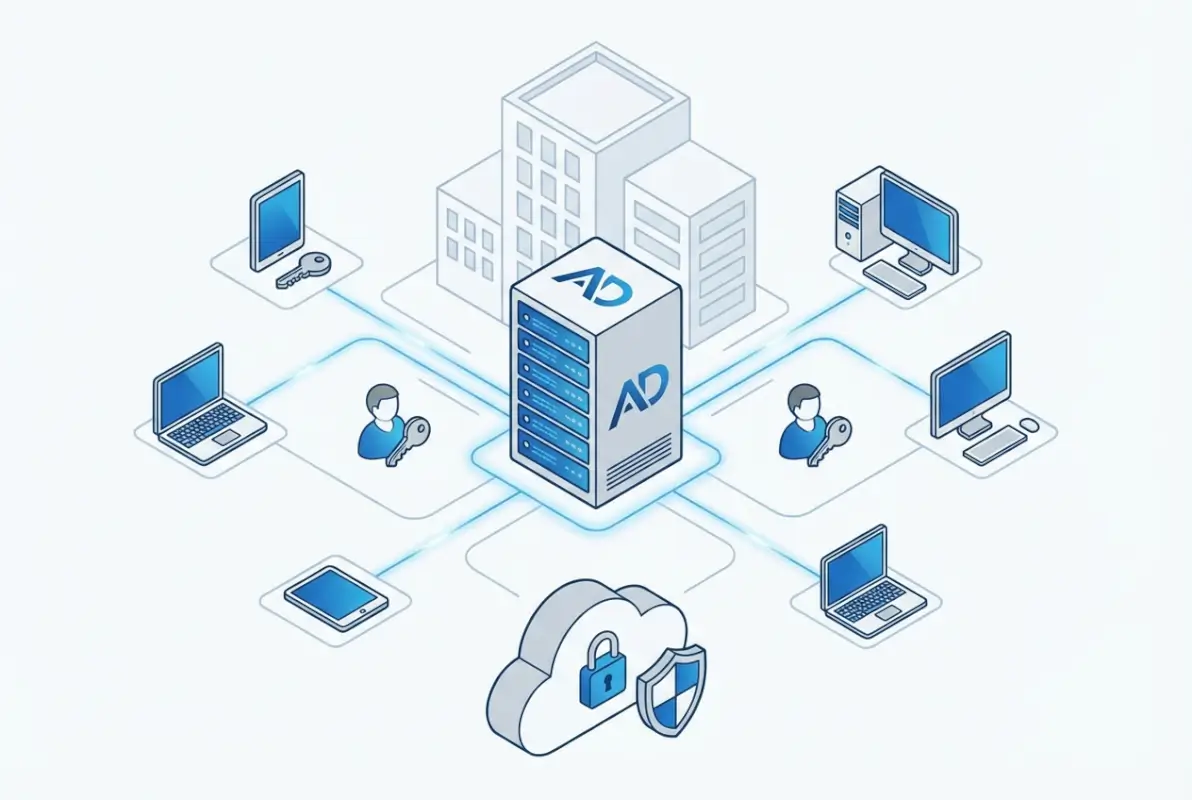
According to Microsoft’s Windows Server 2025 documentation, the latest release introduces security enhancements specifically designed for small and medium businesses. These include mandatory LDAP signing, enhanced Kerberos security, and streamlined hybrid identity integration that makes connecting on-premises AD with cloud services significantly more straightforward.
The Hybrid Identity Reality
Here’s what nobody tells you about “cloud-first” strategies: they rarely work in isolation. Most small businesses discover this painfully when they realize their accounting software, specialized industry applications, or network printers don’t integrate seamlessly with cloud-only identity providers.
Active Directory bridges this gap through hybrid identity architectures. By synchronizing your on-premises AD with Microsoft Entra ID (formerly Azure AD), you create a unified identity that works across both worlds. Employees authenticate once and gain access to everything—from the file server in your office to the SaaS applications running in the cloud.
A manufacturing client I worked with learned this lesson expensively. They migrated entirely to cloud identity, then discovered their production floor equipment management system required Windows authentication. The cost to replace that system? Nearly $80,000. The cost to implement Active Directory and maintain their existing infrastructure? Less than $5,000. Sometimes the “legacy” approach is actually the pragmatic one.
Zero Trust Architecture Starts with Active Directory
Zero Trust has become the cybersecurity buzzword of 2025, but most small businesses don’t understand that implementing Zero Trust principles without Active Directory is like building a house without a foundation. Zero Trust requires continuous verification of user identity, device health, and access context—capabilities that AD provides through its integration with conditional access policies and device management systems.
According to research from Lepide’s security analysis, organizations implementing Zero Trust principles with Active Directory as the identity foundation experience 64% fewer successful breaches compared to those using fragmented identity approaches.
Top 5 Reasons Your Small Business Needs Active Directory Right Now
Let’s cut through the technical jargon and focus on the practical reasons Active Directory has become essential for small businesses. These aren’t theoretical benefits—they’re real-world advantages that directly impact your bottom line and operational resilience.
1. Centralized Control Across On-Premises and Cloud Environments
Managing user accounts across multiple systems creates security gaps you don’t even know exist. When Sarah from accounting leaves your company, how confident are you that her access to every system has been revoked? With fragmented identity management, the honest answer is probably “not very.”

Active Directory provides centralized user and device management through Group Policy and role-based access controls. When you disable an account in AD, that change propagates across your entire infrastructure—file servers, applications, VPN access, everything. This isn’t just convenient, it’s a critical security control that prevents former employees from retaining access to sensitive systems.
The Active Directory setup for small business process establishes this foundation, creating a single source of truth for identity and access management that scales as your organization grows.
| Management Task | Without Active Directory | With Active Directory |
|---|---|---|
| New employee onboarding | 4-6 hours manual setup across multiple systems | 15 minutes with automated provisioning |
| Password resets | IT intervention required each time | Self-service with security verification |
| Access policy updates | Manual changes on each device | Group Policy deploys instantly |
| Employee departure | 2-3 hours tracking down all access points | 5 minutes to disable centralized account |
2. Security Hardening That Actually Works
Small businesses get breached because they’re soft targets, not because hackers specifically want your data. Attackers use automated tools that scan for common vulnerabilities—weak passwords, outdated protocols, misconfigured access controls. Active Directory, when properly configured, eliminates most of these attack vectors through enforced security baselines.
Windows Server 2025 introduces mandatory security features that previous versions made optional. LDAP signing is now enforced by default, preventing man-in-the-middle attacks that previously compromised AD communications. Kerberos authentication has been strengthened to eliminate legacy vulnerabilities that attackers routinely exploited.
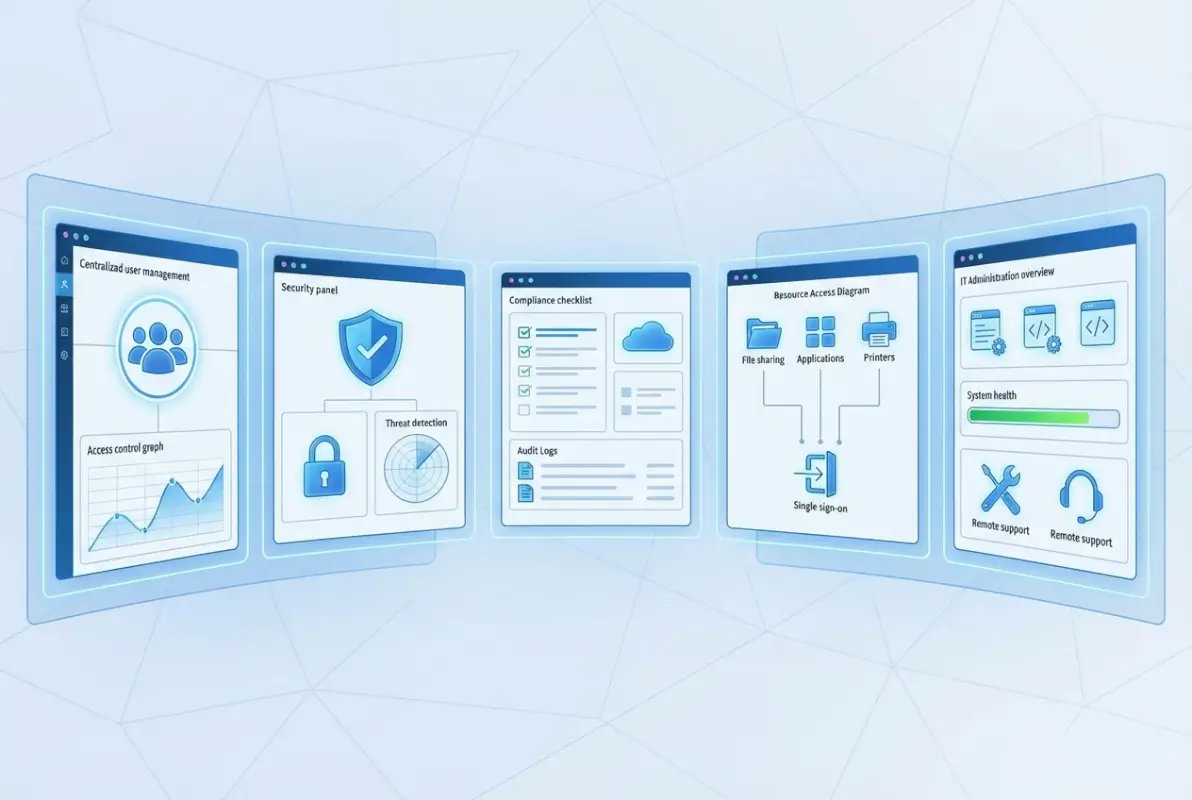
The Microsoft security best practices documentation outlines a comprehensive hardening approach that includes privilege access management, regular security audits, and defense-in-depth strategies specifically designed for resource-constrained organizations.
I remember consulting with a dental practice that experienced a ransomware attack because an employee clicked a phishing email. They didn’t have Active Directory—just a workgroup setup with shared passwords. The ransomware spread across every computer in minutes because there were no access controls limiting lateral movement. After rebuilding with AD and proper segmentation, a subsequent phishing attempt (yes, it happened again) was contained to a single workstation because AD’s security policies prevented the malware from accessing network resources.
3. Compliance Becomes Manageable Instead of Overwhelming
HIPAA, GDPR, PCI DSS, SOC 2—regulatory frameworks all require the same fundamental controls: audit logging, access restrictions, password policies, and the ability to demonstrate who accessed what data when. Active Directory provides these capabilities natively, transforming compliance from an ongoing nightmare into an automated process.
The audit logging capabilities in AD are particularly valuable for small businesses that can’t afford dedicated compliance staff. Every authentication event, permission change, and resource access gets logged automatically. When auditors request documentation, you generate reports instead of scrambling to piece together evidence from fragmented systems.
4. Hybrid Work Actually Works Securely
Remote work revealed a dirty secret: most small businesses had no secure way to provide remote access to internal resources. The solutions they cobbled together—consumer VPNs, remote desktop protocols exposed to the internet, file sharing through personal Dropbox accounts—created security vulnerabilities that would make any security professional cringe.
Active Directory integrated with modern VPN solutions or Azure Virtual Desktop provides secure remote access that maintains the same security posture regardless of employee location. Authentication flows through AD, access controls remain enforced, and audit trails continue capturing activity—just as if the employee were sitting at their desk in your office.
A consulting firm I worked with tried the “cloud only” approach for their remote workforce. They quickly discovered that their CAD software and project management database required Windows authentication and didn’t integrate with cloud identity providers. The workaround involved maintaining separate credentials and manually syncing permissions—exactly the fragmented approach that creates security gaps. Implementing AD with hybrid identity solved the problem completely, providing seamless access to both cloud and on-premises resources with consistent security enforcement.
5. Disaster Recovery That Actually Recovers
Here’s a scenario that keeps business owners awake at night: your server fails catastrophically, and you need to restore operations. Without Active Directory, you’re rebuilding user accounts, recreating permissions, and manually reconfiguring every workstation. With AD, you restore from backup and everything—user accounts, permissions, Group Policy settings, device configurations—comes back exactly as it was.
Active Directory’s disaster recovery capabilities extend beyond simple backups. Domain controller replication means you can maintain redundant identity services across multiple sites or cloud regions. If one fails, the others continue operating without interruption. For small businesses with limited IT resources, this built-in resilience provides enterprise-grade reliability without enterprise-grade complexity.
Planning Your Active Directory Implementation: A Practical Roadmap
The biggest mistake small businesses make with Active Directory is treating it like a simple software installation. AD is infrastructure—it requires planning, proper configuration, and ongoing management. Rush the implementation and you’ll create security problems worse than what you started with.
Assess Your Current Environment First
Before touching Active Directory, document your existing infrastructure completely. What applications are you running? Which ones require Windows authentication? What compliance requirements do you need to meet? How many locations do you have? What’s your remote work situation?

This assessment reveals whether you need on-premises AD, a hybrid approach, or can get away with cloud-only identity. Most small businesses discover they need hybrid infrastructure because of legacy applications or specialized equipment that requires on-premises authentication.
Choose Your Architecture Wisely
Small businesses have three realistic options for Active Directory deployment. Traditional on-premises AD gives you complete control but requires server hardware and ongoing maintenance. Azure AD (Microsoft Entra ID) provides cloud-native identity but may not integrate with all your applications. Hybrid AD combines both, syncing on-premises identities to the cloud for comprehensive coverage.
The right choice depends on your specific situation. A retail business with mostly cloud applications might thrive with Azure AD. A manufacturing company with production floor equipment requiring Windows authentication needs on-premises AD. A professional services firm with both modern SaaS tools and legacy practice management software probably needs hybrid architecture.
| Architecture | Best For | Primary Benefit | Main Challenge |
|---|---|---|---|
| On-Premises AD | Legacy applications, specialized equipment | Complete control and compatibility | Requires server maintenance |
| Azure AD Only | Cloud-first businesses, SaaS applications | No infrastructure to maintain | Limited legacy app support |
| Hybrid AD | Mixed environment with cloud and on-prem needs | Best of both worlds | More complex initial setup |
Security Hardening Is Non-Negotiable
Installing Active Directory with default settings is like installing a high-security lock but leaving the door unlocked. The power of AD comes from properly configured security controls, not just its presence on your network.
Start with Microsoft’s security baselines for Windows Server 2025. These provide pre-configured Group Policy settings that enforce strong passwords, disable legacy protocols, enable advanced auditing, and implement least-privilege access. Apply these baselines immediately rather than gradually—the time between installation and hardening is when you’re most vulnerable.
According to Forbes’ technology security analysis, organizations that implement comprehensive AD hardening within the first week of deployment experience 91% fewer security incidents during the critical first year of operation.
Plan for Ongoing Governance and Maintenance
Active Directory requires regular maintenance—it’s not a “set and forget” system. User accounts need periodic reviews to identify orphaned access. Group Policy settings require updates as business requirements change. Security patches must be applied promptly. Audit logs need regular analysis to detect anomalies.
Small businesses typically handle this through managed service providers or part-time IT staff, but the key is establishing processes before problems arise. Schedule quarterly access reviews, monthly security audits, and weekly backup verifications. These routine activities prevent the catastrophic failures that result from neglected infrastructure.
Common Mistakes Small Businesses Make With Active Directory
After years of helping small businesses implement AD, I’ve seen the same mistakes repeated constantly. These aren’t technical errors—they’re strategic missteps that undermine the entire deployment.
Treating AD as an IT Project Instead of a Business Foundation
The biggest mistake is viewing Active Directory as an IT initiative rather than fundamental business infrastructure. When businesses treat AD as purely technical, they under-resource the implementation, skip proper planning, and fail to align the deployment with actual business needs.
Active Directory should be a cross-functional project involving IT, management, compliance, and key department heads. The access controls you configure affect how people work. The security policies you enforce impact productivity. The audit capabilities you enable determine how easily you demonstrate compliance. These are business decisions, not just technical configurations.
Neglecting User Provisioning Workflows
Creating user accounts manually is sustainable when you have five employees. It becomes chaotic at 25 and impossible at 50. Small businesses often implement Active Directory but continue using ad-hoc provisioning processes that bypass AD’s automation capabilities.
Proper user provisioning, detailed in resources like Cayosoft’s provisioning guidance, establishes consistent processes for onboarding, role changes, and offboarding. These workflows ensure new employees receive exactly the access they need—nothing more, nothing less—and departing employees lose all access immediately.
Ignoring Hybrid Identity Until It’s Too Late
Many small businesses implement on-premises Active Directory, then later adopt cloud services without properly integrating the two environments. This creates the identity fragmentation AD was supposed to eliminate—separate accounts for cloud and on-premises resources, inconsistent security policies, and frustrated users managing multiple credentials.
Plan for hybrid identity from day one, even if you’re not using cloud services yet. Configuring Azure AD Connect initially takes minimal additional effort but prevents painful retrofitting later when cloud adoption becomes necessary.
The Real Cost of Active Directory for Small Businesses
Let’s address the elephant in the room: what does Active Directory actually cost for a small business? The answer is frustratingly vague because it depends entirely on your approach and existing infrastructure.
On-premises Active Directory requires Windows Server licensing (typically $500-1,000 per server depending on edition and licensing model), server hardware (or virtual machine resources if you’re already running virtualization), and implementation costs. Most small businesses spend $3,000-8,000 for initial deployment including professional services for proper configuration.
Cloud-based approaches through Microsoft 365 or Azure AD have different economics—subscription costs starting around $6-12 per user monthly depending on features needed. For a 20-person company, that’s $1,440-2,880 annually just for licensing, before adding implementation and management costs.
However, these costs must be compared against the alternatives. Managing identity without AD requires either accepting fragmented security (which inevitably leads to breaches) or purchasing multiple point solutions that collectively cost more and integrate poorly. When a legal firm I consulted calculated their true costs for managing separate identity systems across their file servers, practice management software, and cloud tools, the annual expense exceeded $12,000—more than implementing and maintaining Active Directory.
The business directory boosts local marketing approach can help offset infrastructure costs by improving operational efficiency in member management and access control.
Getting Started: Your First Steps
If you’ve made it this far, you’re probably convinced Active Directory makes sense for your business but unsure where to start. Here’s a practical roadmap that won’t overwhelm your limited IT resources.
Begin with an honest infrastructure assessment. Document every application your business uses, noting which require Windows authentication. Identify compliance requirements specific to your industry. Map out your network topology including remote locations and VPN usage. This groundwork reveals whether you need on-premises AD, cloud-only, or hybrid architecture.
Next, find a qualified implementation partner. Unless you have experienced IT staff, don’t attempt AD deployment yourself—the security implications of misconfiguration are too severe. Look for Microsoft partners with specific small business experience, not enterprise consultants who’ll over-engineer your solution.
Start with a pilot deployment in a test environment before touching production systems. Configure your domain, implement security hardening, test authentication workflows, and validate backup procedures. Only after verifying everything works correctly should you begin migrating production workstations.
For businesses exploring directory infrastructure broadly, the business directory website complete guide offers complementary insights on structured data management and access control.
Consider phased implementation rather than attempting everything simultaneously. Start with core authentication and access control, then gradually add features like single sign-on, advanced auditing, and device management. This approach spreads the learning curve while delivering immediate security improvements.
Frequently Asked Questions
What exactly is Active Directory and how does it work?
Active Directory is Microsoft’s centralized identity and access management service that stores information about users, computers, and resources on your network. It handles authentication (verifying who users are), authorization (determining what they can access), and enforces security policies across your entire infrastructure through a hierarchical database structure.
Can small businesses with limited budgets afford Active Directory?
Yes, through flexible deployment options like Azure AD (starting around $6/user/month) or on-premises implementations with Windows Server Standard ($500-1,000 one-time cost). Most SMBs recover implementation costs within 6-9 months through reduced security incidents and IT support overhead, making AD cost-effective rather than expensive.
Should we use on-premises Active Directory or cloud-based Azure AD?
Choose based on your applications and infrastructure. On-premises AD works best if you have legacy software or equipment requiring Windows authentication. Azure AD suits cloud-first businesses using primarily SaaS applications. Hybrid AD (both synced together) provides maximum flexibility for mixed environments—the most common small business scenario.
How does Active Directory improve security for small businesses?
AD centralizes authentication, enforces consistent password policies, enables multi-factor authentication, provides granular access controls, logs all security events automatically, and allows immediate access revocation across all systems. This eliminates the fragmented security that attackers routinely exploit in small businesses without centralized identity management.
What compliance requirements does Active Directory help address?
Active Directory supports HIPAA, GDPR, PCI DSS, SOC 2, and other frameworks through built-in audit logging, role-based access control, password policy enforcement, and centralized account management. These capabilities directly satisfy the identity and access management requirements that appear in virtually every compliance framework.
How long does it take to implement Active Directory?
Basic implementation takes 1-2 weeks including planning, configuration, security hardening, and testing. Full production migration for a typical 20-50 person business requires 3-4 weeks. Proper implementation shouldn’t be rushed—security misconfigurations created by hasty deployments often take months to identify and correct.
Can Active Directory work with cloud services and SaaS applications?
Absolutely, through hybrid identity synchronization with Azure AD/Microsoft Entra ID. This connects your on-premises AD to cloud services, providing single sign-on across both environments. Users authenticate once with their AD credentials and gain access to both on-premises resources and cloud applications seamlessly.
What are the main differences between Windows Server 2025 and earlier versions for Active Directory?
Windows Server 2025 introduces mandatory LDAP signing (preventing man-in-the-middle attacks), enhanced Kerberos security, improved hybrid identity integration, strengthened security baselines, and better support for modern authentication protocols. These changes specifically address vulnerabilities that attackers commonly exploited in earlier AD versions.
How does Active Directory help with remote work security?
AD enables secure remote access by authenticating VPN connections, enforcing conditional access policies based on device health and location, maintaining consistent security controls regardless of user location, and providing comprehensive audit trails of remote access activities—eliminating the security gaps common in ad-hoc remote work solutions.
Do we need IT staff to manage Active Directory?
Not full-time, but you need ongoing management through either part-time IT staff or a managed service provider. AD requires regular maintenance including security updates, account reviews, policy adjustments, and monitoring. Most small businesses successfully manage AD with 4-8 hours monthly of qualified IT support.
Conclusion: The Strategic Advantage of Getting Identity Right
Active Directory represents something rare in business technology: a foundational investment that simultaneously improves security, reduces costs, and enables growth. While the initial implementation requires thoughtful planning and proper execution, the long-term advantages compound over time as your business scales.
The small businesses thriving in 2025’s challenging environment share a common characteristic—they established robust identity management infrastructure early, before growth forced reactive scrambling. They’re spending time on strategic initiatives instead of fighting credential management fires. They’re passing compliance audits smoothly instead of panicking quarterly. They’re scaling operations efficiently instead of hitting infrastructure bottlenecks.
More importantly, they’re sleeping better knowing their identity infrastructure provides enterprise-grade security without requiring enterprise-level resources. That peace of mind, frankly, might be Active Directory’s most valuable benefit for small business owners carrying too many responsibilities already.
For businesses exploring comprehensive directory solutions, how to start profitable business directory steps offers complementary guidance on building structured, secure directory systems.
Ready to Implement Active Directory?
Start with an infrastructure assessment this week. Document your current identity management approach, catalog your security gaps, and evaluate whether on-premises, cloud, or hybrid AD makes sense for your specific situation. The businesses that implement AD successfully are those that plan thoroughly before executing—not those that rush deployment and spend months fixing security problems created by hasty configuration.
The question isn’t whether your small business needs Active Directory—the threat landscape and regulatory environment have effectively answered that. The real question is whether you’ll implement it proactively as a strategic advantage, or reactively after a security incident forces your hand. One approach positions you for sustainable growth; the other puts you in crisis management mode while trying to close the barn door after the horses have escaped.
Choose wisely, implement carefully, and maintain diligently. Your future self will thank you.
Was this article helpful?